FlowStateV1.1
Health Pass
- License — License: MIT
- Description — Repository has a description
- Active repo — Last push 0 days ago
- Community trust — 17 GitHub stars
Code Pass
- Code scan — Scanned 12 files during light audit, no dangerous patterns found
Permissions Pass
- Permissions — No dangerous permissions requested
This MCP server provides persistent memory for AI coding assistants, allowing them to track projects, problems, solutions, and learnings across multiple sessions. It stores this context locally in a SQLite database and includes an optional GUI for visual management.
Security Assessment
The overall risk is Low. The tool explicitly states that data is kept entirely local and no information is sent to external services, which aligns with the light code scan finding no dangerous network-related patterns. Furthermore, the audit confirmed that it requests no dangerous permissions and there are no hardcoded secrets in the scanned files. However, developers should note the slight discrepancy between the listed language (TypeScript) and the installation instructions (Python), meaning they should verify the exact codebase they are pulling.
Quality Assessment
The project is in good health and actively maintained, with the most recent code push occurring today. It utilizes a standard, permissive MIT license and has a clear description. With 17 GitHub stars, the community trust level is still in its early stages, which is typical for emerging developer utilities. The codebase passed the automated scan, showing no dangerous execution or permission patterns across the audited files.
Verdict
Safe to use.
Development memory that flows between sessions. An MCP server that gives Claude persistent memory about your projects.
FlowState
Development memory that flows between sessions.
FlowState is an open-source development memory system that helps developers maintain context across coding sessions. It tracks your projects, problems, solutions, and learnings so you never lose your train of thought — even when switching between projects or picking up work days later.
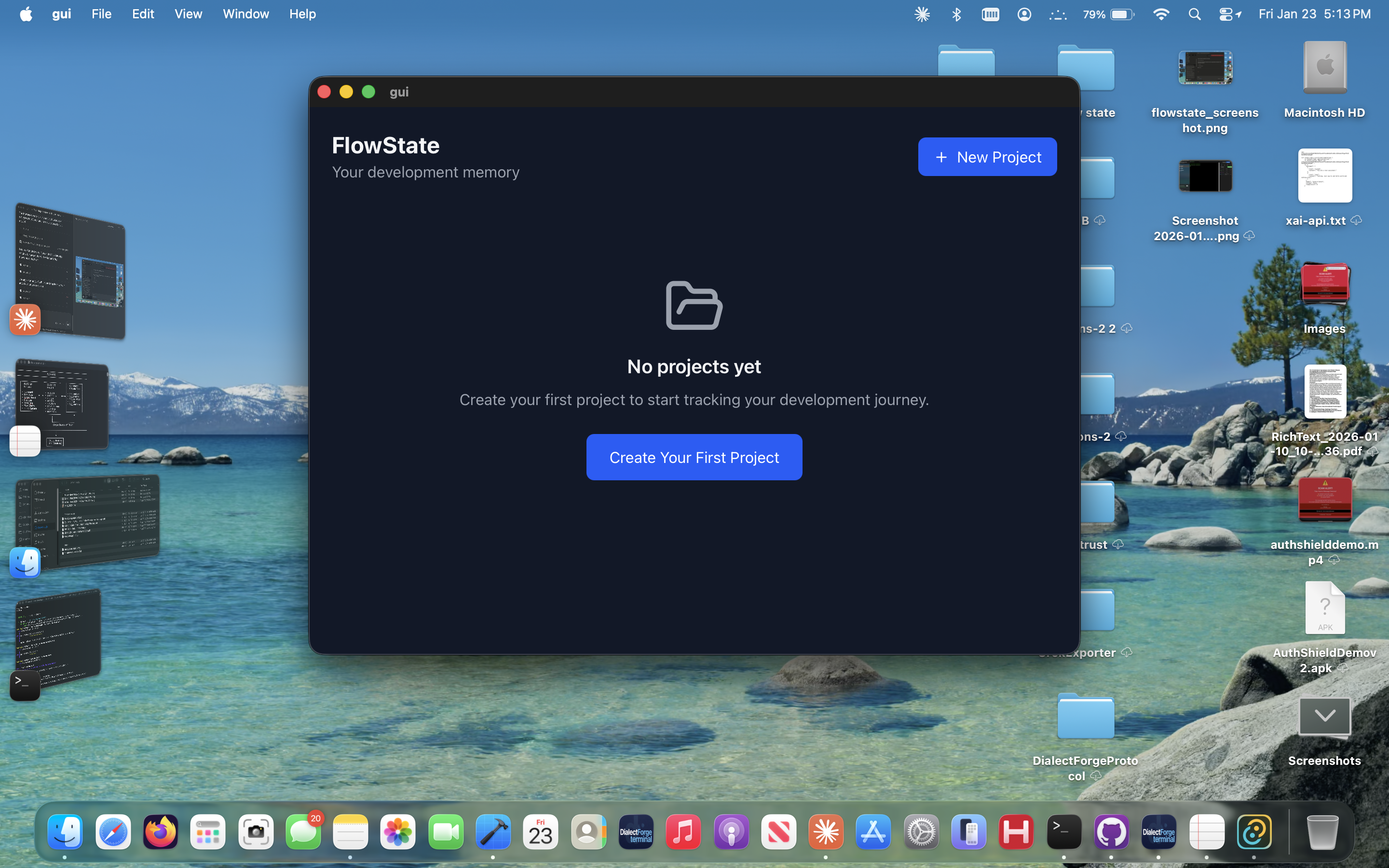
FlowState works as an MCP server that integrates directly with Claude Desktop, giving Claude persistent memory about your projects. It also includes an optional desktop GUI built with Tauri + React for visual project management.
Features
- Project tracking — organize work into projects, components, and todos
- Problem/solution logging — track bugs, attempted fixes, and what actually worked
- Learnings capture — save insights, gotchas, and best practices as you discover them
- Session continuity — Claude picks up exactly where you left off
- Git sync — sync your development memory across machines
- File attachments — attach relevant files to projects and problems
- Search — find anything across all your projects
- Desktop GUI — visual dashboard, kanban board, timeline, and more (optional)
How It Works
FlowState runs as an MCP (Model Context Protocol) server. When connected to Claude Desktop, Claude can read and write to your local FlowState database. This means Claude remembers your projects, what you were working on, what problems you've solved, and lessons learned — across every conversation.
Your data is stored locally in a SQLite database on your machine. Nothing is sent to any external service.
Quick Start (MCP Server Only)
This is the fastest way to get FlowState working with Claude Desktop. No GUI needed.
Prerequisites
- Python 3.11+
- Claude Desktop
pippackage manager
1. Clone the repo
git clone https://github.com/dialectforge/FlowStateV1.1.git
cd FlowStateV1.1
2. Install dependencies
cd mcp-server
pip install -r requirements.txt
3. Configure Claude Desktop
Open your Claude Desktop config file:
- macOS:
~/Library/Application Support/Claude/claude_desktop_config.json - Windows:
%APPDATA%\Claude\claude_desktop_config.json - Linux:
~/.config/Claude/claude_desktop_config.json
Add FlowState to your mcpServers:
{
  "mcpServers": {
    "flowstate": {
      "command": "python3",
      "args": ["-m", "flowstate.server"],
      "env": {
        "PYTHONPATH": "/path/to/FlowState/mcp-server"
      }
    }
  }
}
Replace /path/to/FlowState/mcp-server with the actual path to where you cloned the repo.
4. Restart Claude Desktop
After restarting, Claude will have access to FlowState's 21 tools. Try asking Claude:
"Create a new FlowState project called 'My App' and describe it as a todo list application."
MCP Tools Reference
FlowState provides 21 consolidated tools (reduced from 79 in earlier versions):
| Tool | Description |
|---|---|
list_projects |
List all projects |
create_project |
Create a new project |
update_project |
Update project details |
get_context |
Get full project context (the core tool — gives Claude everything it needs) |
create_component |
Add a component to a project |
list_components |
List project components |
update_component |
Update a component |
log_learning |
Capture an insight or lesson learned |
get_learnings |
Retrieve learnings |
log_change |
Record a change to a component |
get_recent_changes |
See what changed recently |
search |
Search across all content |
problem |
Log, list, solve, or view problem trees |
attempt |
Log solution attempts and their outcomes |
todo |
Add, update, or list todos |
session |
Manage work sessions and conversations |
file |
Attach, list, remove, or search files |
git |
Init, status, sync, set remote, clone, history |
variable |
Store project variables (servers, config, endpoints) |
method |
Document project methods (auth flows, deployment steps) |
self_improve |
Claude's skill learning and session state |
Key Workflow
The most important tool is get_context. At the start of any conversation about a project, Claude calls this to load everything it needs — components, open problems, recent changes, todos, and learnings. This is what gives Claude "memory" between sessions.
Git Sync (Optional)
FlowState can sync your database between machines using Git.
Setup
Create a private GitHub repo (e.g.,
flowstate-data)Initialize and connect:
# Through Claude — just ask:
"Initialize FlowState git and set the remote to [email protected]:username/flowstate-data.git"
Or use the MCP tools directly: git init → git set_remote → git sync
- On your other machine, clone the repo to the FlowState data directory:
- macOS:
~/Library/Application Support/flowstate/ - Windows:
%LOCALAPPDATA%/flowstate/ - Linux:
~/.local/share/flowstate/
- macOS:
Syncing
Ask Claude to run git sync at any time, or call it through the MCP tool. It commits changes, pulls from remote (with rebase), and pushes.
Desktop GUI (Optional)
FlowState includes a Tauri + React desktop app with visual views for managing your projects.
Views
- Dashboard — project overview with stats
- Tree View — hierarchical component explorer
- Kanban Board — drag-and-drop task management
- Timeline — chronological change history
- Search Panel — full-text search across everything
- Decision Tree — problem/solution visualization
- Story Mode — narrative view of your project journey
- Architecture Diagram — visual component relationships
- Files View — manage file attachments
- Quick Capture — rapid entry for problems, todos, and learnings
Building the GUI
Requires Node.js 18+ and Rust (for Tauri).
cd gui
npm install
npm run tauri dev    # Development
npm run tauri build  # Production build
Database
FlowState uses SQLite. Your database is stored at:
- macOS:
~/Library/Application Support/flowstate/flowstate.db - Windows:
%LOCALAPPDATA%/flowstate/flowstate.db - Linux:
~/.local/share/flowstate/
The database is created automatically on first run. The schema is in database/schema.sql.
Project Structure
FlowState/
├── mcp-server/              # MCP server (Python)
│   ├── flowstate/
│   │   ├── server.py        # MCP server with 21 tool definitions
│   │   ├── database.py      # SQLite operations
│   │   ├── models.py        # Pydantic models
│   │   └── tools/           # Tool implementations
│   │       ├── core.py      # Projects, components, search
│   │       ├── todos.py     # Todo management
│   │       ├── problems.py  # Problem tracking
│   │       ├── learning.py  # Learnings and skills
│   │       ├── sessions.py  # Session management
│   │       ├── git_ops.py   # Git sync operations
│   │       ├── files.py     # File attachments
│   │       ├── variables.py # Project variables/methods
│   │       └── ...
│   ├── requirements.txt
│   └── pyproject.toml
├── gui/                     # Desktop GUI (Tauri + React)
│   ├── src/                 # React frontend
│   └── src-tauri/           # Rust backend
├── database/
│   └── schema.sql           # Database schema
├── scripts/                 # Utility scripts
│   ├── mcp-switch.py        # MCP server toggle utility
│   └── mcp-toggle           # Quick toggle wrapper
└── docs/                    # Build logs and notes
Troubleshooting
Claude can't find FlowState tools:
Make sure PYTHONPATH in your Claude Desktop config points to the mcp-server directory (not the repo root). Restart Claude Desktop after changing the config.
"Module not found" errors:
Install dependencies: pip install mcp pydantic
Database not created:
FlowState creates the database automatically on first use. Make sure the data directory is writable.
Claude Desktop ignores cwd:
This is a known issue. Use PYTHONPATH in the env config instead of cwd.
License
MIT License. See LICENSE for details.
Contact
Questions, feedback, or ideas? Reach out at [email protected]
Built by John Martin & Claude.
Reviews (0)
Sign in to leave a review.
Leave a reviewNo results found