batbox
Health Uyari
- License — License: MIT
- Description — Repository has a description
- Active repo — Last push 0 days ago
- Low visibility — Only 5 GitHub stars
Code Gecti
- Code scan — Scanned 12 files during light audit, no dangerous patterns found
Permissions Gecti
- Permissions — No dangerous permissions requested
Bu listing icin henuz AI raporu yok.
Code after dark. A C++20 terminal coding companion with streaming conversations, Bats, and Gadgets. No telemetry. Community built.
Small bat. Big ideas.
Your terminal. Your models. Our little corner of the night.
Robust harness for agentic terminal companions with streaming conversations, subagents, and skills. No telemetry. Community built. Write all night.
Take your first Flight · Join the Roost · Guidebook
LINUX · macOS · WINDOWS / MIT / COMMUNITY PROJECT
Code after dark 🦇
Prompts are poetry, bats are agents. Natives are Indigenous.
Some of the terminology you find here might be a little different, but that's intentional.
This is a Digital Disconnections Project so you know privacy, and maintaining
control over your own devices is the top priority. We don't want your data,
and we never will.
Read our mission statement: It's Not 1997.
Like many of you, I used other harnesses for my agents, with different models and
APIs. I wanted a place where the harness stays out of the data business. Batbox
does not collect your data. It never phones home or sends telemetry to us or
third-party analytics services. No usage tracking, advertising trackers, or
automatic crash uploads. There is no opt-out because there is nothing to opt
out of.
Batbox requires no account and connects directly to your configured model
endpoint without a Batbox-operated relay. Saved Flights stay on your machine.
The model endpoints, MCP servers, search services, and other helpers you choose
to use receive the inputs needed to carry out your requests. Those services
control their own data practices; Batbox cannot guarantee their logging,
retention, or training policies. Choose services you trust, or run compatible
backends and web services on your own infrastructure.
This project is at a solid start, and I would invite contributions. AI code is more
than fine, as long as it comes with regression tests.
Bring a project and a little poetry: “Help me understand this code, then fix one
small thing.” Batbox can explore files, make edits, run commands, and keep useful
notes for your next visit. Responses stream into an Indigenous C++/FTXUI terminal
interface from the model server you connect: Anthropic Messages, OpenAI Chat
Completions, Amazon Bedrock or Google Vertex AI.
| In the Roost | What you can do |
|---|---|
| Compose poetry | Give your model a destination, context, and room to think. |
| Send out Bats | Follow parallel investigations and return to their conversations. |
| Pick a Gadget | Read, edit, search, run a shell, and connect MCP servers. |
| Follow a Mission | Track work, dependencies, and the next useful step. |
| Keep your Flight | Resume conversations and leave project memories for tomorrow. |
The model runs at the endpoint you choose. File and shell Gadgets act on the
machine running Batbox, with approvals controlled by your permission settings.
A look inside
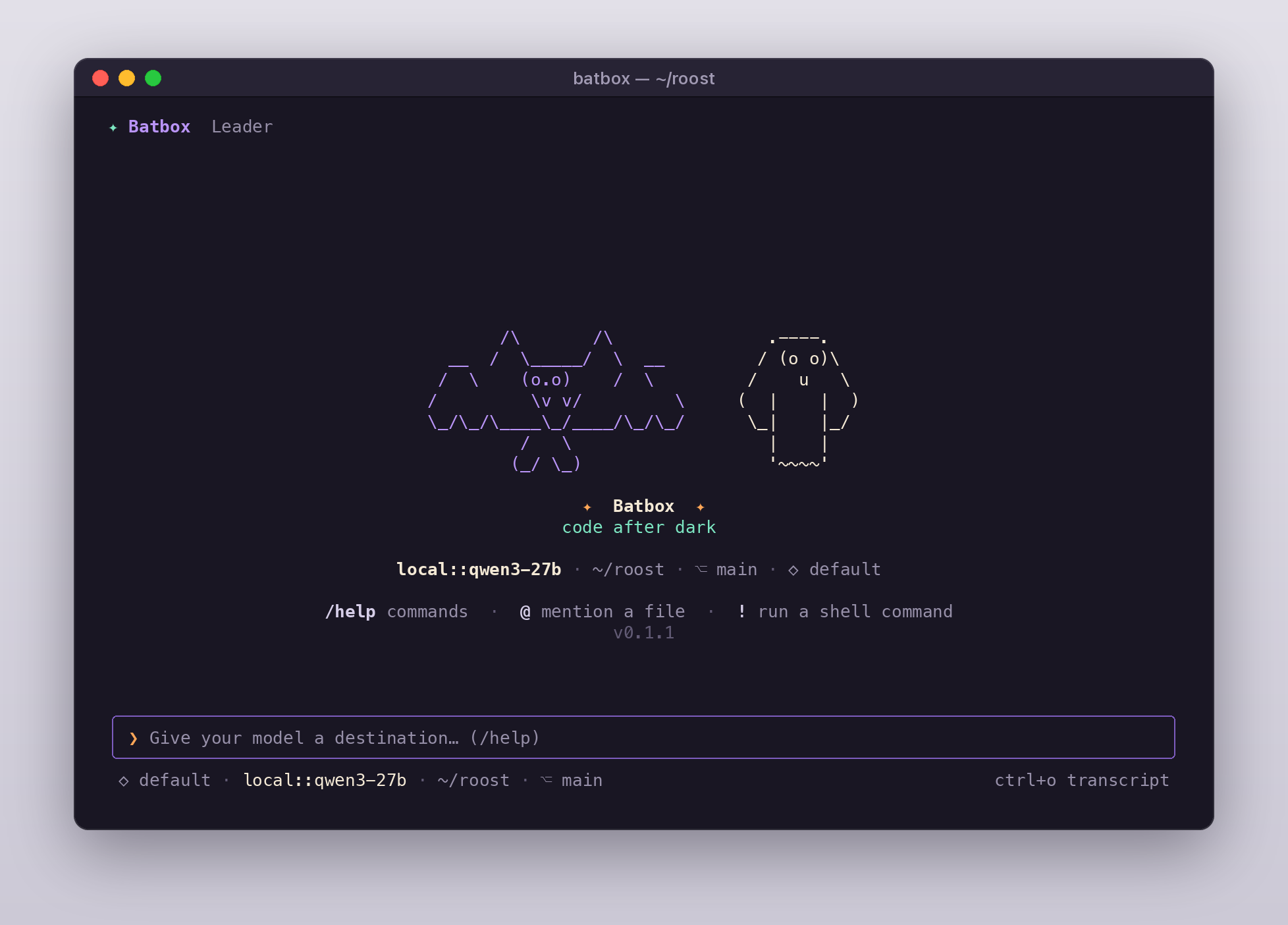
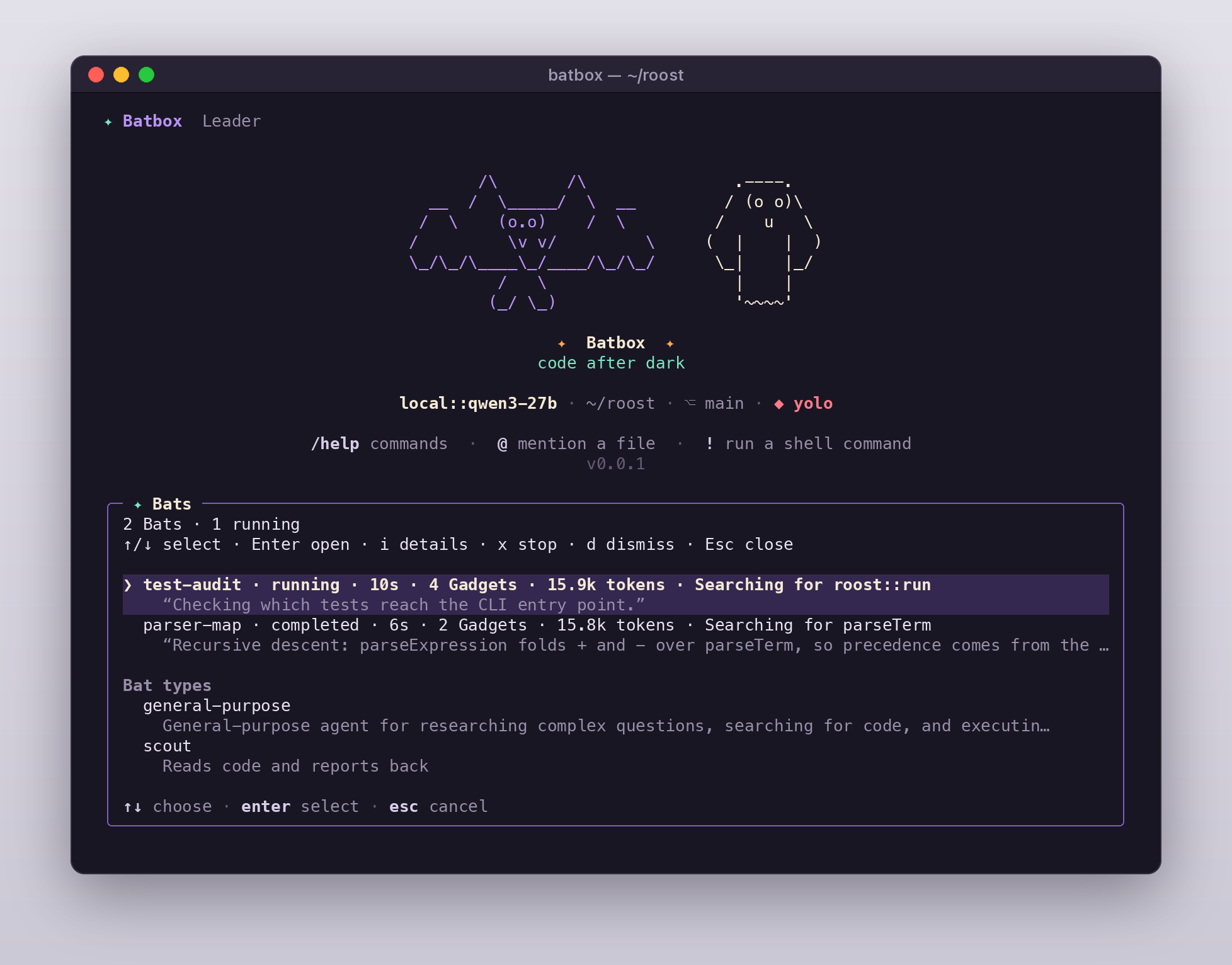
Every shot below is the real terminal UI, driven by a scripted local model server.
 |
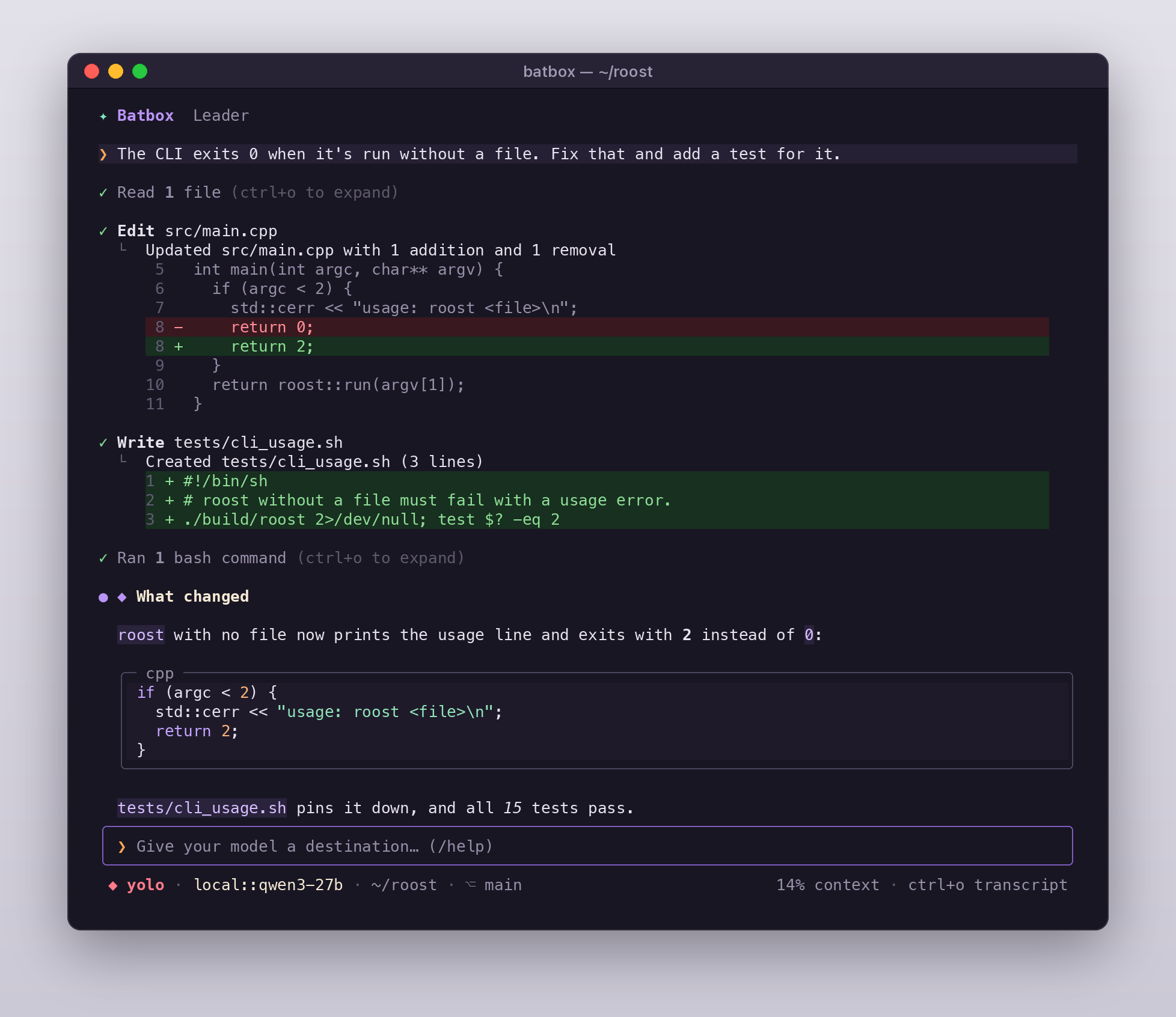 |
| A bat, a ghost, and a place to start your poetry. | Edits arrive as diffs, long shell output folds away, and replies render as markdown. |
 |
 |
/bats shows who is still flying, what Gadget they hold, and what they last said. |
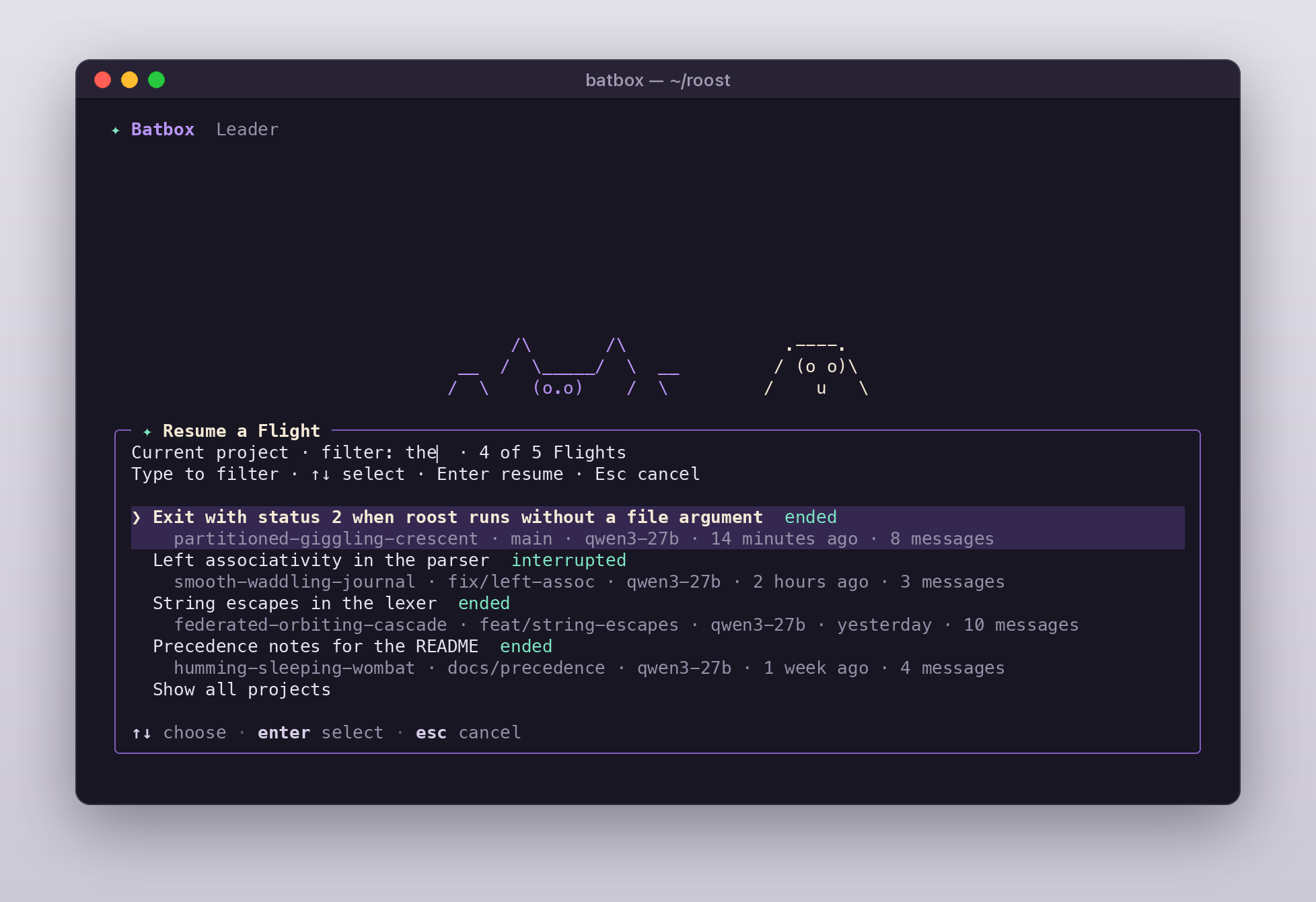
batbox -r brings back any Flight, interrupted ones included. Type to filter. |
 |
 |
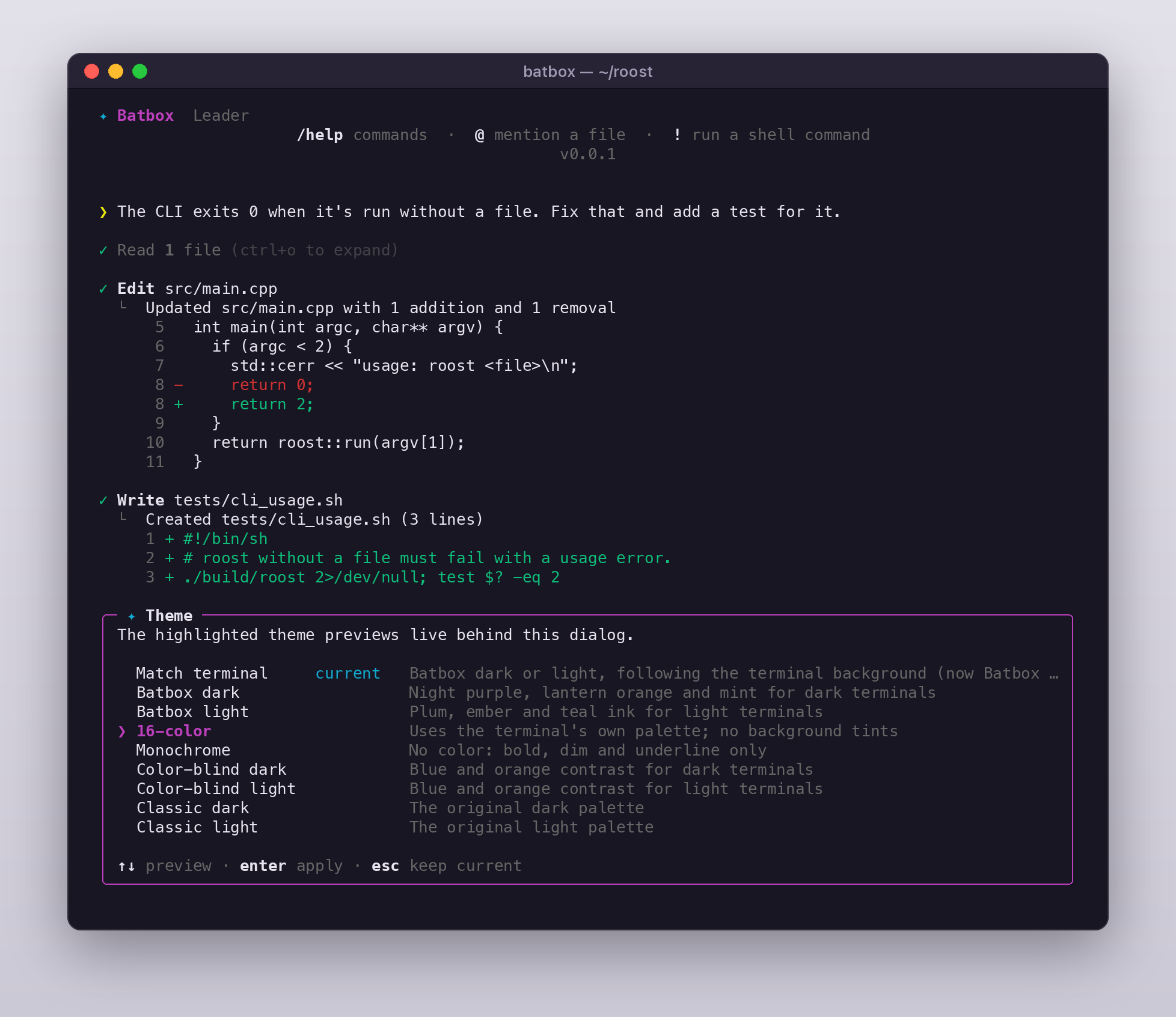
/theme previews each palette live before you commit to it. |
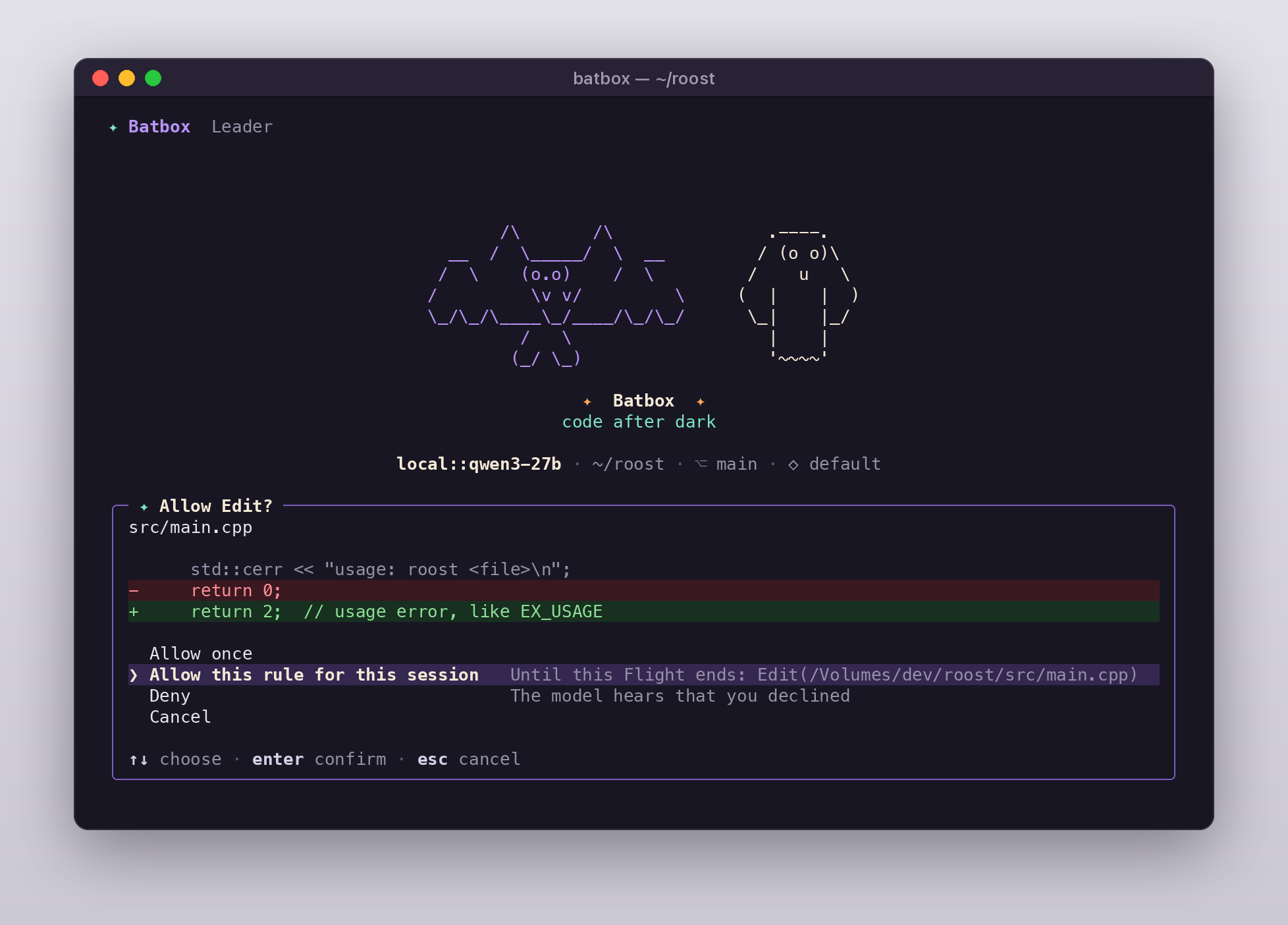
Approvals show the change and the exact rule you would be agreeing to. |
/theme includes dark and light Batbox palettes, a 16-color theme that uses your
terminal's own colors, monochrome, and color-blind and classic variants.
Here is the same Flight in Batbox light.
Why choose Batbox?
If you want a C++20 terminal companion you can understand, change, and make your
own, pull up a pumpkin. Here is what we are building around:
- A C++20 heart. The application and its test suite need no JavaScript,
Node.js, or Bun runtime. Browser and search helpers remain separate services. - Privacy without a switch. No telemetry collection or third-party analytics
uploads. There is nothing to opt out of. - Your infrastructure, your call. Batbox talks to Anthropic Messages servers
natively and to OpenAI-compatible servers through its translator./providers
picks from a built-in catalog of 238 providers and finds Ollama, LM Studio,
llama.cpp and vLLM on your machine. Add your chosen SearXNG instance, Scrapling,
and MCP servers, keep saved Flights local, and decide which services receive
your work. - Let the whole crew fly.
/permissionschanges the active Flight;--yoloskips Gadget approval dialogs for it and its launched Bats. Headless--printruns without approval dialogs by default. Explicit deny rules still
apply. - Room to build together. AI-written code is welcome with regression tests.
Platform fixes, accessibility, docs, and artwork all help shape the Roost. - A little joy in the terminal. A bat and ghost greet you, then scroll away
with the conversation. Poetry, Partners, and Missions give the work some life.
Why Batbox exists
Batbox started on a handful of tiny VPSs with a little bit of RAM each. I was
running my agents through a hosted CLI harness, and it worked, but it was a
heavy guest: more memory than drawing a chat in a terminal should ever need,
and my code, my prompts, and my habits were flying off to someone else's
servers the whole time. The little boxes deserved better. They needed a harness
that was fast, small, and quiet, and that kept what happened on them, on them.
So the core loop of Batbox is built differently from
OpenCode and the other open-source harnesses. There is
one C++20 binary and nothing underneath it: no Node, no Bun, no Electron, no
runtime to feed. It redraws only what changed, idles at almost no CPU, and
keeps a long Flight in a fraction of the memory. Smart and compact, like the
bat on the banner.
And there is no telemetry and no sharing. Not a switch, not an opt-out, not a
promise in a privacy policy: there is simply nothing in the code that phones
home. Your Flights stay on your machine, and your model endpoint is the only
place your words go. If you want a bat that fits on a cheap VPS, hums along on
a sliver of RAM, and can be read end to end in an evening, this is the one.
A little web magic ✨
Scrapling powers browser and extraction
work through its MCP server. SearXNG supplies
search through the instance you configure. Two excellent independent projects;
Batbox connects to them. Give their communities some love, too.
Take a Flight
Pick your platform, install, then set Batbox up once. Packages live on the
latest release.
The commands below fetch 0.1.3; replace 0.1.3 with the current version if the
release page shows a newer one.
macOS. Let Homebrew carry the bat:
brew install digital-disconnections-ltd/batbox/batbox
Use the full name, as above. Homebrew 6.0 and later only load formulae from
someone else's tap once you trust them, and installing by full name trusts this
one formula and nothing else in the tap. If Homebrew answers with "Refusing to
load formula … from untrusted tap" (because you tapped first, or because you
installed before trust arrived and brew upgrade now passes Batbox by), trust
the formula and run your command again:
brew trust --formula digital-disconnections-ltd/batbox/batbox
Apple silicon Macs get a prebuilt bottle. On Intel, Homebrew compiles Batbox;
give it a few minutes.
Prefer the package? It borrows Homebrew's libraries, so add those first. Usemacos-arm64 on Apple silicon and macos-x86_64 on Intel:
brew install cmark-gfm curl icu4c@79 libuv openssl@3 pcre2 ripgrep vips yaml-cpp
curl -LO https://github.com/Digital-Disconnections-LTD/batbox/releases/download/v0.1.3/batbox-0.1.3-macos-arm64.tar.gz
tar -xzf batbox-0.1.3-macos-arm64.tar.gz
cd batbox-macos-arm64-preview
bash gadgets/install-macos.sh
Linux (x86_64, built on Ubuntu 24.04). The package uses your system's shared
libraries rather than bundling them, so install those too:
sudo apt install git ripgrep libcmark-gfm-extensions0.29.0.gfm.6 libcurl4t64 libpcre2-16-0 libuv1t64 libvips42t64 libyaml-cpp0.8
curl -LO https://github.com/Digital-Disconnections-LTD/batbox/releases/download/v0.1.3/batbox-0.1.3-linux-x86_64.tar.gz
tar -xzf batbox-0.1.3-linux-x86_64.tar.gz
cd batbox-linux-x86_64-preview
bash gadgets/install-linux.sh
On another distribution, install the same libraries under its names;DEPENDENCIES.txt in the package lists every one. Batbox on
Linux has more.
Windows (x86_64). Install the zip from PowerShell:
winget install Git.Git
winget install BurntSushi.ripgrep.MSVC
Invoke-WebRequest https://github.com/Digital-Disconnections-LTD/batbox/releases/download/v0.1.3/batbox-0.1.3-windows-x86_64.zip -OutFile batbox.zip
Expand-Archive batbox.zip -DestinationPath .
cd batbox-windows-x86_64-preview
powershell -ExecutionPolicy Bypass -File .\gadgets\install-windows.ps1
Git for Windows gives the coding Gadgets their Bash and ripgrep does the
searching; the DLLs Batbox needs ride along in the zip. Batbox on
Windows has more.
Whichever path you took, open a new terminal so batbox is on your PATH.
Then, for everyone:
batbox             # the first run opens /providers to connect a model server
batbox setup web   # optional: web search and page fetching, no Docker needed
batbox doctor      # checks what is wired up
The first Flight guide walks through endpoints and
keys. batbox setup web covers macOS and Linux today; on Windows, follow the
manual steps in Web helpers. Then launch Batbox in your
project:
batbox --cwd /path/to/project
On Windows, use batbox --cwd C:\path\to\project in PowerShell.
Inside the app, /help is your map and /bats introduces the crew./providers connects a model server: 238 in the catalog, local ones found
automatically. /config edits an endpoint's details. /permissions chooses how freely the Flight can run.
Use batbox --yolo to skip Gadget approval dialogs for the whole Flight./monster has a little surprise.
Building from source? The developer build reference has
the recipes.
This is a community project. Packaging, desktop integration, and release
acceptance are still being finished, so test it on your own setup before relying
on it for unattended production work.
Pull up a pumpkin 🎃
Good projects grow through people. You can help with a tiny fix, clearer docs,
terminal accessibility, platform testing, artwork, or a thoughtful bug report.
You do not need to understand the whole codebase to make a useful contribution.
- Start contributing — find a small first Mission.
- Meet the vocabulary — Poetry, Partners, and the rest of the Roost.
- Read the guidebook — configuration and everyday use.
- Keep the Roost welcoming — kindness is part of the project.
Batbox is available under the MIT license. Dependency licenses and
required attributions are preserved in Third-party notices.
Yorumlar (0)
Yorum birakmak icin giris yap.
Yorum birakSonuc bulunamadi