desk-mcp
Health Uyari
- License — License: Apache-2.0
- Description — Repository has a description
- Active repo — Last push 0 days ago
- Low visibility — Only 9 GitHub stars
Code Uyari
- process.env — Environment variable access in bench-full.mjs
- process.env — Environment variable access in benchmark.mjs
- process.env — Environment variable access in check-package.mjs
Permissions Gecti
- Permissions — No dangerous permissions requested
Bu listing icin henuz AI raporu yok.
Windows desktop automation MCP server - screenshots, OCR, mouse and keyboard, and accessibility trees via UI Automation, MSAA and Chrome DevTools Protocol. Node.js + built-in PowerShell, no Python and no native modules.
desk-mcp





Give your AI assistant eyes and hands on Windows.
Read tables, find controls by name, fill forms and verify the result. Use screenshots, OCR and mouse input when an app only exposes pixels.
46 MCP tools. Node.js + Windows PowerShell. No native npm modules, Python or .NET SDK to install. The UIA helper compiles at startup using Windows' built-in Add-Type.
Quick start · Usage · Tools · Configuration · Benchmarks · Русский
⚡ Live Demo: 10 Actions in 2.2 Seconds (Hands-Off)
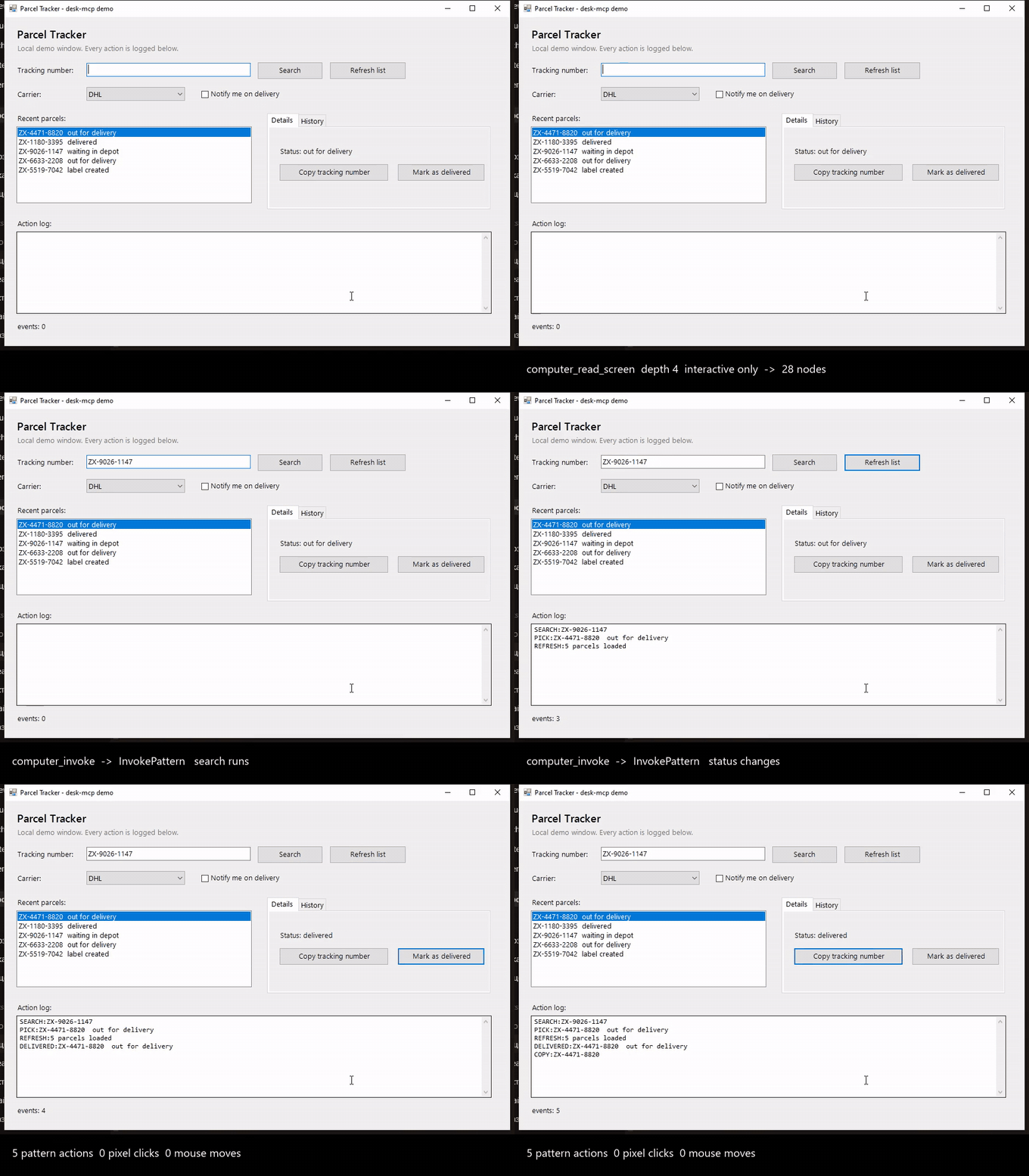
24 seconds, muted. MP4 or WebM for the full size file.
The recording uses the included Parcel Tracker app. UI Automation patterns fill fields and press controls without moving the cursor.
Quick start
Requirements: Windows 10 1809+ or Windows 11, Node.js 20+ (22/24 recommended), Git and an unlocked interactive desktop. Windows PowerShell 5.1 is included with Windows.
git clone https://github.com/DigitalDog1/desk-mcp.git
cd desk-mcp
npm ci
Add the server to your MCP client's configuration. Replace the path with the absolute path to your clone:
{
  "mcpServers": {
    "desk-mcp": {
      "command": "node",
      "args": ["C:/tools/desk-mcp/server.mjs"]
    }
  }
}
This example is for clients using mcpServers; other clients may use a different configuration format. If Node is not found, use C:/Program Files/nodejs/node.exe as command. Restart the client after configuration or code changes.
Use the clone for now: the npm registry returned 404 for desk-mcp on 2026-11-13. The previously documented npx -y desk-mcp command requires a published package.
Ask your assistant to call computer_permissions, list windows with computer_windows, and inspect the window you choose.
To reproduce the demo, run these commands in two terminals from the clone:
powershell -NoProfile -ExecutionPolicy Bypass -STA -File examples/demo-app.ps1
node examples/demo.mjs
The demo changes only its Parcel Tracker window and uses the clipboard. The recorded timings depend on the machine.
Usage
Find the window → inspect → act → verify.
- Use
hwndfromcomputer_windowswhen titles change. Get a fresh handle after a window closes. - Find a control by
id(AutomationId),name,typeornameRegex.requireUnique: truerefuses ambiguous or incomplete searches. - Pass its
elementIdtocomputer_invoke,computer_set_valueorcomputer_select. References expire when the worker restarts or the element disappears. - Verify the resulting value or state. An input event being sent does not establish success.
For example, pass this to computer_batch:
{
  "steps": [
    { "tool": "computer_find", "args": { "title": "Parcel Tracker", "id": "searchBox", "requireUnique": true } },
    { "tool": "computer_set_value", "args": { "elementId": "${steps.0.elements.0.elementId}", "value": "ZX-9026-1147" } },
    { "tool": "computer_find", "args": { "title": "Parcel Tracker", "id": "searchBox" } }
  ]
}
Batches support up to 50 worker-tool steps, validate each step, and stop on errors unless stopOnError: false is set. Exact references preserve their value's type. Inspect allOk and each step's code; earlier actions are not rolled back. Browser tools and nested batches are not supported in a batch.
For smaller trees, use maxDepth: 4, interactiveOnly: true, compact: true. For repeated reads, use mode: auto and pass the last token as since with the same options. A stale baseline or a diff larger than the full view returns the full view. Check truncated and searchIncomplete before concluding that something is absent.
computer_set_value defaults to ValuePattern without focus. Use inputMode: type or paste for forms needing keyboard events. computer_type always types into the currently focused control. Paste uses the clipboard.
The same window with the cursor
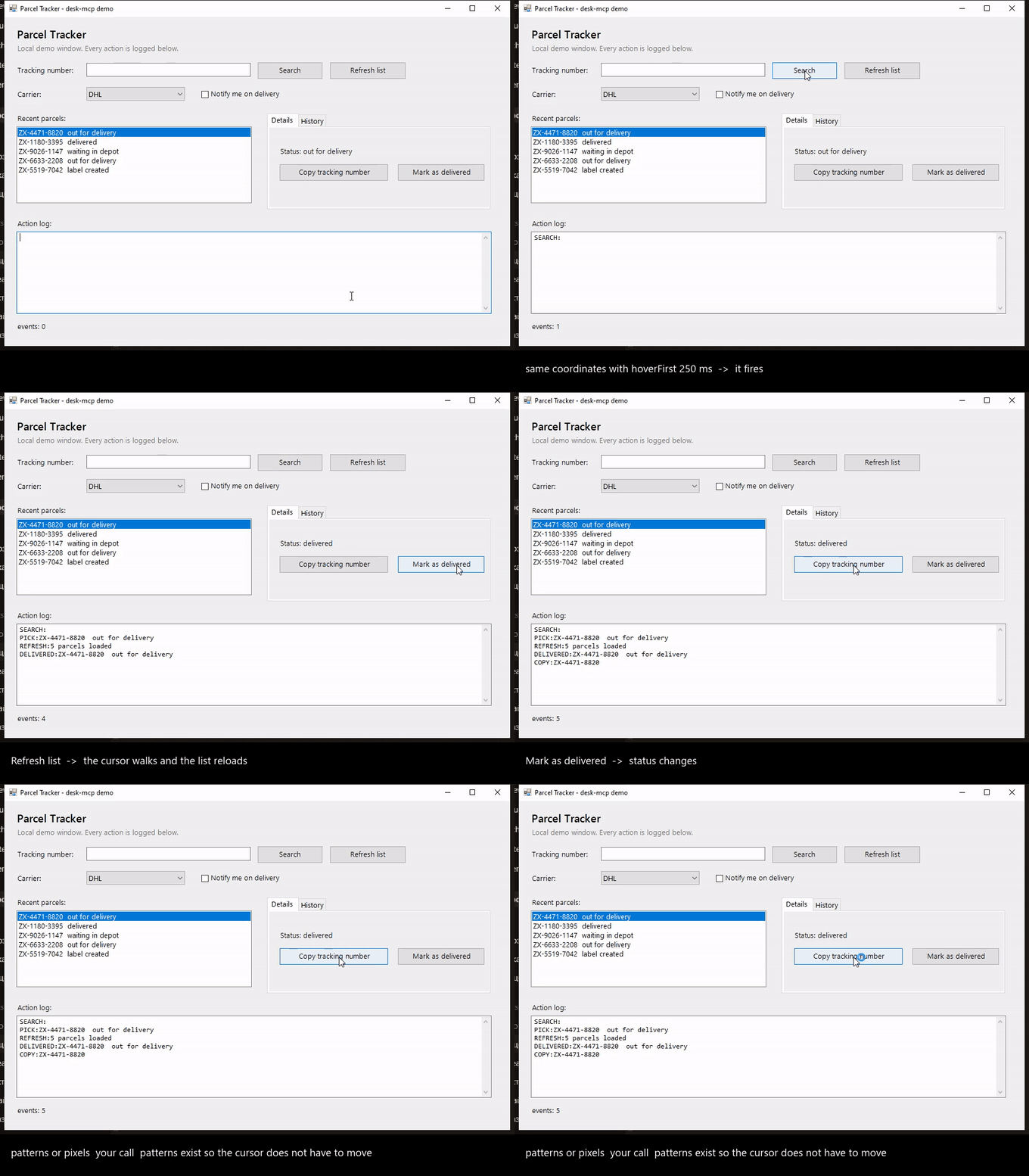
Same window, same visible result, other mechanism. MP4 or WebM for the full size version.
Coordinate input moves the real cursor. For controls that need a hover before the press, use hoverFirst: true (250 ms).
Tools
Full argument schemas are available in your MCP client.
| Group | Tools |
|---|---|
| Screen | computer_screenshot, computer_ocr, computer_screeninfo |
| Accessibility | computer_read_screen, computer_find, computer_element_at, computer_read_table |
| Controls | computer_invoke, computer_set_value, computer_select, computer_select_text |
| Verification | computer_verify_state, computer_wait_element, computer_wait_window |
| Mouse | computer_click, computer_move, computer_cursor, computer_mouse_move, computer_mouse_button, computer_drag, computer_polyline, computer_scroll |
| Keyboard | computer_type, computer_key, computer_key_down, computer_key_up |
| Windows | computer_windows, computer_active_window, computer_focus, computer_window_set_frame, computer_close_window, computer_launch, computer_desktop |
| Browser | computer_browser_start, computer_browser_list, computer_browser_tree, computer_browser_descendants, computer_browser_click, computer_browser_eval |
| Utilities | computer_clipboard_get, computer_clipboard_set, computer_wait, computer_batch, computer_permissions, computer_selftest, computer_bench |
computer_read_screen falls back from UIA to MSAA and then OCR. CDP browser tools are separate and use a dedicated Chrome/Edge profile. UIA patterns can leave the cursor untouched; pixel fallbacks and keyboard input can take focus. Check via and backend.
Configuration
Set these in the server entry's env object:
| Variable | Default | Purpose |
|---|---|---|
DESK_DRY_RUN |
off | 1 returns plans for mutating worker tools and browser start/click/eval. |
DESK_DISABLE_TOOLS |
empty | Comma-separated MCP tool names; * wildcards supported. Also enforced for batch aliases. |
DESK_ALLOW_TITLES |
empty | Pipe-separated substrings matched against supplied worker window titles. |
DESK_AUDIT / DESK_AUDIT_PATH |
off / %TEMP%/desk-mcp-audit.log |
Worker text log, not JSONL. Does not cover CDP. The parent directory must exist. |
DESK_UI_TIMEOUT_MS |
8000 |
Server UIA deadline, including startup. |
DESK_UI_COOLDOWN_MS |
90000 |
Cooldown for the same tool/target after a timeout. |
DESK_UIA_BUDGET_MS |
6000 |
Native STA operation budget. |
computer_launch and computer_close_window require confirm: true. The title filter is not a sandbox: untitled input, handles, element references and CDP need separate restrictions. Disable unnecessary tools and use a separate Windows session for unattended work.
Limitations and troubleshooting
- Run in an interactive Windows session. Services, locked sessions, protected windows and exclusive fullscreen games can block input or capture.
- After a UIA timeout, use screenshot/OCR or another target during cooldown. A worker restart rejects other pending calls too; re-read state before retrying an action that may already have reached the app.
- If a pixel click is ignored, try
hoverFirst: true. Matchscaleto the screenshot; usenudgeor drag on a canvas. computer_read_tabletreats the first row as a header by convention. Useheaders: falseto retain it as data.computer_selftestbriefly presses Shift to check SendInput, even in dry-run. Held keys and buttons must be explicitly released.- Tool errors include MCP
isErrorand acode:line. Batches carry error codes per step. A condition timeout fromcomputer_wait_elementreturnssatisfied: false,reason: timeout.
Benchmarks
See method and reproducible results. Reading latency, response size and completed-task latency are separate measurements. No simulated screenshot agent or invented LLM delay is used.
Development
npm ci
npm run check
npm run test:unit
npm run check:docs
npm test
npm pack --dry-run
The Windows smoke test reads live windows and exercises Parcel Tracker if open. It does not type into an arbitrary active window. Selftest briefly presses Shift; browser launching is opt-in with DESK_TEST_CDP=1. Keep worker.ps1 in UTF-8 with BOM and the UIA helper compatible with C# 5.
Contributing · Architecture · Changelog · Publishing · Third-party notices
License
Yorumlar (0)
Yorum birakmak icin giris yap.
Yorum birakSonuc bulunamadi