brik
Health Warn
- License — License: GPL-2.0
- Description — Repository has a description
- Active repo — Last push 0 days ago
- Low visibility — Only 5 GitHub stars
Code Fail
- new Function() — Dynamic code execution via Function constructor in dev/builder-shot.mjs
- rm -rf — Recursive force deletion command in dev/sync.sh
Permissions Pass
- Permissions — No dangerous permissions requested
No AI report is available for this listing yet.
The open-source visual builder for WordPress — shadcn/ui components, animated 3D sections, theme builder, custom post types and a built-in MCP server.

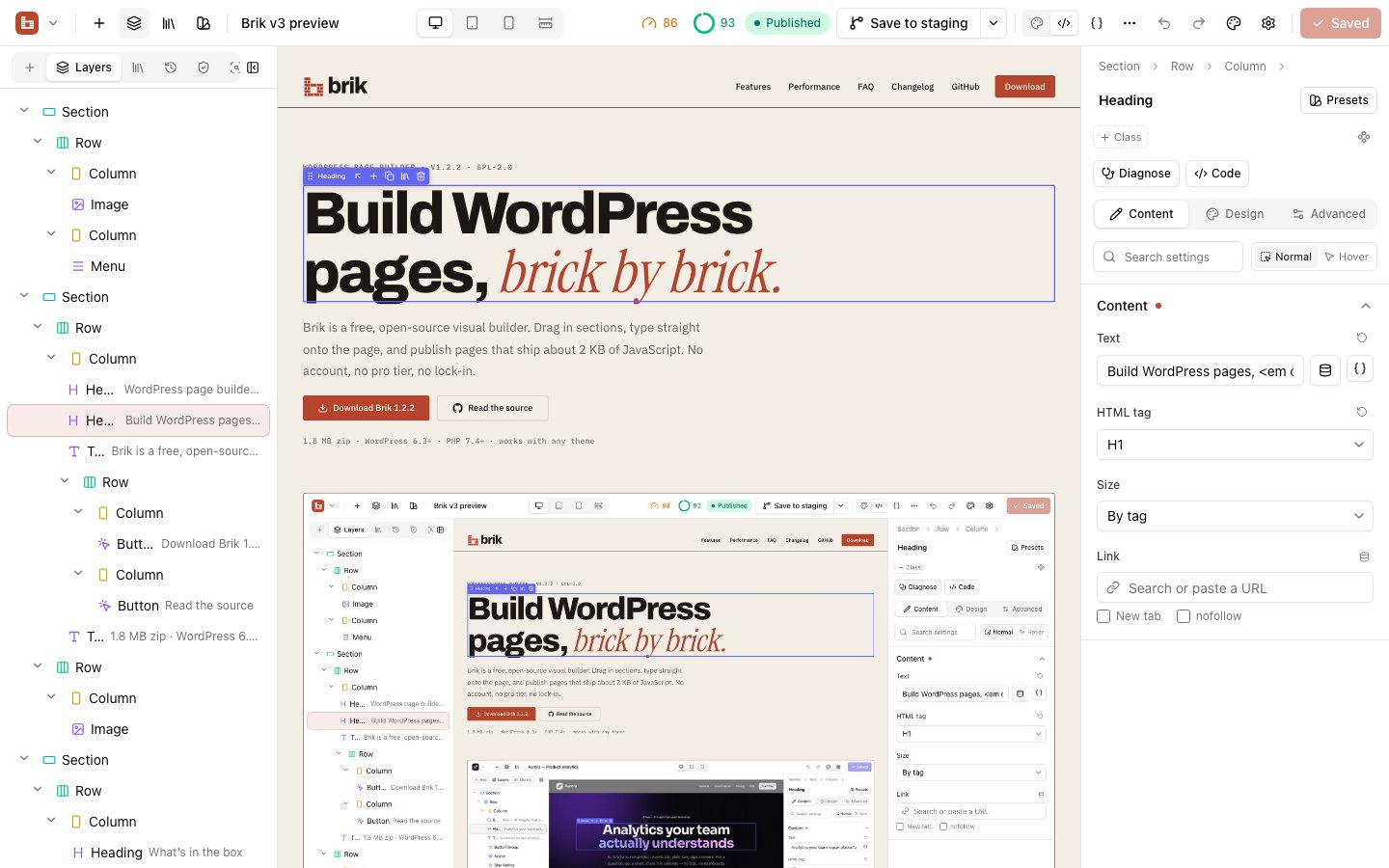
A free, open-source visual builder for WordPress.
Drag in sections, type straight onto the page, and publish pages that ship about 2 KB of JavaScript.
No account, no pro tier, no lock-in.




Website · Quick start · Features · MCP · Docs · Development
Why Brik
Page builders are either powerful but closed, or open but dated. Brik is a modern, fully open-source
alternative to Divi and Elementor:
- Clean components out of the box. Every element follows the shadcn/ui conventions and
a token-based design system (colours, radius, fonts, light and dark). - What you see is what ships. The canvas is your actual page, rendered by the same PHP that
serves visitors — no separate preview engine, no shortcode soup. - No lock-in. Pages are stored as JSON and as clean HTML in the post, so content stays readable
even if you switch the plugin off. - Works with your tools. A built-in Model Context Protocol server lets
Claude, Cursor, VS Code or any MCP client create pages, headers, menus and content types for you. - Fast by default. Every page gets one optimized stylesheet with only the rules it uses, critical CSS
inlined, and JavaScript only for the elements on it. A typical page ships 37–89% less CSS and 45–97% less JS. - Checks its own work. Built-in performance, accessibility, SEO and responsive audits tell you what's
wrong in plain language and fix most of it in one click.
Features
A visual builder that feels like a design tool
 |
 |
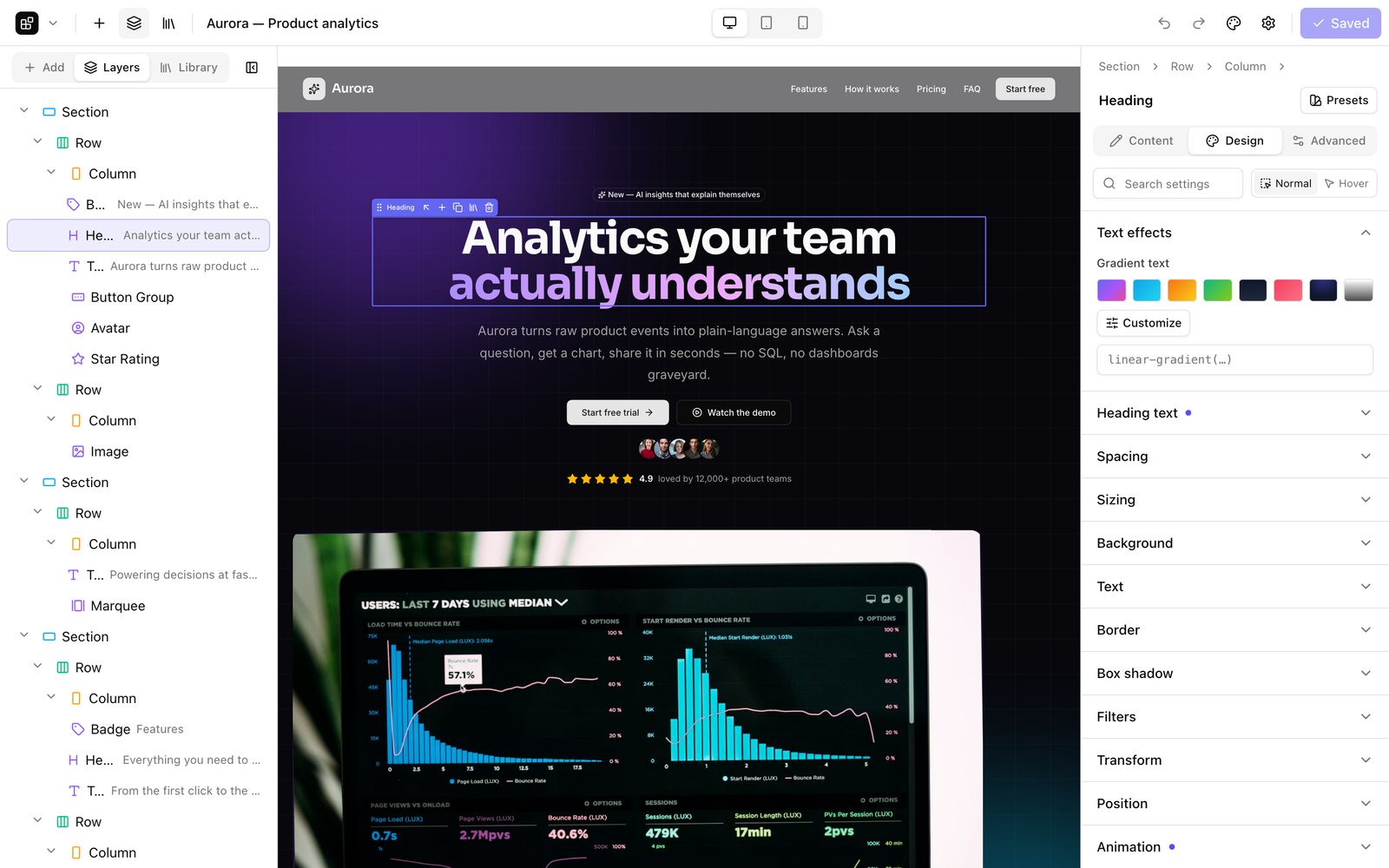
- Sections → rows → columns → elements, with drag & drop from the panel, the canvas and the layers tree
- Rows with grid or flexbox layouts — direction, reverse, fit-content, justify and wrap per device
- Double-click any text to edit it in place; undo/redo with history; copy/paste elements and styles
- Desktop, tablet and phone editing, plus hover states for any style
- Full design controls: spacing, sizing, backgrounds (gradients, images, video, parallax), typography,
borders, shadows, filters, transforms, position, sticky, entrance animations, custom CSS - Global colors and fonts, style presets, global elements that sync everywhere
- Shape dividers that automatically blend with the next section, in light and dark mode
- 40 ready-made sections and a library for your own, with JSON import/export
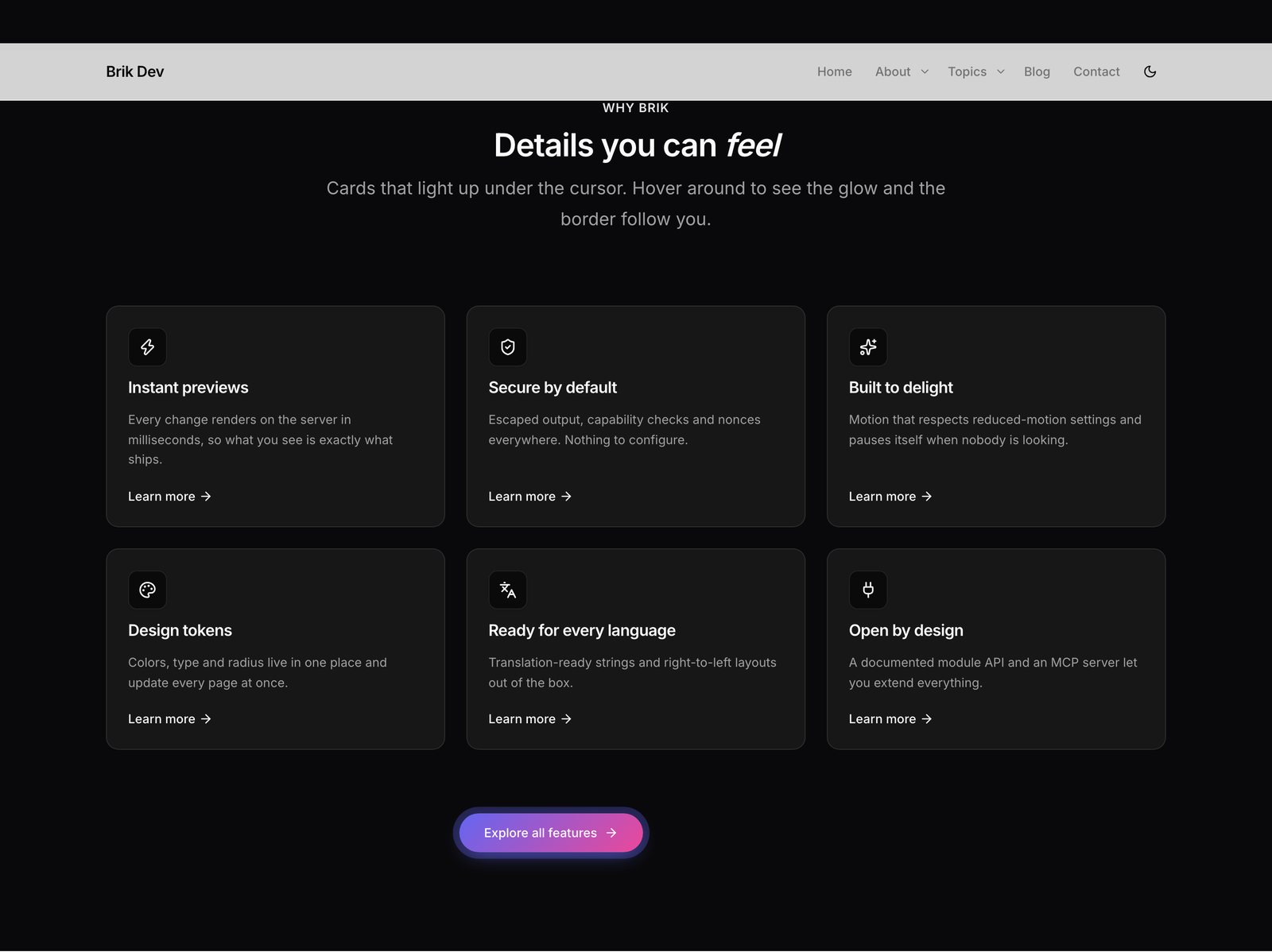
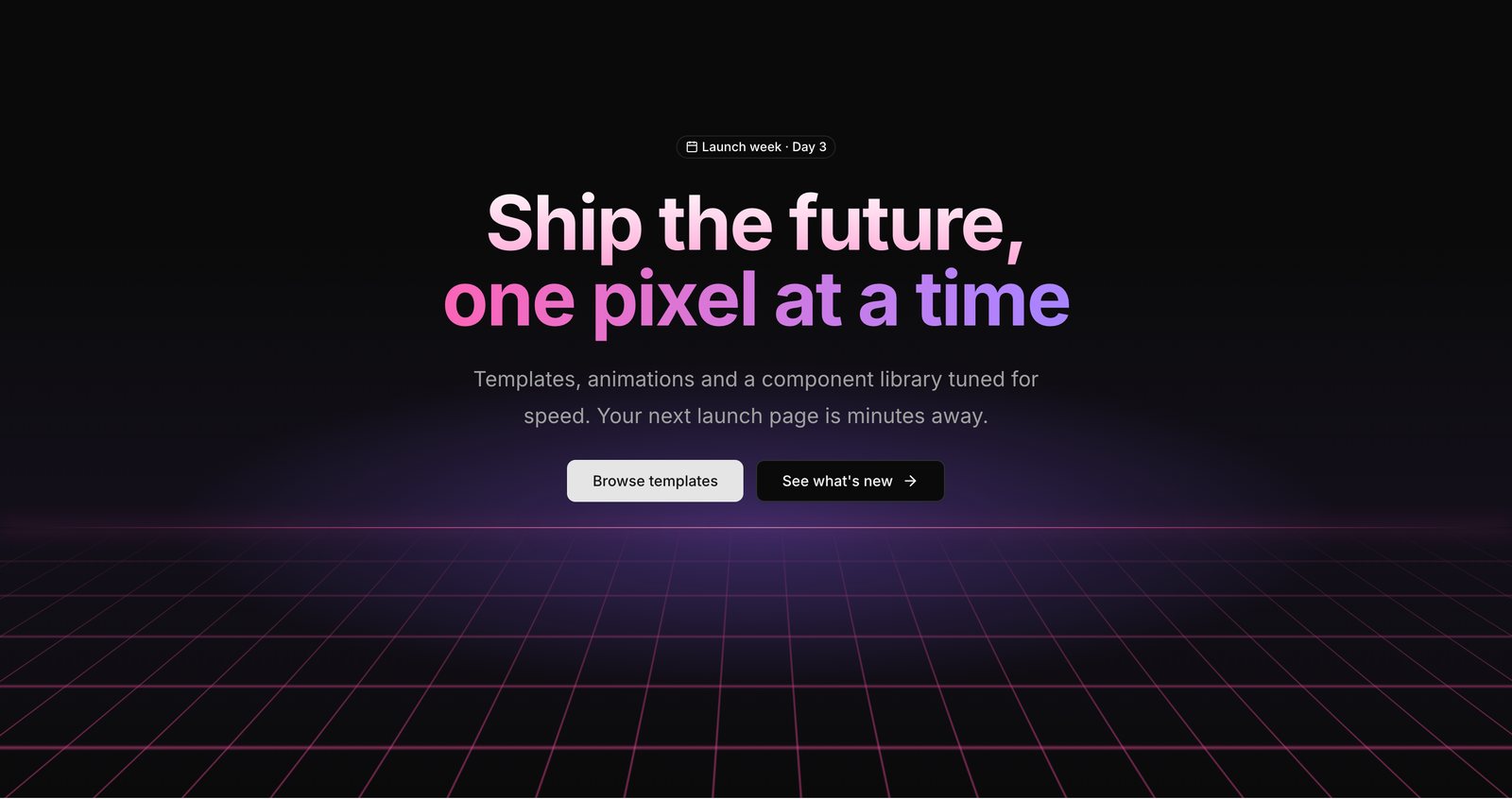
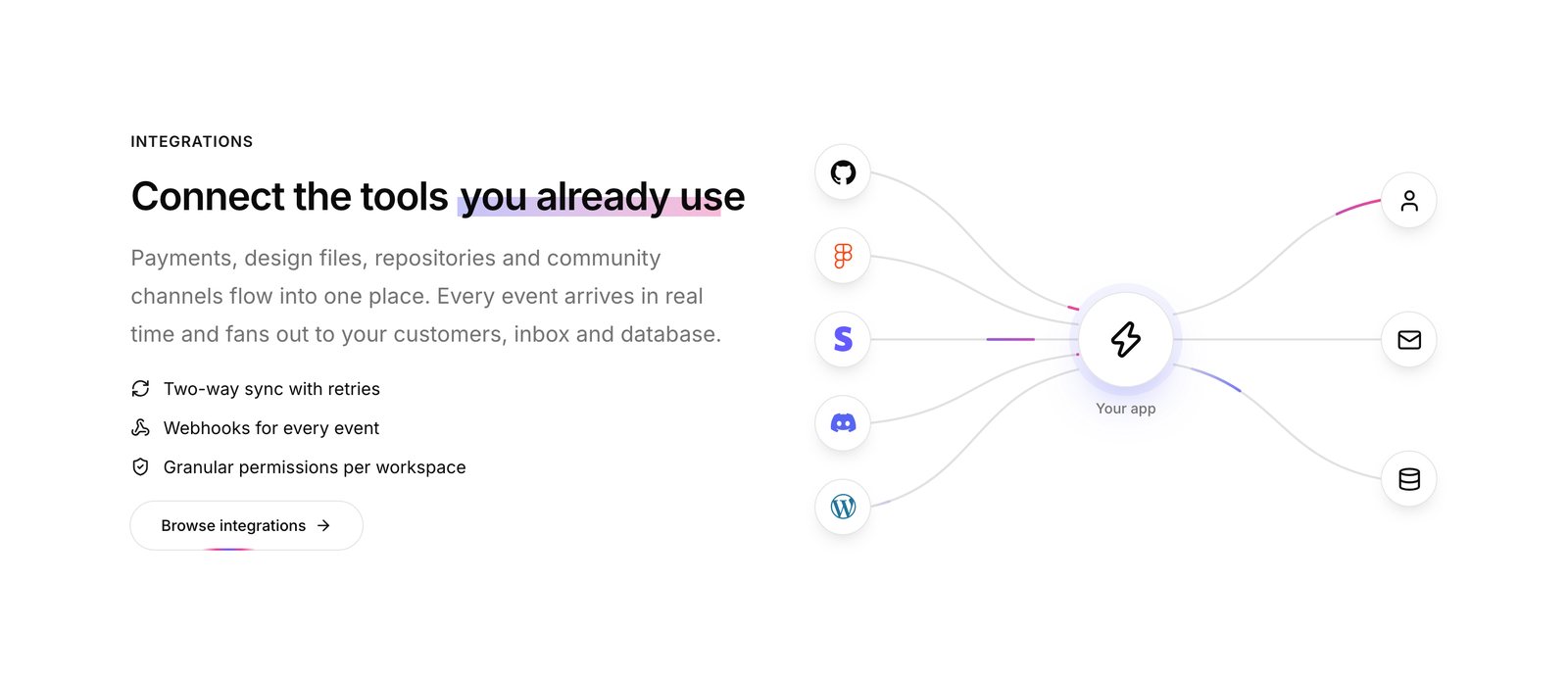
90+ elements, from basics to 3D
 |
 |
 |
 |
 |
 |
| Basics | heading, rich text, button, button group, badge, alert, avatar, icon, icon list, divider, spacer, star rating, code, shortcode |
| Content | card, blurb, CTA, pricing table, stats, counters, progress bars, testimonial, team member, timeline, table, logo cloud |
| Media | image, gallery + lightbox, video, audio, map, embed, before/after, marquee |
| Interactive | accordion, tabs, toggle, modal & sheet, tooltip, hover card, carousel, countdown, theme toggle |
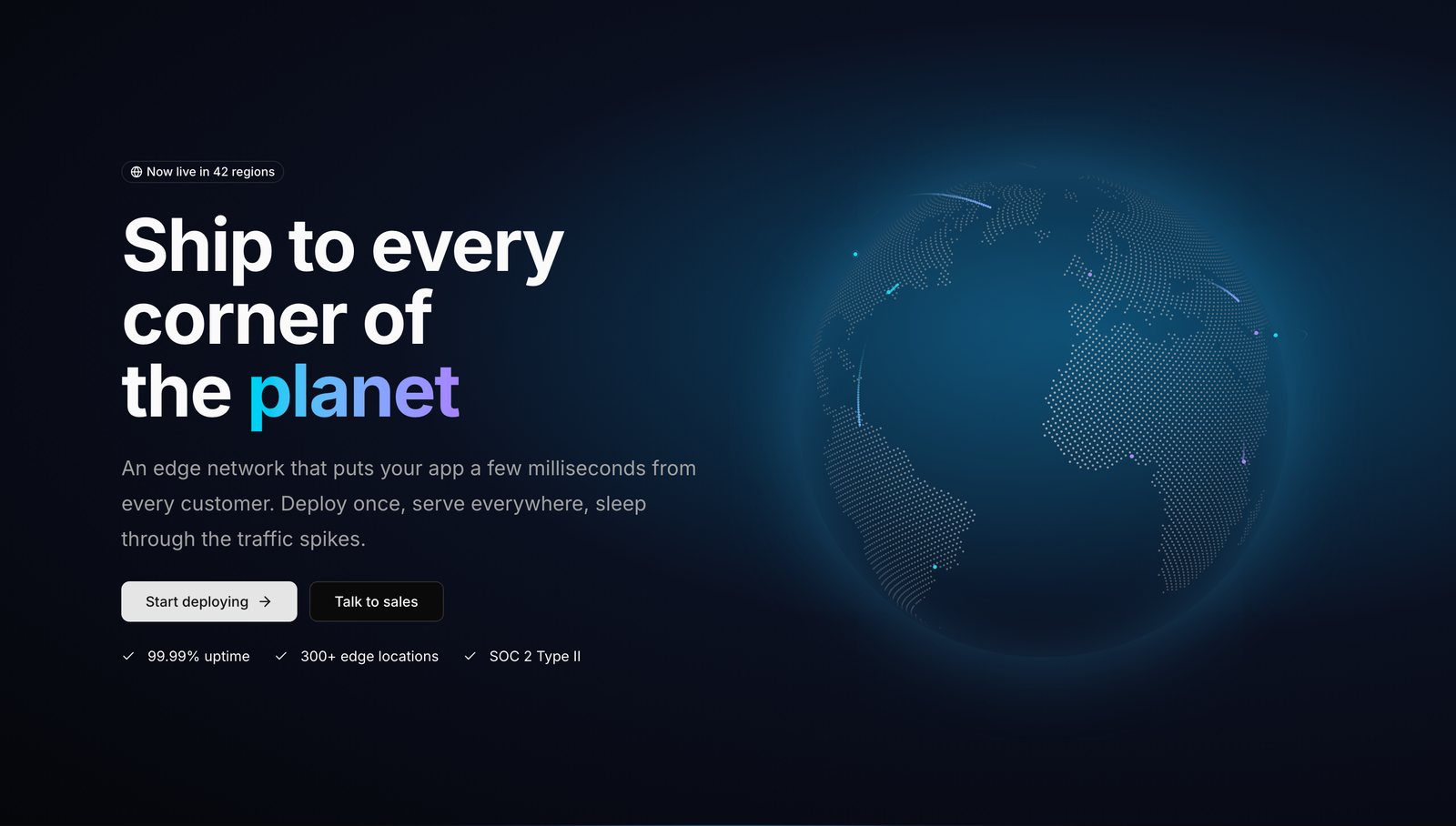
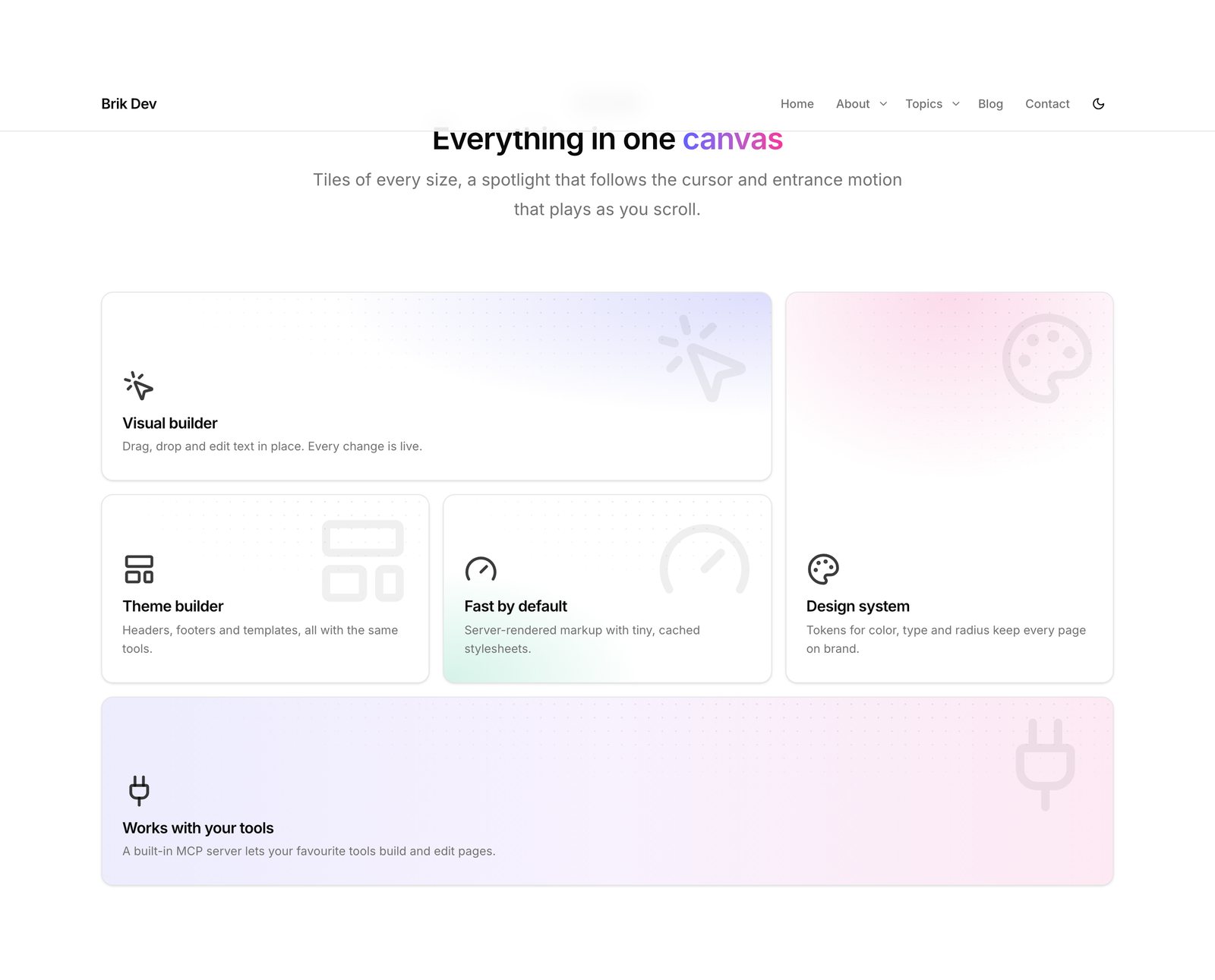
| Effects | animated headlines (typewriter, rotate, scramble, shimmer, scroll reveal…), spotlight / tilt / border-beam cards, bento grid, fancy buttons, dock, orbiting icons, integration beams, animated list, terminal, 3D icon cloud, scroll progress |
| 3D & scroll | WebGL globe, dotted world map, container-scroll device, hero parallax, sticky scrollytelling, 3D marquee, device mockups, card stack, parallax layers, video-masked text, scroll-zoom image |
| Backgrounds | 17 animated section backgrounds — aurora, WebGL gradient mesh, beams, meteors, stars, sparkles, particles, flickering & retro grids, glowing dots, light rays, waves, vortex, spotlight, lamp, ripple, grain |
| Forms | contact form, newsletter signup, search, login |
| Site & posts | menu, logo, site title, breadcrumbs, post title/content/meta/excerpt, featured image, author box, post navigation, comments, sidebar, posts grid, listings & filters, custom field |
Everything is written from scratch in vanilla JS, CSS and raw WebGL — no React or three.js on the
front end — respects prefers-reduced-motion, and pauses off-screen.
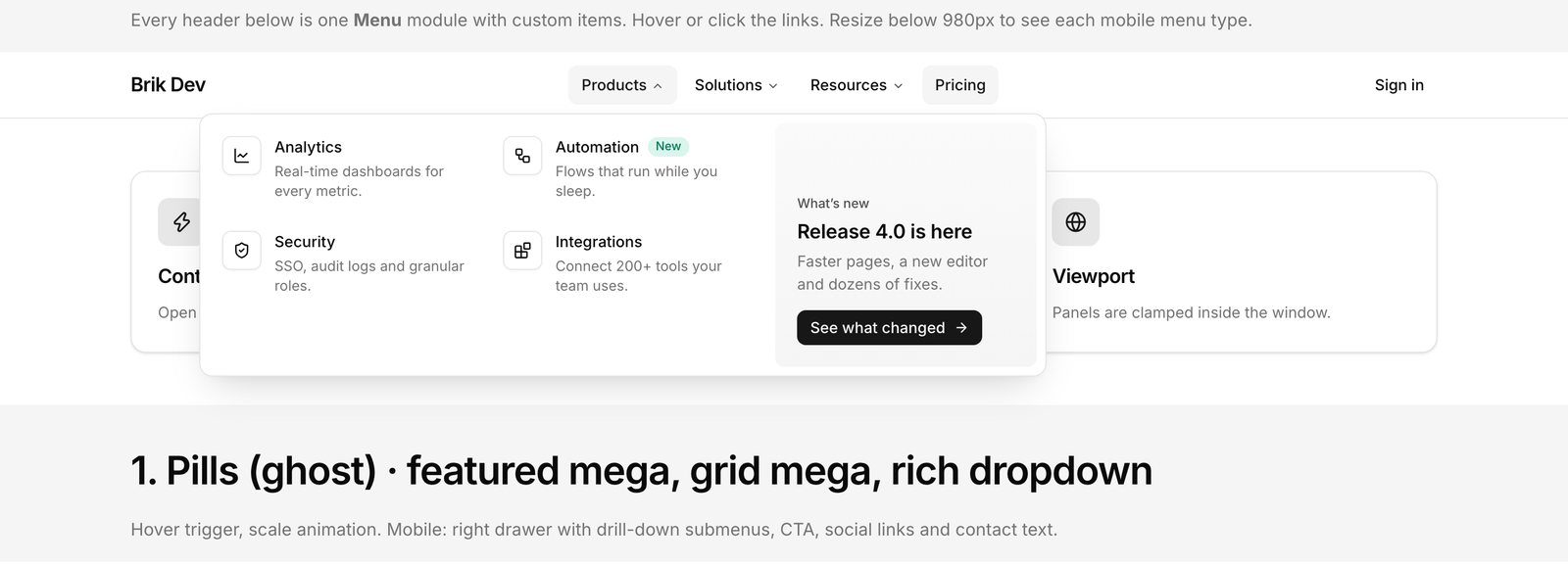
Navigation builder
 |
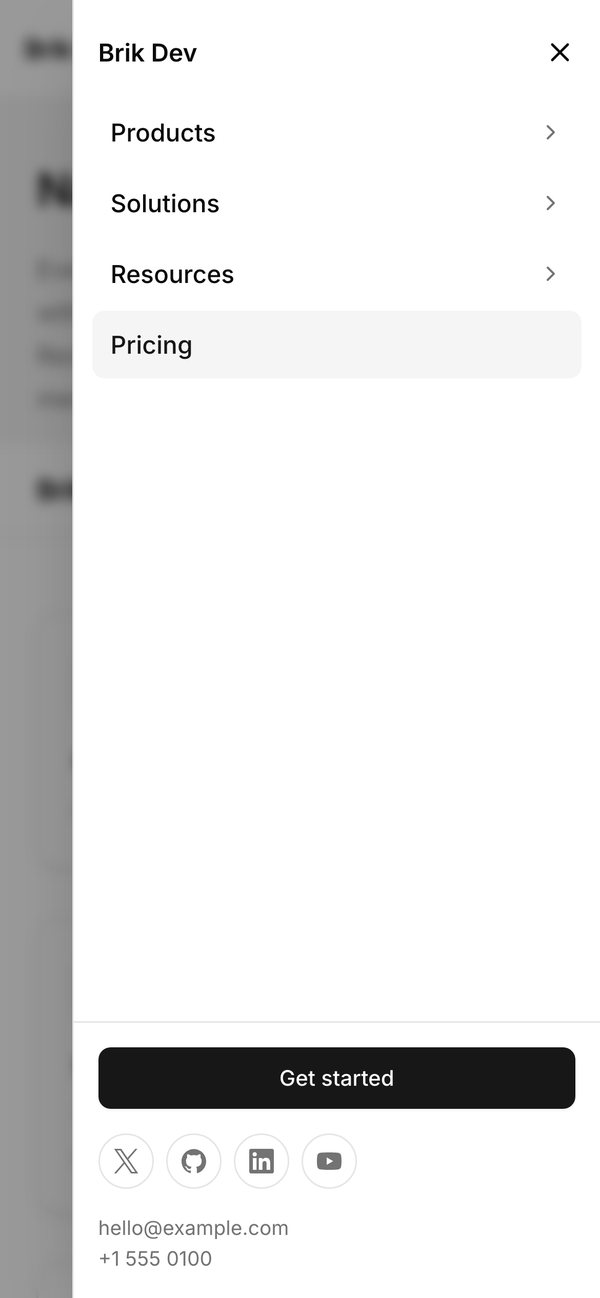 |
- Visual menu editor with drag, indent and outdent; items can be links, dropdowns, mega menus, buttons, headings or dividers, with icons, badges and descriptions
- Mega menus as link columns, icon grids, links + featured card, or any layout you design in the builder
- Desktop styles: ghost, underline, animated underline, pill container, sliding indicator; hover or click; fade, slide or scale
- Mobile: drawer, full-screen, drop-down or bottom sheet; accordion or drill-down submenus; morphing hamburger; staggered links
- Header behaviours: sticky, transparent overlay, shrink on scroll, hide on scroll down / reveal on scroll up
Theme builder
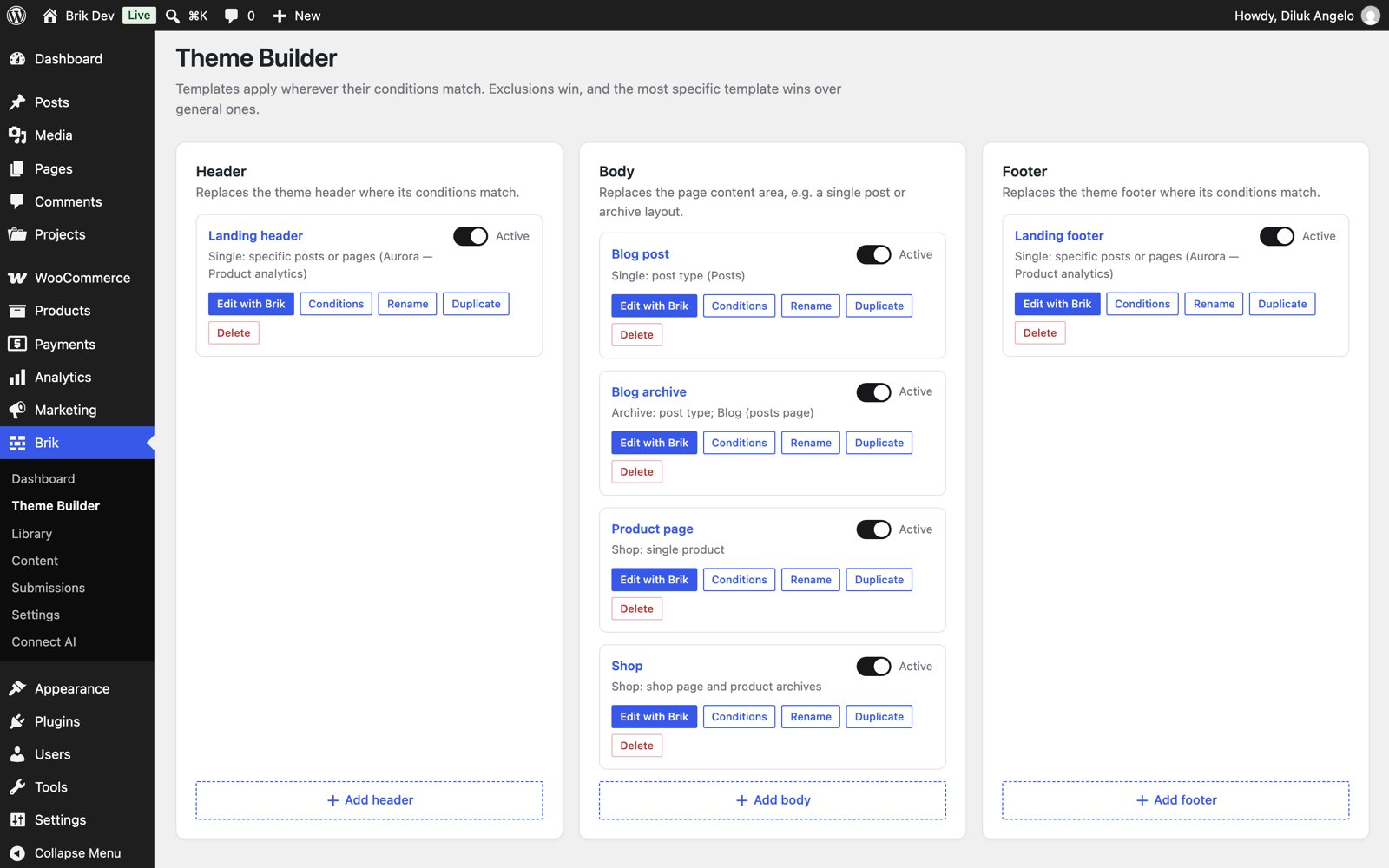
Design headers, footers and body templates with the same builder, then decide where they apply:
entire site, front page, blog, post types, specific posts, archives, taxonomy terms, authors, search,
404 — with exclusions and specificity handled for you.
Custom post types, fields, listings and forms
 |
 |
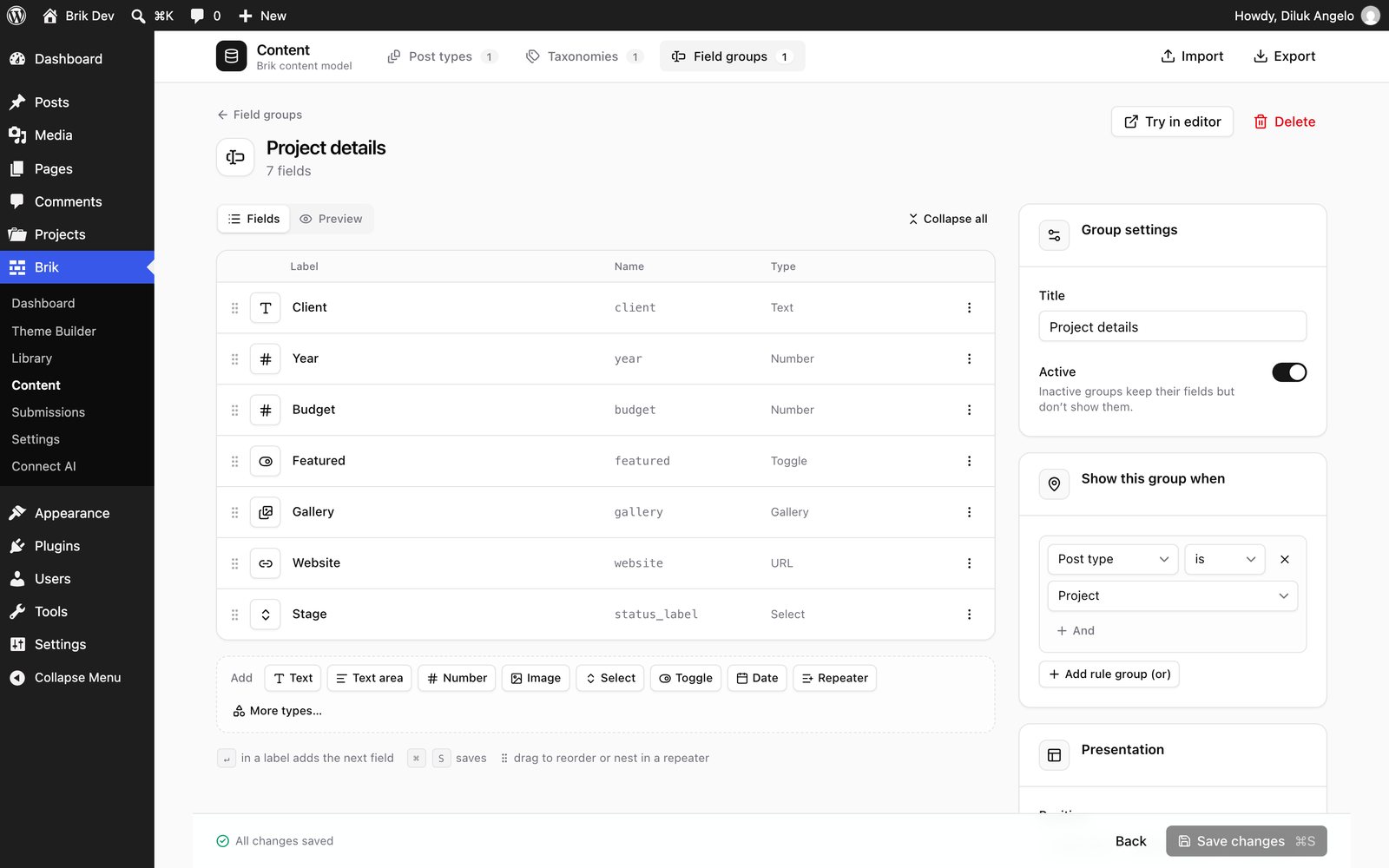
- Brik → Content: create post types and taxonomies with live label generation and an icon picker,
or start from templates (portfolio, team, events, products, testimonials, FAQ, real estate, jobs) - 25 field types — repeaters, groups, relationships, galleries, files, maps, dates, colors,
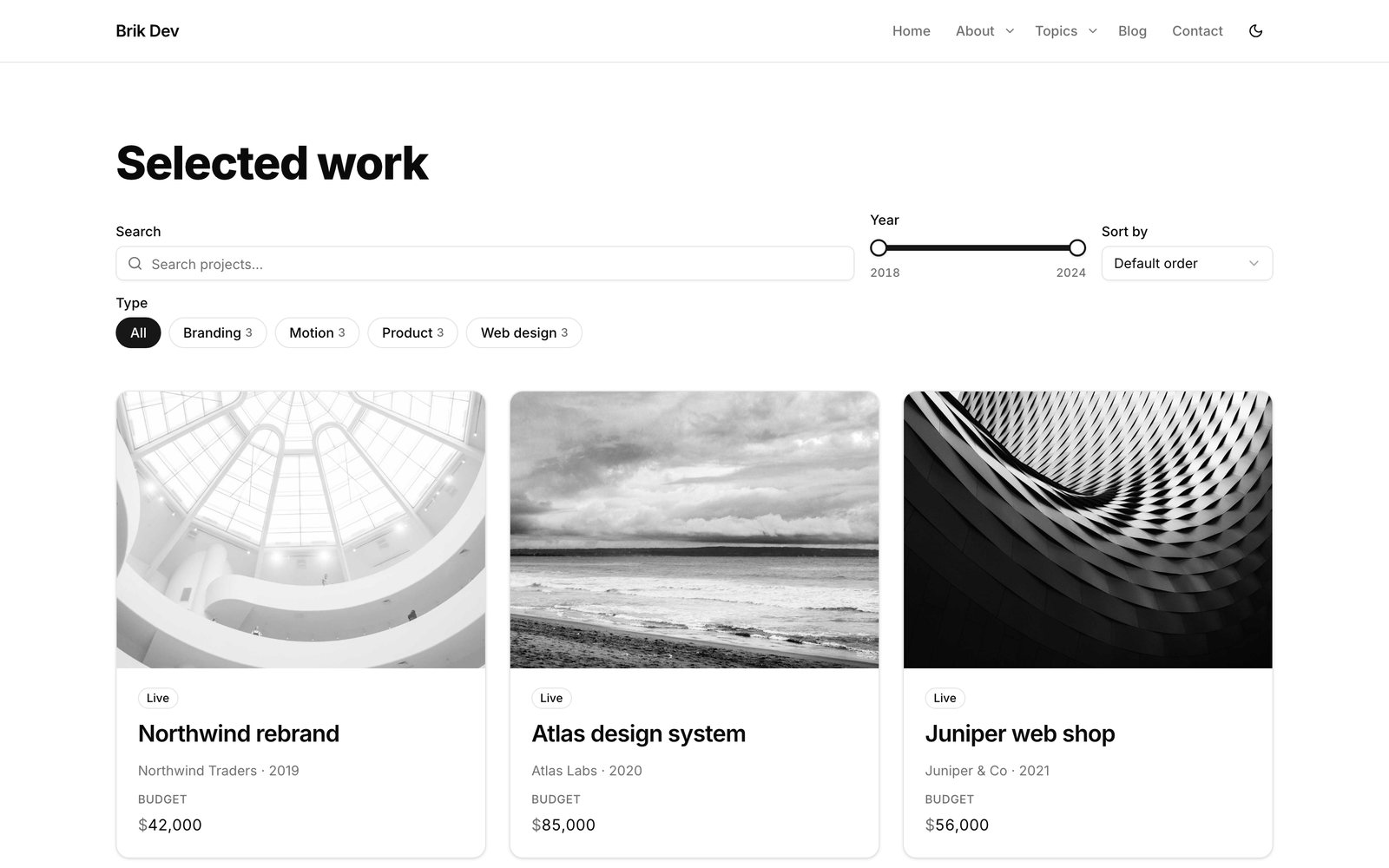
conditional logic and validation — in polished meta boxes for posts, terms, users and site options {field:price}dynamic tags anywhere in the builder, plus a Field element andbrik_field()in PHP- Listings: query any post type, design the loop item visually, add grids, carousels, load-more
or infinite scroll - Filters: search, term pills, checkboxes, range sliders and sorting — AJAX with shareable URLs,
and they still work without JavaScript - Forms that do things: create or update posts (with image uploads, custom fields and terms),
register users, send email, save entries, call webhooks
WooCommerce
 |
 |
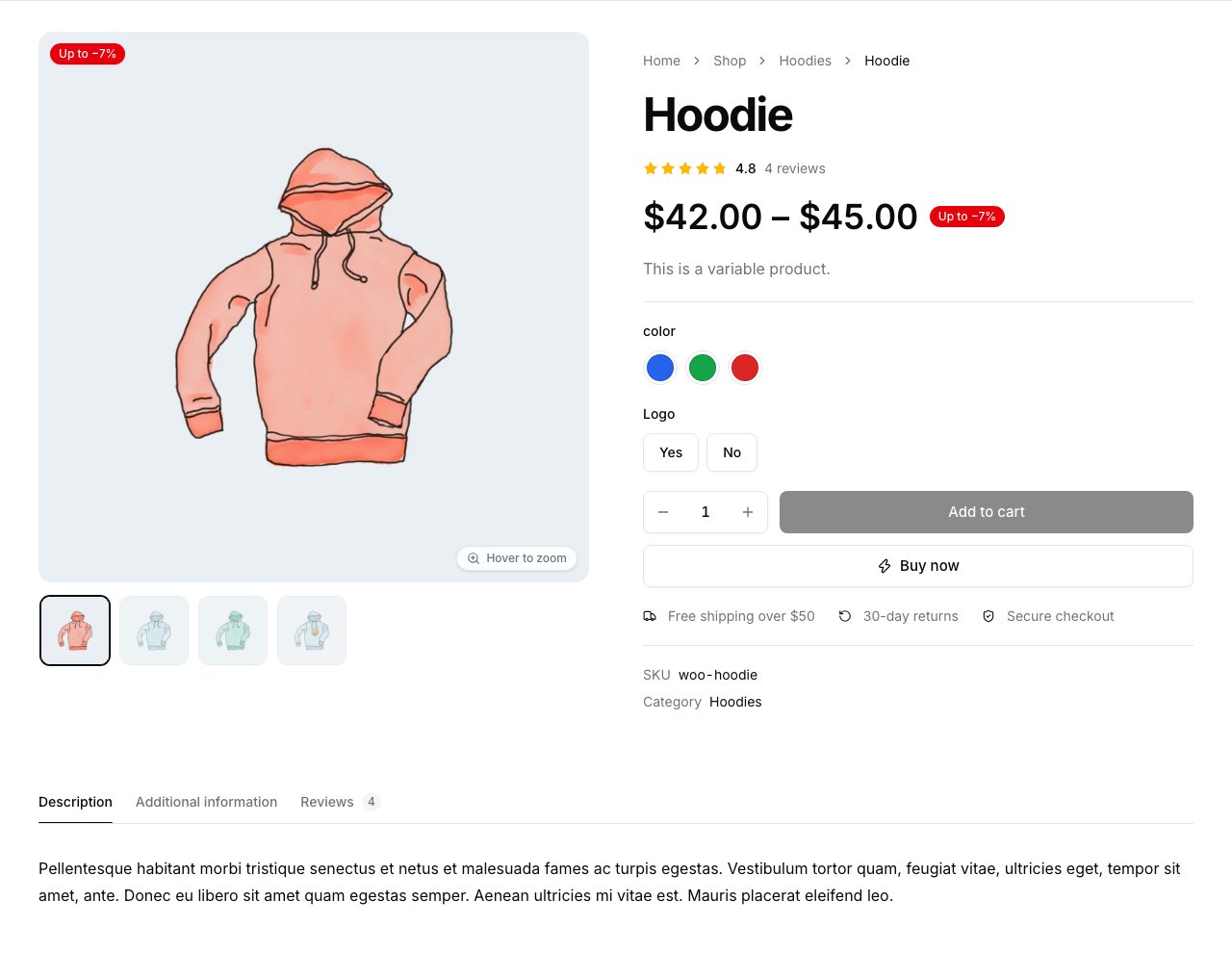
- Product page elements: gallery with zoom, lightbox and variation images; add to cart with color swatches,
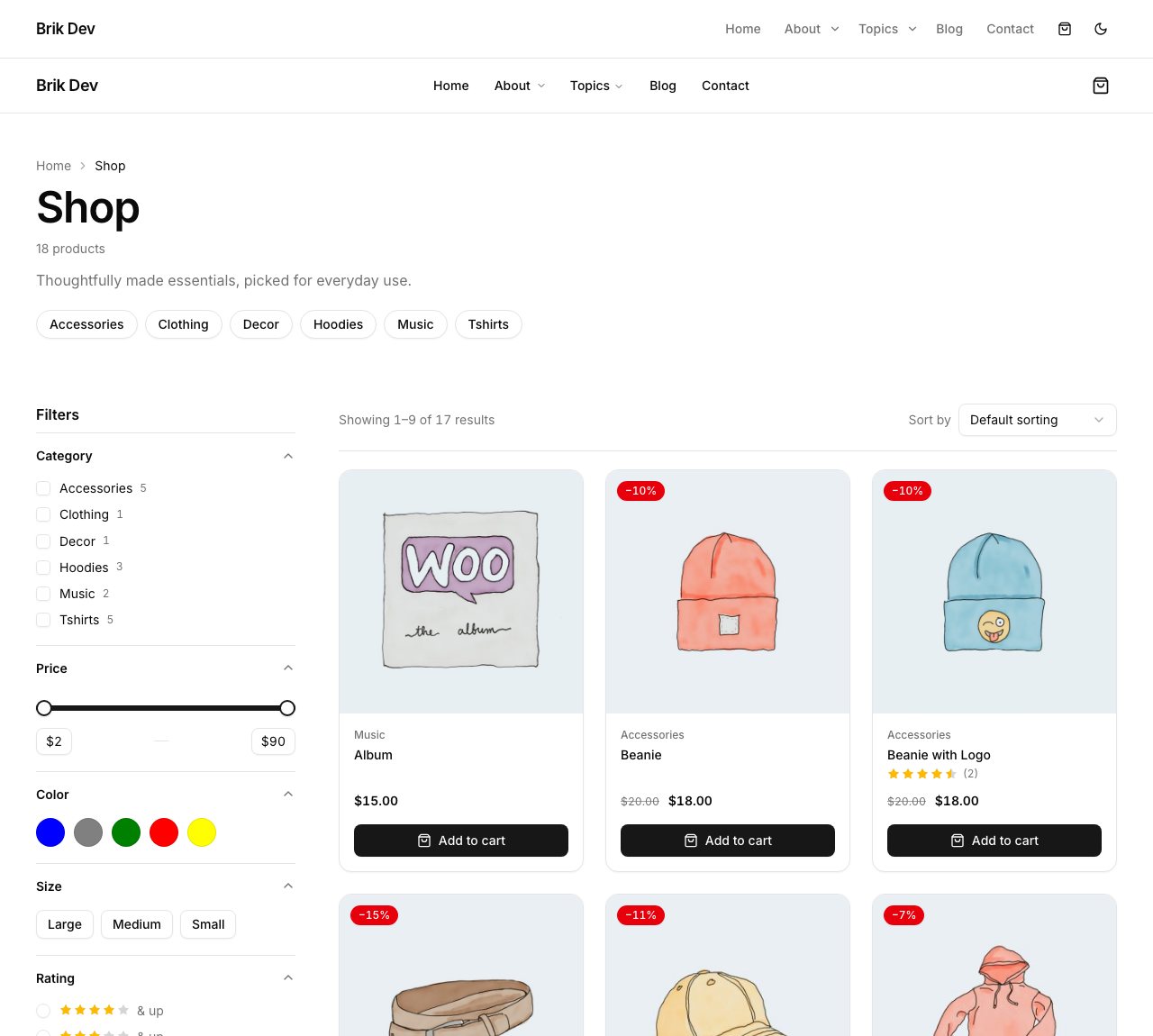
size pills, quantity stepper, AJAX add and buy now; tabs, reviews, stock, badges, related and upsells - Product grids and carousels, quick view, category cards, result count and sorting
- Filters for price, categories, attributes (swatches and pills), rating, stock and sale — with a mobile sheet
- Header mini cart with a slide-out drawer and free-shipping progress; restyled cart, checkout, account and thank-you pages
- Theme builder conditions for products, shop, categories, cart, checkout and account, plus
{product:price}-style tags - Uses WooCommerce's own forms underneath, so gateways and extensions keep working
Performance as a feature, not a setting
 |
 |
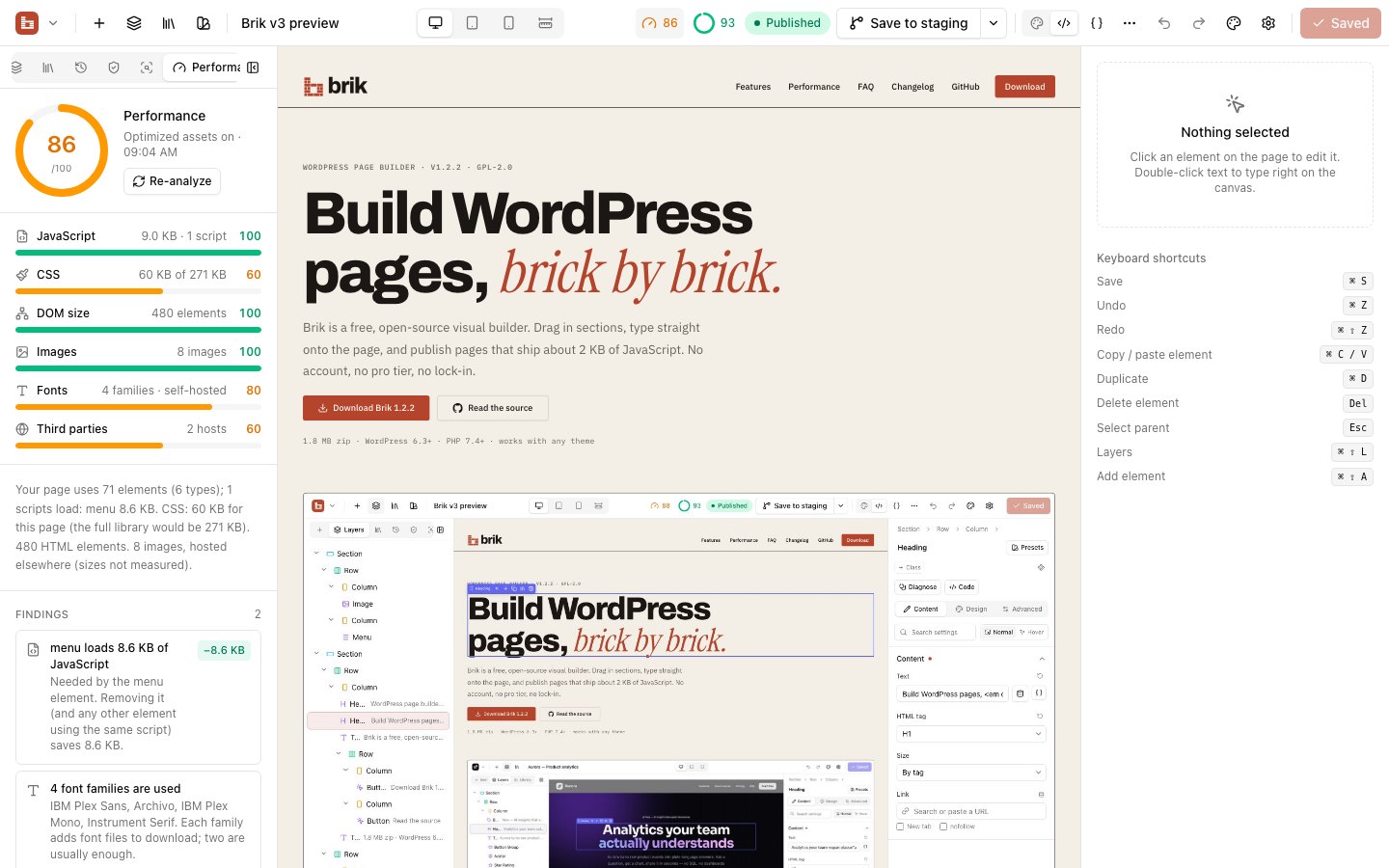
- One minified stylesheet per page, tree-shaken from the full design system, with above-the-fold CSS inlined
- Element scripts load only when that element is on the page — a plain page ships about 2 KB of JavaScript
- Fonts self-hosted automatically (no requests to Google), optional WebP/AVIF uploads, lazy embeds, high-priority hero images
- A performance score in the builder with concrete savings: "The carousel loads 2.7 KB of JavaScript — removing it saves 2.7 KB"
- Clean this page finds empty and redundant wrappers, default values and hidden-everywhere elements, shows the savings and fixes them (undoable)
Audits that point at the problem
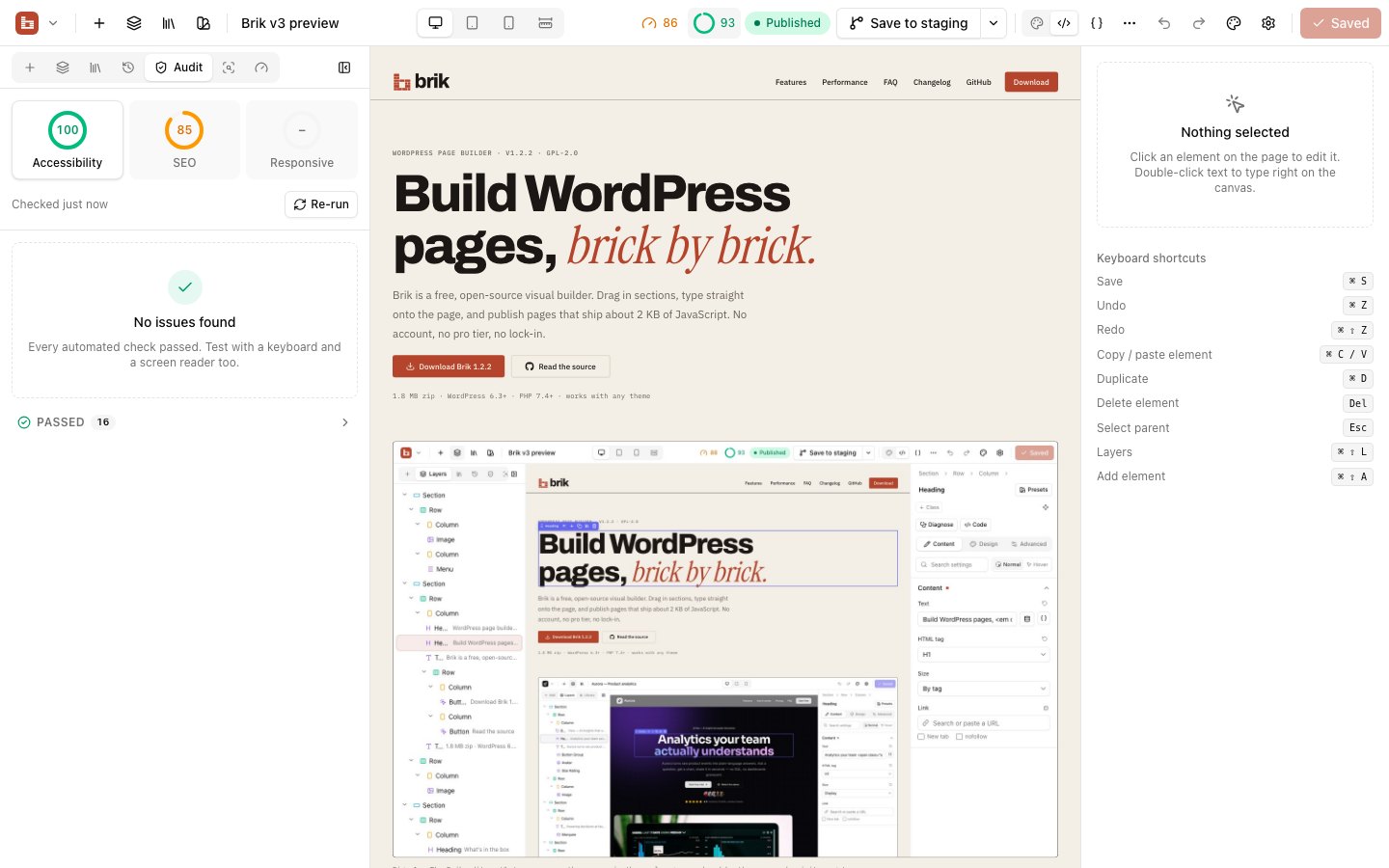
- Accessibility — missing alt text (or mark images decorative), heading order, colour contrast with the real ratio, unlabeled buttons and fields, removed focus styles, ARIA misuse
- SEO — H1 count, heading outline, search preview, heavy images, broken links,
relon external links, FAQ schema suggestions - Responsive problems — sweeps 1440 → 360 px and flags horizontal overflow, clipped text, oversized headings, tiny tap targets and overlaps, with Show me at 390px
- Click any issue to jump to the element; most have a one-click fix
Design system, classes and components
 |
 |
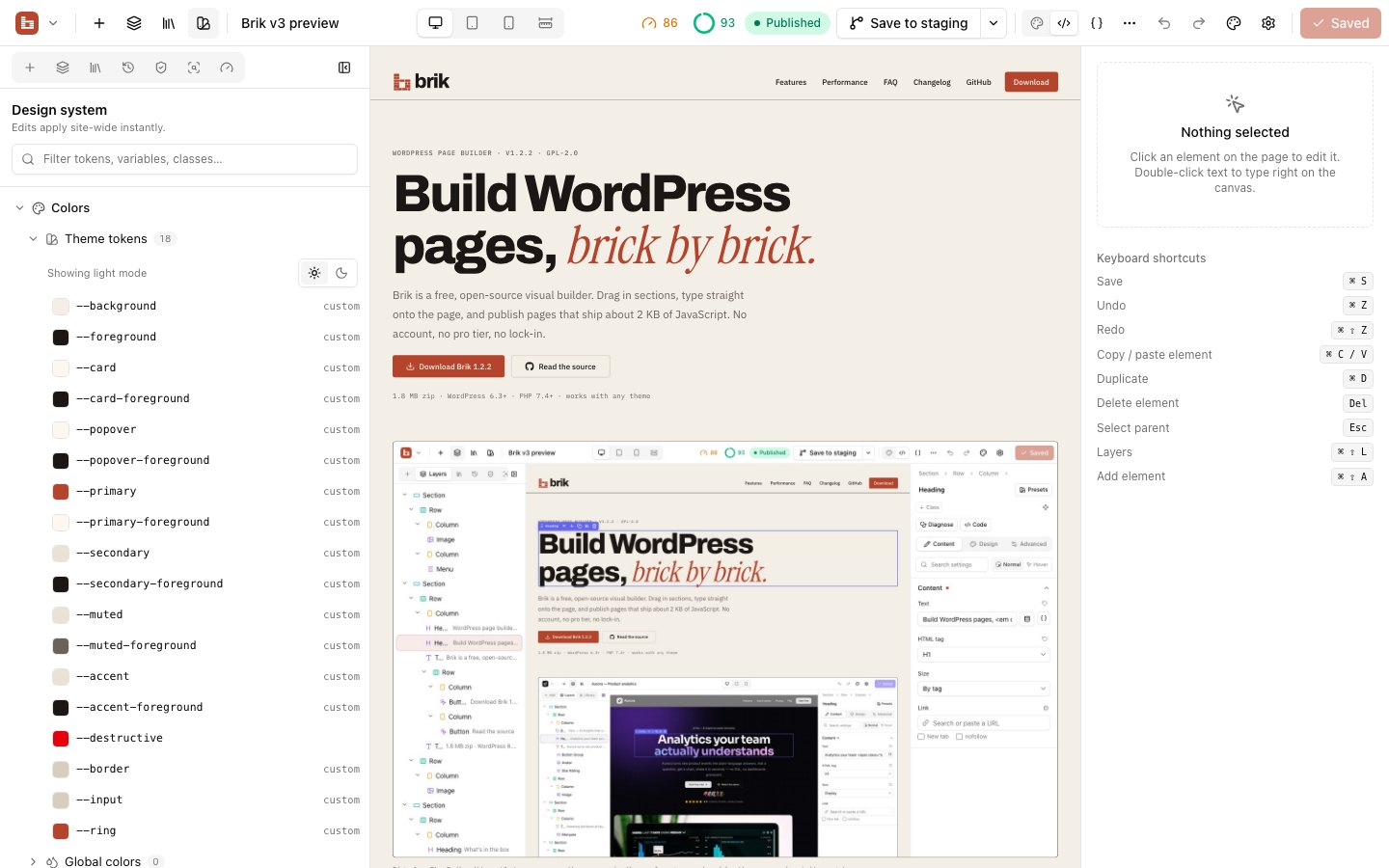
- Real global CSS classes (
.button-primary,.card) — create one from an element's styles and reuse it everywhere - Variables for spacing, radius, type scale and shadows (
--space-md,--radius-lg) with a picker in every field - A design system panel showing tokens, typography, classes, components and breakpoints in one tree
- Figma-style components: edit the master and every instance updates, override text, links, images and icons per instance while the design stays locked, and detach safely into an independent copy
Editor tools for people who care about the details
- A responsive timeline on every field (
D 48 · T 38 · M 30) and one-click fluidclamp()values - A breakpoint simulator: drag the canvas to any width from 320 to 1920 px
- Why is this broken? — explains hidden, clipped, covered or invisible elements and fixes them
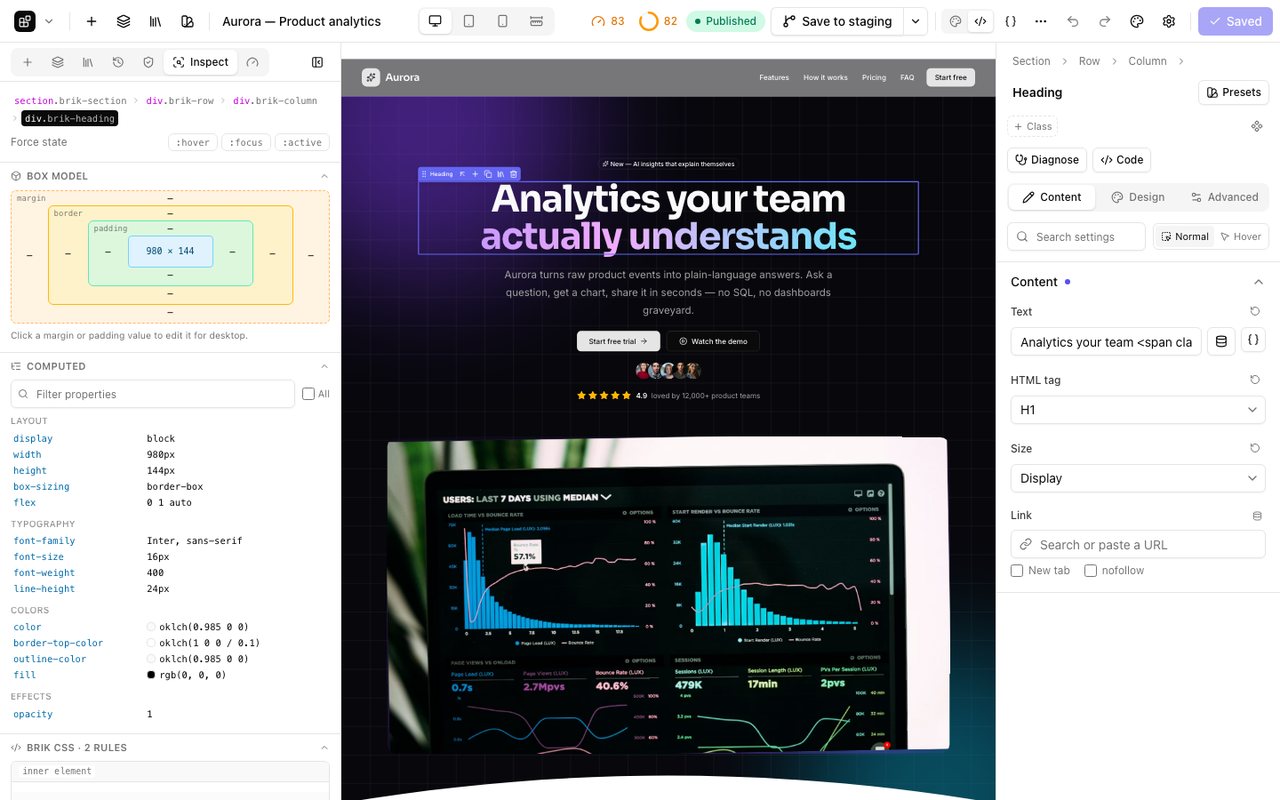
- A CSS inspector with box model, computed and generated styles, variables and forced
:hover/:focus/:active - Designer and Developer modes; Developer adds HTML/CSS/JSON views of every element
- No lock-in: convert any page to Gutenberg blocks or static HTML, and back
Versions, staging and scheduled publishing
 |
 |
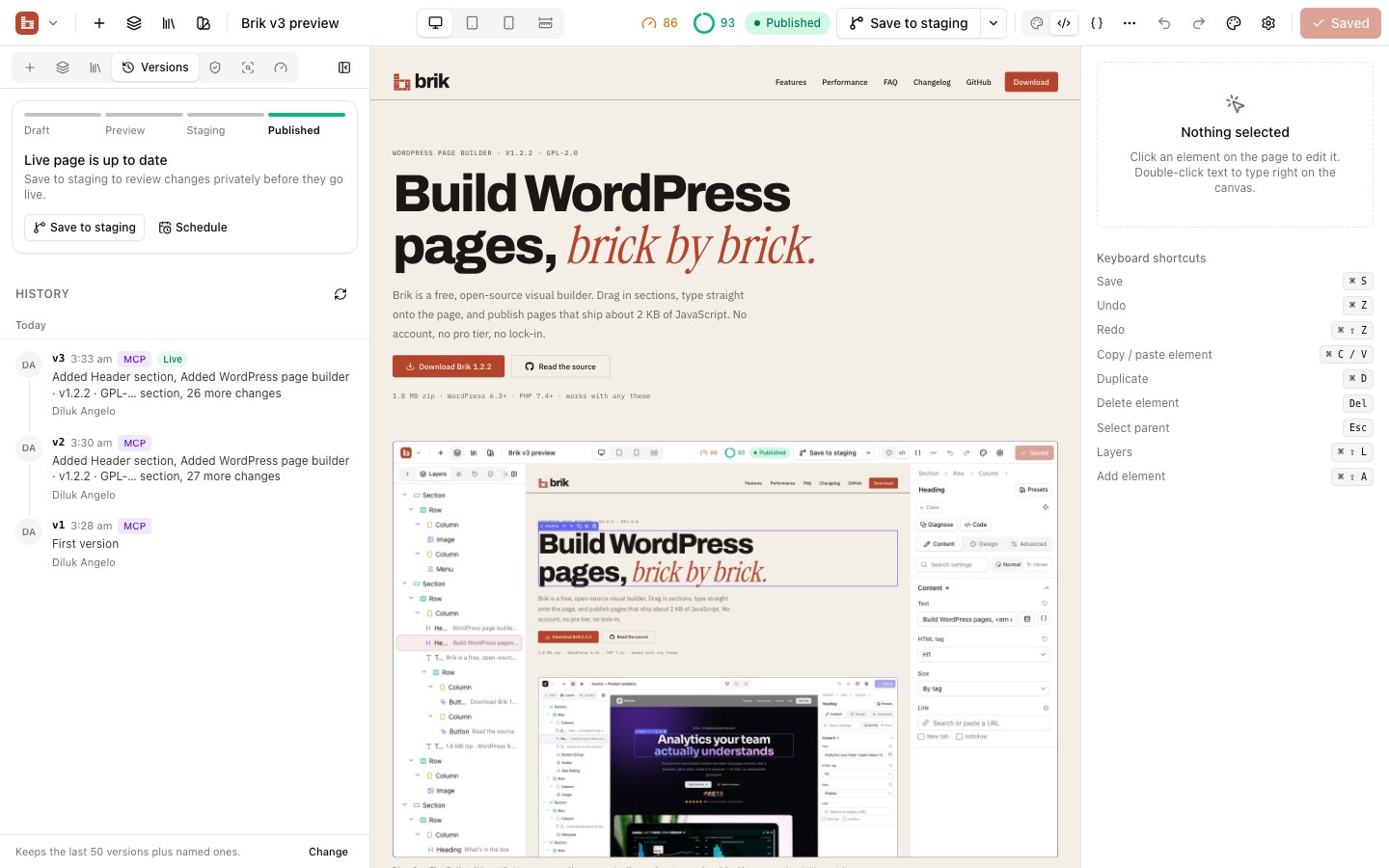
- Every save is a version with a readable summary ("Changed hero", "Added pricing section")
- Preview any version, compare it section by section and restore only one section
- Save to staging, share a private preview link with your client, compare staging with production and deploy
- Schedule a deploy for launch day, or a rollback for when the promotion ends
Data-aware content
- Dynamic data from posts, authors, terms, meta, ACF, Meta Box, Pods, WooCommerce, the current user and the site, with a searchable picker and live previews
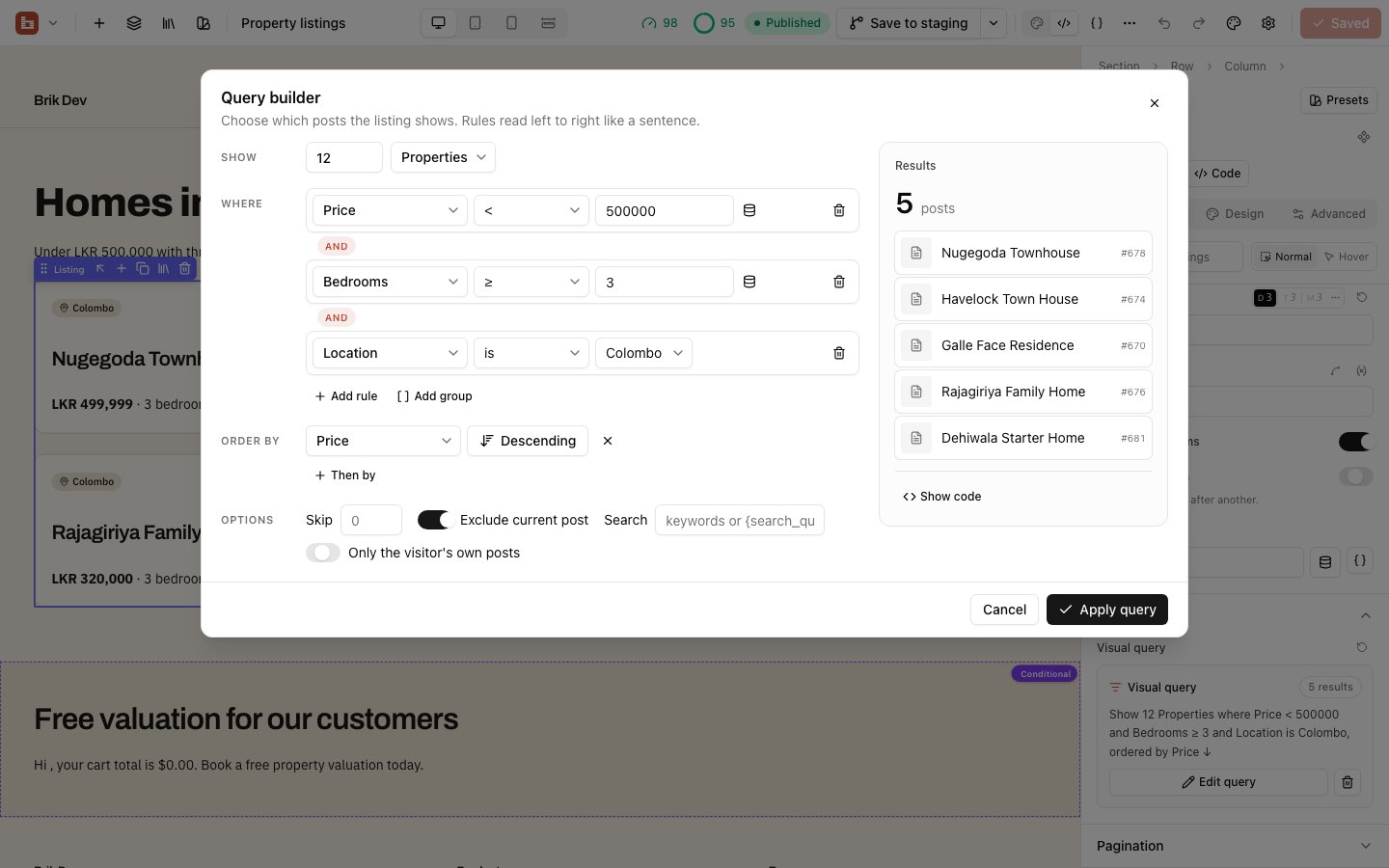
- A visual query builder for listings that reads like a sentence — and shows the equivalent
WP_Query - Display conditions with nested AND/OR groups: user role, login state, post fields, URL parameters, dates, device, cart total, past purchases, language and more
Build with AI (MCP)
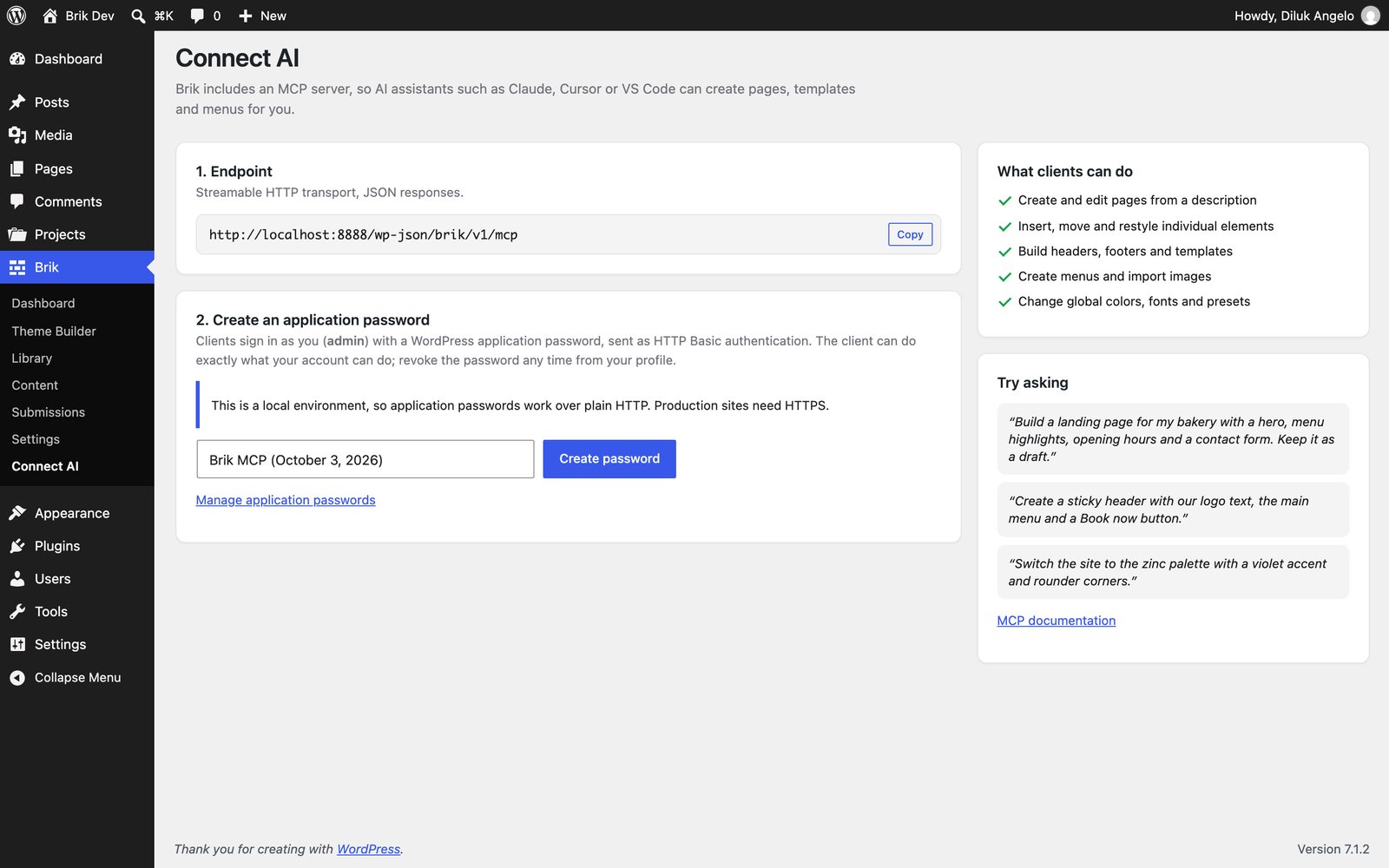
Brik exposes an MCP endpoint at /wp-json/brik/v1/mcp (Streamable HTTP, authenticated with a
WordPress application password). Brik → Connect AI creates the password and gives you ready-to-paste
config. With Claude Code:
claude mcp add --transport http brik https://your-site.com/wp-json/brik/v1/mcp \
  --header "Authorization: Basic <base64 user:application-password>"
Then just ask:
"Build a landing page for my bakery with a hero, menu highlights, opening hours and a contact form."
"Create a sticky header with our logo, a mega menu for Products and a Book now button."
"Add an Events post type with date, venue and ticket link fields, then create five sample events."
Clients get 66 tools (70 with WooCommerce) — pages, individual elements, templates, menus, design tokens, classes,
components, presets, the library, media, content types and entries, queries, audits, performance reports, versions,
staging and WooCommerce products — plus a building guide, and every change goes through
the same validation and sanitization as the visual builder. See docs/MCP.md.
Quick start
- Download
brik-builder.zipandbrikwp.zipfrom the latest release. - In WordPress go to Plugins → Add New → Upload and install
brik-builder.zip. - (Optional) Appearance → Themes → Upload
brikwp.zip— the companion theme renders Brik headers
and footers natively and shares the design tokens. Brik works with any theme. - Open any page and click Edit with Brik.
Requirements: WordPress 6.3+, PHP 7.4+.
Development
git clone https://github.com/dilukangelosl/brik.git && cd brik
npm install
npm run build        # builder app, front-end bundle, effect scripts and Tailwind stylesheets
npm run watch        # rebuild JS on change
npm run zip          # installable zips in dist/
A Docker WordPress is included:
./dev/setup.sh       # http://localhost:8888 — admin / admin
./dev/sync.sh        # copy plugin + theme into the container after changes
Tests:
docker compose -f dev/docker-compose.yml run --rm -T cli eval-file \
  /var/www/html/wp-content/plugins/brik-builder/tests/content/run.php
Repository layout
plugin/brik-builder/   the plugin
  includes/            PHP core: renderer, style compiler, REST, MCP, theme builder, content
  modules/             one file per element — see docs/MODULES.md to write your own
  layouts/             bundled sections
  assets/src/          builder app, front-end scripts, effects, Tailwind sources
theme/brikwp/          the companion theme (BrikWP)
docs/                  architecture, module API, MCP and content docs
dev/                   Docker environment and helper scripts
tools/                 build scripts
Extending
Elements are plain PHP definitions — fields in, markup out — and styling is driven by field metadata,
so responsive and hover states come for free:
add_action( 'brik/register_modules', function () {
	Brik\Modules::add( require __DIR__ . '/my-element.php' );
} );
Read docs/MODULES.md, docs/ARCHITECTURE.md and
docs/CONTENT.md.
Roadmap
- Role-based element access
- A/B testing
Ideas and pull requests are welcome — open an issue to discuss bigger changes first.
License
Brik is free software, released under the GNU General Public License v2 or later.
Made by Diluk Angelo. Lucide icons are ISC licensed; brand icons
come from Simple Icons (CC0). Brik is not affiliated with shadcn/ui.
Reviews (0)
Sign in to leave a review.
Leave a reviewNo results found