diffusers-workflow
Health Uyari
- License — License: Apache-2.0
- Description — Repository has a description
- Active repo — Last push 0 days ago
- Low visibility — Only 7 GitHub stars
Code Gecti
- Code scan — Scanned 12 files during light audit, no dangerous patterns found
Permissions Gecti
- Permissions — No dangerous permissions requested
Bu listing icin henuz AI raporu yok.
helper for the Huggingface Diffuser project

diffusers-workflow
A declarative workflow engine and web UI for the Hugging Face Diffusers library. Define image/video generation pipelines in JSON — with full access to the configuration diffusers exposes — and run them from the command line, an interactive REPL, or a browser.
Python 3.10-3.14 | CUDA (NVIDIA) | MPS (Apple Silicon) | CPU
Features
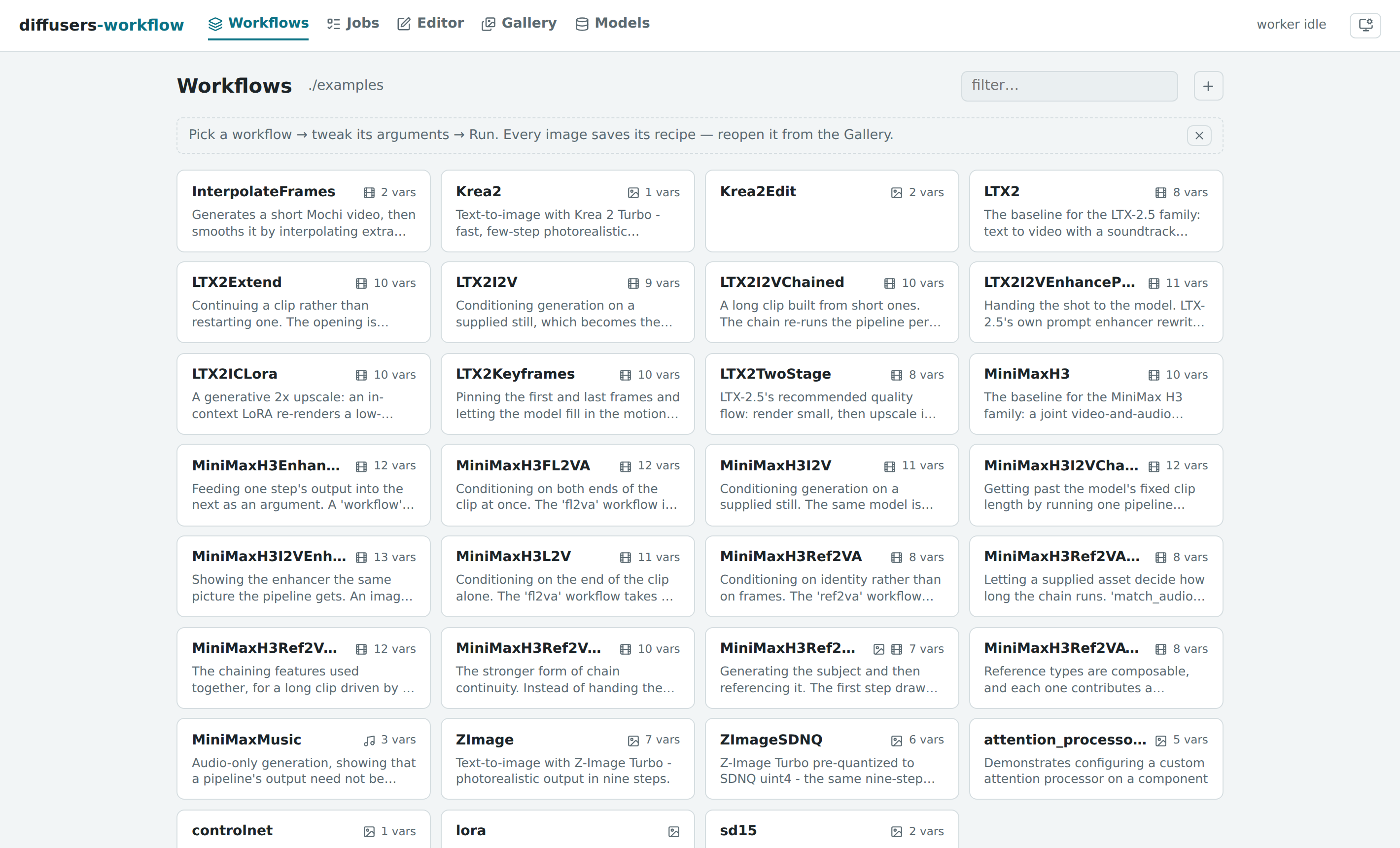
- Web UI — browse and run workflows, edit them in introspection-driven forms, watch jobs stream live progress, manage generated output and the models on disk.
python -m dw.serveand open a browser. See Server & Web UI. - MCP server — a stdio server that lets an MCP client (Claude Code first) author, validate, save, run and diagnose workflows against a running
dw.serve.dw-mcp. See MCP Server. - Declarative JSON workflows with variable substitution and cross-step data flow
- Multi-step pipelines — chain text-to-image, image-to-video, inpainting, ControlNet
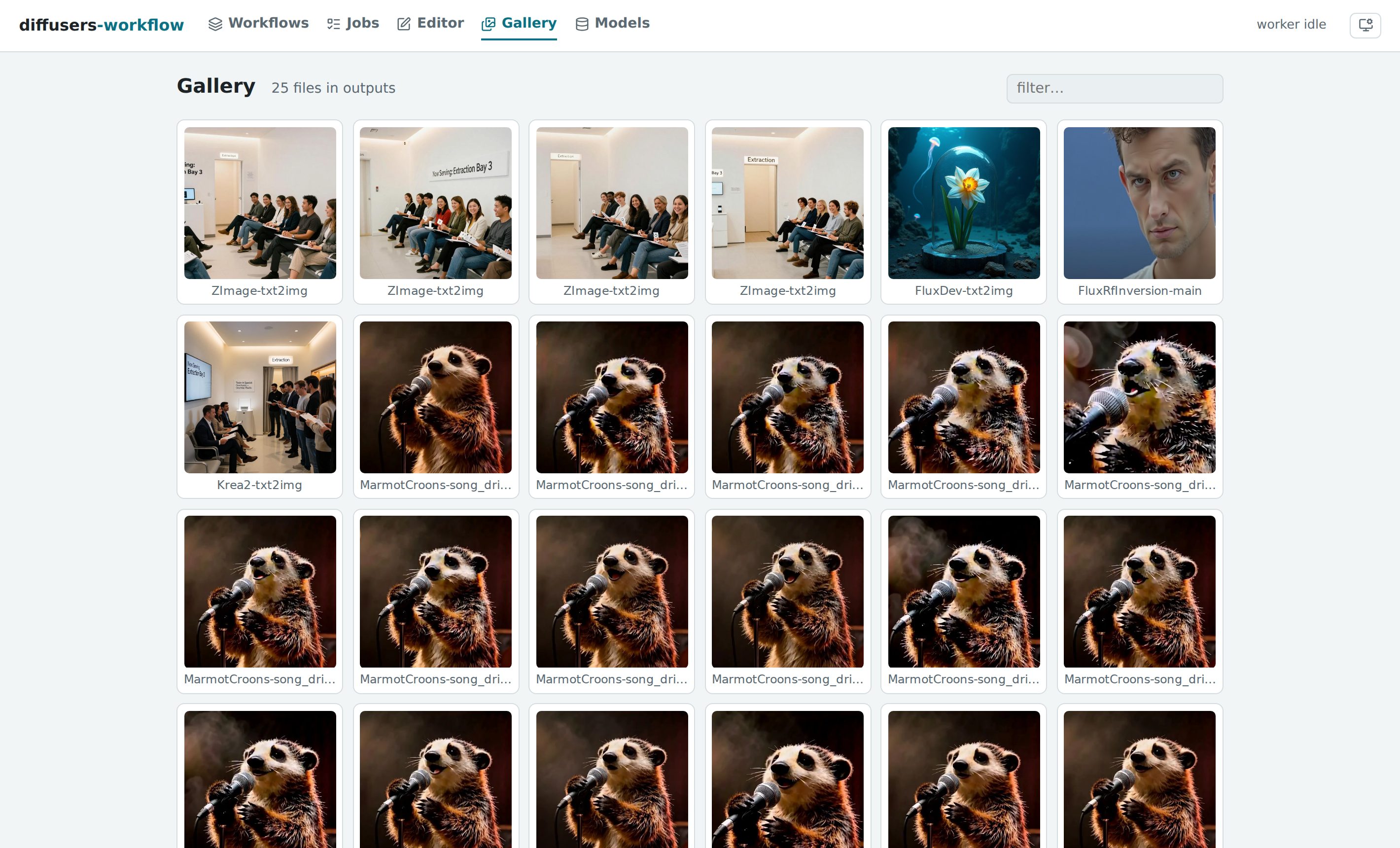
- Reproducible by construction — outputs embed their full workflow definition and seed; any image in the gallery reopens as the exact workflow that made it
- Long-video chaining — run a video pipeline once per segment and stitch the segments into one clip, with audio-driven length and frame-to-frame continuity
- Quantization — BitsAndBytes, TorchAO, GGUF, SDNQ, optimum-quanto
- Inference acceleration — TeaCache, FirstBlockCache, FasterCache, MagCache, TaylorSeerCache
- Prompt weighting — A1111-style
(word:1.5)syntax with long prompt support - Prompt library — store prompts once in
prompts/and reference them from any workflow asprompt:nameorprompt:folder/name, with a web UI for browsing, editing, and AI-enhancing them - LoRA and IP-Adapter support
- Composable workflows from multiple JSON files with
builtin:references - Utility tasks — upscaling, face restoration, segmentation, captioning, frame interpolation, QR codes, and more
- Interactive REPL with persistent GPU model caching (2-4x faster iteration)
- Cross-platform — CUDA, MPS (Apple Silicon), and CPU
Installation
Linux / macOS
bash ./install.sh
source ./activate
python -m dw.test
Windows
.\install.ps1
.\venv\scripts\activate
python -m dw.test
The install scripts detect your Python version, create a virtual environment, and install all dependencies including platform-specific packages (bitsandbytes on CUDA, fp4-fp8-for-torch-mps on macOS).
The Web UI
python -m dw.serve
# diffusers-workflow server on http://127.0.0.1:8765
Everything the engine does, in a browser backed by a persistent GPU worker — models stay loaded between runs.
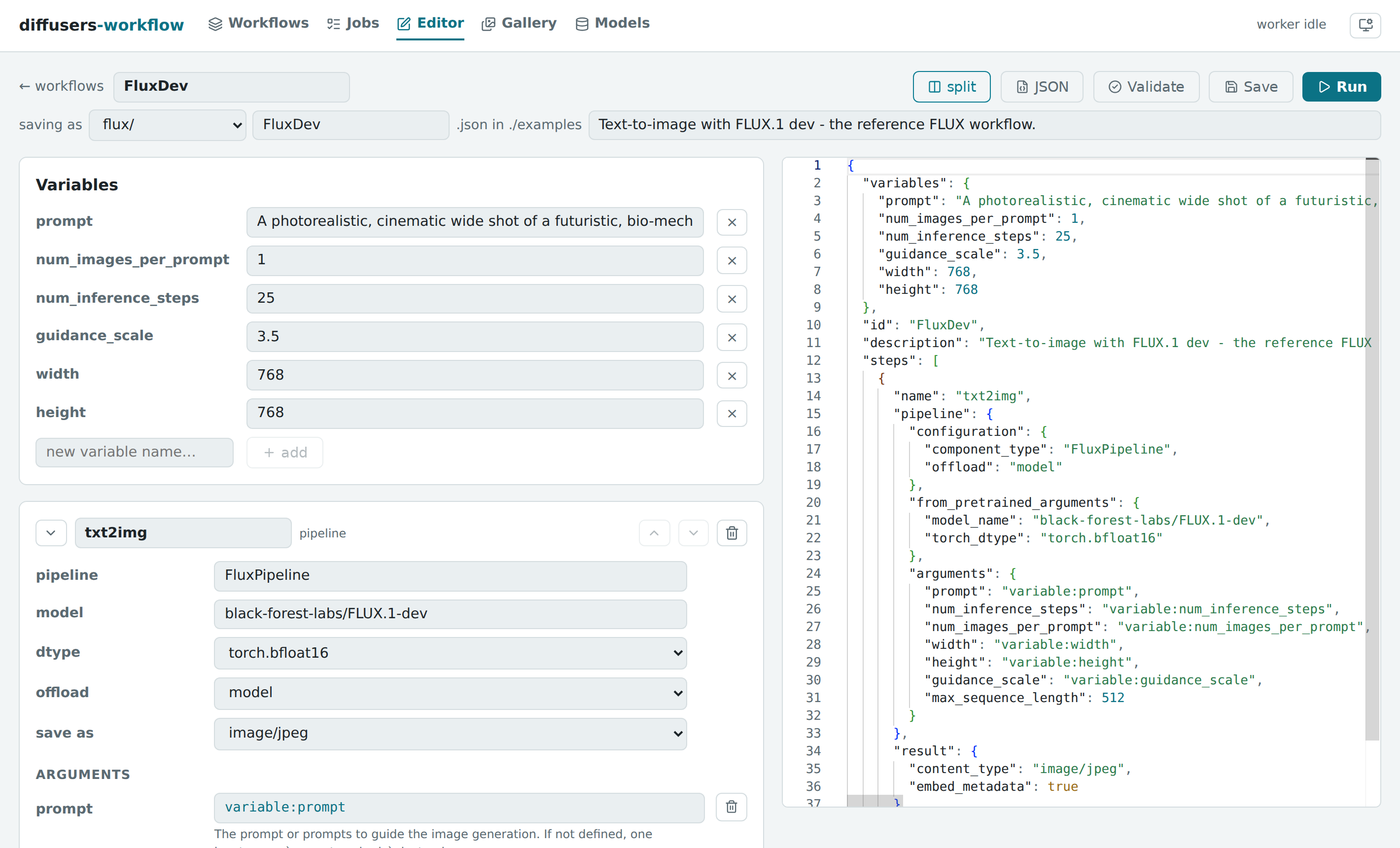
A form-based editor with the real pipeline signatures. Forms and argument autocomplete are generated by introspecting diffusers itself, so every knob a pipeline exposes is available — with its documentation — without leaving the browser. A split view puts the JSON beside the form, both editable; validation catches schema errors and argument typos (by checking the pipeline's actual call signature) before any model loads.
A gallery where every image is a recipe. Outputs embed their workflow and seed; open as workflow drops the definition into the editor with the seed pinned, ready to reproduce or riff on.
A prompt library shared by every workflow. Store a prompt once, reference it anywhere as prompt:name — the Prompts page browses, edits, and filters the library, and an Enhance with AI panel expands an idea into a full prompt with a local language model.
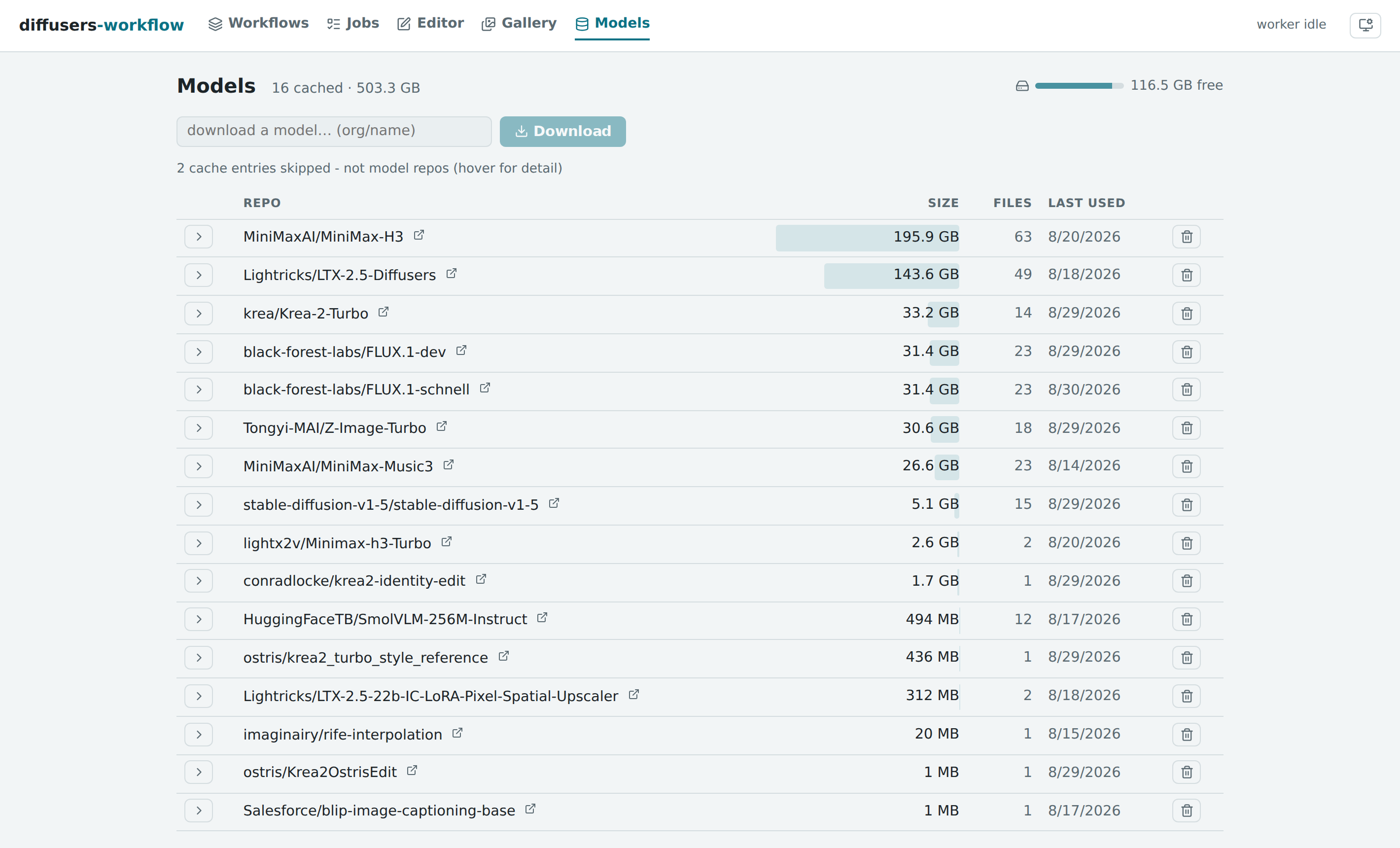
A model manager for the disk your models actually consume. The Hugging Face hub cache, inventoried: sizes, revisions, last-used dates, free space — download new models by id with live progress, delete with one click.
Jobs queue, stream progress live (per denoising step), cancel cooperatively, and persist to a searchable history. See Server & Web UI for the pages and the HTTP API.
Usage
Run a Workflow
python -m dw.run workflows/flux/FluxDev.json
python -m dw.run workflows/flux/FluxDev.json prompt="a cat" num_images_per_prompt=4
Validate a Workflow
python -m dw.validate workflows/flux/FluxDev.json
Interactive REPL
python -m dw.repl
dw> workflow load flux/FluxDev
dw> arg set prompt="a beautiful sunset"
dw> workflow run
[... models load once ...]

dw> arg set prompt="a starry night"
dw> workflow run
Reusing loaded models from cache
[... 2-4x faster ...]

dw> memory show
dw> ?               # show all command groups
See REPL Commands and Worker Guide.
Workflow Examples
Simple Image Generation
{
    "id": "flux_example",
    "variables": {
        "prompt": "an apple",
        "num_images_per_prompt": 1
    },
    "steps": [
        {
            "name": "main",
            "pipeline": {
                "configuration": {
                    "component_type": "FluxPipeline",
                    "offload": "sequential"
                },
                "from_pretrained_arguments": {
                    "model_name": "black-forest-labs/FLUX.1-dev",
                    "torch_dtype": "torch.bfloat16"
                },
                "arguments": {
                    "prompt": "variable:prompt",
                    "num_inference_steps": 25,
                    "num_images_per_prompt": "variable:num_images_per_prompt",
                    "guidance_scale": 3.5
                }
            },
            "result": {
                "content_type": "image/jpeg"
            }
        }
    ]
}
Override variables from the command line:
python -m dw.run flux_example.json prompt="an orange" num_images_per_prompt=4
Multi-Step Workflow (Image to Video)
Chain steps using previous_result:step_name to pass outputs between steps:
{
    "id": "img2vid",
    "steps": [
        {
            "name": "image_generation",
            "pipeline": {
                "configuration": {
                    "component_type": "StableDiffusion3Pipeline",
                    "offload": "model"
                },
                "from_pretrained_arguments": {
                    "model_name": "stabilityai/stable-diffusion-3.5-large",
                    "torch_dtype": "torch.bfloat16"
                },
                "arguments": {
                    "prompt": "a luminous owl in a neon forest",
                    "num_inference_steps": 25,
                    "guidance_scale": 4.5
                }
            },
            "result": { "content_type": "image/png" }
        },
        {
            "name": "video",
            "pipeline": {
                "configuration": {
                    "component_type": "CogVideoXImageToVideoPipeline",
                    "offload": "sequential",
                    "vae": { "configuration": { "enable_slicing": true, "enable_tiling": true } }
                },
                "from_pretrained_arguments": {
                    "model_name": "THUDM/CogVideoX-5b-I2V",
                    "torch_dtype": "torch.bfloat16"
                },
                "arguments": {
                    "image": "previous_result:image_generation",
                    "prompt": "The owl blinks slowly",
                    "num_inference_steps": 50,
                    "num_frames": 49,
                    "guidance_scale": 6
                }
            },
            "result": { "content_type": "video/mp4" }
        }
    ]
}
Inference Acceleration
Speed up generation with built-in diffusers caching or TeaCache:
"configuration": {
    "component_type": "FluxPipeline",
    "cache": { "type": "first_block", "threshold": 0.05 }
}
"configuration": {
    "component_type": "FluxPipeline",
    "teacache": { "rel_l1_thresh": 0.6 }
}
Prompt Weighting
Use A1111-style syntax for per-token weighting:
"configuration": {
    "component_type": "FluxPipeline",
    "prompt_weighting": true
}
a (photorealistic:1.4) portrait with (bright red hair:1.3) and [freckles]
JSON Schema
Interactive schema browser: View Schema
See workflows/ for more workflow files.
Documentation
Guides
- Server & Web UI — The web UI, jobs API, and introspection service
- MCP Server — Tool surface for MCP clients (Claude Code, Claude Desktop)
- Workflow Guide — JSON structure, variables, steps, data flow
- Quantization — BitsAndBytes, TorchAO, GGUF, SDNQ
- Inference Acceleration — torch.compile, FirstBlockCache, MagCache, TaylorSeer, TeaCache
- Fast on 24GB — Recommended speed/memory configurations per model family
- LoRA — Loading and stacking LoRA adapters
- IP-Adapter — Image-prompt conditioning
- Prompt Weighting — A1111-style syntax
- Prompt References — The stored prompt library and
prompt:references - Tasks — Image processing, ControlNet preprocessors, utilities
Reference
- REPL Commands — Interactive REPL command reference
- Worker Guide — GPU persistence and troubleshooting
- Dependencies — Installation details
- Security — Security model
- Testing — Running the test suite
- Releasing — Cutting a release from a version tag
Yorumlar (0)
Yorum birakmak icin giris yap.
Yorum birakSonuc bulunamadi