botogether
Health Uyari
- License — License: NOASSERTION
- Description — Repository has a description
- Active repo — Last push 0 days ago
- Low visibility — Only 7 GitHub stars
Code Gecti
- Code scan — Scanned 2 files during light audit, no dangerous patterns found
Permissions Gecti
- Permissions — No dangerous permissions requested
Bu listing icin henuz AI raporu yok.
Your bots. One team. A local-first desktop workspace for AI agent chats, team collaboration, scoped memory and reviewed results. 本地 AI 助手协作桌面应用。Official downloads and user guides; application source is private.

Botogether
Your bots. One team.
Chat, assign work and inspect results from your local AI agents.
简体中文 · Downloads · Get started · Help
Botogether brings the coding agents on your computer into direct and group chats. Give each bot a role, choose a project folder, and ask for a result. Your agents execute the work; Botogether keeps conversations, permissions, files and review history together.
Unsigned preview.8: Apple Silicon Mac DMG · Windows x64 installer. Intel Mac is not included in this release. This is an unsigned, unnotarized testing preview, not a stable release.
[!IMPORTANT]
First installation blocked? Read this first. This preview has no Apple Developer ID signature/notarization or Windows publisher signature. Download only from the official Releases and compare the checksums.Mac: Drag Botogether into Applications and try opening it once → System Settings → Privacy & Security → Open Anyway beside the Botogether notice → confirm as prompted and open it again. Apple's illustrated guide
Windows: For “Windows protected your PC,” verify the source, then choose More info → Run anyway when offered. If the option is missing, or Smart App Control or organizational policy blocks it, stop and report the exact notice; keep protections enabled. Microsoft guidance
Do not disable Gatekeeper, SmartScreen or antivirus. A damaged-app or malware warning calls for checking the download and integrity, not dismissing the warning.
This repository contains download documentation and release assets; application source is private. No private repository access, Node.js or npm is needed to install the desktop app. No npm package has been published.
Download status: All six preview.8 attachments for Apple Silicon Mac and Windows x64 were downloaded anonymously in full and matched their reviewed byte counts and SHA-256 hashes.
Validated platforms: Mac ARM64 and Windows x64 passed local native installation, GUI, package and existing-data upgrade checks. Other architectures and the full model/account matrix remain outside this release acceptance.
Why Botogether
- Free to use. Botogether adds no app subscription. Your chosen Agent or model provider may charge separately; free model availability and limits are set by that provider.
- Local first. Conversations, task records and project context stay on your device. The Agents and services you choose may send prompts or files to their own cloud services.
- Visible control. Review permission requests, scope credentials to a service and inspect recorded results. System encryption is available for saved keys; you choose which tools and services to trust.
Interface preview
Earlier V2.3 local.26 interface examples in English; preview.8 adds a simpler assistant greeting and the changes listed below. These isolated UI examples contain no private conversations. Example dialogue and hand-written files illustrate the interface, not live AI delivery or performance claims.
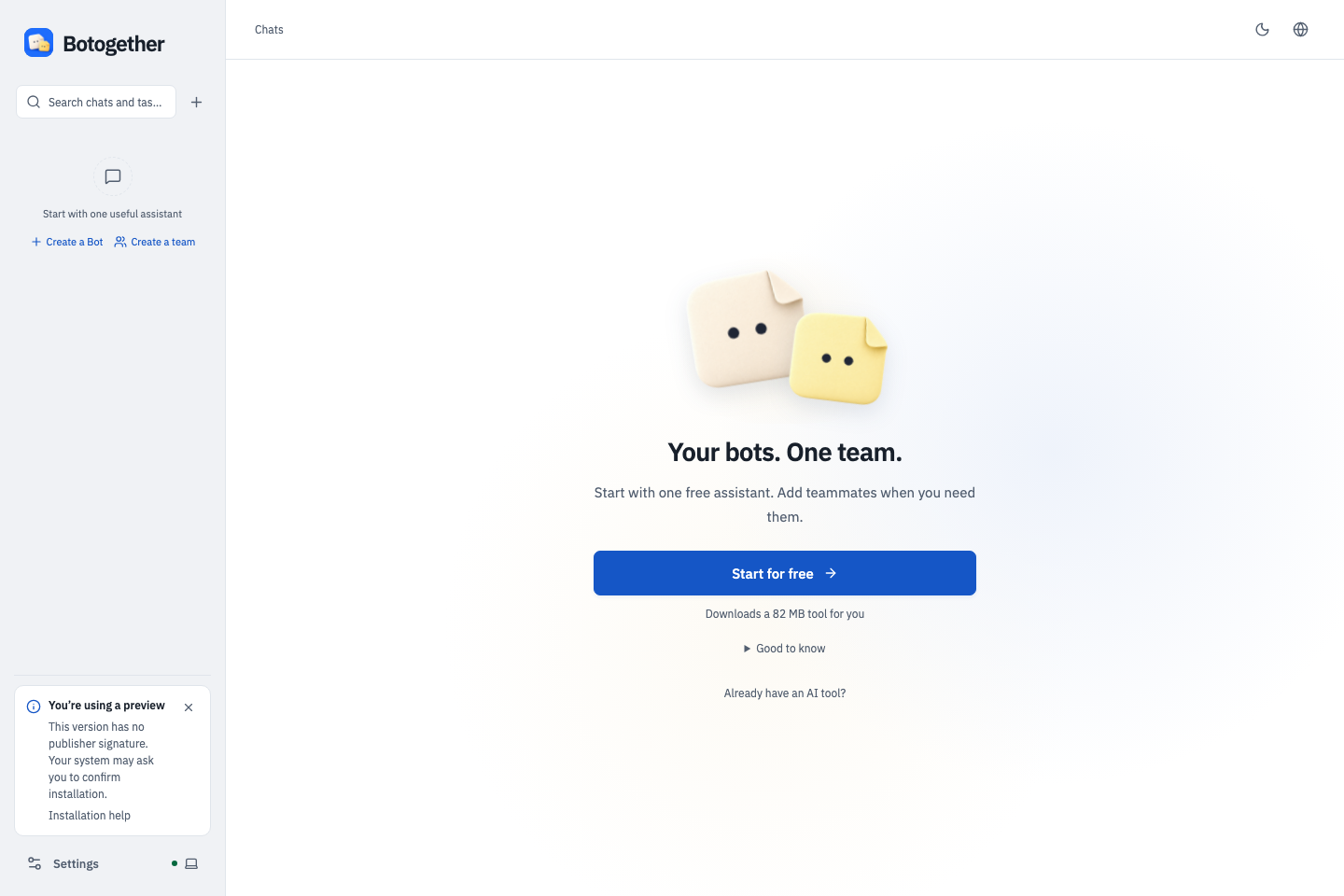
No Agent installed? Start for free. Install OpenCode inside the app, then choose an available free trial model. Paper companions greet, blink and follow the pointer; a still image cannot show the animation.
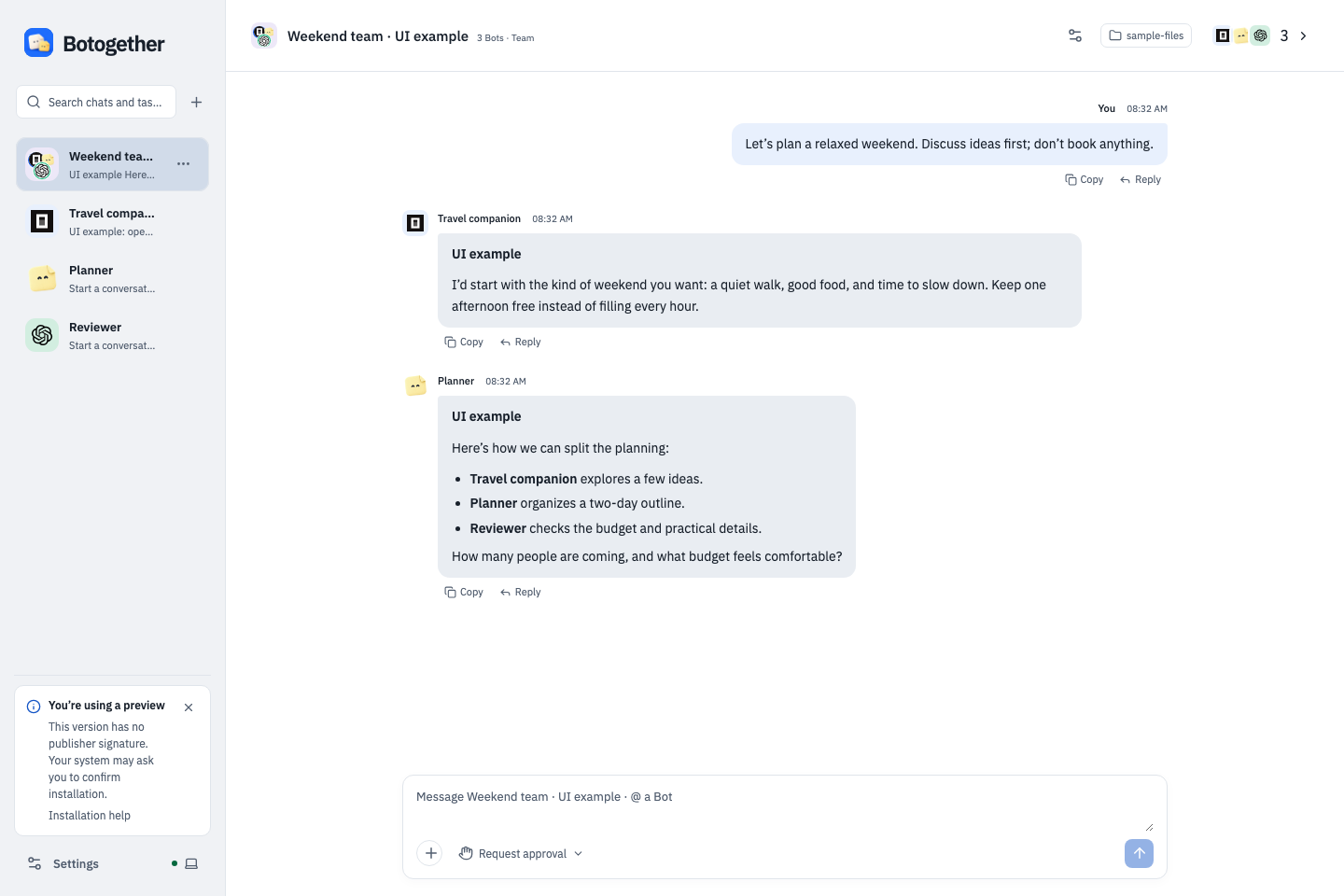
Your bots. One team. Discuss ideas, assign roles and keep the conversation together. This dialogue is clearly marked as a UI example.
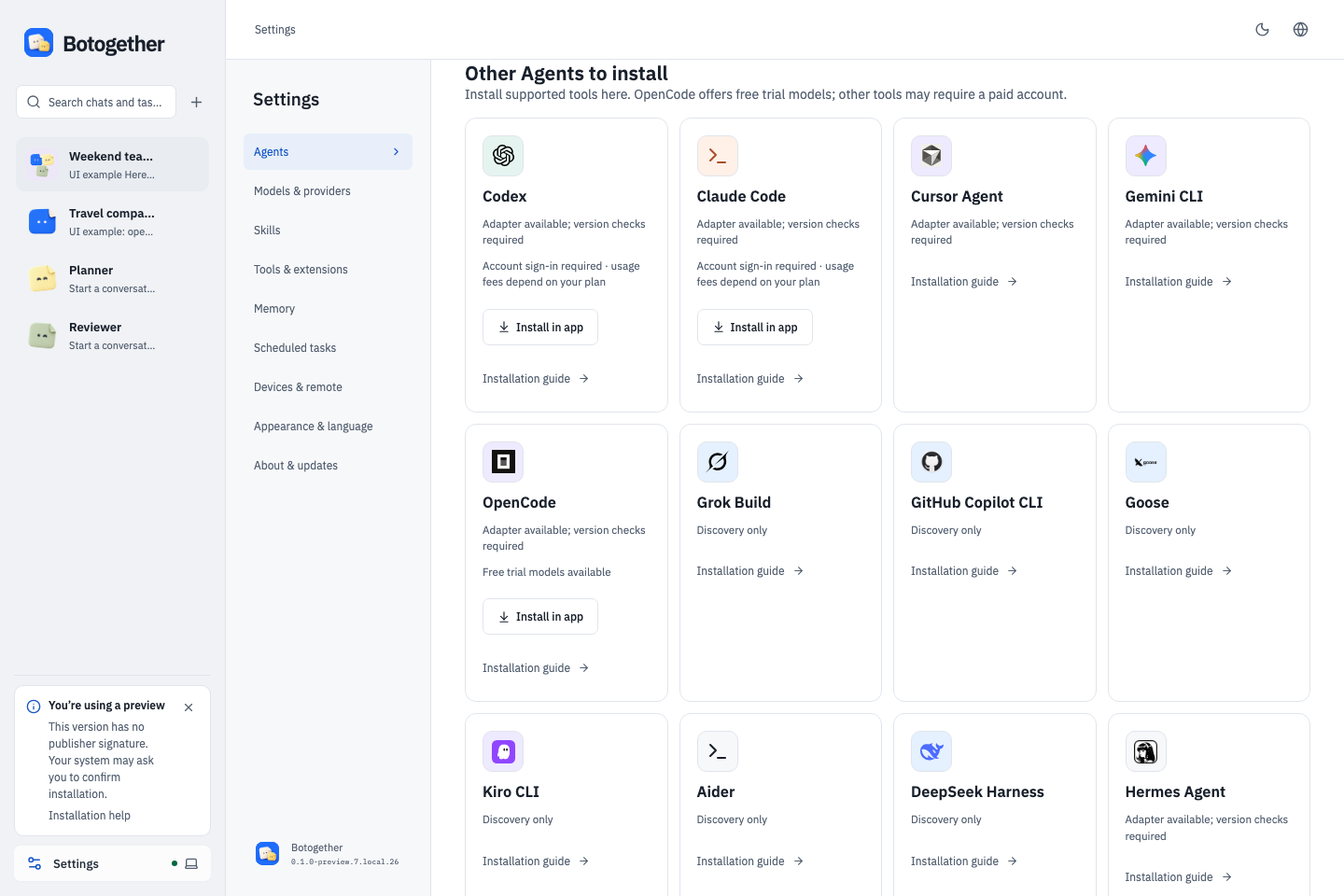
Set up without the detour. OpenCode, Codex and Claude Code offer in-app installation on supported systems. Other entries have explicit installation guides. Installing an Agent does not include its account or paid model usage.
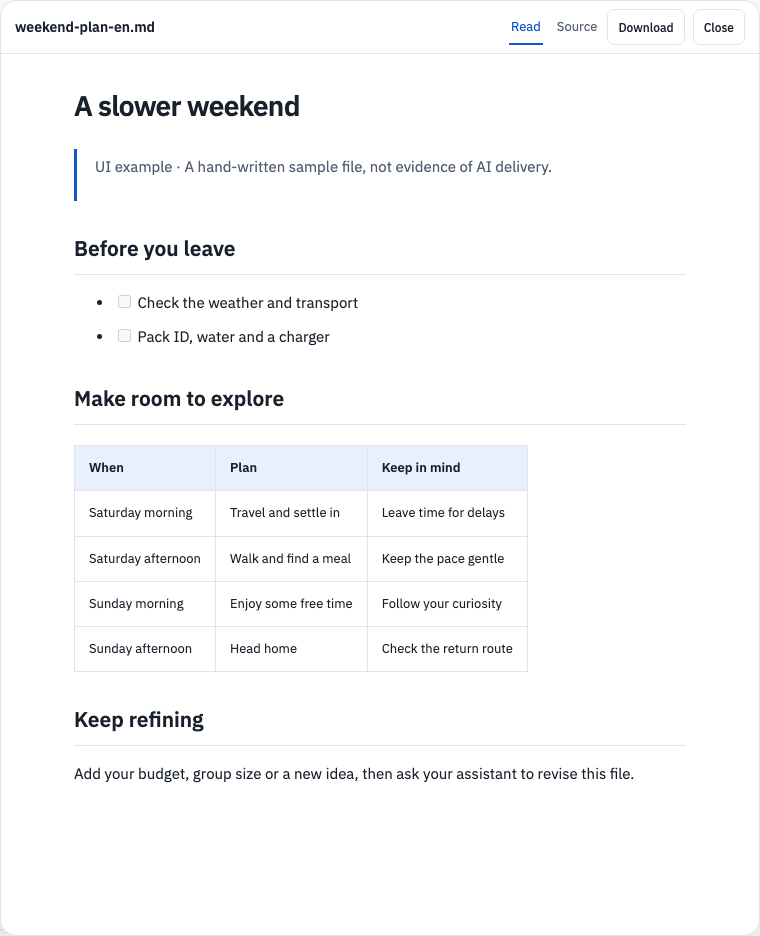
Open a file and keep refining. The current reader renders headings, checklists and tables, with source and download controls. This hand-written sample is not an AI-generated deliverable.
What you can do
- Chat with a bot, or create a group and use
@to select one or more members. - Choose a project folder for each conversation. Group members work toward the same goal in the same folder.
- Assign execution and independent review roles. File tasks keep fixed snapshots for inspection and download; a bot saying “done” does not automatically accept a result.
- Choose models in the composer or bot editor; inspect activity and permissions in task details.
- Save scoped facts and preferences locally. Switching a bot’s model does not erase saved Botogether memories.
- Read formatted answers, preview images fitted to a dialog or at original size, and download original files.
- Use English or Simplified Chinese, with light and dark themes.
Download and install
| Computer | Download | Installation |
|---|---|---|
| Mac with Apple M-series chip | v0.1.0-preview.8 DMG | Open the DMG, drag Botogether into Applications, then open it from Applications. |
| Intel Mac (historical preview.7) | Experimental DMG | Drag into Applications; preview.7 passed isolated Rosetta startup; native Intel GUI and upgrades remain pending. |
| Windows x64 | v0.1.0-preview.8 installer | Run the installer and follow its prompts. It has no publisher signature; read the installation help above. |
Release notes · ZIP alternative · SHA256SUMS
Desktop installers do not require Node.js or npm. Prefer the DMG for your first installation. The automatically generated Source code archives contain this distribution repository's documentation, not the application or its private source.
This repository publishes user guides, product screenshots, feedback templates and the distribution license only. Original requirements, designs, development records and internal reviews remain private. Choose a DMG / EXE under Release Assets; you do not need the Source code download.
This preview has an ad-hoc integrity signature, without Apple Developer ID or notarization. macOS may block the first launch. Read the installation help, verify the download source and checksum, and keep system protections enabled.
Check the download with shasum -a 256 Botogether-0.1.0-preview.8-mac-arm64.dmg and compare it with the SHA256SUMS file above. A checksum verifies file consistency, not publisher identity.
Intel Mac and Windows alternatives and checksums:
- mac-x64: ZIP alternative · SHA256SUMS
- win-x64: ZIP alternative · SHA256SUMS
On Windows, use PowerShell Get-FileHash -Algorithm SHA256 filename to check the download.
Your first task
The following in-app installation flow is available in the validated V2.3 candidate; historical downloads may not include it.
- No AI tools installed: click Start for free. OpenCode downloads and is checked inside the app; no Node.js, npm or terminal is needed.
- Choose a currently available free trial model, then click Start chatting. The app rechecks availability and never silently switches to a paid model.
- Already have an Agent: create an assistant and select the detected tool. Complete account sign-in if requested.
- Try a small task: “Create a weekend checklist.” Open the file, then ask for a revision. Inspect permissions and the actual result.
- Add teammates when useful. Choose who should prepare the result and who should check it. More members can add usage and coordination costs.
Read Getting started, Help and updates, and Privacy.
Updates and boundaries
Settings → About & updates checks this repository. Preview builds (alpha/beta/rc) check both prereleases and stable releases; stable builds only check stable updates. Build details show the active channel. Downloads and installation are manual; updating does not silently interrupt running tasks. Quit the old app before installing a new version. Keep one normal installed copy and back up data before upgrading.
Mobile remote control, general plugin installation, complete MCP tool management, automatic memory extraction and autonomous cross-group dispatch are not currently available. Agent capabilities vary by engine and version. Release notes remain the source of truth for supported platforms, signing and known issues.
preview.8 update
- Group conversations retain native Agent tool access; actual search and execution depend on the selected engine, model and permissions.
- Supported connections can prepare while you type, without sending the draft or starting a model task.
- Pending approvals appear one at a time. Assistant avatars and colors are visible during creation.
- New assistants use Buddy / 小助 and a short greeting. Conversation context and selected-folder handling were improved.
- Windows includes supported language resources and five native icon sizes. Both selected platforms passed package, native GUI and existing-data upgrade checks locally.
External tool delays and free-model availability still vary. This release does not establish an overall speedup or production stability.
Changes in the Mac preview.6 release
- Both normal service-storage choices accept API keys directly. Existing environment-variable references have a separate advanced entry; no shell plaintext configuration or global Agent configuration is generated.
- Static HTML layout checks use the bundled isolated Electron renderer instead of implicitly starting installed Chrome. Page scripts, external resources, navigation and permissions stay disabled; fixed screenshots, cancellation and process-stop evidence remain checked.
- Identifiable installed-app directory requests require individual confirmation rather than reusable or automatic grants. Third-party native tools retain their own permissions; macOS may still show permission notices for their actions.
- Read notifications persist locally, selected service credentials are prepared before task admission, results and handled permissions are more compact, and image-preview size/download controls share a footer.
Validation: 365 checks passed with 7 conditional skips; 77 browser tests passed with 1 promotional screenshot skip; real isolated rendering passed 3/3 on each Mac architecture. Both packages passed privacy/dependency scans, strict ad-hoc signature integrity, clean authenticated startup/shutdown and DMG/ZIP content matching. Apple Silicon backup upgrade and actual installed GUI identity passed. All six Mac release assets were anonymously downloaded in full and matched the audited bytes and SHA-256 values. Intel native-device GUI/upgrades and a current Windows package remain pending.
Group tasks continue to retain the original goal and declared checks through bounded execution, verification, review and repair. A completed reply does not mean verified delivery. Long mixed-engine workflows remain under validation. OpenCode model availability, limits and data handling depend on the provider; no automatic installation, login or paid-model fallback is implied.
npm and source
No npm install or npx command is advertised until a separate audited npm package is published. The private application project is not published wholesale to npm or copied into this download repository.
Long mixed-engine tasks remain under validation. Parallel worktrees, remote access, generic plugins, npm installation and automatic memory extraction are outside this preview.
Feedback
Report a problem with the version, operating system, steps and a redacted screenshot. Issues are public. Do not include credentials, chat exports, memory backups or private project files. Third-party licenses and notices ship inside the installer; each component retains its own terms.
License
Botogether-owned software uses a proprietary distribution license. You may use the official unmodified release for personal or internal business use; private source code is not licensed for redistribution. Third-party components retain their own licenses and notices.
Release status
preview.8 is published for Apple Silicon Mac and Windows x64. The six assets passed anonymous full download/hash checks; native installation, GUI and existing-data upgrades passed locally. Intel Mac and Windows ARM64 are not included. macOS has no Developer ID/notarization and Windows has no publisher signature. This is a testing preview; full model/account coverage and production stability are not claimed.
Acknowledgments
Thanks to these projects for sharing their designs and practices:
- DeepSeek-Bot: Bot interaction, group rounds, and readable memory.
- douchat: local Agent sessions, approvals, and desktop distribution.
- orca: project workspaces, task ownership, and collaboration interfaces.
- DeepSeek Harness: boundaries between a plugin host and session capabilities.
- Hermes Agent: long-running conversations and context compression.
These are design references for Botogether's independently implemented features. This acknowledgment does not imply affiliation, endorsement, or that every referenced capability is implemented. Actual dependencies and licenses are listed separately in the installer's third-party notices.
Yorumlar (0)
Yorum birakmak icin giris yap.
Yorum birakSonuc bulunamadi