boss-katana-mcp
Health Uyari
- License — License: MIT
- Description — Repository has a description
- Active repo — Last push 0 days ago
- Low visibility — Only 6 GitHub stars
Code Uyari
- process.env — Environment variable access in docs/evidence/gen1-commands-2026-10-23-2201/effect-levels/guard.mjs
- process.env — Environment variable access in docs/evidence/gen1-commands-2026-10-23-2201/effect-toggles/guard.mjs
Permissions Gecti
- Permissions — No dangerous permissions requested
Bu listing icin henuz AI raporu yok.
Say the tone, the knobs turn themselves: an MCP server + agent skill that sets BOSS KATANA Gen 3 tones from Claude Code, Codex CLI or Gemini CLI, live in BOSS TONE STUDIO

boss-katana-mcp
Say the tone. The knobs turn themselves.






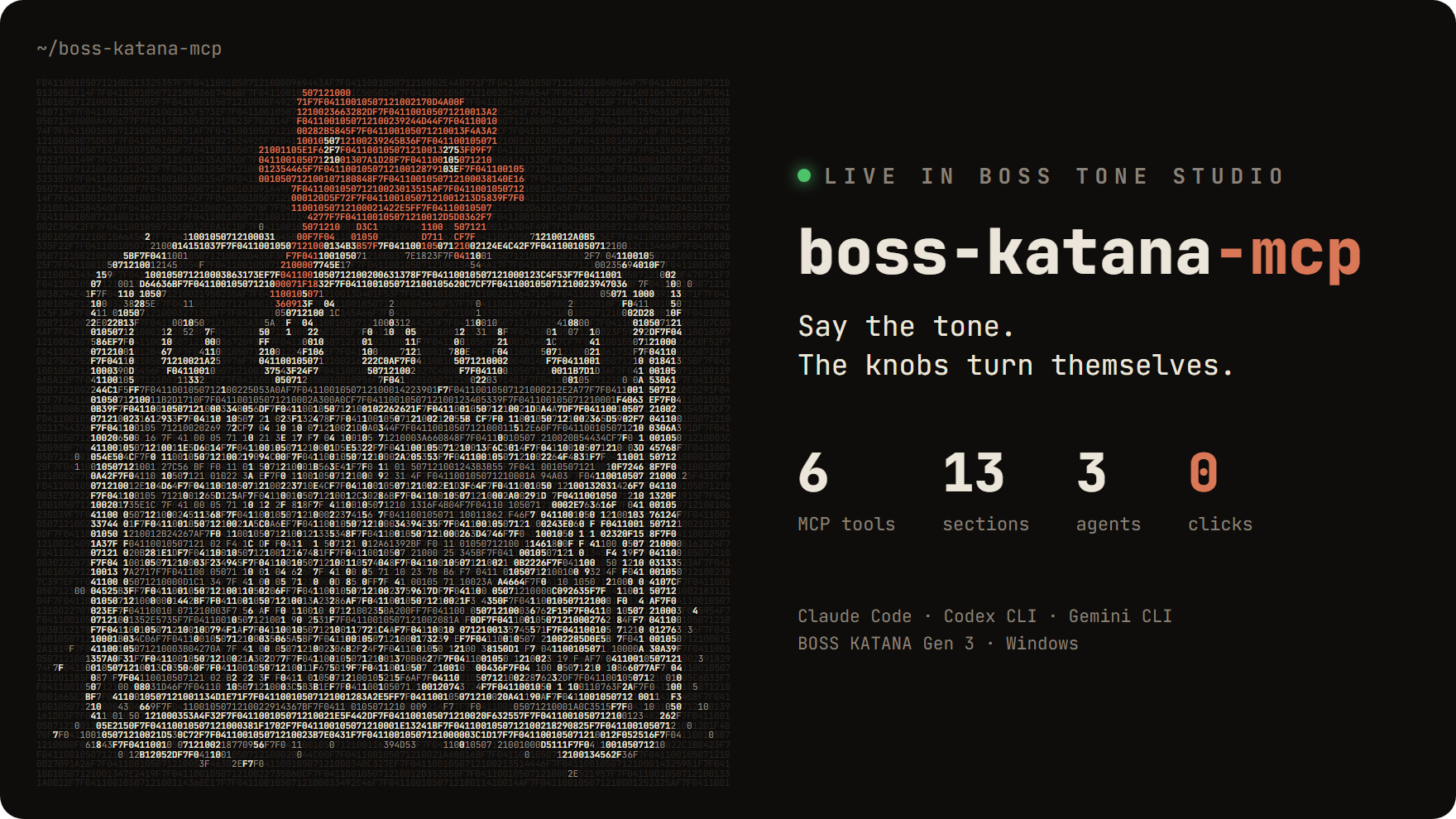
Talk to your BOSS KATANA Gen 3 from Claude Code,
Codex CLI or Gemini CLI.
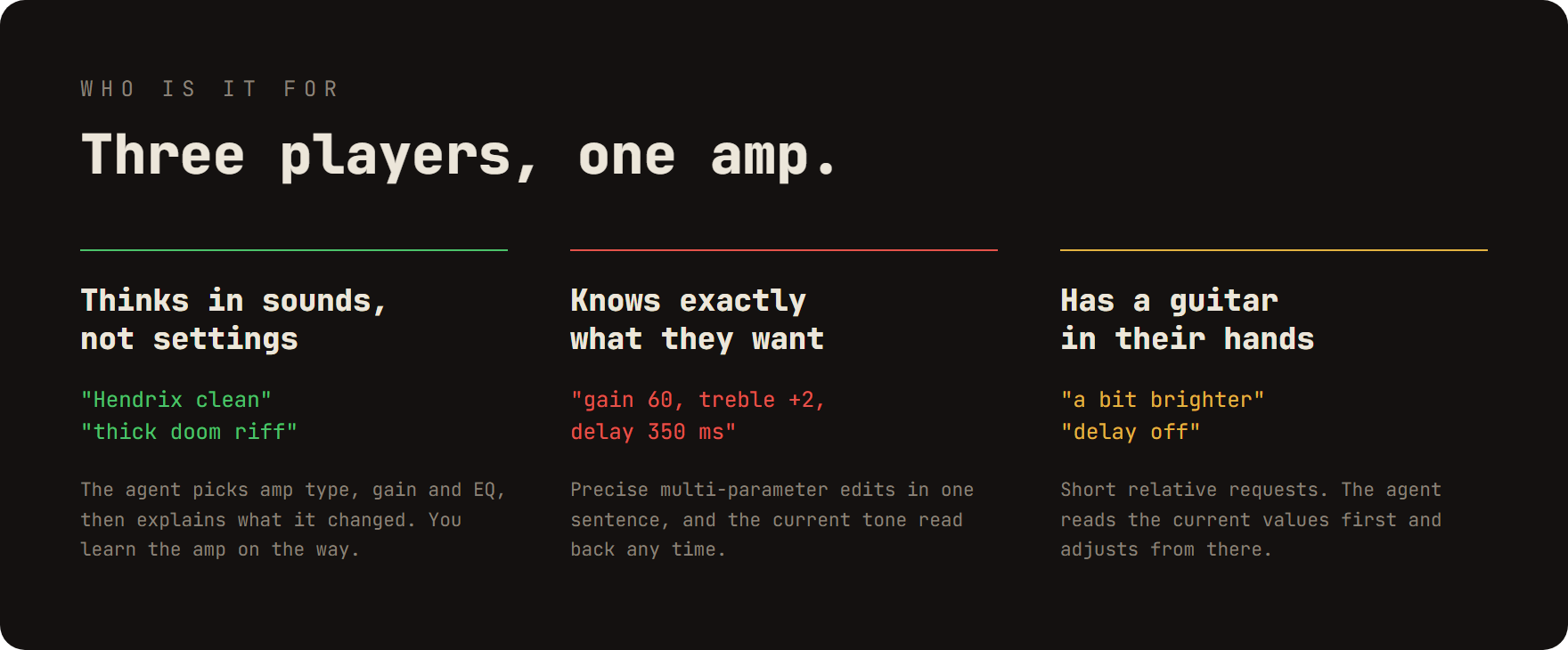
Describe a tone and the knobs in BOSS TONE STUDIO move live, as if you had turned them yourself.
Demo
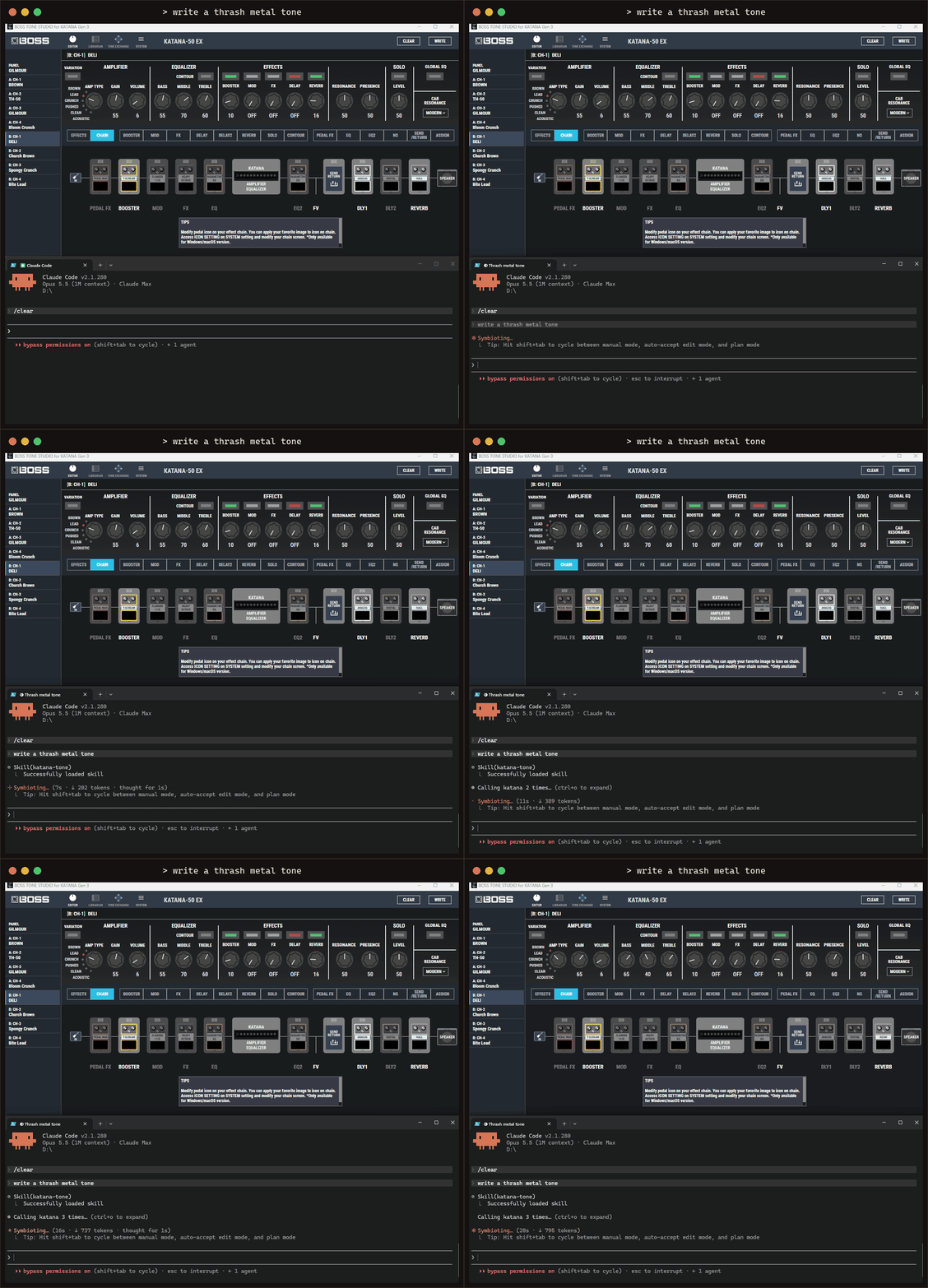
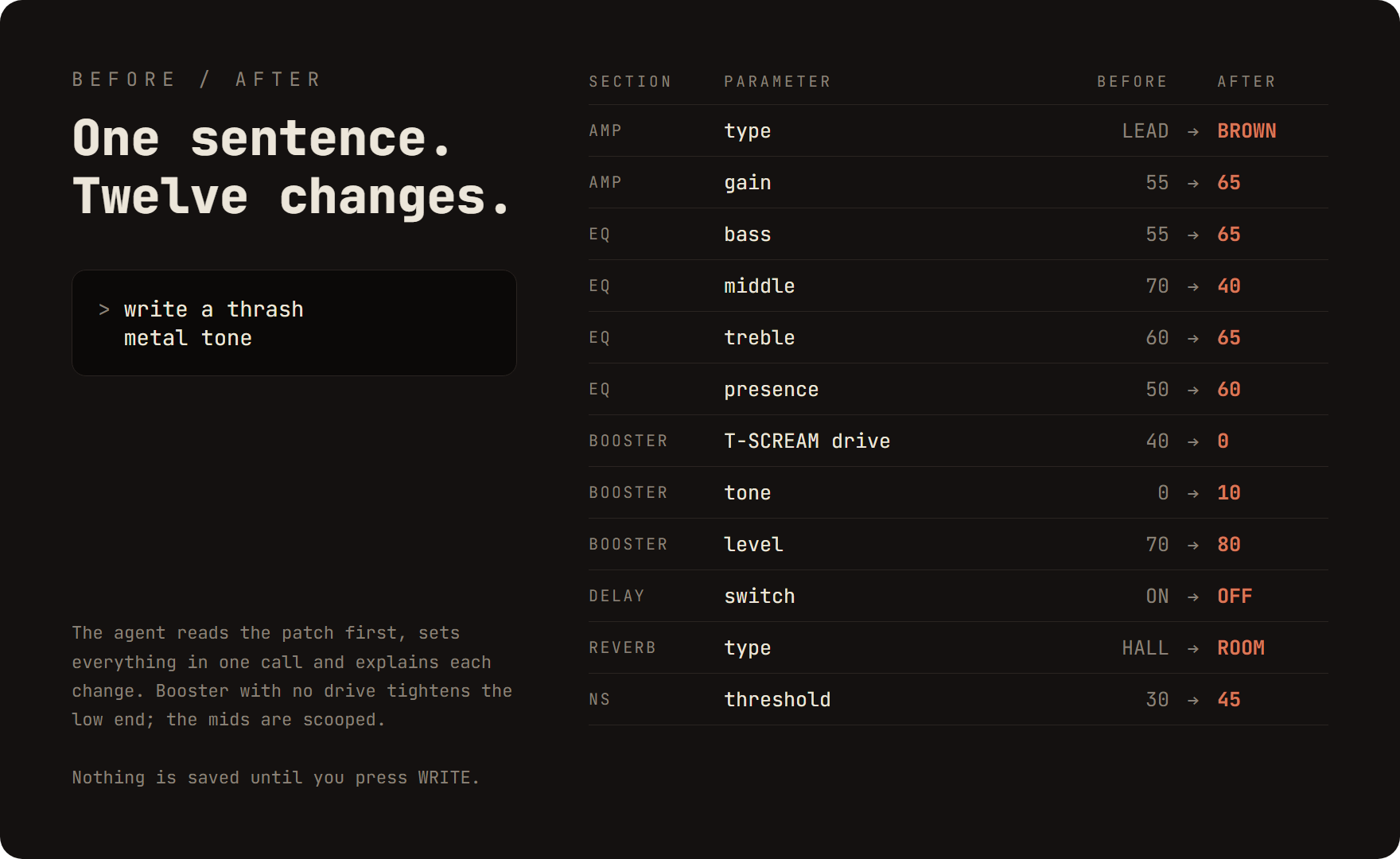
"write a thrash metal tone"
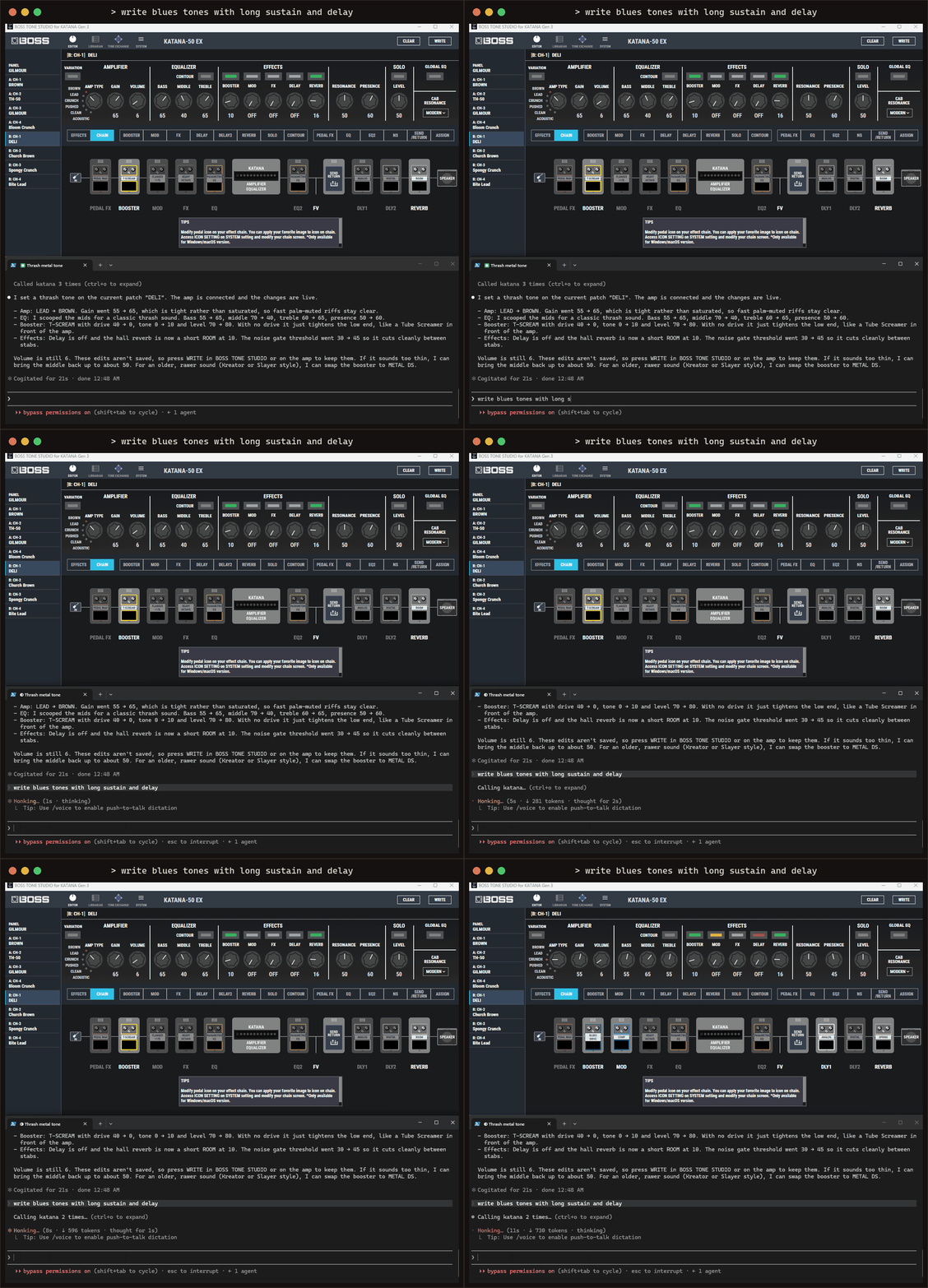
"write blues tones with long sustain and delay"
Install
Experimental Gen 1 support
KATANA-50 Gen 1 has an isolated, experimental direct MIDI backend. Its
read-only adapter path was verified on one operator-labelled KATANA-50 Gen 1
on 2026-10-23: identity matched, all 20 addresses read successfully in 23
transactions, start/end sentinels matched and ports closed cleanly. Firmware
remains unknown; this is not a compatibility claim for other devices/firmware.
Default startup and the existing Gen 3 tools are unchanged. SetKATANA_BACKEND=gen1 to expose katana_gen1_* tools; hardware access is off by
default, including discovery. Status and parameter listing work without a device.
The optional native dependency is installed by npm install.
The original 20 reads are retained; 11 additional source-backed effective controls
were read during a later explicitly approved metal-tone application on the same
device. That session passed identity, 70 RQ1, nine temporary DT1 writes with
readback, and clean disconnect. It did not save a patch or alter firmware.
Audible quality, other firmware and physical fault recovery remain unverified.
katana_gen1_apply_tone {"name":"metal"} previews with zero I/O by default.
Applying requires dryRun:false, a connection and both write/low-MASTER startup
opt-ins. Bounded effective amp/Gain/EQ/effect-toggle/NS1 controls are also available
through katana_gen1_set. Temporary LEVEL is capped at 10; the metal recipe ends
at min(previous LEVEL,5). Keep physical MASTER low. All panel/system, patch-save
and firmware writes remain blocked; Gen 3 tone recipes do not apply to Gen 1.
See write support and its source evidence and the
approved physical session report.
The later operator-commanded delay/reverb extension adds DelayLevel and boundedReverbLevel writes (0..50): 32 readable keys, 16 writable effective controls.
Both effects ON and wet levels 15 passed readback on the recorded device; audible
quality remains unverified. Details are in the command journal.
See architecture and source evidence,
compatibility and opt-ins, and
test plan. The
physical read-only report and raw evidence
include all values, checksums and an offline evidence verifier.
Gen 3 setup
You need: Windows 10/11 · a KATANA Gen 3 on USB · BOSS TONE STUDIO for KATANA Gen 3 (tested 1.1.0) ·
Node.js 24+ · Claude Code, Codex CLI or Gemini CLI.
1. Build
git clone https://github.com/dogakocak/boss-katana-mcp.git
cd boss-katana-mcp
npm install
npm run build
2. Open BOSS TONE STUDIO's debug port (current user, no admin; read Security first)
powershell -ExecutionPolicy Bypass -File scripts\Enable-BossKatanaMcp.ps1
3. Register the MCP server as katana
claude mcp add katana -- node C:/path/to/boss-katana-mcp/dist/index.js   # Claude Code
codex mcp add katana -- node C:/path/to/boss-katana-mcp/dist/index.js    # Codex CLI
gemini mcp add katana node C:/path/to/boss-katana-mcp/dist/index.js      # Gemini CLI
Codex asks before every tool call; add default_tools_approval_mode = "approve" under [mcp_servers.katana]
in config.toml to skip that.
4. Link the skill (a junction stays in sync with the repo)
# Claude Code
New-Item -ItemType Junction -Path "$env:USERPROFILE\.claude\skills\katana-tone" -Target "C:\path\to\boss-katana-mcp\skill\katana-tone"
# Codex CLI and Gemini CLI share .agents\skills
New-Item -ItemType Junction -Path "$env:USERPROFILE\.agents\skills\katana-tone" -Target "C:\path\to\boss-katana-mcp\skill\katana-tone"
Restart your CLI, switch on the amp and ask for a tone. The agent opens BOSS TONE STUDIO and connects the amp
itself.
> give me an 80s hard rock lead tone
> a bit less gain, more middle
> volume 12
[!NOTE]
Changes are live edits of the current patch. Press WRITE in BOSS TONE STUDIO or on the amp to keep them.
How it works
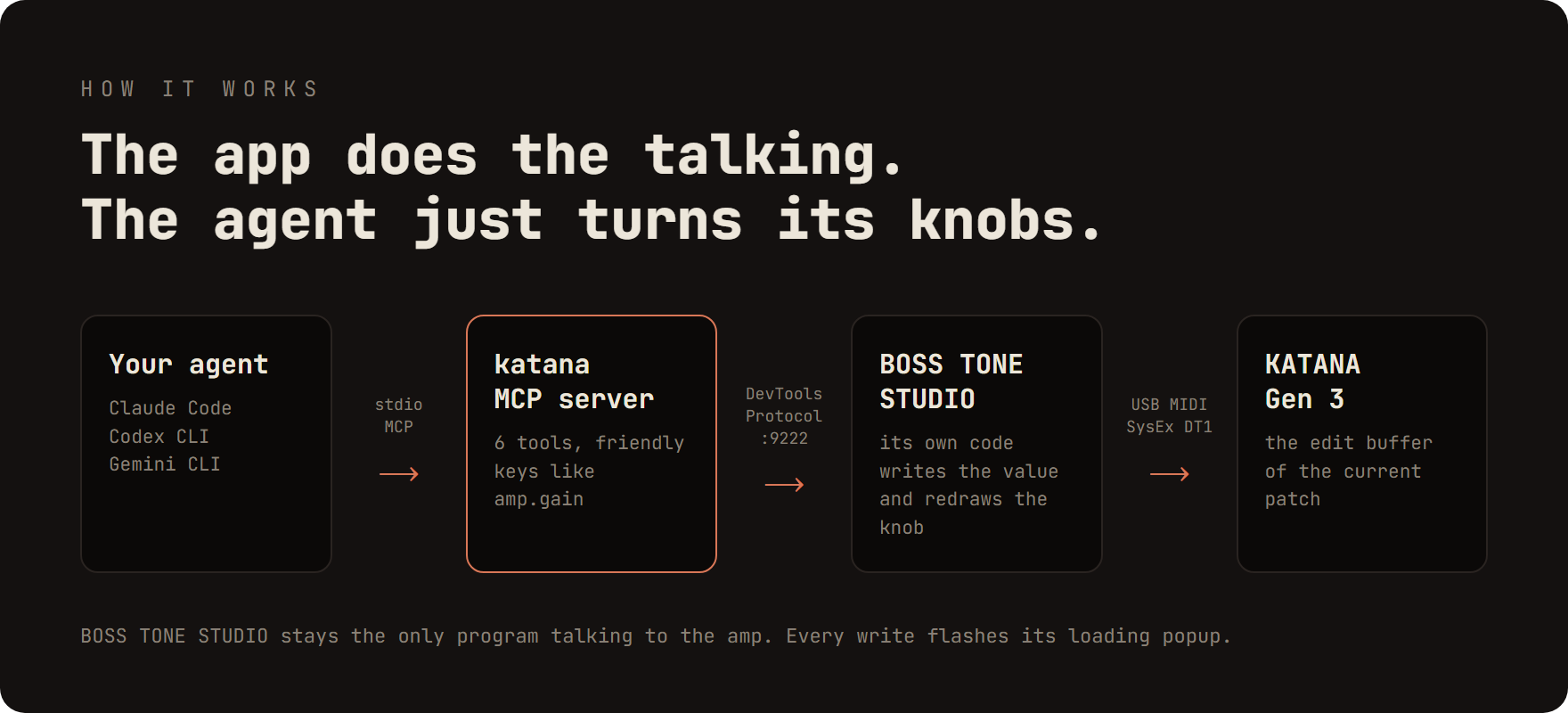
The MCP server attaches to BOSS TONE STUDIO's WebView2 page and calls the app's own code, so the app stays the only
program talking to the amp. The katana-tone skill tells the agent how to turn a description into those changes.

| Tool | What it does |
|---|---|
katana_status |
App reachable? amp connected? patch name, active variation of each effect |
katana_launch |
Starts BOSS TONE STUDIO with the debug port and connects the amp |
katana_connect |
Reconnects an open BOSS TONE STUDIO to the amp |
katana_get |
Reads the tone as friendly keys (amp.gain, booster.type, …) |
katana_set |
Sets one or more parameters at once |
katana_list_params |
Lists a section's keys, ranges and option names |
| Symptom | Fix |
|---|---|
BOSS TONE STUDIO is not reachable |
Run Enable-BossKatanaMcp.ps1, then restart BOSS TONE STUDIO |
ampConnected: false |
Check power and USB, then ask the agent to reconnect |
Values look like defaults (amp.volume 50, patch KATANA) |
The patch hasn't loaded yet; wait for ampConnected: true |
running without the debug port |
Close BOSS TONE STUDIO and let the agent start it |
| Port 9222 already in use | Close the other tool using it (e.g. a browser with remote debugging) |
npm test           # unit tests (needs BOSS TONE STUDIO installed and started once)
npm run test:e2e   # against a running BOSS TONE STUDIO with the amp connected
python assets/src/build.py   # rebuild the README images (Pillow + Edge)
Security
[!WARNING]
Enable-BossKatanaMcp.ps1makes BOSS TONE STUDIO always open a DevTools port on127.0.0.1:9222. While the
app is open, any local process can control it through that port. Runscripts\Disable-BossKatanaMcp.ps1when you
don't need it.
Contributing
Issues and pull requests are welcome: tests on other KATANA Gen 3 models, better tone recipes for the skill, new
skill evals, setup notes for other agents. See CONTRIBUTING.md to get started.
License
MIT © 2026 Doğa Koçak. A hobby project, made for fun and without any commercial intent.
Not affiliated with or endorsed by Roland / BOSS or Anthropic. "BOSS", "KATANA" and "BOSS TONE STUDIO" are
trademarks of Roland Corporation; the mascot in the logo is Anthropic's Claude Code character. No Roland files are
included in this repository.
Yorumlar (0)
Yorum birakmak icin giris yap.
Yorum birakSonuc bulunamadi