duskbot
Health Uyari
- License — License: NOASSERTION
- Description — Repository has a description
- Active repo — Last push 0 days ago
- Low visibility — Only 5 GitHub stars
Code Basarisiz
- process.env — Environment variable access in .github/workflows/ci.yml
- rm -rf — Recursive force deletion command in .github/workflows/package-win.yml
- rm -rf — Recursive force deletion command in .github/workflows/release.yml
- process.env — Environment variable access in .github/workflows/release.yml
Permissions Gecti
- Permissions — No dangerous permissions requested
Bu listing icin henuz AI raporu yok.
Free Grok Bot alternative that runs on your own models. Use the ChatGPT, Claude, or Grok subscription you already pay for, and get a team of bots each with its own memory and computer.
dusk bot
The free Grok bot alternative that runs on your own models.
Use the ChatGPT, Claude or Grok subscription you already pay for,
and get a team of bots, each with its own memory and computer.
Download for Mac, Windows and Linux · dusk.bot · Docs
v0.2.12 · free forever for personal use · source available
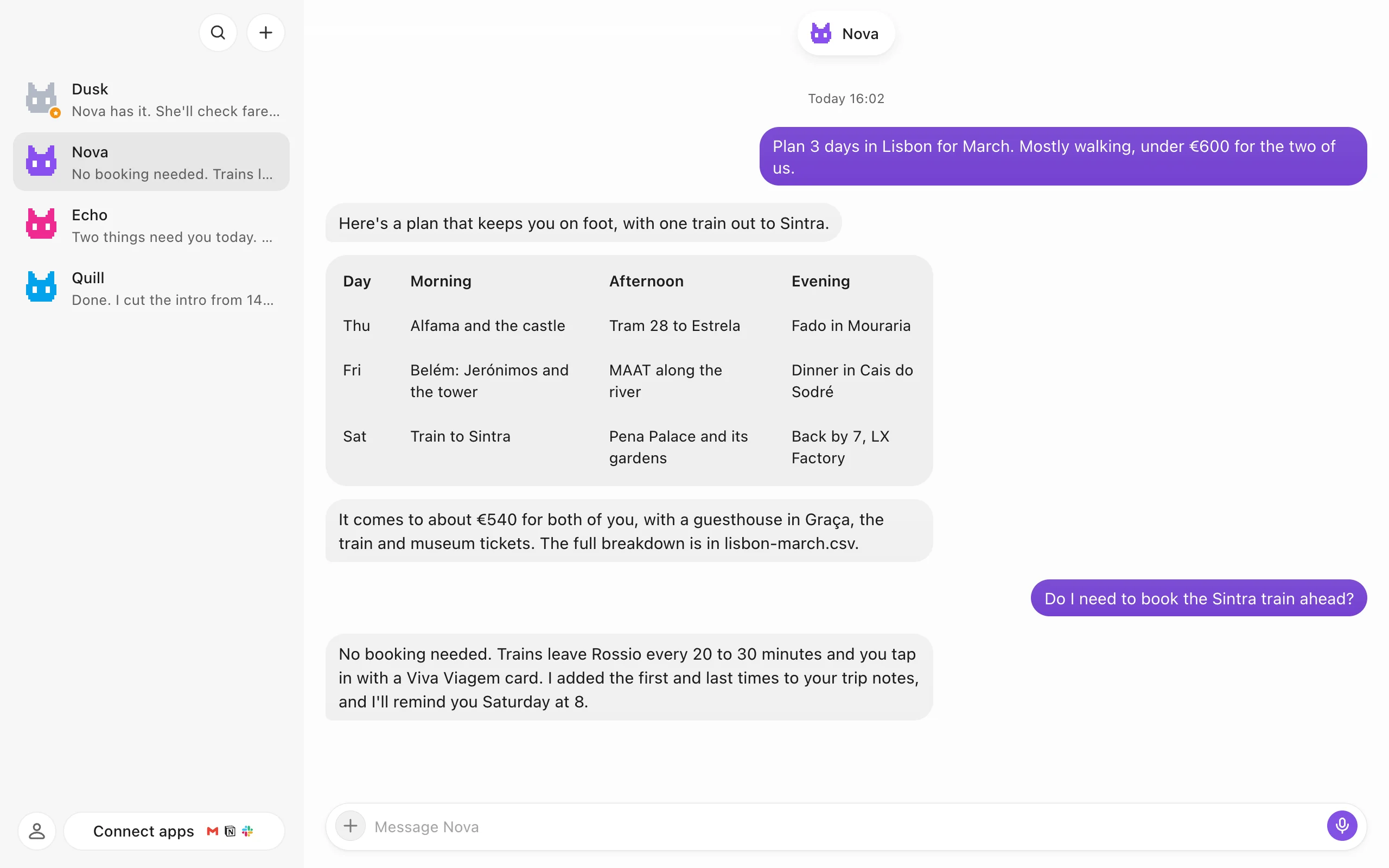
What it is
dusk bot is a desktop app where your AI helpers live as contacts. Make a bot, give it a job in plain words, and text it like you would a friend. It does the work on a computer of its own, keeps notes on how you like things done, and stops to ask when something needs a person.
It runs on the AI you already pay for, with your own sign-in. Bots, chats and files stay on your machine, or on a server you choose.
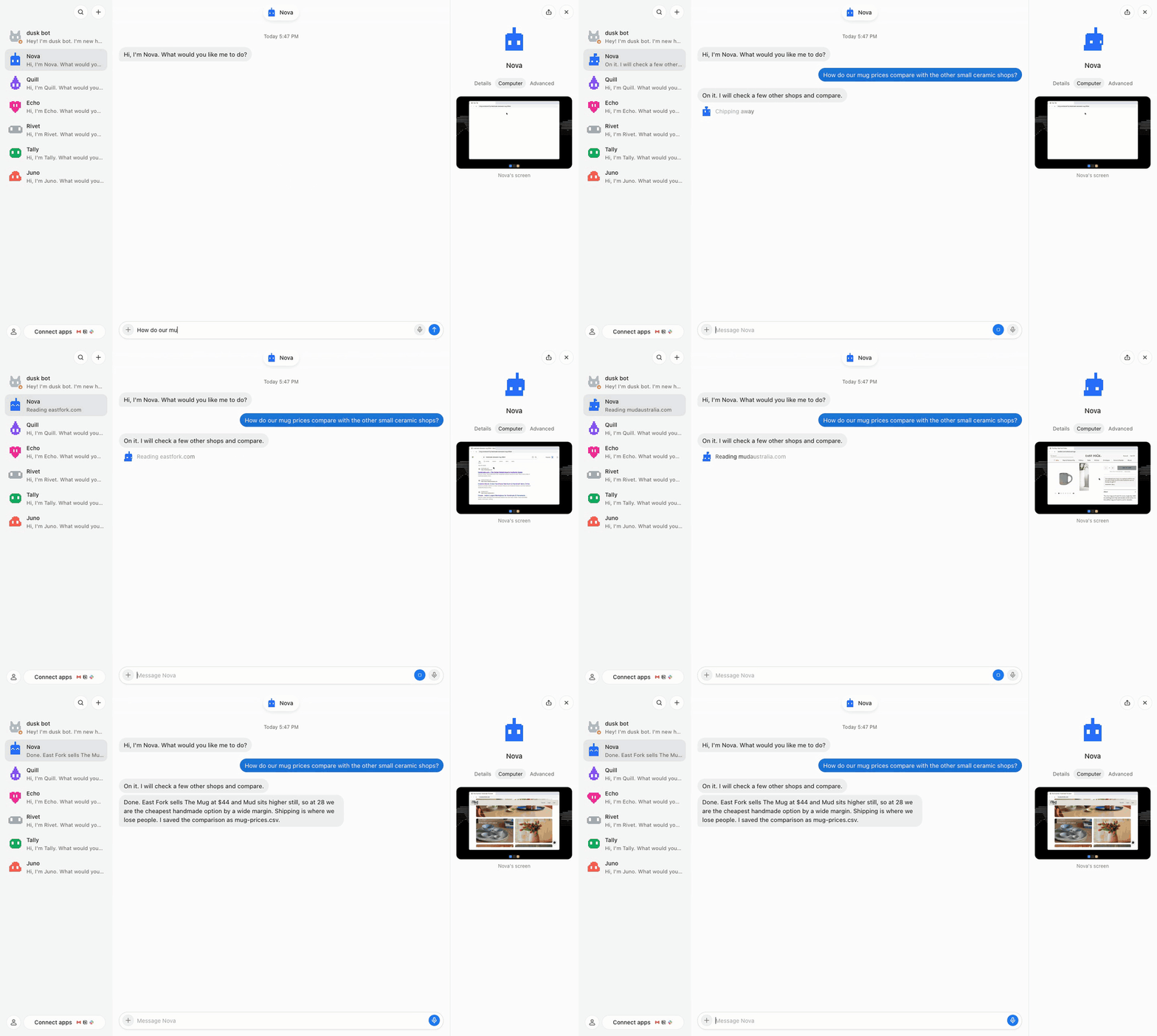
A bot at work: it searches and reads real shop pages on its own computer (right), then answers.
Contents
- What bots can do
- Tour: Chat and rooms · The bot panel · A computer of its own · Routines · Apps and AI · Vault and moving in · First run and your account
- Where bots live · Install · How it fits together
- Reference: Your data · Security · Self-hosting · Configuration · Run from source · FAQ
What bots can do
| Work on their own computer | A browser and a desktop per bot. Watch it live, take the mouse for a sign-in or a captcha, hand it back. |
| Run on a schedule | Ask once and it becomes a routine: every weekday at 8, every two hours, or the moment an app event or webhook arrives. |
| Ask before the risky stuff | Real questions and risky steps come to you as a card you answer in one tap. You pick how much each bot may do alone. |
| Remember you | Every bot keeps notes on how you like things and who's who. Every note is yours to read and edit. |
| Work together | Put bots in a room and they hand work to each other. You step in when one needs a yes. |
| Use your apps | GitHub, Notion, Linear, Stripe and more in one click on your own account, hundreds more through Composio, and any MCP server. |
| Keep secrets | Save a login once. A bot signs in with it but never sees it. 1Password works too. |
| Move in | Bring bots from OpenClaw, Hermes Agent and Grok bot, or from ChatGPT and Claude with one prompt. |
| Live in your notch | On a Mac, your bots sit in the notch: who is working, and what needs you. |
Chat and rooms
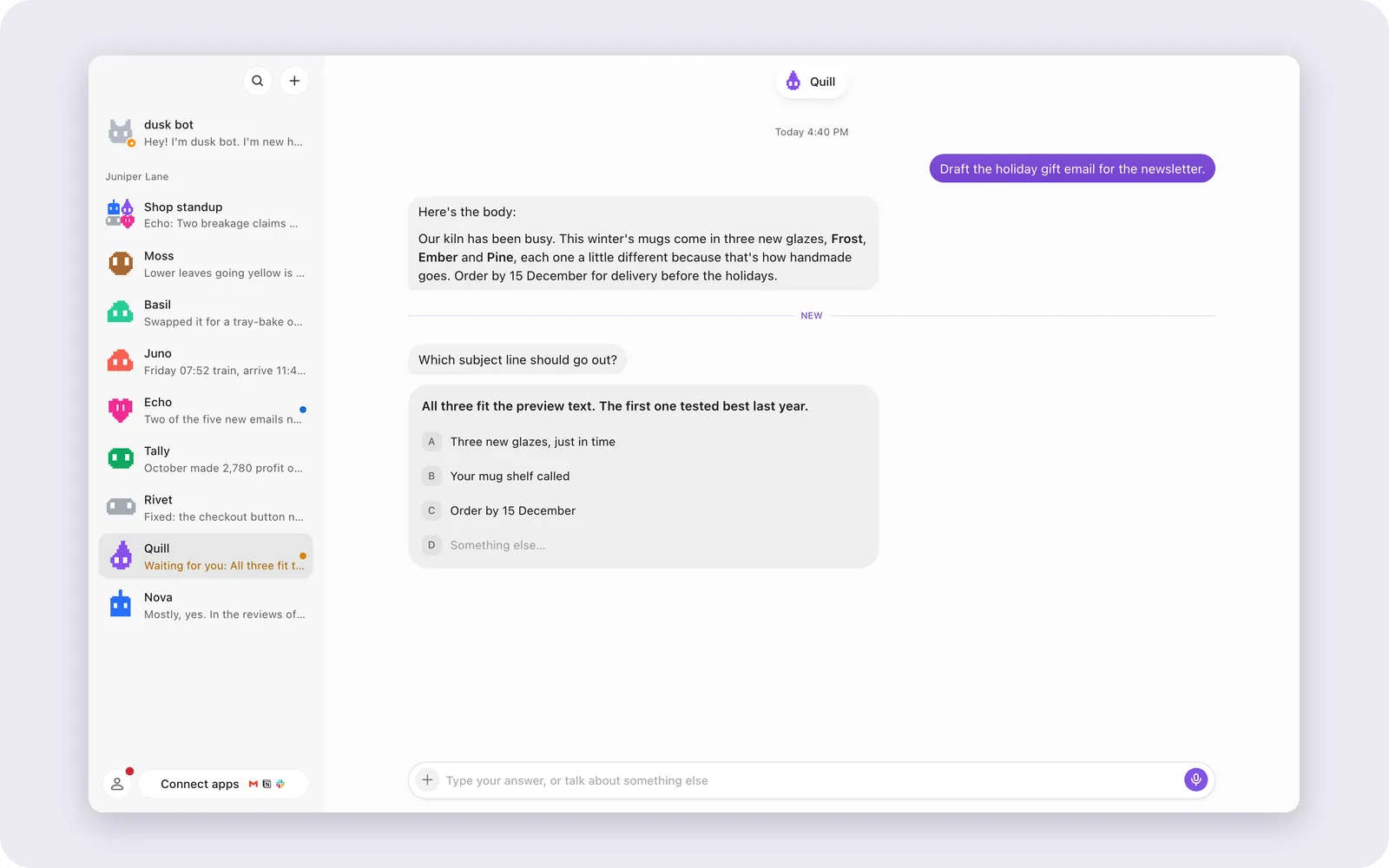
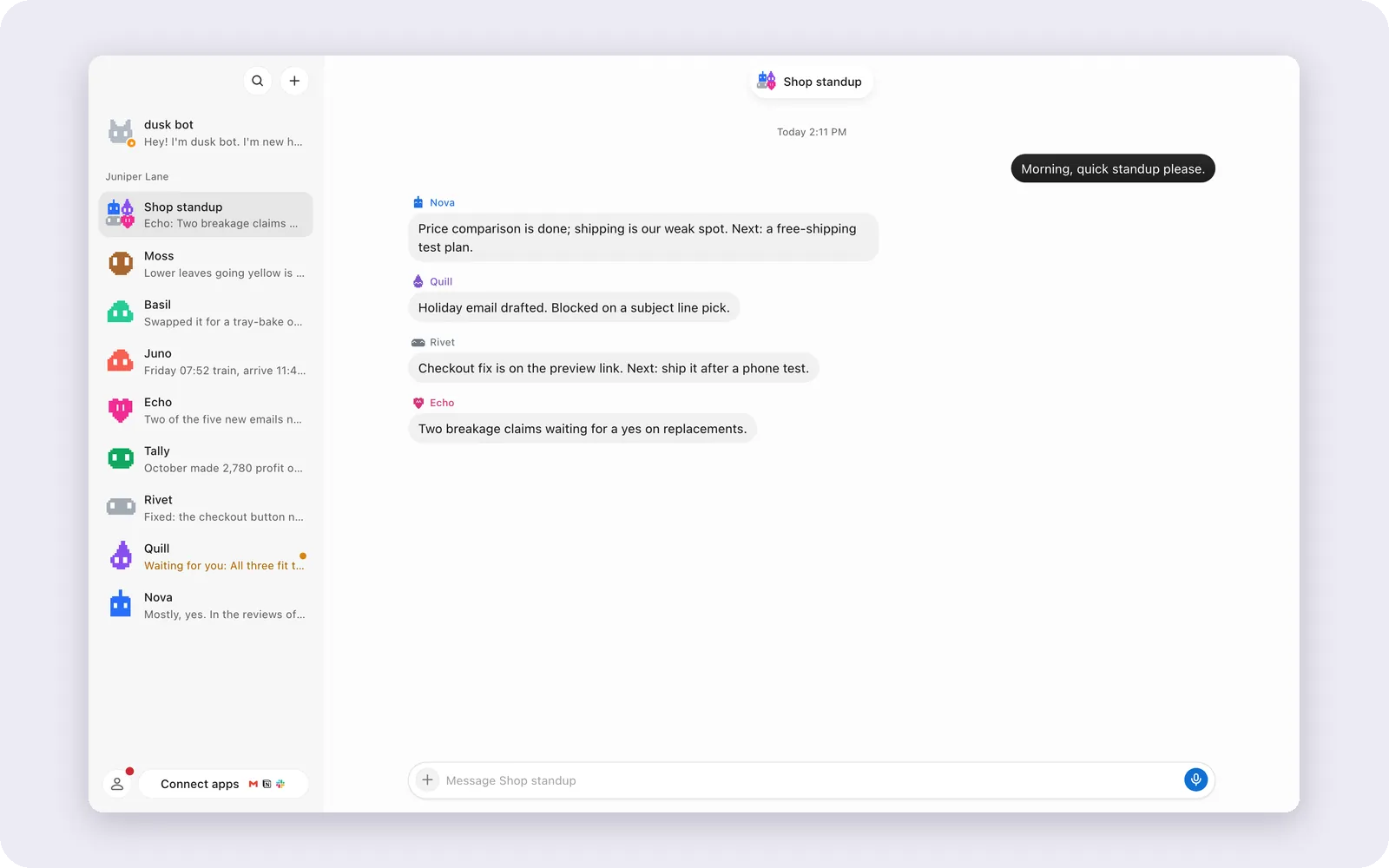
Every bot is a chat. Bots answer with tables, code and files, ask with cards you answer in a tap, and several bots can share a room.
 |
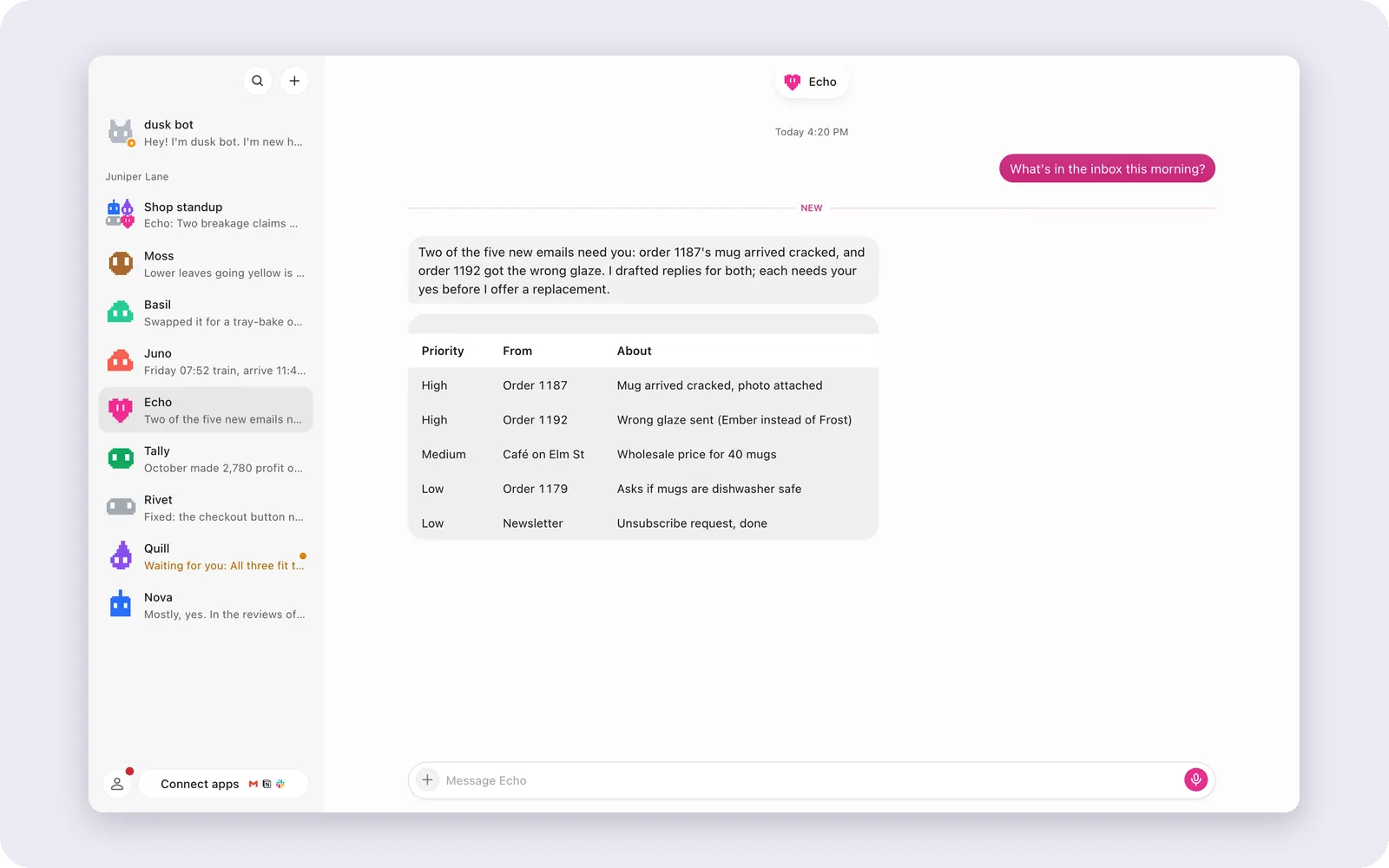 |
| Questions as cards. Quill asks which subject line to send. | Real answers. Echo sorts the inbox into a table. |
 |
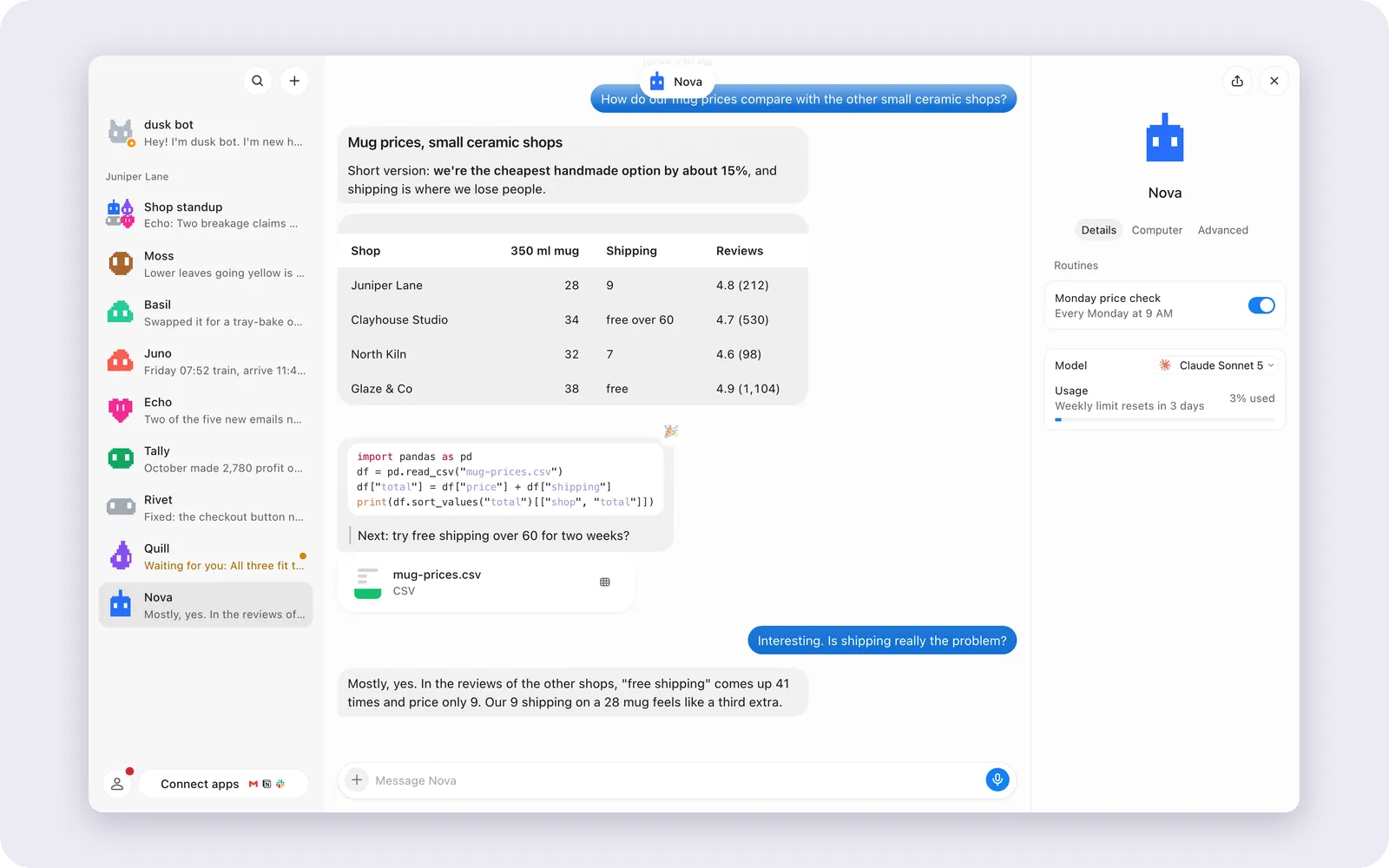 |
| Rooms. Four bots report in one thread. | The bot panel. Routines, model and usage. |
The bot panel
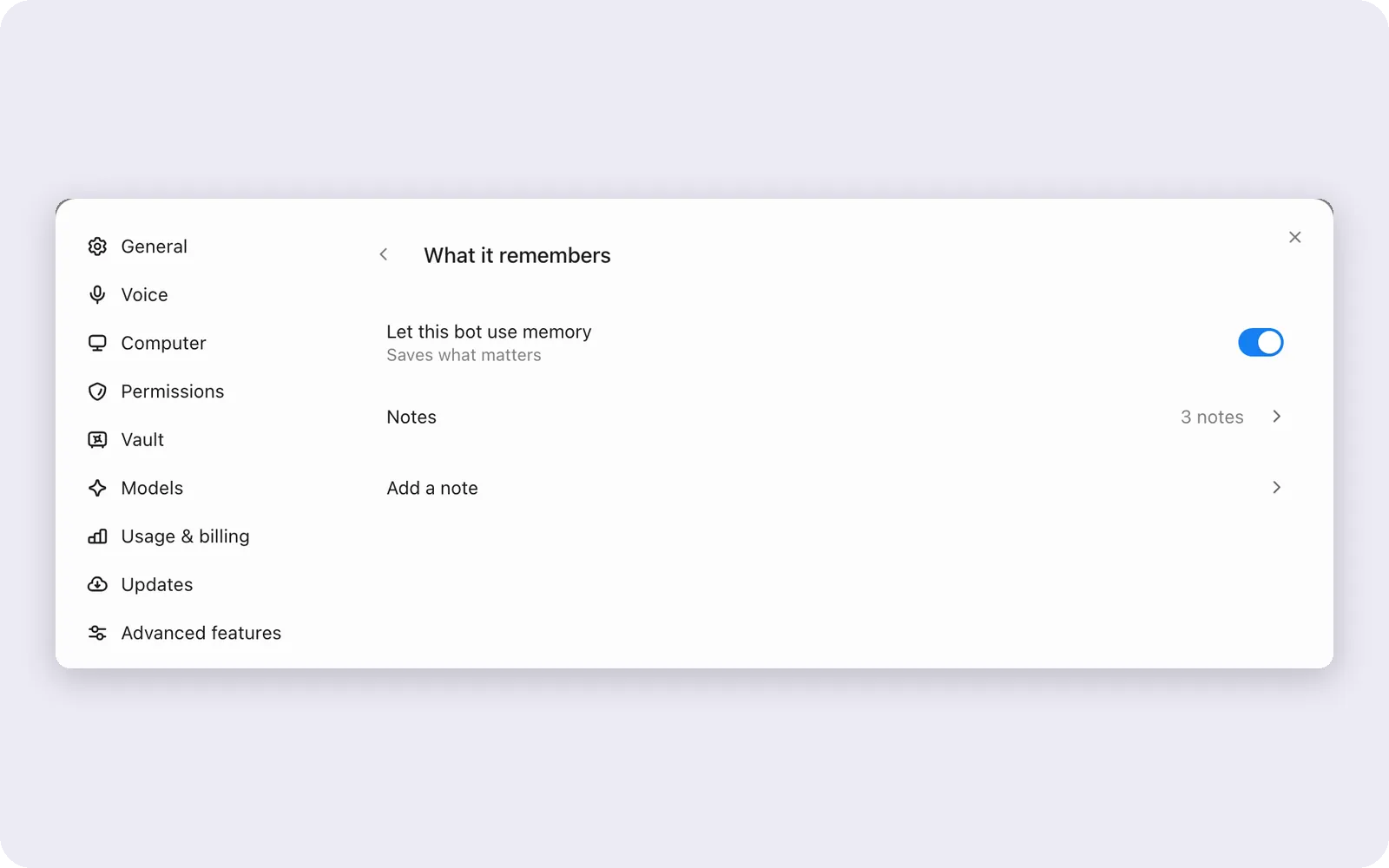
Each bot has its own settings: what it remembers, how much it may do alone, its instructions, skills, voice and model.
 |
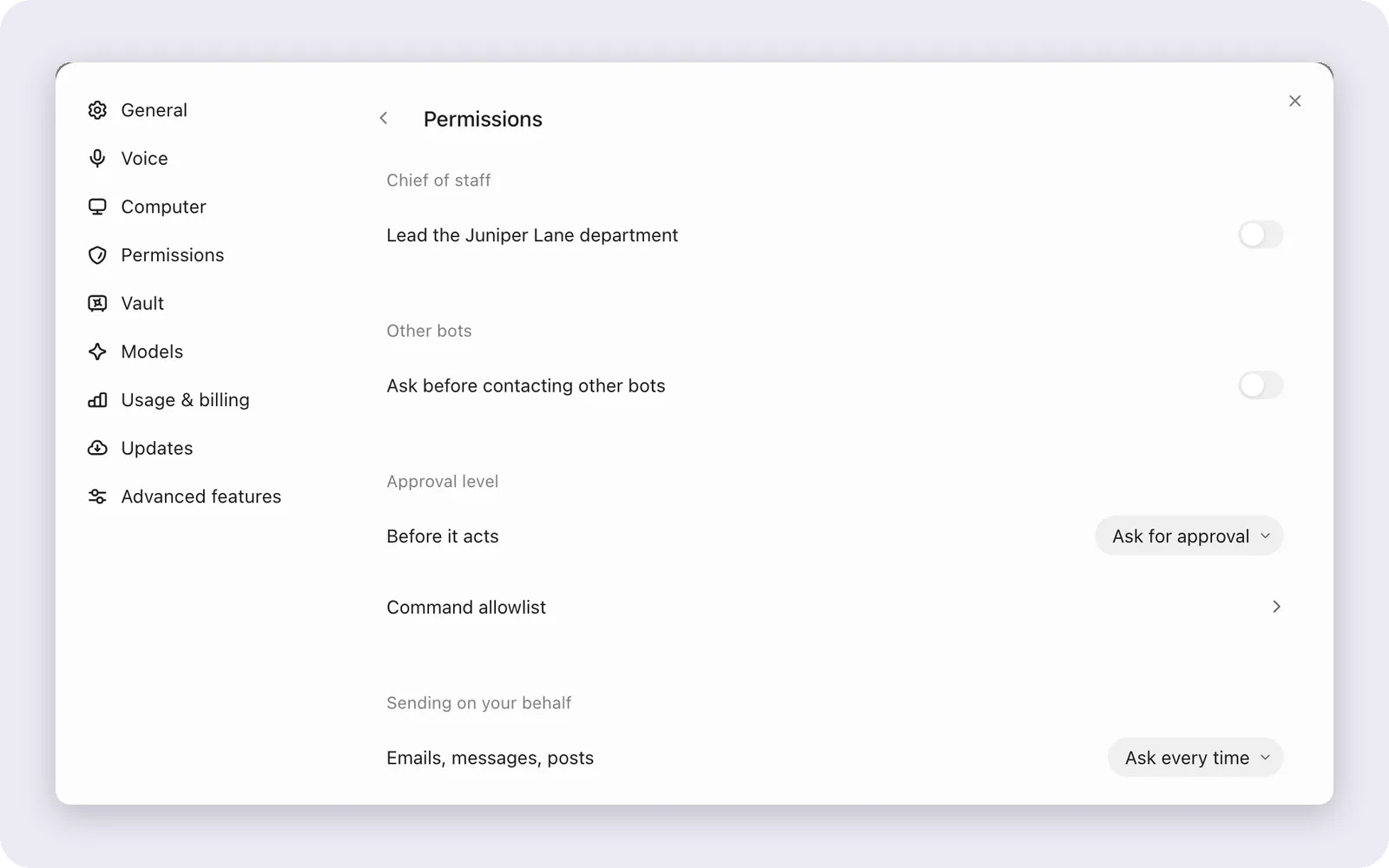 |
| Memory. Notes you can read and edit. | Permissions. From ask first to full access. |
A computer of its own
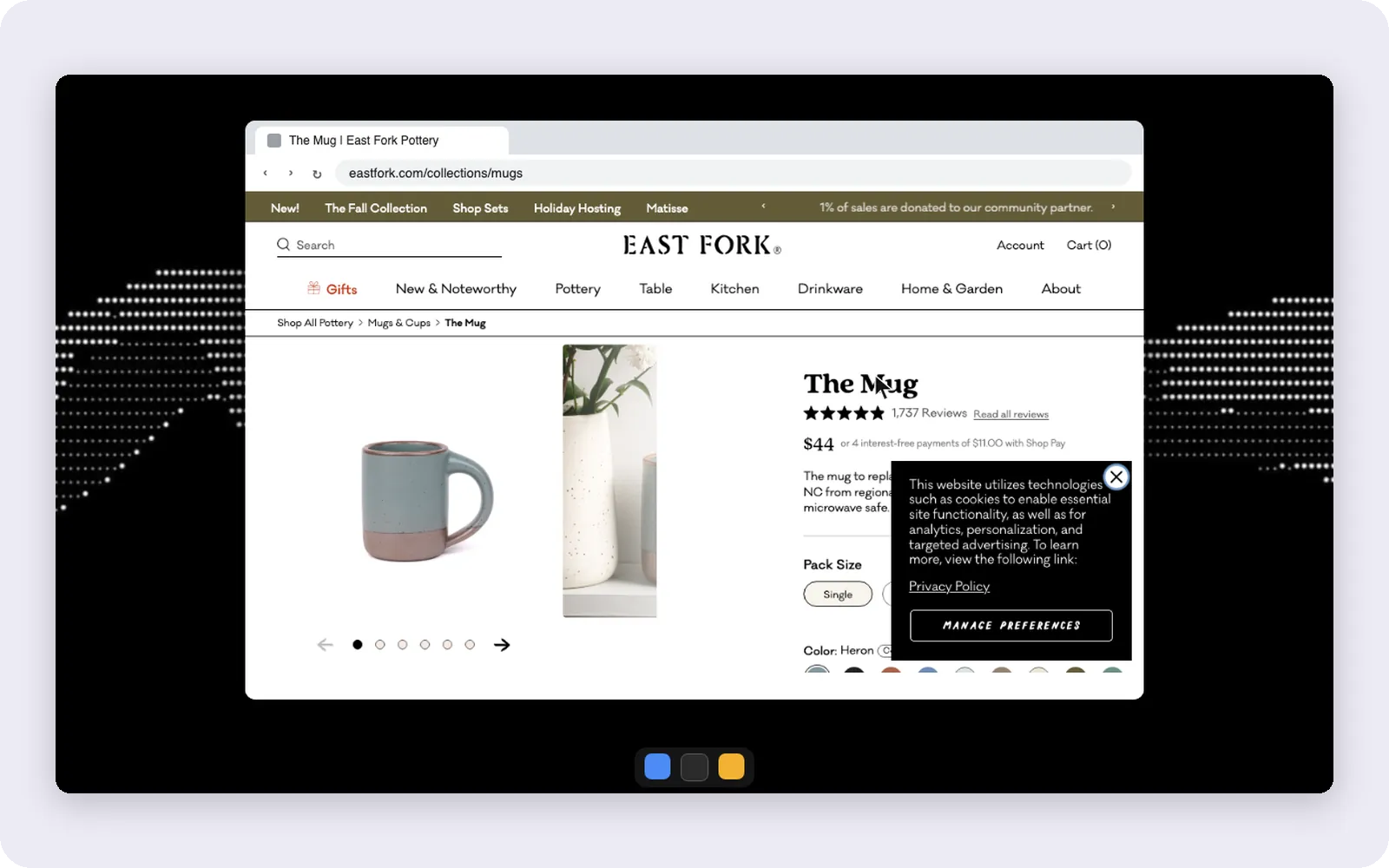
Every bot has a browser it can read and drive. For anything without an API it gets a full desktop: a cloud desktop on dusk cloud, a private container per bot on your server, a Linux VM in Docker on this computer, or your own screen on macOS and Ubuntu (Xorg) when you turn that on.
Open the bot's Computer tab to watch it live. Take control pauses its hands so you can do a sign-in, a captcha or a two-step code, then hand it back. Only a person can take or release control, and the bot never sees the password.
 |
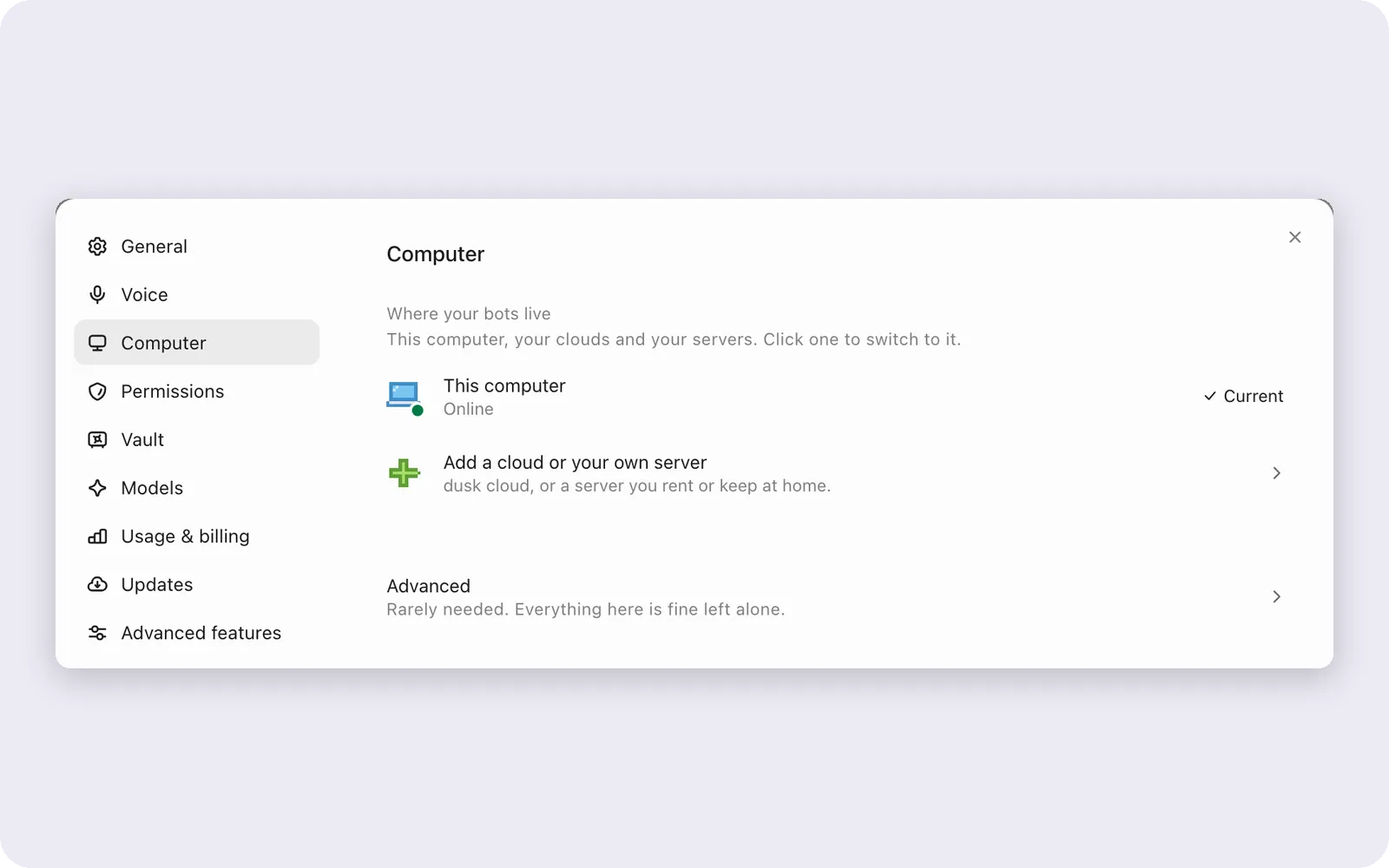 |
| Nova's screen. A real browser on its own desktop. | Where bots run. Here, dusk cloud or your server. |
Routines
Ask once and it becomes a routine. Schedules can be once, daily on chosen weekdays, interval every few minutes inside a window, or cron. App events (a new email, a GitHub issue) and webhooks start them too.

A routine firing: the Monday price check runs and reports back.
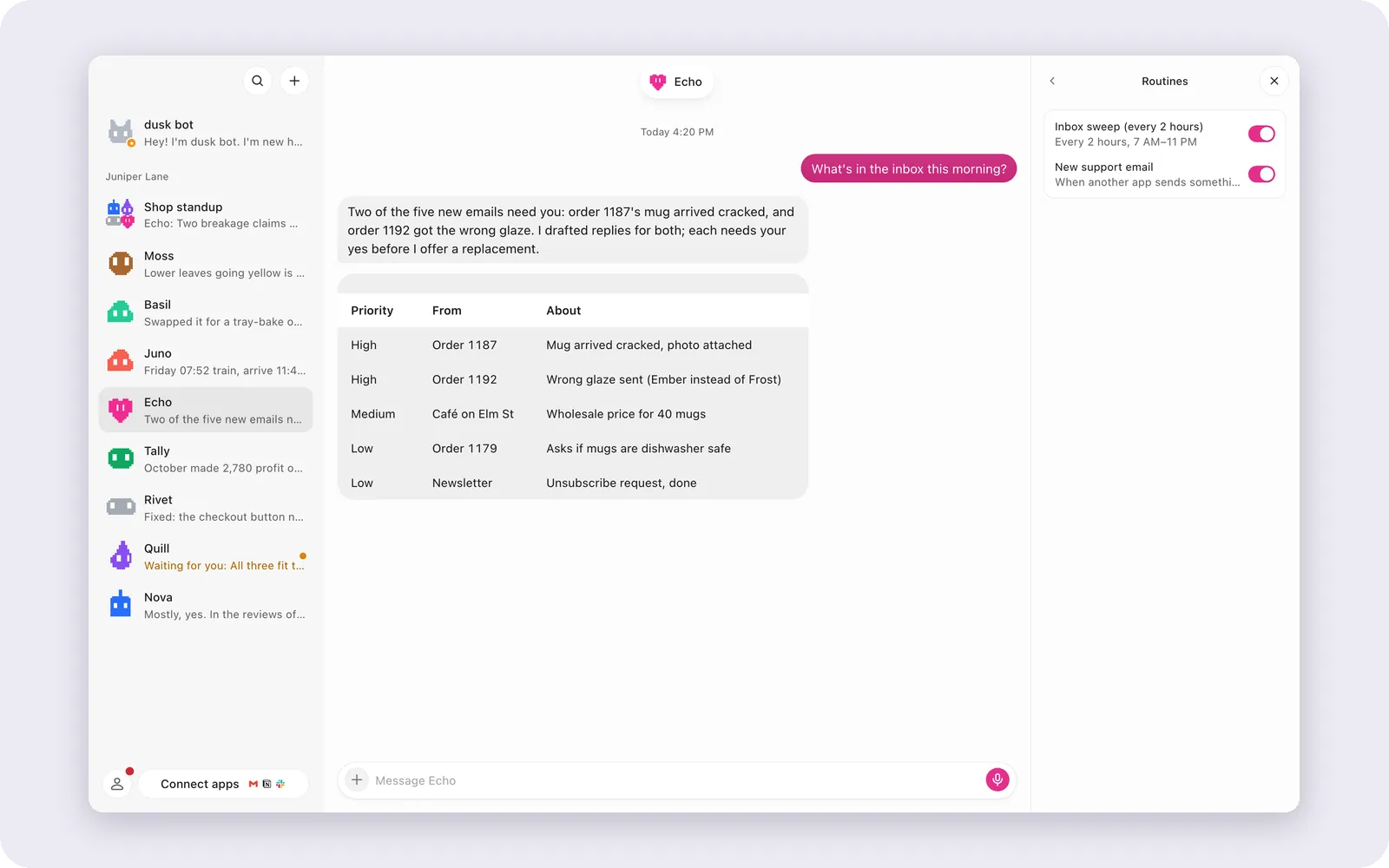 |
| Routines. An inbox sweep every two hours and a trigger on new email. |
Routines run inside the dusk bot server, next to the bot. A sleeping computer runs nothing, so while it's plugged in the desktop app keeps it awake for the hour before a due routine, and a missed run can still start up to 12 hours late. On dusk cloud or your own server they run around the clock. See routine schedules.
Apps and AI
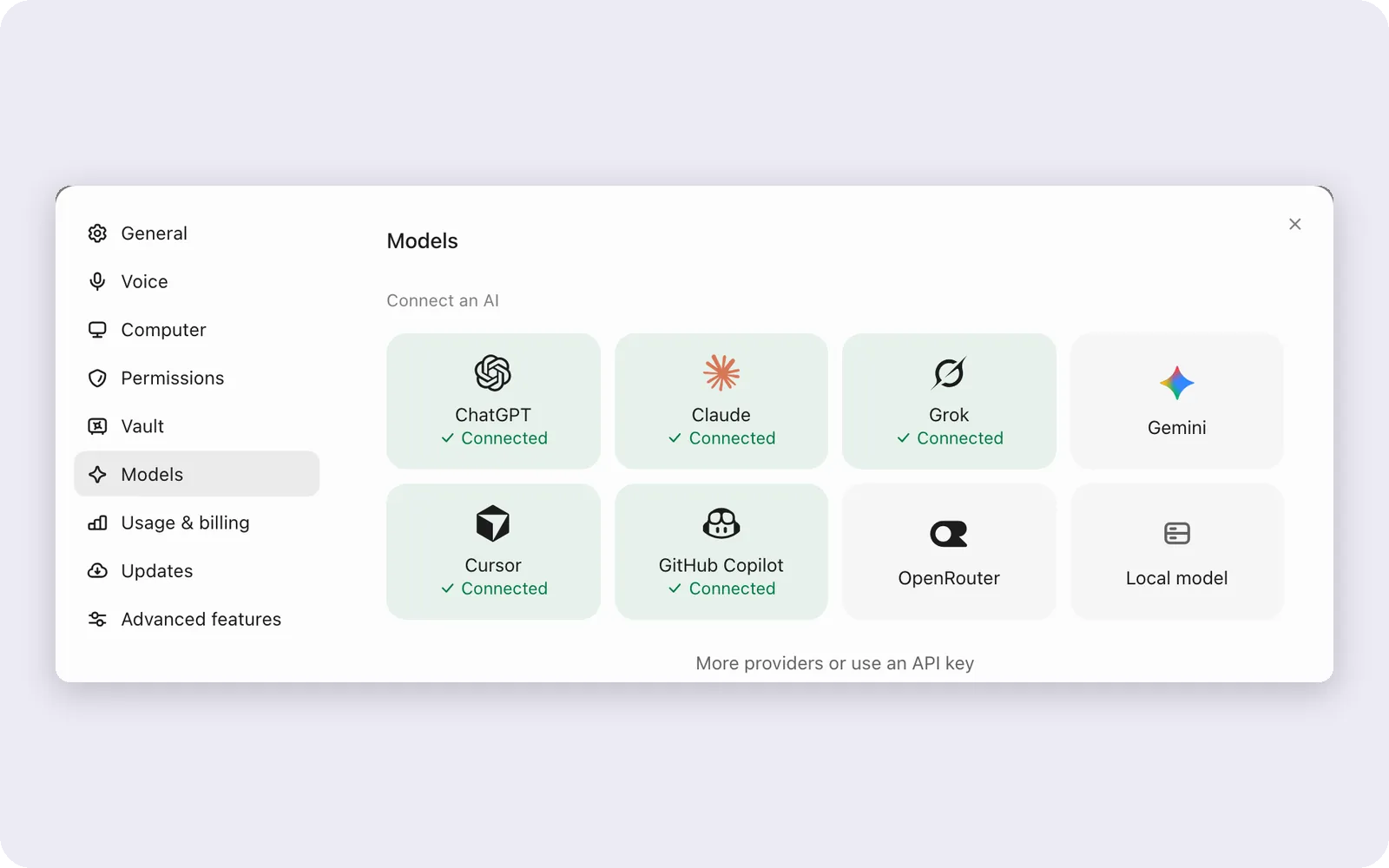
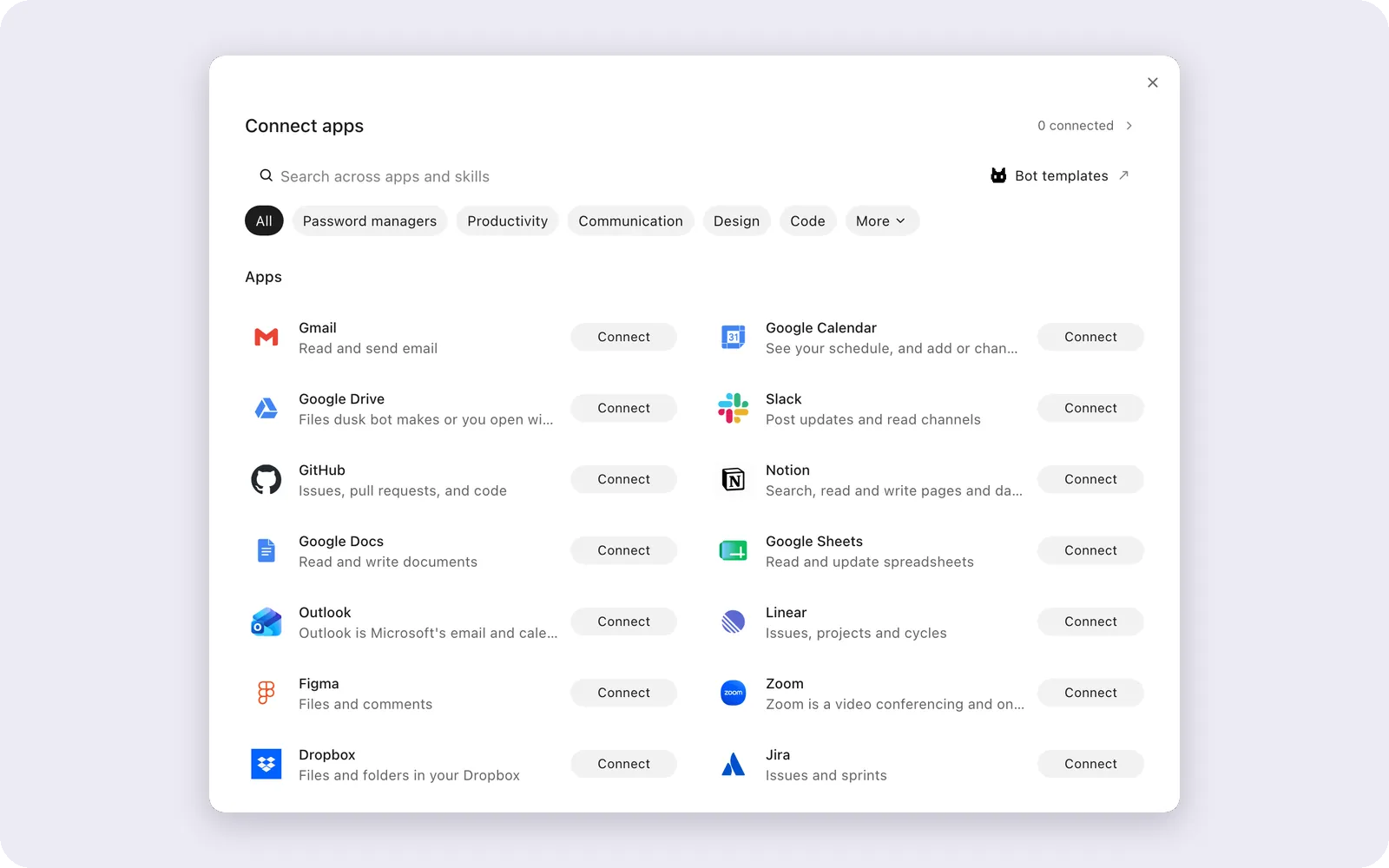
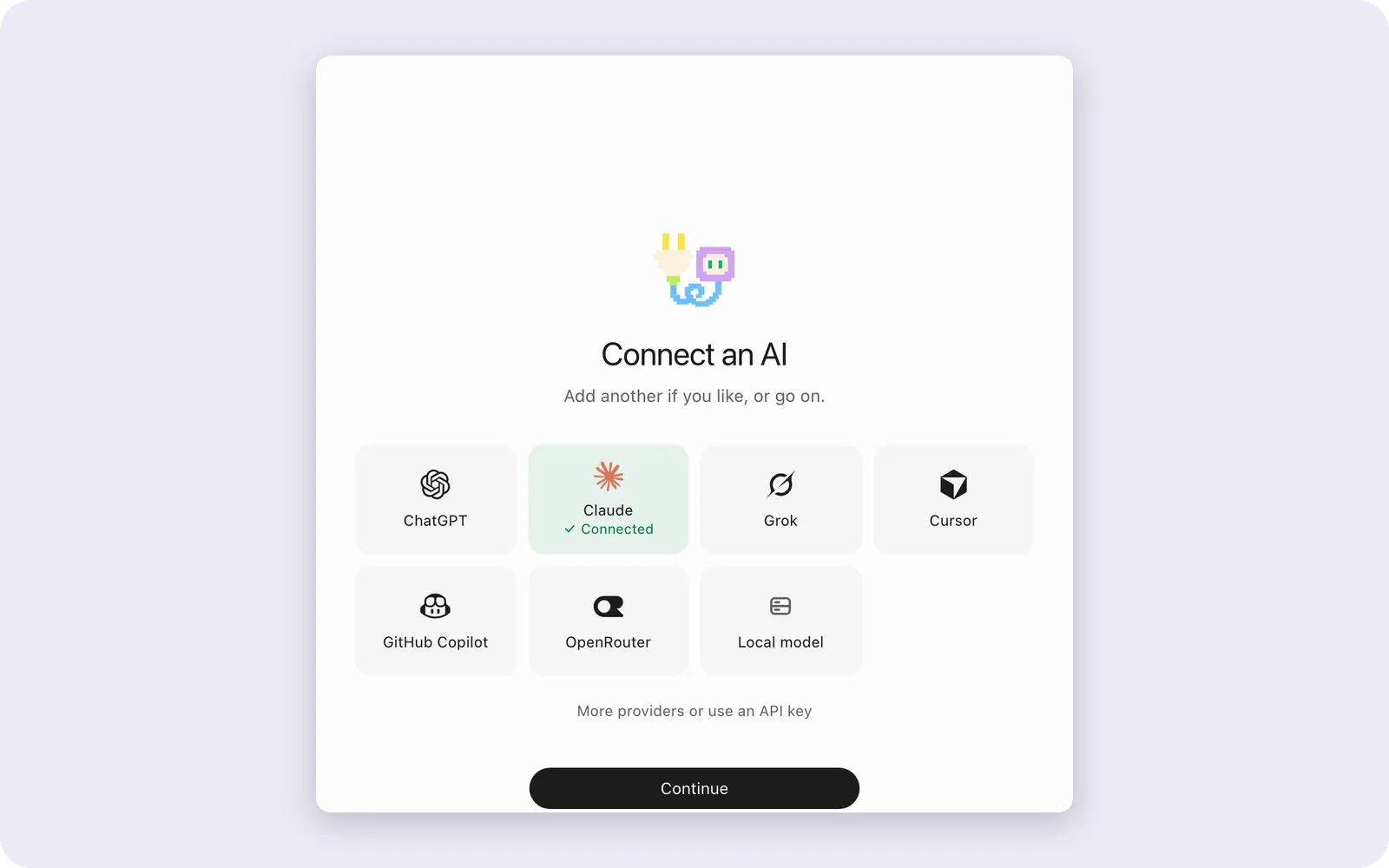
Sign in once with the AI you already pay for and every bot can use it. Give each bot a different model and switch any time; it keeps its chats, files and memory. Connect your apps once and choose which bots may use each one.
 |
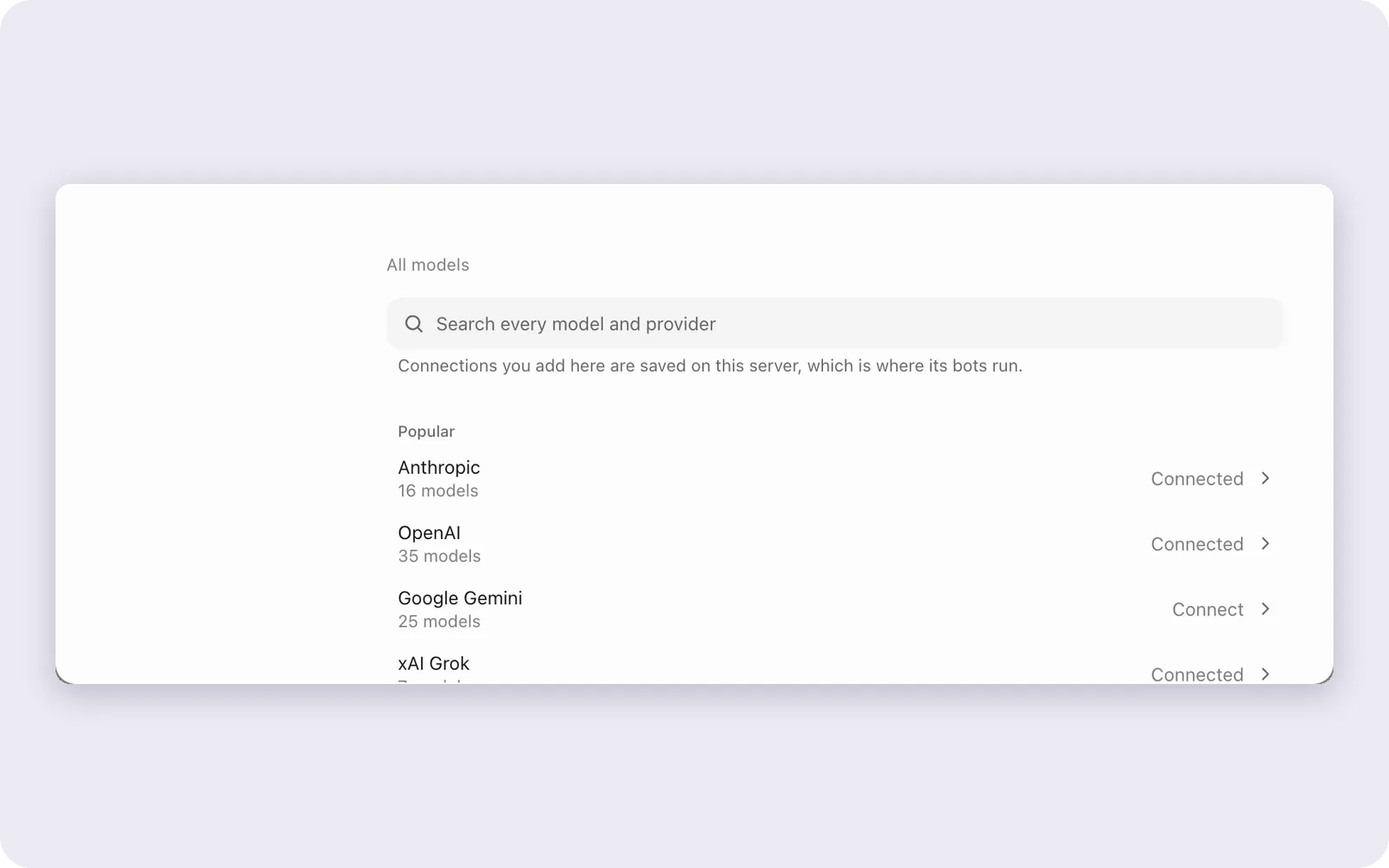 |
| Connect an AI. Sign in to the one you use. | Model directory. Every model and provider. |
 |
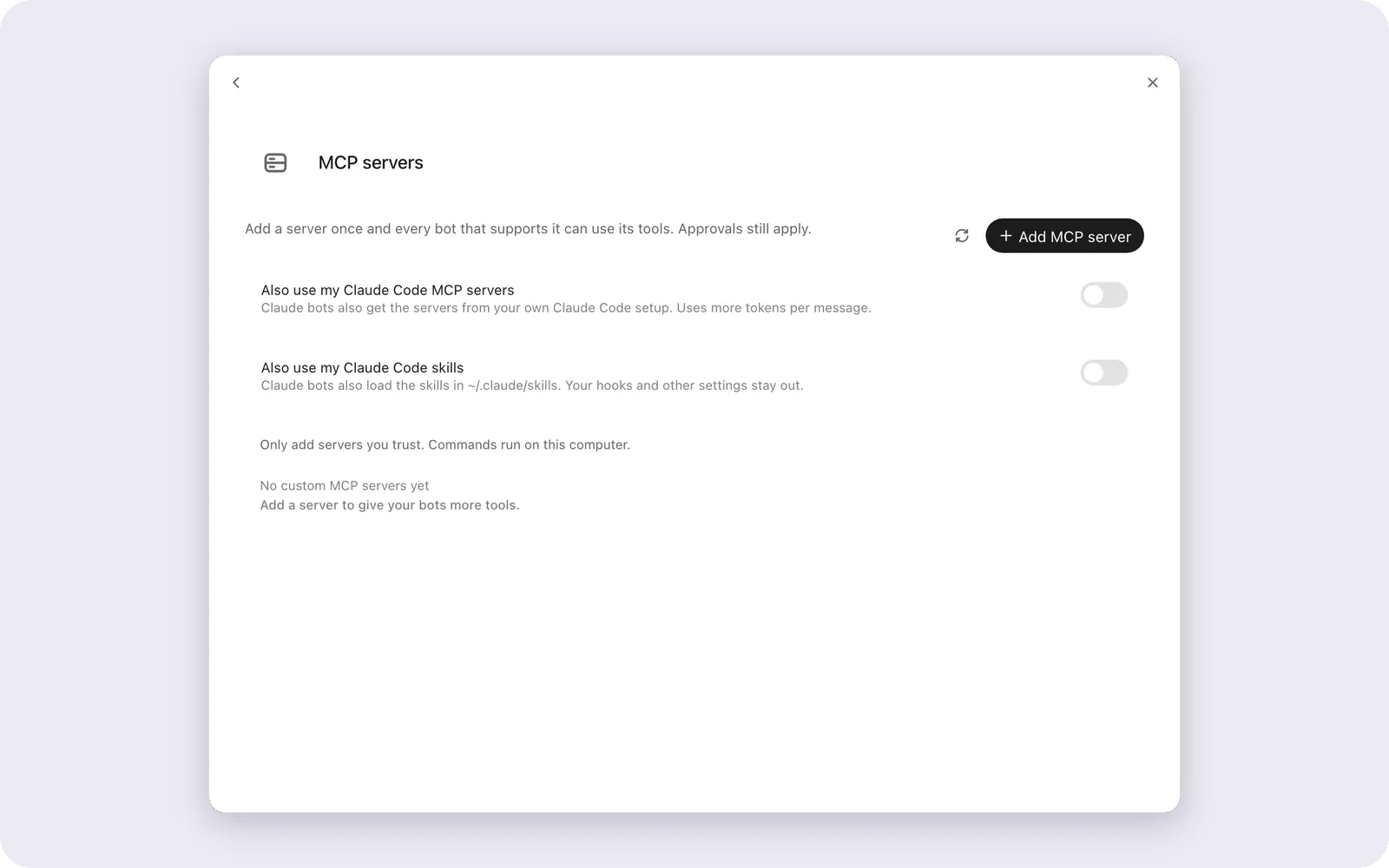 |
| Connect apps. One click, or Composio. | MCP servers. By URL or command. |
| Kind | Providers |
|---|---|
| Sign in with your plan | Claude Code, Codex (ChatGPT), Gemini, Grok, GitHub Copilot, Cursor, Kimi, Qwen, OpenCode, Hermes, Cline, DeepSeek, Droid, Antigravity |
| API key | Anthropic, xAI, Mistral, Groq, Cerebras, MiniMax, or any OpenAI-compatible endpoint like OpenRouter |
| On your machine | Ollama and LM Studio |
| Anything else | A custom ACP agent or provider |
Sign-in engines run their own tool loop and get dusk bot's tools (browser, computer, files, apps, memory, other bots) through an MCP server mounted for each turn. API keys and local models run in dusk bot's own loop. One-click apps cover GitHub, Notion, Linear, Airtable, Todoist, Trello, ClickUp, HubSpot, Jira, Shopify, Stripe and Cloudflare, plus Gmail with an app password. dusk bot is an MCP server too: duskbot mcp. See Composio, custom MCP servers and dusk bot as an MCP server.
Vault and moving in
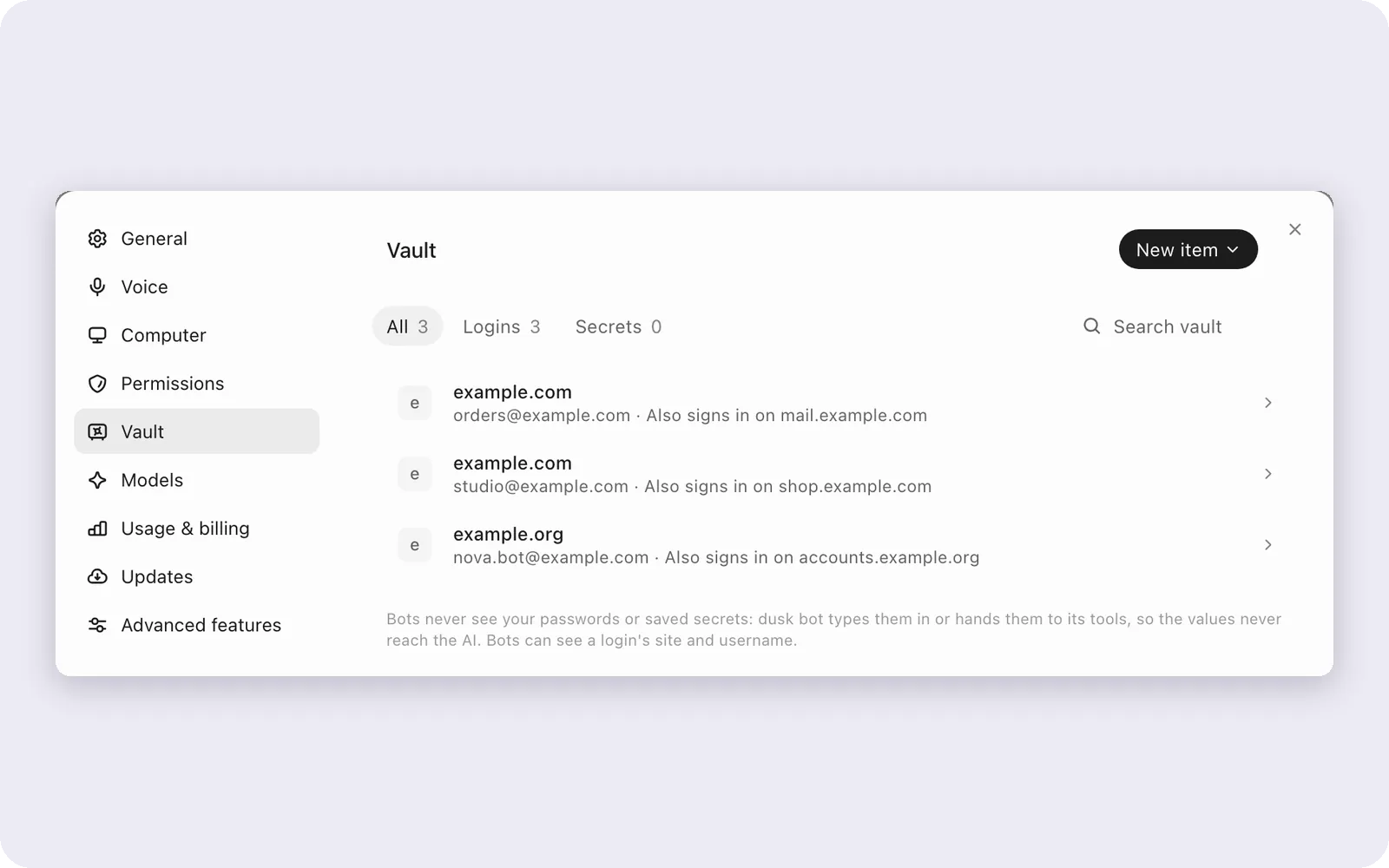
Save a login once and bots sign in with it without ever seeing it: dusk bot types it in or hands it to a tool, so the value never reaches the AI. Coming from another assistant? Bring your bots, skills and memories along.
 |
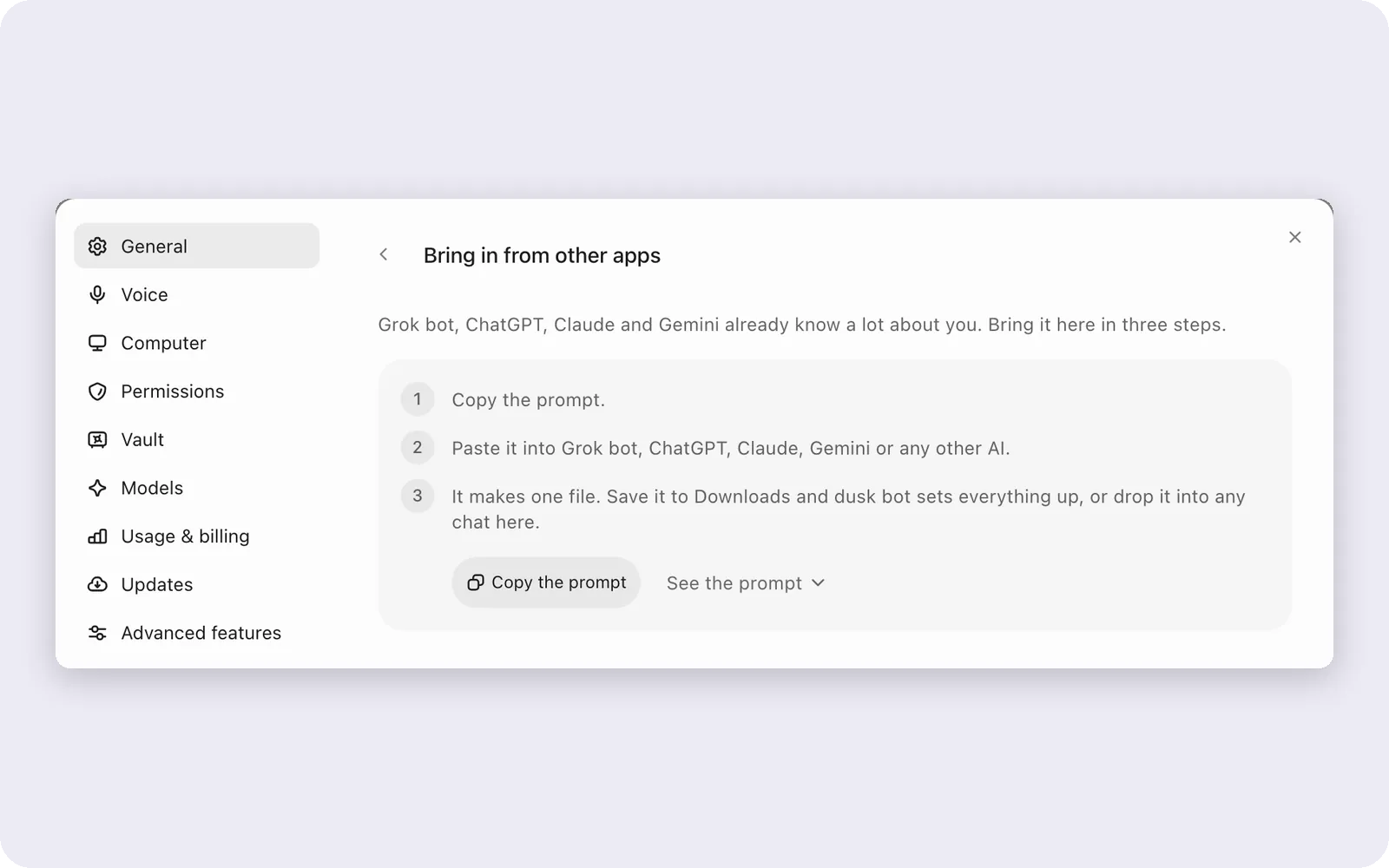 |
| Vault. Logins bots use but never see. | Move in. From Grok bot, ChatGPT, Claude and more. |
First run and your account
 |
 |
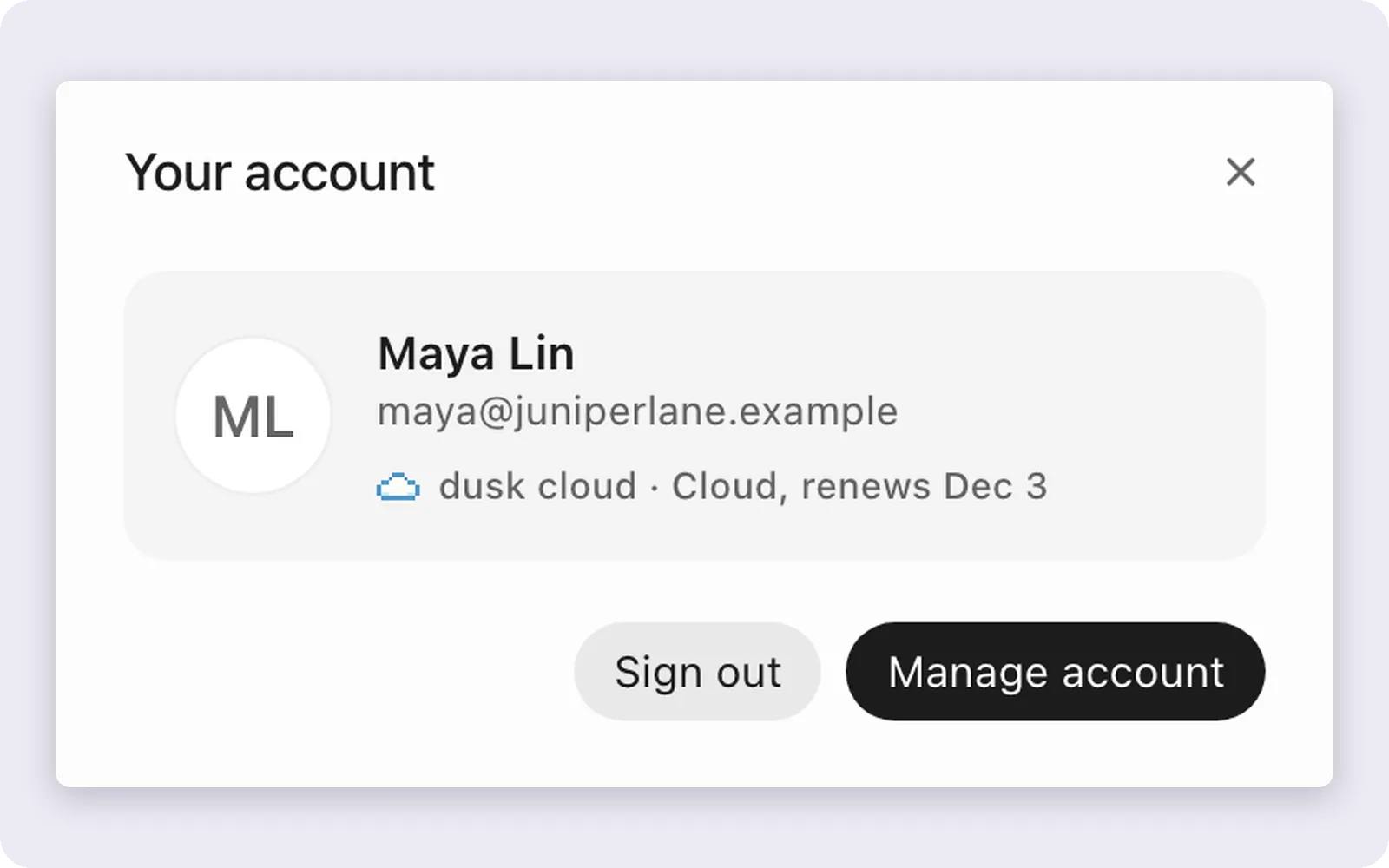 |
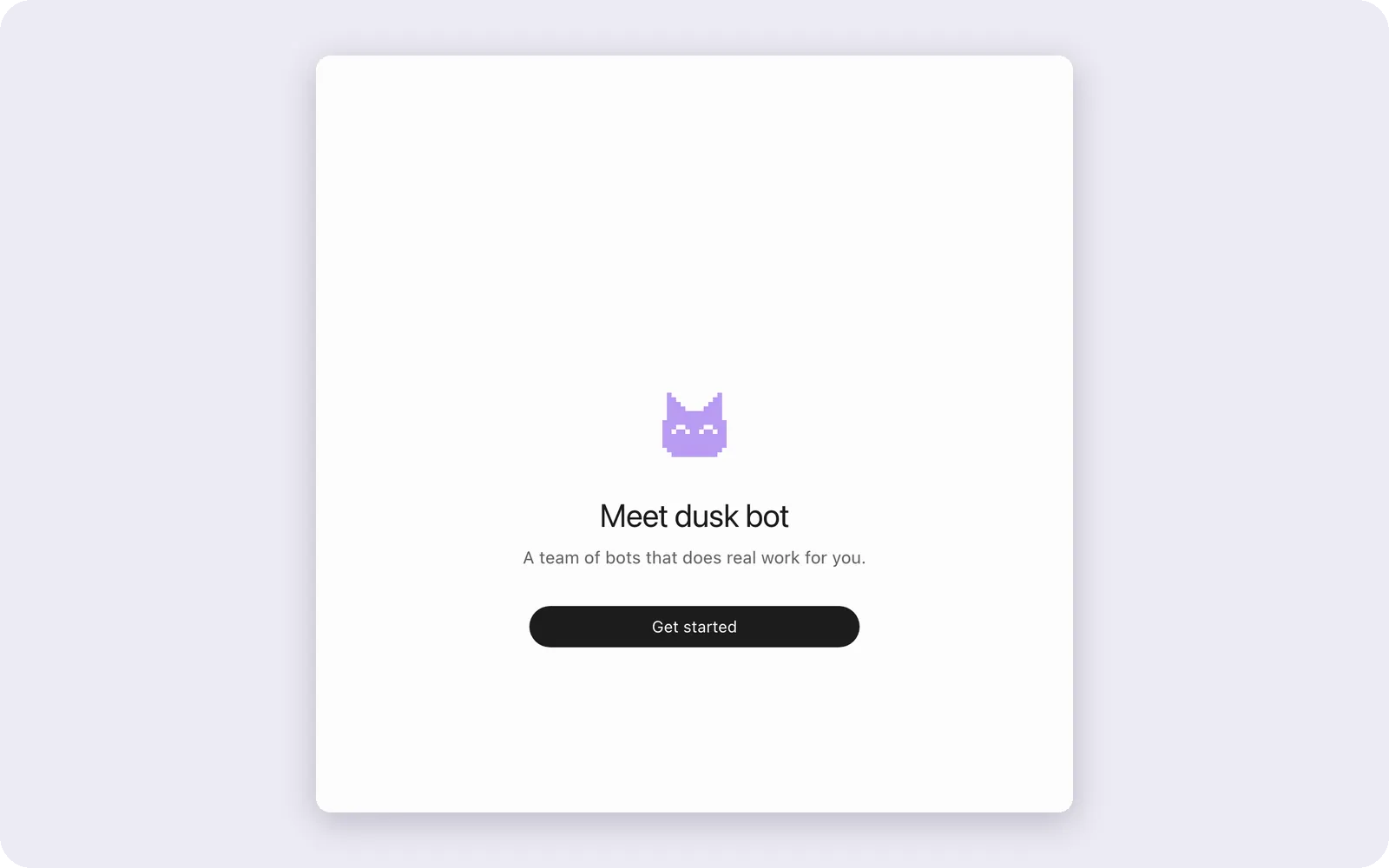
| Welcome. No account needed. | Pick your AI. Sign in to the one you use. | Your account. Only for dusk cloud. |
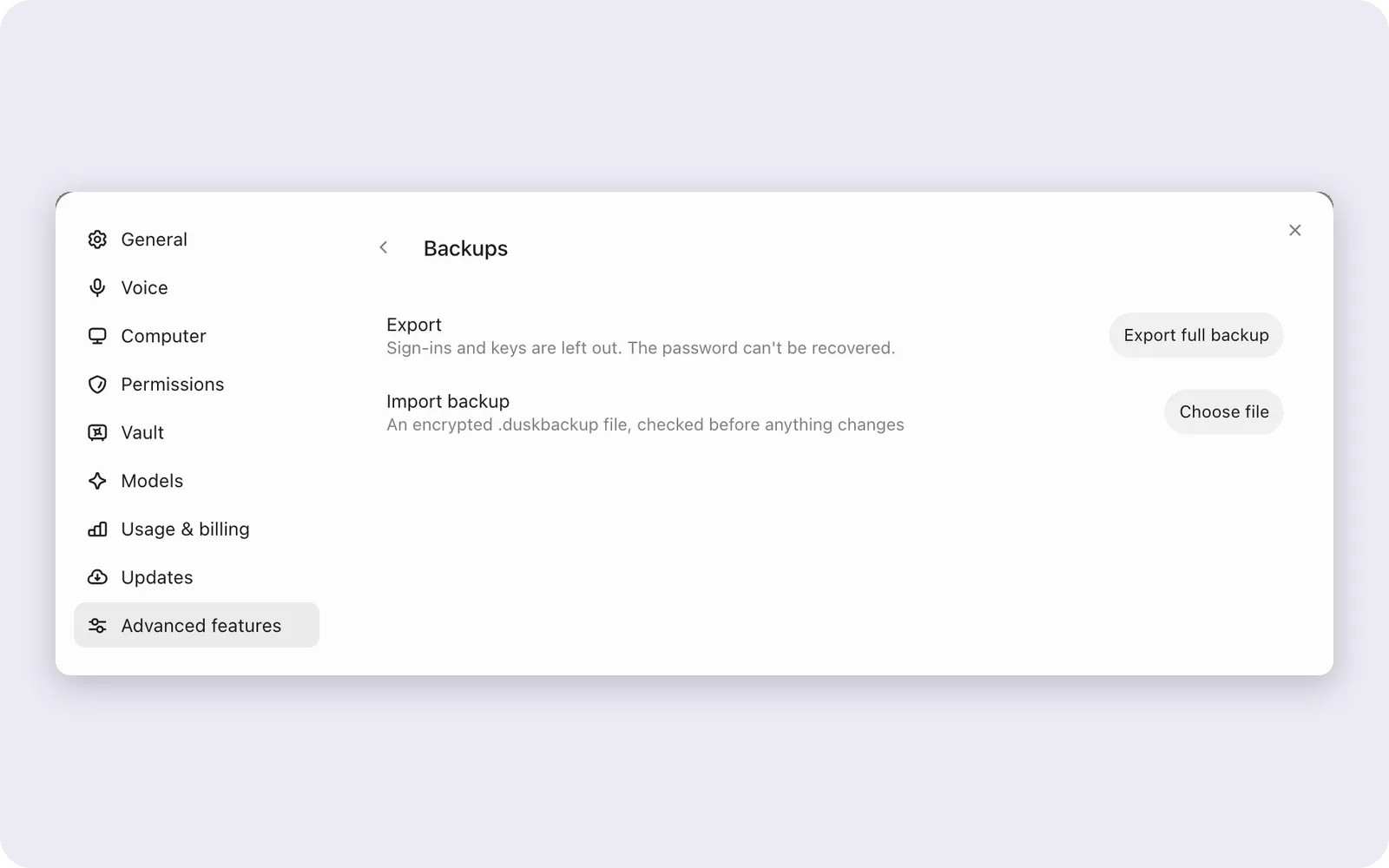
Backups are one encrypted file you can move anywhere:
Where bots live
| This computer | dusk cloud | Your own server |
|---|---|---|
| Free, no account. Bots work while it's awake. | We host it. Bots keep working with your laptop shut. | Free. One line on Ubuntu or Debian, and bots stay on as long as it does. |
A phone app to text your bots from anywhere is coming soon.
Install
Mac. One line in Terminal. It downloads this Mac's build of the latest release, checks it against SHA256SUMS, puts dusk bot in Applications and opens it.
curl -fsSL https://dusk.bot/install-mac | sh
Prefer the DMG? Get it from the latest release (arm64 for Apple silicon, x64 for Intel). It isn't notarized by Apple yet, so the first time:
- Open dusk bot, and click Done when macOS says it can't check it.
- Open System Settings, then Privacy & Security.
- Scroll down, click Open Anyway, and confirm.
Windows. Run DuskBot-0.2.0-setup.exe from the latest release. Windows 10 or 11, 64-bit, no admin rights. If Windows says it protected your PC, click More info, then Run anyway.
Linux. Ubuntu 24.04, 64-bit, in beta. Get the .deb or the .AppImage from the latest release. See the Linux guide.
sudo apt install ./DuskBot-*.deb
Then open the app, sign in to your AI, make a bot and hand it something real. About two minutes.
How it fits together
you          desktop app · phone (soon) · a browser
               │
the link     1. direct: same machine, ssh, https, tailscale
             2. a Cloudflare tunnel on your server
             3. the dusk bot relay
             end to end encrypted
               │
bot computer dusk bot server on 127.0.0.1:8799
             engines: Claude Code, Codex, Gemini, Grok, ...
             tools:   browser, desktop, files, shell, apps
             data:    ~/.duskbot
               │
             your AI provider and your apps
- The desktop app (Electron and React) is where you talk. It also owns the local browser views and the desktop driver.
- The dusk bot server (Node) runs on the bot computer: this computer, dusk cloud or your own server. It owns chats, routines, approvals, the vault and the engine processes. Webhooks get their own listener on the next port.
- The link to a remote server tries direct ways first, then the Cloudflare tunnel on your server, then the dusk bot relay. Frames are sealed with AES-256-GCM using a key only your app and your server hold, so the relay passes blobs it can't read. See the link service.
Where your data lives
| What | Where |
|---|---|
| Bots, chats, routines, memory, files | ~/.duskbot on the bot computer (DUSK_DATA_DIR), chats in SQLite |
| AI sign-ins and API keys | Encrypted with the OS keychain on the desktop, or a 0600 key file where there is none |
| Vault logins and app tokens | Encrypted files in the data folder, keys beside them as 0600 |
| Backups | One file, AES-256-GCM, from a password of at least 12 characters |
| What you say to a bot | Straight from the bot computer to your AI provider, not through us |
| Usage information | Anonymous usage counts and crash reports, never your messages or files, on until you turn off "help improve dusk bot" (first screen or Settings). The phone app sends none. What it sends |
Security
- Loopback trust. On your own computer the server trusts loopback as its owner. Browsers never get that trust: a browser signs in once, and tunneled or relayed requests need a paired session.
- Pairing.
duskbot pairprints a single-use code that lasts 5 minutes. Sessions last 30 days and renew on use. Five wrong codes lock an address out for 10 minutes. - Approvals. Each bot has a level, from Ask to Full access. Real questions and missing sign-ins always reach you, and sending in your name has its own setting. See approval levels.
- Secrets stay out of the model. dusk bot types a saved login in, or hands a secret to a tool, itself. Values are redacted from chats and logs.
- Sandboxes. On your server and on dusk cloud, bots run in a bubblewrap sandbox and bot desktops are separate containers. See bot box.
- What our servers see. The link service keeps hashed verifiers, public keys and sealed blobs. Phone notifications carry a bot's name, never the message.
Found a problem? See SECURITY.md.
Self-hosting
Run your bots on a server you look after, so they keep working with the laptop shut. It's free. In the app, choose Add a cloud or your own server and paste the line it gives you on Ubuntu 20.04+ or Debian 11+:
curl -fsSL https://dusk.bot/s/<code>/cloudflare | sh   # a Cloudflare tunnel (recommended)
curl -fsSL https://dusk.bot/s/<code> | sh              # the dusk bot relay
curl -fsSL https://dusk.bot/s/<code>/tailscale | sh    # your tailnet
curl -fsSL https://dusk.bot/s/<code>/ssh | sh          # over your SSH port
It installs dusk bot as duskbot.service, links it to your app and sets up the way you picked. The line works once and expires after 30 minutes. By hand: npx duskbot serve on any machine with Node 24+, then npx duskbot pair. Docker Compose lives in deploy/. Never expose port 8799 directly; read self-hosting first.
Configuration
Most settings live in the app. These matter when you run the server yourself:
| Variable | What it does |
|---|---|
DUSK_DATA_DIR |
The data folder. Default ~/.duskbot |
DUSK_PORT |
The server port. Default 8799 |
DUSK_WEBHOOK_PORT |
The webhook listener. Default the server port plus one |
DUSK_PUBLIC_URL |
The public address in pairing links |
DUSK_WEBHOOK_PUBLIC_URL |
The public address in webhook URLs |
DUSK_LOOPBACK_TRUST |
owner (default), or service for shared servers |
DUSK_SIGNIN_EMAILS |
Who may sign in by email on a hosted server |
DUSK_URL, DUSK_TOKEN |
Where the duskbot CLI connects, and its session |
DUSK_BOT_BOX |
Turns the bubblewrap sandbox on or off |
COMPOSIO_API_KEY |
Your own Composio key |
Run from source
You need Node 24+, pnpm 10, and one AI tool signed in, like Claude Code or Codex.
git clone https://github.com/DuskBotAI/duskbot.git
cd duskbot
pnpm install
pnpm dev:app          # the desktop app, with the server as its child
pnpm dev:server       # just the server, on 127.0.0.1:8799
pnpm dev              # the app in a browser, on 127.0.0.1:5199
pnpm dev:desktop      # the Electron shell against a running server and Vite
pnpm demo             # a separate demo workspace with sample bots, on 127.0.0.1:5299
pnpm typecheck        # types for the app and the server
pnpm lint             # oxlint
pnpm test             # the test suites
pnpm package:mac      # a DMG; also package:win and package:linux
More in development.
src/              the app UI (React), for the desktop window and the browser
electron/         the desktop shell: windows, the notch island, updates, the desktop driver
server/           the dusk bot server: bots, engines, routines, computers, the vault
shared/           code the app and the server both use
apps/
  mobile/         the phone app (Capacitor)
  companion/      the sidecar a phone talks to
  link-service/   pairing and the link for your own server
  cloudflare/     the relay and the Composio broker
  dashboard/      the dusk bot account and dusk cloud dashboard
  cloud-service/  dusk cloud desktops
  site/           dusk.bot
skills/           skills that ship with the app
deploy/           Docker Compose and server deploy files
scripts/          build, test and demo scripts
docs/             guides and references
FAQ
Is it really free?Yes, for personal use, with every feature. You only pay for dusk cloud or a work license if you want one. You pay your AI provider on the plan or key you already have; dusk bot never bills you for AI. How is it different from Grok bot?
Same idea, a team of bots you text, but it runs on any AI you already use, on your own computer or server, and your data stays there. It's free for personal use. Is it safe to let bots click around?
You set how much each bot may do alone, you can watch or take over at any time, and
⌘. stops a bot at once. Read the card before you tap allow, especially when it sends, buys or deletes.
Do my bots work when my laptop is off?
On this computer, they work while it's awake. Put them on dusk cloud or your own server and they keep going, routines included. Can I read and change the code?
Yes. dusk bot is source available under the PolyForm Noncommercial License: read it, run it, change it and share it (with the license and its required notice) for personal and other noncommercial use. Commercial use needs a separate license. Details in LICENSING. Is there a dusk bot token or coin?
No. dusk bot has no token, and any coin using the name has nothing to do with this project.
Contributing
Bug reports, ideas and pull requests are welcome. Start with CONTRIBUTING.md and the code of conduct.
License
Source available under PolyForm Noncommercial 1.0.0. Free for personal use; commercial use needs a separate license.
Made at dusk. The bots did most of it. dusk.bot
Yorumlar (0)
Yorum birakmak icin giris yap.
Yorum birakSonuc bulunamadi