dwim
Health Pass
- License — License: MIT
- Description — Repository has a description
- Active repo — Last push 0 days ago
- Community trust — 23 GitHub stars
Code Pass
- Code scan — Scanned 5 files during light audit, no dangerous patterns found
Permissions Pass
- Permissions — No dangerous permissions requested
No AI report is available for this listing yet.
dwim is a coding agent that runs locally on your machine.

dwim
Do what I mean.
A coding agent that runs on your own GPU.
The agent, the model, and the engine that runs it, in one Rust program:
no API key, no server, and nothing leaves your machine.


[!WARNING]
dwim is experimental software. Expect bugs, rough edges, and changes that
break things from one commit to the next. The model runs shell commands on
your machine without asking first, so use it on code you have committed or
backed up.
Installation
To install the latest release:
curl -fsSL https://dwim.sh/install.sh | sh
To install the latest development version:
cargo install --git https://github.com/dwim-sh/dwim
Or, from a checkout, with the manual page:
make install                     # in ~/.local
make install PREFIX=/usr/local   # system-wide, which may need sudo
Either way, the model (16 GB) is downloaded on first use into your
Hugging Face cache, where hf download and other tools would put it, and
used from there if one of them already did. dwim --download fetches it
ahead of time.
Features
- Fully local coding agent. Runs commands, reads their output, and keeps
going. - Qwen3.8-27B. At four bits, 16 GB, on a machine with 32 GiB of memory
or more, decoding several tokens at a time with the drafter its file
ships. - Fast local inference. Metal on macOS, Vulkan on Linux.
- Bring your own sandbox.
dwimexpects to run inside a sandbox, such as
a container or a virtual machine, and does not confine the model itself.
Commands run without confirmation and without a time limit, until they
finish.
Getting started
Run dwim in a project directory. It opens a shell: type what you want, and
the model reads files, runs commands, and answers.
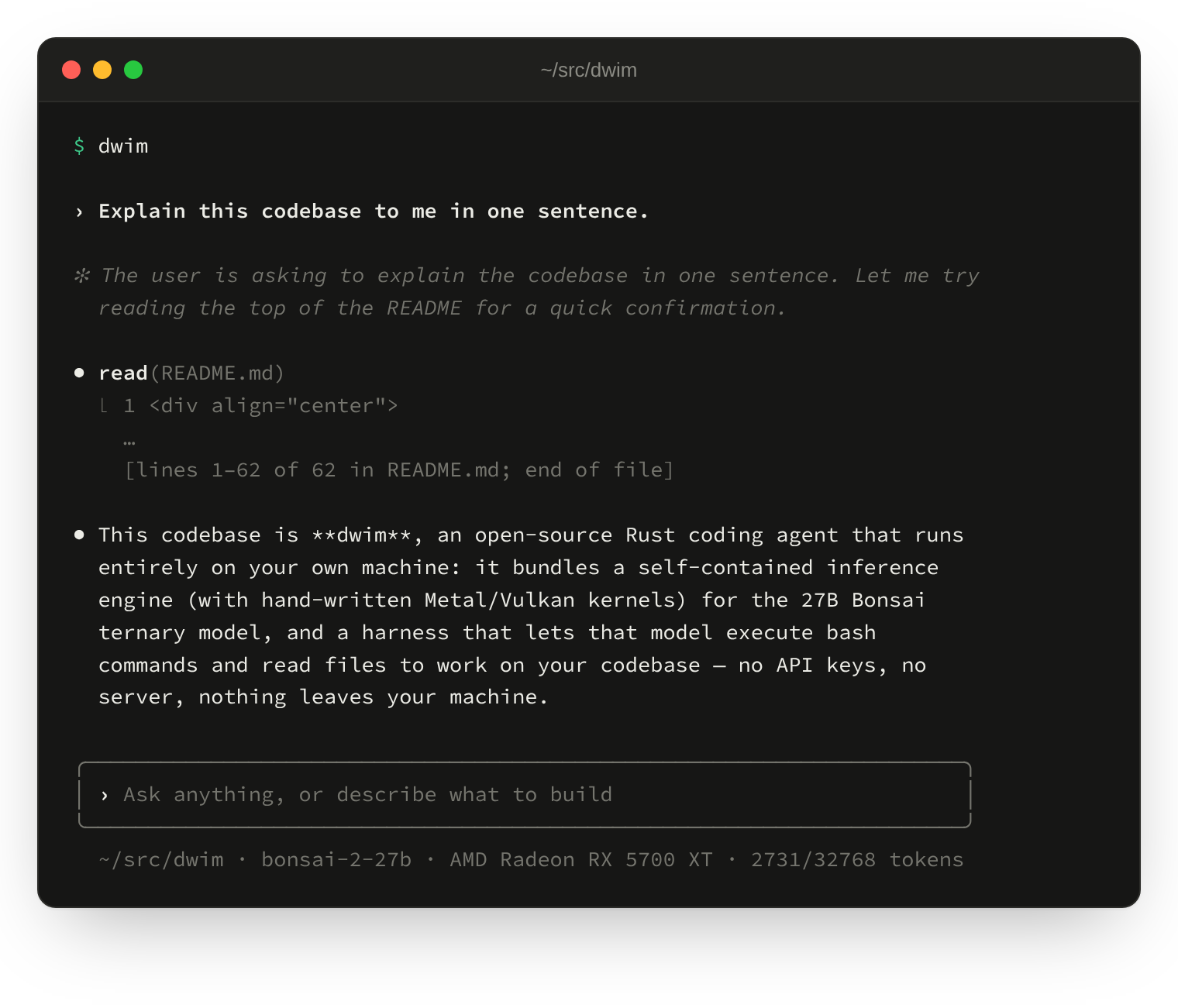
To ask one thing and exit, give the prompt on the command line:
dwim "Explain this codebase to me in one sentence."
The manual page has the options, the shell's commands and keys, and the files
it reads:
man dwim
License
MIT.
Reviews (0)
Sign in to leave a review.
Leave a reviewNo results found