engram
Health Gecti
- License — License: NOASSERTION
- Description — Repository has a description
- Active repo — Last push 0 days ago
- Community trust — 11 GitHub stars
Code Gecti
- Code scan — Scanned 12 files during light audit, no dangerous patterns found
Permissions Gecti
- Permissions — No dangerous permissions requested
This tool is an AI memory engine that provides a knowledge graph, semantic search, and logical reasoning capabilities in a single binary. It is designed to give AI agents persistent memory storage using a local file and offers various APIs (including MCP) for integration.
Security Assessment
Overall Risk: Medium. The code scan of 12 files found no dangerous patterns, hardcoded secrets, or dangerous permissions. However, the tool naturally handles potentially sensitive data by acting as a memory storage hub for AI systems. It also explicitly exposes multiple network interfaces, including an HTTP REST API, gRPC, and a built-in web UI. While the base code is clean, users should be cautious about what data they feed into the knowledge base and ensure the network endpoints are secured or kept local during operation.
Quality Assessment
The project is actively maintained, with its most recent push occurring today. It features a highly detailed and professional README that clearly documents its extensive features. The community trust is currently very low but growing, indicated by only 11 GitHub stars. A notable concern is that the license is marked as NOASSERTION. This means the repository lacks a clear open-source license, which creates potential legal ambiguity for users wanting to integrate it into commercial or broader projects.
Verdict
Use with caution: the underlying code is clean, but you should verify your network exposure and be aware of the unasserted software license before adopting it.
AI Memory Engine -- knowledge graph + semantic search + reasoning + learning in a single binary
Engram
AI Memory Engine -- knowledge graph + semantic search + reasoning + learning in a single binary.
What is Engram?
Engram is a high-performance knowledge graph engine built as persistent memory for AI systems. It combines graph storage, semantic search, logical reasoning, and continuous learning into a single binary with a single .brain file.
- Single binary -- no runtime dependencies, no Docker, no cloud
- Single file -- one
.brainfile is your entire knowledge base. Copy = backup, move = migrate - No external database -- everything is built in
- Hybrid search -- BM25 full-text + HNSW vector similarity + bitmap filtering
- Confidence lifecycle -- knowledge strengthens with confirmation, weakens with time, corrects on contradiction
- Inference engine -- forward/backward chaining, rule evaluation, transitive reasoning
- Ingest pipeline -- NER (GLiNER2 ONNX), entity resolution, conflict detection, PDF/HTML/table extraction
- Multi-agent debate -- 7 analysis modes with War Room live dashboard and 3-layer synthesis
- Chat system -- 47 tools across 8 clusters (analysis, investigation, reporting, temporal, assessment)
- Assessment engine -- Bayesian confidence with living assessments and evidence boards
- Temporal facts -- valid_from / valid_to on edges with automatic extraction
- Contradiction detection -- automatic conflict detection with resolution workflows
- Knowledge mesh -- peer-to-peer sync with ed25519 identity and trust scoring
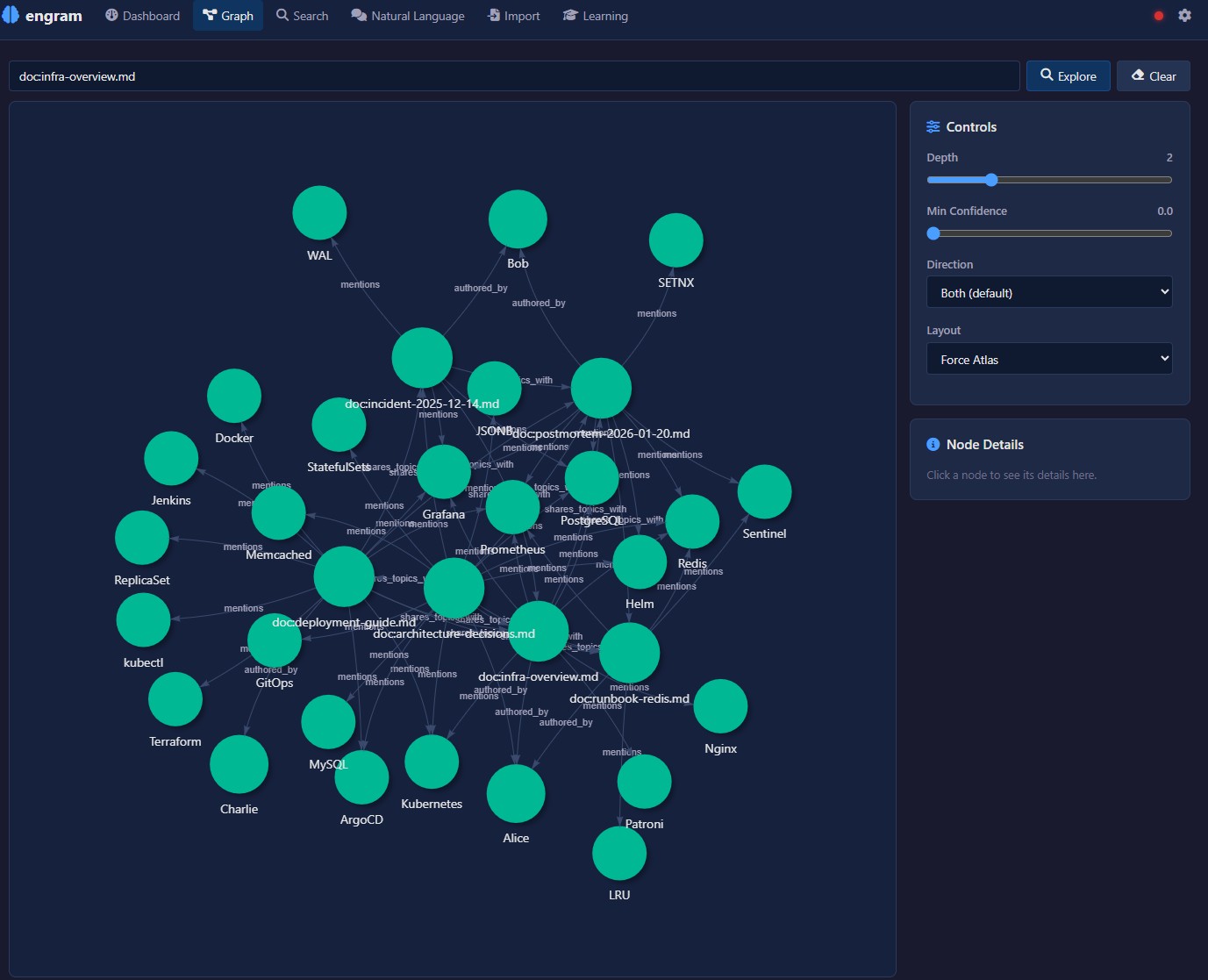
- Built-in web UI -- Leptos WASM frontend with graph visualization, onboarding wizard, and SSE live updates
- Multiple APIs -- HTTP REST (230+ endpoints), MCP, gRPC, A2A, LLM tool-calling
Two Ways to Use Engram
Engram works in two complementary modes. Both use the same binary and the same .brain file.
Backend Engine (API / CLI)
Use engram as a headless knowledge graph engine. Store nodes, create edges, run queries, push inference rules, and ingest data -- all through CLI commands, HTTP REST, MCP, gRPC, A2A, or LLM tool-calling.
This is the integration path: embed engram into AI agents, automation pipelines, or existing applications. No browser needed.
engram create my.brain
engram store "Berlin" my.brain
engram relate "Berlin" "capital_of" "Germany" my.brain
engram serve my.brain
After starting the server, run through the onboarding wizard via API to configure your LLM, embedder, and NER providers. See the Configuration wiki for the API-based setup flow.
Interactive Playground (Web UI)
Start the server and open http://localhost:3030 in your browser. Four sections:
- Knowledge -- graph explorer, search, documents, facts, chat
- Insights -- intelligence gaps, assessments, contradictions
- Debate -- multi-agent analysis with 7 modes and a live War Room
- System -- configuration, NER/RE settings, sources, domain taxonomy
On first launch with an empty brain, the onboarding wizard guides you through 11 setup steps.
Quick Start
1. Download
Download the latest binary from Releases.
Available for: Windows (x86_64), Linux (x86_64, aarch64), macOS (x86_64, aarch64).
2. Create and populate
engram create my.brain
engram store "PostgreSQL" my.brain
engram store "Redis" my.brain
engram relate "PostgreSQL" "caches_with" "Redis" my.brain
3. Start the server
engram serve my.brain
# HTTP API: http://localhost:3030
# Web UI:   http://localhost:3030
4. Configure (recommended: Gemma 4)
We recommend Gemma 4 as the LLM (thinking mode, large context window). Run it locally with Ollama:
ollama pull gemma3:27b
Then configure engram via the web UI onboarding wizard, or via API:
curl -X POST http://localhost:3030/config \
  -H "Content-Type: application/json" \
  -d '{"llm_endpoint": "http://localhost:11434/v1/chat/completions", "llm_model": "gemma3:27b"}'

curl -X POST http://localhost:3030/config/wizard-complete
Any OpenAI-compatible LLM endpoint works (Ollama, vLLM, OpenAI, Azure, etc.).
CLI Reference
| Command | Description |
|---|---|
engram create [path] |
Create a new .brain file |
engram store <label> [path] |
Store a node |
engram relate <from> <rel> <to> [path] |
Create a relationship |
engram query <label> [depth] [path] |
Query and traverse edges |
engram search <query> [path] |
Search (BM25, filters, boolean) |
engram serve [path] [addr] |
Start HTTP + gRPC server |
engram mcp [path] |
Start MCP server (stdio) |
engram reindex [path] |
Re-embed all nodes after model change |
engram stats [path] |
Show node and edge counts |
engram delete <label> [path] |
Soft-delete a node |
Documentation
Full documentation is available on the GitHub Wiki:
| Page | Description |
|---|---|
| Getting Started | Download, install, first brain, quick start for both modes |
| Configuration | Onboarding wizard, LLM setup, embeddings, SearXNG, API-based config |
| HTTP API | Full REST API reference (230+ endpoints) |
| MCP Server | MCP tools for Claude, Cursor, Windsurf (24 tools) |
| Python Integration | EngramClient, bulk import, LangChain, auth, debate, chat |
| Architecture | System design, layers, storage engine, compute |
| Integrations | MCP, A2A, gRPC, SSE, webhooks, web search providers |
| Use Cases | 13 end-to-end walkthroughs with Python demos |
Use Cases
| # | Use Case | Description |
|---|---|---|
| 1 | Wikipedia Import | Build a knowledge graph from Wikipedia summaries |
| 2 | Document Import | Ingest markdown/text with metadata and entity extraction |
| 3 | Inference & Reasoning | Vulnerability propagation and SLA mismatch detection |
| 4 | Support Knowledge Base | IT support error/cause/solution graphs |
| 5 | Threat Intelligence | Threat actor, malware, CVE, and TTP graphs |
| 6 | Learning Lifecycle | Full lifecycle: store, reinforce, correct, decay, archive |
| 7 | OSINT | Open Source Intelligence with multi-source correlation |
| 8 | Fact Checker | Multi-source claim verification |
| 9 | Web Search Import | Progressive knowledge building from web search |
| 10 | NER Entity Extraction | spaCy NER pipeline for entity extraction |
| 11 | Semantic Web | JSON-LD import/export for linked data |
| 12 | Codebase Understanding | AST analysis for codebase knowledge graphs |
| 13 | Intel Analyst | OSINT intelligence dashboard with real-time ingest and gap detection |
Built with Engram
| Project | Description |
|---|---|
| Intel Analyst | OSINT intelligence dashboard powered by engram's knowledge graph, ingest pipeline, and gap detection engine |
License
Engram is free for personal use, research, education, and non-profit organizations.
Commercial use requires a paid license. Contact [email protected] for commercial licensing.
See LICENSE for full terms.
Yorumlar (0)
Yorum birakmak icin giris yap.
Yorum birakSonuc bulunamadi