FireFrame
Health Warn
- License — License: MIT
- Description — Repository has a description
- Active repo — Last push 0 days ago
- Low visibility — Only 6 GitHub stars
Code Fail
- rm -rf — Recursive force deletion command in build.sh
Permissions Pass
- Permissions — No dangerous permissions requested
No AI report is available for this listing yet.
A clean, ad-free home screen for the Amazon Fire TV Stick. No root. Custom launcher with a glass app dock, plus one command that removes Fire TV ads, tracking and bloatware over adb. Works with Claude Code.
FireFrame
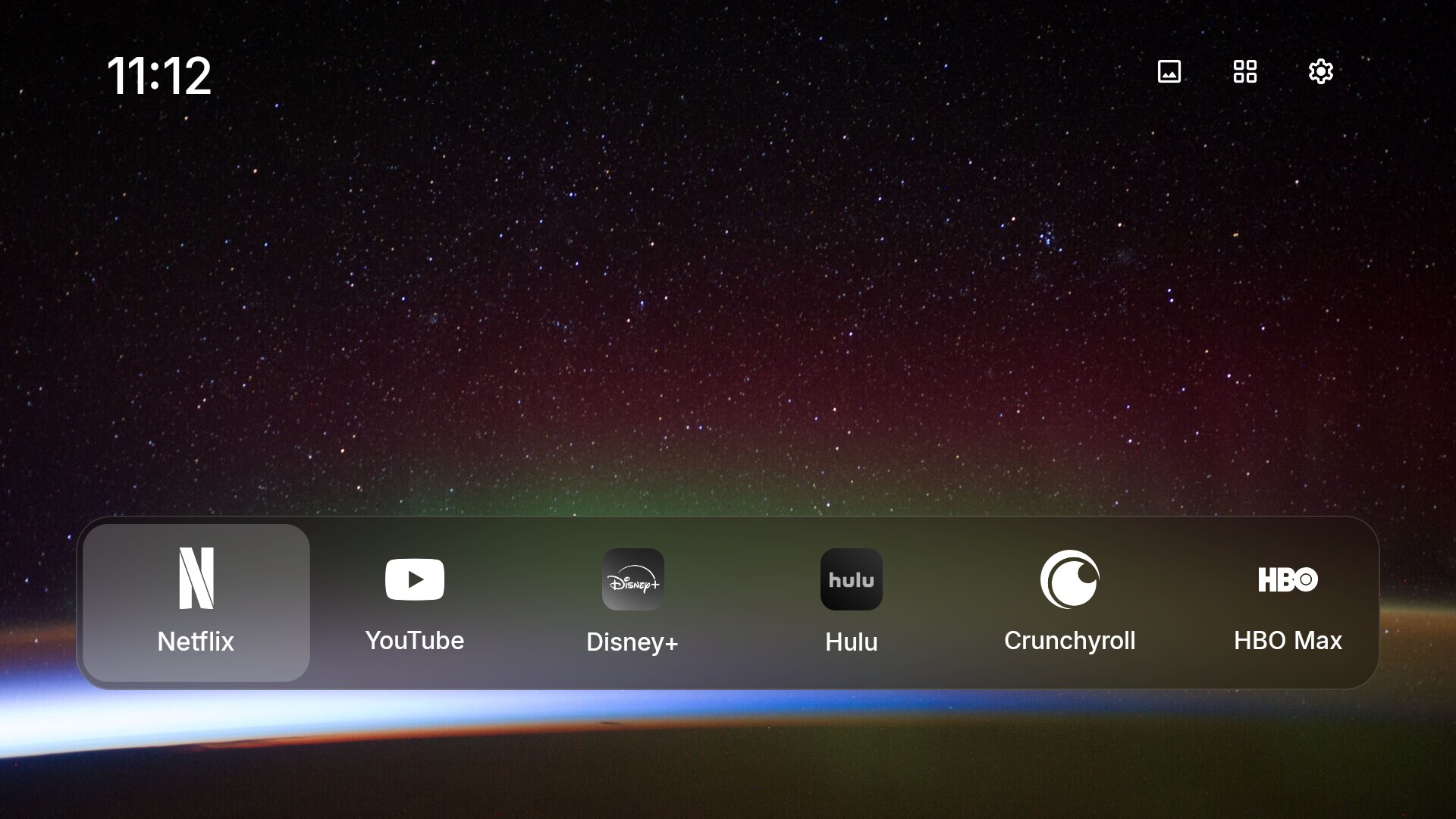
A clean, ad-free home screen for the Amazon Fire TV Stick. No root.
Your apps, a photo and the time. Nothing else.
Plus one command that turns off Amazon's ads, tracking and background bloat.
| Amazon's home screen | FireFrame |
|---|---|
 |
|
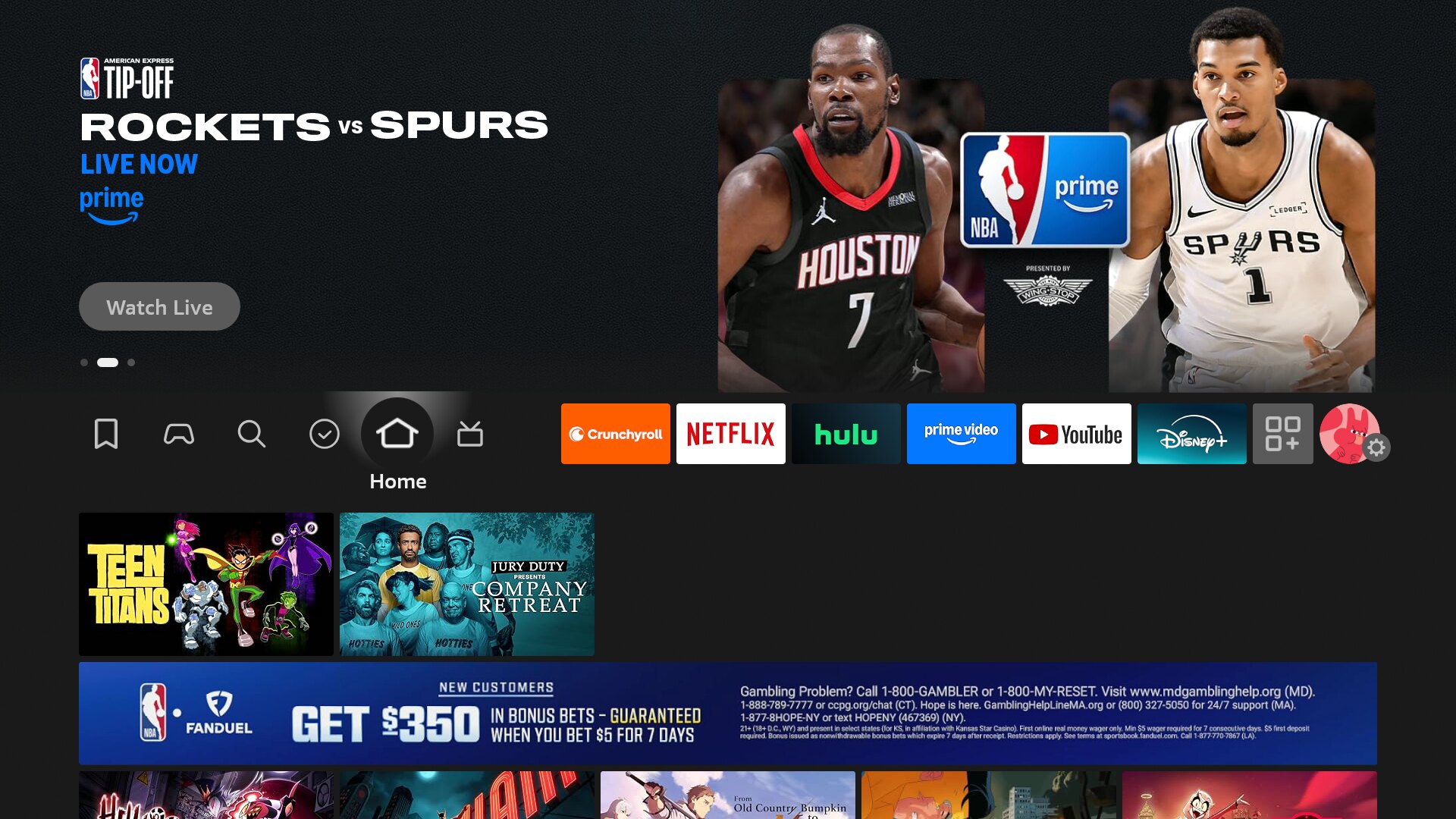
The stock Fire TV home screen above was captured on the stick FireFrame was built on. It had a sportsbook ad in the middle of it.
What you get
- A home screen that's just your apps. A photo, a clock and a frosted glass dock with white app logos. The focused app lifts a little, like on Apple TV.
- The Home button opens FireFrame, not Amazon's screen. It also opens after a restart.
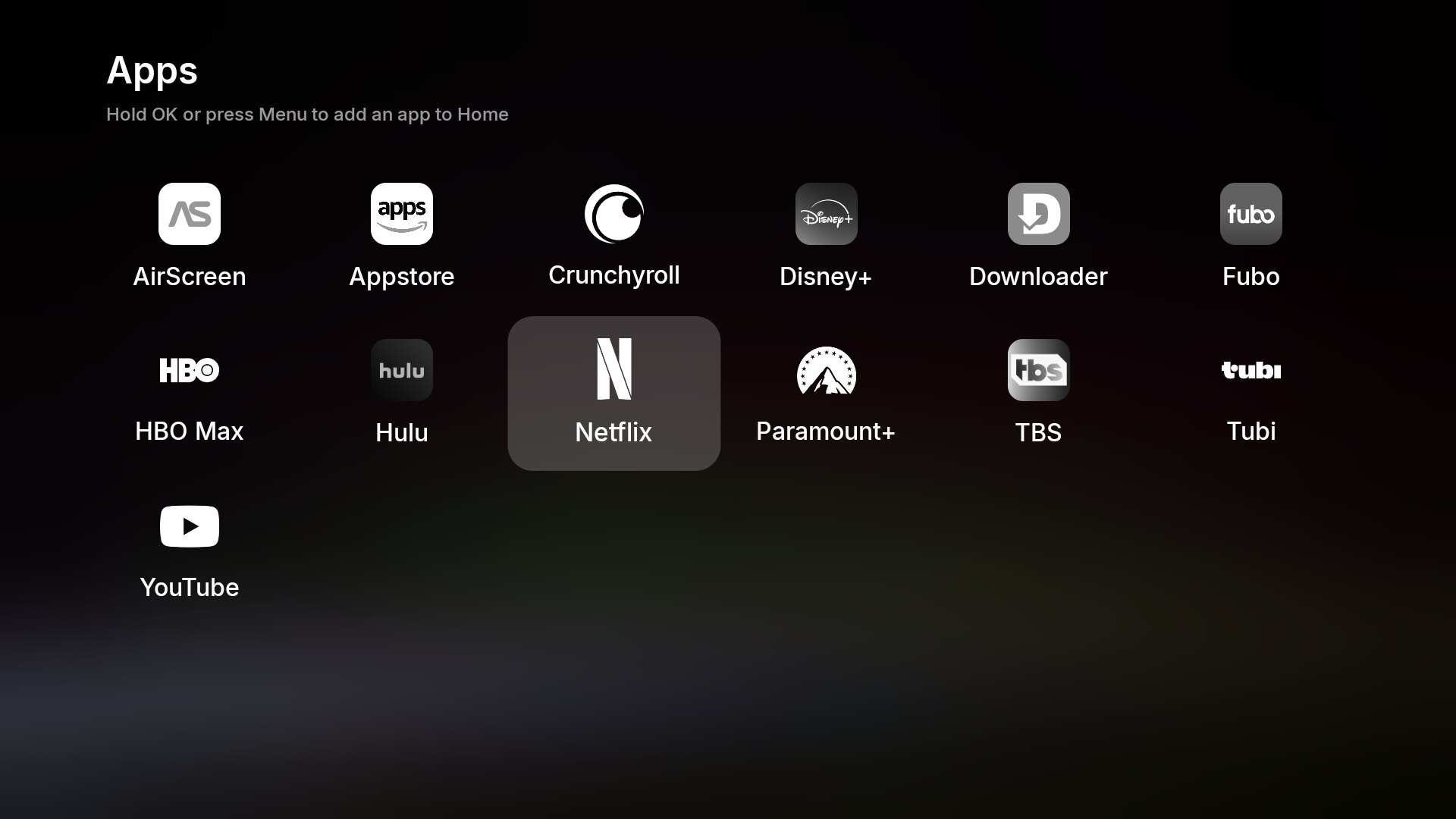
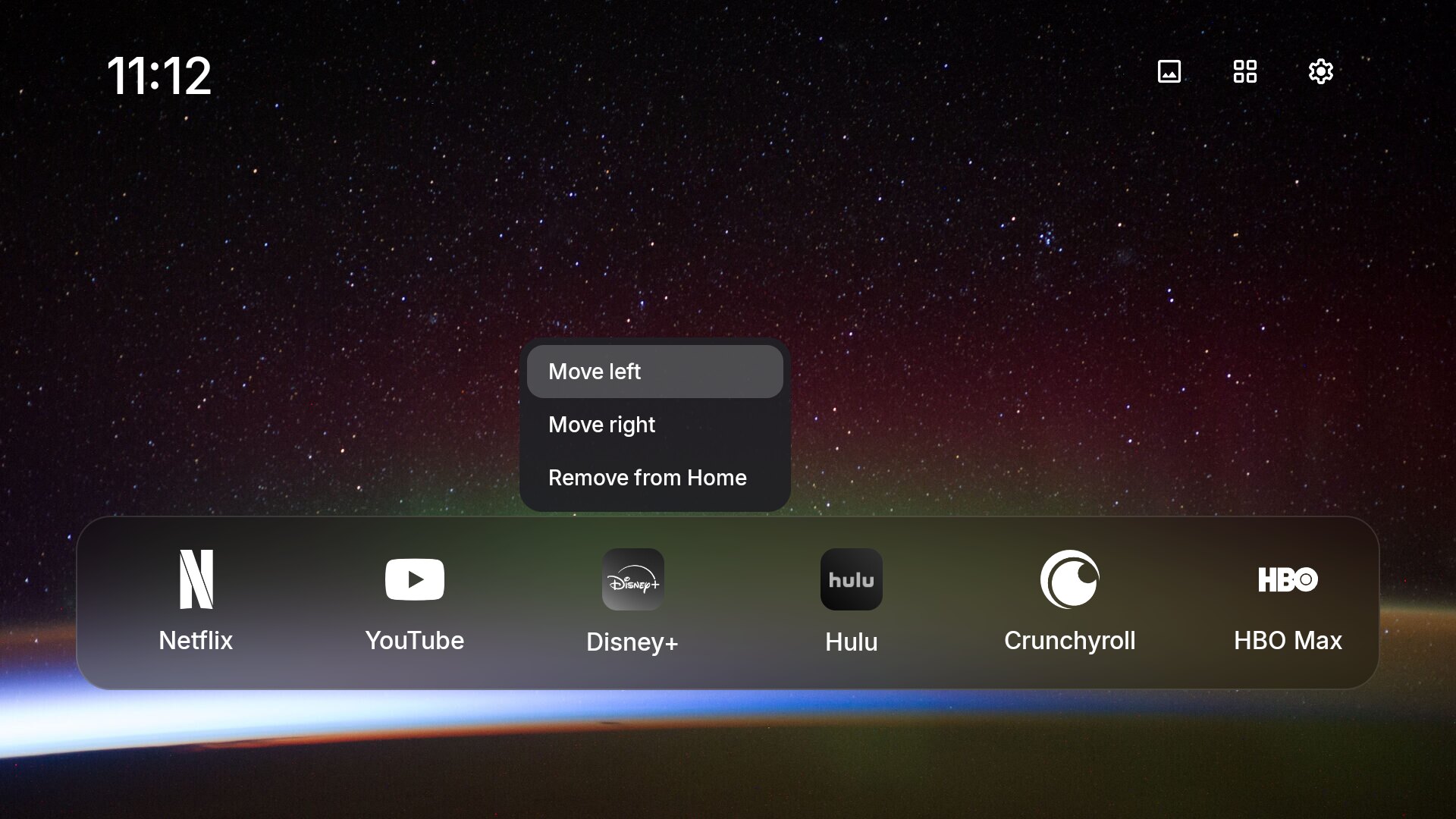
- An app drawer with everything installed. Hold OK on any app to put it on the dock, move it or take it off.
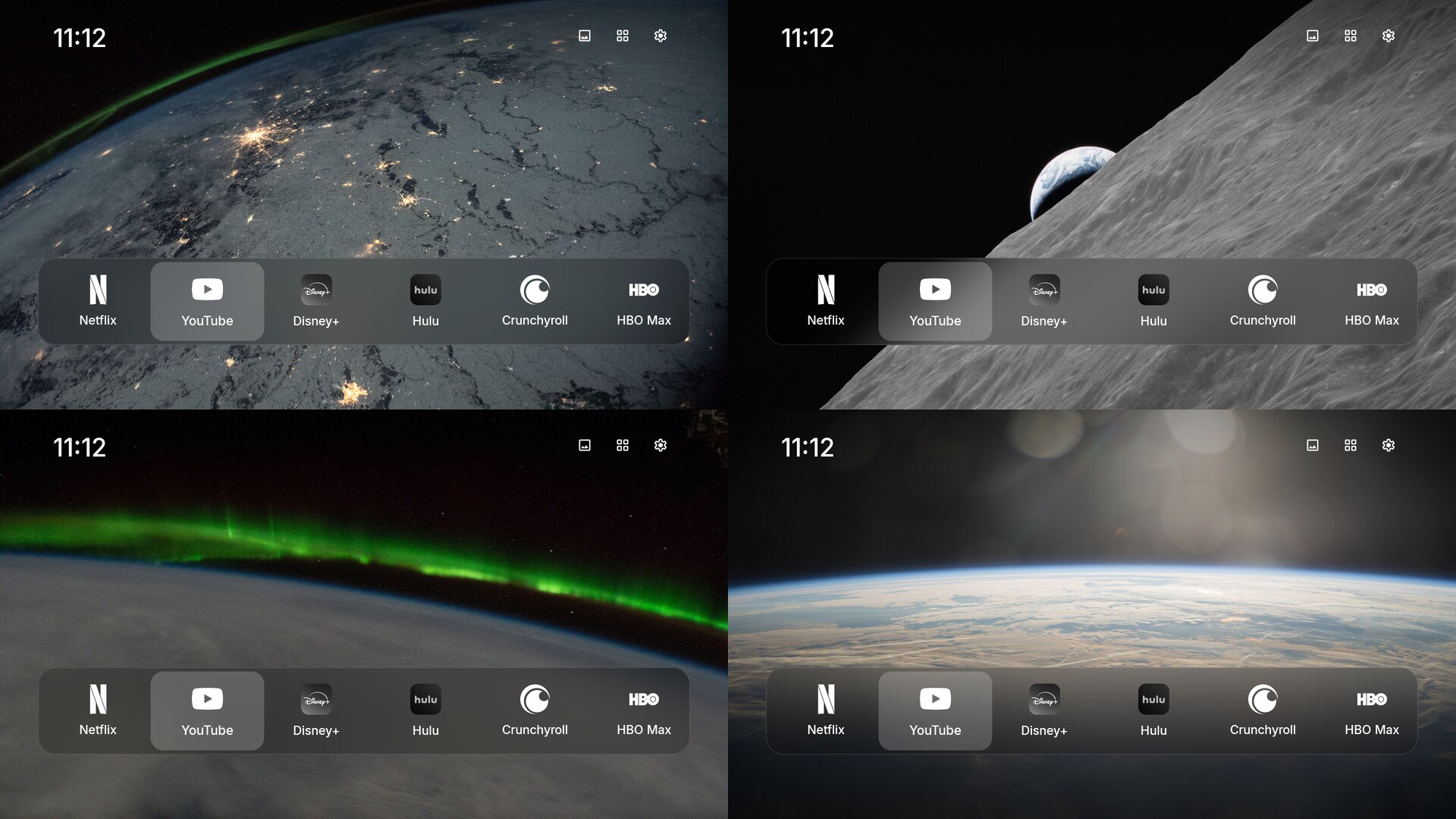
- Wallpapers. Five public domain NASA photos of Earth at night, or your own photo.
- A debloat script that turns off Amazon's ads, screen tracking, telemetry, shopping, Alexa and Prime Video if you want. Every change is undoable.
- Updates itself from this repo's releases. One OK on the remote, no computer needed.
- Small and fast. A 2 MB app in plain Java with no libraries, made for a stick with 1 GB of RAM.
Screenshots
All taken on a Fire TV Stick HD.
| App drawer | Moving an app on the dock |
|---|---|
 |
 |
The built-in wallpapers, all public domain photos from NASA:
Results on a Fire TV Stick HD
Measured on a Fire TV Stick HD (AFTSS), Fire OS 7.7.1.4, which has 900 MB of usable memory.
| Before | After | |
|---|---|---|
| Free memory, idle on the home screen | 222 MB | 284 MB, with YouTube playing |
| Amazon's home screen in memory | 140 MB | 34 MB, sitting in the background |
| Prime Video in memory, never opened | 192 MB | off |
| Alexa in memory | 95 MB | off (optional) |
| Apps Amazon wakes up in the background | Tubi, Fubo, Netflix | none |
| Ads on the home screen | sports betting, trailers | none |
Will it work on my Fire TV?
| Device | Fire OS | Works? |
|---|---|---|
| Fire TV Stick HD, Lite, 3rd gen, 4K (1st gen), 4K Max (1st gen), Cube | Fire OS 7 | Yes. Tested on Fire TV Stick HD, Fire OS 7.7.1.4. |
| Fire TV Stick 4K (2nd gen), 4K Max (2nd gen), newer Cubes | Fire OS 8 | Should work. Not tested yet, reports welcome. |
| Fire TV Stick 4K Select and other Vega OS devices | Vega OS | No. Vega OS can't install Android apps. |
| Android TV, Google TV, Chromecast with Google TV | Android | Yes, as a normal launcher. Pick it as the default home screen. |
Not sure which you have? Settings > My Fire TV > About shows the device and its Fire OS version.
Install it with Claude Code
The easy way. Claude Code does the setup, and you press OK on the remote when the TV asks.
1. Turn on developer mode on the Fire TV.
Settings > My Fire TV > About. Highlight the device name and press OK 7 times. Go back, open Developer Options and turn on ADB debugging. Your Fire TV's IP address is under Settings > My Fire TV > About > Network.
2. Open Claude Code on a computer on the same Wi-Fi. Then paste this:
Install FireFrame on my Fire TV: https://github.com/dyascj/FireFrame
My Fire TV's IP address is <ip address>. It's a <model, from Settings > My Fire TV > About>.

1. Clone the repo. Read README.md, fireframe.sh and debloat.txt before running anything.
2. Install what's missing to build it (Java 17, Android SDK, adb), as build.sh describes.
3. Run ./fireframe.sh install <ip>. Tell me when to accept the debugging prompt on the TV.
4. Run ./fireframe.sh debloat <ip> --dry-run and explain each group in debloat.txt in plain
   words. Ask me which groups I want before turning anything off.
5. Run ./fireframe.sh debloat with the groups I chose, then restart the TV and show me
   free memory before and after.
6. Check that pressing Home opens FireFrame, and tell me how to undo everything.
Install it by hand
You need adb and, to build it yourself, Java 17 and the Android SDK. On a Mac:
brew install --cask android-platform-tools android-commandlinetools
brew install openjdk@17
sdkmanager "platforms;android-34" "build-tools;34.0.0"
Then:
git clone https://github.com/dyascj/FireFrame.git
cd FireFrame
./fireframe.sh install 192.168.1.50        # your Fire TV's IP address
The first time, the TV asks to allow debugging from your computer. Pick "Always allow" and press OK.
Prefer not to build? Download the APK from Releases, copy it to out/fireframe.apk in your clone, and run ./fireframe.sh install <ip>. The script installs it and turns on the Home button service.
Debloat
./fireframe.sh debloat 192.168.1.50 --dry-run          # see what would change
./fireframe.sh debloat 192.168.1.50                    # ads, tracking and junk
./fireframe.sh debloat 192.168.1.50 --also alexa,primevideo,livetv
./fireframe.sh debloat 192.168.1.50 --all              # every group
Apps are disabled, not deleted. debloat.txt lists every package with a note on what it is.
| Group | What turns off | What you lose |
|---|---|---|
safe (always) |
ads, automatic content recognition, recommendations, shopping, News, telemetry, demo mode, tutorials, Amazon Kids, Luna, Wi-Fi password sync, coral reef and jellyfish screensaver apps that ship a proxy SDK | nothing you'd use |
alexa |
Alexa and its media, calling and multi-room audio services | voice search on the mic button |
primevideo |
Prime Video | Prime Video |
livetv |
Amazon's Live TV guide | the guide. Channel apps like Tubi and Fubo still work on their own. |
amazonapps |
Amazon Music, Amazon Photos, Silk Browser | those apps |
casting |
Fire TV's screen mirroring and Amazon's cast receiver | mirroring a phone or PC. Casting from the Netflix and YouTube apps keeps working. |
updates |
Amazon's forced updater | forced updates. Regular updates are protected and stay on. |
Fire OS protects some packages, like crash reporting and the main metrics service. The script says "Fire OS refused" for those and moves on. Restart the TV afterwards to free the memory.
How the Home button works
Fire OS won't let you change the home screen, and it refuses to disable, uninstall, hide or suspend Amazon's launcher without root. I tried all four.
So FireFrame works around it. A small accessibility service keeps a hidden, ready-to-show copy of the home screen in an overlay window. It covers Amazon's launcher the instant that launcher starts to open, before it paints. Two signals trigger it: Amazon's own launcher sends an unguarded com.amazon.tv.launcher.HOME_PRESSED broadcast that FireFrame listens for, which lands about half a second sooner than the accessibility window event that acts as the backup. Behind the overlay, FireFrame opens as a normal app, which Fire OS holds back for 5 seconds after Home, and once it has drawn its first frame the overlay steps aside. It's the same screen, so you can't see the handoff.
If you pick an app in those 5 seconds, FireFrame can't start it directly (Fire OS holds it), so it presses that app's tile on Amazon's launcher behind the overlay instead. Amazon's own launches aren't held, so the app opens right away. At boot, FireFrame opens itself as soon as the TV has started.
This reliably keeps Amazon's home screen off the screen in testing, but it's a reaction, not a block: on a slow frame you might catch a flicker. The only way to remove Amazon's launcher outright is root, which this project does not do.
Amazon's launcher still runs in the background, using about 35 MB instead of 140 MB. To get to it, open Settings on FireFrame's top right and pick "Amazon home screen".
Your own wallpaper
./fireframe.sh wallpaper 192.168.1.50 ~/Pictures/beach.jpg
The photo is resized to 1080p and becomes the wallpaper. The picture button on FireFrame cycles through it and the built-in ones.
Updating
FireFrame checks this repo for a new release once a day. When there is one, it tells you on the home screen, and Update to FireFrame x.y.z shows up in Settings at the top right. Pick it, then press OK when the TV asks to install. Your dock, wallpaper and Home button stay as they are.
Fire OS asks for that one OK on every app install outside Amazon's Appstore, so updates can't be fully silent without root.
On FireFrame 1.0.0 or 1.0.1, which came before the updater, update by hand once:
git pull
./fireframe.sh install 192.168.1.50
Undo
./fireframe.sh undo 192.168.1.50               # turn every app back on, give Home back to Amazon
./fireframe.sh undo 192.168.1.50 --uninstall   # and remove FireFrame
The list of what was turned off is saved on the TV as well as in this folder, so undo works from any computer. When you're done, turn ADB debugging off in Developer Options.
Using it
| Remote | Does |
|---|---|
| Left, Right | move along the dock |
| Up | reach the wallpaper, apps and settings buttons |
| OK | open an app |
| Hold OK, or press Menu (☰) | move an app, take it off the dock, or add one from the app drawer |
| Back | close a menu or the app drawer |
FAQ
Can I change the Fire TV launcher without root?
Not officially. Since 2023 Fire OS ignores the default home setting and blocks disabling Amazon's launcher. FireFrame gets the same result with an accessibility overlay, explained above.
How do I remove ads from the Fire TV home screen?
Replace the home screen. Ads live in Amazon's launcher, so with FireFrame in front you don't see them. ./fireframe.sh debloat also turns off the ad services themselves.
Why is my Fire TV Stick so slow?
Memory. A Fire TV Stick HD has under 1 GB, and out of the box Amazon keeps Prime Video, Alexa, a recommendation service and a content tracker loaded, and wakes streaming apps in the background for the Live tab. On the test stick that took free memory down to about 220 MB.
Is it safe?
It only disables apps, never deletes them, and it never touches the launcher, Settings, the remote, Bluetooth, the Appstore or sign-in. Everything is undoable. It's still your device and your call. If something goes wrong and undo can't reach the TV, a factory reset (hold Back and Right on the remote for 10 seconds) puts it back to stock.
Does voice search still work?
Yes, unless you turn off the alexa group.
Will an Amazon update break it?
It could. If Home stops opening FireFrame after an update, run ./fireframe.sh install again. Open an issue with your Fire OS version if that doesn't fix it.
Inside
| File | What it is |
|---|---|
app/src/.../HomeScreen.java |
the whole home screen, one view in plain Java |
app/src/.../HomeService.java |
the Home button: overlay plus redirect |
app/src/.../MainActivity.java |
FireFrame as an app, and the boot receiver |
app/src/.../Updater.java |
checks GitHub releases and installs updates |
build.sh |
builds the APK with the SDK's own tools, no Gradle, in about ten seconds |
fireframe.sh |
install, debloat, wallpaper, memory and undo |
debloat.txt |
every package the debloat can turn off, with notes |
Credits
FireFrame borrows ideas from two projects. CleanFrame by @nthnclrk did the look, a photo with a glass dock, for Samsung's The Frame. TV Detox by @Ansub did an agent-run cleanup for Android TV, and FireFrame's build script follows its approach.
Fonts, icons, logos and photos keep their own licenses, listed in THIRD_PARTY_NOTICES.md. App logos are trademarks of their owners. FireFrame isn't affiliated with Amazon or any streaming service.
MIT licensed. See LICENSE.
Reviews (0)
Sign in to leave a review.
Leave a reviewNo results found