next-ui-mcp
Health Uyari
- License — License: MIT
- Description — Repository has a description
- Active repo — Last push 0 days ago
- Low visibility — Only 9 GitHub stars
Code Uyari
- process.env — Environment variable access in src/lib/instanceCatalog.test.ts
- process.env — Environment variable access in src/lib/instanceClient.ts
- network request — Outbound network request in src/lib/instanceClient.ts
Permissions Gecti
- Permissions — No dangerous permissions requested
Bu listing icin henuz AI raporu yok.
MCP server for ServiceNow UI development, with framework guidance, component scaffolding, and live instance-backed discovery.
Next UI MCP
Next UI MCP is an MCP server that helps AI coding assistants build and check projects using ServiceNow's Now/Next Experience UI Framework.
It provides framework guidance, component scaffolds, and tools for finding and inspecting components from your ServiceNow instance.
This is an unofficial, community-maintained project. It is not affiliated with, endorsed by, or supported by ServiceNow.
Quick start
You need Node.js 18.20 or newer and an MCP-compatible coding assistant.
Add this server to your assistant's MCP configuration. For example, use .mcp.json for Claude Code or .cursor/mcp.json for Cursor:
On macOS, first configure a basic-auth profile with snc configure profile. The server uses the default profile automatically.
{
  "mcpServers": {
    "next-ui": {
      "command": "npx",
      "args": ["-y", "next-ui-mcp@latest"]
    }
  }
}
The server reads the profile's host and username from ~/.snc/config.json and its password from the macOS Keychain. No credentials need to be added to your project configuration. If you use a profile other than default, set NEXT_UI_SNC_PROFILE in the server's env configuration.
Restart or refresh your coding assistant after updating its MCP configuration. The tools should then be available in your project.
What your agent can do
Learn the framework and create a component
get_framework_guidance— get guidance on framework topics, project structure, Storybook, manifests, and component development.get_component_scaffold— generate starter files for a component.explain_now_ui_manifest— learn hownow-ui.jsonrelates to components.
Find and inspect platform components
recommend_instance_components— find platform components that may fit a use case.search_instance_components— search components available on your instance.search_instance_icons— find icon names available on your instance.evaluate_platform_component_fit— decide whether to use a platform component, compose it, or build a custom component.get_component_api— inspect a component's properties, events, and slots from your instance.resolve_component_package— find the npm package for a platform component.
Check a project
validate_now_ui_manifest— validate anow-ui.jsonmanifest.analyze_project_dependencies— check platform package declarations inpackage.json.
Connect to a ServiceNow instance
Instance credentials enable tools that look up live component and icon information. Choose one of these three options:
1. Use an snc profile (macOS)
Configure a basic-auth profile with snc configure profile. Leave NEXT_UI_INSTANCE_URL unset; the server uses the default profile. To use another profile, set NEXT_UI_SNC_PROFILE to its name. The host and username are read from ~/.snc/config.json, and the password is read from the macOS Keychain.
2. Use a username and password
Set these variables in the MCP server's env configuration:
NEXT_UI_INSTANCE_URLNEXT_UI_INSTANCE_USERNEXT_UI_INSTANCE_PASSWORD
3. Use a bearer token
Set NEXT_UI_INSTANCE_URL and NEXT_UI_INSTANCE_TOKEN in the MCP server's env configuration. The token is sent as a bearer token. If both a token and username/password are set, the token takes precedence.
Instance requests time out after 20 seconds by default. Set NEXT_UI_INSTANCE_TIMEOUT_MS in the server's env configuration to change the timeout.
Help your assistant follow the project workflow
MCP configuration connects the server; project instructions help your assistant use its tools at the right time. Add a root-level AGENTS.md (or your assistant's equivalent project-instructions file), or merge the guidance into an existing file. For example:
# ServiceNow UI Development

## HDS Policy

Prefer HDS components over custom equivalents.
Prefer composition or thin wrappers when an HDS component is a partial fit.
Custom UI requires a concrete functional or design gap.

## Required Workflow

For new UI and substantial changes to existing UI:

- Before implementation, use next-ui-mcp get_framework_guidance
  with topic "agent-workflow-contract" and follow its guidance.
- Discover HDS candidates using recommend_instance_components
  or search_instance_components.
- Evaluate plausible candidates with evaluate_platform_component_fit.
- Inspect selected components with get_component_api before using them.
- Follow MCP guidance for imports and instance-backed dependencies.
- Briefly explain any decision to create a custom equivalent.
- If MCP tools are unavailable or fail, report the limitation.
  Do not interpret failed discovery as proof that no HDS component exists.
Configure the MCP server separately in each coding assistant. Instructions do not connect the server, and they guide the assistant but cannot guarantee it will follow them.
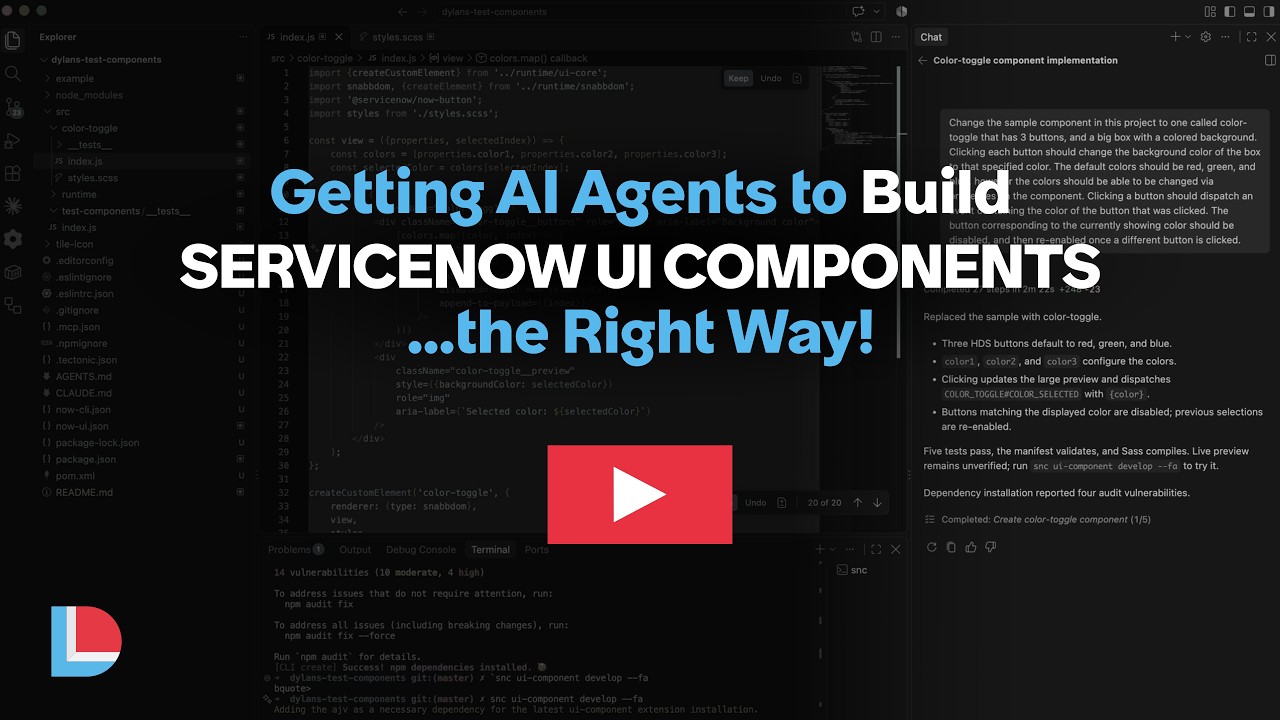
Demo
Contributing
Contributions to the framework guidance and instance-backed component discovery are welcome.
Set up the project
These steps are for contributors working on the source code. You do not need them to install or use the MCP server.
pnpm install
pnpm run build
pnpm test
To run the server from source during development:
pnpm run dev
License
Yorumlar (0)
Yorum birakmak icin giris yap.
Yorum birakSonuc bulunamadi