celer
Health Warn
- No license — Repository has no license file
- Description — Repository has a description
- Active repo — Last push 0 days ago
- Low visibility — Only 5 GitHub stars
Code Pass
- Code scan — Scanned 12 files during light audit, no dangerous patterns found
Permissions Pass
- Permissions — No dangerous permissions requested
No AI report is available for this listing yet.
Swift SQL for every database: a fast desktop SQL client for PostgreSQL, MySQL/MariaDB, SQL Server, SQLite, Informix and ODBC.
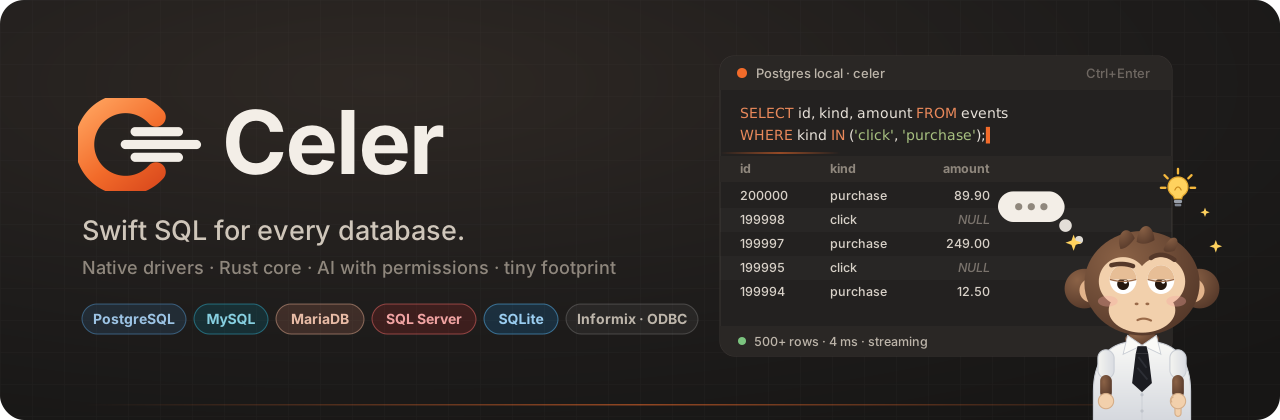
Swift SQL for every database.
A fast, native desktop SQL client for PostgreSQL, MySQL/MariaDB, SQL Server, SQLite, Informix and ODBC,
with an editor that knows your schema, an AI assistant with permissions and a mascot who keeps you company.



Download · User guide (Spanish) · Changelog · Security · Español



Portable: Windows ·
Linux ·
Packages: .deb ·
.rpm ·
SHA256SUMS.txt ·
release notes
Open Celer, double-click a table and you are looking at its rows before you notice it loaded. Write a query and
completion offers the columns of the tables you are using. Ctrl+click a table name to open it, Ctrl+click a
foreign key to jump to the row it points to. Load 200,000 rows and the window keeps responding; if anything takes
long, Gib shows what he is doing and a button to cancel it.
Celer is a Rust core with a light web interface (Tauri 2). The installer is about 13 MB, installs for your user only,
without administrator rights, and keeps itself up to date.
[!NOTE]
The interface is in Spanish. An English translation is planned and contributions are welcome.
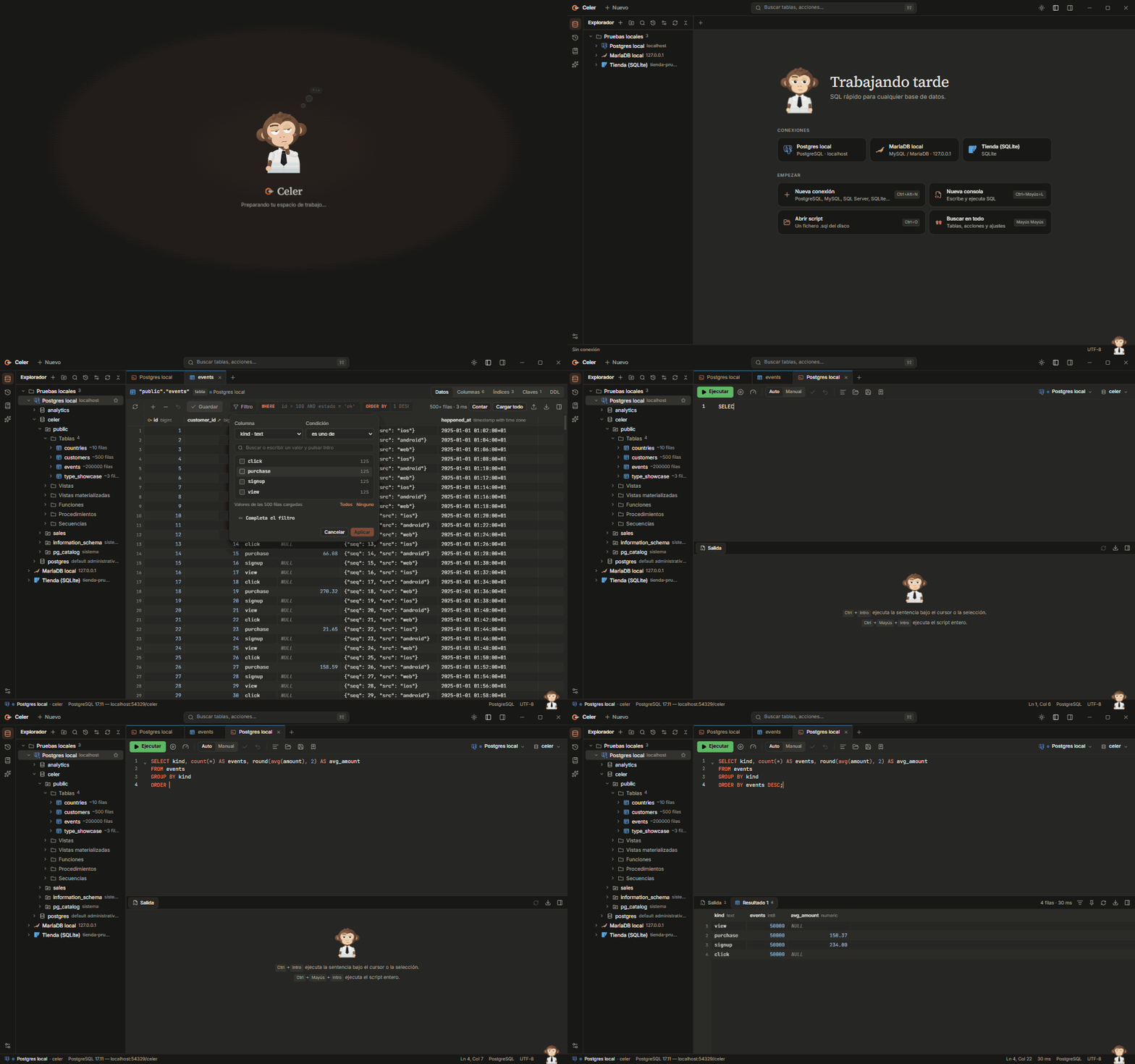
See it in action
Features
- Fast by design. One session per tab, each on its own thread: a slow query never blocks the rest. Results come
in pages from an open cursor, the grid is drawn on a canvas, and 200,000 rows load in about two seconds. - An editor that knows your schema. Completion offers tables after
FROM/JOIN, the columns of the tables in
the statement everywhere else, andalias.orschema.narrow the list. Ctrl+click (or F4 / Ctrl+B) on a
table opens it. The statement under the caret is highlighted; Ctrl+Enter runs it.
Live templates (sel,ins,cte…), query parameters (:name,?) asked before running, and a warning on aDELETEorUPDATEwithoutWHERE. - Tables you can explore. Filter chips per column (equals, contains, between, value lists…), your own
WHERE
andORDER BYwith live help (it warns when"text"would be read as a column name and fixes it in one click),
sorting on the server and an exact count on demand. Edit cells with editors that know the type (a true/false
picker, a calendar, the referenced rows of a foreign key) and save everything in one transaction. - Foreign keys you can follow. FK columns are marked in the header; Ctrl+click a value to open the referenced
row, or open the referenced table from the Claves tab. - See why a query is slow. Execution plans as a tree for every engine, with real rows and times (EXPLAIN
ANALYZE) and warnings worth acting on. Server activity shows the sessions and running queries, with cancel and
kill. - Understand and compare schemas. An entity-relationship diagram of any schema (export to SVG), and a schema
comparison between two connections that writes the script to make them match. The rows of two tables can be
compared the same way. - Results you can keep. Pin a result, run again and compare both: changed cells and new or missing rows are
marked. Quick filter over the loaded rows. - Never frozen. Long operations show Gib at his laptop with live progress and Cancelar: loading every row
stops after the chunk in flight and keeps what arrived; server queries are cancelled on the server. - Export and import. Stream CSV, TSV, Excel, JSON, XML, SQL
INSERTs, Markdown or HTML straight to disk;
import CSV, JSON or Excel / OpenDocument sheets with column mapping in a single transaction. Generate SELECT with
joins, INSERT, UPDATE, UPSERT/MERGE and DDL from the explorer. - AI with permissions. An assistant that writes, explains, fixes and optimises SQL with Claude using your schema,
never your rows. An MCP server (celer.exe --mcp) lets Claude Desktop, Claude Code and other clients use your
connections with a permission level per connection, row and time limits, masked columns and an audit log. - Bring your connections. Import them from DBeaver (saved passwords included, if you want) and
DbVisualizer, with folders and production flags. Drag connections between folders in the explorer. - Made for long days. Eight themes, compact or comfortable density, a command palette (Shift Shift),
shortcuts you can change, a script library, a startup script per connection, and Gib: he thinks while queries
run, has an idea when a long one finishes, goes for a coffee or juggles when you are away, and swats the cursor if
you poke him while he waits. - Updates in the app. Celer checks GitHub for new releases, shows what's new and installs them in one click,
after verifying the download against the release's SHA-256 sums.

Gib when you are idle: a coffee, the laptop, juggling… and he swats the cursor if you poke him while he waits.
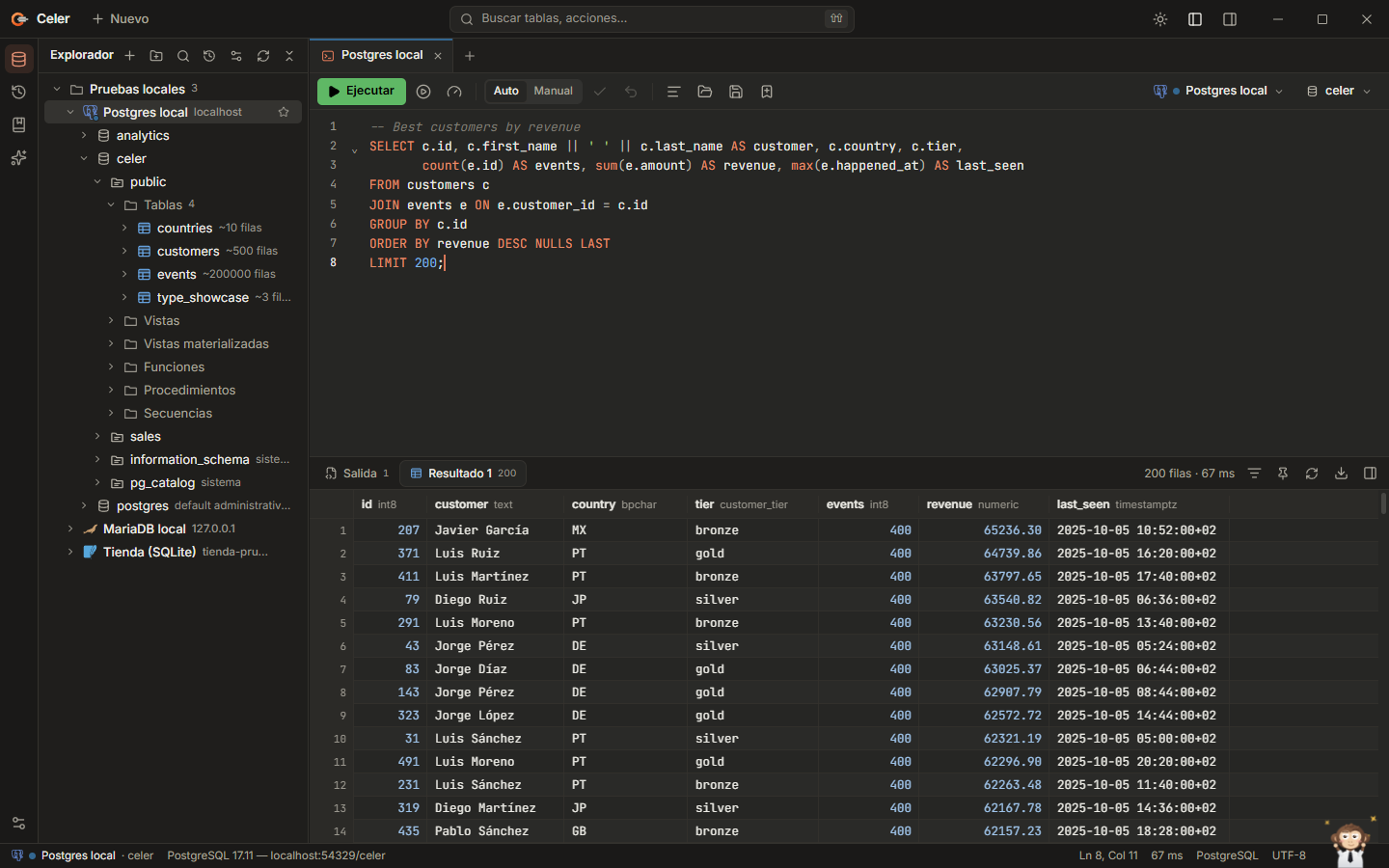 Console, explorer and results |
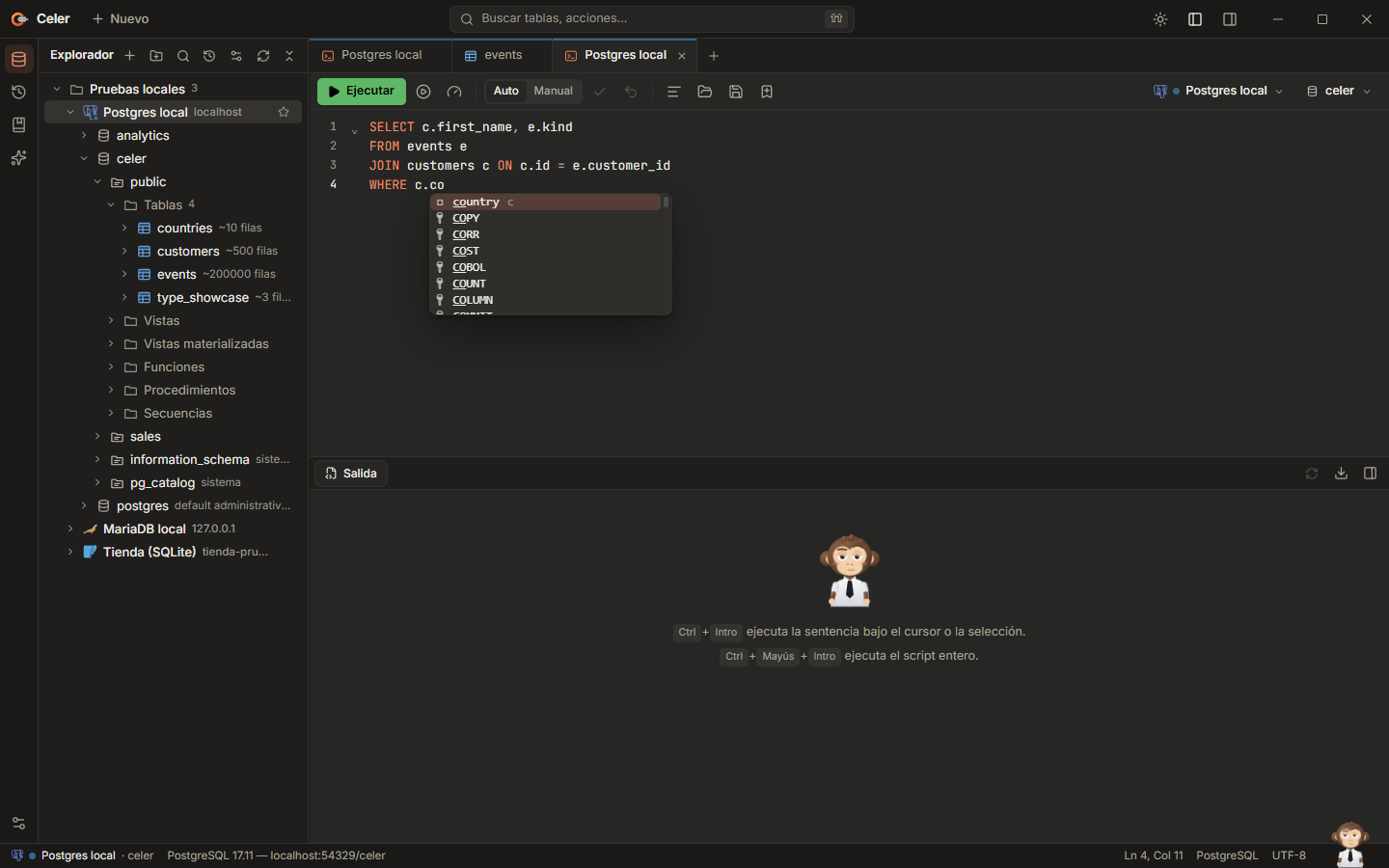 Completion with the statement's columns |
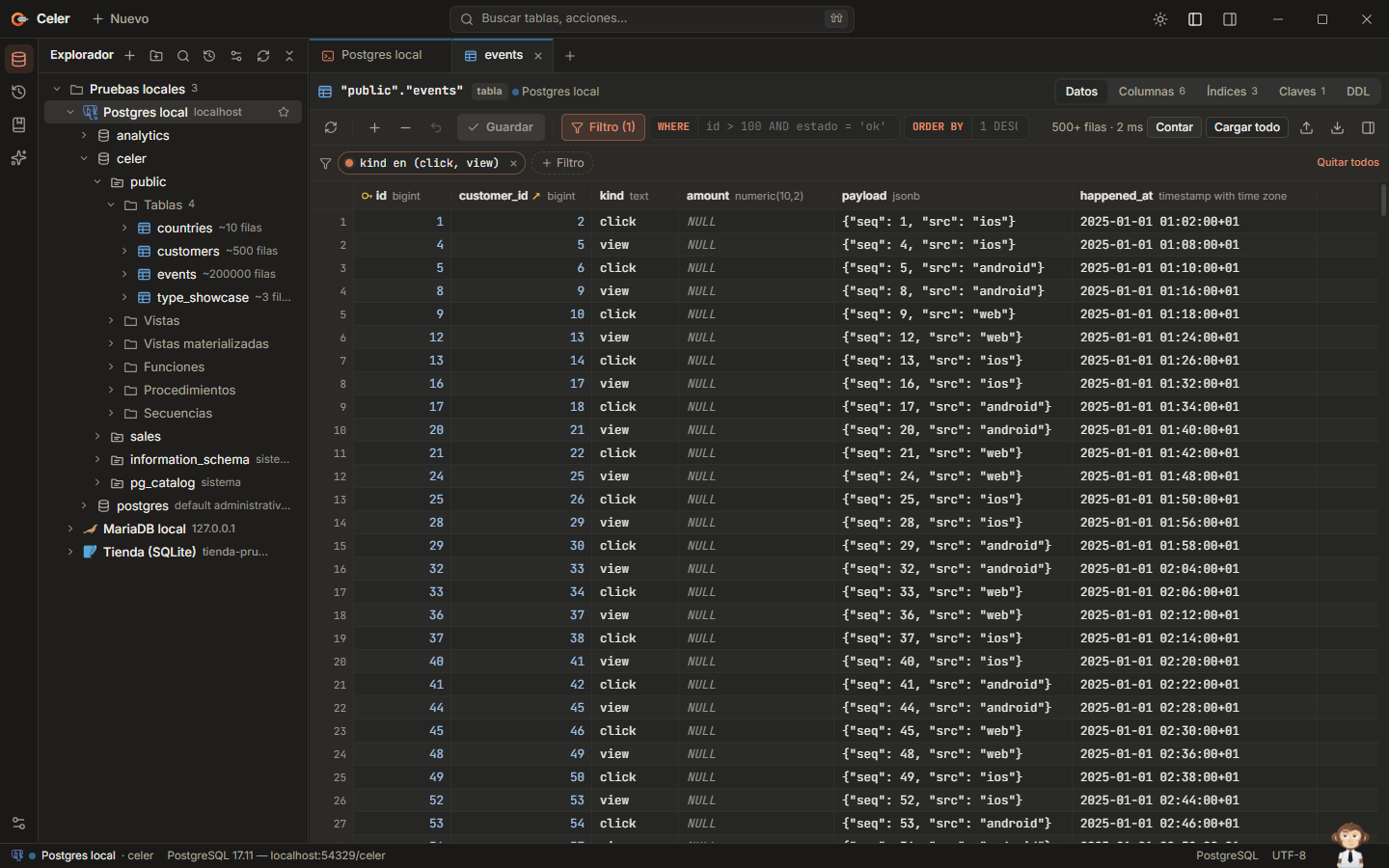 Table viewer with column filters |
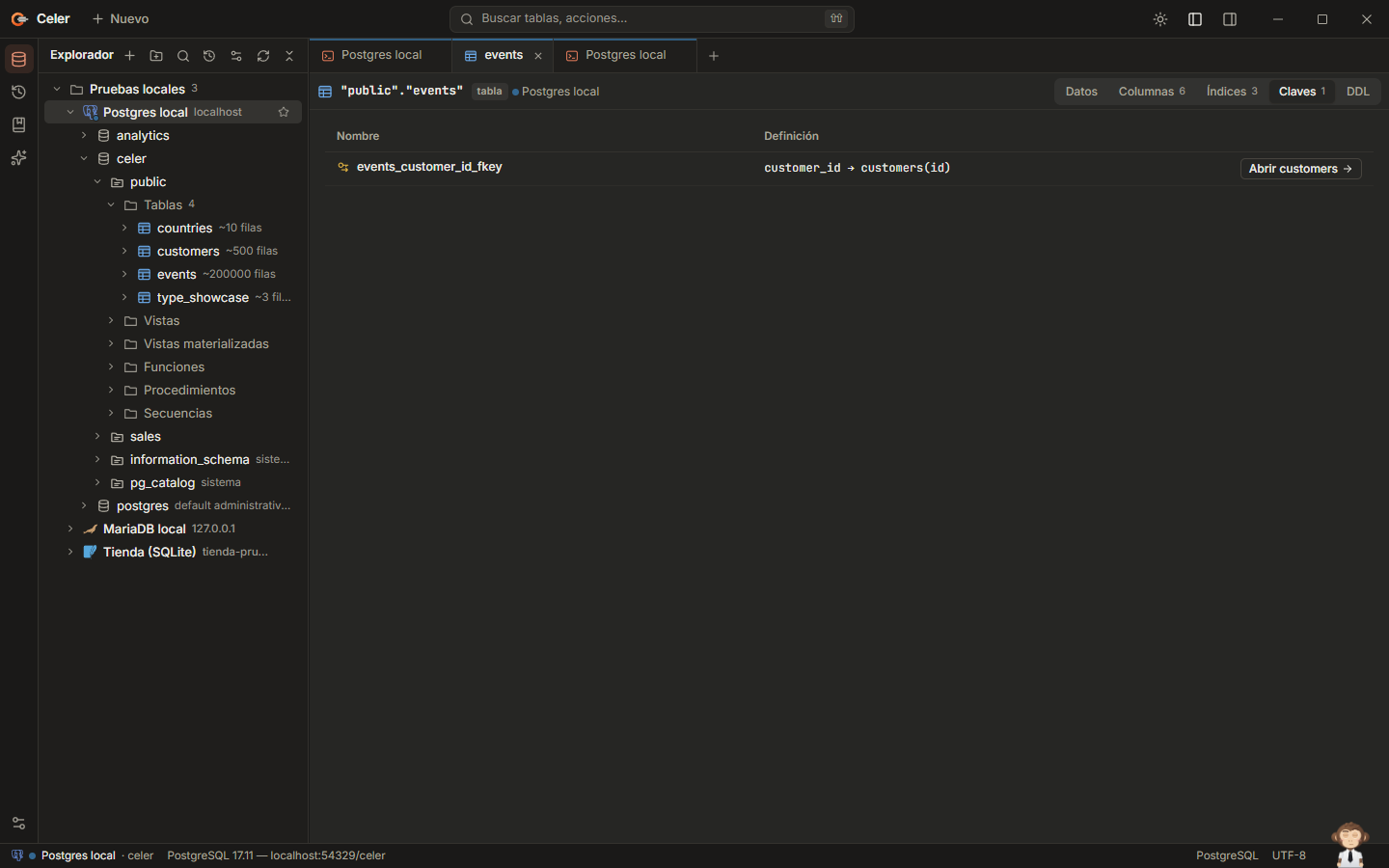 Foreign keys: jump to the referenced table or row |
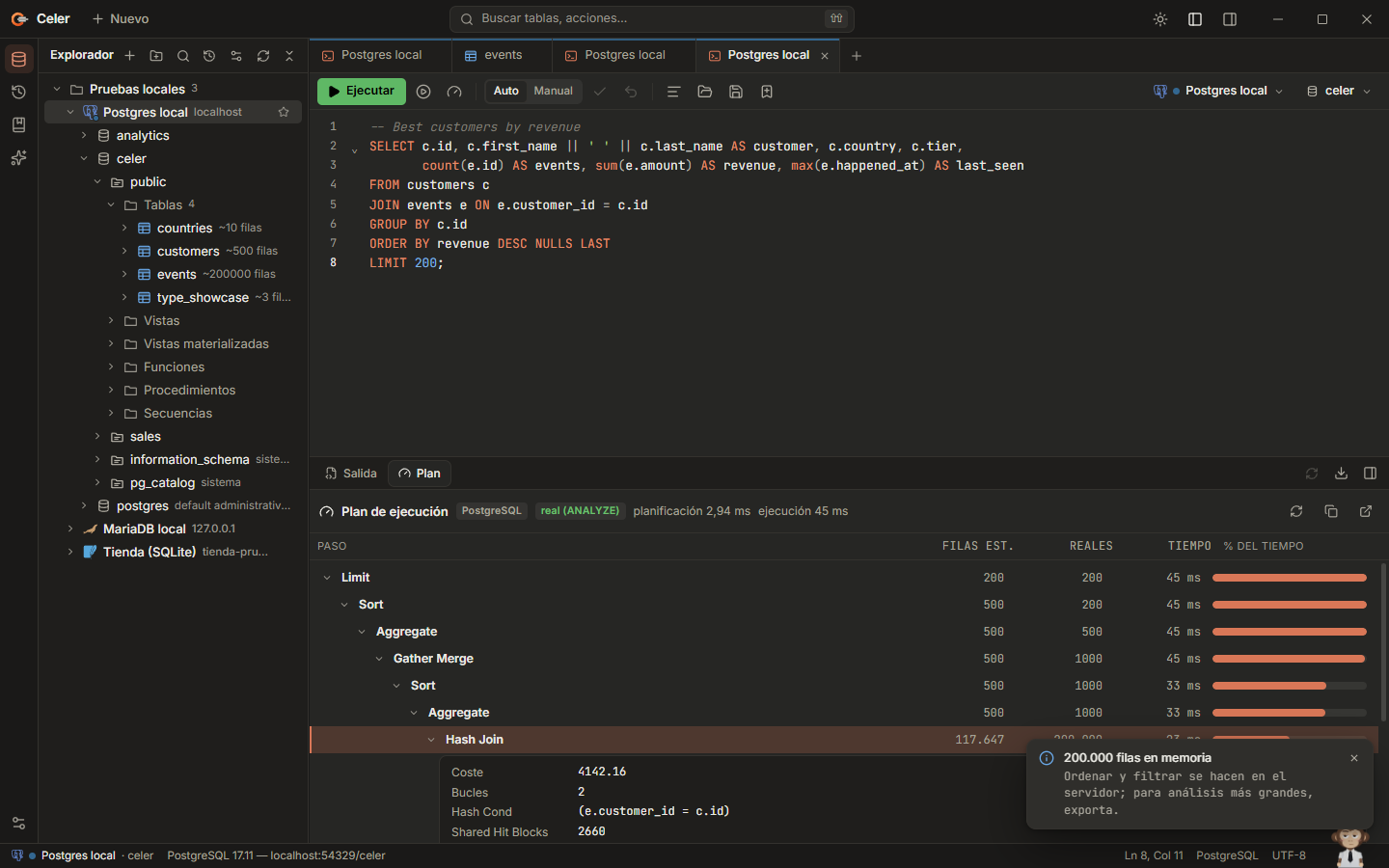 Execution plan with real rows and times |
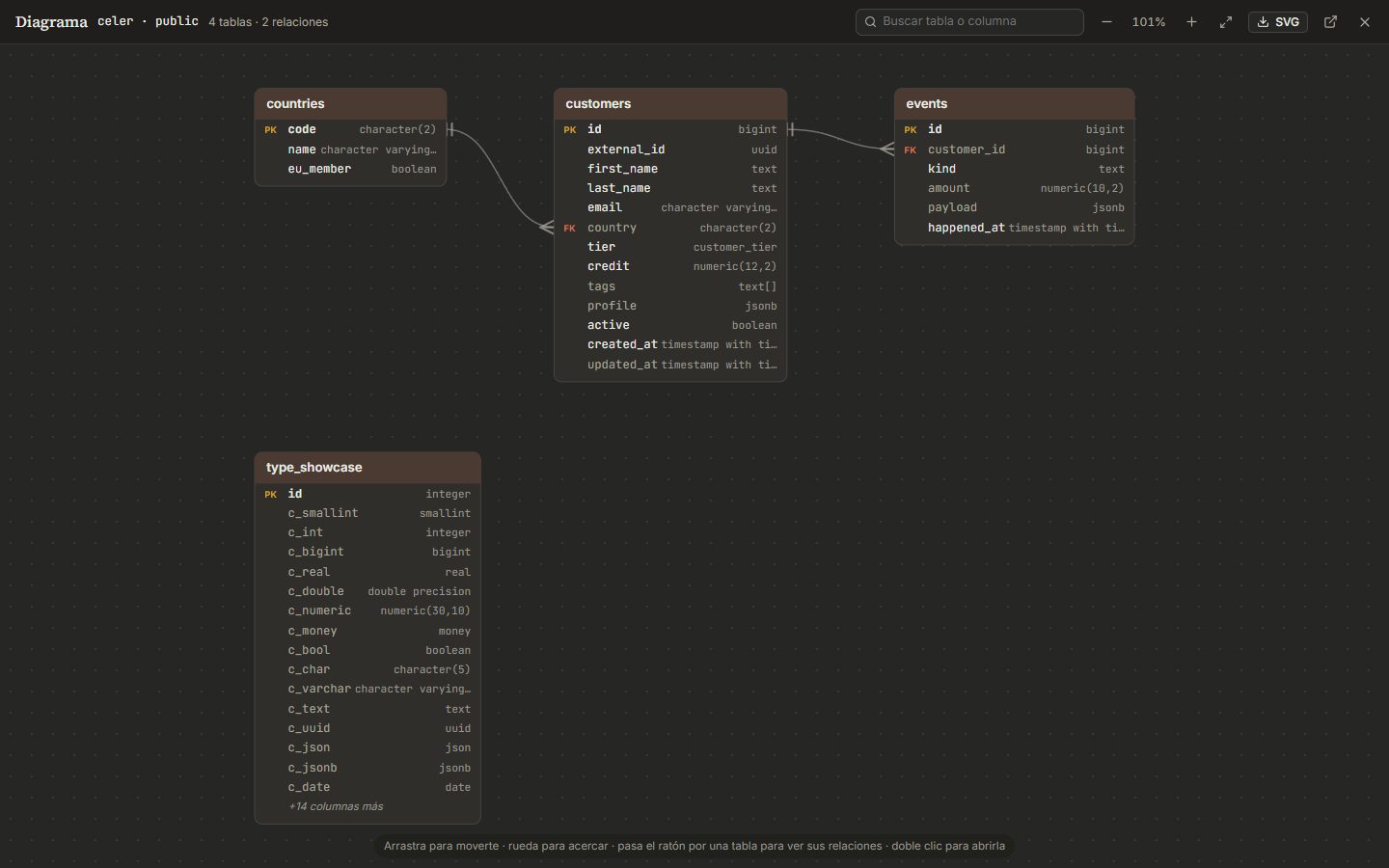 Entity-relationship diagram |
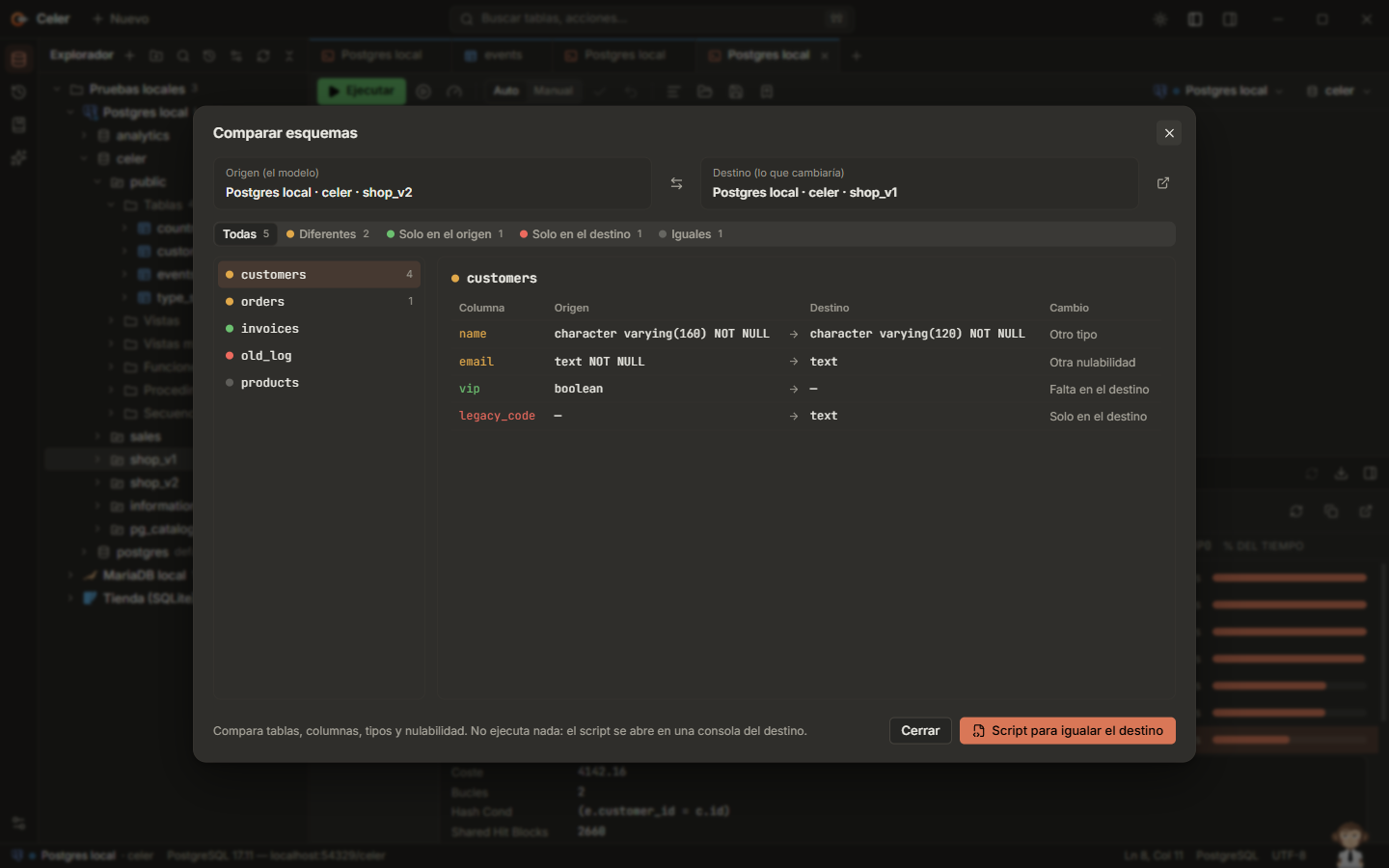 Schema comparison and sync script |
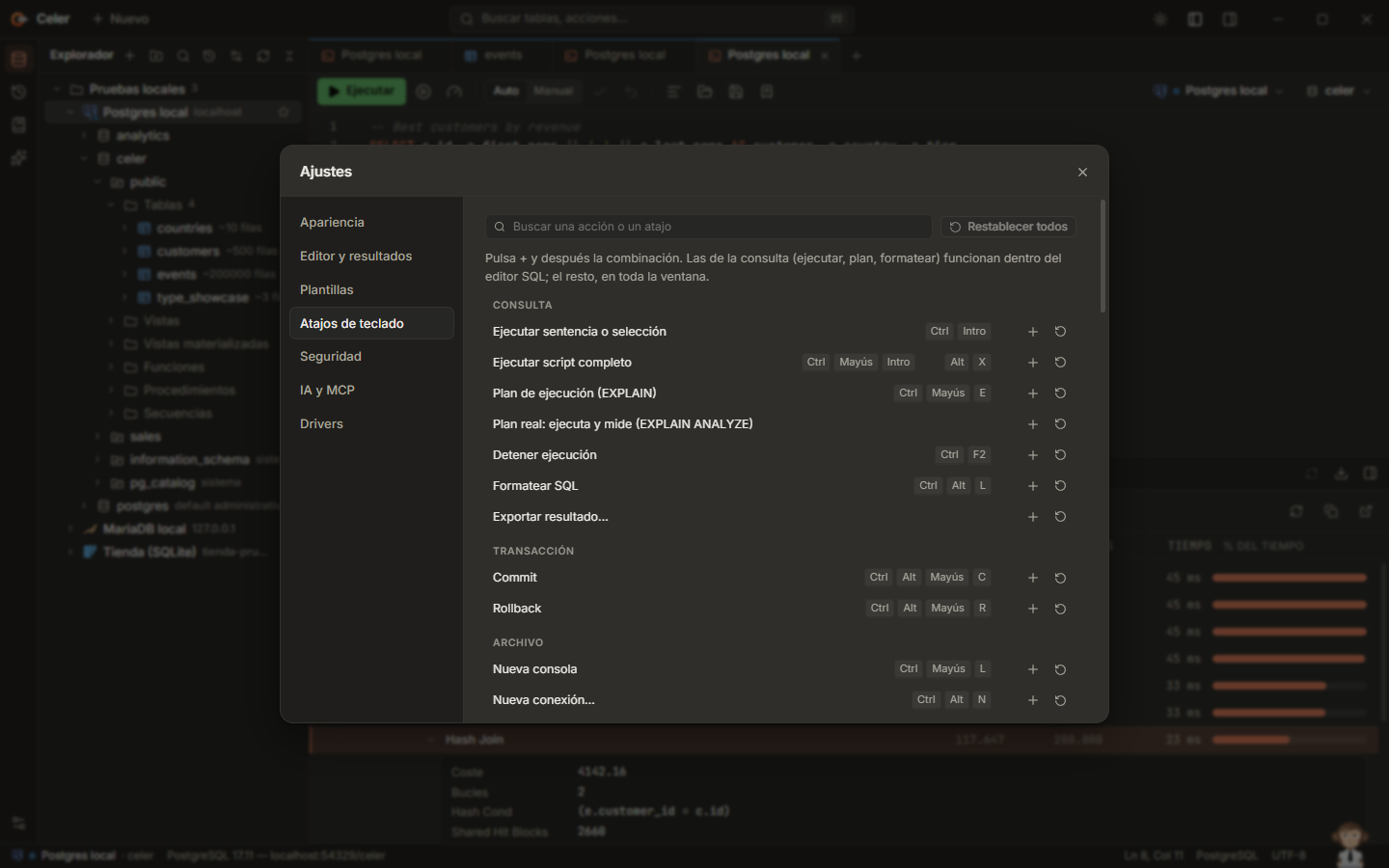 Shortcuts you can change |
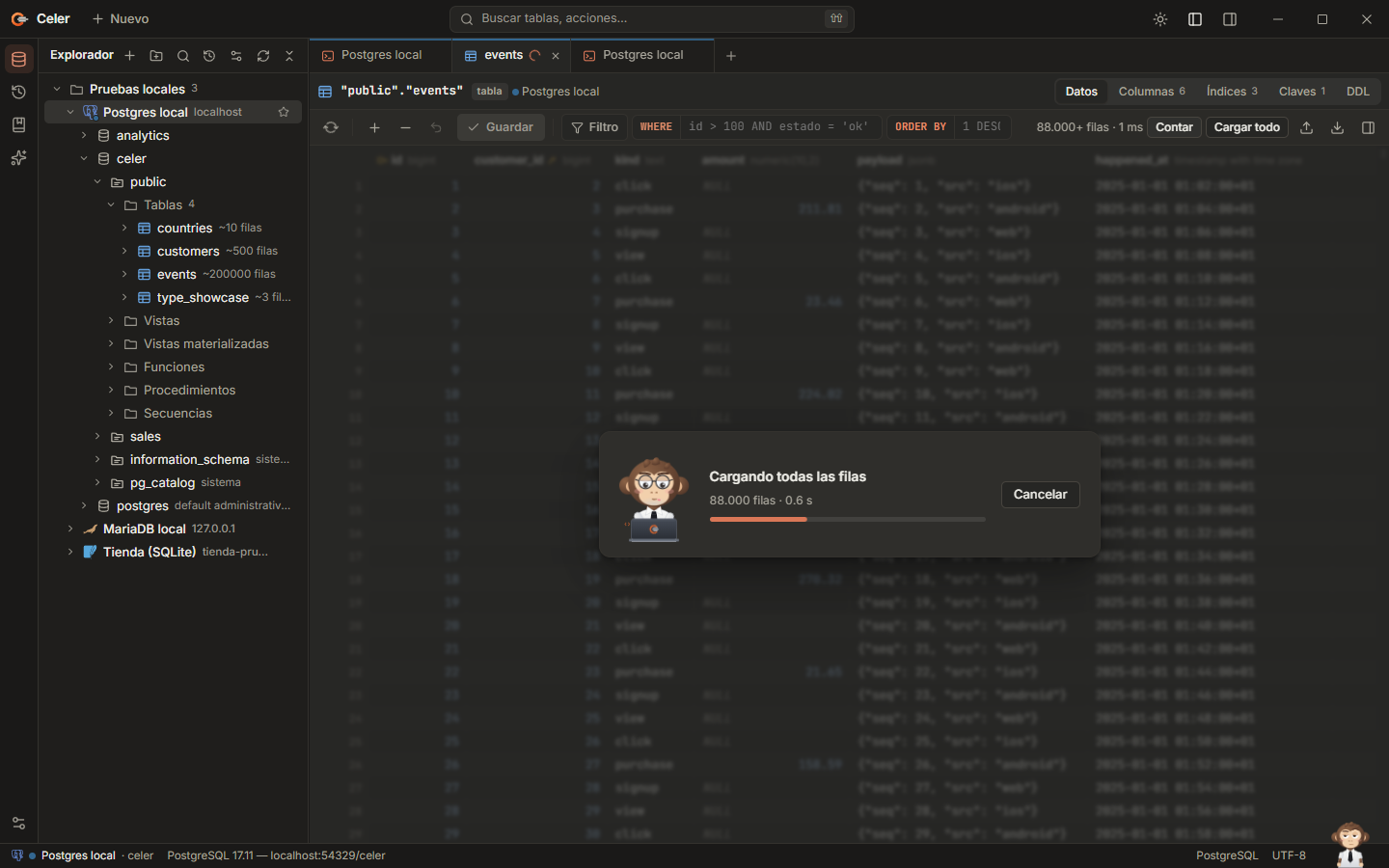 Loading 200,000 rows, cancellable |
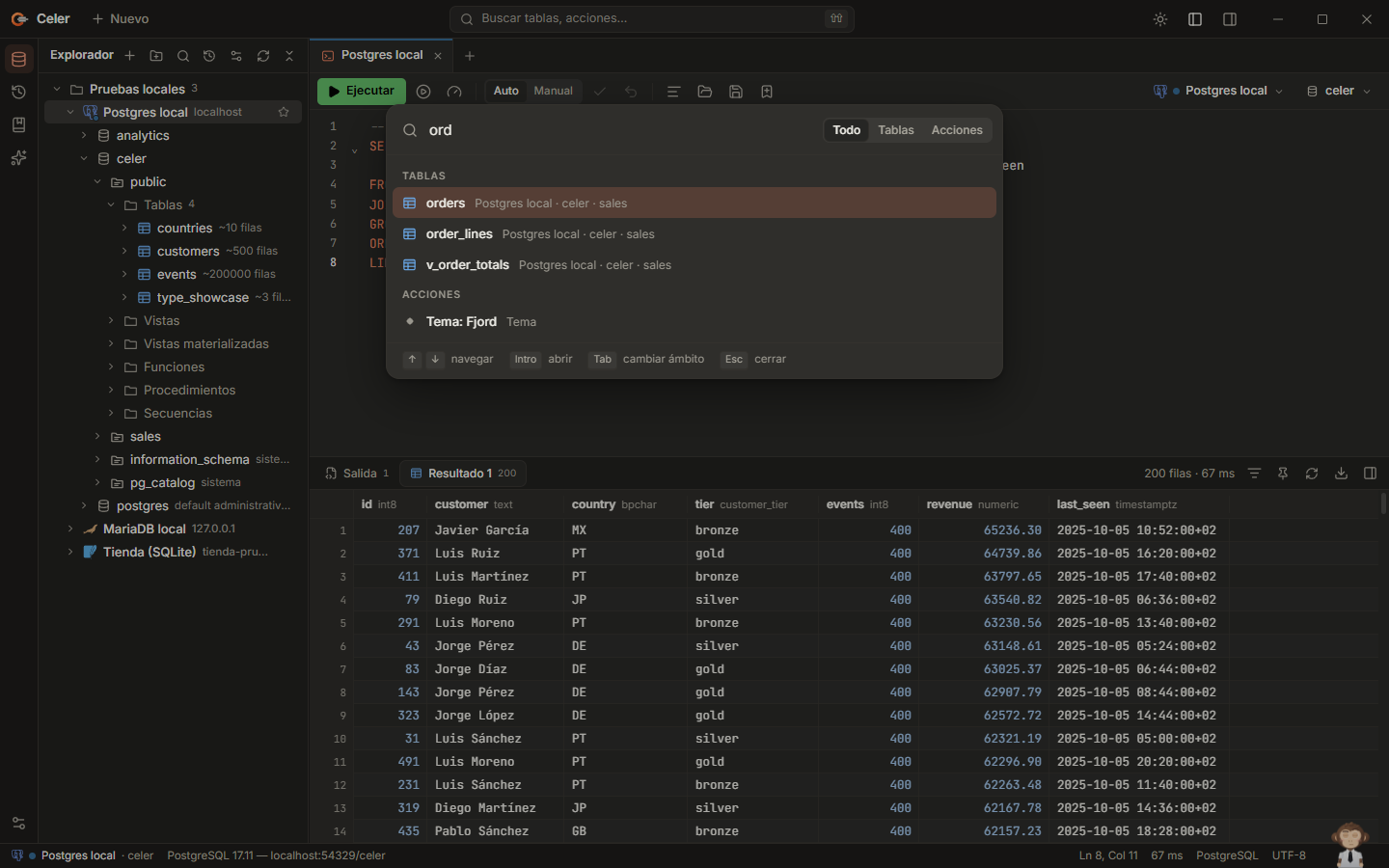 Command palette |
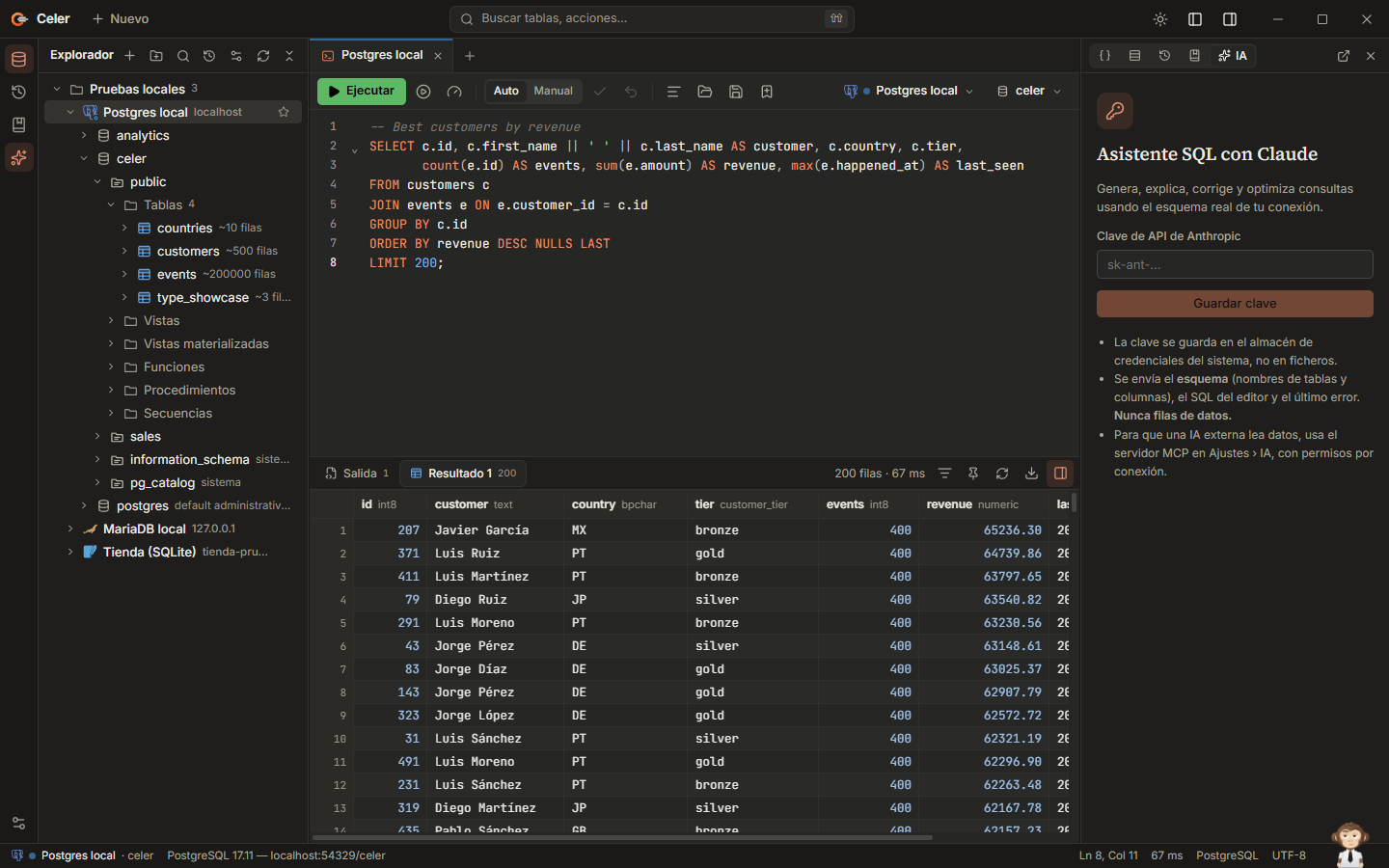 AI assistant |
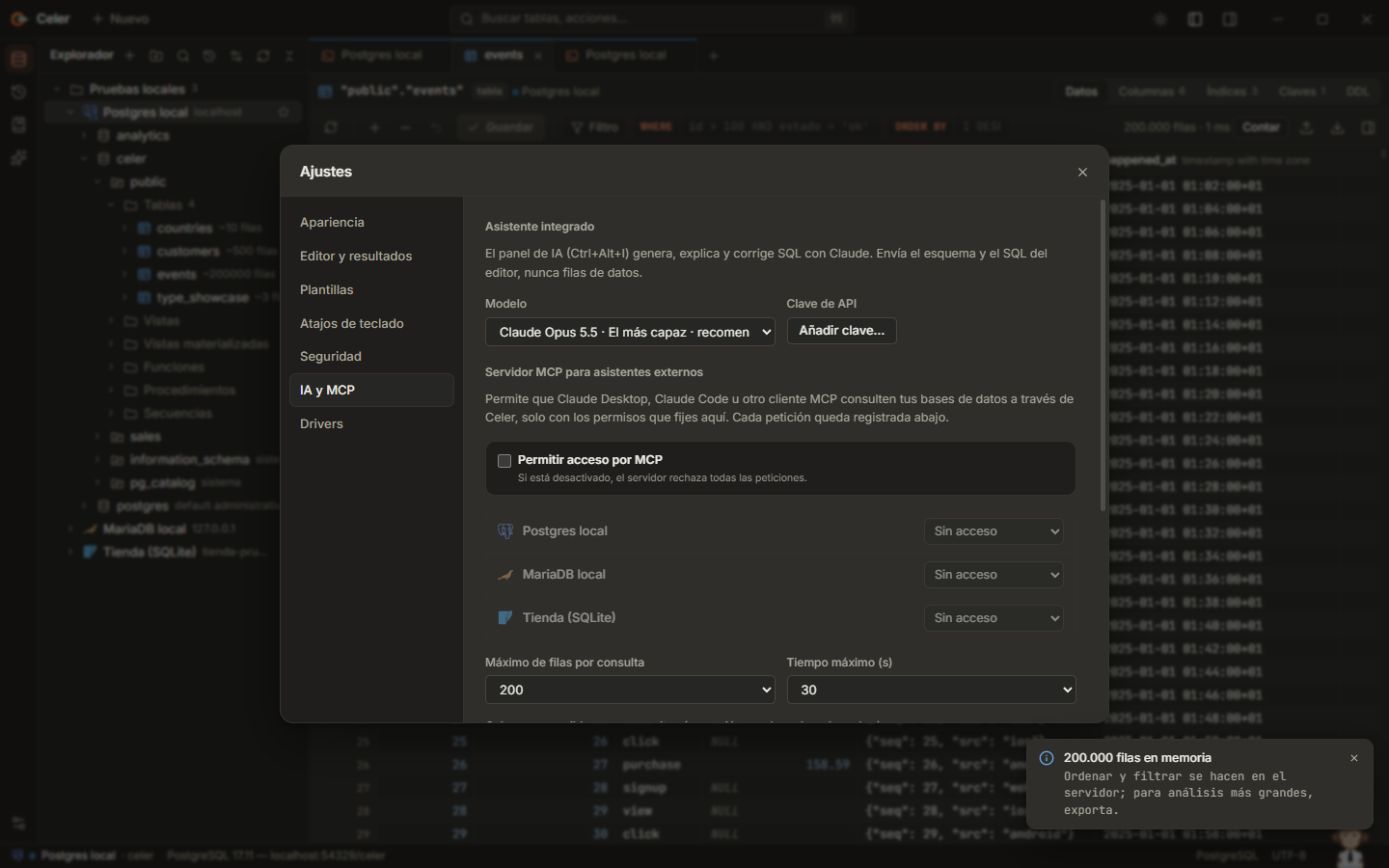 MCP server with permissions per connection |
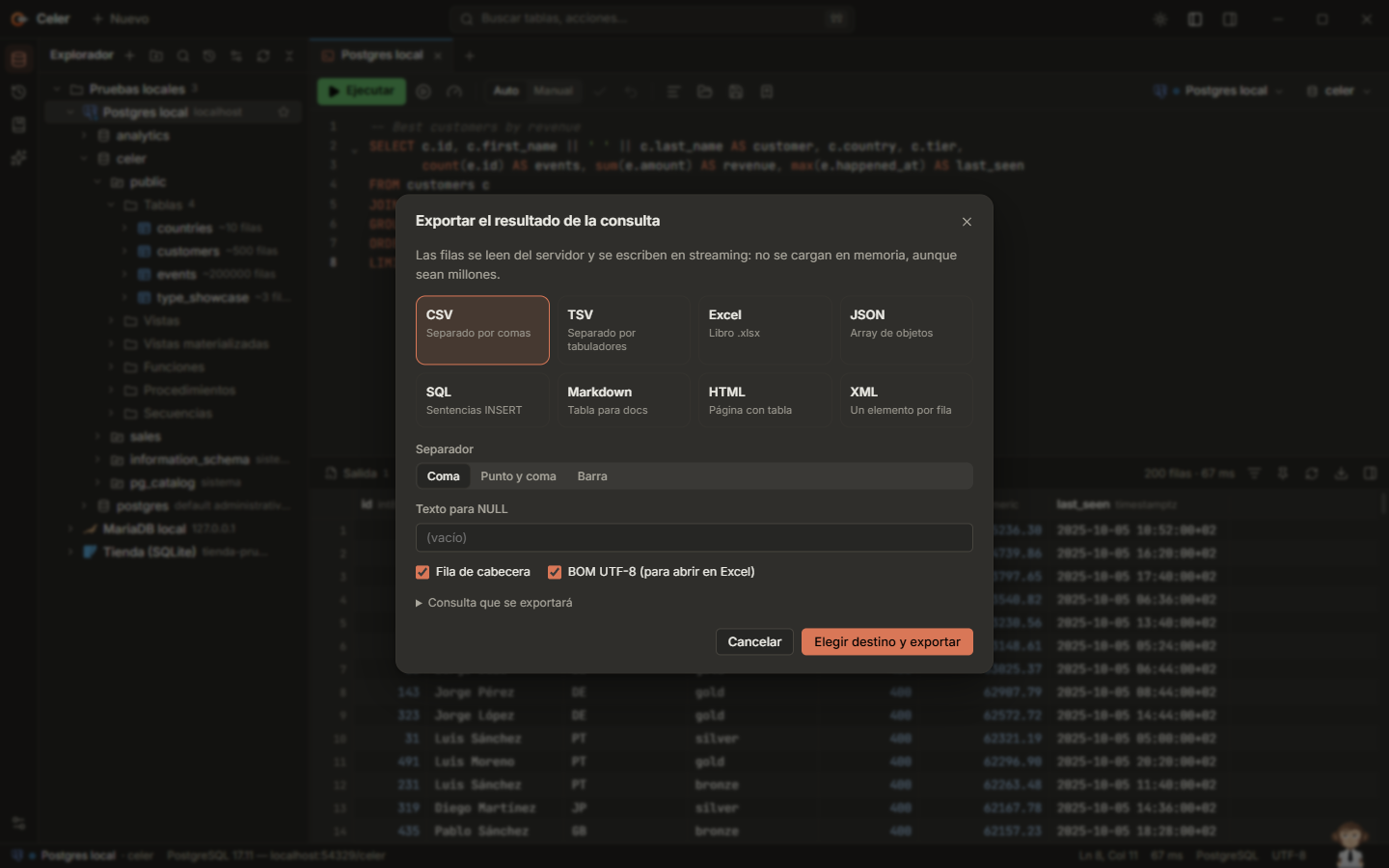 Streaming export |
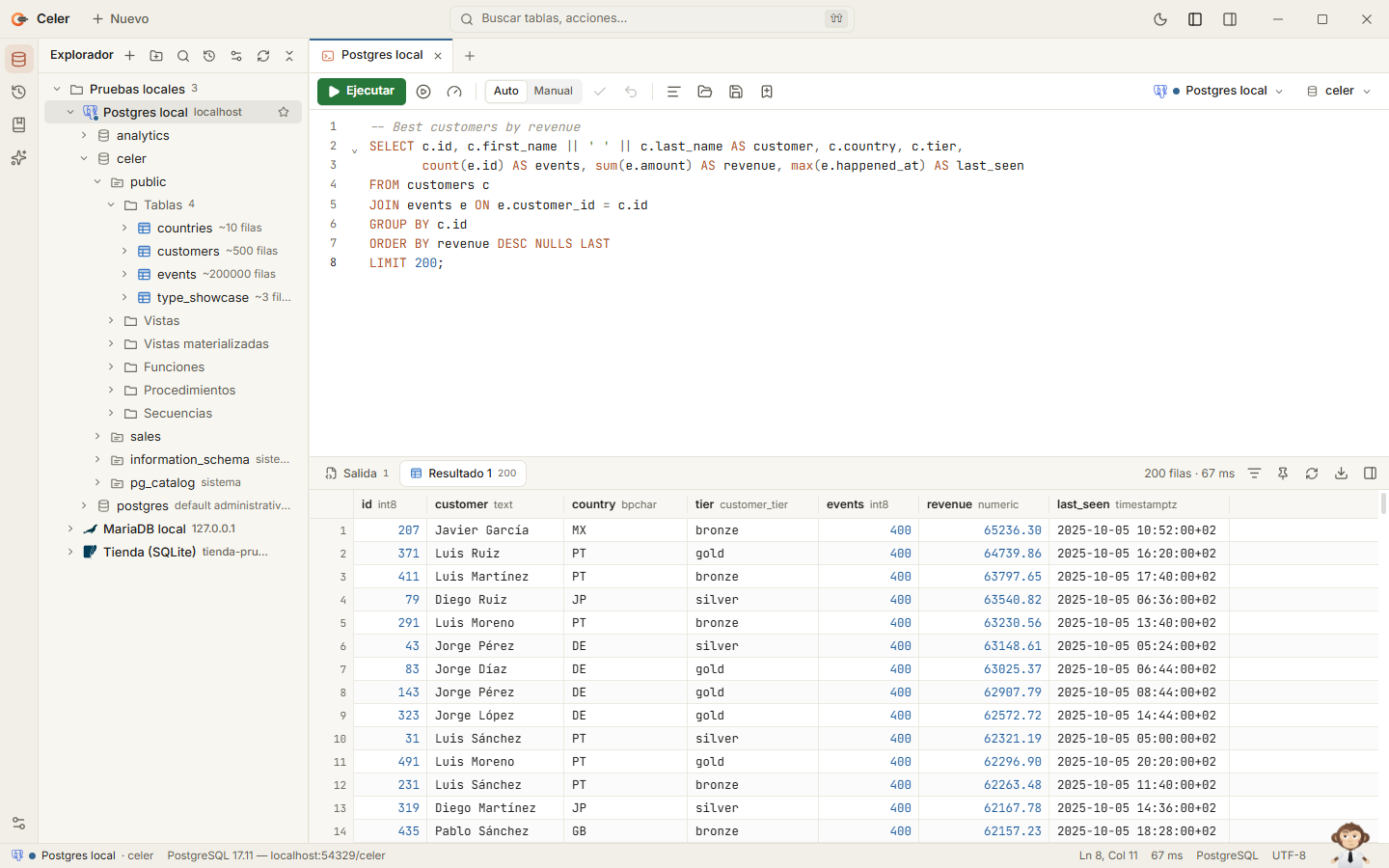 Light theme |
Installation
The buttons at the top always download the latest version. Every release has the same file names:
| System | File |
|---|---|
| Windows | Celer-Setup-Windows.exe (installer) · Celer-Portable-Windows.exe (runs without installing) |
| macOS | Celer-macOS.dmg (Apple silicon and Intel) |
| Linux | Celer-Portable-Linux.AppImage · Celer-Linux.deb · Celer-Linux.rpm |
| All | SHA256SUMS.txt with the SHA-256 of every file |
Windows
- Download
Celer-Setup-Windows.exe(the Windows button above, or from the
latest release) and run it. - Choose the folder and shortcuts (or just click Instalar).
- Open Celer: a short guide shows you around and can create a sample database to play with.
Celer installs to %LOCALAPPDATA%\Programs\Celer, adds a Start menu entry and appears in Settings › Apps for
uninstalling. It runs on Windows 10 and 11 (WebView2, included with Windows). When there is a new version, Celer
tells you; nothing is downloaded until you press Actualizar. You can also run a newer installer over it.
Because the executables are not code-signed yet, SmartScreen may warn the first time (More info › Run anyway).
Every release can be verified with its SHA256SUMS.txt, as described in SECURITY.md.
Celer-Portable-Windows.exe runs from any folder without installing. It does not update itself: when there is a new
version, Celer opens its release page.
macOS and Linux
Celer-macOS.dmg is universal (Apple silicon and Intel). For Linux there are Celer-Portable-Linux.AppImage,Celer-Linux.deb and Celer-Linux.rpm. They are not signed: on macOS open it the first time with right click ›
Open; on Linux make the AppImage executable (chmod +x). Updates inside the app are for Windows; on macOS and Linux
Celer opens the release page so you can download the new package.
Deploying in an organization
Celer Setup installs silently, for the user that runs it and without administrator rights, so a deployment tool
(Intune, Configuration Manager…) must run it in the user's context. The linkhttps://github.com/e-omunoz/celer/releases/latest/download/Celer-Setup-Windows.exe always serves the latest version.
Celer-Setup-Windows.exe --silent [--dir "C:\Tools\Celer"] [--desktop | --no-desktop] [--no-start-menu | --start-menu] [--associate-sql | --no-associate-sql] [--launch]
"%LOCALAPPDATA%\Programs\Celer\uninstall.exe" --uninstall --silent [--purge-data]
| Upgrade | Run the newer Celer-Setup-Windows.exe --silent; settings and connections are kept, and so are the folder, the shortcuts and the .sql association of the current installation unless a flag changes them (--no-desktop, --no-associate-sql…) |
| Exit code | 0 on success; errors are written to %TEMP%\celer-setup.log |
| Uninstall | Removes everything except uninstall.exe itself (Windows does not let a running program delete itself); the next installation removes it, or delete it by hand |
Up to 2.0.1 there was also an MSI package. It is no longer published: copies installed with it keep working; to move
to Celer Setup, uninstall the MSI copy (your data is kept) and install Celer-Setup-Windows.exe.
Databases
| Engine | Driver | Status |
|---|---|---|
| PostgreSQL | native: server-side cursors, cancel, full DDL | ✅ |
| MySQL / MariaDB | native: streaming, KILL QUERY, DELIMITER |
✅ |
| SQL Server | native (TDS), Windows authentication | ✅ |
| SQLite | embedded | ✅ |
| Informix | JDBC (Celer's bridge, Java found or downloaded on demand), Client SDK or IBM CLI | ✅ |
| Any ODBC source | ODBC driver manager | ✅ |
| Oracle, Db2, DuckDB, ClickHouse, Snowflake… | — | planned |
Keyboard shortcuts
| Shortcut | Action |
|---|---|
Ctrl+Enter / Ctrl+Shift+Enter |
Run the statement / the whole script |
Ctrl+click · F4 · Ctrl+B |
Open the table under the caret (in the SQL) |
Ctrl+click on an FK value |
Open the referenced row |
Shift Shift · Ctrl+K |
Search tables, tabs and actions |
Ctrl+N |
Go to table |
Ctrl+Shift+A |
Actions |
Ctrl+Shift+L |
New console |
Ctrl+Shift+N |
New window (drag a tab out of the tab bar to move it to one). With the focus in the explorer it creates a folder; in a table grid it sets NULL |
Ctrl+Alt+N |
New connection |
Ctrl+Alt+L |
Format SQL |
Ctrl+Shift+E |
Execution plan |
Ctrl+F2 |
Stop |
Ctrl+Alt+I |
AI assistant |
Ctrl+Alt+E |
History |
Ctrl+Alt+B |
Save the console in the script library |
Alt+8 |
Script library |
Ctrl+Alt+S |
Settings |
Ctrl+Alt+Shift+C / Ctrl+Alt+Shift+R |
Commit / rollback |
Every shortcut can be changed in Ajustes › Atajos de teclado. On macOS, Ctrl is ⌘.
Privacy and security
- No accounts, no telemetry. Your data never leaves the computer unless you ask for it.
- Passwords and the AI key live in the operating system's credential store, never in files.
- Network access beyond your databases is limited to: the update check against the GitHub Releases API (it sends
nothing about you and can be turned off), the IBM driver download when you ask for it, and the AI assistant if you
configure your own key (it receives the schema, never row data). - The MCP server runs locally over stdio, is off by default and only sees what each connection's permission allows.
- Read-only connections refuse writes, even hidden in a batch; production connections ask before risky statements.
Details and how to report a vulnerability: SECURITY.md.
Performance
Measured on a laptop against the seeded PostgreSQL test database:
| First page of 500 rows | a few milliseconds after the server answers |
| Load 200,000 rows into the grid | about 2 s, the window stays responsive |
| Select all / copy 200,000 rows | ~40 ms / ~250 ms |
| Export 200,000 rows to CSV | ~1 s, streaming to disk |
Building from source
Requirements: Rust (stable), Node.js 20+ and, on Windows, the Visual Studio
Build Tools with the C++ workload.
git clone https://github.com/e-omunoz/celer
cd celer
npm install
npm run tauri dev
npm run dev runs the same interface in a browser against an in-memory SQLite demo. Releases are built and published
by GitHub Actions when a vX.Y.Z tag is pushed (see CONTRIBUTING.md).
| Folder | Contents |
|---|---|
src/ |
Interface (SolidJS + TypeScript): workspace, grid, editor, explorer, dialogs, AI panel, guide |
src/gib/ |
Gib, the start-up splash and the status-bar companion |
src-tauri/src/ |
Rust core: drivers, sessions, export, MCP server, updates, migration |
installer/ |
Celer Setup: the custom installer and uninstaller |
docs/ |
Architecture, design, drivers, roadmap, AI/MCP; docs/media is regenerated by dev/readme-media.mjs |
dev/ |
Test databases, end-to-end checks, media capture and release scripts |
Contributing
Bug reports and ideas are welcome in Issues. Conventions, checks and how
releases are made are in CONTRIBUTING.md. Please report security problems privately as described
in SECURITY.md.

Made with care · Gib says hi 👋
Reviews (0)
Sign in to leave a review.
Leave a reviewNo results found