homeshell
Health Warn
- License — License: MIT
- Description — Repository has a description
- Active repo — Last push 0 days ago
- Low visibility — Only 5 GitHub stars
Code Fail
- rm -rf — Recursive force deletion command in .github/actions/publish-downloads/action.yml
- network request — Outbound network request in .github/actions/publish-downloads/action.yml
Permissions Pass
- Permissions — No dangerous permissions requested
No AI report is available for this listing yet.
A lightweight control plane for AI-assisted development
HomeShell
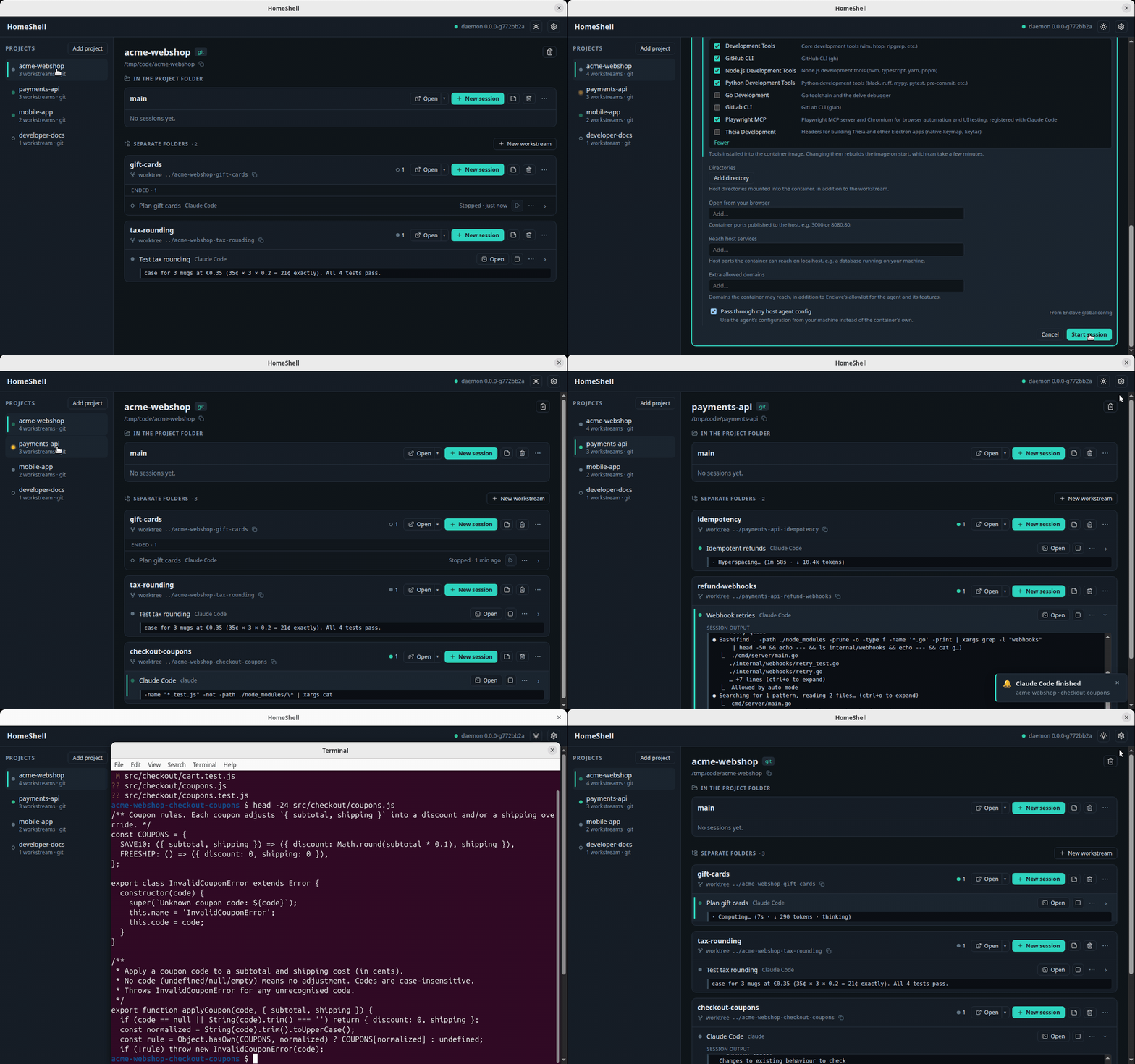
HomeShell watches and drives AI coding agents across your projects. A local daemon tracks every
agent session, whether it runs on your machine or in an Eclipse Enclave container, and shows
them all in one web UI or desktop window: what each agent is doing, which ones wait for you, and
a way to answer them.
Docs: start at the docs index.
Install
Builds are published at download.eclipse.org/enclave/homeshell and as
GitHub releases: releases/ holds the
stable releases, rolling/ the latest build of main. Each release's notes have the install
commands.
- Linux (amd64): the
.debor.rpmpackage (daemon and desktop app). - macOS 12 or later: the
.dmg(desktop app). The build is unsigned, so Gatekeeper blocks the
first open; the release notes say how to allow it. - Anywhere else: the
homeshell-<os>-<arch>.tar.gzarchive for your platform, used with a
browser. Installed into a directory you own, such as~/.local/bin, it updates itself from
the channel it came from. Packages and the app are updated by installing a newer one. - Windows: the Linux build inside WSL (no native build).
To build from source, install the toolchain, then
make setup           # Go modules, pnpm workspace, Playwright's Chromium
make build           # bin/homeshell, with the web UI embedded
make build-desktop   # optional: bin/homeshell-desktop (needs a system webview, see Setup in DEV.md)
HomeShell runs the agents; it doesn't ship them. Install at least one agent CLI it knows
(Claude Code, Codex, …) on your PATH, or the enclave CLI. What each
provider needs is listed there.
Run
- Browser: run
bin/homeshell serveand open http://127.0.0.1:8420.make runbuilds and
serves at the same address. - Desktop app: run
bin/homeshell-desktop, ormake run-desktopto build and open it. It
starts the daemon, or attaches to a running one, and opens the UI in a window. From a release
package, launch HomeShell from your app menu.
homeshell status shows where a daemon runs and homeshell stop stops it. homeshell update
installs a newer release, so it has nothing to fetch until the first one is published. Flags,
settings and environment variables are in
CONFIGURATION.md.
First use
- Optional, but recommended: install Eclipse Enclave. HomeShell works without it,
but with it each agent runs in its own container, at full autonomy without confirmation
prompts and with its network traffic filtered. Pick Eclipse Enclave as the provider when you
start a session. - Add a project: pick a directory with your code. It comes with a workstream that works in
that folder, on the branch checked out there. - Start a session in it: pick an agent. Its state (running, waiting, idle) and a preview of
its terminal update live. - Answer it: type into the session's input, or open it in a terminal.
- Work in parallel: create more workstreams, each in a new git worktree or copy.
The words used here are defined in CONTEXT.md.
Contributing
Start with CONTRIBUTING.md for contribution terms and the development workflow.
Changes are listed in CHANGELOG.md. Community participation follows the
Code of Conduct; report vulnerabilities privately via SECURITY.md.
License
HomeShell is licensed under the MIT License. See NOTICE.md for project
and third-party notices.
Reviews (0)
Sign in to leave a review.
Leave a reviewNo results found