my-own-coding-agent
Health Uyari
- No license — Repository has no license file
- Description — Repository has a description
- Active repo — Last push 0 days ago
- Community trust — 16 GitHub stars
Code Gecti
- Code scan — Scanned 12 files during light audit, no dangerous patterns found
Permissions Gecti
- Permissions — No dangerous permissions requested
Bu listing icin henuz AI raporu yok.
Educational Python coding agent with provider-agnostic LLM support, skills system, and extensible tool suite.
My Own Coding Agent
An educational, expandable coding‑agent harness built in Python.
It started as a single‑file agent built from notes and experiments, and grew into a full learning playground inspired by Codex, Open Code, Claude Code, and Pi. The goal here is simple: learn how these systems work by building one and then expand it with more bells and whistles over time. It's not the best, but it's mine.
Why this exists
I read a couple of posts on building agents that made me want to own the full harness—not just use a product. I wanted something I could understand end‑to‑end, tweak freely, and grow as I learned. This project is the result: a readable, hackable agent loop with modular pieces I can keep expanding.
This is also a unique project in that it is self‑bootstrapped: I built the initial agent using Codex, then added the tools and loop needed for it to help build itself. Most new features are developed with the agent itself.
What it provides
- Provider‑agnostic LLM support (OpenAI, Anthropic, and OpenAI‑compatible APIs like OpenRouter and Ollama)
- Streaming text + tool calls + thinking blocks
- Session persistence (JSONL) with forking and resuming
- Context compaction to stay inside token limits
- Skills system (Markdown + YAML frontmatter)
- Prompt templates with slash commands and argument substitution
- Extensions API with lifecycle events, runtime/session/model/tool controls, and delivery-provided UI hooks
- Interactive TUI (Textual) + headless CLI mode + local web delivery
- Config layering (global, project, env vars)
- Built‑in tool suite: read/write/edit/bash/grep/find/ls
The agent loop in five steps
- Input intake & preprocessing
- Slash commands and templates (
/something), skills ($skill), and input extensions are resolved before anything hits the model.
- Slash commands and templates (
- Session + context guardrails
- The user message is persisted to the JSONL session; context is compacted if needed.
- Prompt construction & model stream
- System prompt is built from active tools + skills + context files; model response streams back events.
- Tool execution cycle
- Tool calls are parsed, validated, executed, and tool results are appended back into the conversation.
- Turn finalization
- Events are emitted, queued extension follow-up messages are drained, and token stats are updated.
High‑level architecture
runtime/     Agent loop, sessions, context compaction, prompts
llm/         Provider adapters + streaming events
config/      Runtime config loading
tools/       Built‑in tool registry + implementations
skills/      Skill discovery + validation
prompts/     Prompt templates + argument expansion
extensions/  Event hooks + runtime/session/model/tool/UI host
tui/         Textual UI (interactive mode)
cli/         Typer command surface + headless/session helpers
web/         FastAPI + WebSocket delivery shell
Quickstart
Requirements: Python 3.14+ and uv.
make deps
make run
Headless (single prompt):
make run-headless PROMPT="List all Python files"
Web delivery:
make run-web
Development
make test
make lint
make format
Release check (lint + tests):
make can-release
Built‑in tools
read– read file contents with line numberswrite– create/overwrite filesedit– find/replace editsbash– run shell commandsgrep– regex search across filesfind– glob‑based file discoveryls– directory listings
Skills
Skills are Markdown files with YAML frontmatter. Invoke them with $skill-name to inject curated instructions into the prompt. Skill discovery respects user, project, and custom directories (see docs/skills.md).
Prompt templates
Prompt templates are Markdown files invoked with /template-name args... and support $1, $@, ${@:2} style substitution (see docs/prompts.md).
Extensions
Extensions can:
- Block or transform input
- Modify context before the LLM call
- Intercept tool calls/results
- Register new tools and slash commands
- Inspect and mutate session/model/tool state through
ctx - Use delivery-provided UI helpers like
notify,input,confirm,select,present, andset_widget
See docs/extensions.md for the API shape.
Documentation map
docs/README.md— index of all docsdocs/architecture.md— system overview and module responsibilitiesdocs/delivery.md— delivery shells: TUI, headless CLI, and webdocs/web.md— local FastAPI/WebSocket web delivery shelldocs/cli.md— Typer command surface, headless mode, and session commandsdocs/agent-loop.md— detailed step‑by‑step loop walkthroughdocs/tools.md— tool schemas, registry, and built‑insdocs/skills.md— skill format, validation rules, search pathsdocs/prompts.md— template format and argument expansiondocs/extensions.md— extension API and lifecycle hooksdocs/llm.md— provider adapters and streaming eventsdocs/tui.md— Textual UI behavior and commandsdocs/configuration.md— config files, env vars, context filesdocs/sessions.md— JSONL sessions, forking, compaction
Examples
- Skills:
- Prompt templates:
- Extensions:
- Usage:
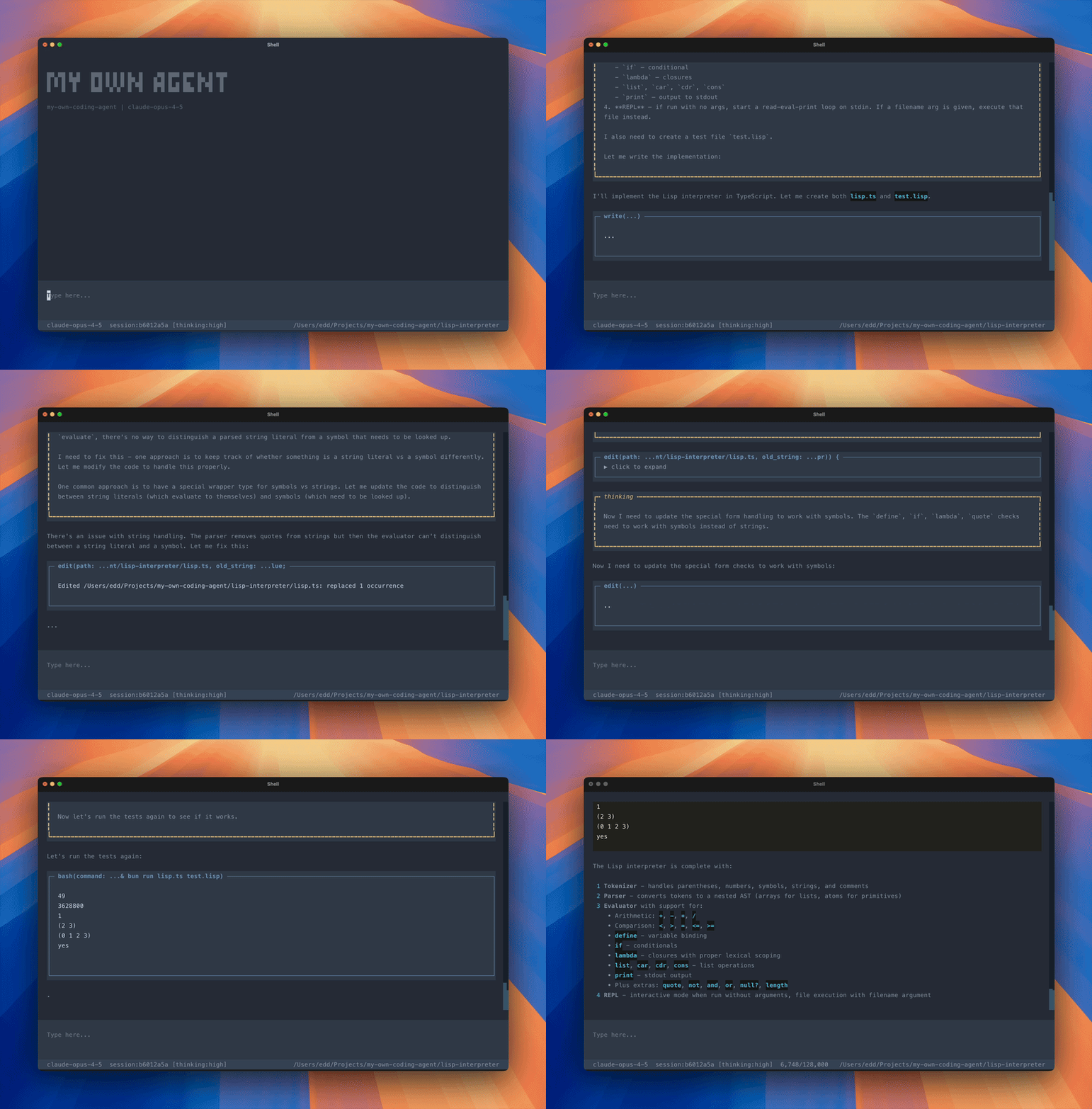
- Lisp interpreter — builds a tiny Lisp interpreter in TypeScript from a problem spec
License
MIT
Yorumlar (0)
Yorum birakmak icin giris yap.
Yorum birakSonuc bulunamadi