CharFactory
Health Warn
- License — License: MIT
- Description — Repository has a description
- Active repo — Last push 0 days ago
- Low visibility — Only 5 GitHub stars
Code Pass
- Code scan — Scanned 12 files during light audit, no dangerous patterns found
Permissions Pass
- Permissions — No dangerous permissions requested
No AI report is available for this listing yet.
Free, open source M.U.G.E.N / Ikemen GO character editor with AI agents (Claude, Codex, Gemini) through MCP: sprites, animations, Clsn boxes, sounds, code and a tick-by-tick move simulator.
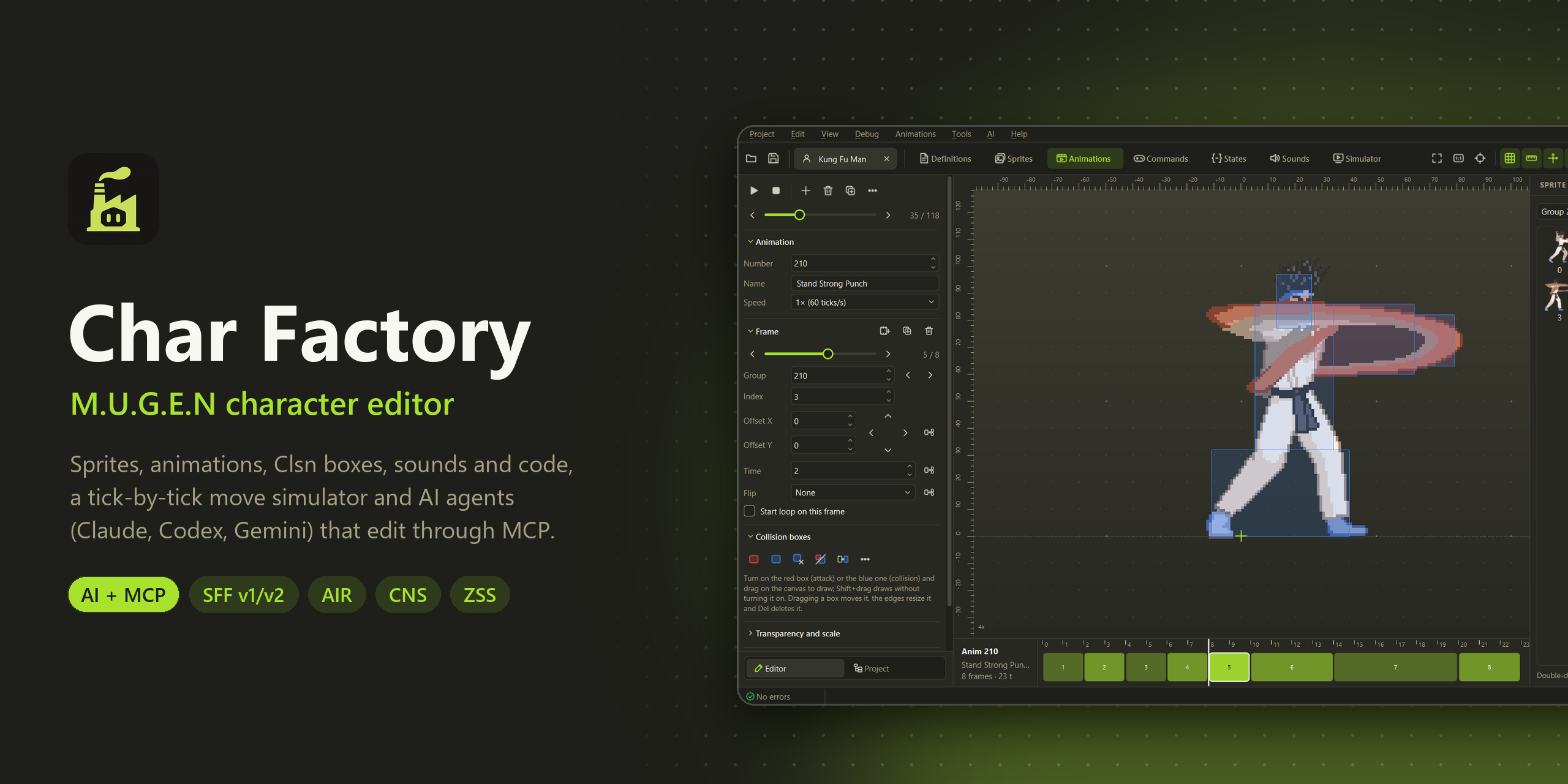




A free, open source editor for M.U.G.E.N and Ikemen GO characters. Inspired by Fighter Factory.
Sprites, animations, collision boxes, sounds and code in one window, a simulator that plays
your moves tick by tick, and AI agents (Claude, Codex, Gemini) that edit the character with you.
Download for Windows, macOS and Linux ·
AI and MCP ·
What makes it different ·
The editors ·
Command line ·
Development
 English ·
 Español ·
 Français ·
 Português (Brasil) ·
 简体中文
Get started
- Download the file for your system from the latest release:
-windows.zip,-macos.zip(Apple Silicon) or-linux.tar.gz. - Extract it anywhere and open
Char Factory(Char Factory.exeon Windows,Char Factory.appon macOS). Nothing to install. - Open a character's
.def, or drop a.def,.zip,.raror.7zon the window.
On macOS the app is not signed: the first time, right-click it and choose Open. MUGEN only
exists for Windows, so on macOS and Linux it runs through Wine; Ikemen GO
runs natively. To open .rar and .7z there, install 7-Zip (7z/7zz) or bsdtar.
The first launch asks for the language and the theme. If the character lives inside your MUGEN or
Ikemen GO folder, Run in the engine (Ctrl+R) finds that engine by itself;
Debug → Run in MUGEN / Run in Ikemen GO tests the same character in the other one.
AI agents and MCP
One request, a new move: the assistant picks the poses, builds the animations and states, wires the command, fixes the kick that missed and shows the result in the simulator. Real tools on Kung Fu Man.
Ask for a move in plain words and an AI agent builds it in the open character: it reads the states,
looks at the animations to pick the right poses, writes the code, fits the collision boxes and
runs the move in the simulator to confirm it hits before telling you it is done. Every change
shows up in the editor at once, Ctrl+Z undoes it, and nothing is written to disk
until you save.
|
Built-in assistant · Ctrl+Shift+A A side panel that talks to Claude, OpenAI (GPT) or Gemini with your API key, or to a local model through Ollama or LM Studio. It knows what you are looking at (the statedef under the cursor, the animation and frame), so "make this faster" just works. |
Your own agent through MCP Claude Code, Codex, Claude Desktop, Gemini CLI, Cursor or VS Code connect to Char Factory and edit the character on screen with your own subscription, no API key needed. Local only ( 127.0.0.1) and protected by a token.
|
 What the agent can do (35 tools)
| Tools | |
|---|---|
| Understand a move | get_move (statedef, animations, input and verdict in one call), list_states, list_animations with search, test_command (which state an input reaches) |
| See | view_animations (contact sheet of candidate poses), view_animation, view_sprite |
| Create | create_move (statedef, command and [Statedef -1] entry), build_animation (boxes fitted to each sprite), set_state, add_controller, add_command |
| Change precisely | edit_state (one parameter, comments kept), edit_animation (frames, timing, boxes), set_constant |
| Check | simulate_state (frame data and the path: where the character goes, from which side it hits), validate_character, mugen_reference, mugen_guide |
Safety nets come built in: an existing move is never overwritten by accident, an input another move
already uses is refused with the free ones listed, AIR boxes the parser would drop are rejected, and
a reply cut by the output limit is never applied half-written.
Set it up
The fastest way: AI → Connect an agent (MCP), tick Run the MCP server, pick your client and
copy the configuration it shows (the URL and your token are already filled in). Keep Char Factory
open with the character loaded while the agent works.
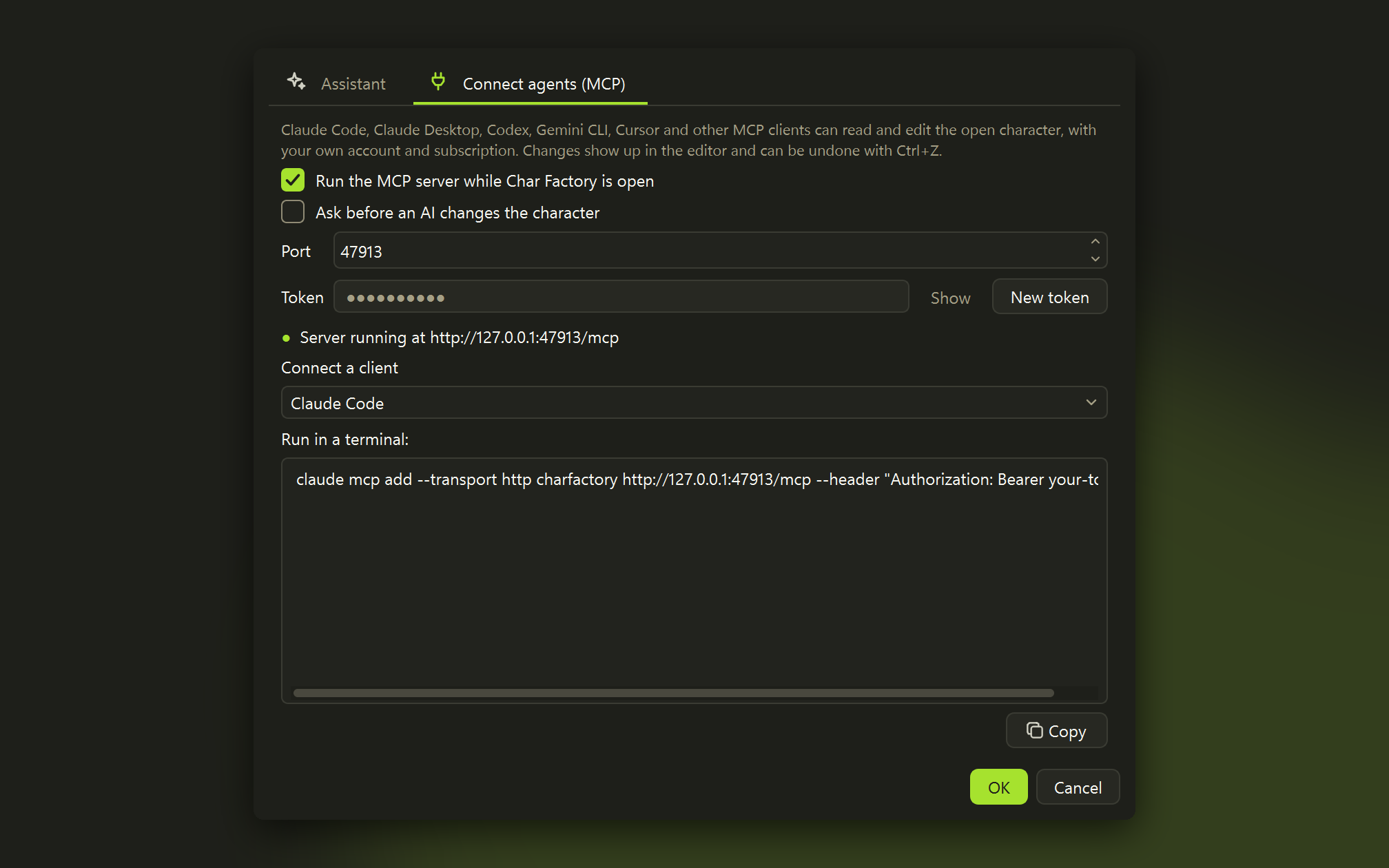
claude mcp add --transport http charfactory http://127.0.0.1:47913/mcp --header "Authorization: Bearer <your token>"
Then start claude and ask, for example: "Open the character in Char Factory, look at the crouching
kicks and make a new one that hits low". /mcp shows that charfactory is connected.
Without the window, Claude Code can also run the server itself on a character:claude mcp add charfactory -- "C:\path\to\Char Factory.exe" --mcp "C:\path\to\char.def".
Add to ~/.codex/config.toml:
[mcp_servers.charfactory]
url = "http://127.0.0.1:47913/mcp"
http_headers = { "Authorization" = "Bearer <your token>" }
Then run codex and ask for the change. Or launch the server over stdio instead:codex mcp add charfactory -- "C:\path\to\Char Factory.exe" --mcp.
The Connect a client list in the same tab has the exact snippet for each one. Claude Desktop
starts Char Factory.exe --mcp, which connects to the open window (add it toclaude_desktop_config.json under Settings → Developer → Edit Config and restart Claude). Any other
client speaks Streamable HTTP to http://127.0.0.1:47913/mcp with the headerAuthorization: Bearer <your token>.
- AI → AI settings…, tab Assistant.
- Pick the provider: Anthropic (Claude), OpenAI (GPT), Google Gemini, or
OpenAI-compatible for OpenRouter, Ollama or LM Studio (set its base URL). - Paste the key (Get a key opens the provider's page) and press Test connection, which also
loads the models into the list. Claude defaults toclaude-opus-5-5. - Open the panel with Ctrl+Shift+A and ask.
The key is stored in the system vault (Windows Credential Manager, macOS Keychain, or the Secret
Service through secret-tool on Linux), never in the settings file. Without a saved
key, ANTHROPIC_API_KEY, OPENAI_API_KEY or GEMINI_API_KEY is used. With Claude, the assistant
caches the prompt and thinks adaptively, so long editing sessions stay fast and cheap.
[!TIP]
Tick Ask before an AI changes the character to approve each change, and use the step lines in
the panel (click one) to see exactly what the agent sent and got back.
What makes it different
Frame data, and a backup side by side
F9 runs a state tick by tick, with helpers, explods and hit pauses, and measures startup,
active and recovery frames and the advantage on hit or guard. Pick a backup in Compare and both
versions play side by side. P2 can stand, guard, crouch or be in the air, and moves chain into combos.
A timeline that edits the code
Every frame, hit, sound and effect of a move on one track. Drag a sound or an effect to another tick
and its trigger is rewritten (Time = N, !Time or AnimElem = N); double-click any event to open
its controller.
Collision boxes in one click
Anatomical Clsn2 (head, torso, legs) from the sprite's silhouette, the attack Clsn1 on an extended
limb, and boxes interpolated between two key frames.
Command palette and go to definition
F1 runs any command or jumps to anim 200, state 1000, sprite 9000,0 or sound 5,0.
In the code, F12 or Ctrl+click opens the definition under the cursor.
And the tools around them
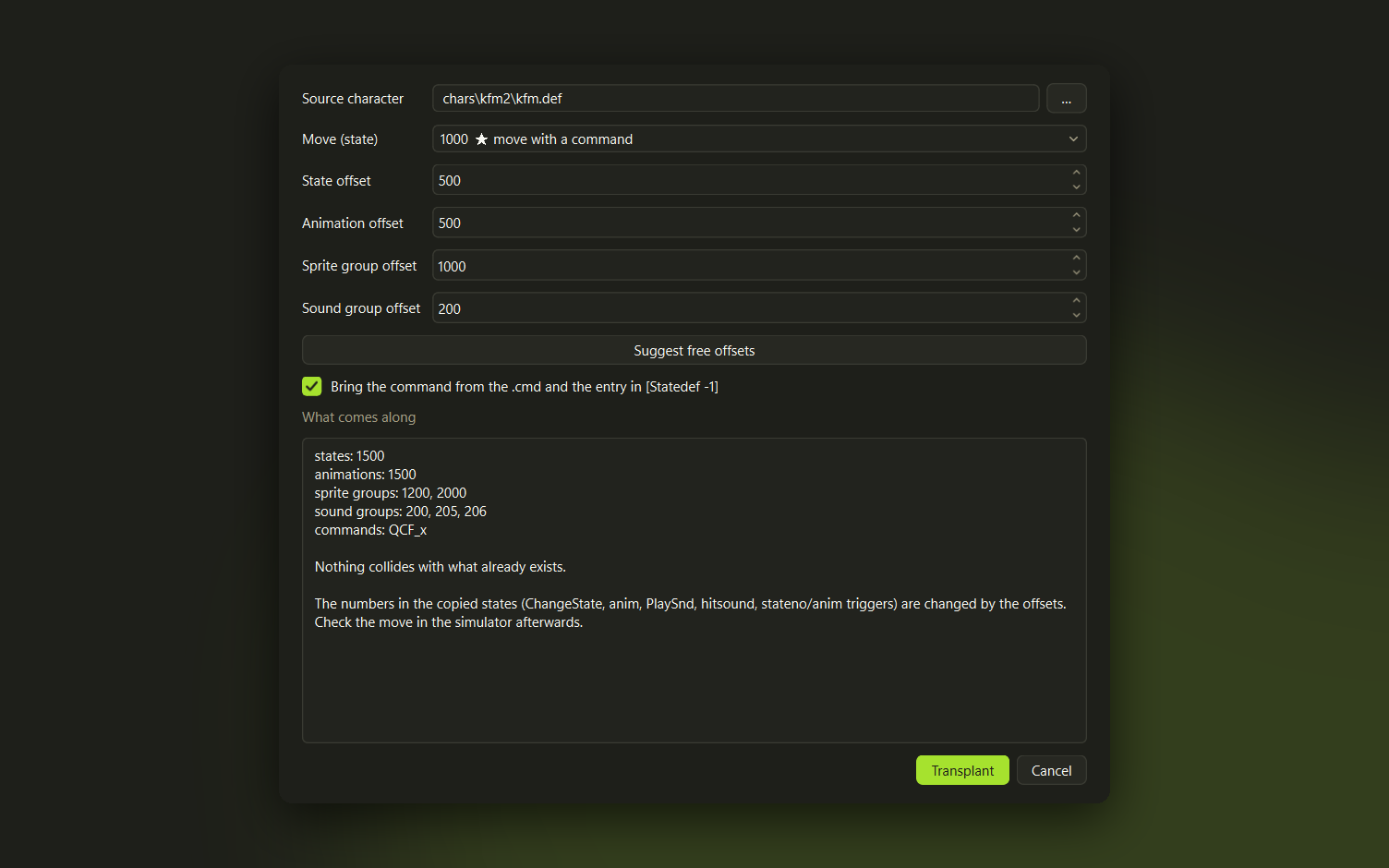 Move transplant Copies a whole move from another character, following ChangeState,
Helper and p1/p2stateno, with its animations, sprites, sounds and
command, renumbered so nothing collides.
|
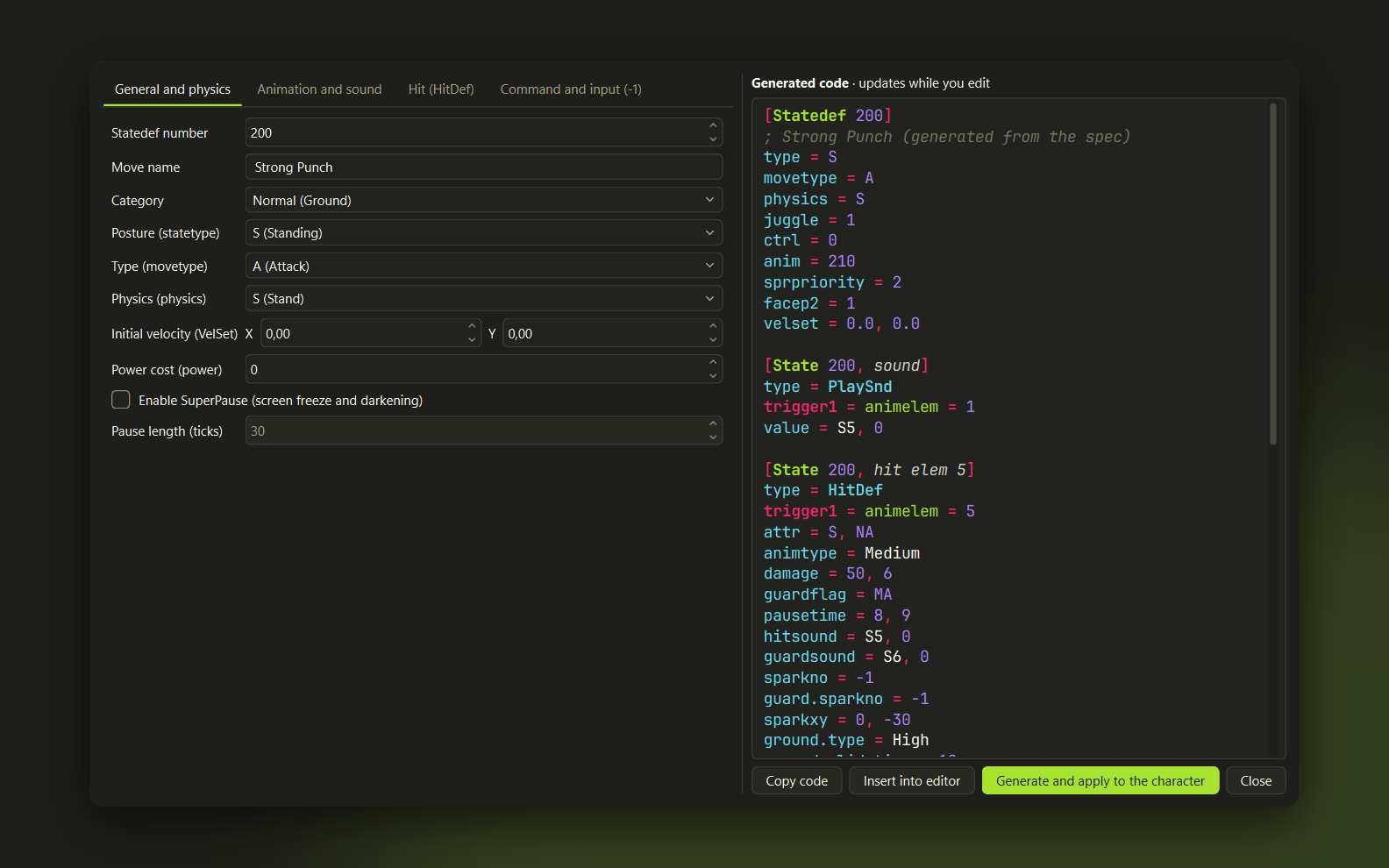 Move wizard Design a move visually (HitDef, physics, sounds, cancels, command) and watch the CNS being written as you edit. |
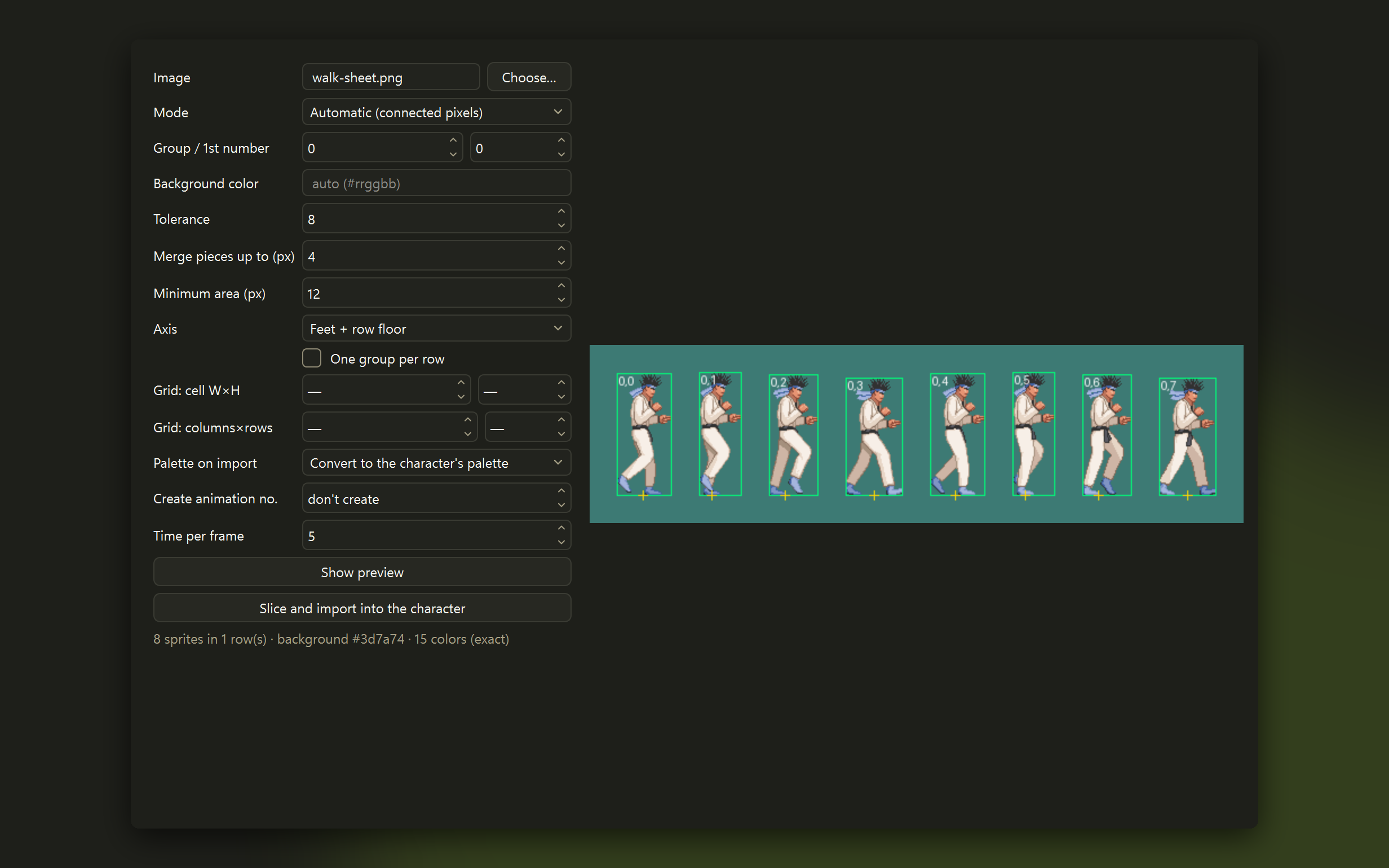 Sprite sheet slicer Finds the background and each frame, puts the axis on the feet and builds one palette, ready to import. |
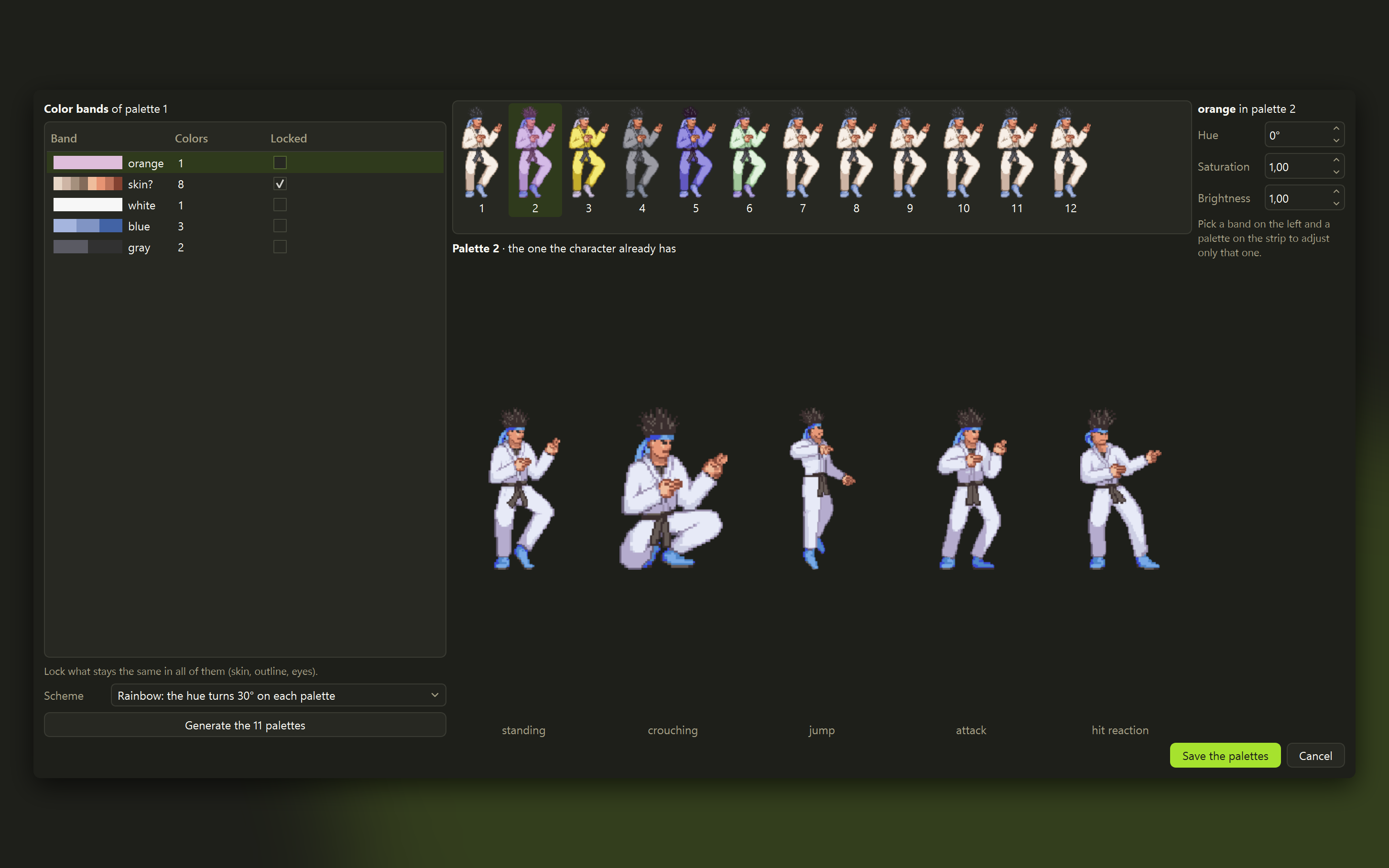 One palette editor, 12 palettes by color bands Every palette on one strip, color tools, a new palette previewed before saving, and a tab that locks what must not change (skin, outline) and generates palettes 2 to 12. Ctrl+Z inside. |
 Pixel editor on palette indices Ctrl+E: selection, magic wand, outline, onion skin, and PgUp/PgDn through the sprites without closing it. |
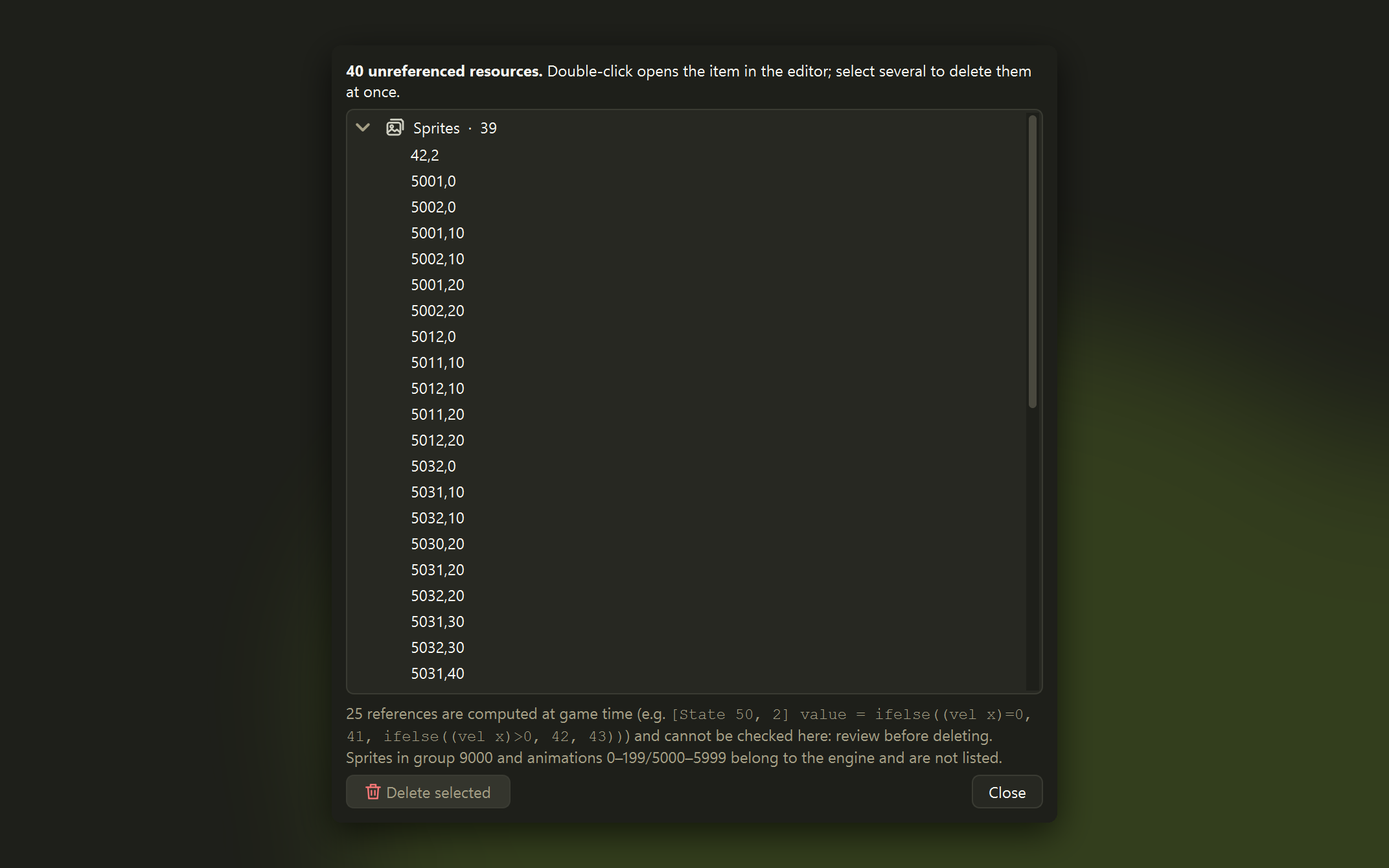 Unused resources Sprites, animations and sounds that nothing references, ready to delete before release. |
The editors
Animations on a canvas with rulers, grid and axis, Clsn boxes drawn with the mouse, every frame on a
timeline sized by its duration, MUGEN 1.1 scale, angle and interpolation, and GIF export.
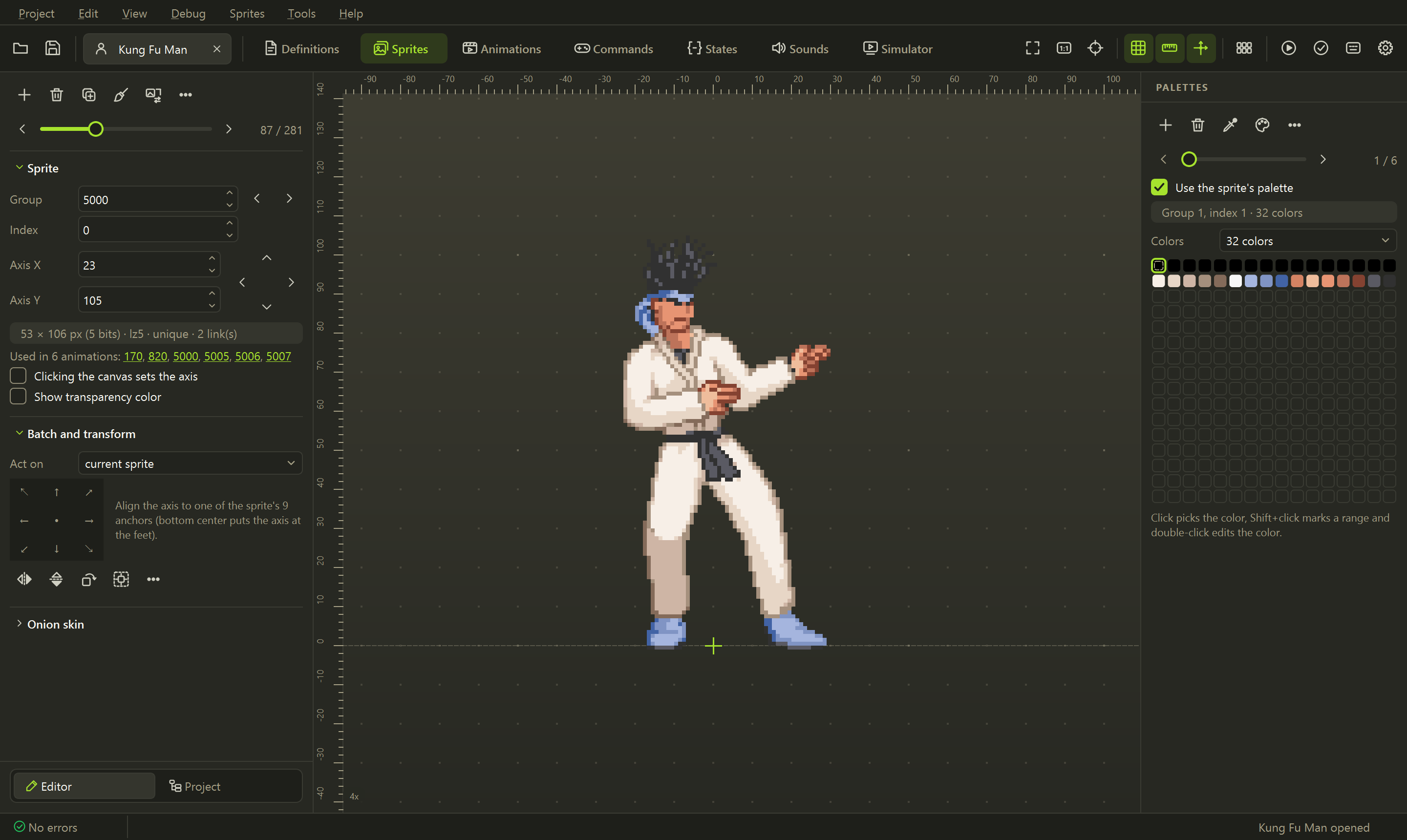 Sprites and palettes Import, export and align sprites, edit palettes and ACT files, or open a sprite in an external editor such as Aseprite. |
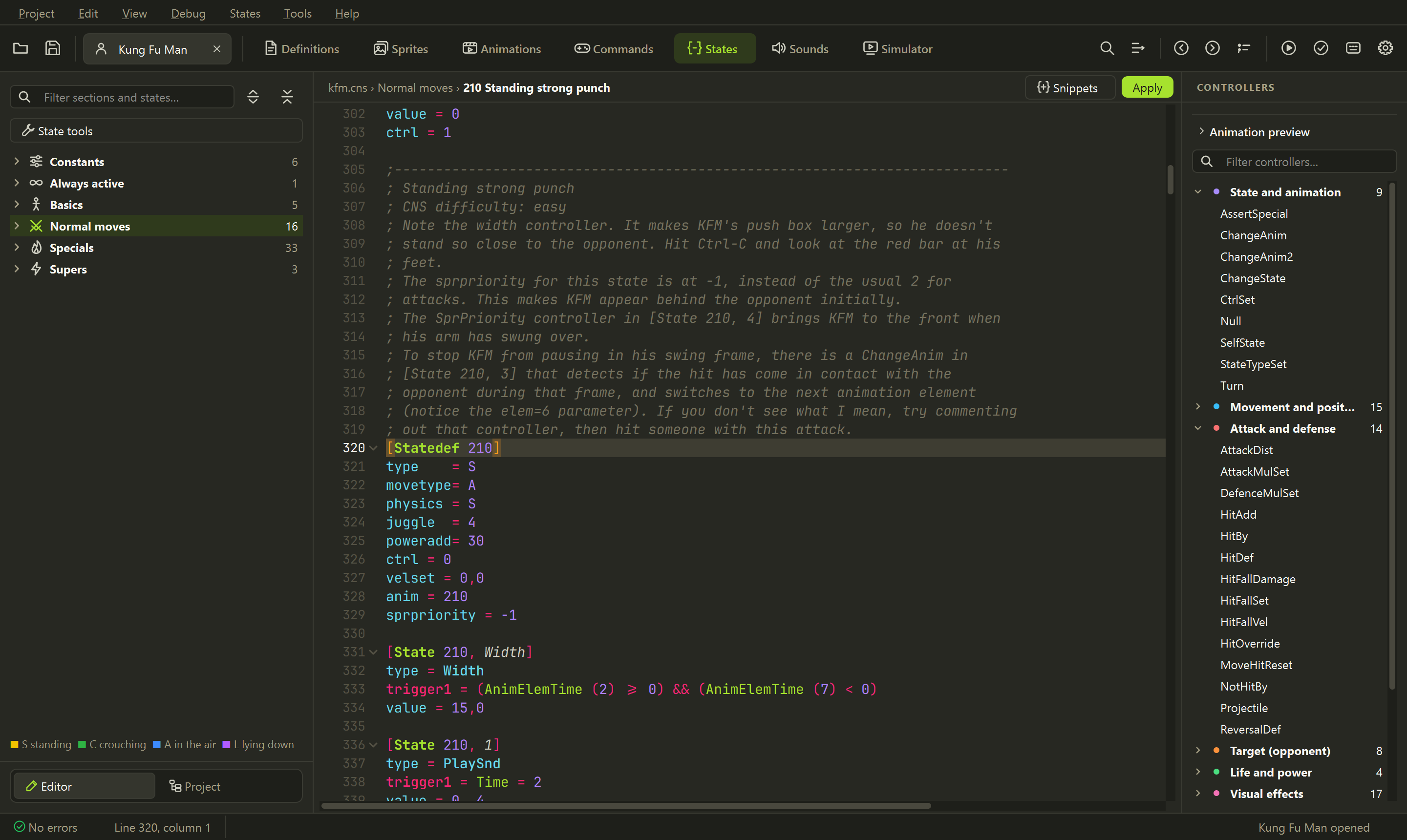 Code CNS, CMD, AIR and DEF with highlighting, docs on hover, snippets and live validation; comments are kept when saving. |
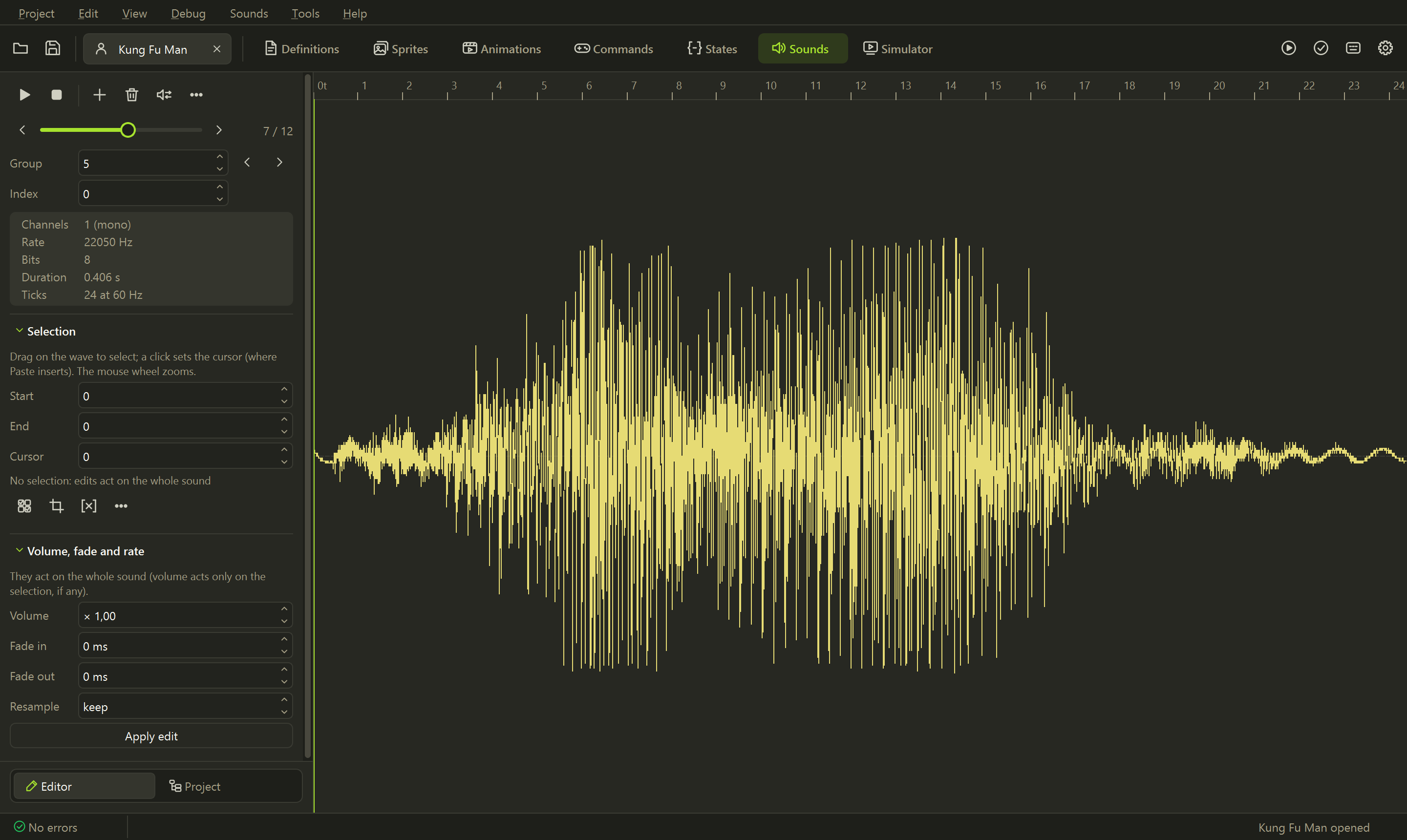 Sounds Play, cut, fade and resample on a ruler measured in game ticks; imports WAV, OGG, MP3 and FLAC. |
 Themes Eight built-in themes, a theme editor and .xml colorset import.
|
- Tools: command tester, throw creator, PalFX editor, offset viewer,
[Statedef -1]organizer,
variable usage list, calculator and HTML move list export. - Stages: layers, properties and a preview with camera and parallax.
- Projects: several characters in tabs, undo and redo everywhere, automatic backup, compare with a
backup, find and replace in every file, open and pack.zipfiles. - Languages: English, Spanish, French, Portuguese (Brazil) and Simplified Chinese, with adjustable
text size for the interface and the code.
Supported formats
| Format | Read | Write |
|---|---|---|
| SFF v1.01 (PCX) and v2.00/2.01 (RLE8, RLE5, LZ5, PNG) | ✓ | ✓ (not RLE5) |
| AIR, CMD, CNS, ST, DEF (comments kept) | ✓ | ✓ |
| ZSS (Ikemen GO) | ✓ | ✓ |
| SND, ACT | ✓ | ✓ |
| ZIP, RAR, 7z (archived character) | ✓ | ZIP |
Command line
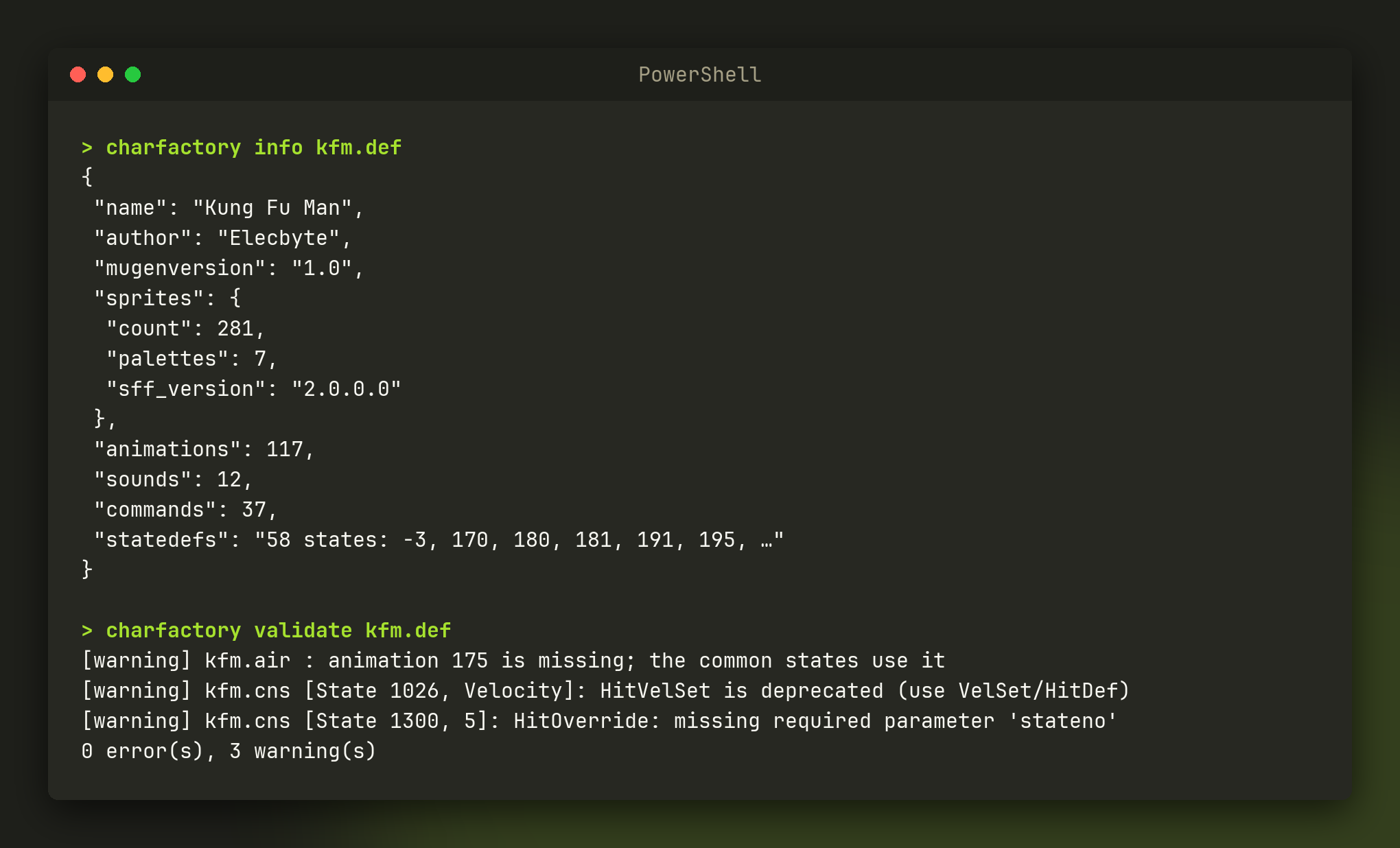
Everything the editor does to files also works from scripts or CI, no window needed:
charfactory render kfm.def 200 out.gif    # render an animation
charfactory sim kfm.def 210 --gif         # simulate a state tick by tick
charfactory convert-sff in.sff out.sff --version 1
charfactory run kfm.def --engine ikemen    # a quick match in Ikemen GO (or mugen, or auto)
charfactory mcp kfm.def                   # MCP server over stdio, for agents (no window needed)
charfactory --help                        # every command
Development
Needs Python 3.11 or newer.
git clone https://github.com/eduardovbe/CharFactory.git
cd CharFactory
python -m venv .venv
.venv\Scripts\pip install -e ".[gui,test]"
.venv\Scripts\charfactory-gui
Tests, translations, building the executable and regenerating these screenshots are covered in
CONTRIBUTING.md. Bug reports, translations and pull requests are welcome; please
follow the Code of Conduct, and report security problems as described in
SECURITY.md.
License
MIT. The bundled JetBrains Mono font is under the SIL Open Font License 1.1.
Inspired by Fighter Factory. Independent project, not affiliated with Elecbyte, the Fighter
Factory authors, Anthropic, OpenAI or Google. M.U.G.E.N is a trademark of Elecbyte. The screenshots
show Kung Fu Man, the sample character that ships with M.U.G.E.N.
Reviews (0)
Sign in to leave a review.
Leave a reviewNo results found