breakinggood
Health Pass
- License — License: MIT
- Description — Repository has a description
- Active repo — Last push 0 days ago
- Community trust — 11 GitHub stars
Code Fail
- spawnSync — Synchronous process spawning in scripts/test.mjs
- exec() — Shell command execution in src/ai/files.ts
- network request — Outbound network request in src/ai/gemini.ts
- network request — Outbound network request in src/ai/openai-compatible.ts
- process.env — Environment variable access in src/ai/resolve.ts
Permissions Pass
- Permissions — No dangerous permissions requested
No AI report is available for this listing yet.
One command. Any URL. Cloned, reverse-engineered, running.
breakinggood
Give it a URL. It figures out the rest.
npx breakinggood https://github.com/someone/some-app     # clone it, set it up, run it
npx breakinggood https://some-website.com                # rebuild it as code, run it
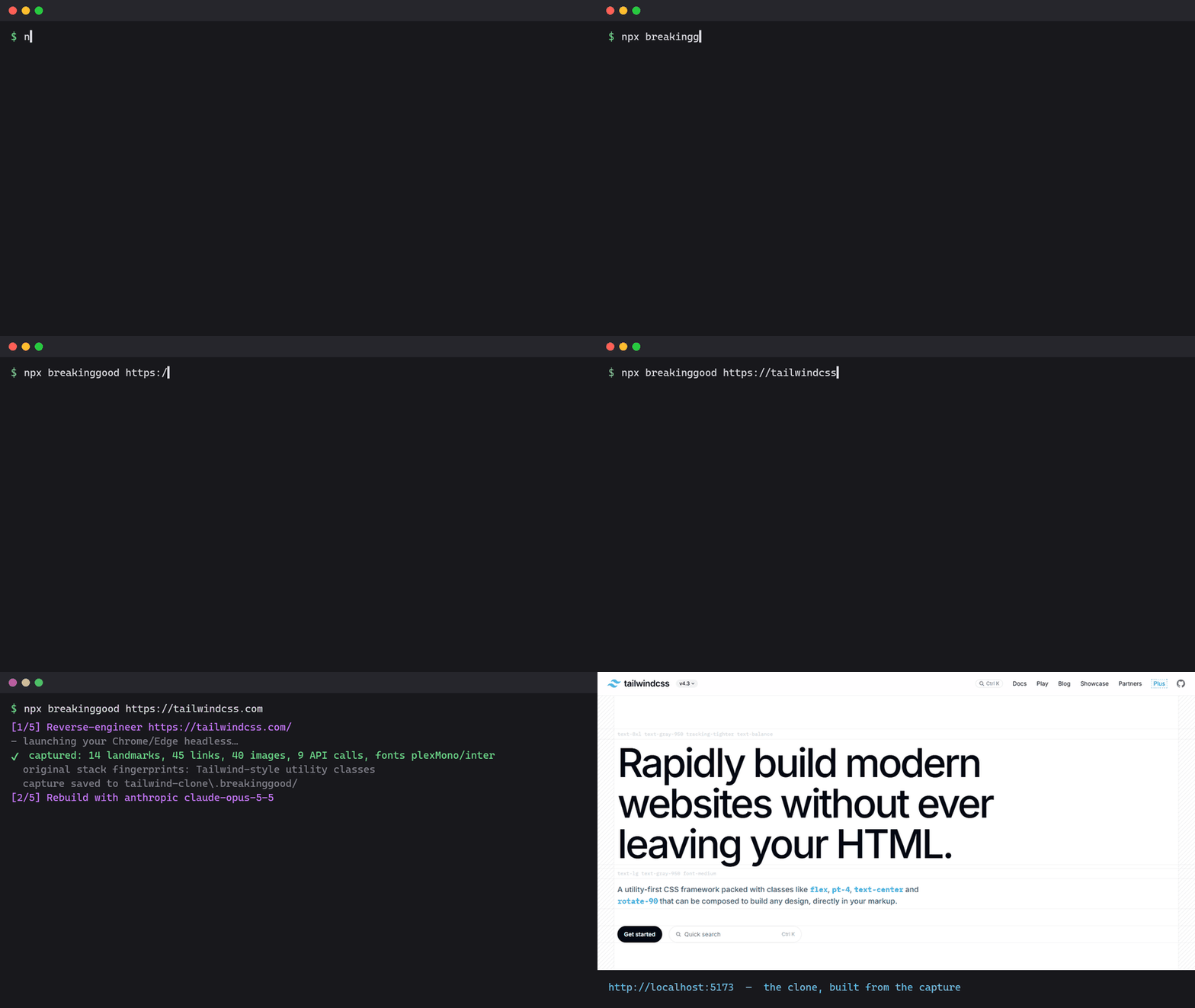
I made this because every time I found an interesting repo I spent twenty minutes
reading the README, guessing the package manager, copying .env.example, and
wondering whether npm install was about to run something nasty. And every time
I saw a nice landing page I wanted to know how it was put together without
opening devtools for an hour.
So now it's one command.
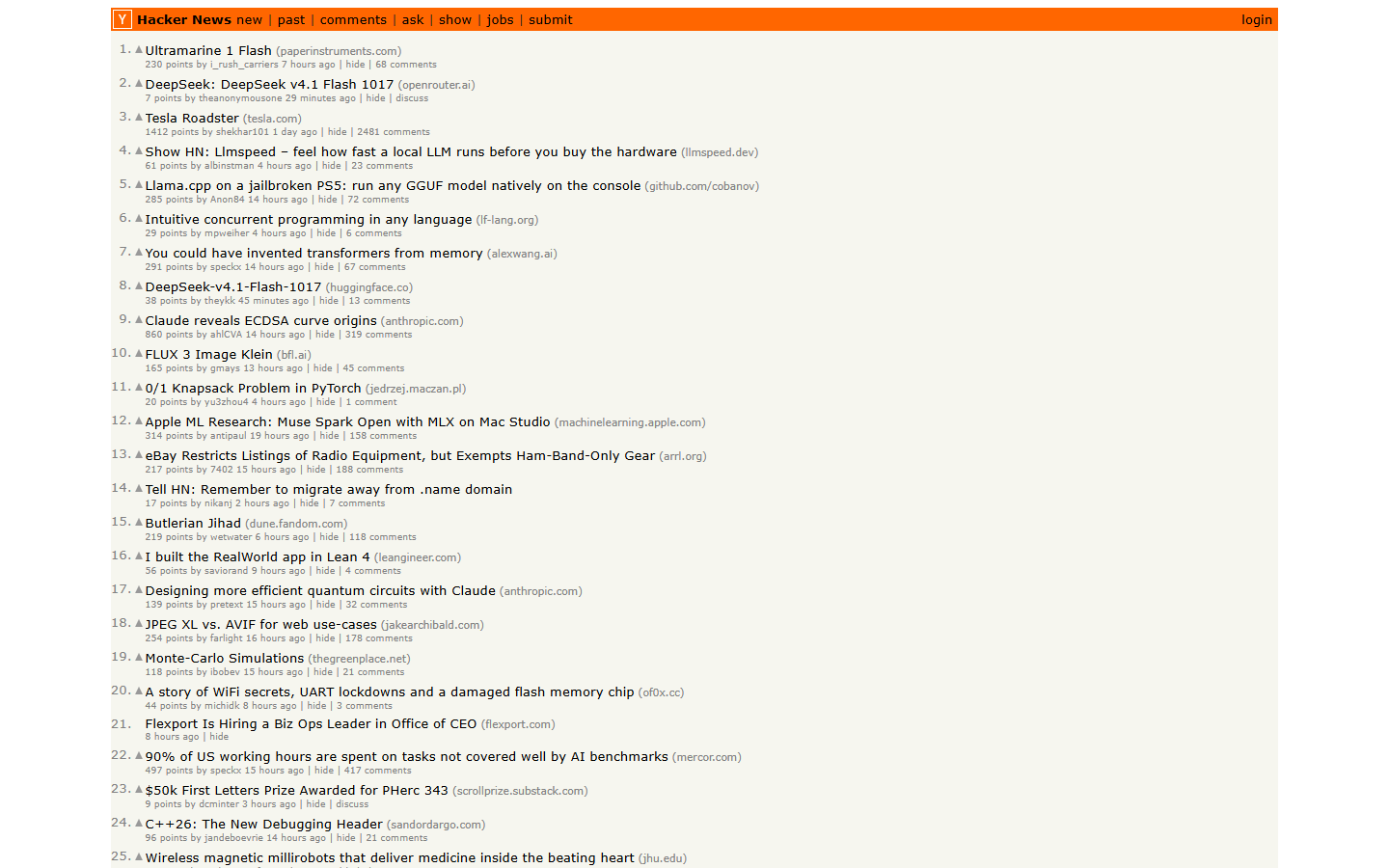
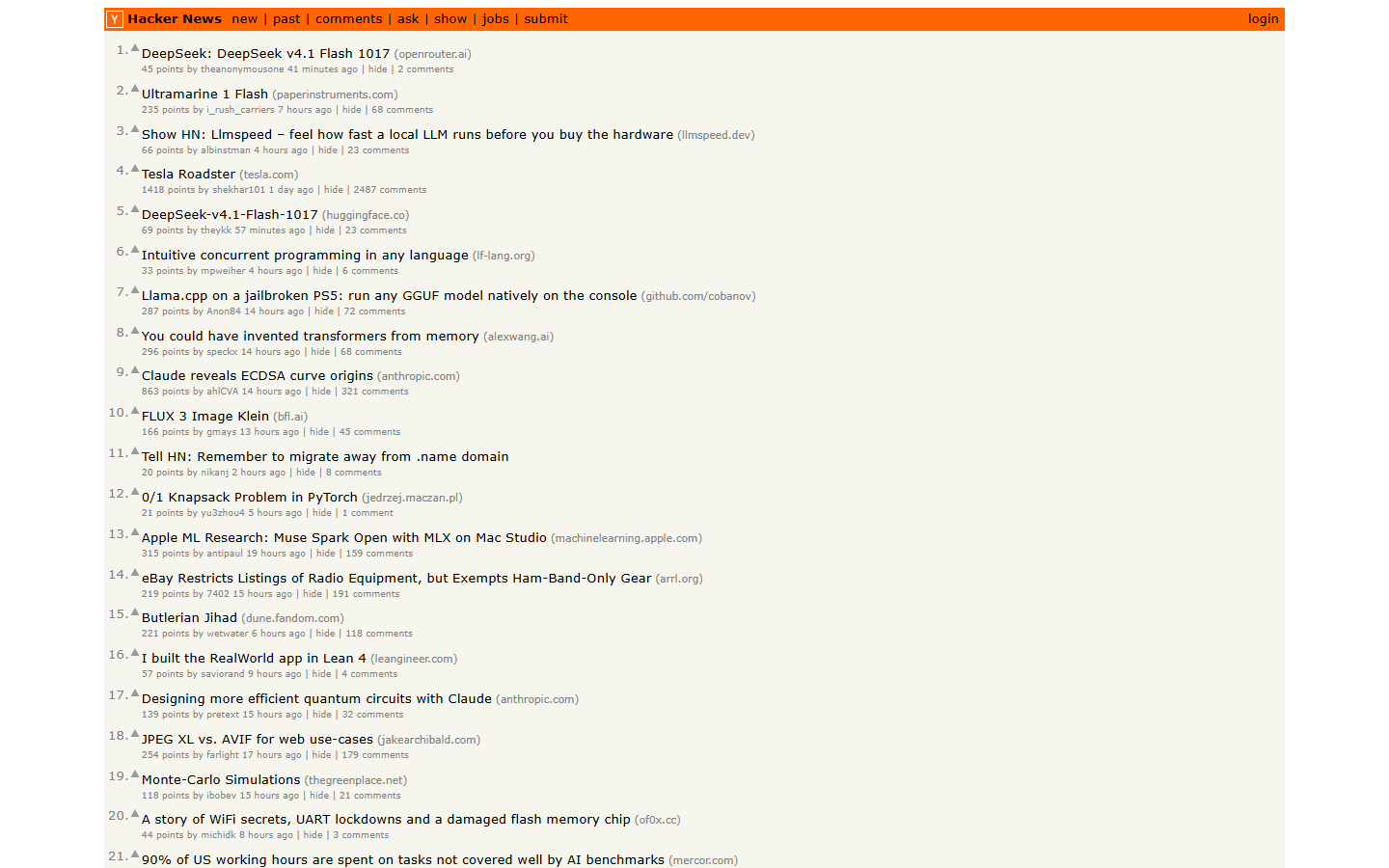
Here's npx breakinggood https://news.ycombinator.com, untouched. Left is the
real page, right is the React project it wrote and started, about four minutes
later:
| original | clone |
|---|---|
 |
 |
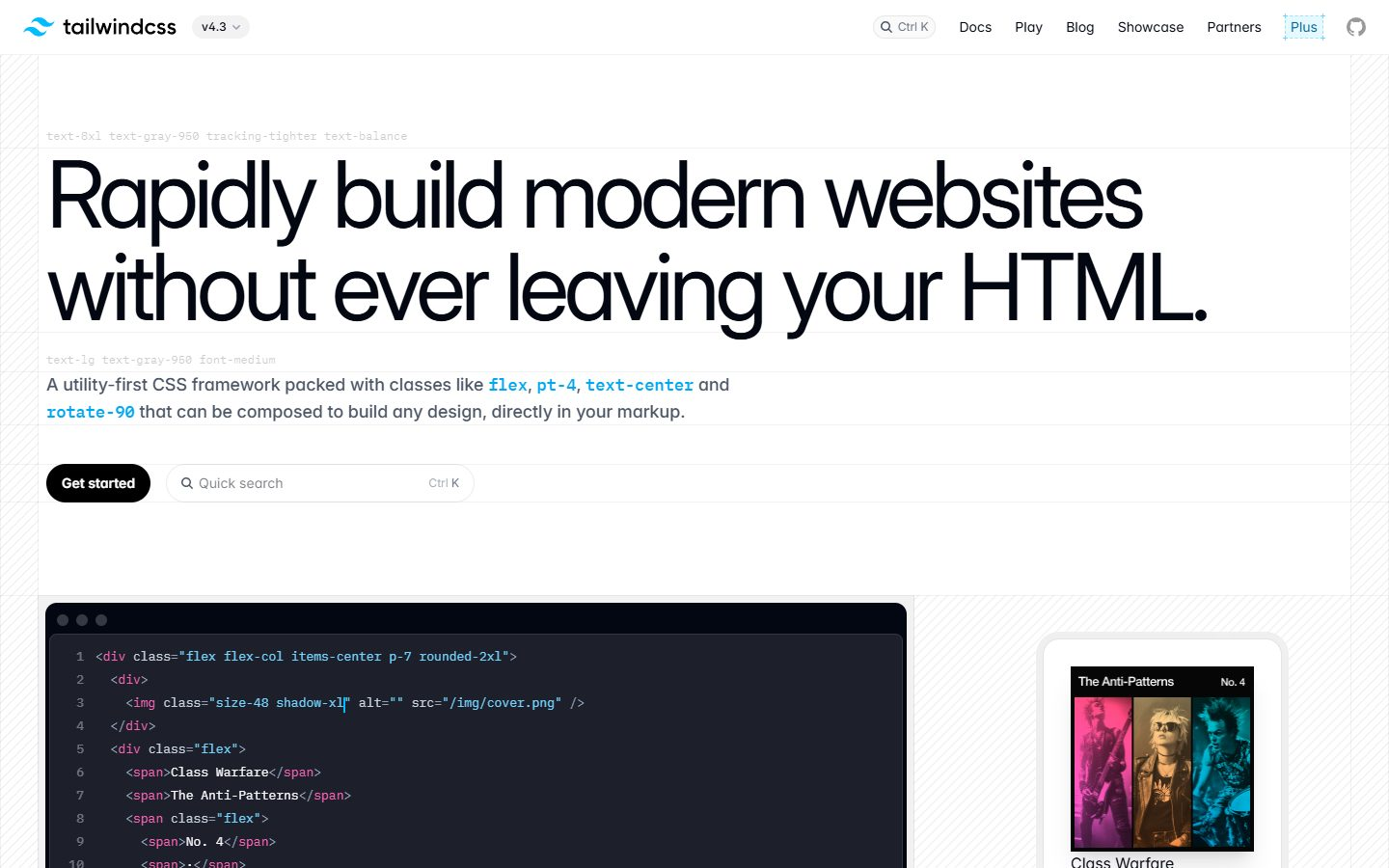
And a harder one, npx breakinggood https://tailwindcss.com — a long marketing
page with 40 images and 9 API calls. It came back as 8 components, ~700 lines:
| original | clone |
|---|---|
 |
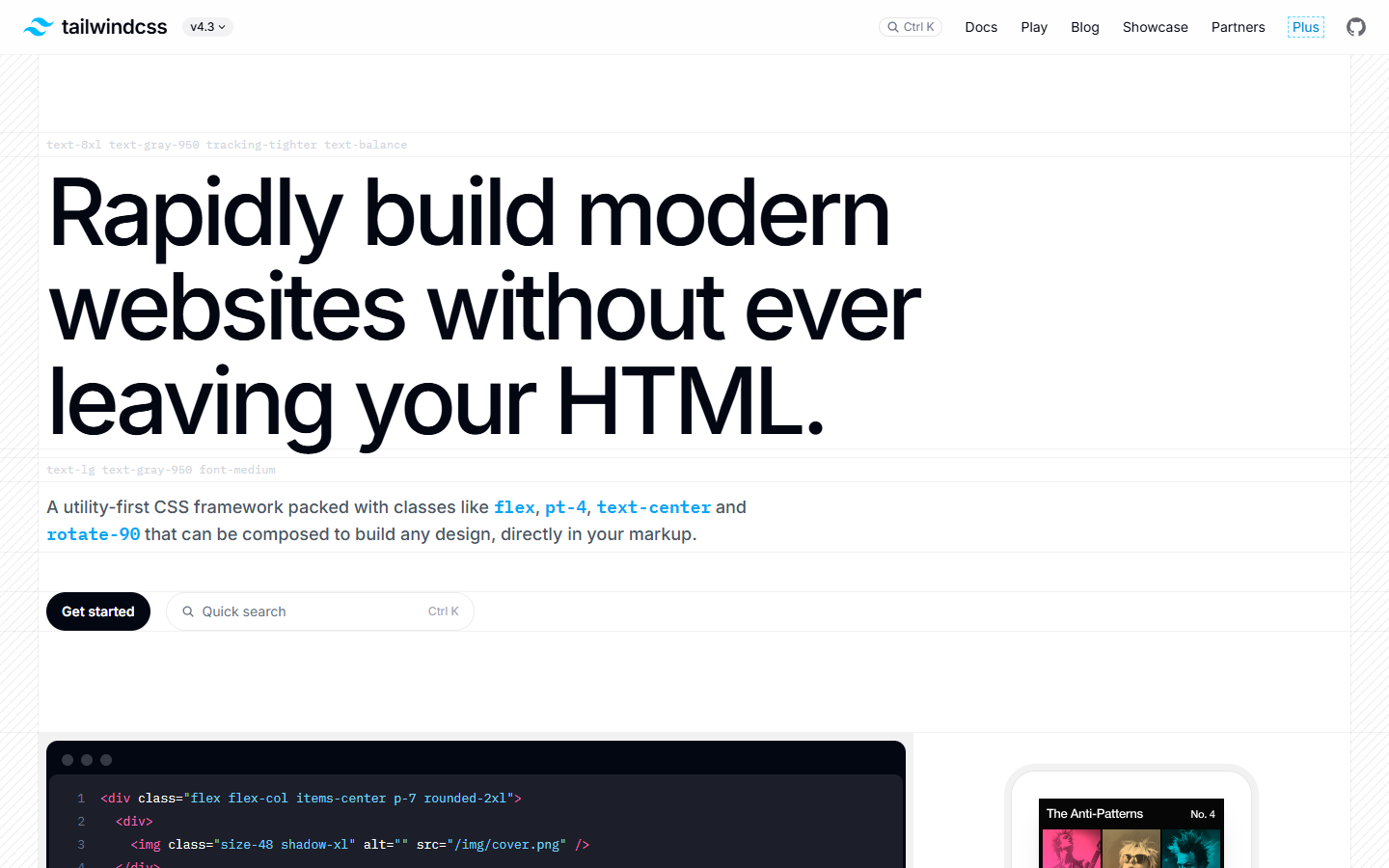 |
What it actually does
For a repo (GitHub, GitLab, Bitbucket, Codeberg, or any .git URL):
- Shallow clone.
- Work out the stack — Node (npm/pnpm/yarn/bun), Python, Go, Rust, Ruby, PHP,
Java, .NET, Docker Compose, or plain static HTML. If the heuristics aren't
sure and you have an AI key set, it hands the README and file tree to the
model and asks for the exact install/run commands. - Read the dependencies before running them. It checks the lockfile for
packages that run install scripts (and aren't the usual suspects likeesbuildorsharp), packages pulled from outside the public registry,
direct dependencies published in the last 90 days,curl | bashin
lifecycle hooks, obfuscated blobs in the source, and whether the repo ships a
real.env. Anything high-risk and it stops to ask you. - Copy
.env.exampleto.env, fill the*_SECRET/JWT_*style keys with
random values, and print a table of the ones you'll have to fill in yourself. - Install, start the dev server, watch the output for a
localhost:URL, open
your browser. Ctrl+C kills the whole process tree.
For a website:
- Open it in your own installed Chrome or Edge, headless (so there's no 150 MB
Chromium download). Dismiss the cookie banner, scroll to the bottom to trigger
lazy loading. - Capture: full-page screenshots at 1440px and 390px, a cleaned-up DOM, the
fonts/colours/radii/type-scale it actually uses (from computed styles, not
the CSS), the semantic outline, the images, and every XHR/fetch call the page
made along with the JSON it got back. - Hand all of that to the model and ask for a Vite + React + Tailwind v4
project that matches, plus a tiny dependency-free mock server that replays
the captured API responses. So the clone fetches data the same way the real
thing did. npm install,npm run dev, open the browser.
The capture is saved in .breakinggood/ inside the project, so you can look at
what it saw even if you don't like what it built.
AI providers
Site mode needs a model. Repo mode works without one; it just gets smarter with
one. Whatever key you have is picked up automatically:
| env var | provider |
|---|---|
ANTHROPIC_API_KEY |
Claude (default model claude-opus-5-5) |
OPENAI_API_KEY |
OpenAI |
GROQ_API_KEY |
Groq |
OPENROUTER_API_KEY |
OpenRouter |
GEMINI_API_KEY |
Gemini |
OLLAMA_HOST |
local Ollama (no key, no vision) |
npx breakinggood providers shows what's configured. Override with--provider / --model, or BREAKINGGOOD_PROVIDER / BREAKINGGOOD_MODEL.
Models with vision do a noticeably better job on site mode because they get the
screenshots. Text-only models get the DOM and tokens and do okay on simple pages.
Use it from your coding agent
It also runs as an MCP server, so Claude Code, Cursor, Codex or anything else
that speaks MCP can call it: capture_site, scan_repo, clone_and_prepare.
Ask your agent "how is linear.app's pricing page built?" or "clone this repo and
tell me if it's safe to run" and it'll use these.
Claude Code:
claude mcp add breakinggood -- npx -y breakinggood mcp
Cursor / anything with a JSON config:
{ "mcpServers": { "breakinggood": { "command": "npx", "args": ["-y", "breakinggood", "mcp"] } } }
How it compares
open-lovable and
screenshot-to-code are web apps you
paste a URL or image into, and they start from a picture. This is one terminal
command, it also reads the DOM, the computed styles and the network calls (so the
clone fetches data the way the original did), it works with any model, and it
does repositories too.
Flags
-d, --dir <path>     where to put it (default: repo name, or <site>-clone)
-y, --yes            don't ask, just go
    --no-open        don't open the browser
    --provider       anthropic | openai | groq | openrouter | gemini | ollama
    --model          model id
    --no-ai          repo mode: heuristics only, never call a model
    --scan-only      repo mode: clone, run the safety scan, stop
    --sanitize       site mode: swap brand names and logos for placeholders
    --capture-only   site mode: screenshots + DOM + API capture, no model, stop
Things to know
- It runs other people's code on your machine. The scan catches the obvious
stuff; it is not a sandbox. Read the findings. - Site mode recreates the structure and style of a public page. The content,
trademarks and images on that page belong to whoever owns it. Use this to
learn, prototype, or rebuild your own sites; don't ship someone else's brand.--sanitizehelps. - Pages behind logins, heavy bot protection, or that are mostly canvas/WebGL
won't capture well. - Node 20+. Git on PATH. For site mode, Chrome or Edge installed (or
npx playwright install chromium, orBREAKINGGOOD_BROWSER=/path/to/chrome).
Hacking on it
git clone https://github.com/eklavya2201/breakinggood
cd breakinggood
npm install
npm run build
node dist/cli.js https://github.com/expressjs/express --scan-only
src/repo/ is clone-and-run, src/site/ is capture-and-rebuild, src/ai/ is
the provider layer. PRs welcome, especially for stack detection on languages I
don't use much. See CONTRIBUTING.md and the
good first issues.
MIT.
Reviews (0)
Sign in to leave a review.
Leave a reviewNo results found