elbot
Health Uyari
- License — License: Apache-2.0
- Description — Repository has a description
- Active repo — Last push 0 days ago
- Low visibility — Only 5 GitHub stars
Code Gecti
- Code scan — Scanned 4 files during light audit, no dangerous patterns found
Permissions Gecti
- Permissions — No dangerous permissions requested
Bu listing icin henuz AI raporu yok.
"Let ElBot Feel Everything." ElBot is a lightweight Agent/Chatbot framework written in Go, it's token-efficient, easy to manage, and capable of perceiving the world.
ElBot
中文 | English
ElBot is a lightweight Agent/Chatbot framework written in Go, aiming to minimize operating costs, context costs, and maintenance complexity while preserving extensibility.
It supports general chat, tool calling, Hook extensions, long-term task scheduling, persistent Sessions, and context compaction, making it suitable for scenarios such as personal assistants, platform bots, and orchestratable automation assistants.
Features
I. Lightweight and Efficient
Ultra-lightweight Go implementation:
| Metric | Value |
|---|---|
| Local startup time | <10ms (tested on N5105, SATA SSD) |
| Resident memory | ~30MB |
| Binary file size | <30MB |
Token-efficient tool discovery: Research shows that many ordinary users still primarily use LLM-like products as advanced search engines, writing assistants, and listening objects; frequent tool calls are not the norm for all conversations.
Reference: Chatterji et al., How People Use ChatGPT, NBER, 2025;Yan et al., ShareChat: A Dataset of Chatbot Conversations in the Wild, arXiv:2512.17843, 2025。
ElBot does not inject the full schema of all tools by default in every round of conversation, but only exposes discover_tool and the names of currently available tools. When the model needs to use a tool, it first discovers the tool details on demand, and then the Agent injects the corresponding schema. Greatly reduces invalid context overhead.
Chat / Work dual mode: Both modes can be configured with independent models, allowing low-cost models to handle casual chat and powerful models to focus on complex tasks.
Layering of resident memory and long-term memory: Resident memory only saves short, stable information that truly needs to be injected into every round, and internally distinguishes between 'core' (requiring confirmation for modification) and 'normal' (organizable); Longer and more complex memories are queried by the LLM on demand via long_memory. Long-term memory uses Markdown source data and SQLite FTS, balancing transparency and retrieval efficiency.
| Mode | Tool | Applicable Scenarios | Token consumption for the first request |
|---|---|---|---|
chat |
No injection | Small talk, companionship, lightweight Q&A, low-cost conversation | <500 (subsequent cache hit 95%+) |
work |
Enable tool discovery and invocation | Complex tasks such as search, files, commands, Cron, Skills, etc. | <1000 (subsequent cache hit 90%+) |
II. Powerful and Extensible
Extensible Hook system: ElBot has a built-in Hook Layer, allowing extension logic to be inserted at key event points such as Agent input, LLM request, LLM response, platform sending, and platform connection. Hooks can modify messages, append output intents, call scripts, and more. The exec action of rule Hooks is based on stdio communication, supporting plugins written in any language or script; Combined with Elwisp, it can implement powerful functions such as conditional LLM triggering and external event integration.
Standard Cron and LLM Cron: ElBot features a built-in Cron Runtime and an LLM-orchestratable Cron service. Standard Cron sends fixed content directly according to a schedule; LLM Cron drives model execution using task descriptions, making it suitable for scheduled tasks that require analysis, summarization, or the use of tools.
ELyph Task Notation: ELyph is used to describe LLM Cron and native skills. The goal is to reduce ambiguity in natural language task descriptions and use a shorter, more stable structure to express inputs, outputs, steps, conditions, and constraints. Compared to arbitrary Markdown, ELyph is better suited for reusing and passing tasks between LLMs, and is also easier to lint, audit, and process with tools.
EL Skills creatable by LLM: ElBot has a built-in create_el_skill meta-tool, allowing the LLM to crystallize reusable experience into EL Skills. Automatically validate ELyph syntax upon creation, with optional Go source code attachment and compilation; The pure ELyph text or Go source code created is maintained by a unified read_el_skill / modify_el_skill; after the source code is modified, it is uniformly formatted and compiled via finalize_el_skill, and the check results are returned.
Compatible with external AgentSkills: In addition to native Go Skills, ElBot is also compatible with external AgentSkills that follow the agentskills.io style. Automatically scan skills/agent/<skill>/SKILL.md or SKILL.elyph to read the name, description, applicable scenarios, and risk level; Currently, bundled Python scripts can be executed via hidden wrapper tools.
III. Elnis Event Perception System
Traditional Agents usually only wait for user input; Cron can only respond to time. Elnis provides ElBot with another trigger method: external events.
Elnis is the listening hub of ElBot, Elwisp consists of external listeners distributed in various locations, and Elvena is a unified JSON over HTTP event protocol. Working together, these three allow any signal from the external world—such as server alerts, RSS updates, Webhooks, game events, or even external computer information—to be sent to Elnis, then processed and returned by ElBot.
For detailed information, see Elnis Listening Hub.
IV. Flexible Deployment and Enhanced Sessions
Multi-platform and Rich Output Abstraction: ElBot abstracts the platform and output layers, currently supporting CLI, QQ OneBot, QQ Official, and Telegram, while reserving space for extending to other platforms.
CLI Client/Server Separation: Supports using ElBot as a client on any computer to connect to the ElBot server. Free Frontend Customization, allowing you to create any frontend interface you prefer. The following screenshots demonstrate different frontend forms; except for the TUI, all are conceptual HTML mockups and do not represent the final UI.
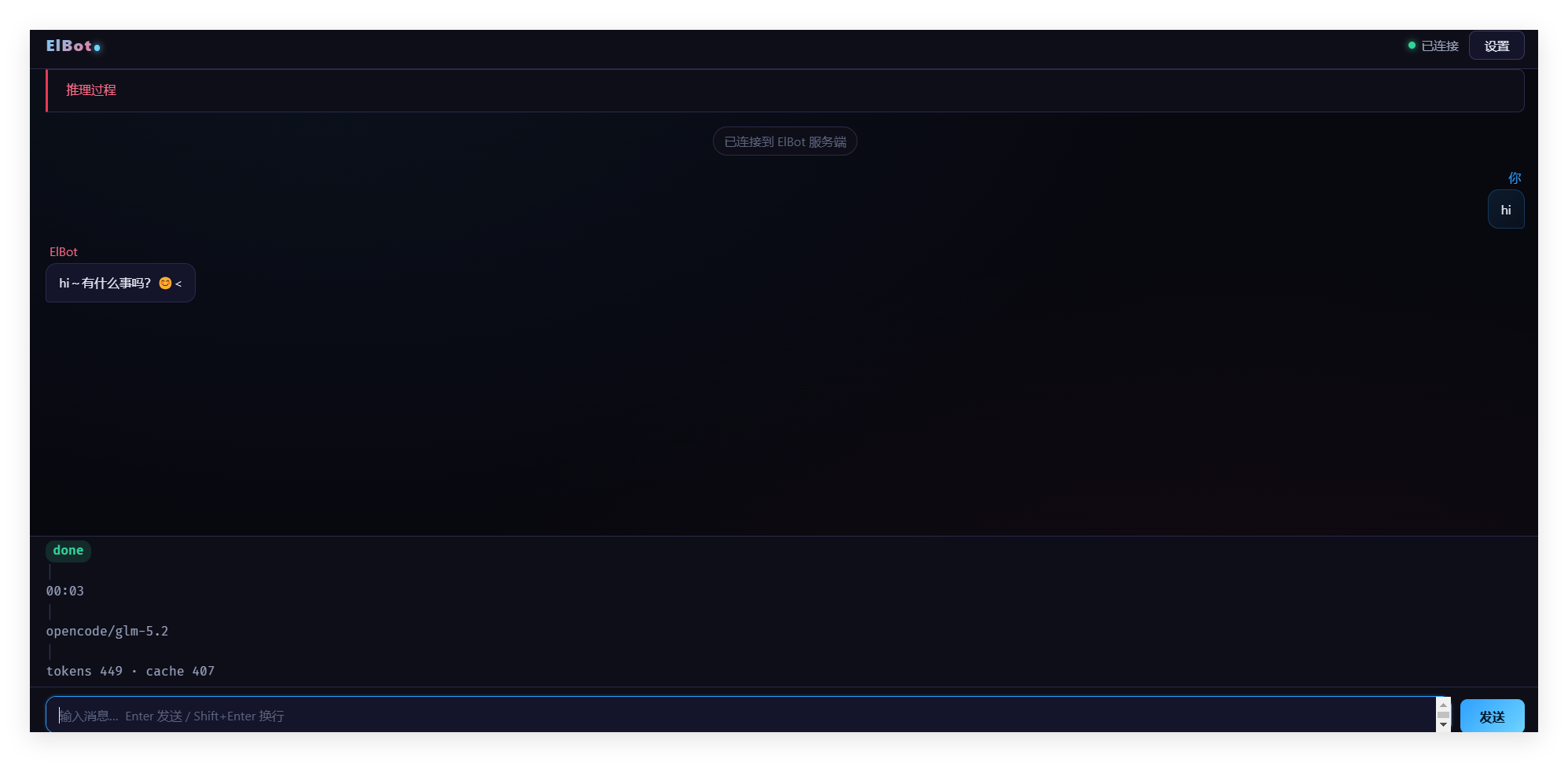
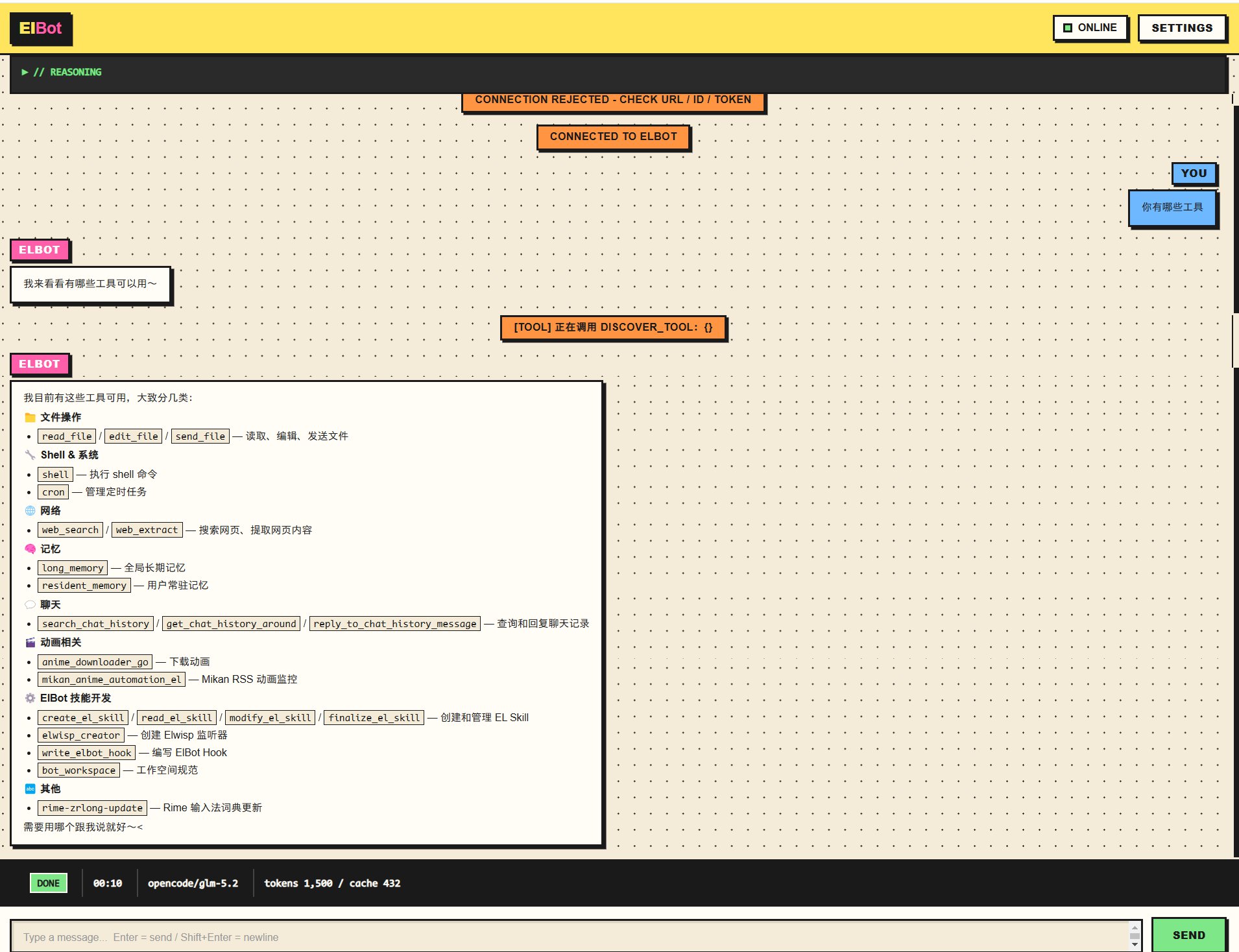
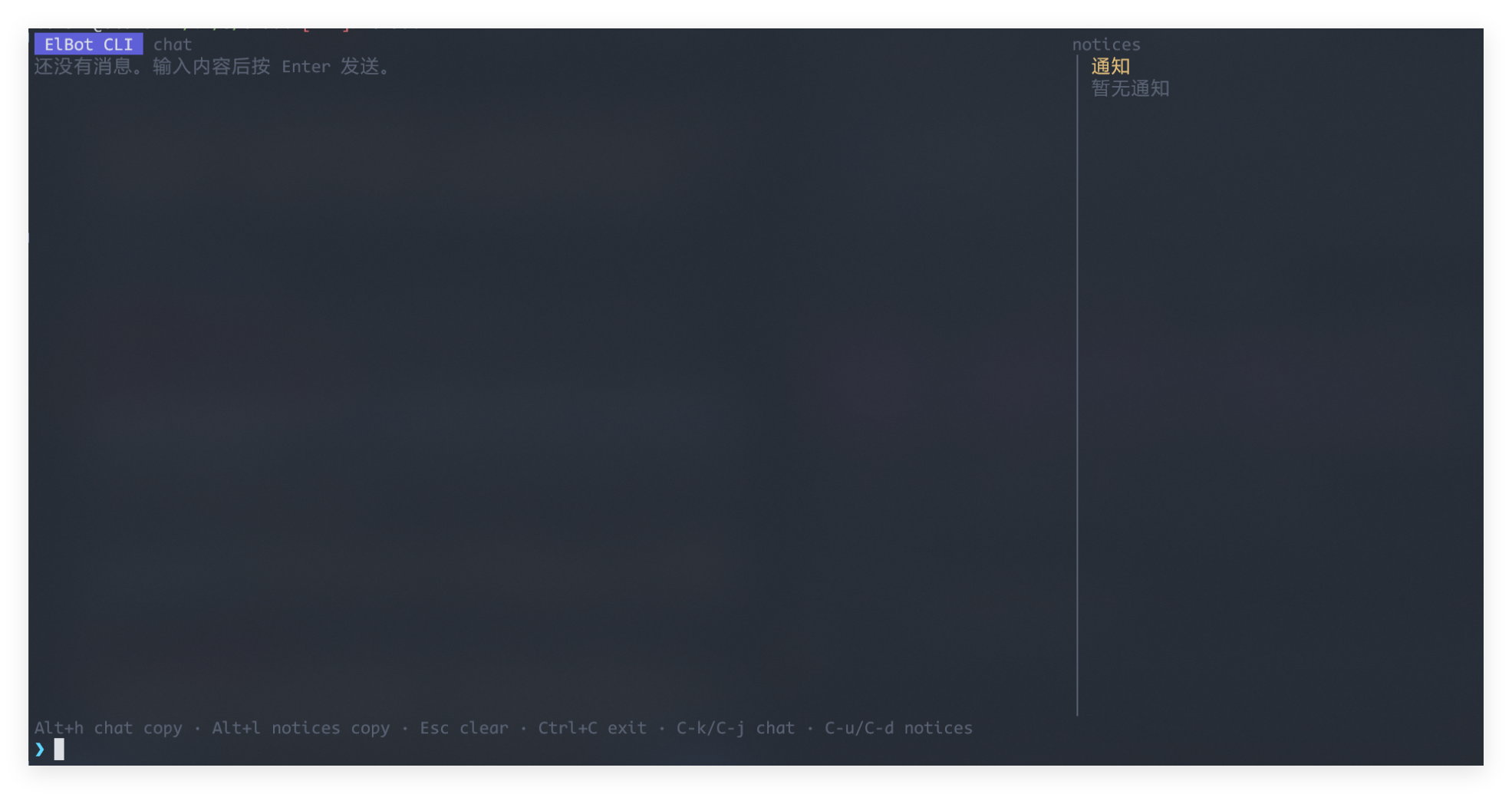
For more screenshots, see elbot-showcase/frontend.
Session, Fork, and Context Compaction: Built-in persistent Session service, supporting Session recovery, archiving, pinning, Forking, deletion, paginated viewing, and platform isolation. Long conversations automatically trigger context compaction to keep the window controllable; normal conversation can continue after compaction.
V. Secure and Reliable
Security Policies and Risk Confirmation: The tool system has built-in risk levels, role permission checks, and high-risk confirmation processes. Regular users can only discover and invoke low-risk tools; even superadmins must confirm each item when invoking high-risk tools.
Lightweight Sandbox Isolation: Background Shell execution is subject to AST-level sandbox constraints. Background tasks have an independent sandbox working directory, reducing the impact of misoperations.
Comprehensive Logging and Auditing: Distinguishes between runtime logs, Elwisp logs, and audit logs, supporting structured fields, log queries, audit queries, and runtime debugging.
Usage
Common startup methods:
elbot              # Automatic mode: Prioritize attempting the default remote CLI client; fall back to full foreground startup when local is unreachable
elbot run          # Full foreground: Local CLI + Enabled platforms + Cron
elbot cli [-c name]# Remote CLI client: Connect to a resident ElBot server
elbot -c name      # Connect to the server directly using a specified CLI client profile
elbot service run  # Linux/headless service mode: Do not start local CLI; remote CLI server, platforms, and Cron can be enabled
Shell completion can be generated via elbot completion <shell>, supporting bash, zsh, fish, nushell, powershell, and auto.
Minimum usage flow:
- Configure the OpenAI-compatible Provider in
config/providers.toml. - Set the API Key corresponding to
api_key_envvia system environment variables or the configuration directory.env. - After starting, use the command
/modelsto view and then use/model xxto select the model. Or manually select the defaultchat/workmode and model inconfig/state.toml. - Enter
/helpto view commands, or start a conversation directly.
For detailed instructions, see:
- Quick Start
- Configuration Guide
- Command Cheat Sheet
- Core Concepts
- Elnis Listening Hub
- Elnis Configuration and Usage
- Frontend API
Development plan and task decomposition: devdocs.
Development Status
ElBot is still under rapid development; interfaces, configurations, and internal implementations may continue to be adjusted. It is currently more suitable for exploration as a personal Agent/bot framework.
Yorumlar (0)
Yorum birakmak icin giris yap.
Yorum birakSonuc bulunamadi