Elliot
Health Uyari
- License — License: MIT
- Description — Repository has a description
- Active repo — Last push 0 days ago
- Low visibility — Only 6 GitHub stars
Code Gecti
- Code scan — Scanned 12 files during light audit, no dangerous patterns found
Permissions Gecti
- Permissions — No dangerous permissions requested
Bu listing icin henuz AI raporu yok.
Elliot - build by Agents for Agents

Elliot
Turn any API or database into MCP tools for Claude Code, Cursor, OpenClaw, and Codex — with built-in observability.



Elliot is an open-source platform for turning the products you already have — REST APIs, SQL databases, files — into tools that AI agents can use well. Not just connected, but fast, safe, and observable: minimal token usage, structured errors the agent can recover from, and a full trace of every agent session.
The target user is a product engineer who has a working API or database today and wants AI agents to interact with it natively — with minimum tokens, clean error recovery, and full observability.
AX is to agents what UX is to users and DX is to developers. Elliot's job is to make AX measurable.
Table of contents
- Why Elliot
- Features
- Quickstart
- See it in action
- How it works
- Connect your coding agent
- Project layout
- Documentation
- Roadmap
- Contributing
- Community and support
- License
Why Elliot
Connecting an API to an agent is easy. Making it work well is not. Agents fail when:
- Tool descriptions are vague — the agent picks the wrong tool.
- Results are too large — the context window fills up before the answer does.
- Errors are unstructured — the agent cannot recover or escalate.
- Nothing is observable — you do not find out it is broken until a user complains.
Elliot makes each of these visible and fixable. Every tool ships with a structured schema, a token estimate, an actionable error shape, and a session trace — every call, every agent, attributed to a client and model.
Features
- Agent-ready by design — every tool is linted against five concrete principles before it ships: verb-first descriptions, typed parameters, context-sized results.
- Safe by default — parameterised SQL, read-only database transactions, env-var secrets, no keys in connector files. Connector files are safe to commit.
- Every call observable — tokens, latency, arguments, and errors for every agent call, streamed to an audit log and visible in Studio.
- One command to run — start the whole stack with Docker. No Python, Node, or toolchain to install.
- Works with every agent — Claude Code, Cursor, OpenClaw, and Codex. Elliot auto-registers with each.
- Agents build connectors — discover, build, lint, eval, deploy. The platform itself is agentic: agents can build connectors through Elliot.
Quickstart
Just want to run Elliot? The only prerequisite is Docker — no Python, Node, uv, or pnpm:
curl -LsSf https://raw.githubusercontent.com/EliBarak12/Elliot/main/scripts/install.sh | sh
This pulls the pre-built images, generates a local .env, starts all three services, and opens Studio at http://localhost:8080. Stop it any time with docker compose -f docker-compose.run.yml down.
Want to develop Elliot? Build from source instead:
# Prerequisites: uv (Python 3.13) and pnpm (Node 22)
git clone https://github.com/EliBarak12/Elliot.git && cd Elliot
make setup
make dev          # boots plugin (:3000) + runtime (:3001) + studio (:5173)
                  # and writes the MCP config for every detected coding agent
Then open Studio at http://localhost:5173, scaffold a connector, lint it, and your agent can use it in the same session.
See it in action
A walkthrough of Elliot Studio — the visual dashboard that observes, runs, and edits everything an agent builds.
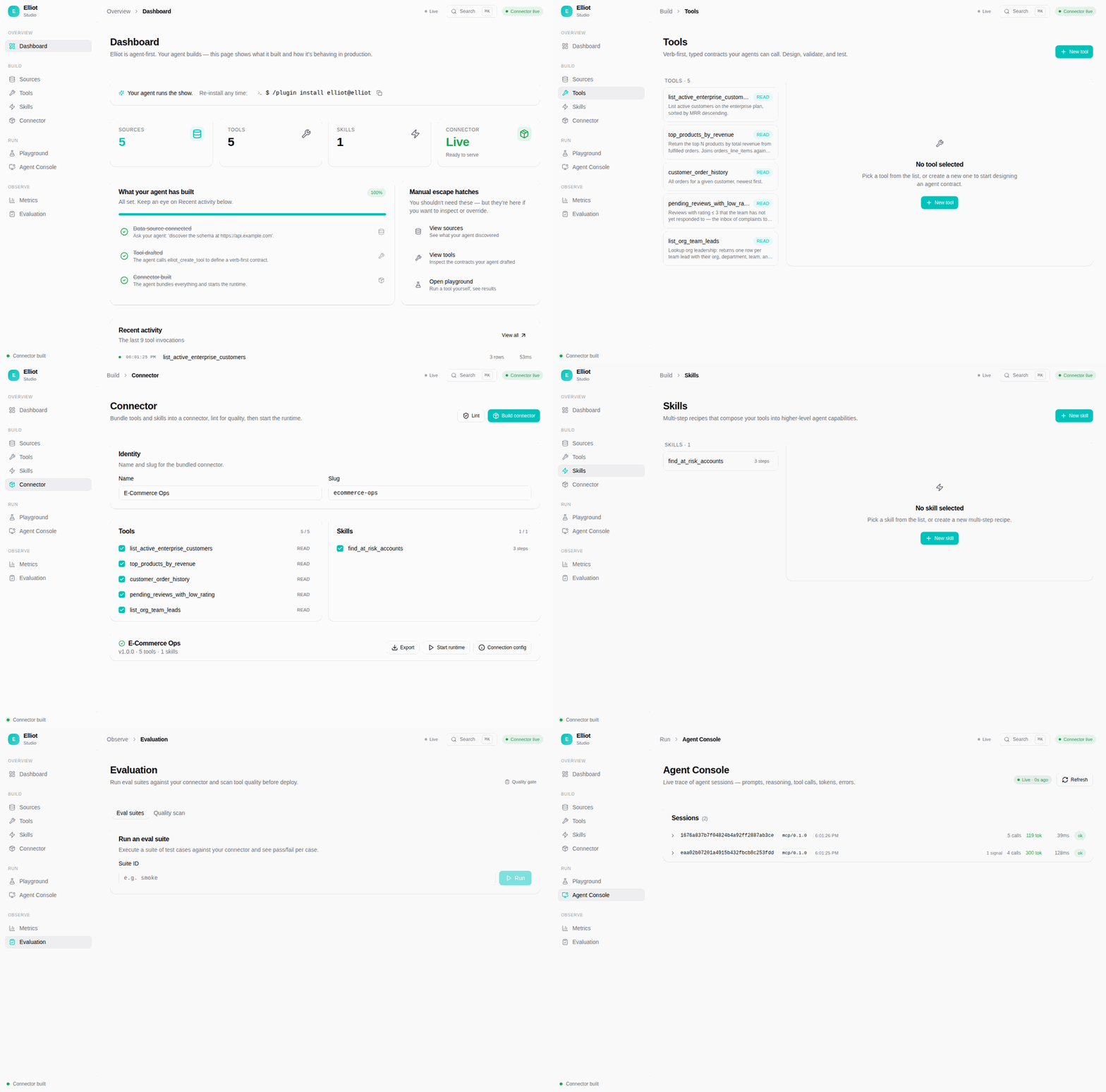
The loop above cycles through every Studio page. For the full-quality screencast, watch the video walkthrough.
Studio in detail:
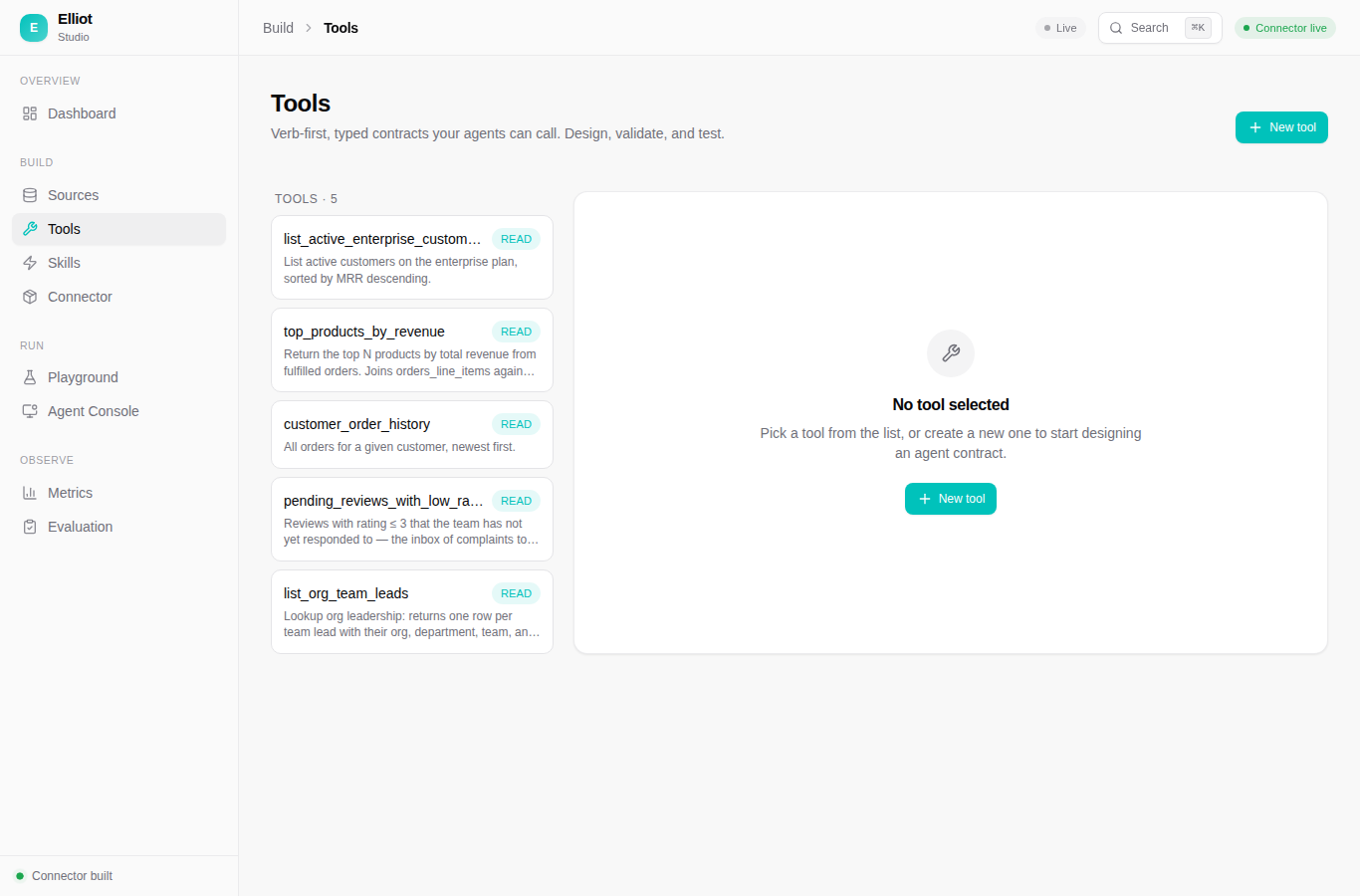 |
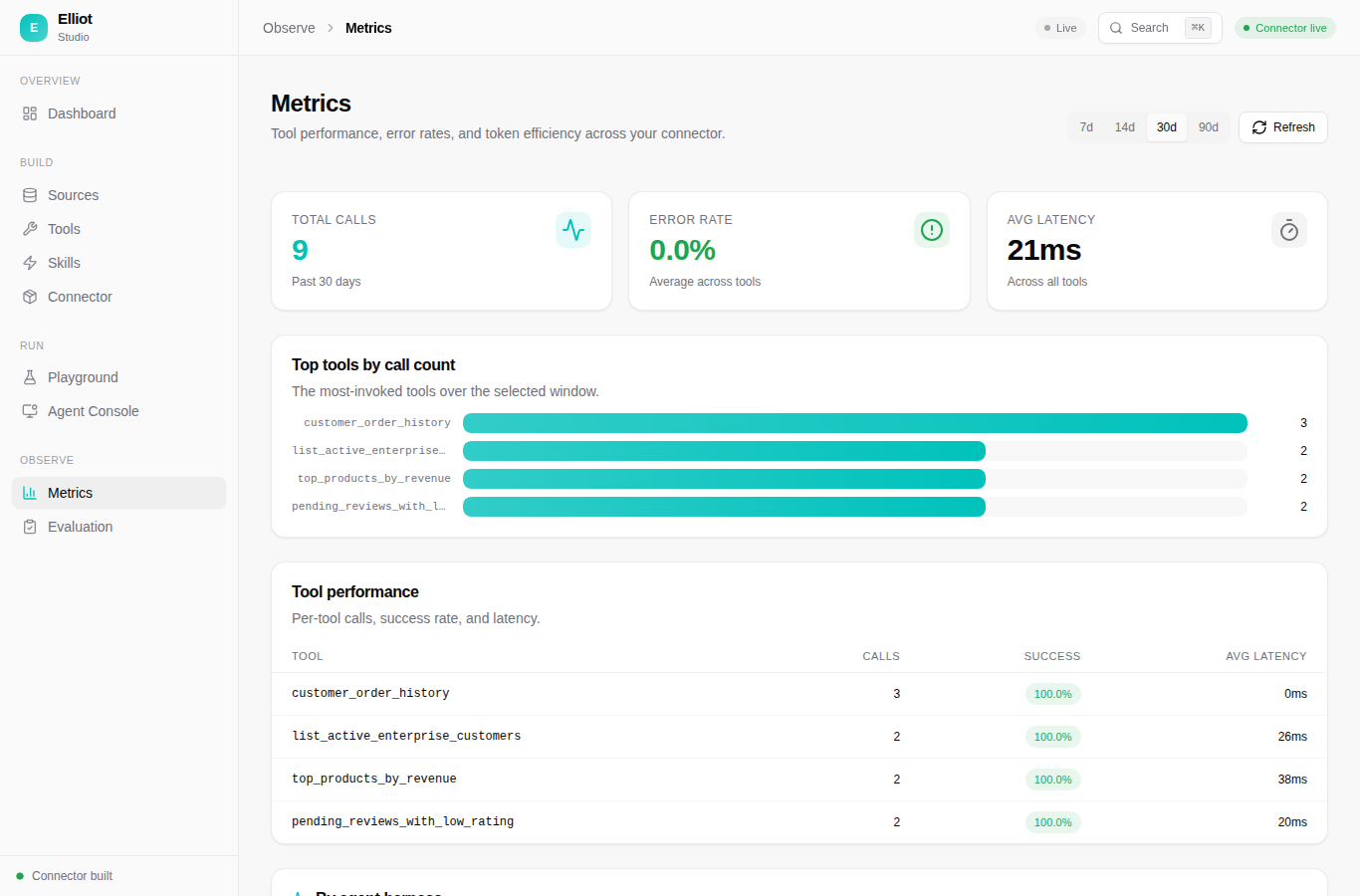 |
| Tools — verb-first, typed contracts your agents call. Design, validate, and test each one. | Metrics — calls, error rate, latency, and token efficiency across every tool. |
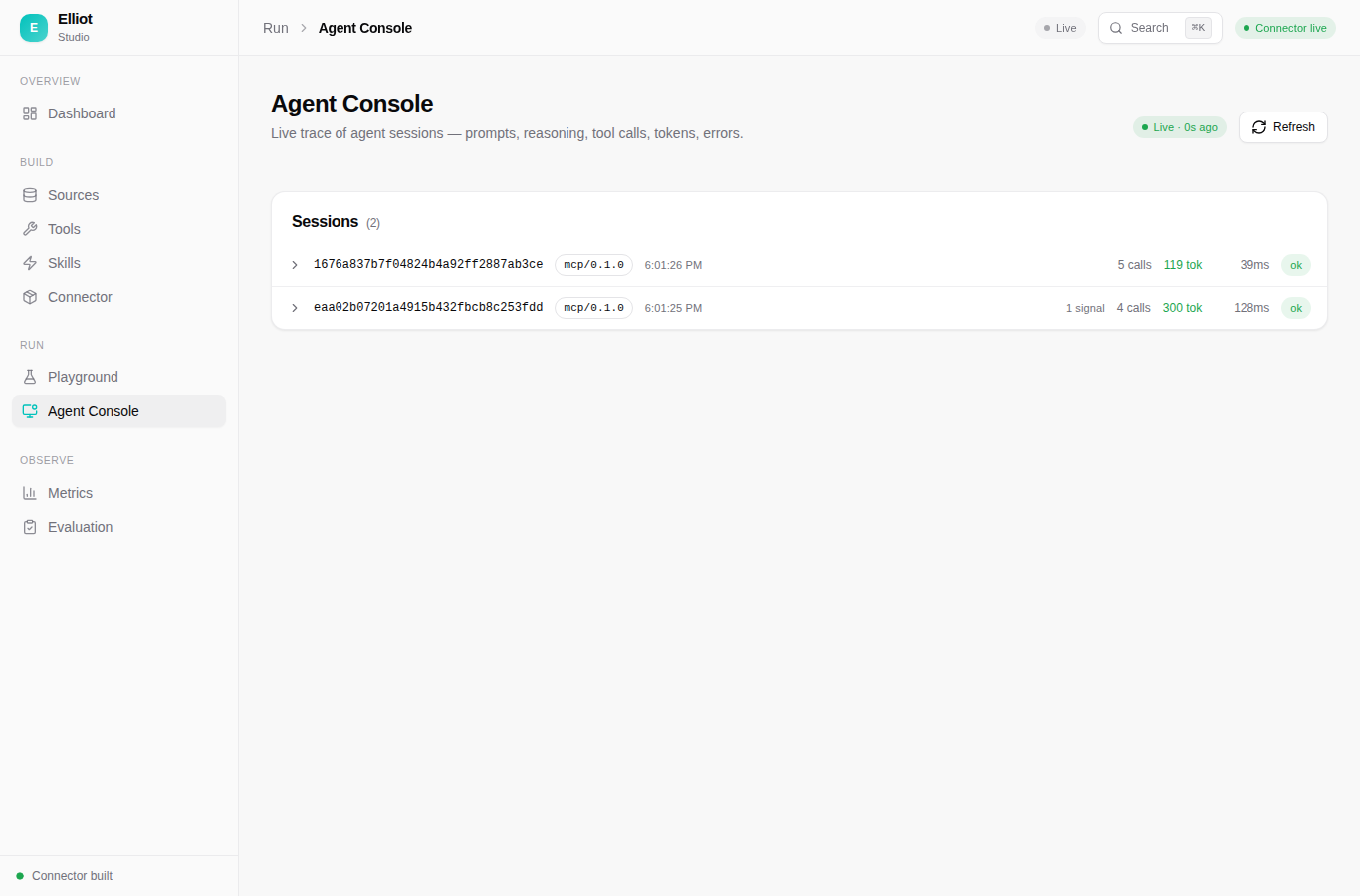 |
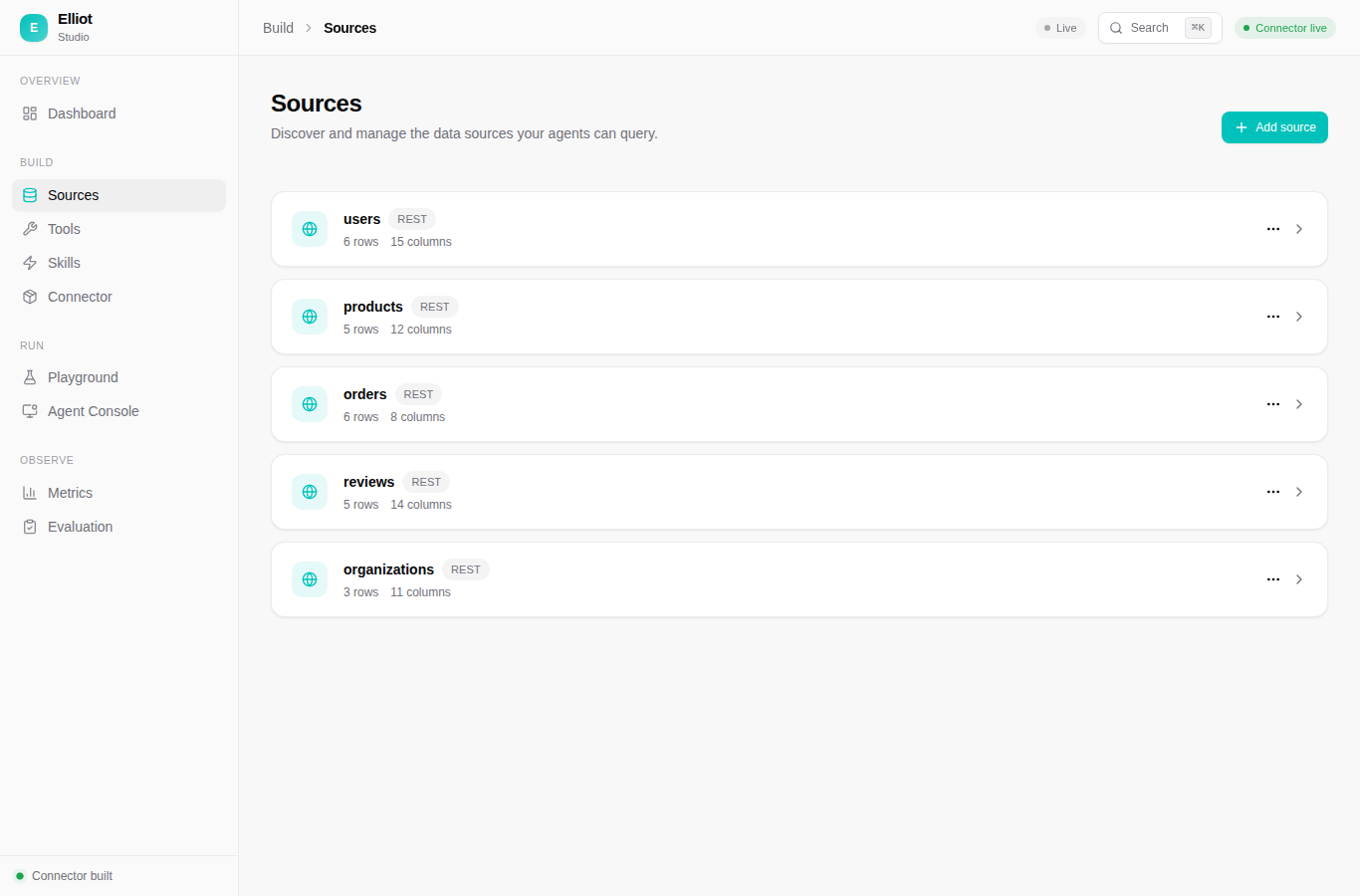 |
| Agent Console — a live trace of every agent session: prompts, tool calls, tokens, errors. | Sources — REST APIs, PostgreSQL, MySQL, and files, discovered and managed in one place. |
How it works
1. Connect your data sources
   REST APIs, PostgreSQL, MySQL, CSV / JSON files — all in one connector

2. Build tools (no SQL required)
   Define name, description, parameters, filters, and return fields
   Elliot generates safe, parameterised queries
   Or let an agent build the connector for you with the agentic builder

3. Lint for agent-readiness
   elliot lint my-domain.connector.json

4. Write and run eval cases
   elliot eval my-domain.eval.yaml — pass/fail plus a token estimate

5. Deploy and connect agents
   plugin (:3000) serves tools to any MCP client
   runtime (:3001) executes them against live data
   studio observes, runs, and edits everything
On first connect, an agent automatically calls prompts/get name=getting_started — a single prompt that teaches it the five principles, the canonical workflow, and the reference resources available.
Connect your coding agent
make dev runs elliot connect, which detects every coding agent on your machine and writes its MCP config automatically. To wire a client by hand:
| Claude Code | Cursor |
|---|---|
|
Install the bundled plugin ( |
| Codex | OpenClaw |
|
OpenClaw also reads the |
Every install path wires the MCP URL only — Elliot's server still needs to be running, locally or at a hosted endpoint.
Project layout
Elliot is a monorepo of four packages:
| Package | Name | Stack | Role |
|---|---|---|---|
packages/core |
elliot-core |
Python 3.13 | Types, query builder, linter, eval harness, CLI |
packages/mcp-plugin |
elliot-mcp-plugin |
Python 3.13 · FastMCP | MCP endpoint and agentic builder — port 3000 |
packages/connector-runtime |
elliot-connector-runtime |
Python 3.13 · FastAPI | Tool execution and session/observation store — port 3001 |
packages/studio |
elliot-studio |
React 19 · Vite | Visual dashboard — port 5173 (dev) / 8080 (Docker) |
Connector files live in connectors/, starter templates in templates/, and every environment variable is documented in .env.example.
Documentation
Full documentation lives at elibarak12.github.io/Elliot.
- Quickstart — get a connector running in minutes
- Concepts — sources, tools, skills, connectors
- The five principles — the design rules every connector follows
- Connector spec — the full
.connector.jsonschema - Architecture — how the three services fit together
- Deployment — Docker images, env vars, hosting
Roadmap
Elliot's goal is to be usable by everyone, not just developers. Progress is tracked in docs/USER_ONBOARDING.md.
| Status | Milestone |
|---|---|
| Shipped | Run from source — make dev for contributors |
| Shipped | One-command Docker — run with only Docker, no toolchain |
| Planned | Guided first-run — an onboarding wizard inside Studio |
| Planned | Desktop app — a double-click app, no Docker, no terminal |
| Planned | Hosted cloud — a connector registry and a managed runtime, no install at all |
Contributing
Contributions are welcome — code, connectors, docs, and bug reports alike.
- Browse good first issues to get started.
- New connectors are especially valuable — see the connector request template.
- Before opening a PR, run the mandatory checks below. All six must pass.
uv run ruff check .
uv run ruff format --check .
uv run mypy packages/core/src packages/mcp-plugin/src packages/connector-runtime/src
uv run pytest --tb=short
pnpm --filter @elliot/studio run typecheck
pnpm --filter @elliot/studio test --run
Community and support
Found a bug, have a feature request, or want to propose a connector? Open an issue on the issue tracker — we read every one.
License
Elliot is released under the MIT License.
Yorumlar (0)
Yorum birakmak icin giris yap.
Yorum birakSonuc bulunamadi