dashcall
Health Warn
- License — License: MIT
- Description — Repository has a description
- Active repo — Last push 0 days ago
- Low visibility — Only 5 GitHub stars
Code Fail
- process.env — Environment variable access in agent/config.mjs
- exec() — Shell command execution in agent/dispatch.mjs
- process.env — Environment variable access in agent/lib.mjs
Permissions Pass
- Permissions — No dangerous permissions requested
No AI report is available for this listing yet.
Talk to your Claude Code sessions from your phone or your car's browser — voice & touch, English/Turkish
Dashcall


Talk to your Claude Code sessions from your phone or your car's browser.
Your Claude Code sessions keep working on your Mac while you're away from it. Dashcall lets you check on them and
direct them by voice or touch. Ask "what's the status of my jobs?" and hear a short spoken summary. Tell a session
to continue, stop one that went off track, or start a new job in any project folder. Say "research this and let me
know" and close the app: when the work is done, a spoken summary shows up as a notification.
What you need: a Mac running your Claude Code sessions inside herdr (a terminal workspace
manager for AI coding agents, which lets Dashcall list, read and prompt them), a small Linux server with Docker for
the web app, and Tailscale to connect the two. Each spoken question runs a shortclaude -p call on your Mac, so it uses your own Claude plan. Just curious? The demo
runs anywhere with Node.js.
Screenshots
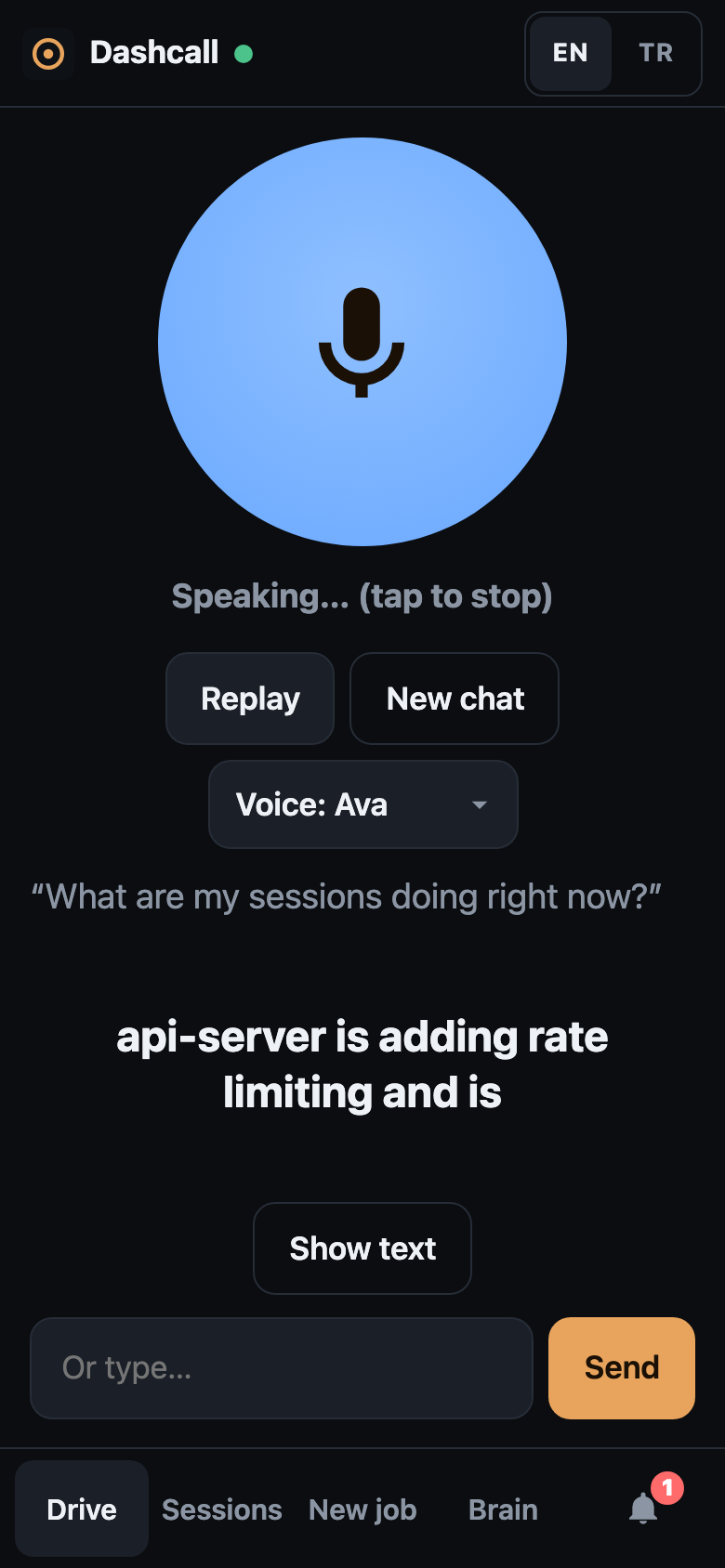
Drive. Tap, talk, hear a short answer with live subtitles. |
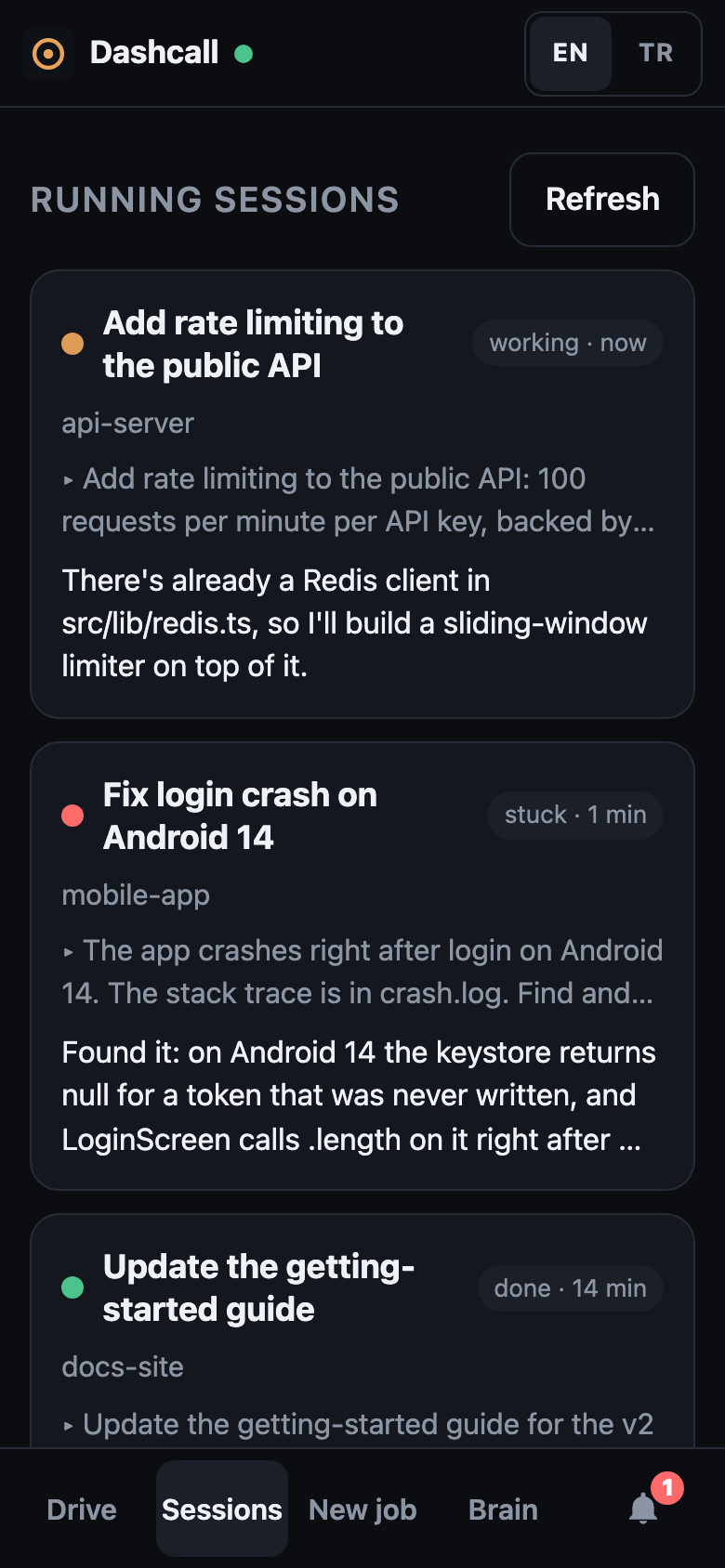
Sessions. Every running session at a glance: working, stuck or done. |
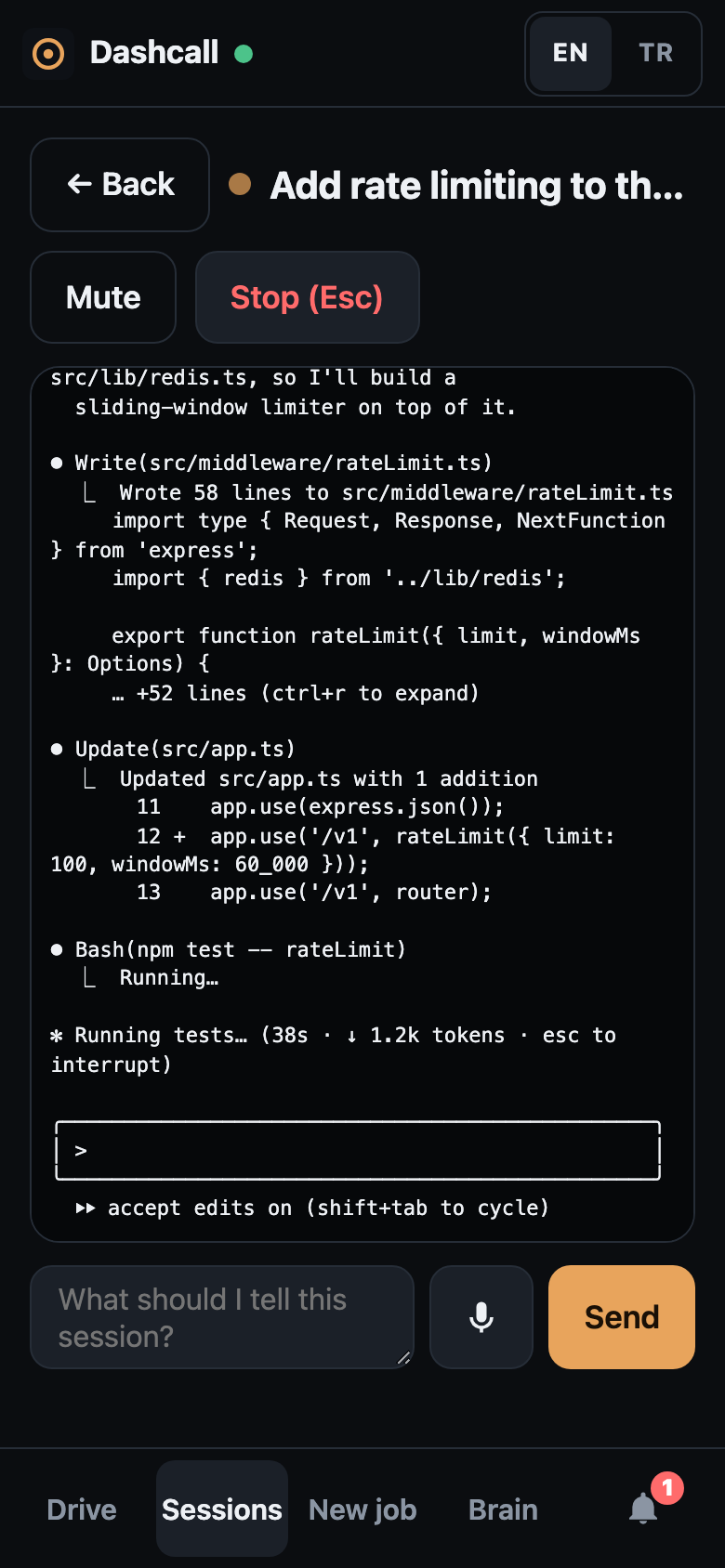
One session. Its live terminal; send a prompt or press Esc. |
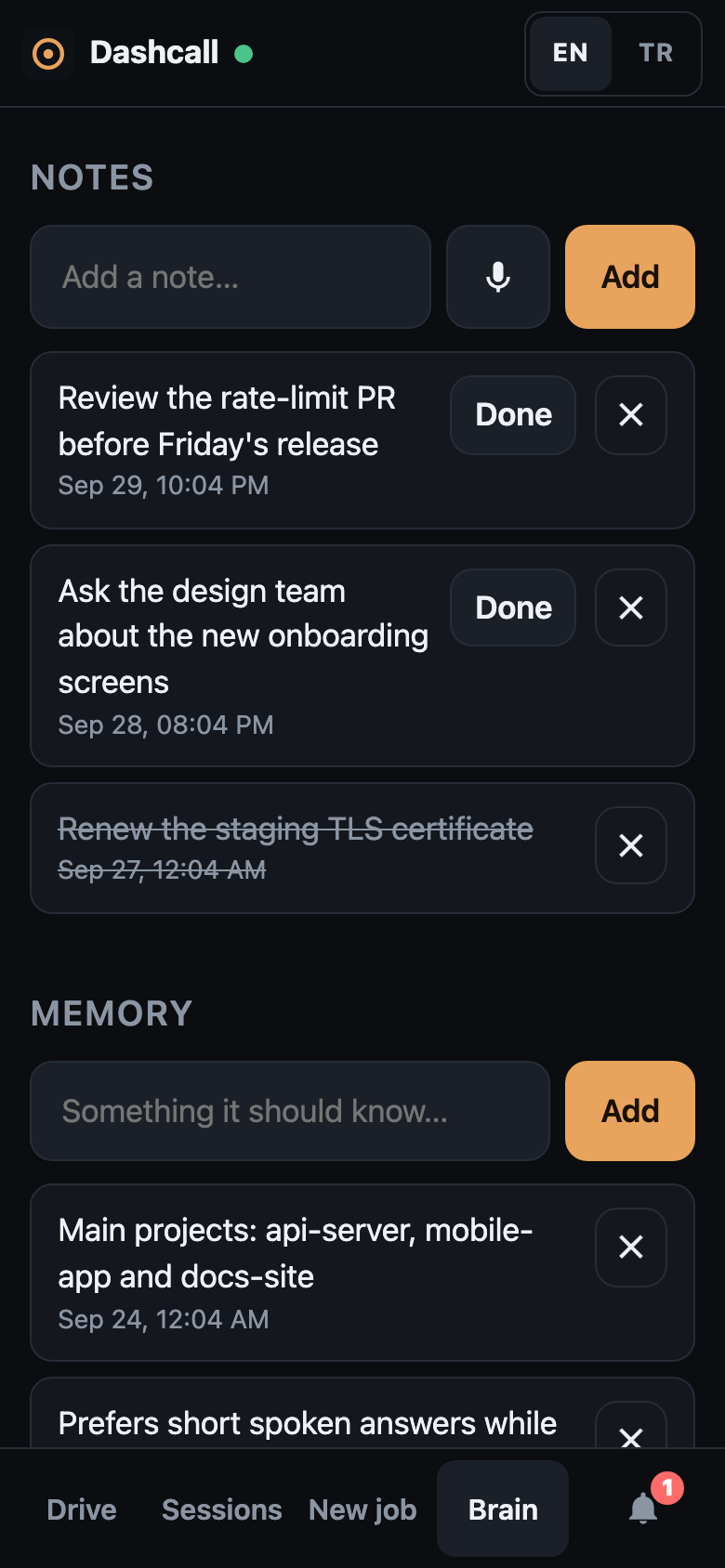
Brain. Notes, reminders, memory and muted sessions. |
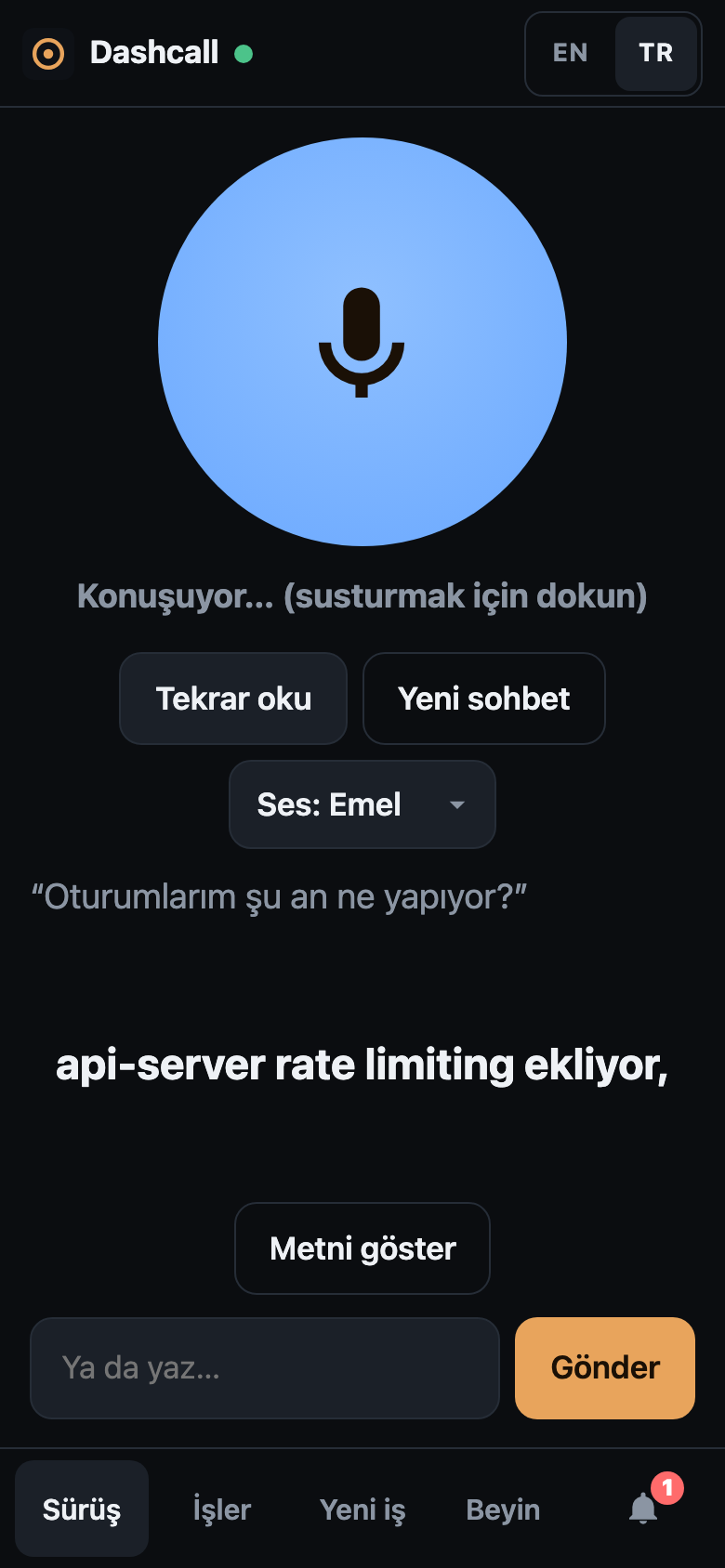
Türkçe. The whole app, speech and voice in Turkish. |
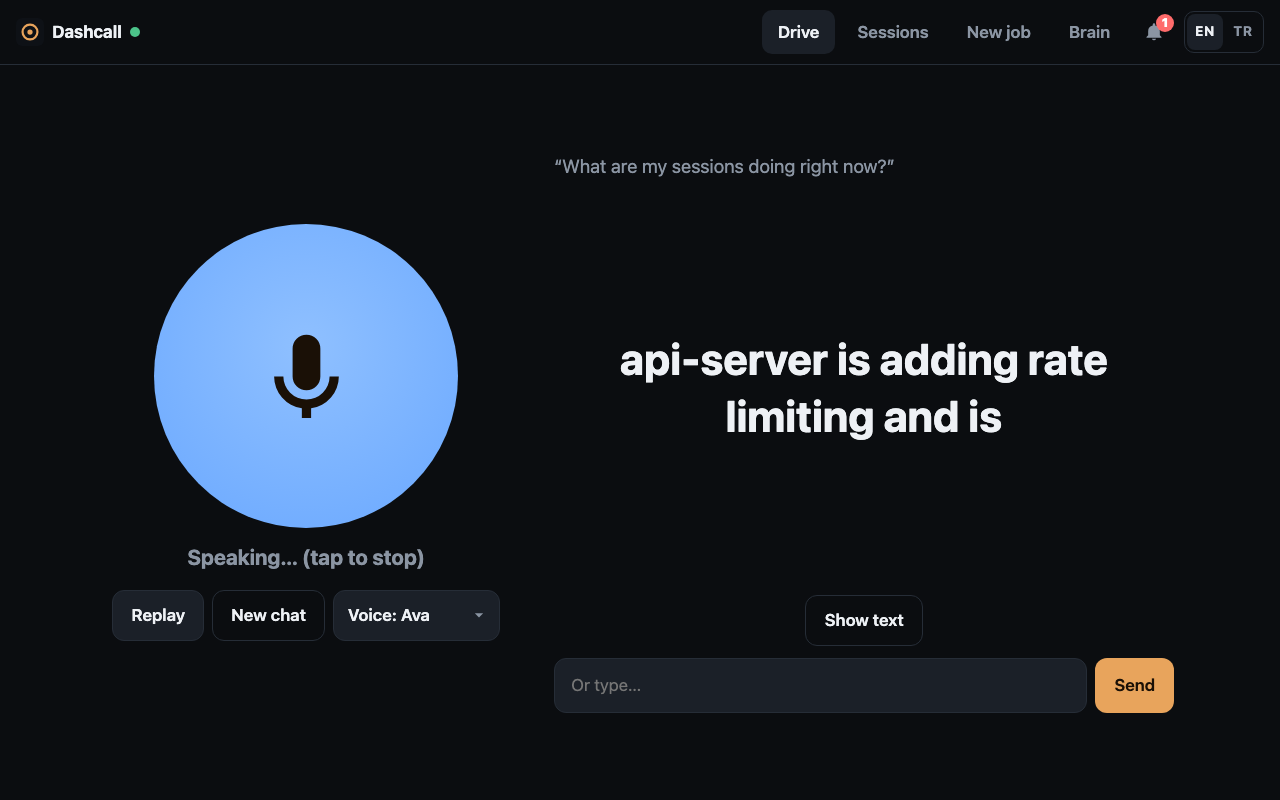
On phones the tabs sit in a bottom bar, within thumb reach. On a laptop or a car's wide screen, Drive mode puts the button and the subtitles side by side: |
Try the demo in 30 seconds
No Mac, Claude Code or herdr needed, only Node.js 22 or newer:
git clone https://github.com/emiralpayar/dashcall.git && cd dashcall && npm run demo
Open http://localhost:8080 and log in with the password demo. The demo runs the real web app against a mock agent
with fake sessions, notes and notifications. Questions get canned answers, shown as timed subtitles. The demo is
silent by default; run DASHCALL_DEMO_SOUND=1 npm run demo to hear answers in your browser's built-in voice.
Features
- Drive mode. One big talk button. You speak, a Claude "dispatcher" works out what you mean, acts on your
sessions, and reads a short answer aloud with synced subtitles. Recording stops after a pause, and you can type
instead. - Sessions. See every running Claude Code session and the last 48 hours of finished ones. Read a session's
terminal, send it a prompt, or press Esc to interrupt it. - New job. Pick a project folder, describe the task (by voice or text), and Dashcall starts a new Claude Code
session for it. - Background tasks. "Look into X and tell me when you're done." The dispatcher starts or watches a session and
sends you a spoken summary when it finishes, gets stuck, or closes. - Notifications. Every answer and background result is kept, so nothing is lost if you closed the app while
driving. Each one is read aloud in the language it was written in. - Brain. Persistent memory, notes and reminders, and muted sessions, all managed by voice or in the app.
- English and Turkish. Switch the language in the app. Speech recognition, voices and the dispatcher's replies
follow it. - Made for phones. On a phone the tabs sit in a bottom bar within thumb reach; on a wide screen, Drive mode puts
the button and subtitles side by side. - Small footprint. Two Node.js servers with no npm dependencies, plus local speech-to-text with whisper.cpp.
How it works
 phone / car browser
        │  HTTPS
        ▼
 web/  (Node, Docker, any Linux server)
        │  password login, serves the app, proxies /api/* with a bearer token
        │  private network, e.g. Tailscale
        ▼
 agent/  (Node, on your Mac)
        ├── herdr ──────────────▶ your interactive Claude Code sessions
        ├── claude -p ──────────▶ dispatcher (dispatcher/CLAUDE.md + `dashcall` CLI)
        ├── ffmpeg + whisper.cpp   speech → text
        └── edge-tts / macOS say   text → speech
agent/runs on the Mac that hosts your sessions. It uses herdr to list, read and
prompt terminal panes, and reads session transcripts from~/.claude/projects.- The dispatcher is a headless
claude -prun for each question, resumed per conversation. It followsdispatcher/CLAUDE.mdand acts on sessions only through thedashcallCLI. web/serves the single-page app, handles login and forwards API calls to the agent.
See docs/ARCHITECTURE.md for the full picture.
Quick start
You need a Mac (for the agent) and any Linux server with Docker (for the web app). They can reach each other over
Tailscale. On the Mac, Claude Code and herdr must be
installed, and your Claude Code sessions must run inside herdr. The short version:
# on the Mac
brew install node ffmpeg whisper-cpp      # Node.js 22 or newer
git clone https://github.com/emiralpayar/dashcall.git && cd dashcall
./scripts/download-model.sh
cp .env.example .env        # set DASHCALL_TOKEN and DASHCALL_BIND
npm run agent

# on the server
git clone https://github.com/emiralpayar/dashcall.git && cd dashcall/web
cp .env.example .env        # set password, secret, agent URL and token
docker compose up -d --build
The step-by-step guide covers Claude Code, herdr, Tailscale, HTTPS, running the agent at login, and checking that
everything works: docs/INSTALL.md.
Languages
Dashcall speaks English and Turkish. Use the EN/TR switch in the app header or on the login page. The
choice applies to:
- the interface
- speech-to-text (whisper runs in the selected language)
- the neural voices: Ava or Andrew for English, Emel or Ahmet for Turkish, or your Mac's own voice
- the dispatcher's replies
The first visit follows your browser's language. Adding a language is a well-scoped contribution; see
AGENTS.md.
Security
Read this before deploying. Anyone who gets past the login can run arbitrary commands on your Mac through Claude
Code. The password is the whole perimeter.
- The dispatcher runs with
--dangerously-skip-permissionsso it can use thedashcallCLI unattended. Text it reads
(session output, research results, a misheard transcript) can contain prompt injections. - Keep the agent on a private network (Tailscale) and never expose it publicly. Every request needs the bearer token.
- The web app has a rate-limited password login with optional two-factor codes (
DASHCALL_TOTP_SECRET), signed
HttpOnly cookies that expire after 30 days without use, same-origin checks on API writes and a strict Content
Security Policy. Serve it over HTTPS only. - New sessions can only start under
DASHCALL_WORKSPACE_ROOT, which defaults to your home directory.
Details are in SECURITY.md. Please report vulnerabilities privately, as described there.
Documentation
| Document | What's in it |
|---|---|
| docs/INSTALL.md | Installation from zero, running at login, HTTPS, updating, uninstalling |
| docs/CONFIGURATION.md | Every environment variable |
| docs/ARCHITECTURE.md | Components, request flows, data files and privacy |
| docs/API.md | Agent and web HTTP endpoints, error codes |
| docs/CLI.md | The dashcall CLI and the brain |
| docs/TROUBLESHOOTING.md | Common problems and fixes |
| AGENTS.md | Guide for contributors and AI coding agents |
| CHANGELOG.md | Release notes |
Contributing
Issues and pull requests are welcome. npm run demo is all you need for UI work, and npm test runs the test suite
with no dependencies. Tests and demo are silent: automation must never make sound on your machine (see
AGENTS.md). Start with CONTRIBUTING.md and AGENTS.md. This project follows
a Code of Conduct.
License
MIT. Dashcall runs these tools as separate programs, and each has its own license: Claude Code, herdr,
ffmpeg, whisper.cpp and its model (MIT), and edge-tts (LGPL-3.0). edge-tts uses Microsoft Edge's online text-to-speech
service, which is not an official public API.
Dashcall is an independent project and is not affiliated with Anthropic.
Reviews (0)
Sign in to leave a review.
Leave a reviewNo results found