Praxi-Bot
Health Warn
- License — License: Apache-2.0
- Description — Repository has a description
- Active repo — Last push 0 days ago
- Low visibility — Only 5 GitHub stars
Code Fail
- rm -rf — Recursive force deletion command in .github/workflows/linux-release.yml
Permissions Pass
- Permissions — No dangerous permissions requested
No AI report is available for this listing yet.
Local-first, open-source AI agent platform built with Rust and Tauri. Desktop automation, multi-agent workflows, permission controls, and local or cloud LLMs.
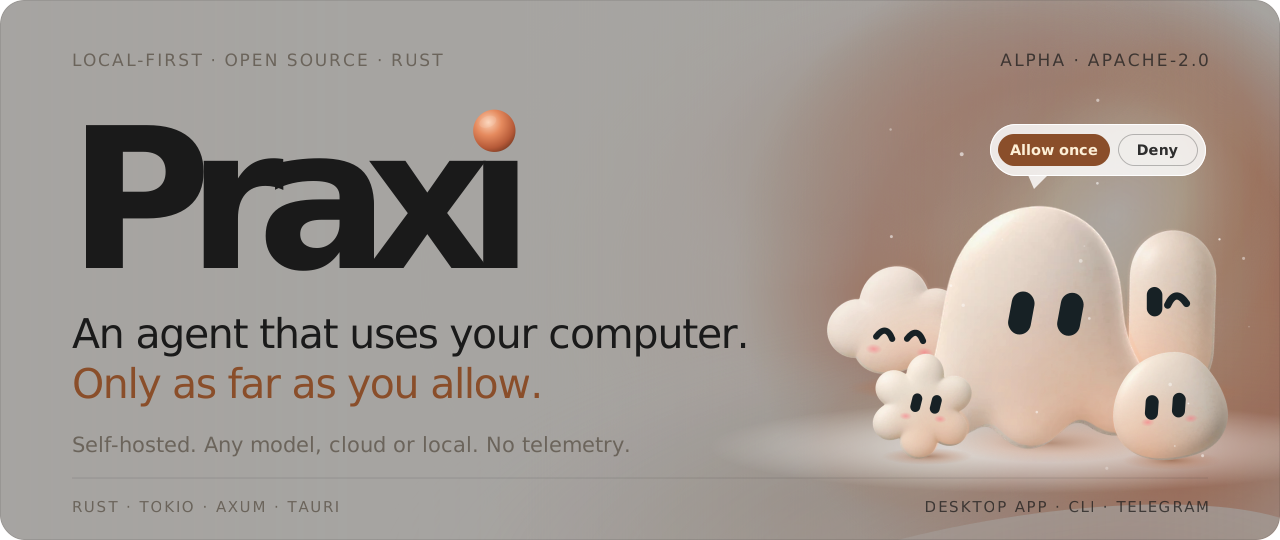
A self-hosted, open-source AI agent that works on your computer: you pick the model, and every action that changes something asks you first.






Install · How it works · Screenshots · Security · Docs · Contribute
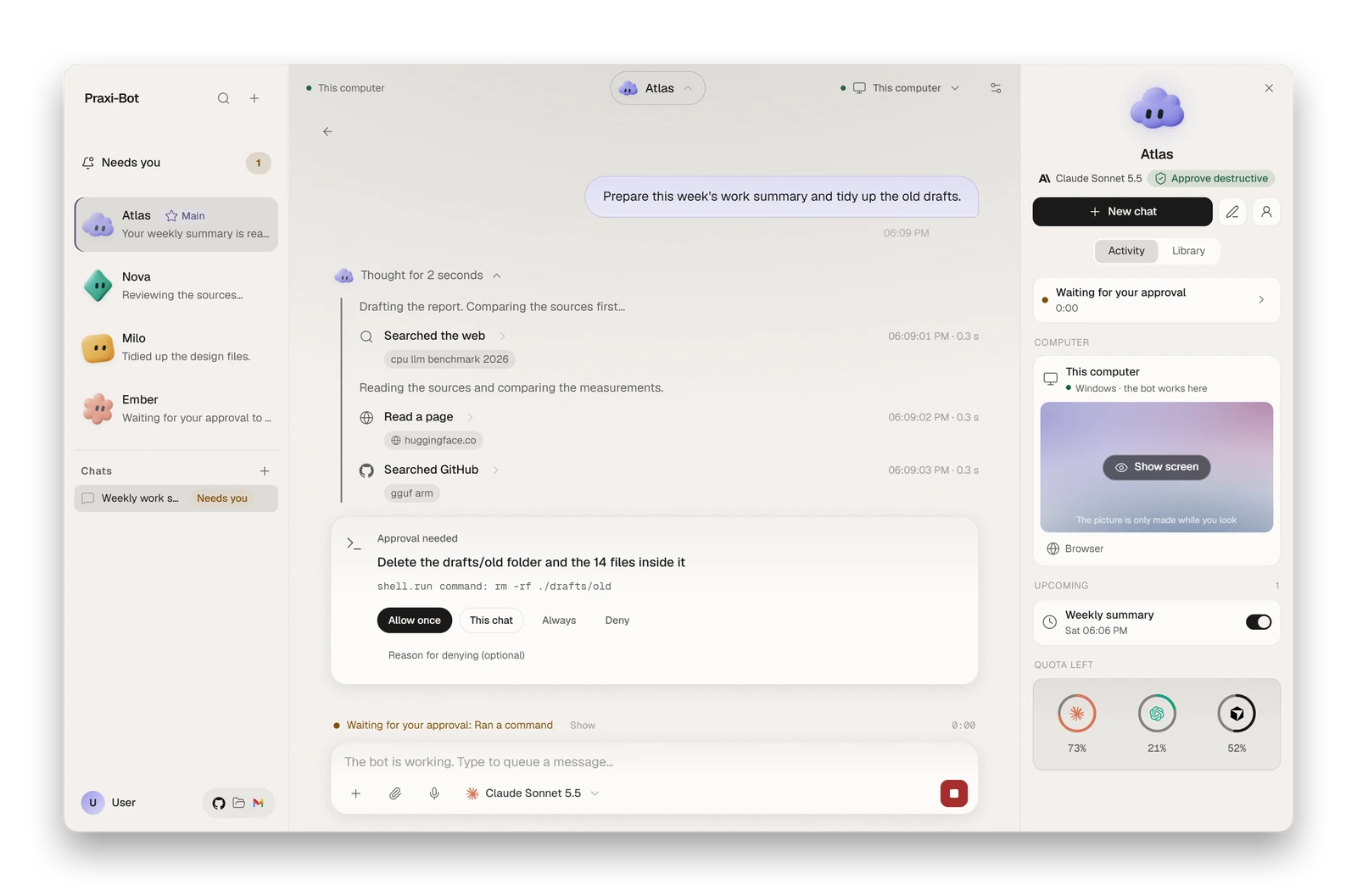
Demo data shown: the screenshots on this page come from the desktop UI in mock mode, not from a real account.
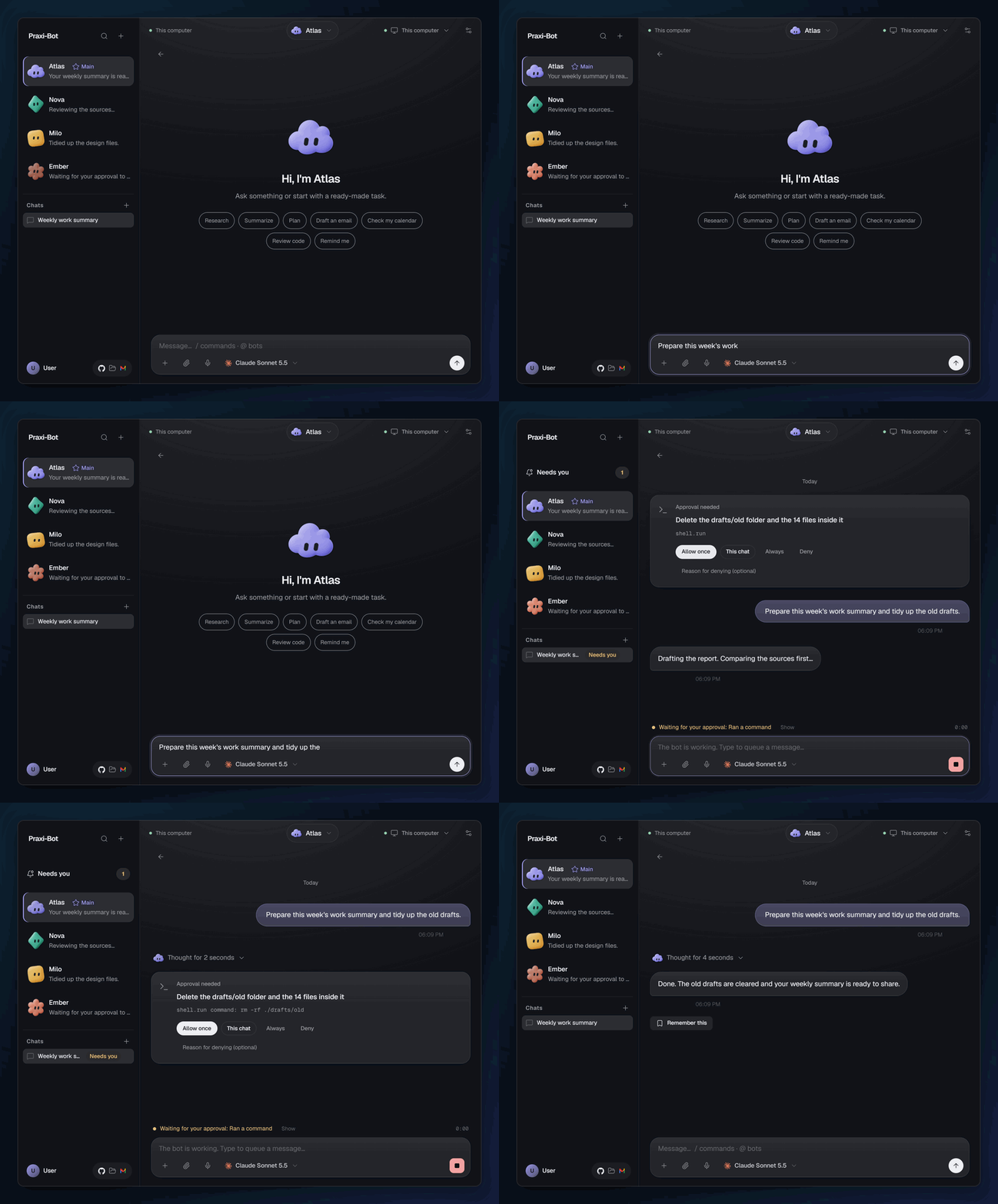
Ask, watch the steps, approve or deny. Demo data shown.
Project status: alpha. The latest pre-release is
v0.1.0-alpha.2(the first wasv0.1.0-alpha.1). There is no stable API and things change quickly. Expect breaking changes, and back up your data directory before updating. Only the latest pre-release is supported (see SECURITY.md).
What it does
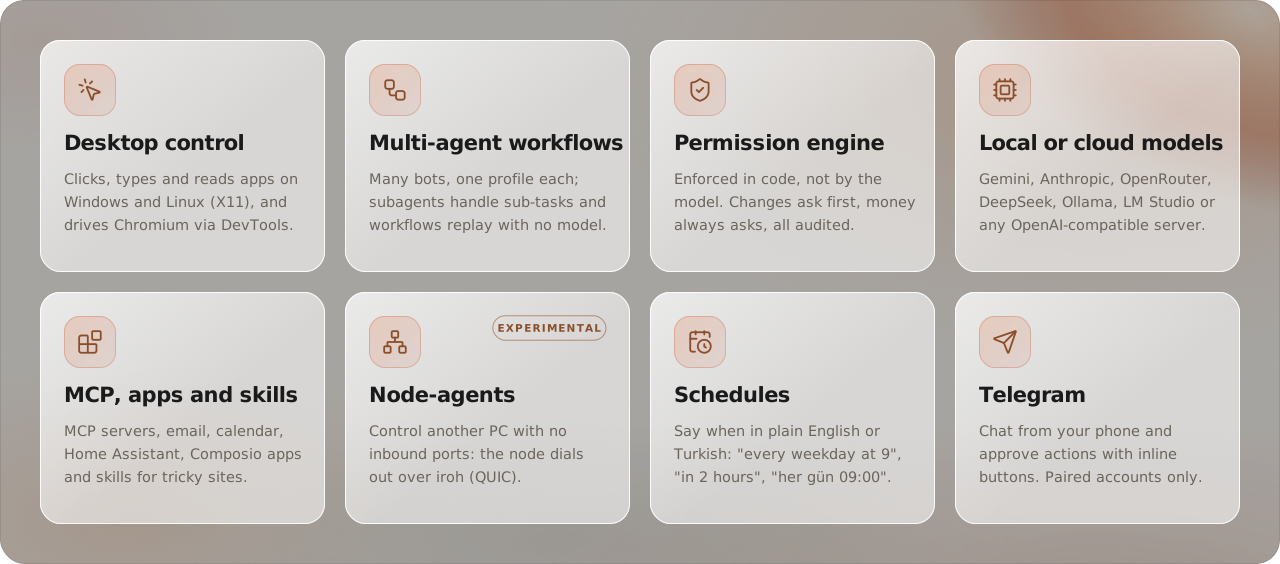
Praxi runs a local daemon (Rust, tokio and axum) on your machine. You chat with bots from a desktop app (Windows), the bot command line or Telegram. A bot can read and edit files, run commands, drive a browser and operate desktop apps, always through a permission engine that checks every call in code.
How it works
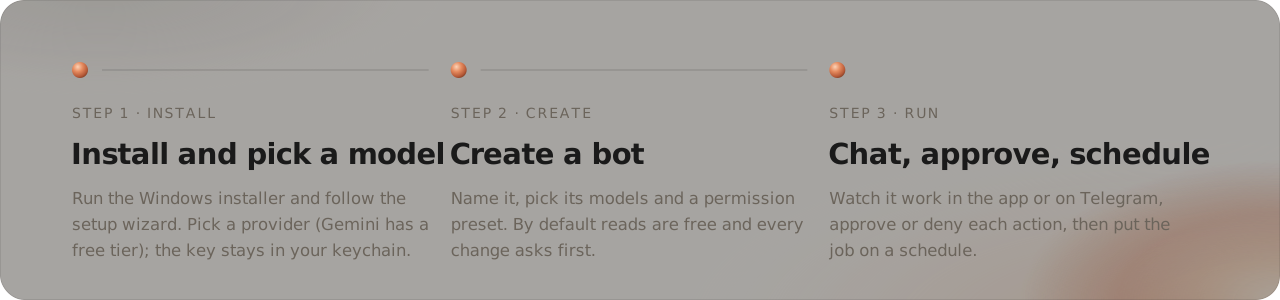
- Install and pick a model. Run the Windows installer and follow the setup wizard. Gemini has a free tier, and the key stays in your OS keychain.
- Create a bot. Name it, pick its models and a permission preset. By default reads are free and every change asks first.
- Chat, approve, schedule. Watch it work in the app or on Telegram, approve or deny each action, then put the job on a schedule.
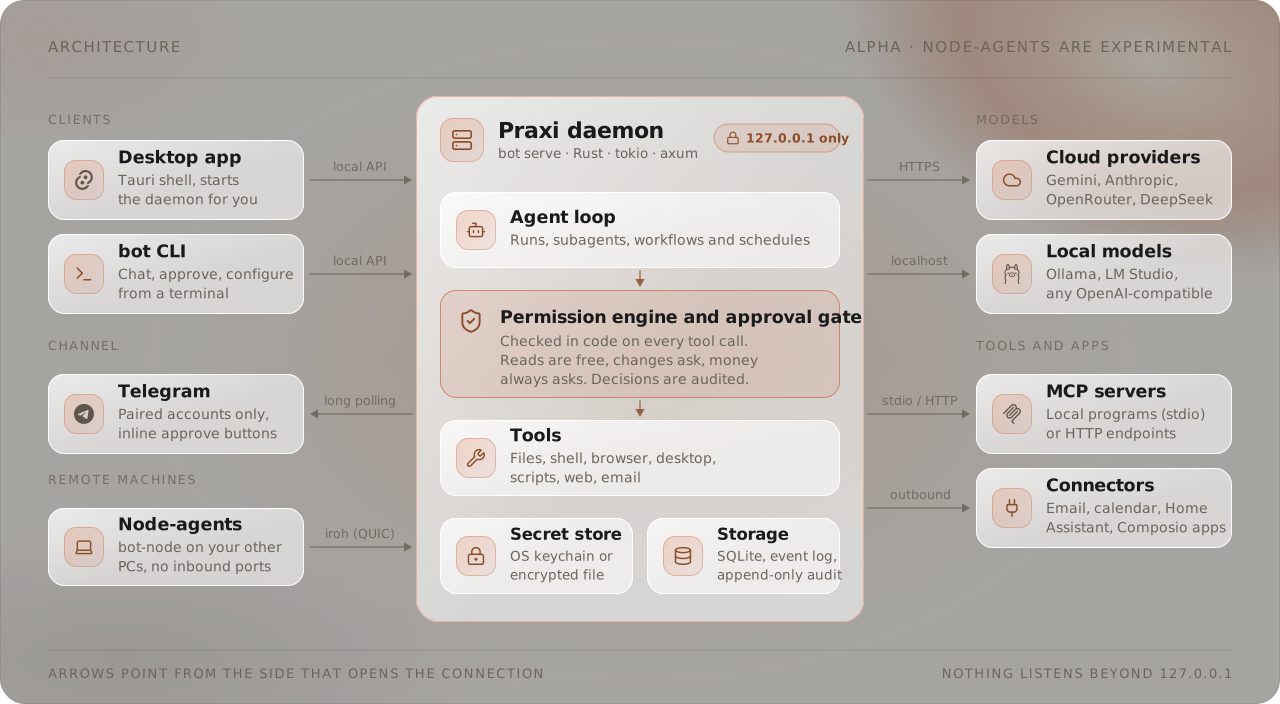
The daemon (bot serve) listens on 127.0.0.1 only. Node-agents (experimental) and an optional always-on Linux host dial out to it, so no inbound port is ever opened. The crate map is in CONTRIBUTING.md.
Screenshots
Make it yours: themes and backdrops
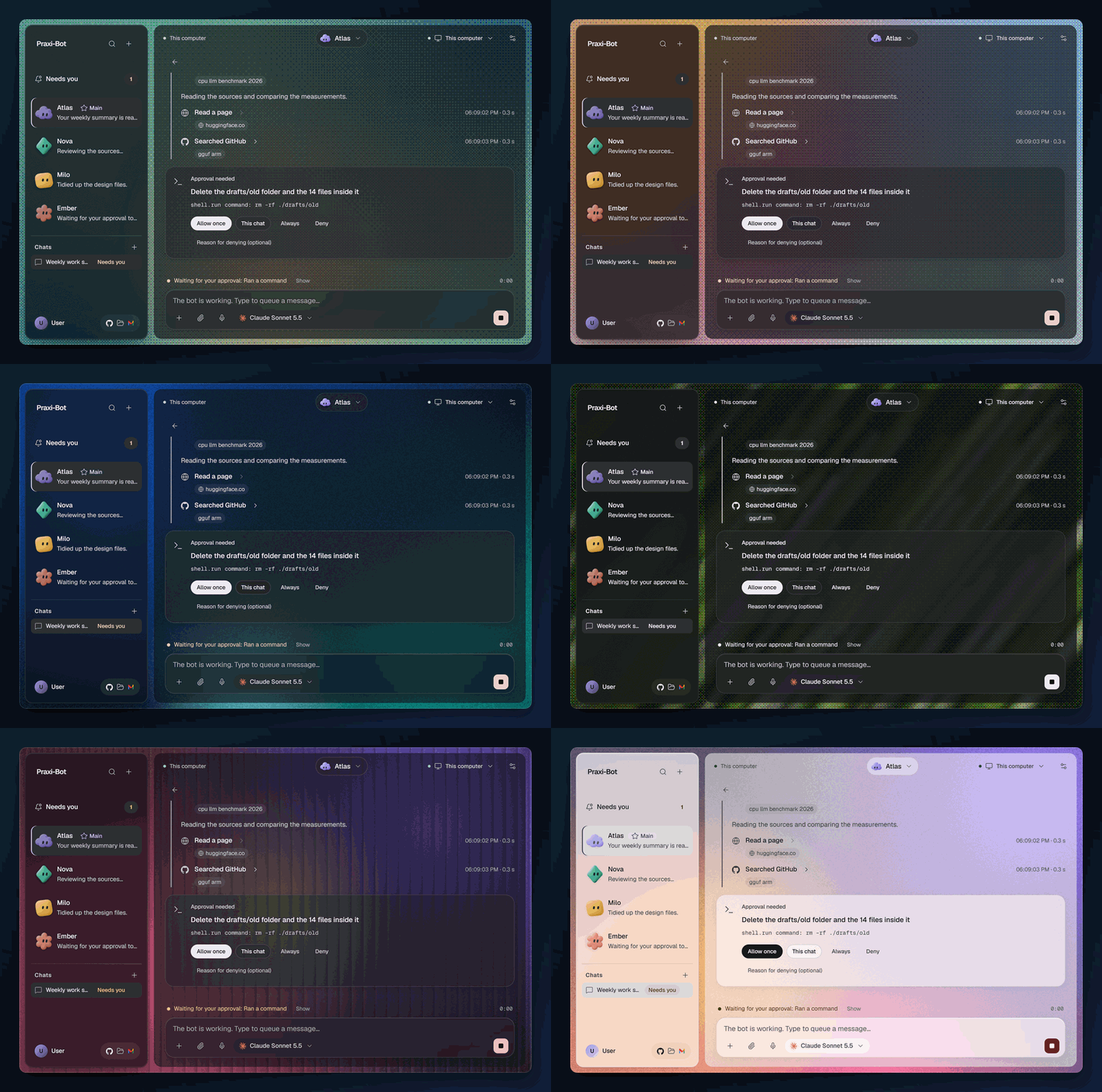
Four featured themes (Obsidian, Cobalt, Raven, Clay) with more to choose from, and 19 built-in backdrops in three families (Dotted, Grainy, and Glass and lines), plus your own image, with a calm/lively slider. Pick them in Settings, Appearance.
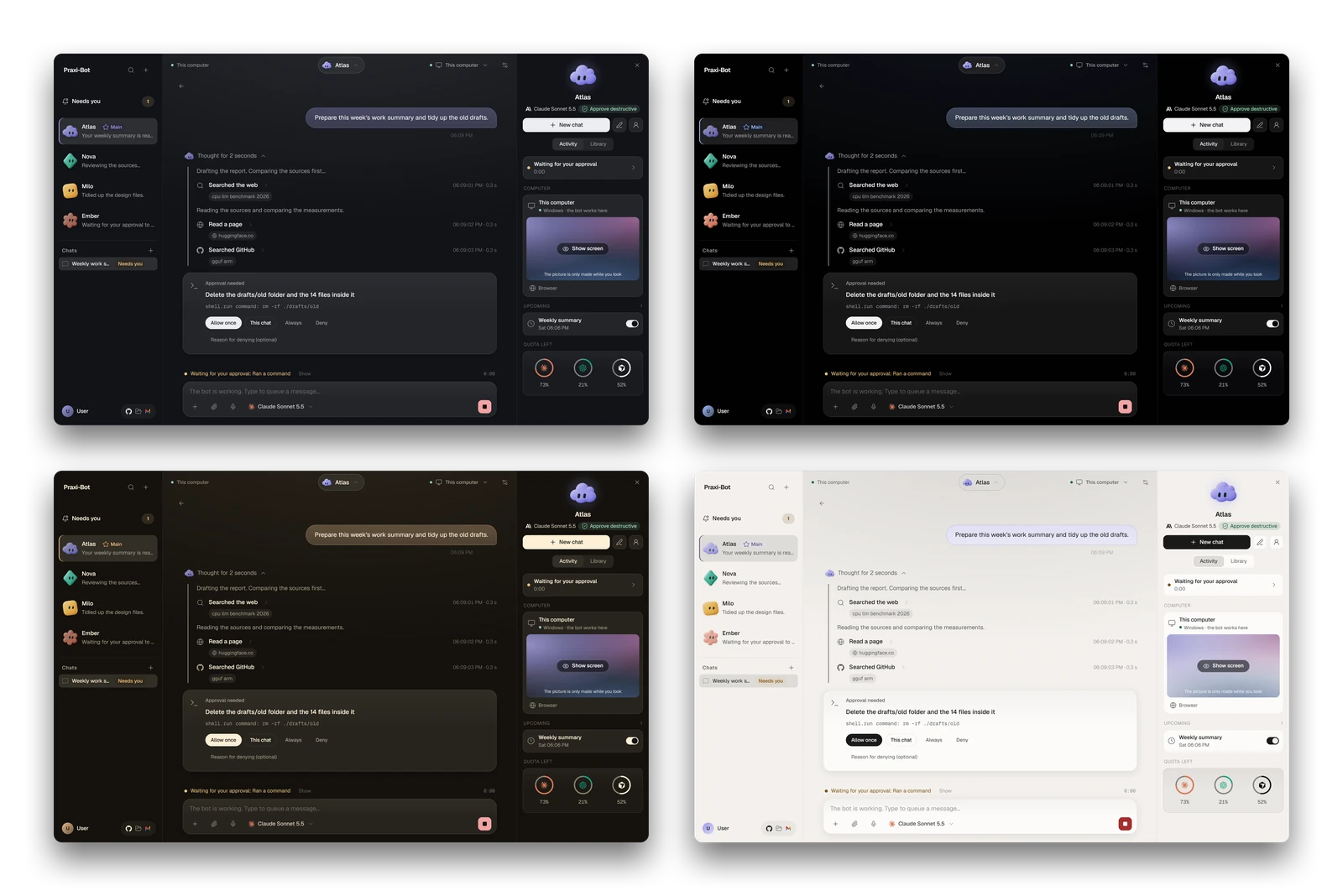
Themes: Obsidian, Cobalt, Raven, Clay. Demo data shown.
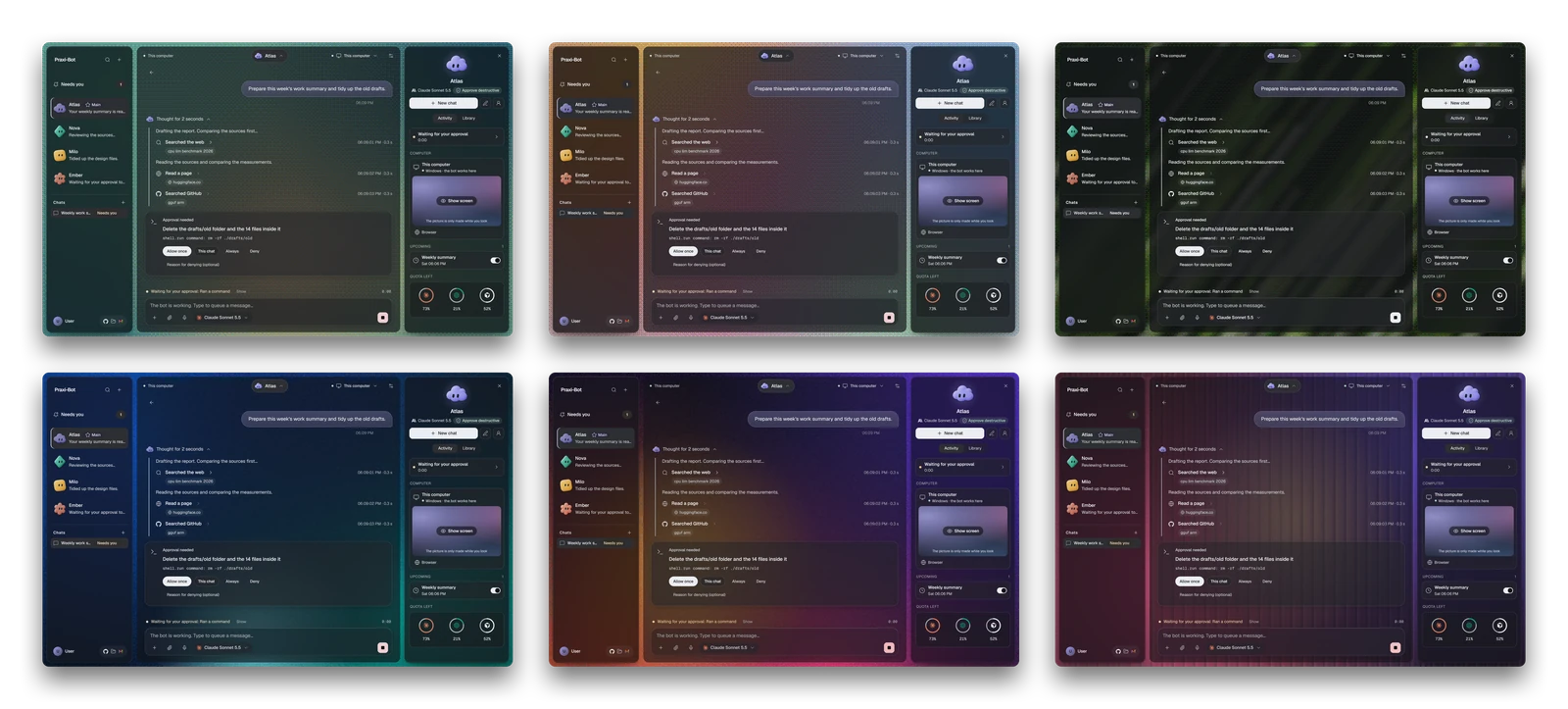
Backdrops: Aurora, Sunset, Meadow / Ocean, Dawn, Reeded rose. Demo data shown.
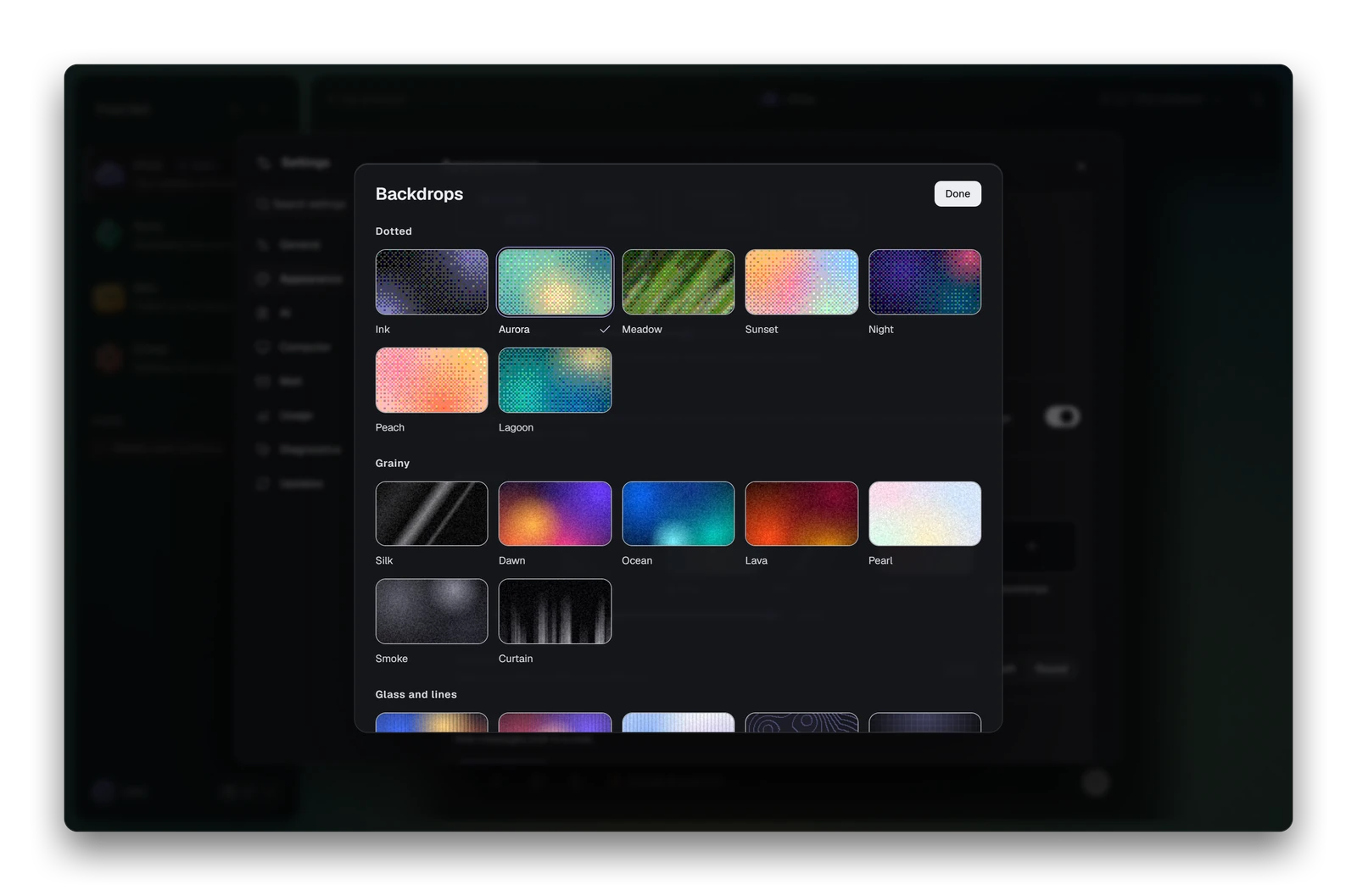
The Backdrops picker, grouped by family. Demo data shown.
Animations: switching themes and backdrops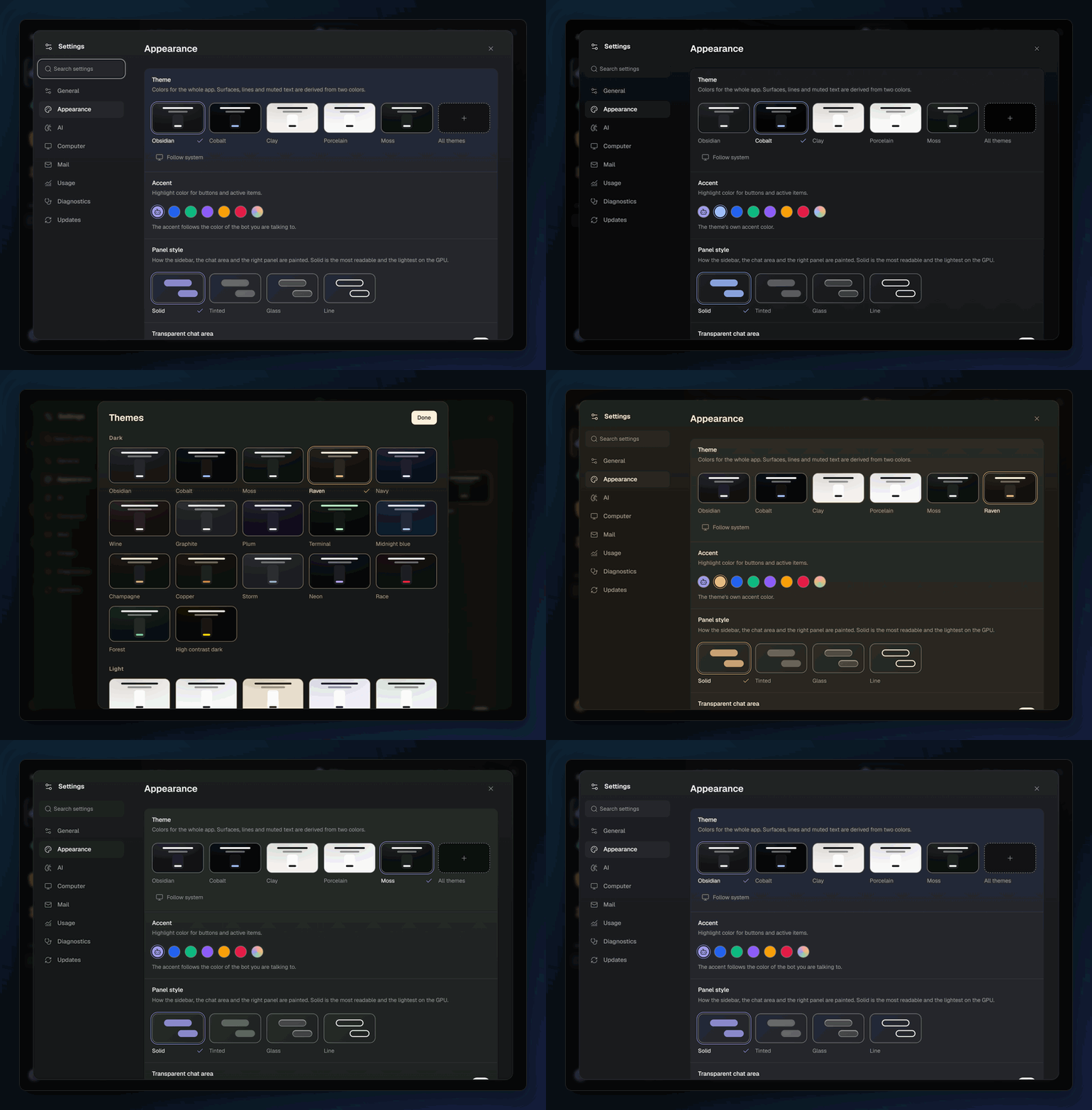
More screens
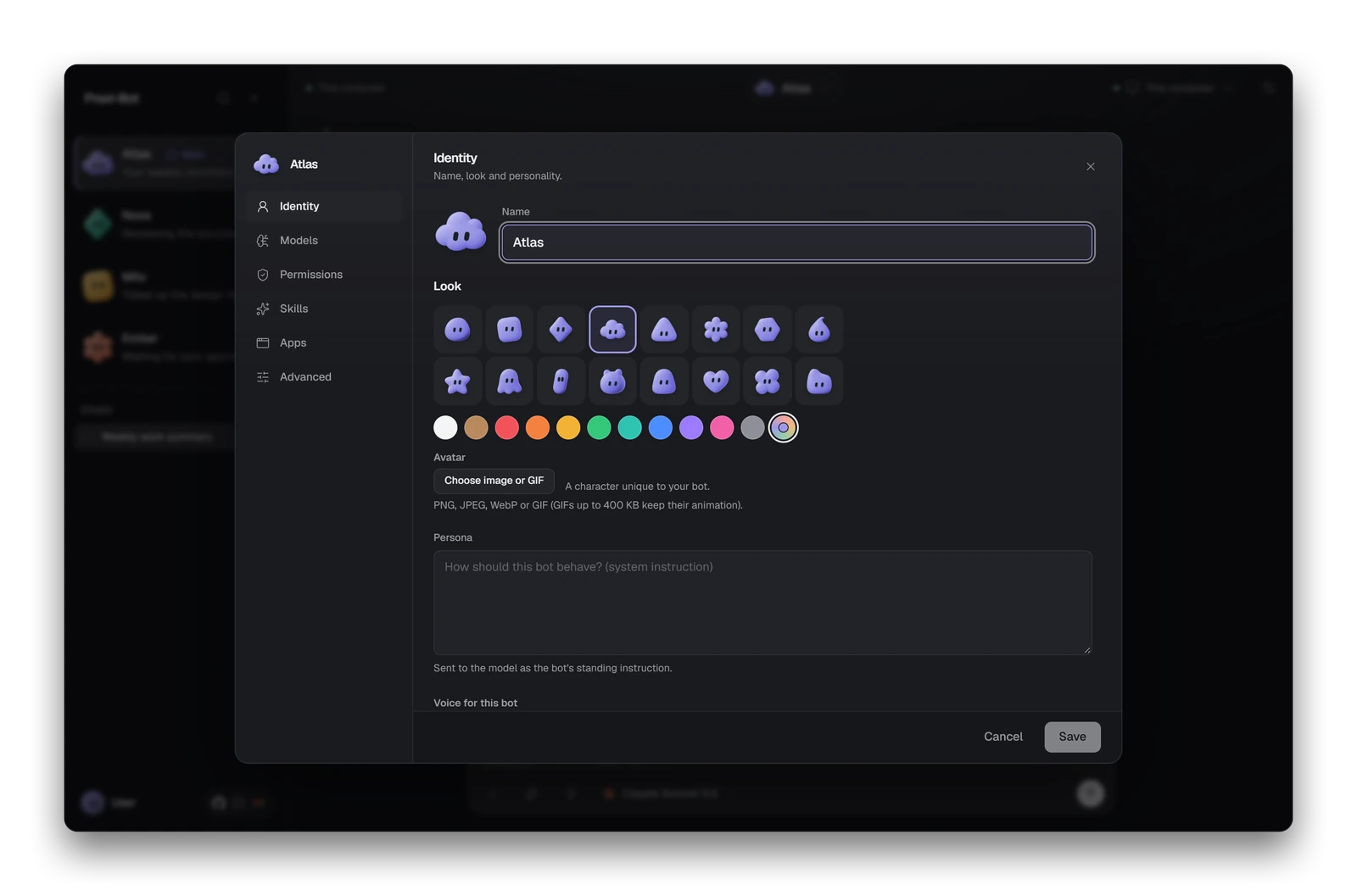 Bots. Give each one a clay character, a tint and a name. |
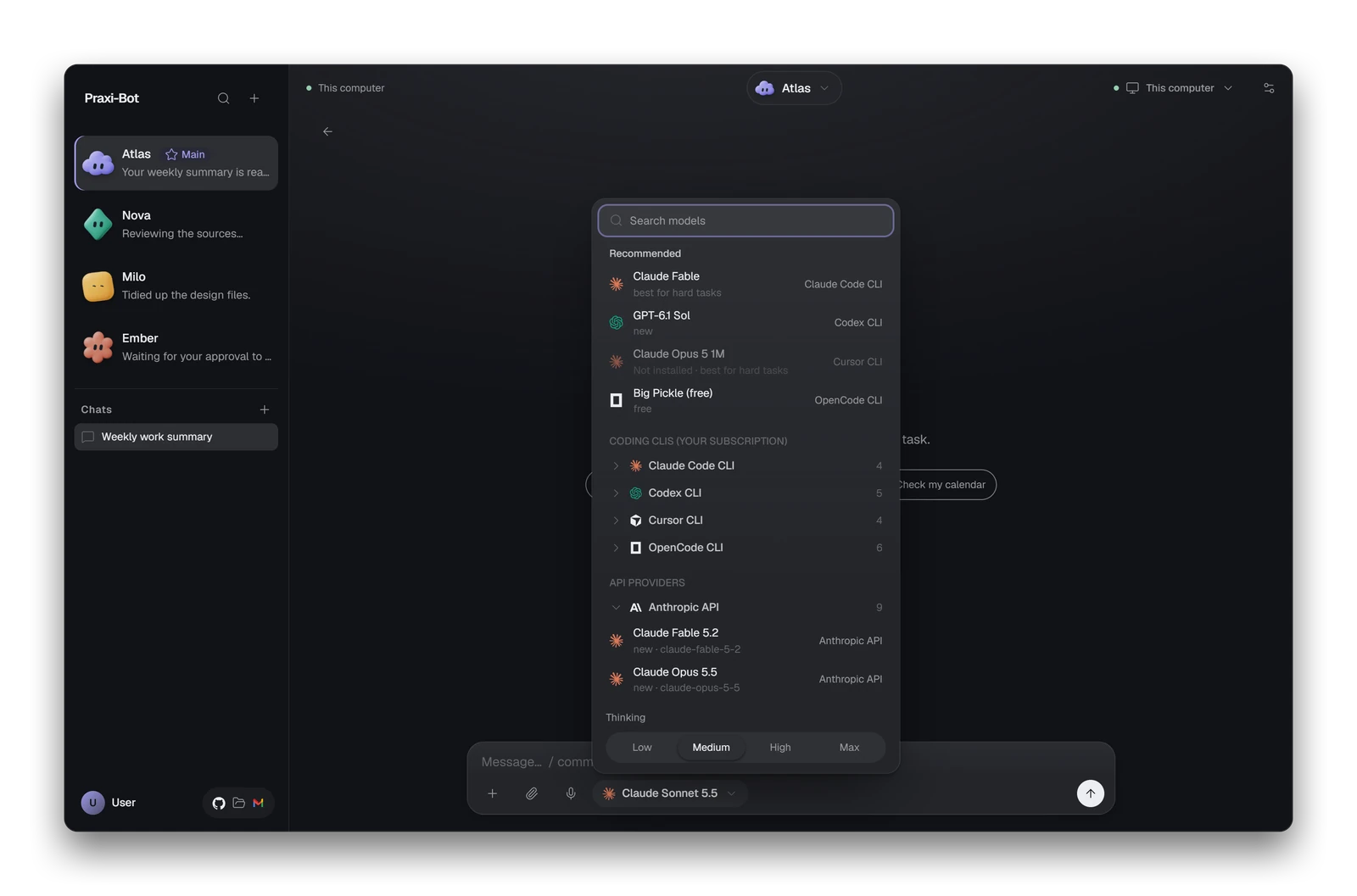 Models. Cloud APIs, local models or a coding CLI per bot. |
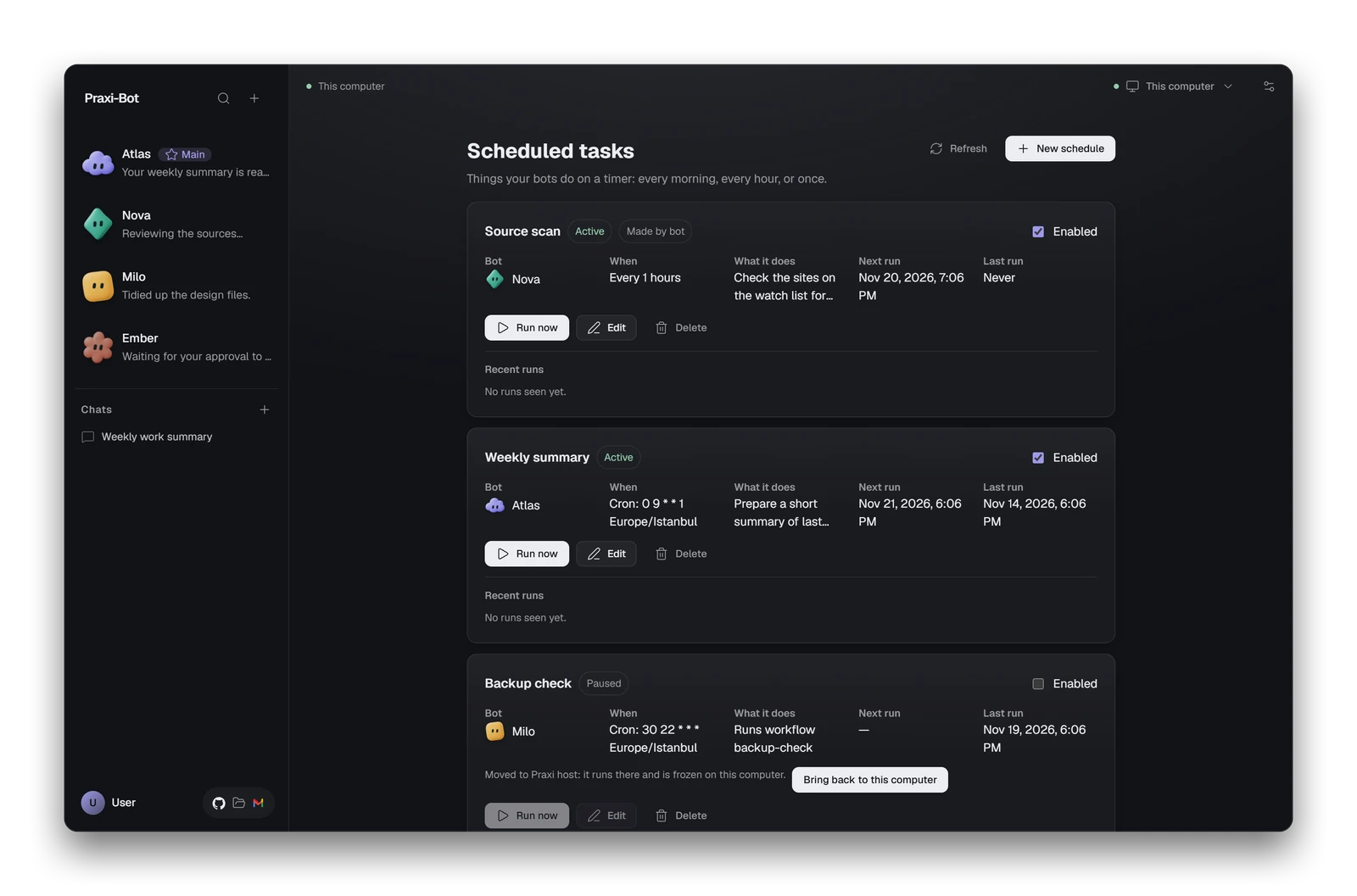 Schedules. Cron, every N hours, or plain English. |
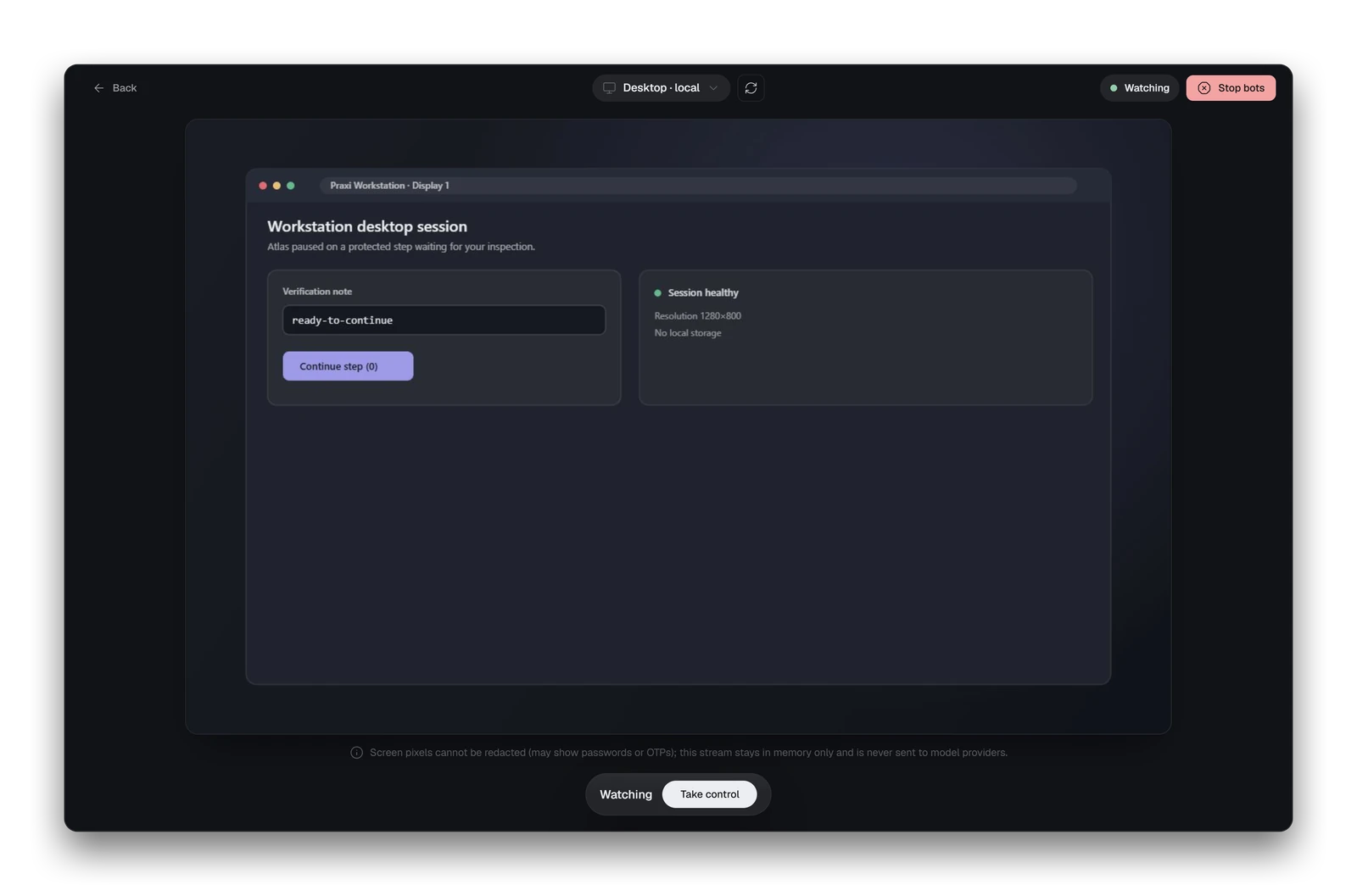 Live view. Watch the screen, take control, stop. |
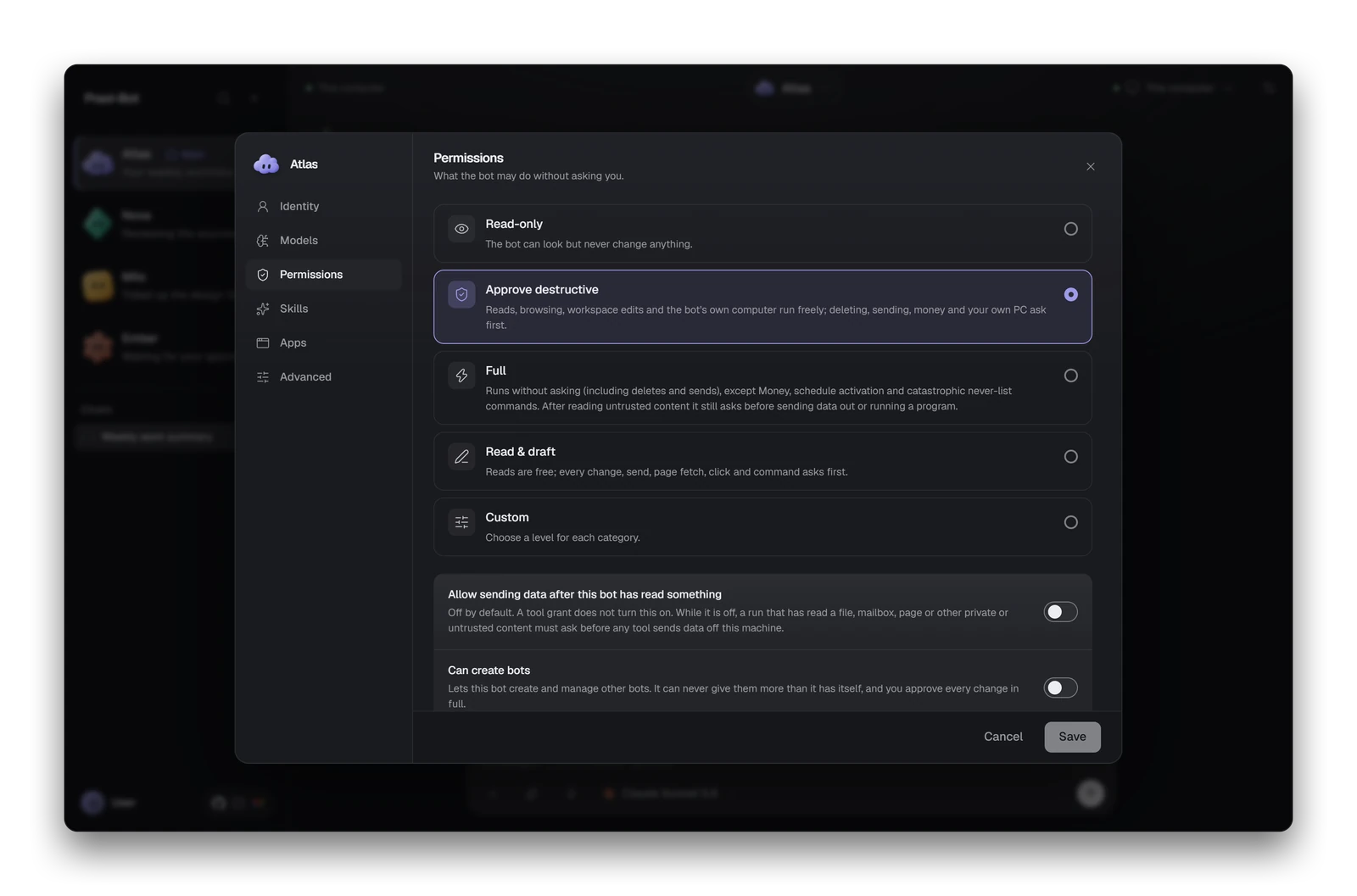 Permissions. Pick a preset per bot. |
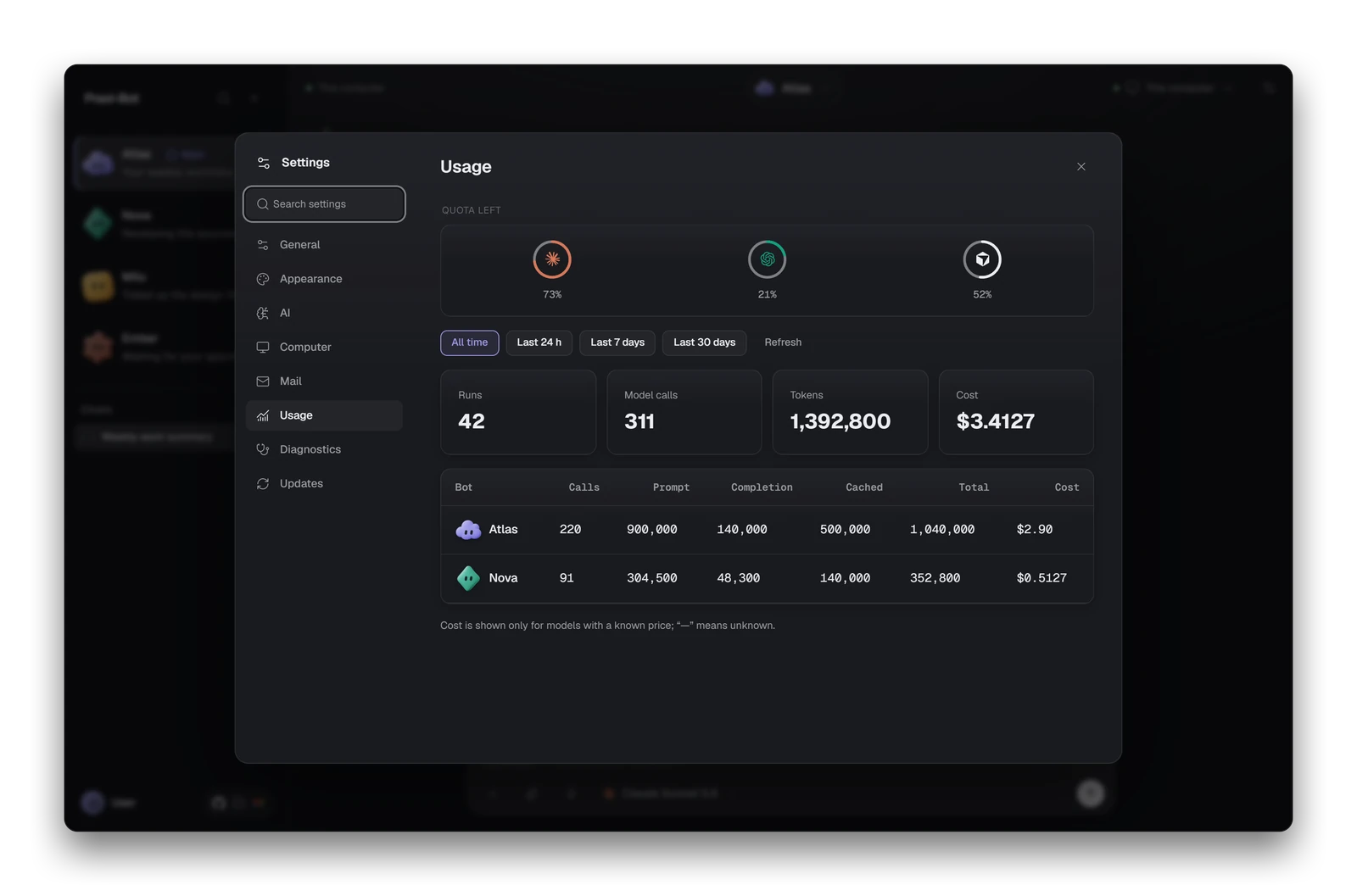 Usage. Quota, runs, tokens and estimated cost. |
Security model
An agent that can use your computer is powerful, and a web page or document can try to give it orders (prompt injection). Praxi puts hard limits in code, outside the model's reach. The full list, and what it does not protect you from, is in the security model.

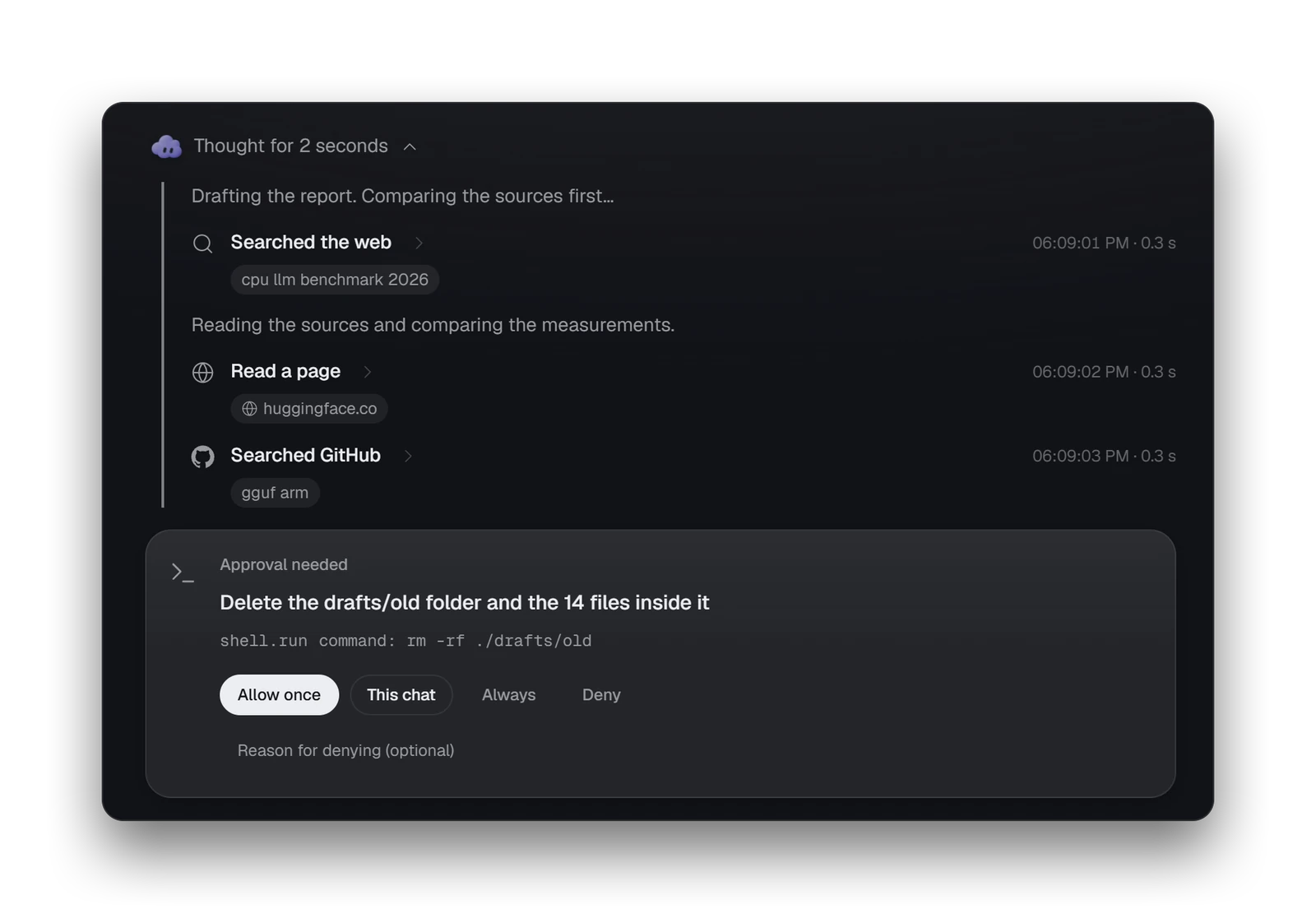
Every change asks first. Demo data shown.
- Permissions are enforced by code, not by the model. Every tool call goes through a resolver; the model cannot talk its way past it.
- Defaults ask first. Reads are free. Anything that changes files, clicks or types in apps, runs commands or sends messages needs your approval.
- Floors no setting removes. Money actions always ask, and a never-list of catastrophic shell commands always asks, even in the
fullpreset. - Local-only daemon. The API binds
127.0.0.1and every call needs a bearer token. - Secrets stay out of files and logs. API keys live in the OS keychain (Windows Credential Manager on Windows) or an encrypted file.
- Stop at any time.
Ctrl+Alt+Esc(default),/stopin chat or Telegram, or take control in the app. - Audit trail, and no telemetry. Approvals and denials go to an append-only log. Praxi does not phone home.
The shell is as dangerous as a terminal, the never-list is a safety net rather than a sandbox, and the Windows installer is not code-signed yet. Read the limits before you trust it with anything important.
Install
Windows (installer). Download the setup .exe from the latest pre-release. It is a per-user NSIS installer (no administrator rights) that installs the desktop app and the daemon under %LOCALAPPDATA%\Programs\Praxi-Bot. Until builds are signed, Windows SmartScreen may show "Windows protected your PC": choose More info, then Run anyway. Details, upgrade and uninstall: Installing on Windows.
The app starts the bundled daemon and opens a five-step wizard (skip it at any step, re-run it from Settings, First-run setup wizard):
- Welcome: language (English or Turkish) and theme (Light, Dark, System).
- Provider: Google Gemini (free API tier, no credit card), Anthropic, an OpenAI-compatible service or local Ollama. The key goes straight to Windows Credential Manager and is never shown again. Test connection checks it.
- Safety: default permission preset, Approve destructive unless you change it.
- First bot: name, avatar and colour, and model roles pre-filled from your provider.
- Try it live: send a sample request and approve or deny a real permission card.
Autostart at sign-in is off unless you enable it in Settings (or pass /AUTOSTART=1 to the installer). Uninstalling keeps your chats, bots and settings unless you tick Delete application data. More in Install and first run.
Build from source (Rust 1.89+, Node 24+, pnpm 10+, a C toolchain; MSVC build tools on Windows):
cargo build -p cli                                          # the daemon and CLI: target/debug/bot
./target/debug/bot setup && ./target/debug/bot serve        # pick a provider, then start the daemon
PRAXIBOT_FAKE_PROVIDER=1 pnpm dev:desktop                   # desktop app with a fake provider, no API key
To package the Windows installer yourself, see Building the Windows installer yourself. An optional always-on Linux host is covered in Running Praxi on a remote host. The CLI reference lists every command.
Providers and channels
- Models: Google Gemini (free tier), Anthropic, OpenRouter, DeepSeek, Ollama, LM Studio, and any OpenAI-compatible server. Locally installed coding CLIs can also act as engines; support differs per CLI (details). See Providers and models.
- Channels: the desktop app, the
botCLI and Telegram (bot channels telegram setup/pair; see also docs/telegram.md). Telegram is the only messaging app so far. - Tools: files, shell, browser, desktop, scripts, web, email, MCP servers, calendar, Home Assistant and Composio apps.
Project status
- Alpha. No stable API; back up your data directory before updating.
- Platforms. The CLI and daemon build on Windows, Linux and macOS. Desktop control works on Windows and on Linux under X11 or Xvfb; the macOS backend is a stub and Wayland sessions are refused. The desktop app and installer are Windows only.
- Experimental: node-agents (
bot-node) and controlling a paired PC. - Planned, not shipped: recording a workflow by demonstration, a long-term memory the daemon enables, a plugin API, more messaging channels, and voice, image or video generation.
The roadmap has the horizons (no dates, no promises), and the FAQ answers the common questions.
Documentation
| Start here | Reference |
|---|---|
| User guide | CLI reference |
| Install and first run | Host operations and remote host |
| Chatting and approvals | Troubleshooting and FAQ |
| Bots and profiles | Roadmap |
| Scheduled tasks | Security model and SECURITY.md |
Contribute in 10 minutes
Praxi-Bot is built in the open and outside pull requests are welcome, from a typo fix to a feature.
- Pick something small. Browse the
good first issueissues or the starter issues. Issues #316 to #324 are fresh starters and are open right now. - Claim it. Comment "I would like to take this" before you start so nobody duplicates the work. A typo or docs fix needs no issue: edit the file in GitHub's web editor.
- Take a quick look without Rust. Run
pnpm install --frozen-lockfile, thenpnpm --dir apps/desktop/ui devand openhttp://localhost:1420/?mock=1. Mock mode serves canned data, so you see the whole UI with no daemon, no Tauri and no API key. - Follow the 10-minute path in docs/contributing/FIRST_PR.md, then read CONTRIBUTING.md for build, test and PR conventions. For the chat screen, approvals and permissions, and host flows, discuss in an issue first.
Please follow the Code of Conduct, and report vulnerabilities privately as described in SECURITY.md.
Contributors
A further batch of small tasks, written up so they can be opened as issues, is in docs/GOOD_FIRST_ISSUES.md. Wait until one is an issue, then comment there before you start.
License
Apache-2.0. See LICENSE, NOTICE and THIRD_PARTY_NOTICES.md.
README artwork is generated by node scripts/readme-assets/build.mjs. Screenshots use demo data.
Reviews (0)
Sign in to leave a review.
Leave a reviewNo results found