claudoro
Health Gecti
- License — License: MIT
- Description — Repository has a description
- Active repo — Last push 0 days ago
- Community trust — 43 GitHub stars
Code Gecti
- Code scan — Scanned 12 files during light audit, no dangerous patterns found
Permissions Gecti
- Permissions — No dangerous permissions requested
Bu listing icin henuz AI raporu yok.
Claudoro: Feature rich Pomodoro timer embedded into Claude Code
🍅 Claudoro
A Pomodoro timer that lives inside the Claude Code terminal.
A live, ticking countdown in the status line (right where your eyes already are), plus a
reliable alarm that fires even when the status line is hidden or every session is closed.


📖 Read the story behind Claudoro: why a Pomodoro timer belongs in your Claude Code status line.
🍅 22:47 ▕████████░░▏ ●●○○ Opus · 34% · main
No separate app. No alt-tab. No broken focus. The countdown is in the one place you're already
looking, and it keeps ticking while you and Claude work.
Why
Long Claude Code sessions blur time. Every existing Pomodoro tool (menu-bar app, browser tab,
phone) sits outside the terminal and competes for the attention you're trying to protect.
Claudoro renders in the status line, the unused always-visible surface you already watch, so the
timer costs you no extra glance and no context switch.
Install
Prerequisite: Node ≥ 22 (already present if you installed Claude Code via npm).
From npm:
npm install -g claudoro
pomo setup
From source (development / pre-release):
git clone https://github.com/emson/claudoro.git
cd claudoro
npm install
npm link          # creates the global `pomo` binary pointing at this checkout
pomo setup
npm link makes the pomo command available globally while keeping the source directory as the
live copy, so git pull picks up changes immediately without re-installing. To remove it later:npm unlink -g claudoro.
pomo setup wires Claudoro into Claude Code: it writes the /pomo command file, merges thestatusLine block into your settings.json (backing it up first), and records everything it
touched in a manifest so uninstall is clean. It is idempotent, safe to re-run.
Open a new Claude Code session and run /pomo start. The countdown appears in your status line
within about a second. That's the under-2-minute path.
Usage
/pomo start [mins] [-w 25 -s 5 -l 15 -f 4] [-t "my task"]
/pomo pause | resume | stop
/pomo skip          finish this phase early, advance to the next
/pomo reset         restart this phase without moving the cycle count
/pomo next          advance a waiting boundary (manual/balanced mode)
/pomo back          undo the last phase transition (short window)
/pomo extend [N]    add N minutes to the current phase

/pomo status        rich detail: elapsed, label, today's count, next long break
/pomo mode [auto|balanced|manual]
/pomo view [minimal|classic|full]
/pomo work | short | long | frequency [N]   get or set your default durations
/pomo mute | unmute

/pomo note "text"   add to the current block's label (supports #tags)
/pomo tag name      add a #tag to the current block
/pomo label "text"  replace the current block's label

/pomo log           today's completed blocks
/pomo stats         analytics: streak, focus heatmap, top tags (--web for the dashboard)
/pomo undo [N]      remove the last N records (backup written first)
/pomo restore       restore from a backup

/pomo guide         the Pomodoro Technique, tailored to Claudoro (--web for a web page)
/pomo version       print the installed version
/pomo help [command]
Prefer zero model round-trips? Run the CLI directly from the prompt with !:
!pomo start 50 "architecture spike"
!pomo status --json
Status line
Three view modes, switchable any time with /pomo view <mode>:
| Mode | Output |
|---|---|
minimal |
🍅 22:47 ▕████████░░▏ |
classic (default) |
🍅 22:47 ▕████████░░▏ ●●○○ |
full |
🍅 22:47 ▕████████░░▏ ●●○○ write tests (adds the label) |
The segment is absent when idle, so starting and stopping never shifts your layout. Your
existing status-line info (model · context% · git) is preserved alongside it, never clobbered.
The cycle dots (●●○○) show how many focus blocks you've done toward the next long break. They
reset to ○○○○ each day (at your local midnight) and whenever a long break completes, so a fresh
day always starts empty.
Durations and cadence
Four durations control the cadence. Set a personal default once with its pomo command, or
override it for a single run with the matching flag:
| Command (persists) | Flag (one-off) | Default | Controls |
|---|---|---|---|
pomo work [N] |
-w, --work N |
25 min | Focus block length |
pomo short [N] |
-s, --short N |
5 min | Short break length |
pomo long [N] |
-l, --long N |
15 min | Long break length |
pomo frequency [N] |
-f, --frequency N |
4 | Focus blocks before a long break |
Run any of the four with no argument to print its current default; pomo status shows all four
together on its Durations: line.
pomo work 50                       # save 50min as your default focus length, from now on
pomo start                         # uses your saved defaults: 50/5/15, long break every 4
pomo start -s 10 -l 30             # one-off: this run only, your saved defaults are untouched
pomo start 25 -f 3                 # positional shorthand for work, still a one-off
Durations are fixed for the life of a session. To change them, pomo stop and start again.
Transition modes
How much Claudoro advances on its own at a phase boundary (D-006a):
| Mode | Focus → break | Break → focus | Best for |
|---|---|---|---|
auto (default) |
auto | auto | hands-free classic cadence |
balanced |
auto | wait | never waste focus while away |
manual |
wait | wait | deep-flow work |
pomo mode balanced
At a waiting boundary the status line shows +M:SS overtime and the next step; /pomo next
advances it, /pomo back undoes the last transition within a short window.
History, undo, and privacy
Every completed focus block is appended as an immutable record to a daily JSONL log. Aggregates
(today's count, cycle position) are derived from those records, never stored as counters, soundo can never desync the data.
pomo log                  # today
pomo log --date 2026-06-10
pomo undo 2               # dry-run + confirm, then removes the last 2 (backup first)
pomo restore <backup-id>  # reverse it
Everything is local-first: no network, no accounts, no telemetry. State lives under your XDG
state dir and never leaves the machine. See SECURITY.md.
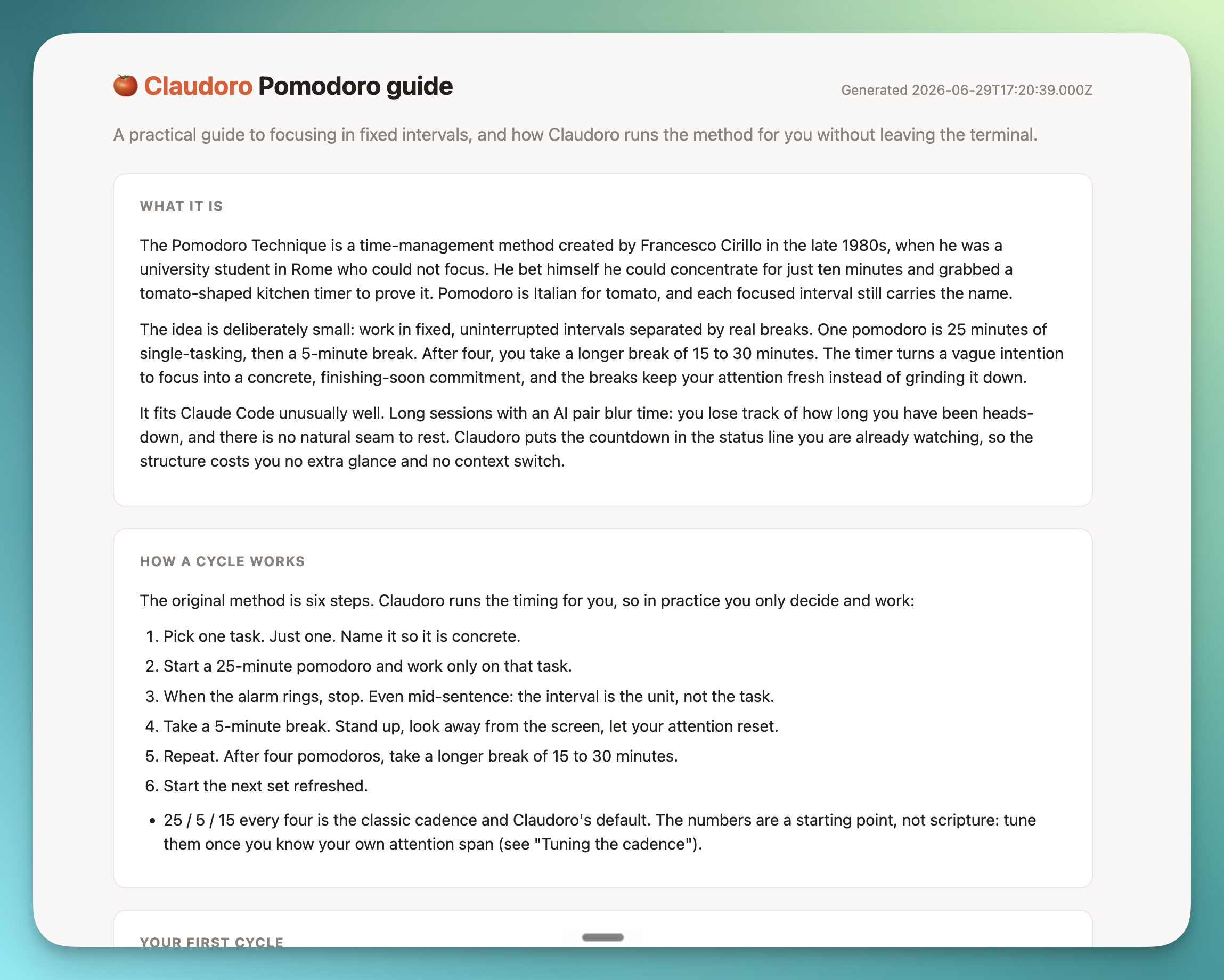
Learn the technique
New to the Pomodoro Technique, or want to use it well? pomo guide is a complete, standalone
guide: what the method is, how a cycle works, the rules that make it stick, handling
interruptions, the edge cases Claudoro mitigates for you, and how to tune the cadence. It reads
in the terminal, or --web opens it as a self-contained page styled like the stats dashboard.
pomo guide          # read it in the terminal
pomo guide --web    # open it as a web page
pomo guide --json   # the structured content for an agent or script
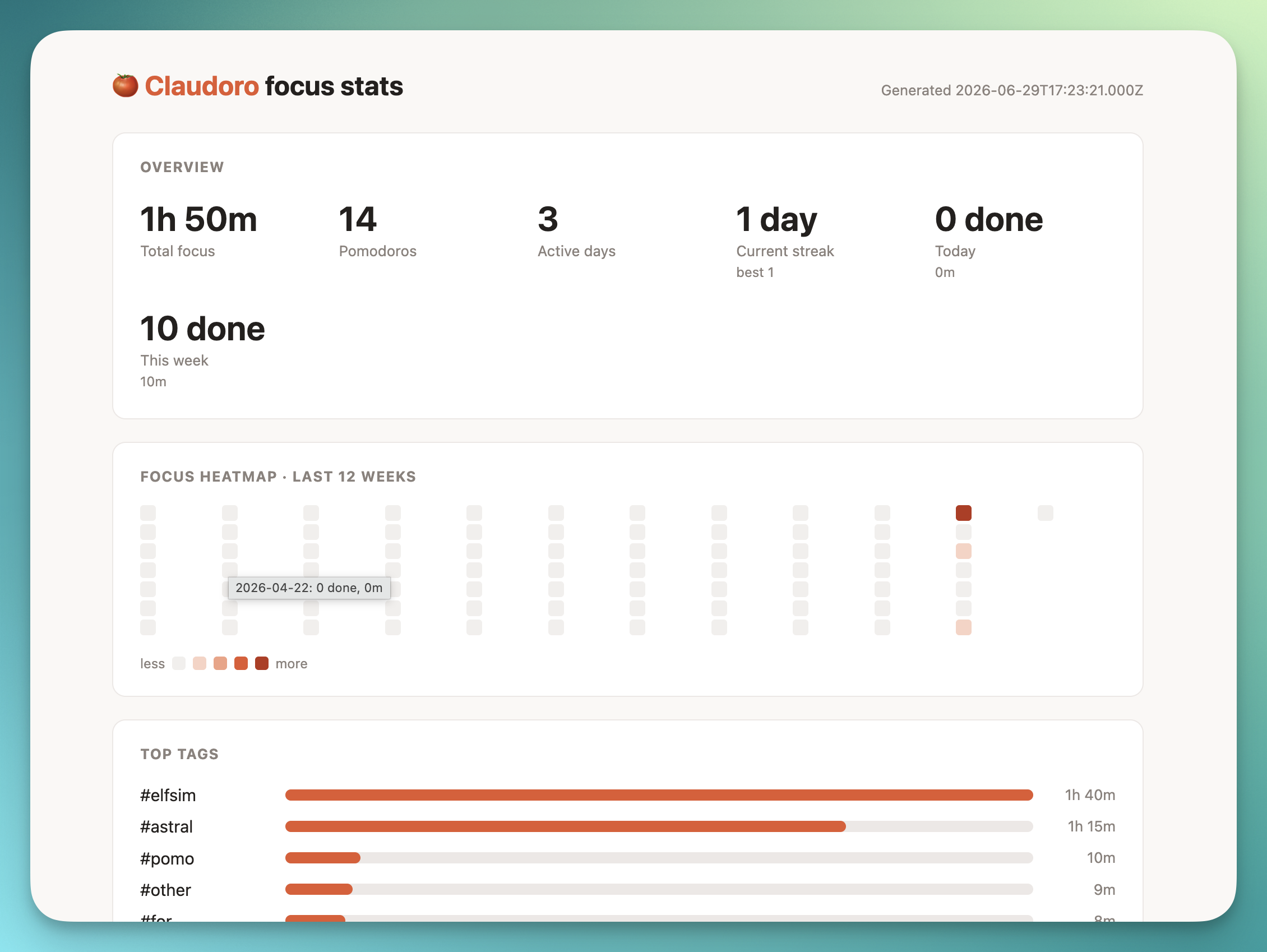
Stats and dashboard
pomo stats answers "how am I doing over time?" without leaving the terminal: current streak,
a focus heatmap, top tags, your focus-by-hour, and the outcome mix, all derived from the log on
read (no stored counters).
🍅 Claudoro focus stats

  128 pomodoros  53h 20m focus  31 active days
  Streak  6 days  (best 11)

  Focus · last 12 weeks
  Mon ▒▓░·▓██▒▓░▒▓
  ...

  Top tags   #project-x ████████ 8h   #review ███ 3h
Want the visual version? pomo stats --web writes a self-contained HTML dashboard (one file,
no dependencies, no network, renders offline) and opens it in your browser. Times are shown in your
local timezone while the log itself stays UTC, so the data is portable and the view is friendly.
pomo stats          # the terminal panel
pomo stats --web    # the visual dashboard in your browser
pomo stats --json   # stable JSON for an agent or a script
The dashboard lives at ~/.local/state/claudoro/dashboard.html. It contains your session labels,
so treat it as private (it is never uploaded anywhere). Delete it any time; the next run rebuilds it.
Multiple sessions
One global timer, shown in every open Claude Code session; control works from any of them, and
exactly one alarm fires no matter how many sessions are watching. Suppress the segment in a
specific pane with:
export CLAUDORO_HIDE=1
Environment variables
| Variable | Default | Effect |
|---|---|---|
CLAUDORO_HIDE |
unset | Suppress the segment in this shell |
CLAUDORO_COLOR |
auto |
auto | always | never |
CLAUDORO_EMOJI |
auto |
always | never (force or disable the icon glyphs) |
CLAUDORO_LINKS |
auto |
always | never (OSC 8 click targets) |
CLAUDORO_PASSTHROUGH |
model,context,git |
Which fields to show alongside |
NO_COLOR |
unset | Standard no-color flag (honoured) |
XDG_STATE_HOME |
~/.local/state |
Override state directory |
XDG_CONFIG_HOME |
~/.config |
Override config directory |
Troubleshooting
The countdown shows but doesn't tick while I'm idleIdle ticking needs refreshInterval inside the statusLine block of settings.json, whichpomo setup adds. Older Claude Code versions don't support it — the timer still updates on every
interaction, just not second-by-second while idle. Update Claude Code to get live ticking.
Sound degrades gracefully: platform player → terminal bell → silent. On Linux installlibnotify/notify-send and a player (paplay/aplay/ffplay). Over SSH or with no audio
device you'll get the OS notification or bell only. Check you're not muted: pomo unmute.
It shouldn't — Claudoro composes with it. If something looks off, pomo uninstall restores your
previous statusLine from the timestamped backup pomo setup made next to settings.json.
That's auto mode (the default). Switch with pomo mode balanced (waits before starting focus),
or unwind the unattended blocks with pomo undo N (a backup is written first).
Claudoro guards against this: when you finally pomo stop (or pomo next) a block that ran long
unattended, it credits focus only up to planned + max_overtime (30 min by default) and flags the
record abandoned. The true span is kept, and pomo log shows it as 25m focus (ran 11h 32m, abandoned). Your stats are never inflated, even for records logged before this guard existed.
If the long run really was deliberate work, pomo stop --full records the full elapsed time. Raise
the threshold for a session with pomo start --max-overtime N. In manual/balanced mode a phase
left waiting in overtime past the same threshold auto-closes to idle (keeping full credit) rather
than counting up forever.
Uninstall
Claudoro attaches in up to four independent layers; remove them in this order.
# 1. (Only if installed as a Claude Code plugin) remove the plugin FIRST.
#    Its SessionStart hook re-runs `pomo setup`, so unwiring before this gets
#    silently undone on your next session. Use the /plugin manager in Claude Code.

# 2. Unwire from Claude Code: removes the /pomo command file and restores your
#    prior status line from backup. `pomo uninstall` warns you if it detects the
#    plugin from step 1 still installed.
pomo uninstall

# 3. Remove the binary.
npm uninstall -g claudoro      # or `npm unlink -g claudoro` for a dev `npm link`
Your history and stats in the state dir are kept by default. To delete them too, add--purge (a dry run that prints what it would remove) and confirm with --yes:
pomo uninstall --purge          # preview: shows the data dir that would be deleted
pomo uninstall --purge --yes    # unwire AND permanently delete all history/state (irreversible)
No orphaned background processes are left behind.
How it works
A single Node package. The pomo CLI is the single source of truth; the status line, the/pomo command, and the alarm are thin surfaces over it. The CLI runs with zero model
involvement, so the core feature never costs API tokens.
Claude Code ──~1s, JSON on stdin──▶ pomo statusline ──read──▶ state.json
     │ /pomo → !`pomo $ARGUMENTS`                                ▲ atomic write (lock)
     ▼                                                           │
 user input ───────────────────────────────▶ pomo <verb> ────────┘
                                                  │ spawn detached
                                                  ▼
                                           alarm one-shot ──▶ sound / notification
- State:
~/.local/state/claudoro/state.json(the one running timer) - History:
~/.local/state/claudoro/logs/YYYY-MM-DD.jsonl(immutable records, UTC) - Dashboard:
~/.local/state/claudoro/dashboard.html(rebuilt bypomo stats --web)
Full design: specs/spec.md (modules, data model, acceptance tests) andspecs/decisions.md (the D-001…D-012 rationale).
Contributing
Issues and PRs welcome — see CONTRIBUTING.md and CLAUDE.md for the
architecture and coding principles. Run npm run check (lint, format, typecheck, tests) before
opening a PR.
Acknowledgements
The flag interface and classic cadence follow pymodoro,
so anyone migrating gets zero relearning.
Thanks to Marco Ciotola for persisted default durations
(pomo work/short/long/frequency, #11).
Author
Built by Ben Emson.
- Website: benemson.com
- X / Twitter: @emson
- Repository: github.com/emson/claudoro
License
Yorumlar (0)
Yorum birakmak icin giris yap.
Yorum birakSonuc bulunamadi