omaspec
Health Uyari
- License — License: MIT
- Description — Repository has a description
- Active repo — Last push 0 days ago
- Low visibility — Only 6 GitHub stars
Code Gecti
- Code scan — Scanned 12 files during light audit, no dangerous patterns found
Permissions Gecti
- Permissions — No dangerous permissions requested
Bu listing icin henuz AI raporu yok.
Native PlantUML and Mermaid editor for Omarchy, in Rust

Omaspec
PlantUML and Mermaid, drawn as you type and understood as behavior.
A native diagram editor for Omarchy, written in Rust.


Install · Getting started · Reference · Roadmap
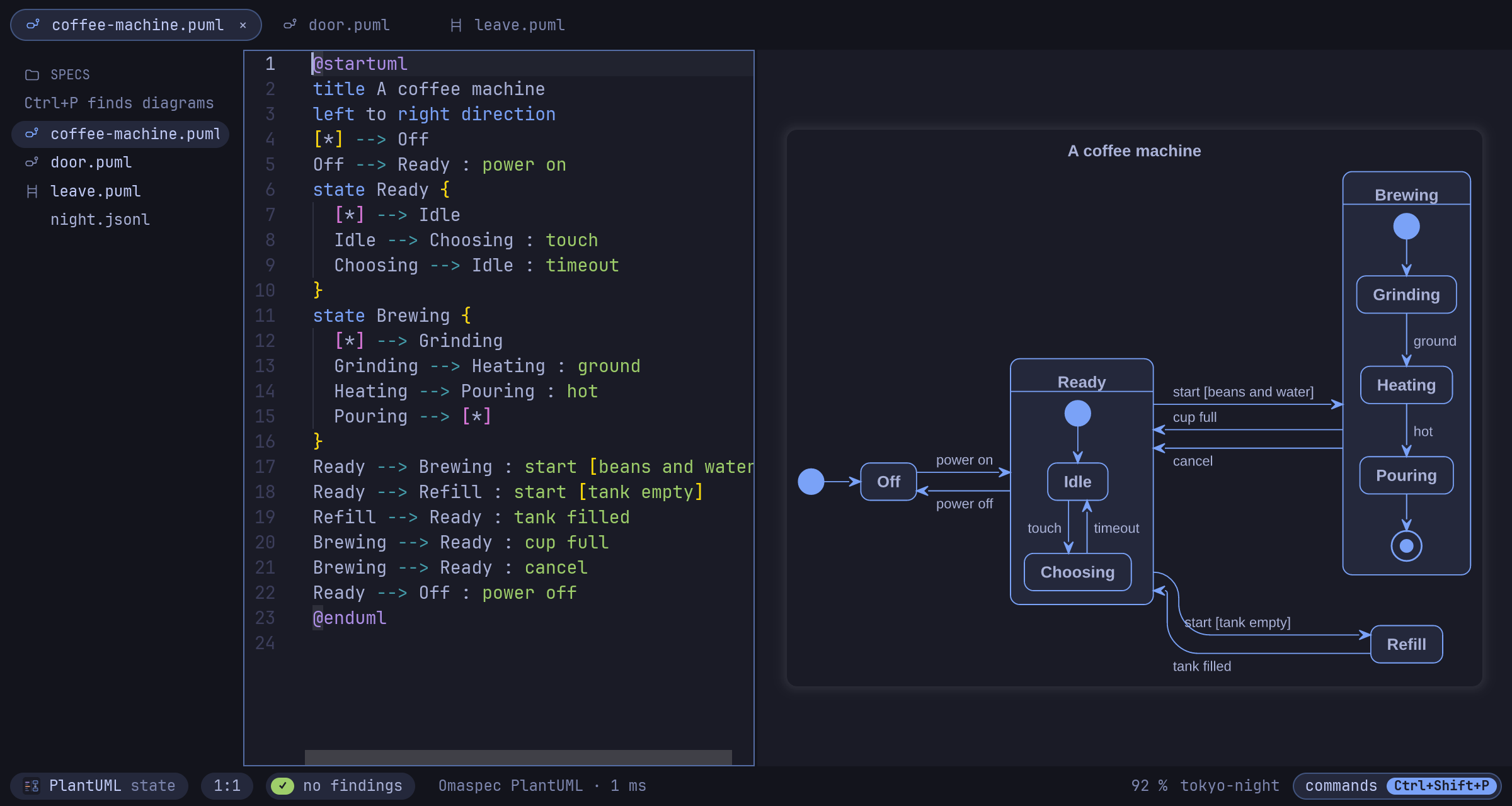
The source in the middle, the live diagram on the right, in the colors of your Omarchy
theme and the font omarchy font set picked. One binary with its own engines: no Java,
no browser, no network, and it sends nothing anywhere.
Why Omaspec
It draws as you type
Omaspec draws with its own engines, in a few milliseconds: PlantUML sequence, activity,
state, class, component, use case, deployment, object, timing and Gantt diagrams, mind
maps, WBS, JSON and formulas, and Mermaid flowcharts, state and sequence diagrams. The
other Mermaid types are drawn by mmdr, a Rust library, in the same process. Lint findings
are underlined while you type, and a Ctrl+click in the diagram jumps to its line in the
source.
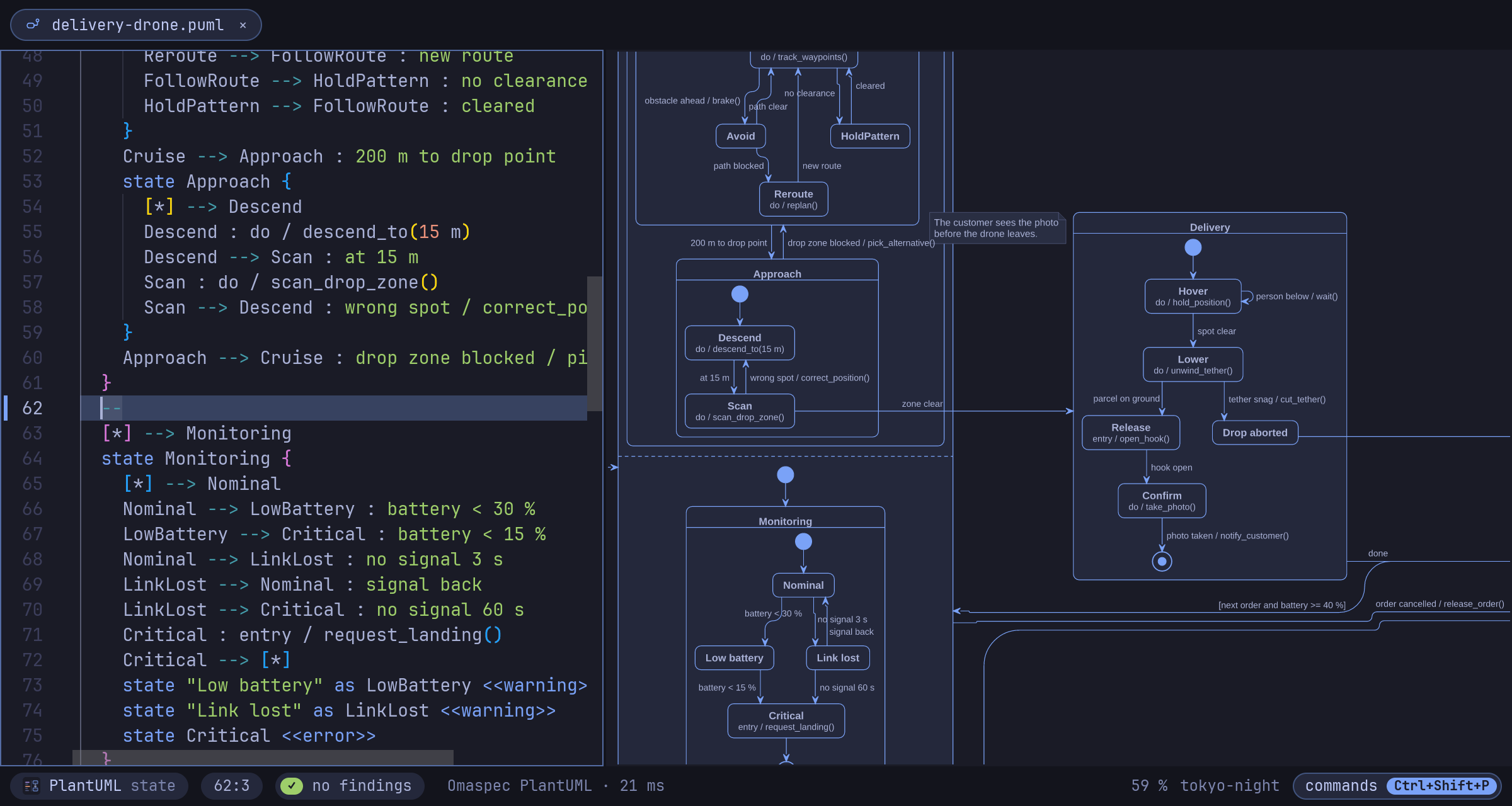
Large diagrams too: the delivery drone in examples/drone has 45
states up to four levels deep, two regions running side by side and 72 transitions, and
Omaspec draws it in about 30 ms.
It reads your diagram as behavior
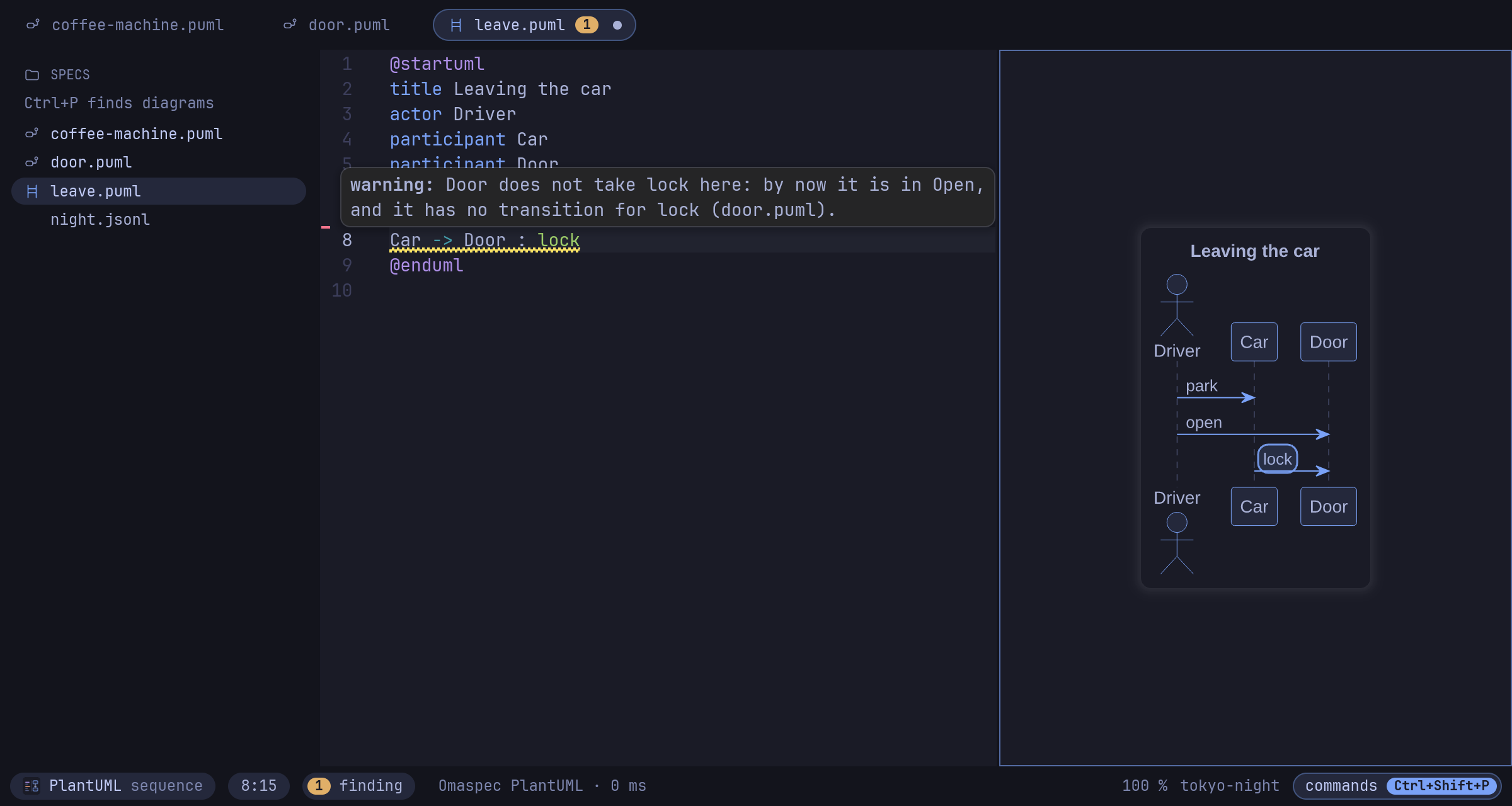
A state diagram is the state machine it specifies, and a sequence diagram is a scenario,
in PlantUML and Mermaid alike. Omaspec checks them while you type: a state no path
reaches, a state nothing leaves, one event leading two ways with no guard to choose. A
scenario is checked against the state machines of its project: every message must be an
event its receiver can take, in the order the scenario sends them.
Play it
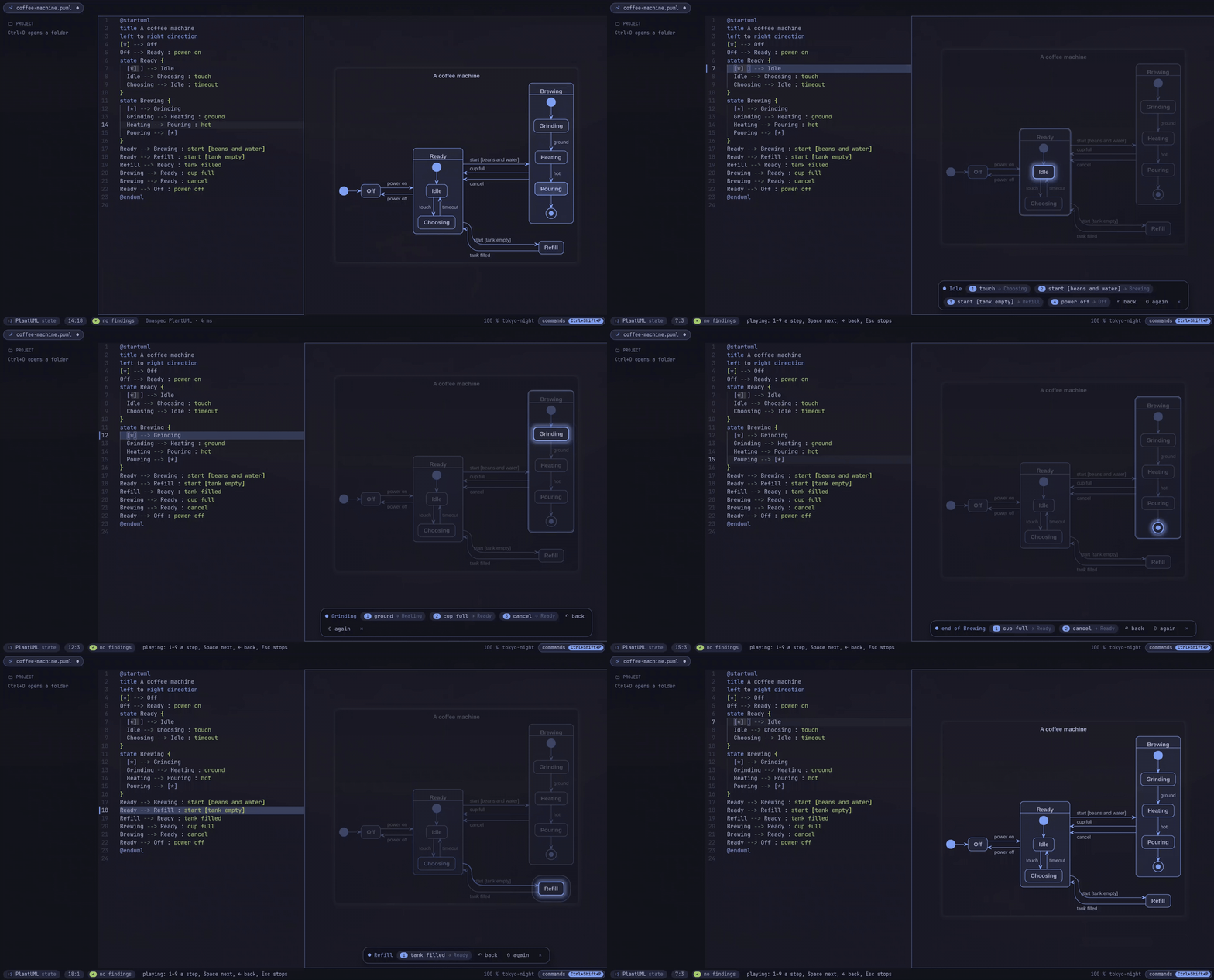
F5 runs the diagram on screen. The states the machine is in light up, you pick what
happens next, and a light runs along each transition. A scenario unfolds message by
message.
Hold a recorded trace against it
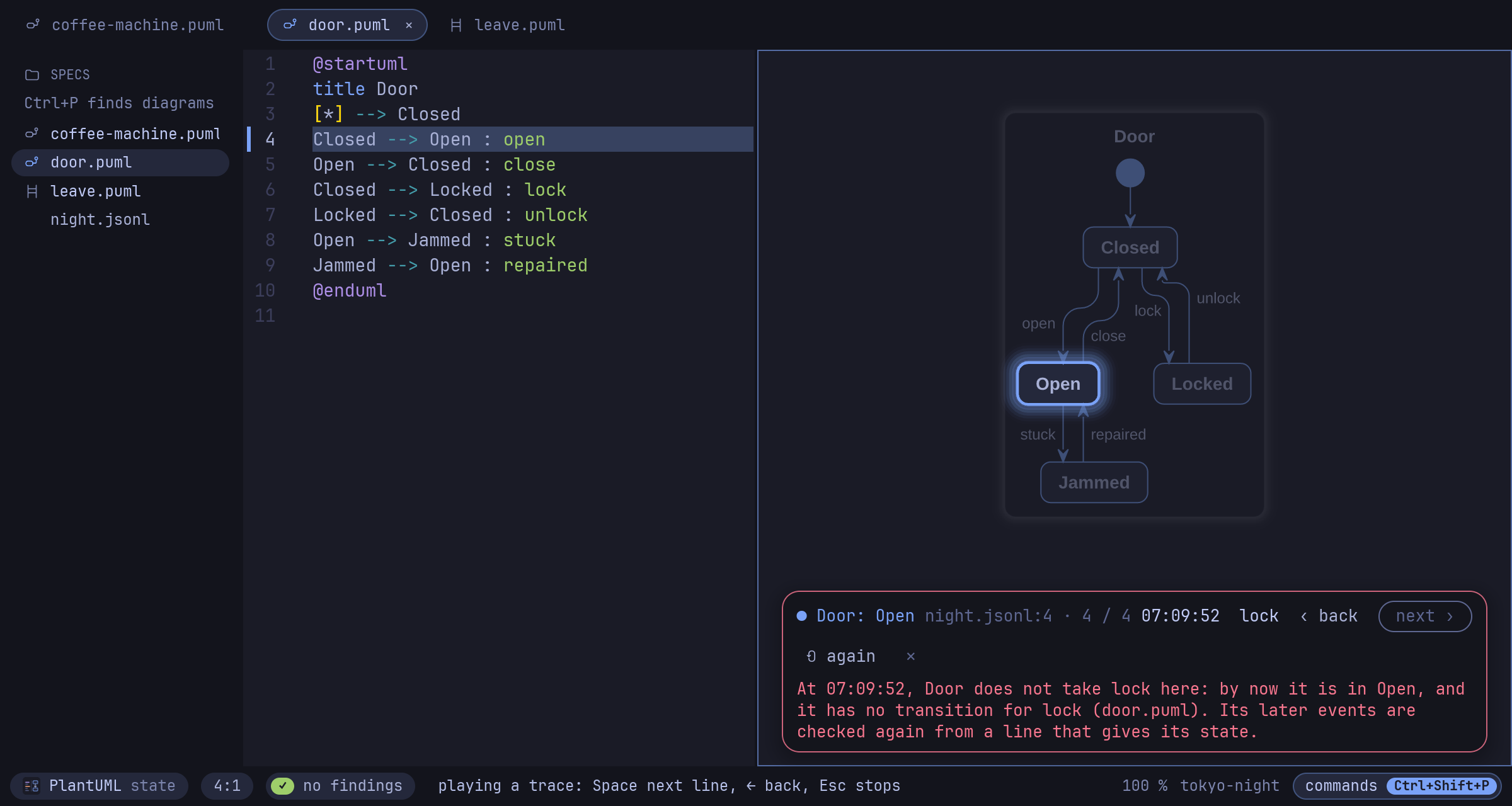
omaspec trace run.jsonl plays what a running system logged through its state machines
and says where it deviated, with the time. The editor plays the trace in the diagram,
line by line, and the bar turns red where the system did what the specification does
not allow.
It looks like your Omarchy
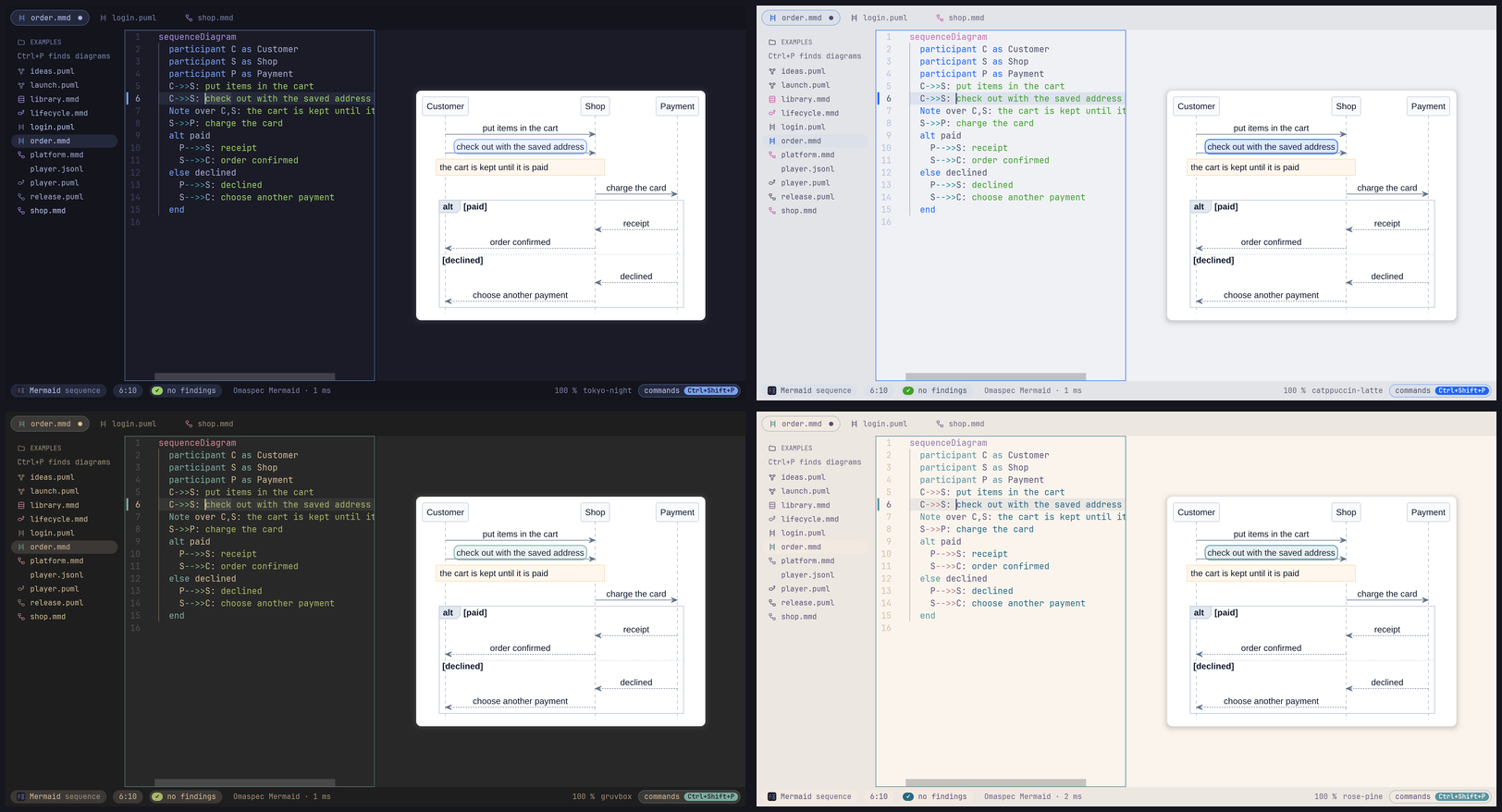
Omaspec follows omarchy theme and omarchy font set while it runs, and colors the
diagram with the theme if you like. Every bundled theme is checked for legible colors.
And more
- Projects.
omaspec new shop, or New project in the editor, makes a folder with a
first diagram andomaspec-project.toml. Every diagram below it is checked against
the whole project, however it was opened. - Diagrams that link. A state links to the diagram of its name: click it and the
view zooms in, Alt+Left zooms back out. A mind map or WBS in a project is its map,
each box that names a diagram a tile with that diagram's picture. - Compare a diagram with another tab or any git commit, as pictures side by side or
as changed lines.omaspec diffsays what changed in the behavior: states,
transitions and messages, not layout. - Convert a state machine or scenario between PlantUML and Mermaid, only when the
result means the same. - Images that remember. Exported PNGs and SVGs carry their source; drop one on the
window and it opens as a diagram again. - Next to Neovim.
omaspec preview flow.pumlis a window that renders again on every
save. - For scripts and AI agents. Every check is on the command line, with JSON output and
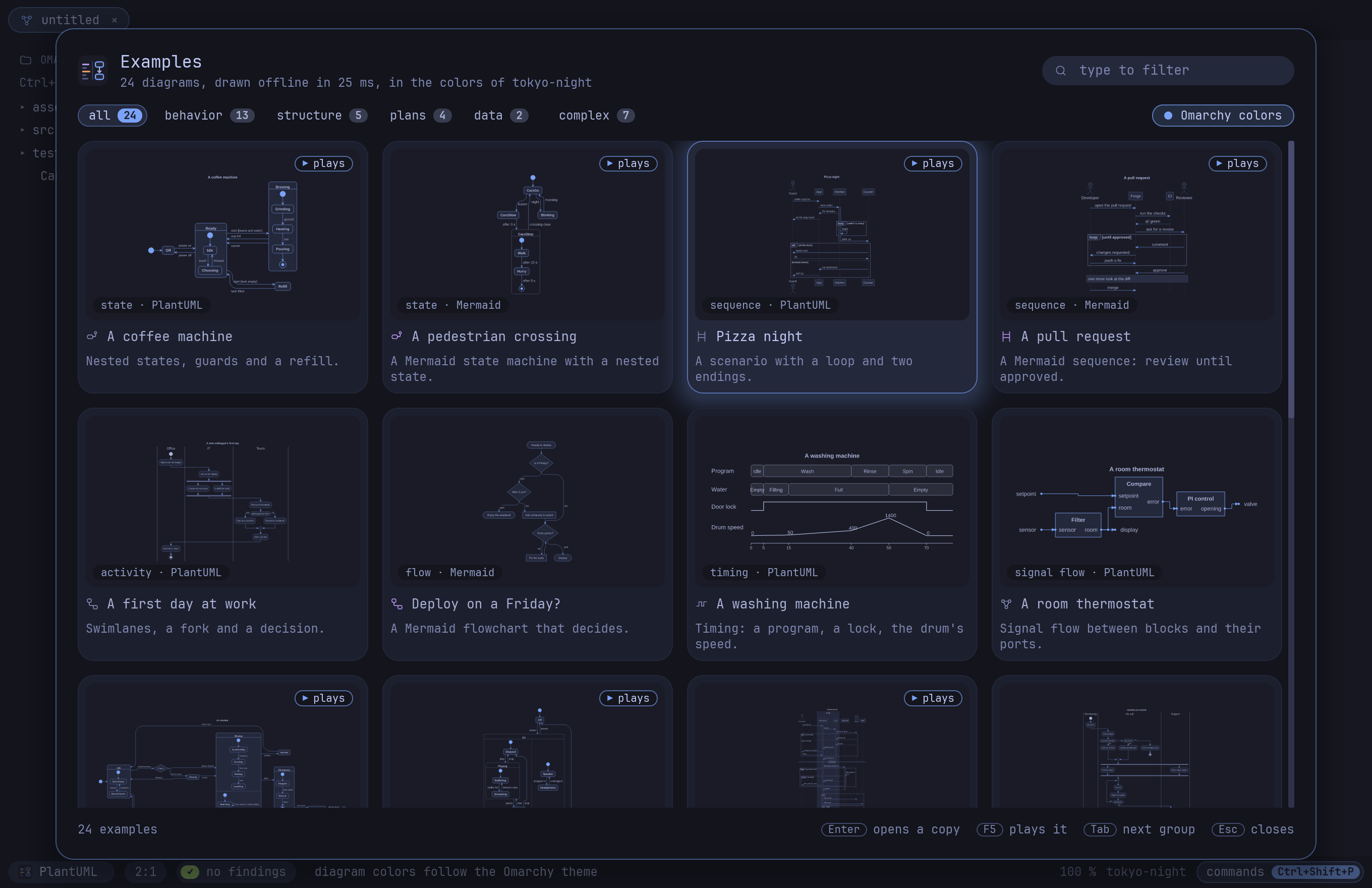
exit codes, andomaspec mcpis an MCP server with the same tools. - 24 examples to start from, as tiles drawn on the spot (Ctrl+Shift+E).
Install
On Omarchy (or any Arch Linux), build the package from this repository:
git clone https://github.com/enhapu-afk/omaspec
cd omaspec/packaging/aur/omaspec-bin   # the release, prebuilt
makepkg -si                            # or in ../omaspec: the release, built from source
The packages go to the AUR (omaspec, omaspec-bin, omaspec-git) as soon as it takes
new accounts again; then yay -S omaspec-bin will do.
The packages also install the desktop entry, the icon and the file types, so file
managers open .puml and .mmd files with Omaspec, and the Omarchy templates (a
Hyprland binding, a menu entry, themed colors) under /usr/share/omaspec/omarchy.
Elsewhere, take the binary from the latest release,
or build it with Rust 1.89 or newer:
cargo build --release -p omaspec-app # the binary is target/release/omaspec
Optional: plantuml for the few PlantUML types Omaspec does not draw itself yet (YAML,
Salt and more), wl-clipboard to copy diagrams, git to compare with commits.
Quick start
omaspec ~/diagrams          # the editor, with that folder in the sidebar
omaspec new ~/specs/shop    # or start a project: a map and a first diagram
- Ctrl+Shift+E opens the examples. Pick A coffee machine and press F5: it
plays. - Ctrl+N opens a new tab. Type a diagram; it is drawn after a short pause.
- Ctrl+Shift+P lists every command, so you never need to remember a key.
The getting started guide walks you through a state machine, a
scenario and a recorded trace in ten minutes. The reference
has every key and command.
What's next
- Even cleaner lines. Fewer crossings and detours, lines that keep clear of frames and
labels, closer to what Graphviz draws.
More in the roadmap. Ideas and wishes are welcome as
issues.
Status
Omaspec is young: well tested (unit and golden tests, a comparison with the Java
PlantUML, fuzzing), but little used outside its tests so far, so you will find rough
edges. Issues, and diagrams it draws wrong, are very welcome;
CONTRIBUTING.md says how to report them and how to build and test. The
roadmap has the plan, docs/adr the decisions.
License
MIT. The editor widget is scrive (MIT), built from a
copy with small additions in vendor. JPEG export uses
jpeg-encoder, whose DCT is derived from the
Independent JPEG Group's software.
Yorumlar (0)
Yorum birakmak icin giris yap.
Yorum birakSonuc bulunamadi