zernio-library-skills
Health Gecti
- License — License: MIT
- Description — Repository has a description
- Active repo — Last push 0 days ago
- Community trust — 48 GitHub stars
Code Gecti
- Code scan — Scanned 12 files during light audit, no dangerous patterns found
Permissions Gecti
- Permissions — No dangerous permissions requested
Bu listing icin henuz AI raporu yok.
Claude Code skills and a working white-label app on Zernio, marketing infrastructure for products and agents: social on 15+ platforms, inbox, ads on 7 ad platforms, messaging, calls and phone numbers, through one API and the Zernio MCP server.
Zernio Library Skills
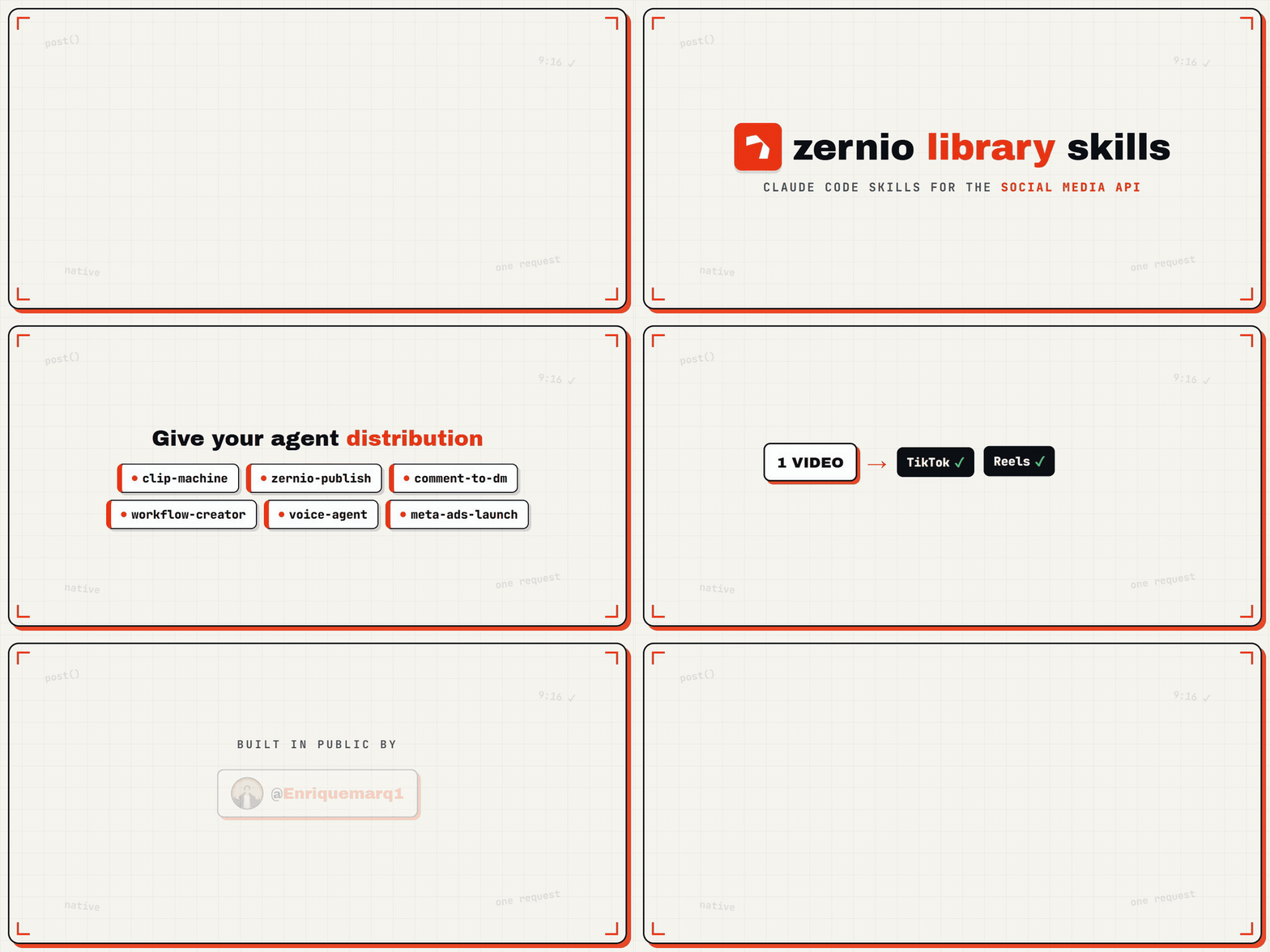
Claude Code skills and a working app for building social media products on Zernio's one API.
Post everywhere, run the inbox, launch ads, answer WhatsApp with AI, or build your own white-label tool for your clients.
About Zernio
Zernio is marketing infrastructure for products and agents. One API replaces months of separate integrations, built on official platform APIs, and Zernio handles authentication, rate limits and platform changes. Connect once and get:
- Social: publish, schedule and analyze posts on 15+ platforms
- Inbox: comments, DMs and replies in one place
- Ads: campaigns on 7 ad platforms, from Meta to OpenAI Ads
- Messaging: SMS, MMS, RCS, iMessage and WhatsApp
- Calls: inbound, outbound and AI voice agents
- Phone numbers in 57 countries
The Zernio MCP server gives AI agents like Claude, Cursor and Codex the same access: they can connect accounts, run campaigns, send messages and place calls on their own.
Start here
| You want to… | Go to |
|---|---|
| Build your own white-label app, step by step, with Claude Code | white-label-blueprint (Part 1: your brand, client workspaces, posting), then white-label-client-report (Part 2: the branded client report), then white-label-automations (Part 3: your own ManyChat) |
| Clone the finished app and make it yours | apps/white-label-app/ |
| Your own ManyChat for every client: comment-to-DM, followers only, story mentions, QR codes, run by your AI agent too | The Automations tab in apps/white-label-app/, or white-label-automations to add it to your own app |
| Use a single skill (publish, inbox, ads, automations) | The skills |
The app
apps/white-label-app/ is the white-label portal built in the videos: your agency's name on every page, one isolated workspace per client, all on one Zernio key.
| Tab | What it does |
|---|---|
| Connections | Clients connect their accounts on a page with only your brand (headless OAuth), with account health |
| Content | Post now or schedule across platforms; the queue with retry |
| Calendar | The month of scheduled and published posts |
| Analytics | Per-platform breakdown, latest posts, best time to post |
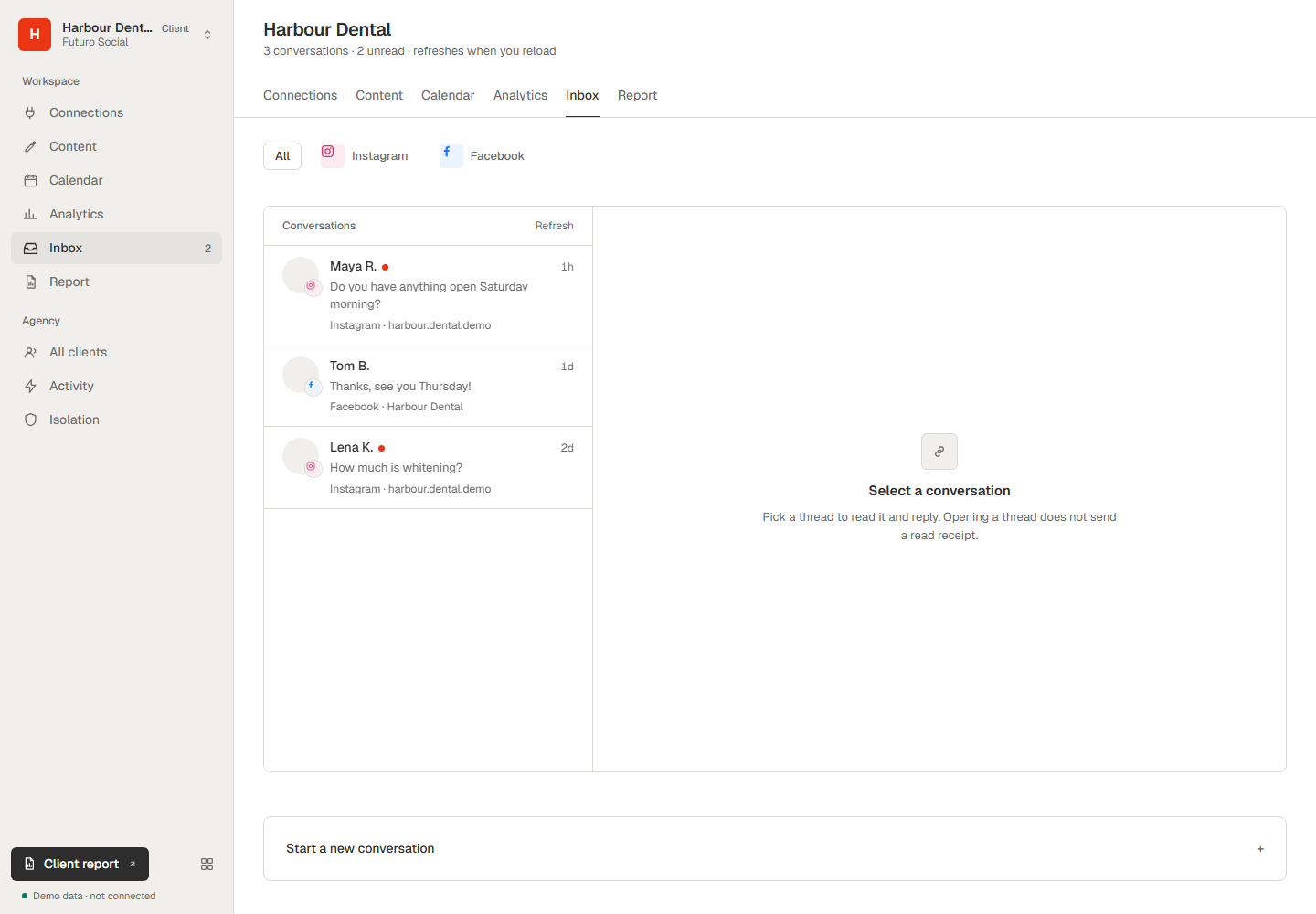
| Inbox | One conversation list across channels, replies, webhooks |
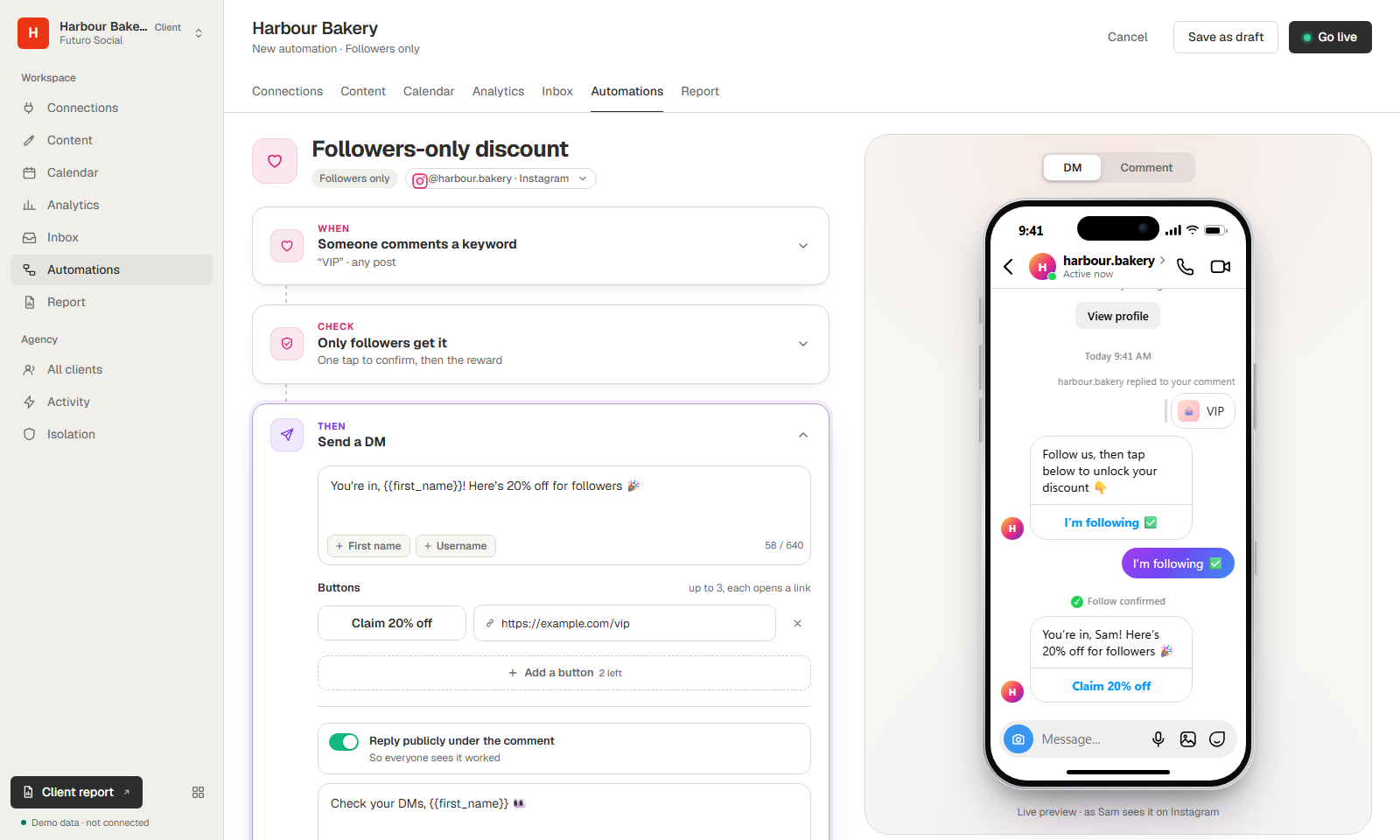
| Automations | Your own ManyChat: comment-to-DM with buttons and a public reply, rewards only followers unlock (one-tap confirm), story-mention thank-yous, links and QR codes, repeat rules and a live activity log, with an iPhone + Instagram preview. Your AI agent runs it too (MCP tools) |
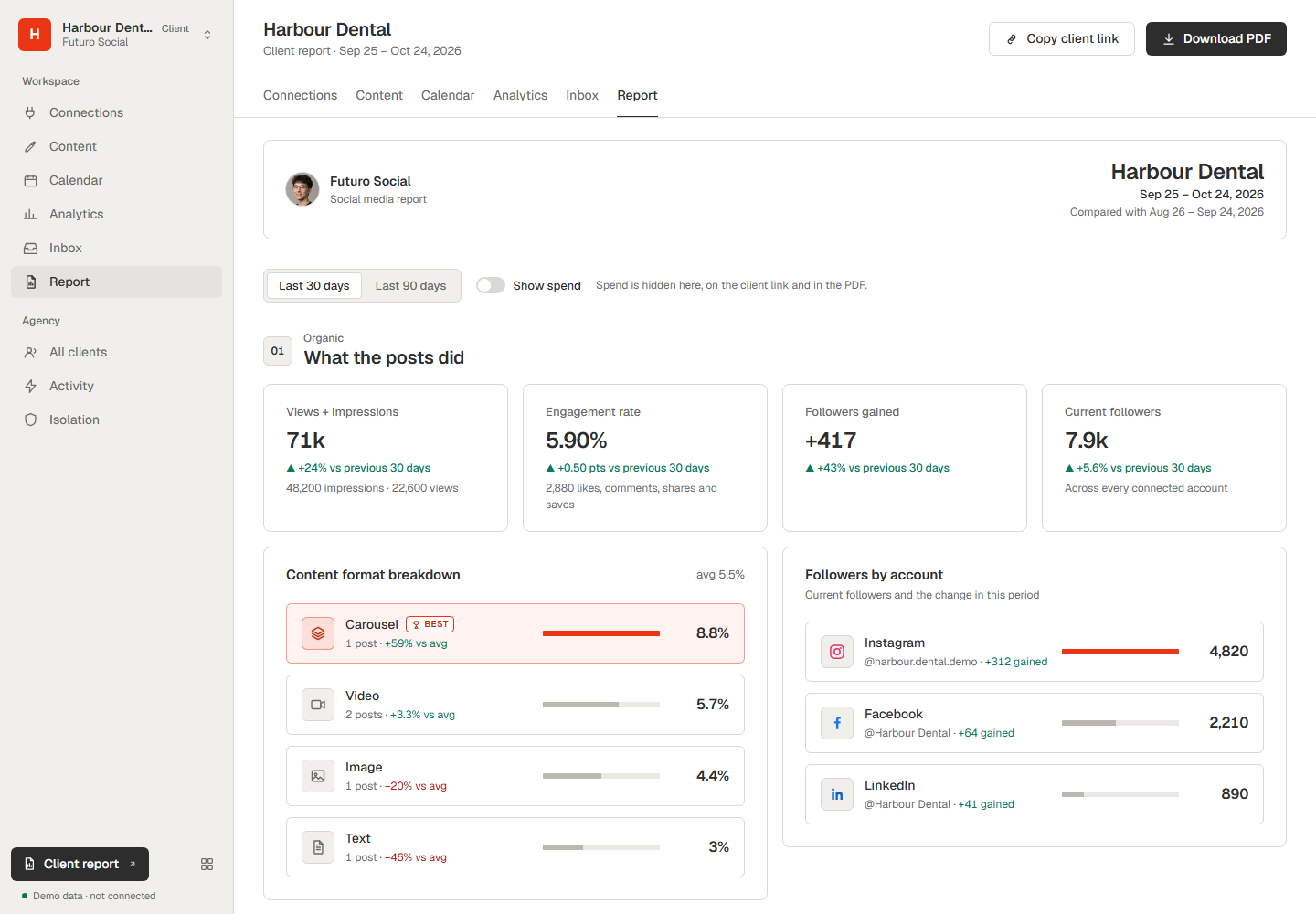
| Report | Organic and paid side by side, inbox response time, comment sentiment, a branded client link and a PDF, with a "Show spend" switch |
Quickstart: see it in a minute, no Zernio account needed
git clone https://github.com/Enriquemarq1/zernio-library-skills.git
cd zernio-library-skills/apps/white-label-app
npm ci
npm run demo      # three made-up clients on a local fake API → http://127.0.0.1:3000
npm test          # 61 tests, never the real API
Then put in your own key and clients (.env.example, clients.example.json): full setup.
The brand lives in one place: BRAND at the top of views.js (name, logo, accent colour). The demo agency is "Futuro Social"; swap in your own.
The skills
| Skill | What it does |
|---|---|
white-label-blueprint |
Build your own white-label social media tool: OAuth under your brand, a workspace per client, posting, webhooks, then the polish loop to product grade |
white-label-client-report |
Add a client report with only your logo: organic and paid, response time, sentiment, client link and PDF |
white-label-automations |
Add your own ManyChat to your app: comment-to-DM, followers only, story mentions, QR codes, repeat rules, live activity, and the same actions as tools for your AI agent |
zernio-inbox-integration |
Add Zernio's unified inbox (SMS, WhatsApp, Instagram, Messenger…) to an app you already have |
zernio-publish |
Publish one asset to 13 platforms with tailored captions, an approval gate and a check that it landed |
clip-machine |
One long video in, native TikTok, Reels and Shorts posts out: cut, caption, cover, post |
zernio-comment-to-dm |
Instagram and Facebook comment-to-DM automations and DM sequences, on command |
meta-ads-launch |
Launch a batch of Meta ads in one call, paused until you review them |
zernio-workflow-creator |
Build Zernio conversation workflows, including a 24/7 WhatsApp customer-service agent |
zernio-voice-agent |
One WhatsApp number as an AI front desk: text replies plus inbound calls to a Retell AI voice agent |
skill-creator |
Anthropic's official skill-creator, bundled for adding your own skills |
New to a skill? white-label-blueprint and clip-machine each have an initiation prompt you paste into Claude Code in an empty folder (blueprint, clip machine).
Videos
- Part 1: build a white-label social media app on Zernio: https://youtu.be/0FqJkCTCmMY
- Part 2: the white-label client report: link coming soon
- Part 3: your own ManyChat, the Automations tab: link coming soon
Install the skills
Claude Code loads any skill at .claude/skills/<skill-name>/SKILL.md in your project.
Use this repo as your project:
git cloneit,cdin, runclaude.Add them to your own project: copy the skill folders into your
.claude/skills/, next to your own (merge, don't replace):cp -r /path/to/zernio-library-skills/.claude/skills/* .claude/skills/Copy-Item -Recurse \path\to\zernio-library-skills\.claude\skills\* .claude\skills\
Restart Claude Code and type /: the skills show up (for example /zernio-publish), and they also trigger when you describe the task ("post this video to TikTok"). If not, check that .claude/skills/zernio-publish/SKILL.md exists at exactly that path. For claude.ai, zip a skill folder and upload it under Capabilities → Skills.
Your key: put your key from https://zernio.com/dashboard/api-keys in .env at the repo root, then run git update-index --skip-worktree .env so it never gets committed. (The app has its own .env; see its README.)
Requirements
- Claude Code for the skills
- A Zernio account and API key for anything live (the app's demo and tests need none)
- Node.js 22.13 or newer for the app
How the skills work
- The skill informs, the agent acts. A SKILL.md is knowledge plus a suggested workflow; Claude uses its own tools (bash, curl, ffmpeg, vision, web) to do the work.
- Approval before publish. Anything that posts, sends or spends passes through your explicit yes.
- Verify, don't trust. A 200 from the API isn't a post on the platform; the skills check that it landed.
Contributing
Issues and pull requests are welcome. To add a skill, create .claude/skills/<your-skill>/SKILL.md with name and description frontmatter; the bundled skill-creator helps you design and test it. For the app, run npm test before you open a pull request, and keep real keys, profile ids and account data out of commits.
Licence
Yorumlar (0)
Yorum birakmak icin giris yap.
Yorum birakSonuc bulunamadi