Zimi
Health Gecti
- License — License: MIT
- Description — Repository has a description
- Active repo — Last push 0 days ago
- Community trust — 23 GitHub stars
Code Basarisiz
- rm -rf — Recursive force deletion command in .github/workflows/desktop-release.yml
- process.env — Environment variable access in playwright.config.mjs
- process.env — Environment variable access in tests/screenshots.mjs
Permissions Gecti
- Permissions — No dangerous permissions requested
This tool serves as an offline internet hub that lets you search, browse, and manage ZIM files (like offline Wikipedia archives). It provides a rich web UI and exposes this content via a JSON API and an MCP server for AI agents.
Security Assessment
Overall risk: Low. The project does not request inherently dangerous permissions. Environment variable access is strictly limited to test configuration files and managing local setup paths (like `ZIM_DIR`), which is expected and safe. No hardcoded secrets were detected. The only notable flag is a recursive force deletion command (`rm -rf`) located inside a GitHub Actions workflow for desktop releases. While potentially dangerous if misconfigured, this is a standard practice for cleaning up build environments during automated CI/CD pipelines and poses no threat to the end user. The tool executes locally and does not exhibit malicious behaviors.
Quality Assessment
The project appears to be actively and recently maintained, with its last push occurring just today. It is fully open-source under the standard and permissive MIT license. Community trust is currently modest but growing, represented by 23 GitHub stars. The repository is well-documented, offering clear installation instructions across multiple platforms (macOS, Linux, Docker, Python) and detailing exactly how to configure the server.
Verdict
Safe to use.
The offline internet — searchable, browsable, and self-updating. A modern server for ZIM files with cross-source search, built-in library management, JSON API and MCP server.
Zimi
A modern experience for your ZIM files.
Kiwix packages the world's knowledge into ZIM files. Zimi makes them feel like the real internet with a rich web UI, fast JSON API, and an MCP server for AI agents. Everything works offline, in your language.
What's in the box
- Cross-source search. Parallel full-text search across all sources with snippets and thumbnails.
- Cross-language navigation. Switch articles between languages and download missing ones.
- Discover. Fresh cards daily: Picture of the Day, On This Day, Quote, Word, Book, Destination, Talk, Comic, Country.
- Bookmarks and history. Feel like you're in a real browser, save your place.
- Kiwix Catalog. Download 1,000+ Kiwix archives across 10 categories with instant language filtering.
- Library management. Auto-updates, password protection, download queue.
- Collections and Favorites. Group sources for easier access and scoped search.
- JSON API. Every feature accessible programmatically with token auth.
- Desktop and mobile. Native macOS and Python apps. Deploy anywhere.
Screenshots
| Homepage | Search Results |
|---|---|
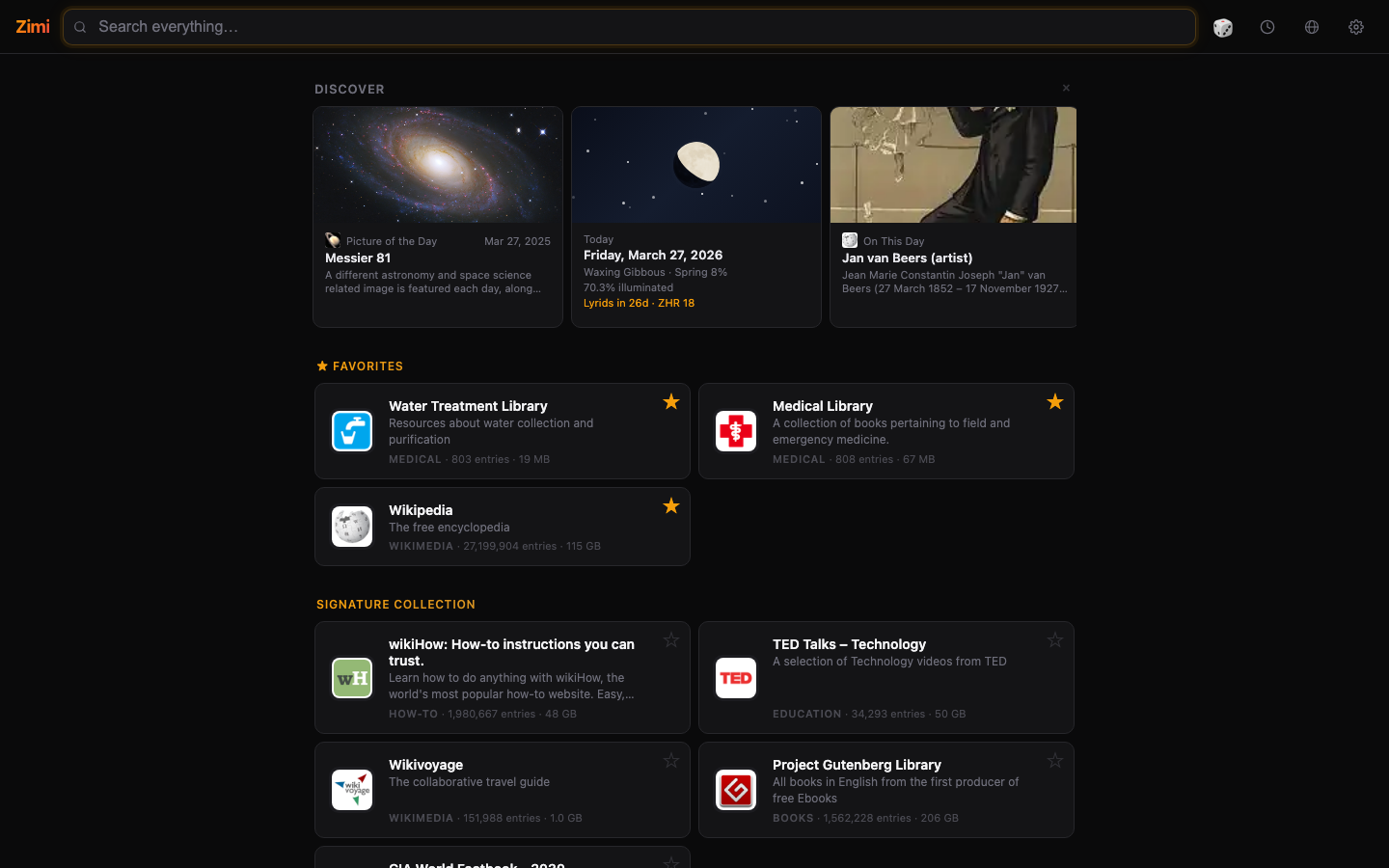 |
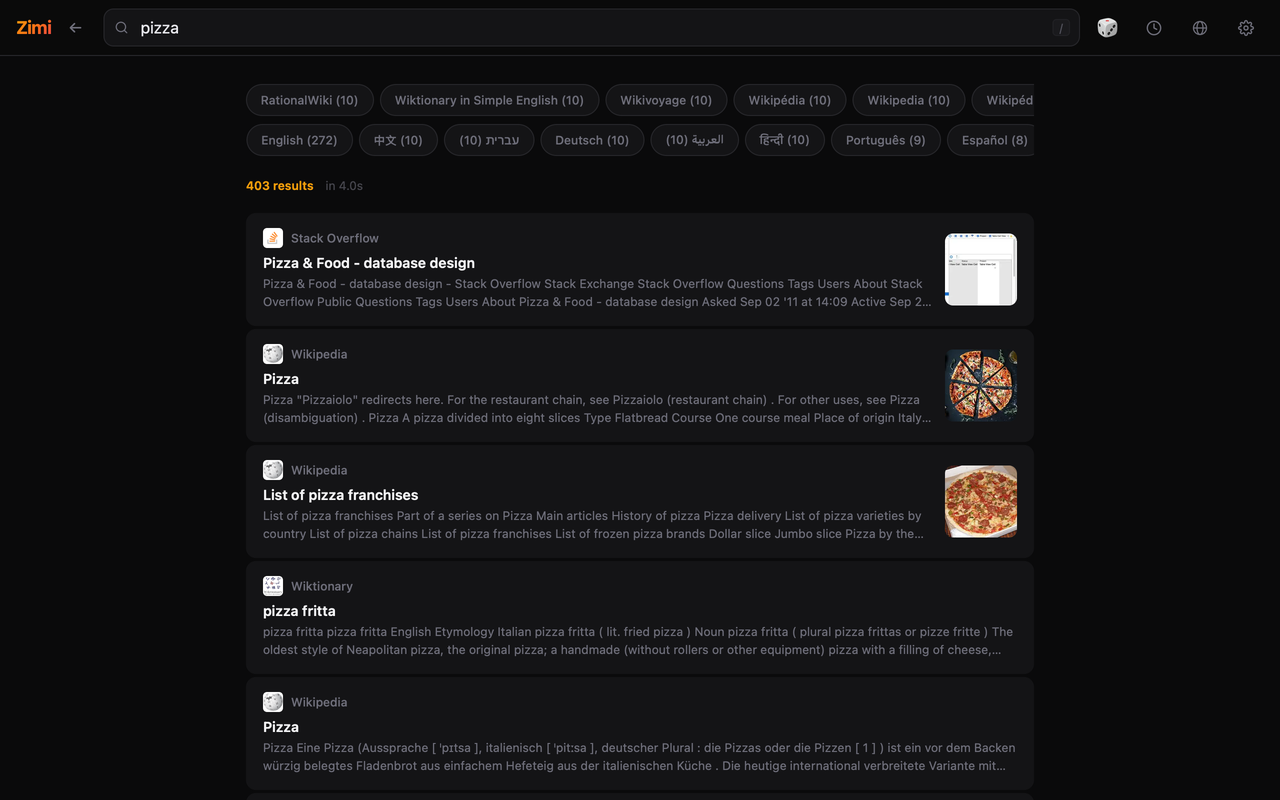 |
| Language Switching | Catalog |
|---|---|
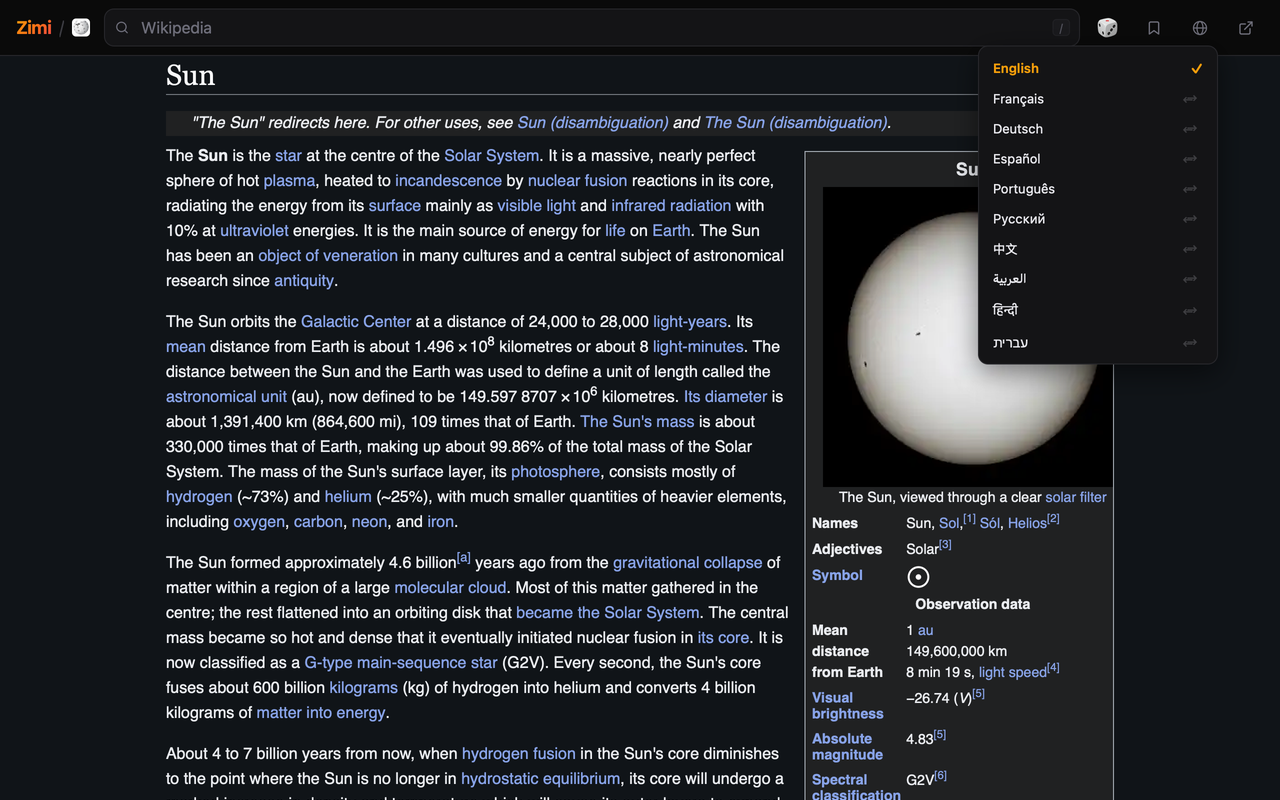 |
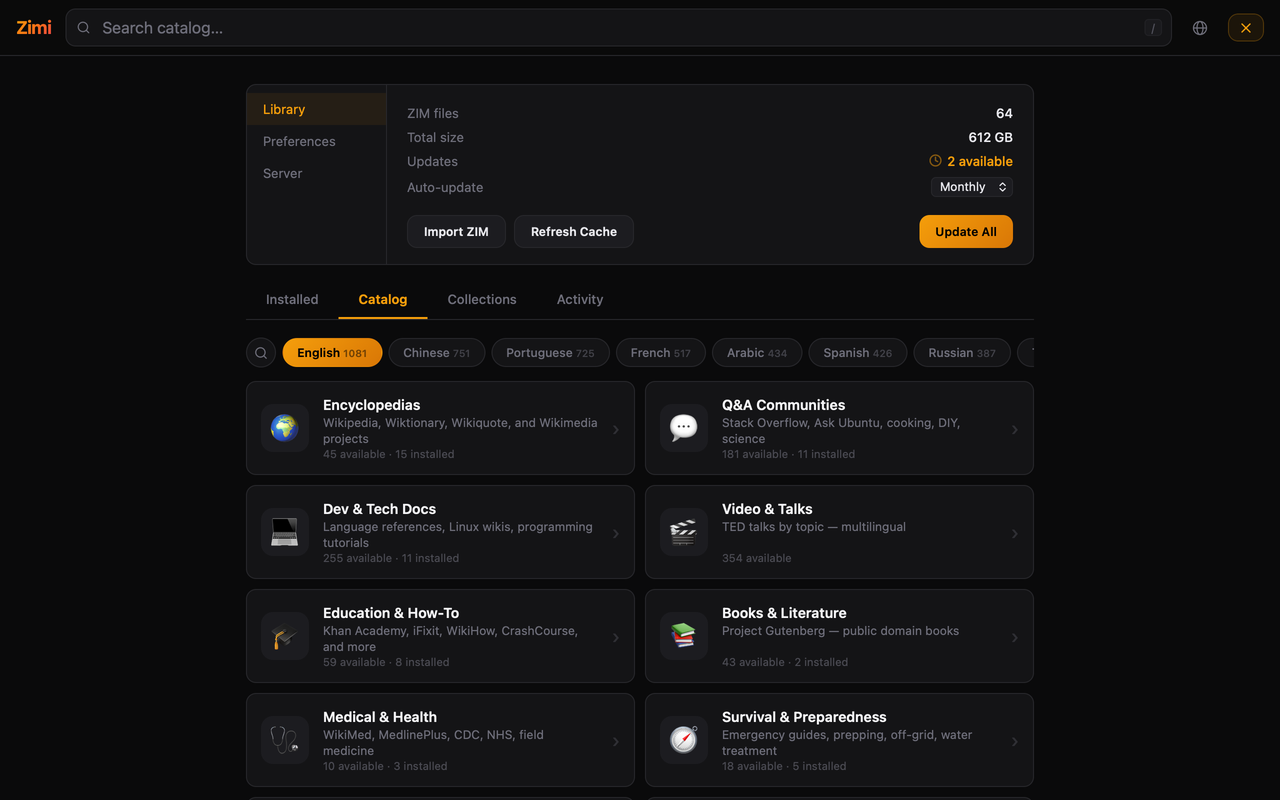 |
Languages
Not an afterthought. Language is deeply integrated into every aspect of Zimi so you can focus on your content and feel at home. Enjoy filtered lists, labeled sources, RTL support and no rock left unturned.
- 10 languages. English, French, German, Spanish, Portuguese, Russian, Chinese, Arabic, Hindi, Hebrew.
Something not right? Open an issue.
Install
macOS
brew tap epheterson/zimi && brew install --cask zimi
Or download from GitHub Releases.
Linux
sudo snap install zimi
Or grab the AppImage.
Docker
docker run -v ./zims:/zims -v ./zimi-config:/config -p 8899:8899 epheterson/zimi
/zims is where ZIM files live. /config persists cache, indexes, and settings. Open http://localhost:8899.
services:
  zimi:
    image: epheterson/zimi
    container_name: zimi
    restart: unless-stopped
    ports:
      - "8899:8899"
    volumes:
      - ./zims:/zims          # ZIM files go here
      - ./zimi-config:/config  # cache, indexes, settings
Python
pip install zimi
ZIM_DIR=./zims zimi serve --port 8899
Environment Variables
| Variable | Default | Description |
|---|---|---|
ZIM_DIR |
/zims |
Path to ZIM files (scanned for *.zim on startup) |
ZIMI_DATA_DIR |
/config (Docker) or $ZIM_DIR/.zimi |
Cache, indexes, and settings. Mount separately in Docker. |
ZIMI_MANAGE |
1 |
Library manager. 0 to disable. |
ZIMI_MANAGE_PASSWORD |
(none) | Protect library management |
ZIMI_AUTO_UPDATE |
0 |
Auto-update ZIMs (1 to enable) |
ZIMI_UPDATE_FREQ |
weekly |
daily, weekly, or monthly |
ZIMI_RATE_LIMIT |
60 |
Requests/min/IP. 0 to disable. |
API
| Endpoint | Description |
|---|---|
GET /search?q=...&limit=5&zim=...&fast=1&lang=... |
Full-text search. fast=1 for title matches only. lang filters by language. |
GET /read?zim=...&path=...&max_length=8000 |
Read article as plain text |
GET /suggest?q=...&limit=10&zim=... |
Title autocomplete |
GET /list |
List all sources with metadata |
GET /article-languages?zim=...&path=... |
All languages an article is available in |
GET /catalog?zim=... |
PDF catalog for zimgit ZIMs |
GET /snippet?zim=...&path=... |
Short text snippet |
GET /random?zim=... |
Random article |
GET /collections |
List collections |
POST /collections |
Create/update a collection |
DELETE /collections?name=... |
Delete a collection |
GET /resolve?url=... |
Resolve external URL to ZIM path |
POST /resolve |
Batch resolve: {"urls": [...]} |
GET /health |
Health check with version |
GET /w/<zim>/<path> |
Serve raw ZIM content |
Examples
# Search across all sources
curl "http://localhost:8899/search?q=python+asyncio&limit=5"

# Search in French only
curl "http://localhost:8899/search?q=eau&lang=fr&limit=5"

# Find all languages for an article
curl "http://localhost:8899/article-languages?zim=wikipedia&path=A/Water"

# Read an article
curl "http://localhost:8899/read?zim=wikipedia&path=A/Water_purification"
MCP Server
Zimi includes an MCP server for AI agents.
{
  "mcpServers": {
    "zimi": {
      "command": "python3",
      "args": ["-m", "zimi.mcp_server"],
      "env": { "ZIM_DIR": "/path/to/zims" }
    }
  }
}
For Docker on a remote host:
{
  "mcpServers": {
    "zimi": {
      "command": "ssh",
      "args": ["your-server", "docker", "exec", "-i", "zimi", "python3", "-m", "zimi.mcp_server"]
    }
  }
}
Tools: search (with lang filter), read, suggest, list_sources, random, article_languages, read_with_links, deep_search, list_collections, manage_collection, manage_favorites
Contributing
See CONTRIBUTING.md.
License
Built with ❤️ in California by @epheterson and Claude Code.
Yorumlar (0)
Yorum birakmak icin giris yap.
Yorum birakSonuc bulunamadi