ragdoll-mail
Health Warn
- License — License: MIT
- Description — Repository has a description
- Active repo — Last push 0 days ago
- Low visibility — Only 8 GitHub stars
Code Warn
- process.env — Environment variable access in docs/demo-video/drv.mjs
- network request — Outbound network request in docs/demo-video/drv.mjs
Permissions Pass
- Permissions — No dangerous permissions requested
No AI report is available for this listing yet.
Free mail app for Mac and Windows with fast local search. Works with Tencent Exmail, QQ Mail, 163, Gmail, iCloud and any IMAP mailbox. Private, offline, open source.

Ragdoll Mail
The free mail app your AI agent can use.
A desktop app for Mac and Windows with a command line built in: Claude Code, Codex and other agents can search your mail, write replies and send them once you say yes.
Works with Tencent Exmail (腾讯企业邮箱), QQ Mail, 163, Gmail, iCloud, Fastmail and any other IMAP mailbox.



Download for Mac · Download for Windows · Website · 简体中文
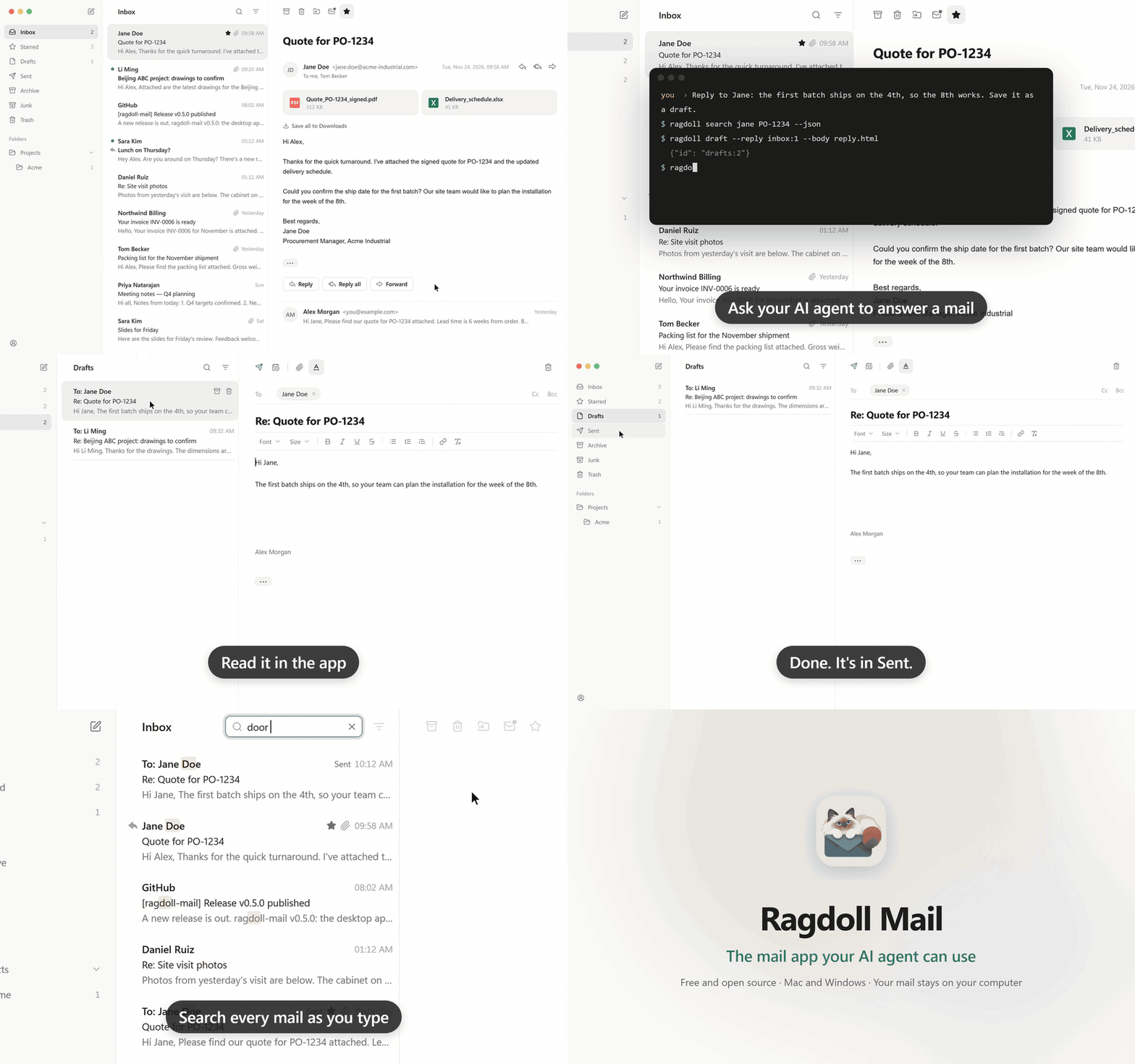
What is Ragdoll Mail?
Ragdoll Mail is a mail app for Mac and Windows, like Apple Mail or Outlook, with one difference: it comes with ragdoll, a command line that AI agents such as Claude Code and Codex can use. Your agent can search your mail, read whole conversations and write replies. Each reply is saved as a draft. The agent sends it when you say yes in the chat, or you open it in the app and press Send yourself.
Search runs on your own computer. Ragdoll Mail keeps a full-text index of your mailbox in SQLite, so a search takes milliseconds instead of a trip to the mail server, and it still works offline. That matters on mailboxes such as Tencent Exmail, whose own search sends back the whole folder whatever you type.
You sign in with the mailbox you already have. Nothing moves and nothing changes: your phone and your other mail apps keep working as before.
Why you may like it
- Search that finds the mail. Type a name, an order number, or a few words you remember from the text. Results show while you type. Chinese, Japanese and Korean work too. So does search with no internet.
- Your mail stays with you. The app talks only to your own mail server. No other company sits in between to read or keep your mail. Your password goes into the system's own password store (Keychain on Mac, Credential Manager on Windows).
- Hard to send a mistake. After you press Send you have up to 30 seconds to take the mail back. The app also stops you when you wrote "attached" but attached nothing, when the subject is empty, or when
[Name]is still in the text. - Send later. Write now. Send this evening, tomorrow morning, or at any time you pick.
- Good with Chinese mail. Names and file names from older Chinese mail systems show as they should, not as broken characters.
- Free. No ads, no subscription, no account to make with us. The code is open, so anyone can check what it does.
Start in two minutes
Download the app from the latest release:
- Mac (M1 or newer):
ragdoll-mail-mac.dmg - Windows 10 or 11:
ragdoll-mail-windows.zip
Or, on a Mac with Homebrew (this also installs the
ragdollcommand):brew tap erict16/tap brew trust erict16/tap brew install --cask ragdoll-mail- Mac (M1 or newer):
Open it. We have not paid Apple or Microsoft for a signature yet, so the system asks once:
- Mac: when macOS says it could not check the app, open System Settings → Privacy & Security, scroll down and press Open Anyway. (On older macOS: right-click the app and choose Open.)
- Windows: choose More info, then Run anyway.
Sign in with your mail address and password. For the mailboxes named above, and for company addresses on Tencent Exmail, Google Workspace, Alibaba or NetEase mail, the app fills in the server settings by itself. Using Exmail? See the Exmail setup guide.
The first time, the app reads your mailbox. For a big mailbox this takes a few minutes. You can read and write mail while it works.
Which password? Many mailboxes want a special password for mail apps, not the one you use on the website. Tencent Exmail calls it 客户端专用密码. QQ Mail and 163 call it 授权码. Gmail, iCloud and Fastmail call it an app password. You make it in the settings of your mailbox's website.
What it can do
Read
- A whole conversation on one page, with the newest mail on top. Old quoted text folds away.
- Click a picture to see it large. Save one attachment, or all of them at once.
- Hold the pointer on a link to see where it goes before you click.
- A meeting invitation shows what, when and where, with a button to add it to your calendar.
- Newsletters get an Unsubscribe link beside the sender. One click, and they stop.
Find
- Press ⌘K (Mac) or Ctrl+K (Windows) and type. Search looks at the subject, the people, the text and the names of attached files.
- Narrow it down with
from:jane,is:unread,has:attachmentorin:sent. - Show only unread mail, starred mail, mail with attachments, or mail from one person.
Write
- Fonts, sizes, bold, lists and links. Text pasted from Word or a web page keeps its look.
- Your signature goes under every mail by itself.
- A reply or a forward keeps the earlier mails and their pictures.
- Undo send, and send later.
Keep order
- All folders of your mailbox are in the sidebar. Make your own, and drag mail into them.
- Star, archive, delete or move one mail or many at once. Right-click a mail for the same actions.
- Mark a whole folder as read with one click.
- A short note tells you when new mail comes in.
Make it yours
- Light or dark.
- English, 简体中文, 繁體中文, 日本語, 한국어, Español, Français, Deutsch.
- Bigger or smaller text.
- A key for everything: C new mail, R reply, E archive. Press ? to see them all.
Screenshots
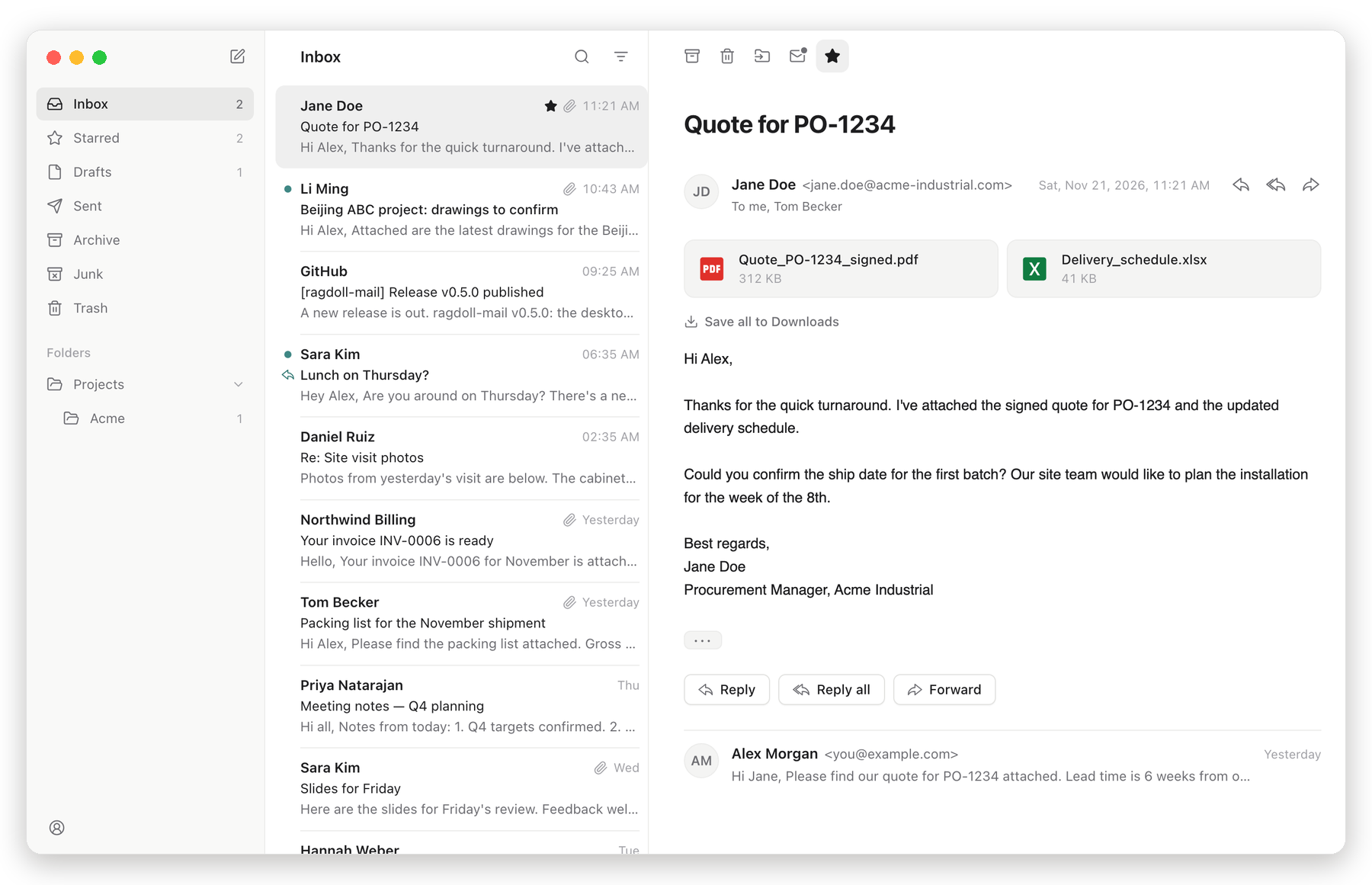 |
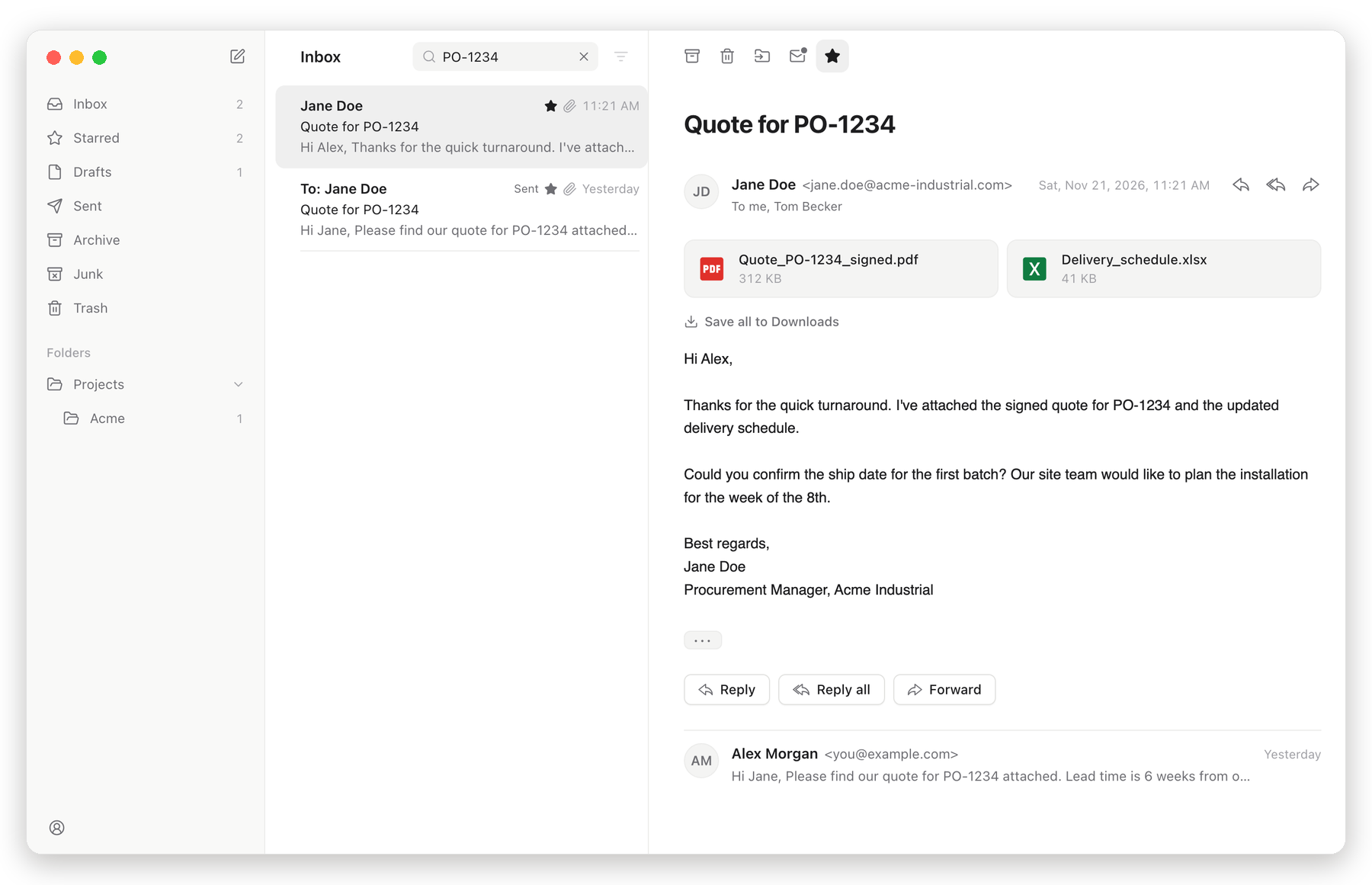 |
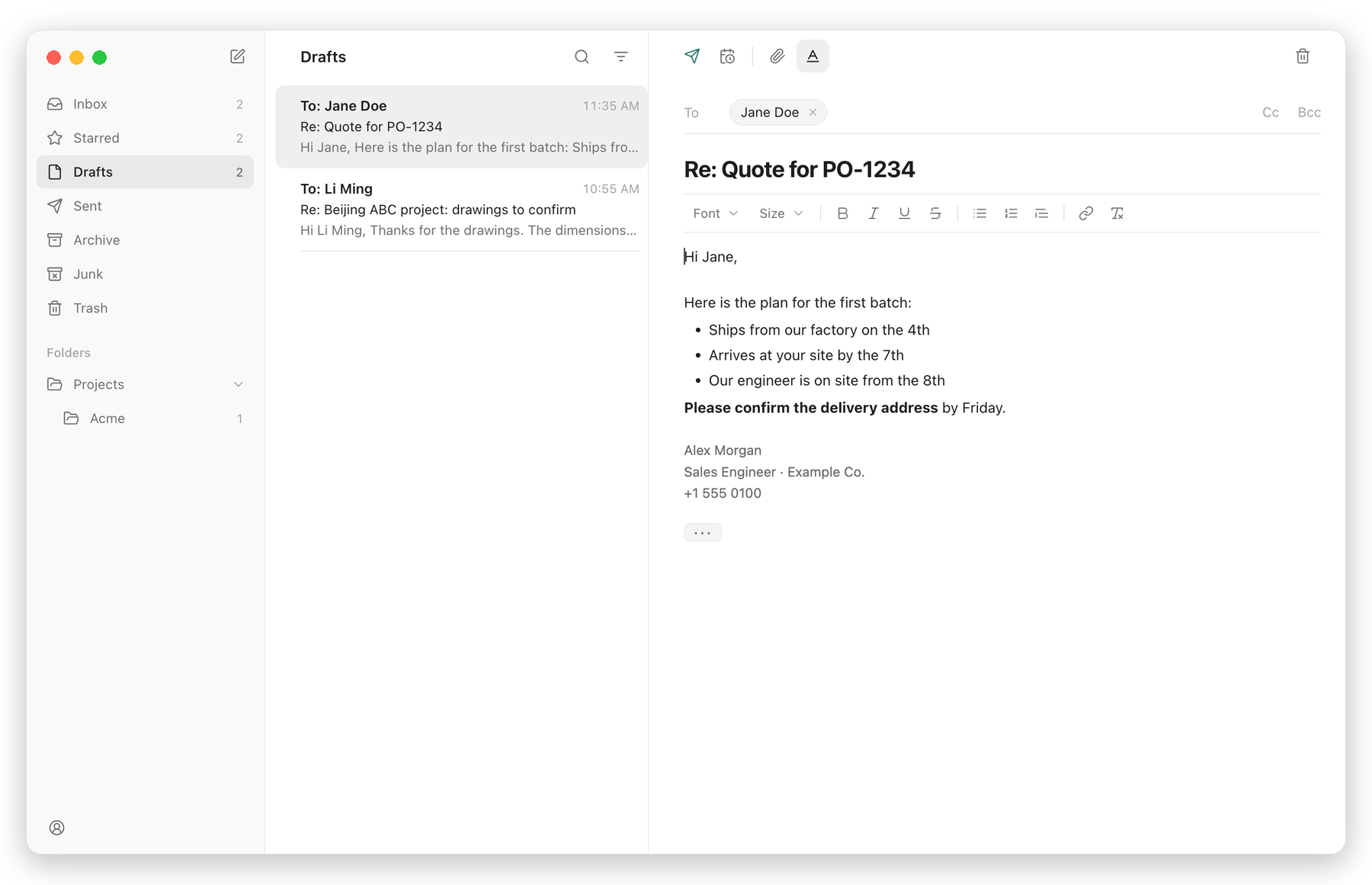 |
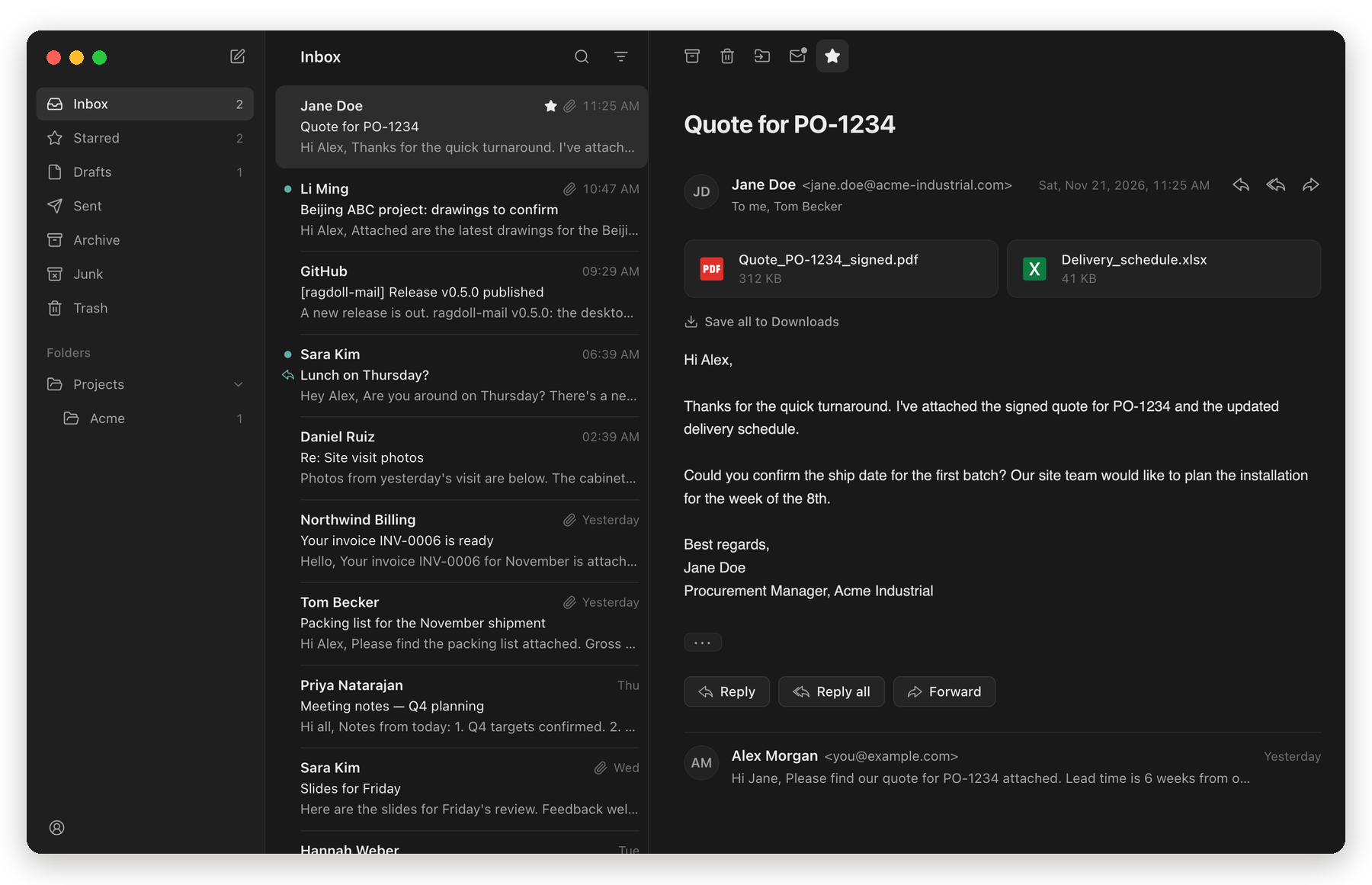 |
How it compares
| Ragdoll Mail | Apple Mail | Outlook (new) | Thunderbird | Foxmail | Spark | |
|---|---|---|---|---|---|---|
| Price | free | free | free with ads, or paid | free | free | free plan; Plus and Pro are paid |
| Mac and Windows | both | Mac only | both | both | both | both |
| Mail goes straight between you and your mail server | ✅ | ✅ | a copy is kept in Microsoft's cloud | ✅ | ✅ | goes through Spark's servers |
| Open code that anyone can check | ✅ | no | no | ✅ | no | no |
| Your own AI assistant can use the mailbox | ✅ | no | no | no | no | yes, sending needs Pro |
| Phone app | no | ✅ | ✅ | Android | no | ✅ |
| Several mailboxes in one window | not yet | ✅ | ✅ | ✅ | ✅ | ✅ |
Where Ragdoll Mail is strong: search, privacy, the checks before a mail goes out, and Chinese mail. It is small and does one thing: mail.
Where the others are better: Ragdoll Mail has no phone app and no calendar, and it shows one mailbox at a time. If you need those, use one of the others, or use both: Ragdoll Mail does not change anything in your mailbox.
Compared from each product's public pages, November 2026. Is something wrong or out of date? Tell us and we will fix it.
Questions and answers
Is there a Mac or Windows app for Tencent Exmail (腾讯企业邮箱) with search that works?
Yes, this one. We tried it on a real Exmail mailbox with 6,442 mails. The mailbox's own search gave back 4,988 mails for every word we typed, even for a word we made up. Ragdoll Mail gave back only the mails with that word, in less than a tenth of a second.
Is my mail safe?
Your mail is stored on your computer and on your own mail server, nowhere else. The app sends nothing to us. We have no server.
Where is my password kept?
In the password store of your system: Keychain on Mac, Credential Manager on Windows. It is never written into a file.
Does it work with no internet?
Reading and searching mail you already have: yes. Sending and getting new mail need the internet.
Will it change my mailbox?
No. It shows the same folders and the same mail as your mailbox's website. What you do in the app (read, move, delete, send) also shows on your phone and on the website.
Can I try it without my mailbox?
Yes. With the code on your computer, python ragdoll.py app --demo opens a made-up mailbox. Nothing is sent.
Is it really free?
Yes. It is open source under the MIT license.
For AI assistants and the command line
Ragdoll Mail also comes as a command, ragdoll. An AI assistant such as Claude Code or Codex can use it to find mail and write drafts for you. It can also send them: every mail first waits in your Drafts folder, is checked, and goes out only after you say yes to that draft (ragdoll send <draft> --yes, or ragdoll schedule for later). Or open the draft in the app and press Send yourself.
you    › Reply to Jane and attach the signed quote.
agent  $ ragdoll search Jane quote --json
agent  $ ragdoll draft --reply inbox:312 --body reply.html --attach Quote.pdf
agent  › The draft is in your Drafts folder. Shall I send it?
you    › Yes.
agent  $ ragdoll send drafts:14 --yes
To get the command: Settings → Command line → Install in the app. To get only the command, without the app, on a Mac: brew tap erict16/tap, brew trust erict16/tap, brew install ragdoll. It needs no Apple signature, so macOS shows no warning. Every command and how it compares with the Gmail API: the command-line guide.
Help and feedback
Found a problem, or does your mailbox not work? Open an issue. Want to help with code or a translation? Read CONTRIBUTING.md.
License
MIT. Icons from Lucide (ISC); file-type icons from Material Design Icons (Apache-2.0).
Reviews (0)
Sign in to leave a review.
Leave a reviewNo results found