frieren-agent-monitor-pet
Health Gecti
- License — License: MIT
- Description — Repository has a description
- Active repo — Last push 0 days ago
- Community trust — 26 GitHub stars
Code Basarisiz
- rm -rf — Recursive force deletion command in build.sh
- rm -rf — Recursive force deletion command in install.sh
- spawnSync — Synchronous process spawning in scripts/pi-extension.ts
Permissions Gecti
- Permissions — No dangerous permissions requested
Bu listing icin henuz AI raporu yok.
Animated macOS desktop pet and AI coding agent monitor for Claude Code, Codex, Cursor, and Pi, with local and remote SSH session tracking.
Frieren Agent Monitor — macOS Desktop Pet
An open-source AI coding agent monitor and desktop pet for macOS, with
support for Claude Code, OpenAI Codex, Cursor, and Pi. Keep track of running
agents, requests for input, and completed tasks through an animated Frieren
companion on your desktop.
Frieren floats above your windows without a dashboard frame. Use her as a local
agent session monitor or track coding agents on remote machines over SSH.
Choose Frieren or a waifu of your choice with support for custom pet characters.
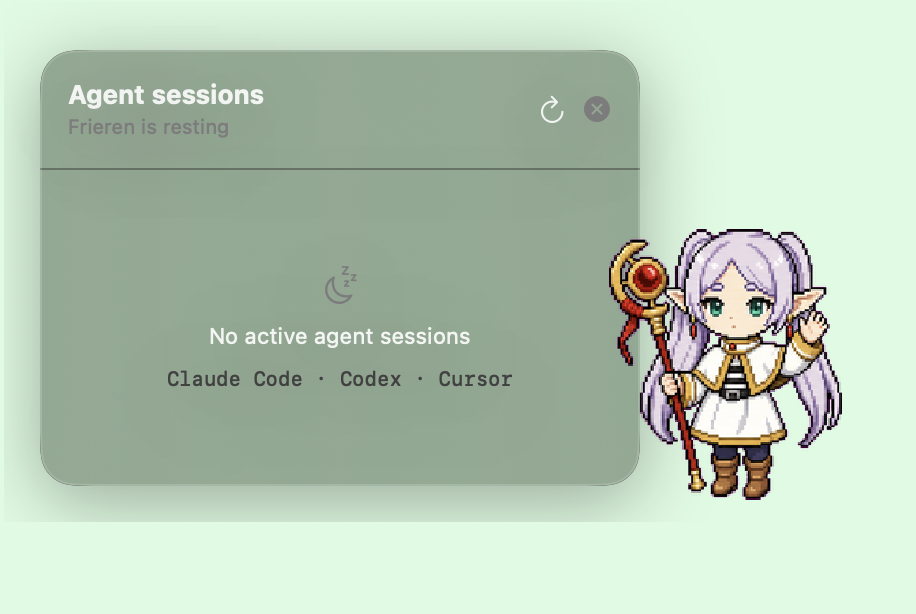
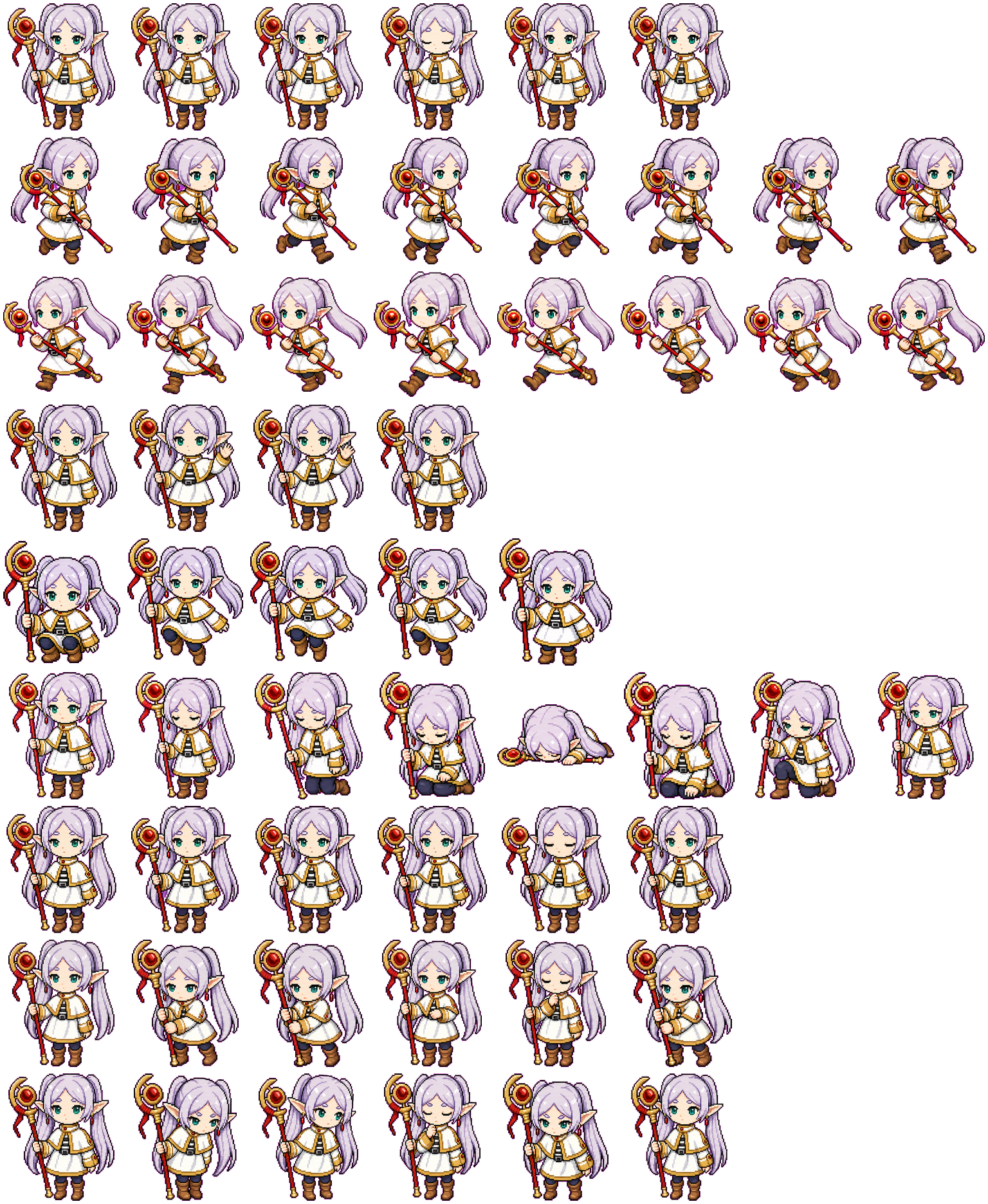
Image source: Codex Pet Database — Frieren
Features
- Monitor multiple coding agents: see Claude Code, Codex, Cursor, and Pi
sessions in one place, with running, waiting, recently finished, and idle states. - Animated desktop pet: Frieren sleeps, walks, and celebrates as your agents
work. Click to interact or drag her to a different spot on your desktop. - Agent status alerts: an orange alert shows when an agent needs input;
a jump and green halo signal completion. Notification bubbles surface both. - Remote agent monitoring over SSH: watch sessions on Linux or macOS hosts
using your existing SSH configuration. - Session shortcuts: click a local session to focus its app or open its
project, or click a remote session to open an SSH connection. - Custom pet characters: import your own artwork and switch characters
from the right-click menu. - Local data: session data stays on your Mac and explicitly configured SSH
hosts, with no external monitoring service.
Latest updates
- Pi support: monitor Pi sessions locally and on SSH hosts, with lifecycle
events supplied by a lightweight global Pi extension. - Exchangeable characters: choose a bundled or local companion from the
right-click Character menu; selections persist across launches. - Flexible character imports: local characters can use a still image, the
legacy Frieren atlas, or a custom animation manifest. - Native app identity: the built app now includes a Frieren application icon.
Supported agents
| Agent | Local | Remote over SSH | Detection |
|---|---|---|---|
| Claude Code | Yes | Yes | Process data, session sidecar, and lifecycle hooks |
| Codex | Yes | Yes | Top-level rollout logs and lifecycle hooks |
| Cursor | Yes | Yes | CLI/Desktop process data and lifecycle hooks |
| Pi | Yes | Yes | Process data and the Frieren Monitor Pi extension |
Desktop pet behavior
- Sleeping: no active sessions
- Walking: one or more sessions are running
- Orange alert: a session needs input
- Jumping with a green halo: a session just finished
- Idle: a live agent process is open but is not waiting for user input
- Hover: reveal running, waiting, recently finished, and idle sessions
- Quiet time: say hi after two minutes without interaction or new session activity
- Click Frieren: play an interaction animation
- Drag Frieren: move her around the desktop
- Right-click Frieren: set up monitoring for a remote SSH machine
- Click an active session: focus its app or open its project
- Click a remote session: open an SSH connection in the system terminal
Waiting and completion events also appear briefly in a notification bubble.
Idle sessions use a gray indicator, appear at the bottom of the list, and do
not trigger a needs-input alert or count as active work.
Session data stays on the Mac and explicitly configured SSH hosts; Frieren does
not send it to an external service.
Requirements
- macOS 13 or later
- Swift 5.9 or later (Xcode or the Xcode Command Line Tools)
- Remote monitoring: an SSH-reachable Linux or macOS machine with Python 3
Build and run
Build and launch from the repository:
./build.sh
open -n "build/Frieren Monitor.app"
To improve state detection, install hooks for any supported agents already
configured on this Mac:
./scripts/install-hooks.sh
Alternatively, build the app, install it in ~/Applications, configure the
hooks, and launch it in one step:
./install.sh
Frieren discovers Claude Code, Cursor, and Pi from live process metadata, and
Codex from top-level rollout logs. Internal Codex subagent turns are folded into
their parent task, while Cursor lifecycle hooks remain authoritative across
restarts of its persistent Agents Window host. Cursor rows use a short version
of the latest submitted prompt as their session summary.
The hook installer copies its event script to ~/.frieren-monitor/hook.sh and
configures lifecycle reporting alongside existing agent settings in:
~/.claude/settings.json~/.codex/hooks.json~/.cursor/hooks.json~/.pi/agent/extensions/frieren-monitor.ts
Only configuration directories that already exist are updated. Pi uses a small
global extension to report lifecycle events; the other harnesses use their
native hook configuration. Restart active agent sessions after installing hooks.
Claude hooks also clear an input alert when a prompt is submitted or the matching
permission-gated tool resolves; background subagent tool activity does not clear
an unrelated alert.
Remote agent monitoring over SSH
Remote monitoring uses the system OpenSSH client, including aliases, proxy
jumps, keys, and other options from ~/.ssh/config.
- Verify that
ssh <target>works using a key orssh-agent. - Right-click Frieren and choose Set Up Remote SSH….
- Enter the SSH target or config alias, an optional display name, and an
optional identity file. - Click Set Up.
Frieren copies a small read-only collector to ~/.frieren-monitor on the remote
machine, configures lifecycle reporting for installed agents—including Pi—and
registers the host on the Mac. If the identity is already set by~/.ssh/config, leave the identity-file field blank.
SSH must already work with a key or ssh-agent; interactive password prompts
are not supported. New host keys are accepted on first connection, while
changed host keys are rejected.
For command-line setup, run:
./scripts/install-remote.sh dev-vm "Development VM"
The first argument is an SSH target or ~/.ssh/config alias. The optional
second argument is the name shown by Frieren. The installer adds the host to~/.frieren-monitor/hosts.json. It preserves existing agent hooks.
Hosts can also be configured manually:
{
  "hosts": [
    {
      "name": "Development VM",
      "sshTarget": "dev-vm",
      "identityFile": "~/.ssh/id_ed25519",
      "enabled": true
    }
  ]
}
Frieren polls enabled hosts concurrently every eight seconds with batch-mode
SSH and short connection timeouts. An unreachable host is shown as offline;
its last-known active sessions are retained instead of being reported as
finished. Remote Claude processes reported as idle are shown separately at the
bottom instead of being treated as needs-input sessions.
Adding custom desktop pet characters
Local characters live outside the repository in~/Library/Application Support/Frieren Monitor/Characters. Each character has
its own folder containing a PNG and character.json manifest. The manifest can
describe a still image, the legacy 8-by-9 atlas, or a custom animation layout.
Use the repo-scoped add-local-character
Codex skill to import artwork from a webpage, direct image URL, downloadable
kit, or local file. Local characters automatically appear in the pet's
right-click Character menu, and the user's choice is remembered between
launches. Imported artwork remains local and is not committed to this repo.
Developers can still ship shared defaults by defining them inSources/FrierenMonitor/CharacterDefinition.swift and placing matching*-spritesheet.png assets in Resources.
License
Yorumlar (0)
Yorum birakmak icin giris yap.
Yorum birakSonuc bulunamadi