Yumi
Health Uyari
- License — License: MIT
- Description — Repository has a description
- Active repo — Last push 0 days ago
- Low visibility — Only 8 GitHub stars
Code Basarisiz
- rm -rf — Recursive force deletion command in design/yumi/outils/icones.sh
Permissions Gecti
- Permissions — No dangerous permissions requested
Bu listing icin henuz AI raporu yok.
A small companion that lives in the notch of your Mac. He watches your agents, listens to your music with you, and tells you when to take a break.
Yumi
A small companion that lives in the notch of your Mac.
He watches your agents, listens to your music with you, and tells you when to take a break.


⬇ Download the free alpha · Website · Give feedback
Yumi is a native macOS app: Swift 6, SwiftUI and AppKit, no third-party dependency. The character is drawn in code, frame by frame.
Status: public alpha. Download the latest alpha (macOS 15+). It is not notarized by Apple yet: the first time, open System Settings › Privacy & Security and click « Open Anyway ». The interface speaks French for now. Feedback is very welcome: it decides what comes next.
What he does
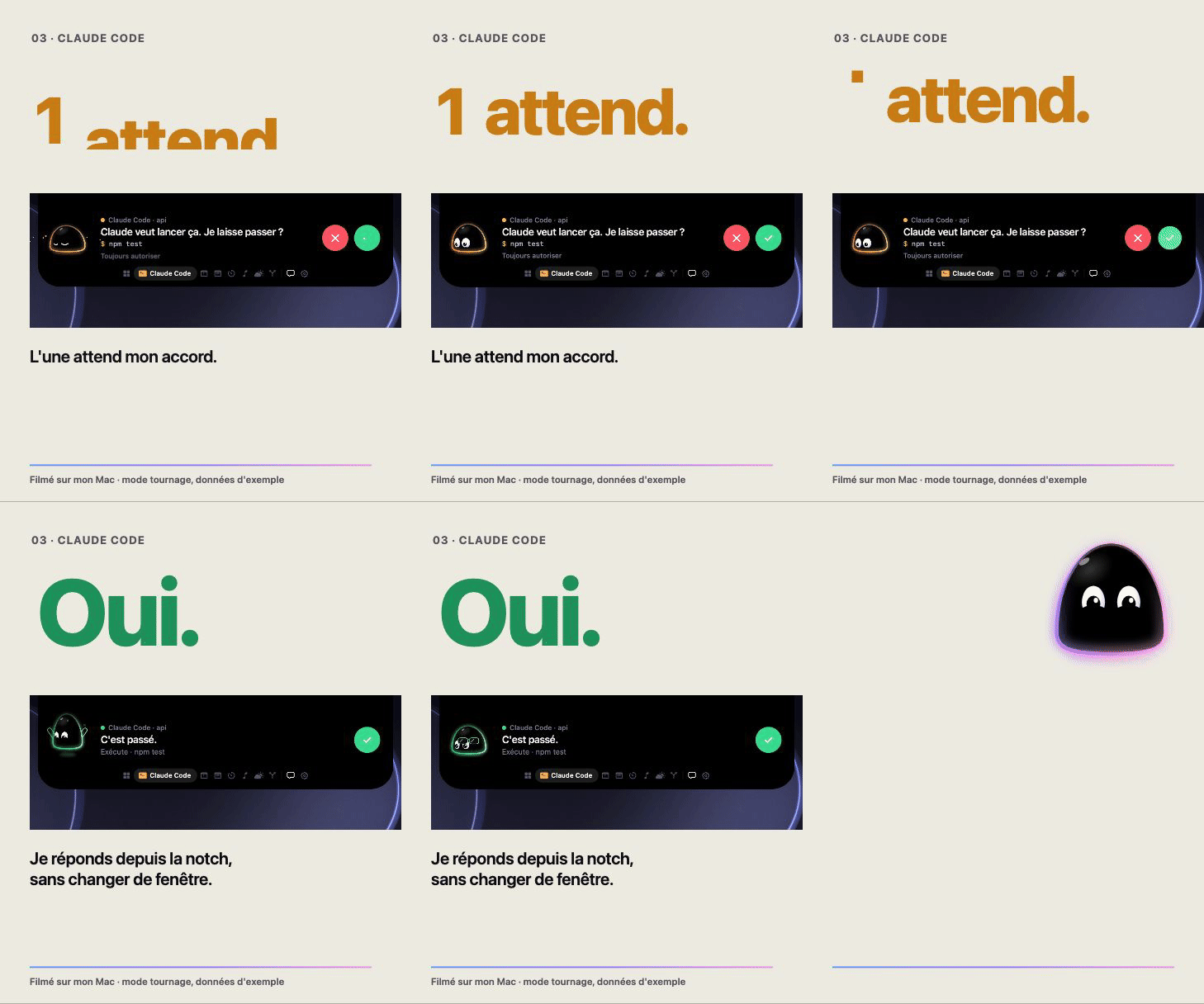
He follows Claude Code. Every session, in every terminal and editor, shows up in the notch: thinking, running a tool, finished, failed. When Claude Code asks for a permission, the island opens and you answer from there, without switching windows. If you do not answer, the question goes back to Claude Code as usual.
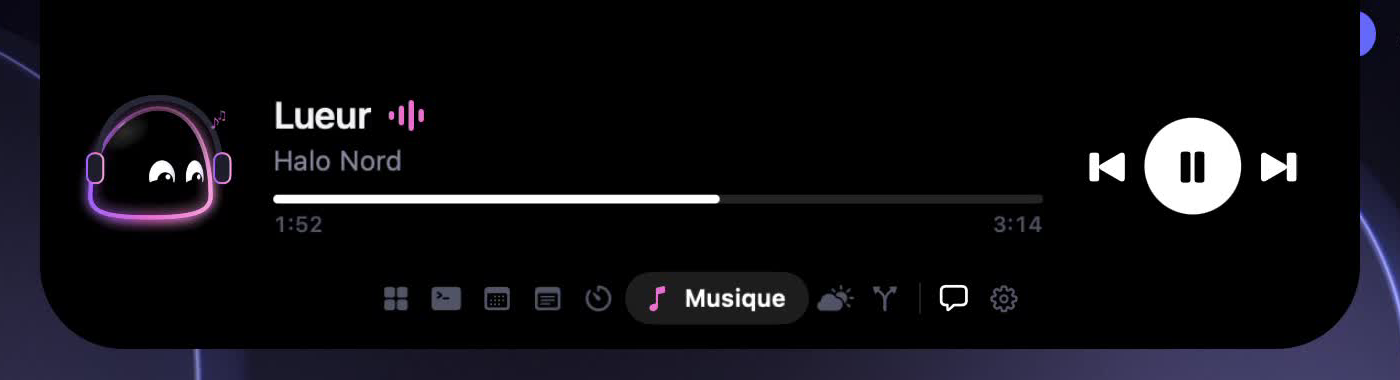
He shows one thing at a time. Folded, the island shows what matters now: the track playing, the session at work, the next meeting. Open, a rail of icons lets you move between the modules.
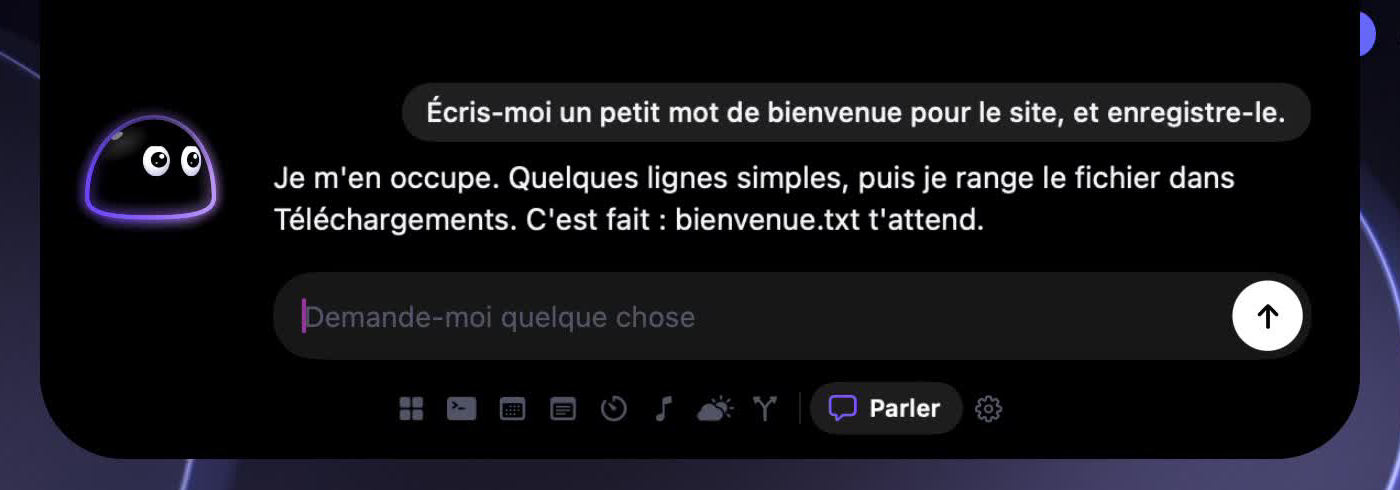
You talk, he acts. The chat runs through the Claude Code already installed on your Mac: in the chat it talks, reads and searches, and changes nothing. When you ask for an action, Yumi's own agent plans it, asks you before anything changes (showing the exact file and what it will hold, the reminder or the event, with a minute to answer once the question is on screen), does it and checks that it is really there. Today he can:
- create a new text file, in Downloads unless you name the Desktop or Documents (never replacing a file);
- add a line at the end of a file he created himself;
- add a reminder to your default Reminders list;
- add an event to your default calendar, without inviting anyone;
- start a Focus session (no question asked: nothing leaves the Mac);
- sum up your day from what his modules already show (no question asked).
He never deletes, sends, runs a command or edits a file he did not create. A request he cannot do is refused and passed to nobody. If a step that writes takes too long, he does not try it a second time and tells you to check.
Which model plans the actions
Yumi needs a model to turn a request into a plan. It tries, in order:
- Claude Code, if it is installed and you are logged in (
claude, then/login). It is used as a model only: no tool, no shell, no file, no web, no MCP server, none of your Claude Code settings or hooks. It only answers a JSON plan, which Yumi checks like any other. It runs under your Claude Code account, so it counts against your subscription or whatever billing that account has; it is not free. - The Anthropic API, if you saved a key in the settings. Billed by Anthropic per use.
With neither, Yumi says so and does nothing. The App Store build can only use the API key.
He remembers, and speaks first. Yumi keeps what you tell him in a plain text file on your Mac, that you can read, edit and erase from the settings. He leaves secrets out of it. He also speaks up on his own on a few occasions (two hours without a break, a meeting coming, an agent waiting), and a setting makes him more or less discreet.
He is alive. A soft body, eyes that follow, a rim of light that carries his state, habits when he is bored, and a small scene for each GitHub event: a star, a fork, a merged pull request.
Modules
| Module | What it shows | What it needs |
|---|---|---|
| Claude Code | Sessions, activity, permission requests | Yumi's hooks, installed from the settings |
| Agenda | The next event of the day | Calendar access |
| Notes | Today's reminders, ticked from the notch | Reminders access |
| Focus | A work timer and its breaks | Nothing |
| Music | The track playing, pause, next, previous | Automation, for Music or Spotify |
| Weather | The sky where you are | Location, or a city typed by hand |
| GitHub | Stars, forks, pull requests, pushes on your repositories | A personal access token |
You choose which modules appear and in which order.
Build
You need macOS 15 or later, Xcode 16 or later, XcodeGen, and, for the hook script that shows Claude Code sessions in the notch, a python3: Homebrew's, python.org's, or Apple's once the Command Line Tools are installed (xcode-select --install). Without one, Claude Code works as usual and only the sessions are missing; the settings say so. The chat also needs Claude Code installed.
brew install xcodegen
git clone https://github.com/estebanbaigts/Yumi.git
cd Yumi/Yumi && xcodegen && open Yumi.xcodeproj
Then press ⌘R in Xcode. From the command line:
cd Yumi && xcodegen && xcodebuild -scheme Yumi -configuration Debug build
The Xcode project and the Info.plist files are generated from Yumi/project.yml and are not in git: change project.yml and run xcodegen again.
The Debug build is not signed, so macOS asks again for the permissions after each rebuild.
Tests
cd Yumi && xcodegen && xcodebuild -scheme Yumi -configuration Debug test CODE_SIGNING_ALLOWED=NO
The tests run without launching the app. Continuous integration runs the build and the tests on every push.
Set up Claude Code
Open Yumi's settings and choose to install the hooks. Yumi shows the exact change before writing anything, saves a dated backup of ~/.claude/settings.json, and merges its entries with yours. The same screen removes them.
The hook is a small script that forwards each event to the app over a local Unix socket. If Yumi is not running, the script exits at once and Claude Code carries on. Installing Yumi's hooks removes those of Coucou or NotchBuddy if they are present: Yumi replaces them.
Permissions
Yumi works without any of these. Each one unlocks a feature, and is asked for when you first use it.
| Permission | What it is for |
|---|---|
| Calendar | Announcing your next event, adding the events you ask for |
| Reminders | Showing today's reminders, ticking them, adding the ones you ask for |
| Location | The weather where you are, to the nearest kilometre |
| Automation | Pause and next track, the address of the page you show him |
| Accessibility | The title of the window you show him, the Escape key, the global shortcut |
| Downloads, Desktop, Documents | Creating the files you ask for, and adding to them |
| Login item | Launching Yumi at startup, if you turn it on |
Privacy
- No telemetry, no account, no server of ours.
- The calendar, the reminders and the memory never leave your Mac.
- Network calls go only to the services behind the modules you turned on: Open-Meteo for the weather, GitHub with your own token.
- The chat goes through your own Claude Code, under your own account.
- A plan request sends the model your words, the last few messages of the chat, today's date and time, the list of Yumi's tools and the names of the last files he created. What is on your screen is never sent from the chat; only the Agent section of the settings can send it, when you tick it for that request.
- Tokens are stored in the macOS Keychain, never on disk and never in git.
- Yumi never approves a Claude Code permission without an explicit click.
- Every permission decision, Yumi's own and those of the chat, is kept in one history on your Mac (Settings, Yumi's permissions): which tool, which file or site, what was decided. Never the content, the search or the full address.
Repository
Yumi/                    the app
├── project.yml          XcodeGen project, source of truth for the build
├── Sources/App/         all Swift code
├── Tests/               unit tests (Swift Testing)
└── Resources/           entitlements, sounds
design/yumi/             character sheet, voice, mockups, video plan
motion/                  the presentation film, made with Remotion
scripts/release.sh       signed and notarized build
- YUMI.md: decisions, character design brief, work plan (in French).
- design/yumi/voix.md: how Yumi speaks, what he remembers, when he speaks first (in French).
- ARCHITECTURE.md: analysis of the original code base, system by system.
- CONTRIBUTING.md: how to build, test and propose a change.
- motion/README.md: the film, the stories and how to render them.
Roadmap
- A signed and notarized release. scripts/release.sh is ready, it needs an Apple Developer team.
- Connected modules: Notion, n8n, Make.
- English interface.
- Macs without a notch.
- App Store, then Windows and Linux.
Credits and license
Yumi is built on the source code of Coucou by Louis Raillé, used under the MIT License. Yumi is an independent project, not affiliated with or endorsed by the author of Coucou. ATTRIBUTION.md lists what comes from Coucou and what does not.
The code is under the MIT License. The Yumi name, the character, the icons, the sounds and the film in motion/ are not: see LICENSE-ASSETS.md and motion/LICENSE.md.
Yorumlar (0)
Yorum birakmak icin giris yap.
Yorum birakSonuc bulunamadi