RisuAI-Agent-plugin
Health Warn
- License — License: GPL-3.0
- Description — Repository has a description
- Active repo — Last push 0 days ago
- Low visibility — Only 7 GitHub stars
Code Warn
- Code scan incomplete — No supported source files were scanned during light audit
Permissions Pass
- Permissions — No dangerous permissions requested
No AI report is available for this listing yet.
A plugin that simulates an AI agent orchestration layer on top of RisuAI.
🛰️ RisuAI Agent
Multi-Agent Orchestrated Roleplay Engine for RisuAI
Parallel Reasoning · Persona Directing · Vector Retrieval · Token Efficiency
🇬🇧 English | 🇹🇼 Traditional Chinese | 🇰🇷 Korean



🚀 Overview
RisuAI Agent is an advanced orchestration layer built on top of RisuAI. Think of it as a versatile secretary standing beside a star actor.
Instead of forcing your main AI model to juggle memory, world-building, and acting all at once, this plugin delegates the heavy lifting (memory management, logical consistency, and character directing) to specialized background AI agents. This allows your main model to focus entirely on delivering a stellar, immersive performance in the present moment.
🖼️ Plugin UI
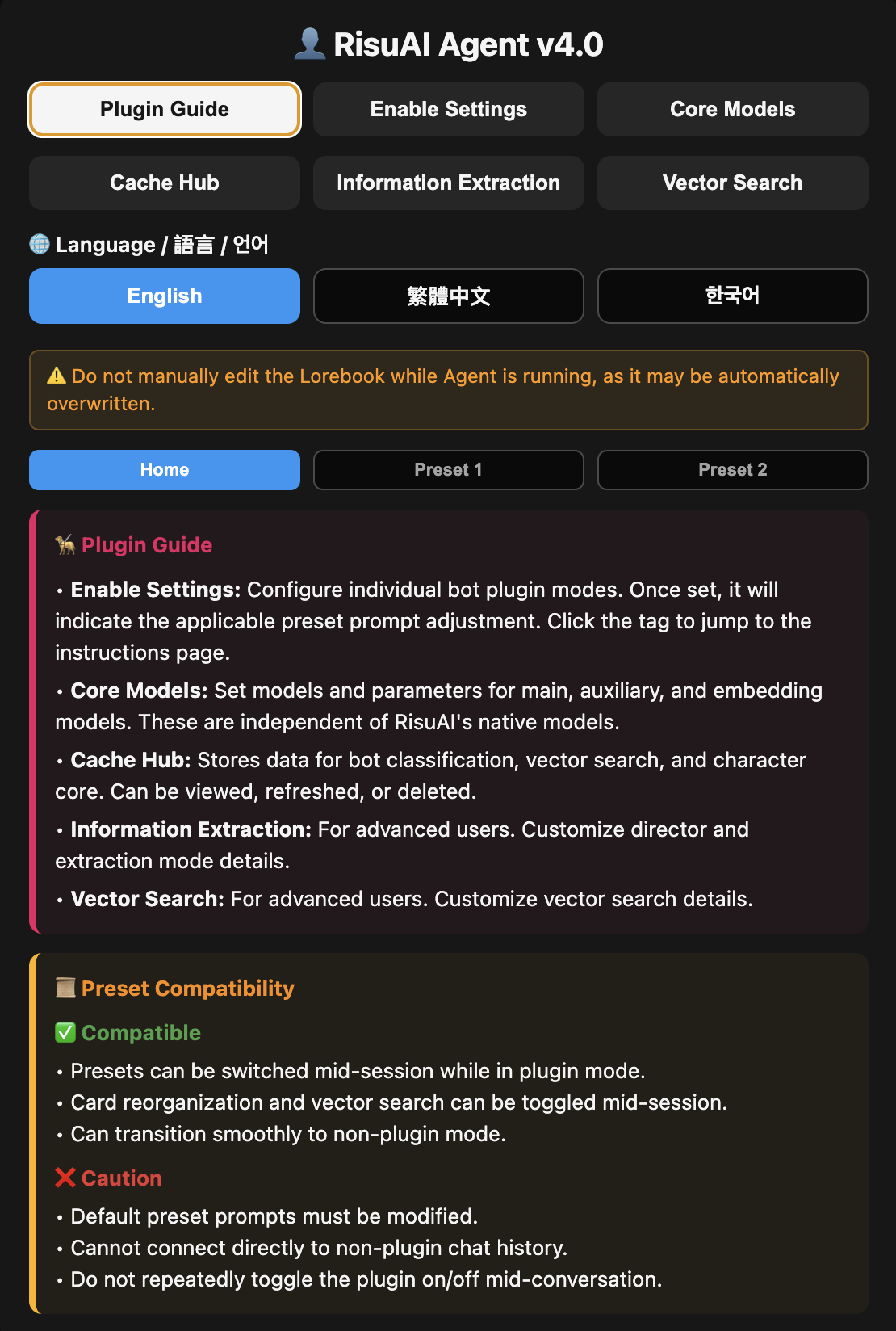
|
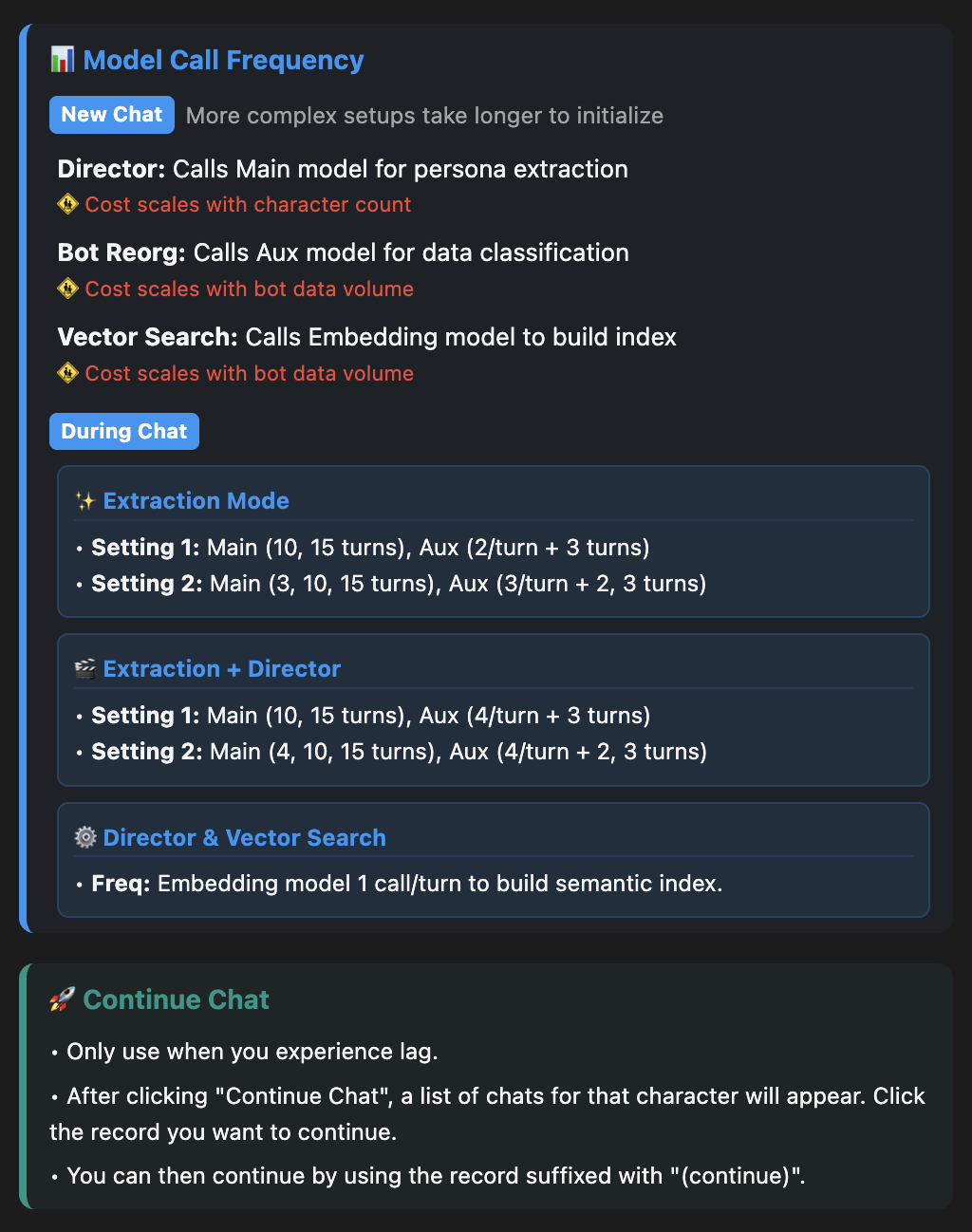
|
✨ Core Features
- 🦾 Information Extraction: Distills long, sprawling chat histories into high-density, easily digestible information blocks, completely replacing traditional Supa/HypaMemory and saving massive amounts of tokens.
- 👨👦 Broad Prompt Compatibility: Works alongside your favorite prompts. The plugin includes a built-in guide to help you tweak your presets for maximum compatibility.
The following advanced features can be selectively enabled based on your needs:
- 🎬 Director's Notes: Actively guides the plot, manages the character's emotional shifts and reactions, and corrects minor logical inconsistencies in real-time.
- 🔍 Vector Search: Replaces rigid keyword matching with intelligent semantic retrieval, drastically increasing the relevance and density of injected background lore.
- 🔀 Bot Reorganization: Dismantles the character card and intelligently re-categorizes entries, injecting them into the most optimal structural positions within the prompt.
🧋 Preset Architecture
This plugin is designed to power RisuAI's most advanced prompt architecture to date. Characters remember more, responses are richer, and personalities are multi-dimensional.
🏗️ Preset Structure
The optimal prompt execution flow under this architecture looks like this:
System Prompts [Actor Rules] ->
Initial Setting [Bot Info] ->
10 Chat [Recent 5 Message Pairs] ->
Author's Note ->
Story Progression [Memory Extraction & Director Instructions] ->
Response Control [Detailed Acting Directives] ->
Command Setting [Image insert prompts, Status Panel UI] ->
Prefill with Jailbreak [⚠️ Delete this for Claude, DeepSeek, Mistral]
📦 Setup & Configuration
- Install the Plugin directly within RisuAI.
- Open the Plugin Settings (👤 RisuAI Agent).
All step-by-step preset modifications, API key setups, model recommendations, and feature toggles are explained interactively directly inside the RisuAI interface!
⁉️ FAQ & Troubleshooting
Q: I am getting ERROR 400: Call model not supported. What do I do?
A: You are likely using Claude, DeepSeek, or another model that does not support the "Prefill" format.
Go to the plugin settings -> Information Extraction -> Common Prompts. Clear the Assistant Pre-Reply Prompt and save. If the error persists, clear the Assistant Prefill as well.
Q: My AI's responses are coming back empty, or I am hitting severe censorship.
A: Because the Agent splits your data into smaller chunks for background analysis, the "NSFW density" of a specific chunk might be much higher than normal, which can trigger the model's safety filters.
Fix: Switch your Main/Aux background models to ones with lower censorship restrictions, or strengthen your prefill prompts.
🔗 References
- HER: Human-like Reasoning and Reinforcement Learning for LLM Role-playing
- ENHANCING PERSONA FOLLOWING AT DECODING TIME VIA DYNAMIC IMPORTANCE ESTIMATION FOR ROLE-PLAYING AGENT
- Facet-Level Persona Control by Trait-Activated Routing with Contrastive SAE for Role-Playing LLMs
- Structured Personality Control and Adaptation for LLM Agents
📜 License
Licensed under the GPL-3.0 License.
Reviews (0)
Sign in to leave a review.
Leave a reviewNo results found