pan-ui
Health Uyari
- License — License: MIT
- Description — Repository has a description
- Active repo — Last push 0 days ago
- Low visibility — Only 7 GitHub stars
Code Basarisiz
- execSync — Synchronous shell command execution in bin/pan-ui.mjs
- process.env — Environment variable access in bin/pan-ui.mjs
Permissions Gecti
- Permissions — No dangerous permissions requested
This tool is a self-hosted web interface and dashboard for the Hermes Agent. It allows users to manage AI chat, skills, extensions, and memory configurations from a centralized workspace.
Security Assessment
The overall risk is rated as Medium. The primary security concern is the presence of synchronous shell command execution (`execSync`) within its main execution file. This inherently increases the attack surface, as any vulnerability could potentially lead to arbitrary command execution on the host system. The application also accesses environment variables, which users should be aware of. It does not request explicitly dangerous permissions, and there are no immediate signs of hardcoded secrets. However, it does set up a local web server with default credentials (`admin` / `changeme`), which must be changed immediately upon installation to prevent unauthorized access.
Quality Assessment
The project appears to be actively maintained with very recent updates and continuous integration pipelines in place. It is protected by the standard, permissive MIT license. However, it suffers from low community visibility. Having only 7 GitHub stars means the codebase has undergone minimal external peer review, making it difficult to accurately gauge broader community trust or long-term reliability.
Verdict
Use with caution — the tool is actively maintained, but default credentials and synchronous shell execution require strict security configurations before deploying.
Pan by Euraika — a self-hosted AI workspace for Hermes Agent. Chat, skills, extensions, memory, profiles, and runtime controls.

Pan by Euraika
Beautiful WebUI for Hermes Agent


Quick Start • Features • Screenshots • Architecture • Configuration • Changelog • Contributing
Pan is a self-hosted web interface for Hermes Agent — the open-source AI agent by Nous Research. Chat with your agent, manage skills from the skills.sh marketplace, control extensions and MCP integrations, inspect memory, and operate profiles — all from a single dashboard with live runtime awareness.
Quick Start
Install and run (one command)
npx @euraika-labs/pan-ui
The setup wizard runs on first launch to configure your Hermes connection. After setup, Pan starts on localhost:3199.
Run as a background service
# Quick daemon — fork to background
npx @euraika-labs/pan-ui --daemon

# Check status, view logs, stop
npx pan-ui status
npx pan-ui logs
npx pan-ui stop
Install as a system service (Linux)
# Installs a systemd user service — starts on login, survives logout
npx @euraika-labs/pan-ui service install

# Manage with standard systemctl commands
systemctl --user status pan-ui
systemctl --user restart pan-ui
journalctl --user -u pan-ui -f

# Remove when done
npx pan-ui service remove
From source
git clone https://github.com/Euraika-Labs/pan-ui.git
cd pan-ui
npm install
npm run dev
Open localhost:3199. Default credentials: admin / changeme.
Features
Pan is not a generic chat wrapper. It exposes the full operational surface of a running Hermes Agent instance:
| Feature | Description |
|---|---|
| Chat with streaming | SSE-based streaming connected to a real Hermes runtime, with tool timelines, approval cards, and artifact rendering |
| Skills marketplace | Browse 112+ installed skills across 27 categories, discover and install 268+ more from skills.sh |
| MCP integrations | View installed MCP servers, their tools, health status, and diagnostics |
| Persistent memory | Inspect and edit global and profile-scoped user/agent memory |
| Profile isolation | Each profile is a full workspace boundary — sessions, skills, memory, API keys, and policy presets |
| Runtime operations | Approvals, run history, audit trails, telemetry, health monitoring, and JSON/CSV exports |
| Daemon mode | Run as a background process with PID management and log tailing |
| Systemd integration | Install as a persistent Linux user service with auto-start |
Screenshots
Login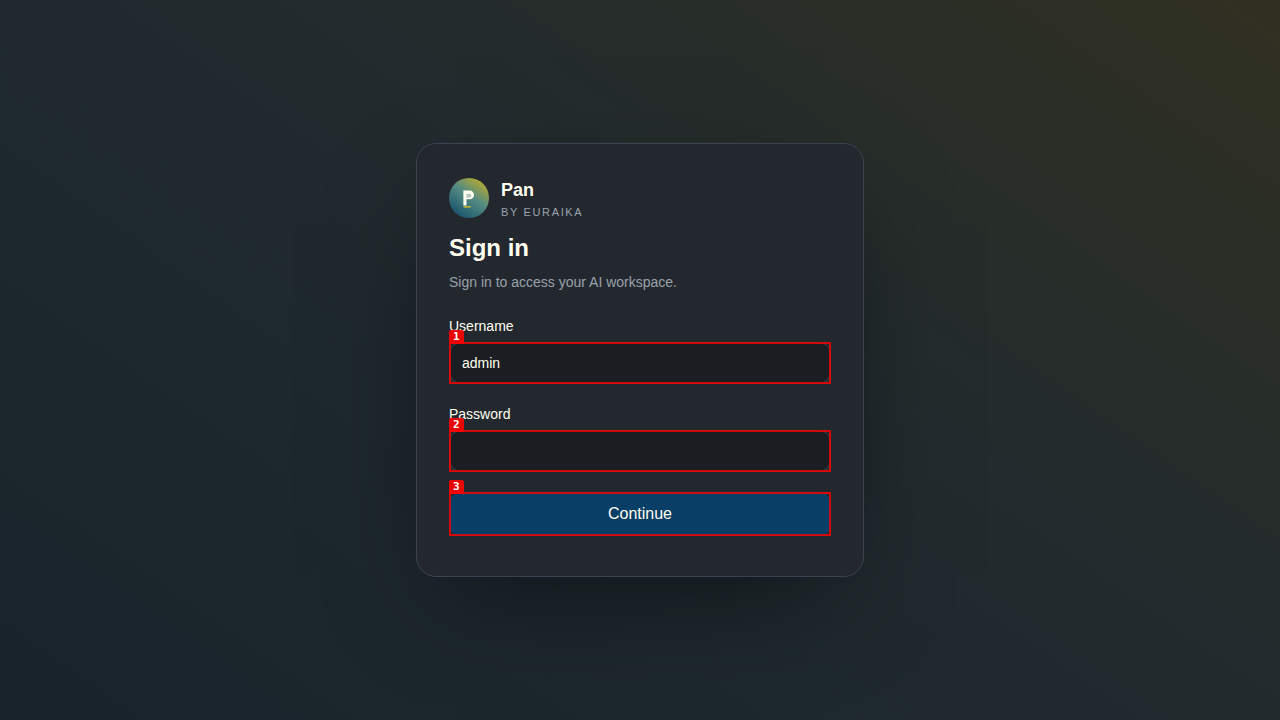
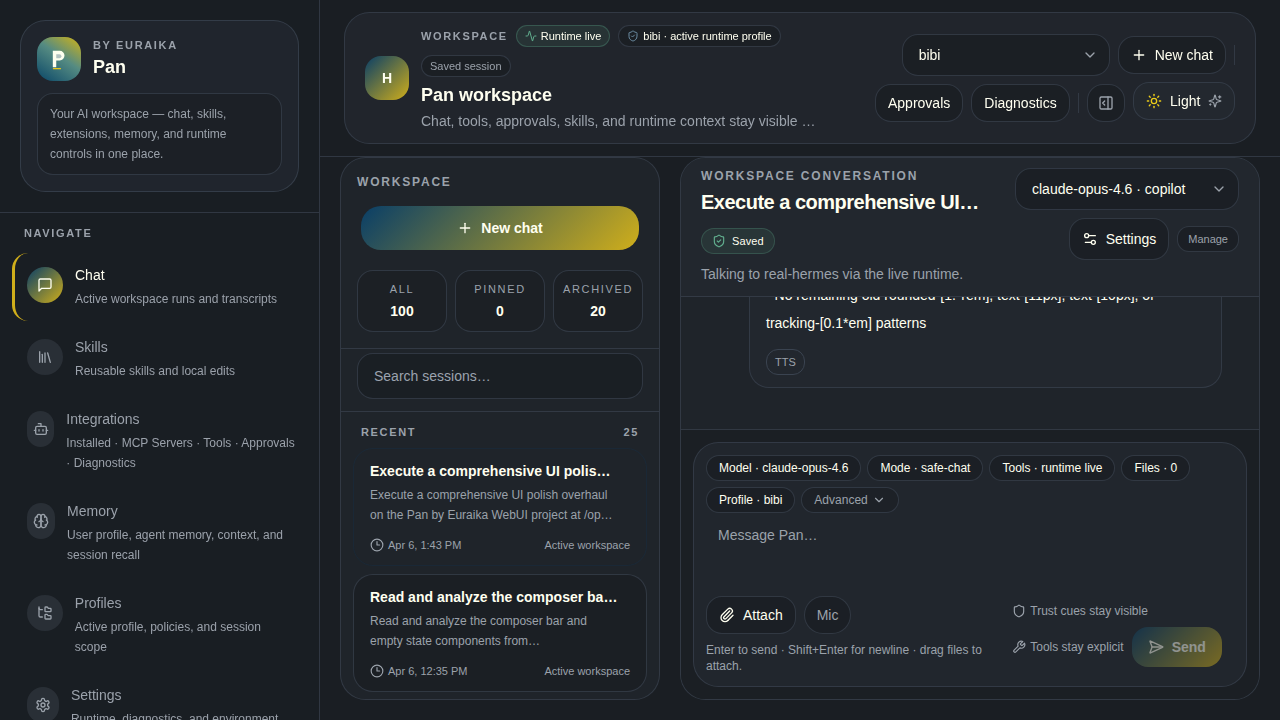
Streaming chat connected to a live Hermes runtime. Session sidebar with search, pinning, and archiving. Tool timelines expand inline. Composer shows active model, mode, tools, and profile.
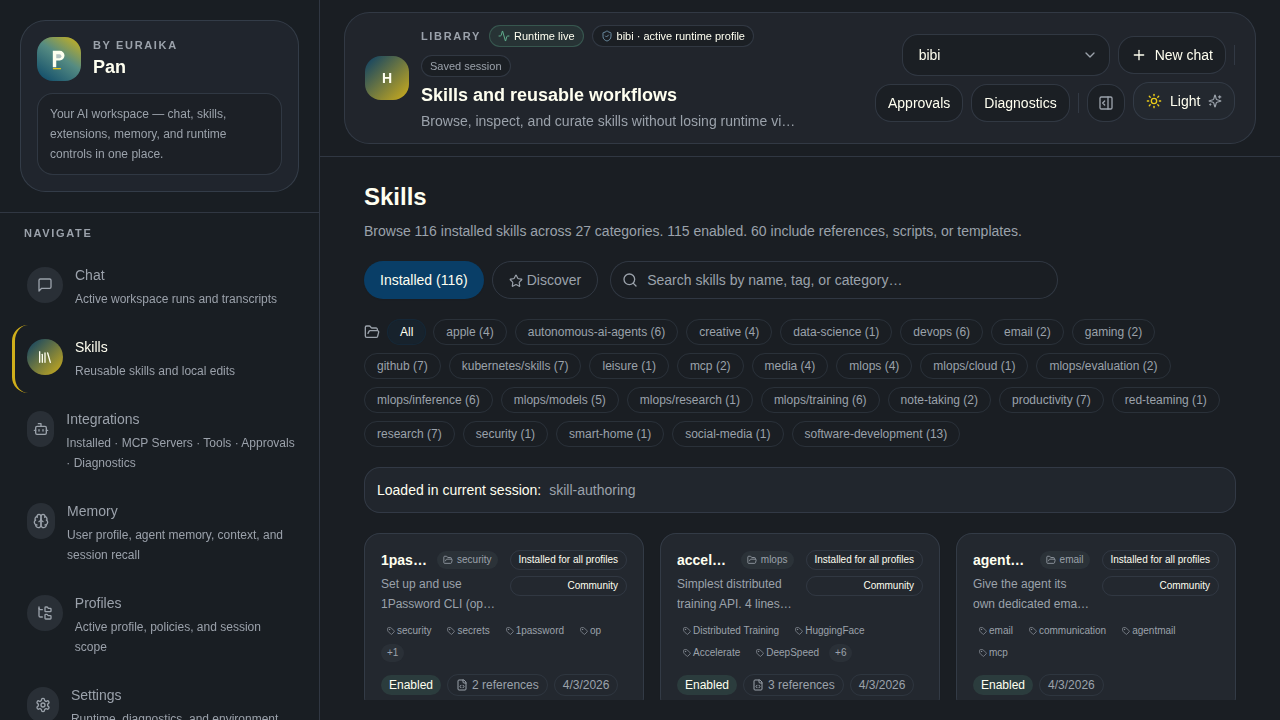
112 installed skills across 27 categories. Search by name, tag, or category. Each card shows source, tags, linked files count, and whether it's loaded in the current session.
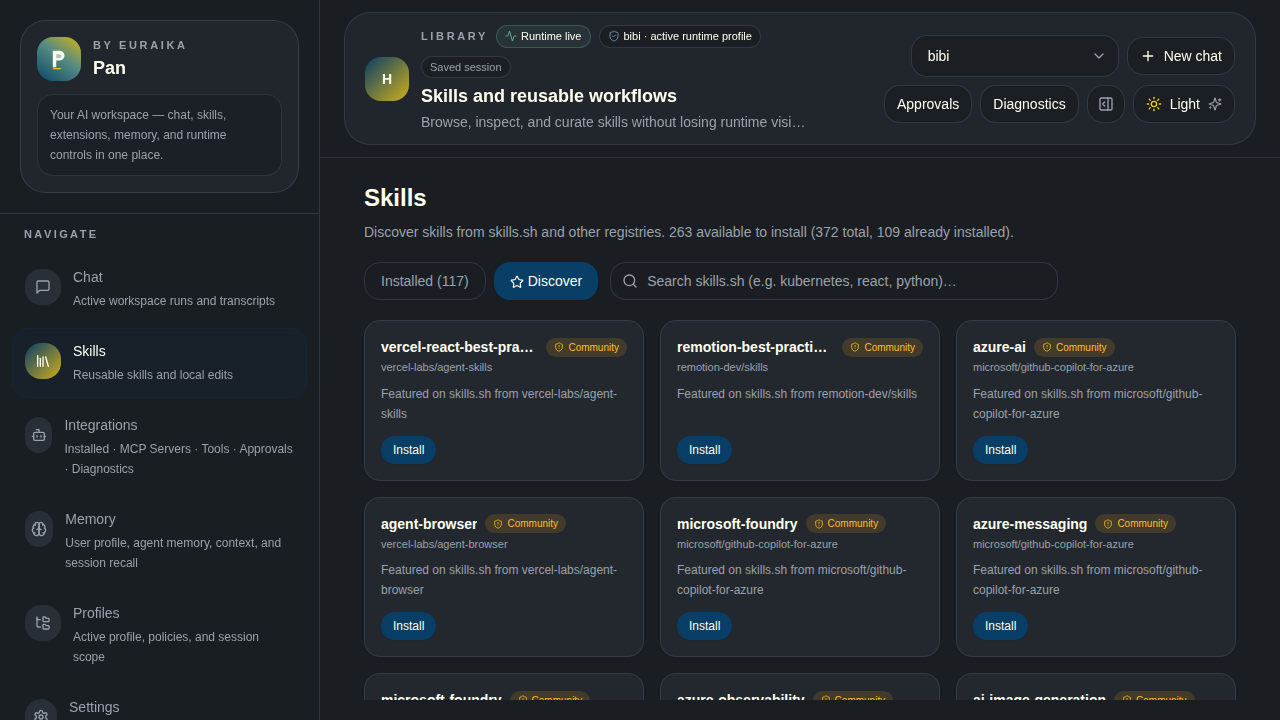
Browse and install skills from the skills.sh hub. Trust badges (Trusted / Official / Community), install counts, and direct links to repos.
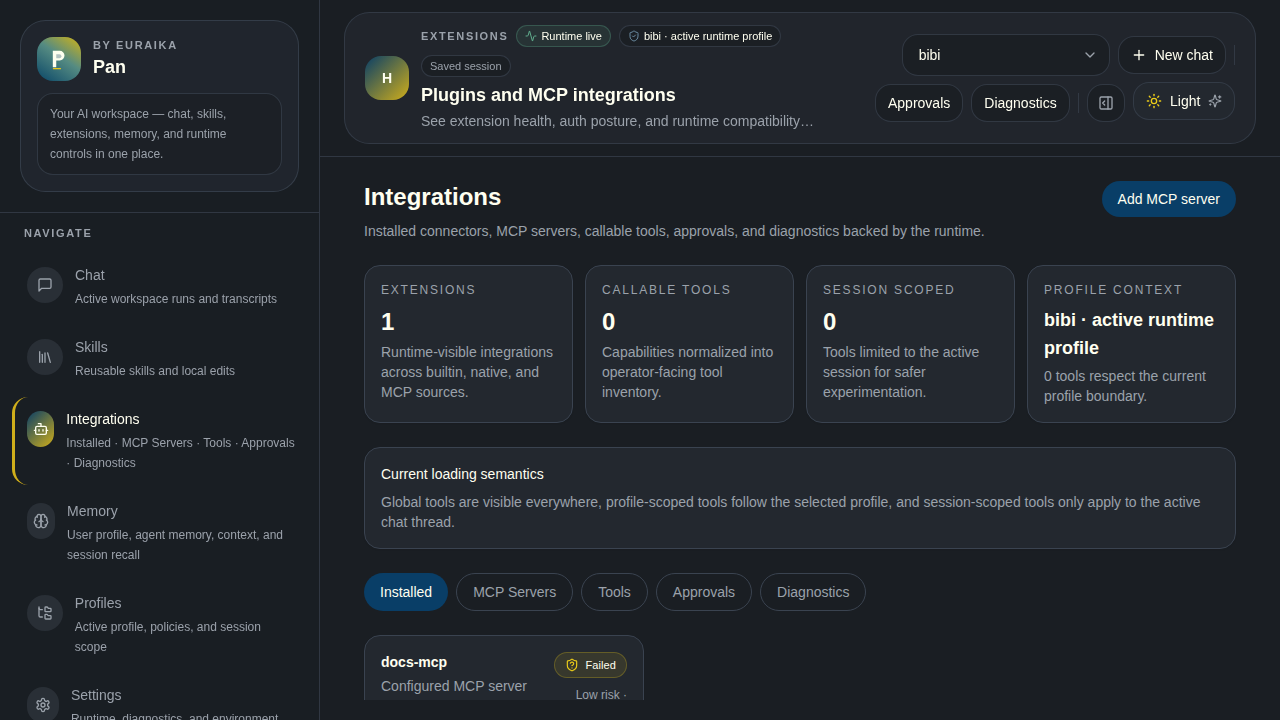
Installed MCP servers with tool inventories, health badges, and capability toggles.
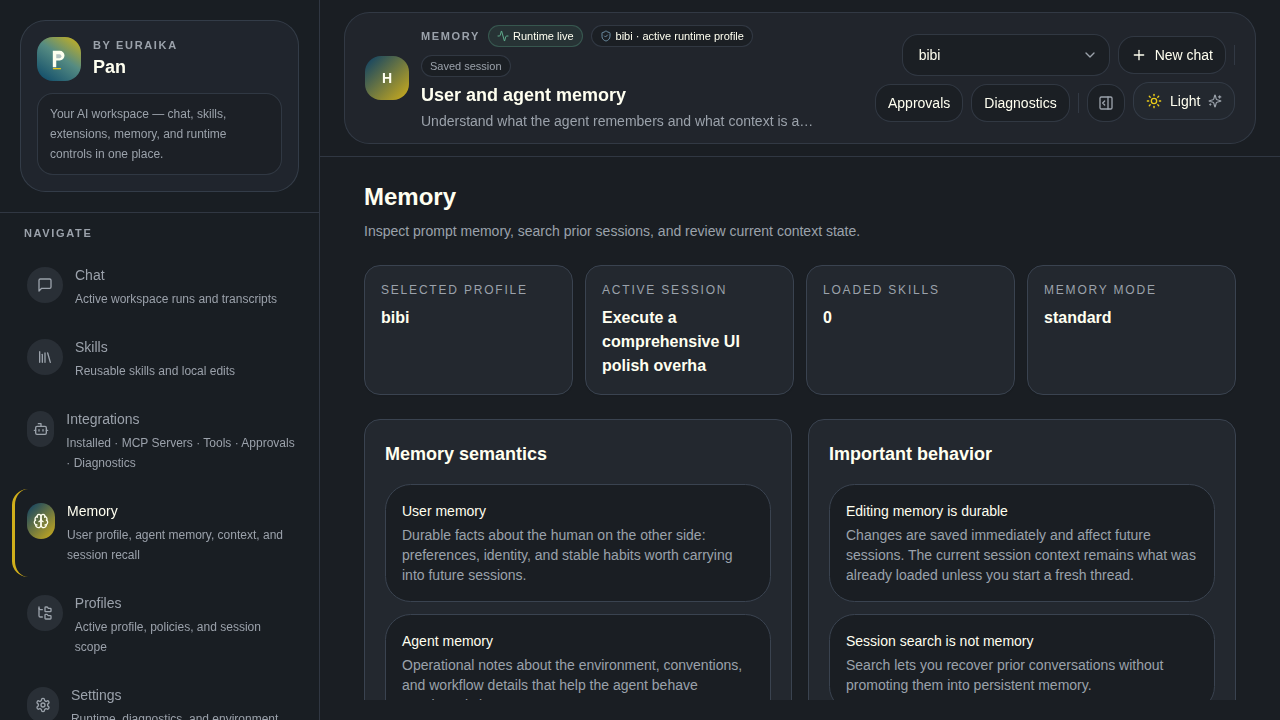
Global memory (shared across profiles) displayed as read-only cards. Profile-scoped memory is editable.
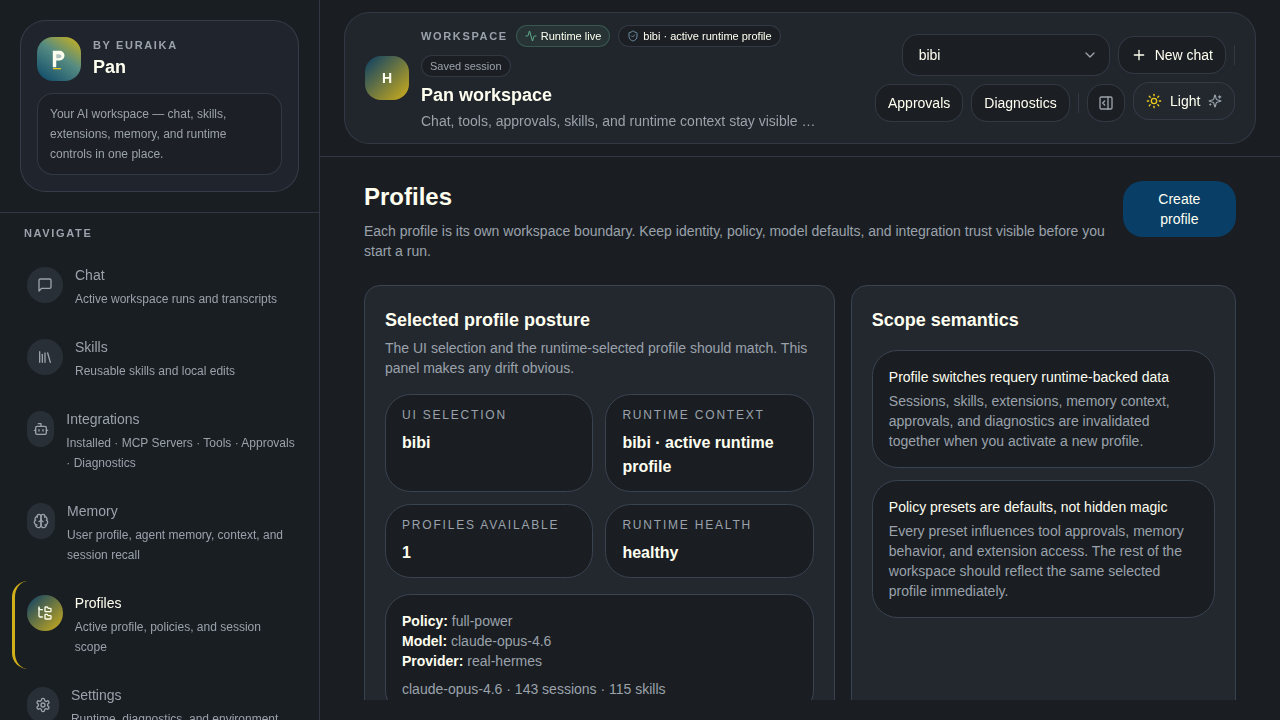
Profile-based workspace isolation. Each profile scopes sessions, skills, memory, extensions, and API keys.
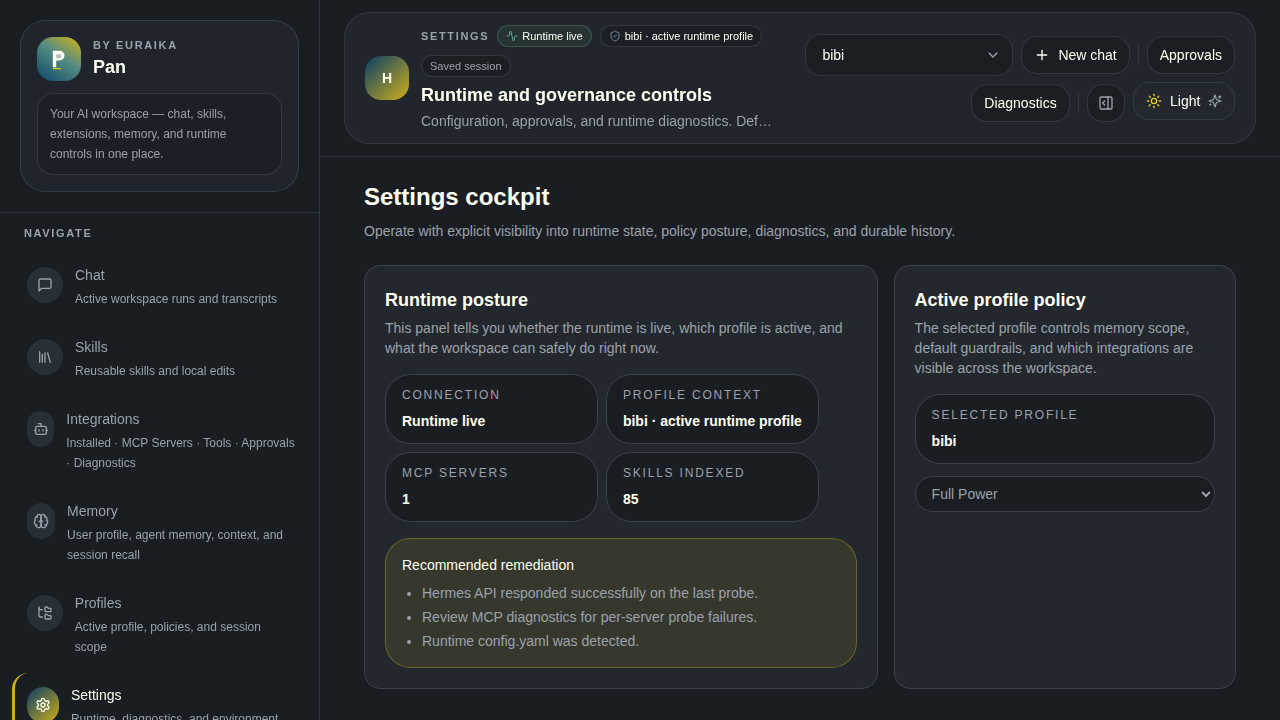
Runtime status, health monitoring, model selection, run history, audit browser, telemetry, approvals, and MCP diagnostics.
Configuration
CLI Options
npx pan-ui                     Start in foreground (interactive)
npx pan-ui --daemon | -d       Start in background
npx pan-ui stop                Stop the background daemon
npx pan-ui status              Check if Pan is running
npx pan-ui logs                Tail daemon log output
npx pan-ui setup               Re-run the setup wizard
npx pan-ui service install     Install systemd user service
npx pan-ui service remove      Remove systemd service
npx pan-ui --port 8080         Override the port
npx pan-ui --help              Show all options
Environment Variables
Create a .env.local file or use the setup wizard (npx pan-ui setup):
| Variable | Default | Description |
|---|---|---|
HERMES_HOME |
~/.hermes |
Hermes home directory |
HERMES_API_BASE_URL |
http://127.0.0.1:8642 |
Hermes API endpoint |
HERMES_API_KEY |
— | API key for Hermes (if configured) |
HERMES_WORKSPACE_USERNAME |
admin |
Login username |
HERMES_WORKSPACE_PASSWORD |
changeme |
Login password |
HERMES_WORKSPACE_SECRET |
(auto-generated) | Cookie signing secret |
HERMES_MOCK_MODE |
false |
Use mock data when runtime is unavailable |
PORT |
3199 |
Server port |
Architecture
┌─────────────────────────────────────────────────┐
│                    Browser                       │
│  Next.js App Router + TanStack Query + Tailwind  │
└───────────────────────┬─────────────────────────┘
                        │ fetch / SSE
┌───────────────────────▼─────────────────────────┐
│              Next.js API Routes                  │
│  /api/chat/stream    /api/skills    /api/memory  │
│  /api/profiles       /api/extensions /api/runtime│
└──────┬────────────────┬─────────────────────────┘
       │                │
       ▼                ▼
┌──────────────┐  ┌──────────────────────────────┐
│ Hermes API   │  │ Hermes Filesystem            │
│ :8642        │  │ ~/.hermes/                   │
│ OpenAI-compat│  │  ├─ profiles/                │
│ SSE streaming│  │  ├─ skills/                  │
└──────────────┘  │  ├─ memories/                │
                  │  └─ state.db                 │
                  └──────────────────────────────┘
Tech Stack
| Layer | Technology |
|---|---|
| Framework | Next.js 15 (App Router, standalone output) |
| Language | TypeScript |
| State | TanStack Query v5 |
| Styling | Tailwind CSS 4 |
| Testing | Vitest + Playwright |
| Runtime | Node.js 18+ |
Project Structure
src/
├── app/                  # Next.js routes and API endpoints
│   ├── api/              # Server-side API routes
│   │   ├── chat/         # Chat stream, sessions
│   │   ├── skills/       # Skills CRUD, hub, categories
│   │   ├── memory/       # User/agent memory, context inspector
│   │   ├── profiles/     # Profile CRUD
│   │   ├── extensions/   # MCP extensions
│   │   └── runtime/      # Health, approvals, runs, export
│   └── [page]/           # Client page routes
├── features/             # UI feature modules
│   ├── chat/             # Chat screen, composer, transcript
│   ├── skills/           # Skills browser, detail, hub cards
│   ├── memory/           # Memory editor
│   ├── extensions/       # Extension cards, tool inventory
│   ├── profiles/         # Profile management
│   ├── sessions/         # Session sidebar
│   └── settings/         # Runtime, health, audit, approvals
├── server/               # Hermes filesystem bridge
├── components/           # Shared layout and UI components
├── lib/                  # Types, schemas, stores, utilities
└── styles/               # Global CSS and theme tokens
bin/
└── pan-ui.mjs            # CLI launcher, setup wizard, daemon
tests/
├── unit/                 # Vitest unit tests
└── e2e/                  # Playwright end-to-end tests
Development
npm run dev           # Start dev server (hot reload)
npm run lint          # ESLint
npm run test          # Vitest unit tests
npm run build         # Production build
npm run test:e2e      # Playwright e2e (requires dev server running)
Security
- CLI commands use an allowlist guard before
execFileSync— no arbitrary command injection - Profile isolation ensures each workspace boundary has its own sessions, memory, and API keys
- CodeQL scanning runs on every push and PR
- File path parameters are sanitized to prevent directory traversal
- Login is cookie-based with
httpOnlysecure cookies - See SECURITY.md for reporting vulnerabilities
License
Yorumlar (0)
Yorum birakmak icin giris yap.
Yorum birakSonuc bulunamadi