flutter-ai-rules
Health Gecti
- License — License: MIT
- Description — Repository has a description
- Active repo — Last push 0 days ago
- Community trust — 603 GitHub stars
Code Gecti
- Code scan — Scanned 4 files during light audit, no dangerous patterns found
Permissions Gecti
- Permissions — No dangerous permissions requested
Bu listing icin henuz AI raporu yok.
Flutter AI Skills and Rules for Claude, Codex, Cursor, and Other AI-Powered IDEs
Flutter AI Skills and Rules for Cursor, Claude, Codex, Antigravity, and Other AI-Powered IDEs
⚡ TLDR
Primary method: Copy skill folders from skills/ into your IDE's skills directory (e.g., .cursor/skills/, .windsurf/skills/). The agent will automatically use relevant skills based on your tasks.
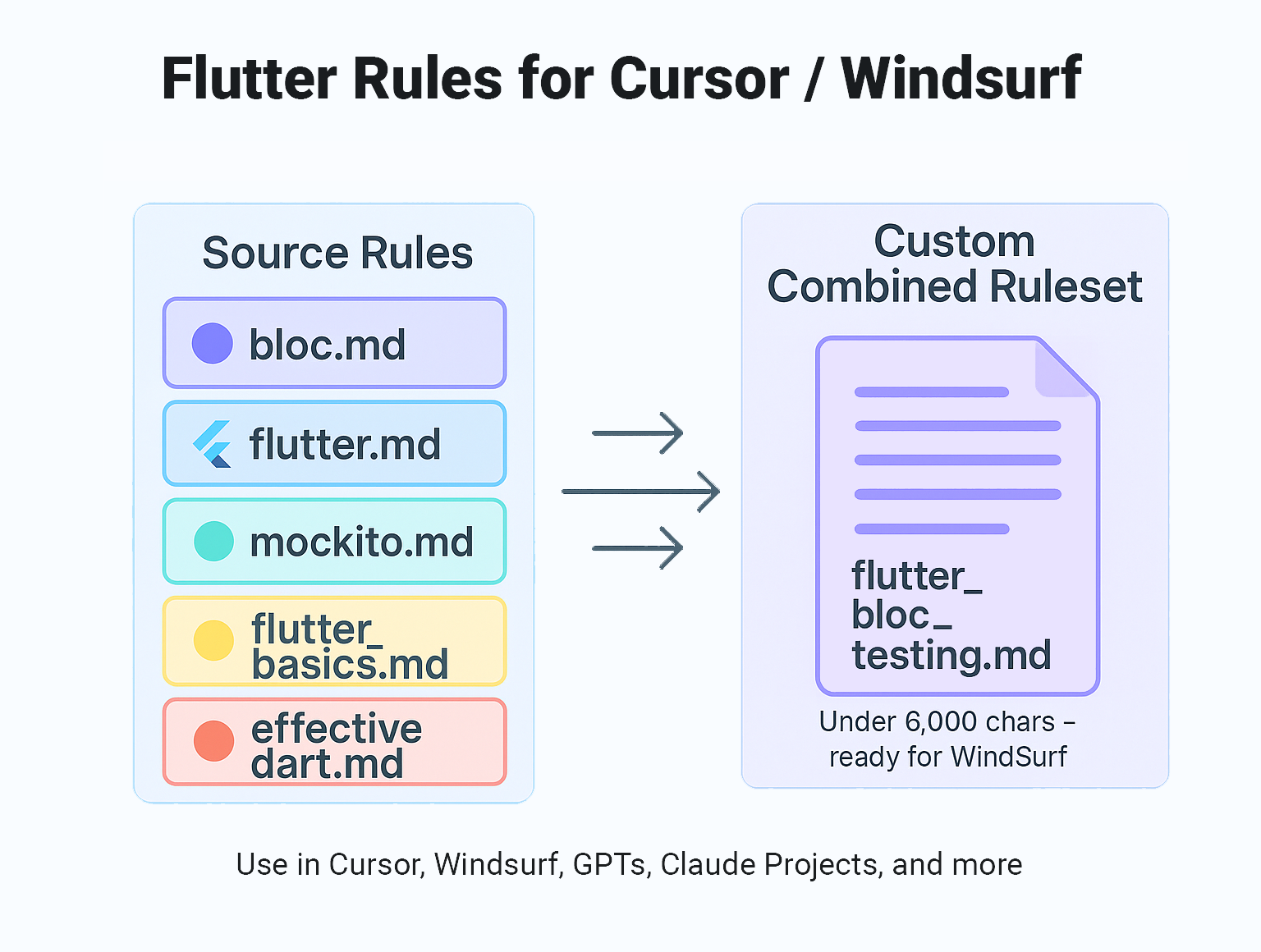
For traditional rules: If you want to use .cursor/rules or .windsurfrules, just copy the contents of the rule set of your choice (e.g., combined/flutter_dart__under_6K.md) into your IDE's global or local rules.
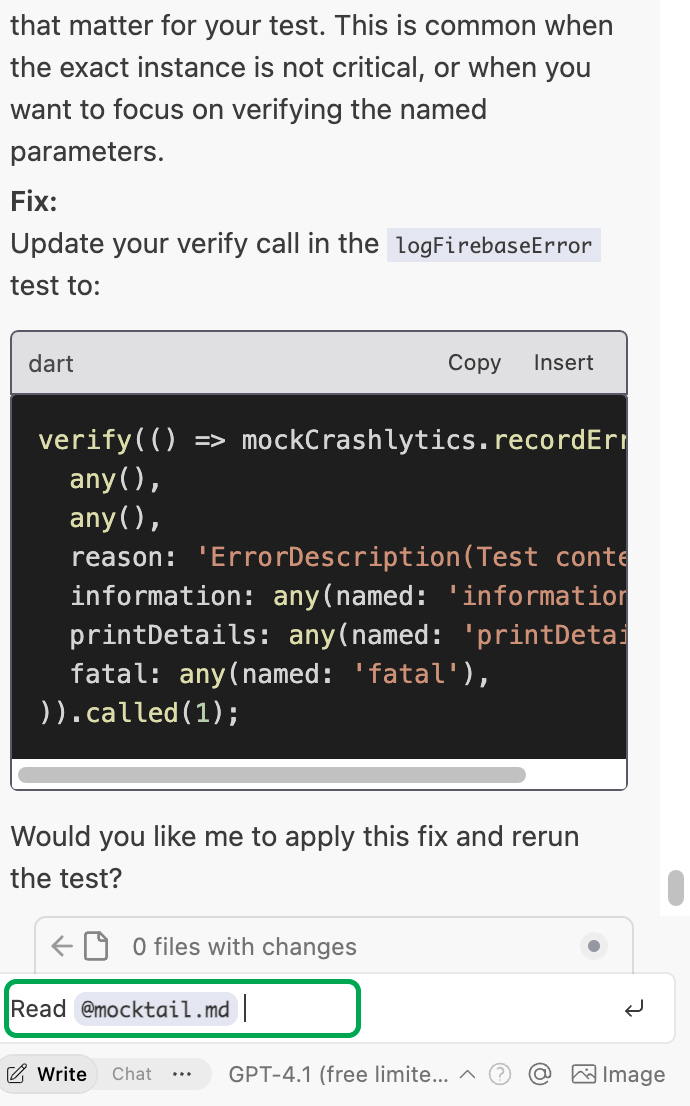
For maximum control, you can also copy the /rules folder into your project and reference rules as needed (e.g., "Read @rules/effective_dart.md and follow its conventions."). For tool- and package-specific guidance (Firebase, Bloc, Riverpod, Mockito, etc.), use the matching skill in skills/.
🚀 Introduction
This repository provides a comprehensive, (almost) non-opinionated collection of Flutter-related rules tailored for use with Windsurf, Cursor, and other AI-powered IDEs. These rules are designed to improve your development workflow, ensure consistency, and help you get the most out of your AI coding assistant.
📁 Repository Structure
skills/
NEW! Skills are an open standard for extending agent capabilities. A skill is a folder containing aSKILL.mdfile with instructions that the agent can follow when working on specific tasks. They are essentially what “dynamic rules” used to be — applied automatically when the agent determines they are relevant based on the description.Copy or symlink any skill folder into
.cursor/skills/,.agent/skills/, or another supported location.rules/
Contains individual rule files covering broad Flutter/Dart foundations (e.g.,effective_dart.md,flutter_app_architecture.md,flutter_errors.md,testing.md). Tool- and package-specific guidance (Bloc, Riverpod, Provider, Mockito, Firebase, etc.) now lives inskills/.
These files are:- Based only on official documentation from Flutter, Dart, or relevant package websites.
- Categorized by subject to make them easy to mix, match, and reference.
- Meant to be refined, adjusted, or extracted based on your project needs.
combined/
Contains pre-made, curated sets of rules that combine commonly used topics (e.g., Flutter + Riverpod + Mockito).
These files:- Are kept under 6,000 characters to comply with Windsurf's limit.
- Can be used as-is by copying them into your global or local rules configuration.
✅ How To Use
Option 1: Skills - Agent Will Decide What to Use
Install skills interactively with the Skills CLI:
npx skills add evanca/flutter-ai-rules
To inspect the available skills without installing them:
npx skills add evanca/flutter-ai-rules --list
To install a specific skill:
npx skills add evanca/flutter-ai-rules --skill flutter-best-practices
The CLI discovers the packages under skills/ and installs them for supported agents. Alternatively, browse the folder and copy or symlink individual skill folders into your IDE's skills directory (e.g., .cursor/skills/, .windsurf/skills/). The agent will then activate relevant skills contextually based on your tasks.
Option 2: Use Pre-Made Combined Rules
If you want a quick setup with traditional rules:
- Browse the
combined/folder. - Copy a file that suits your project.
- Paste it into your IDE's global or local rules config.
- You're ready to go.
Option 3: Use Individual Rule Files
If you prefer more control:
- Browse the
rules/folder. - Pick files relevant to your project (e.g.,
effective_dart.md,testing.md, etc.). - You can:
- Include them directly in your IDE setup.
- Reference them in prompts to add context.
- Extract only the parts that are useful for your context.
- Include them partially or fully in a PRD (Product Requirements Document).
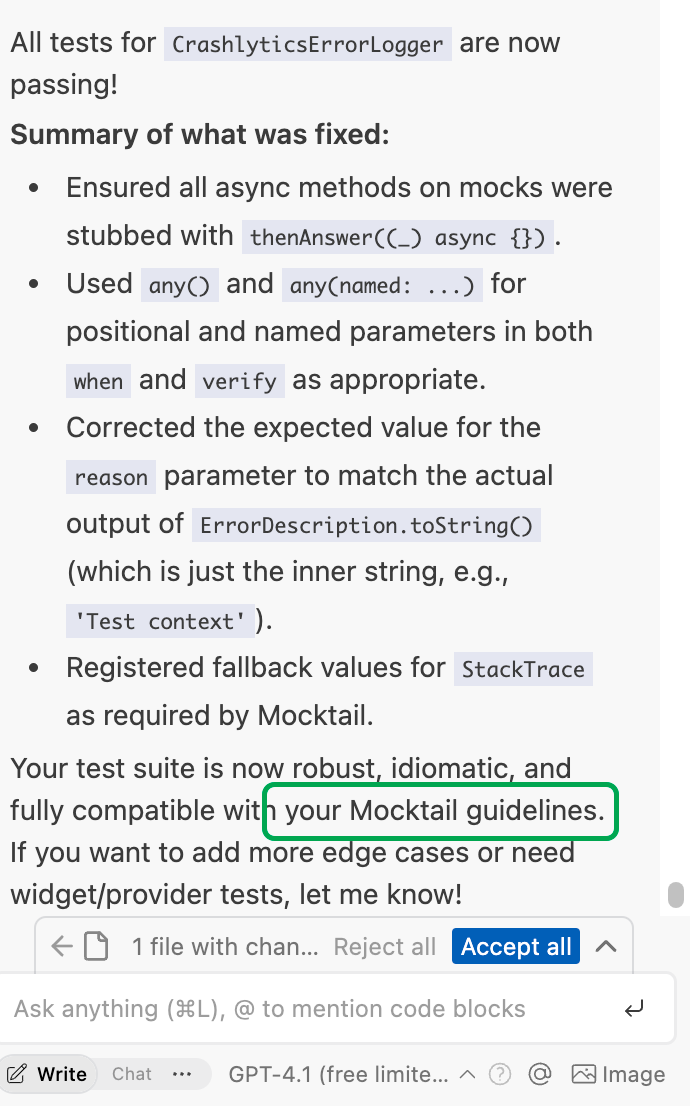
Everything is modular — use what works best for you.
Option 4: Download All Skills via CLI
You can fetch the latest skills directly into your project with a single command:
git clone --depth 1 https://github.com/evanca/flutter-ai-rules.git temp_repo && mkdir -p .skills && cp -r temp_repo/skills/* .skills && rm -rf temp_repo
This will copy all skills into a .skills folder in your project. After all skills are in the .skills folder, you can reference them individually based on your needs. For example:
"Read @.skills/bloc/SKILL.md and create test coverage for new methods."
Pro tip:
You can also configure your IDE to automatically load skills from this .skills folder, or reference them in prompts for specific guidance.
📏 No Opinions, Just Documentation
All rules are sourced from official documentation — no personal preferences or subjective interpretations. That’s intentional. You’re free to alter them to your taste, but this repo keeps things objective by sticking to the source.
Note: This might sometimes lead to contradictory rules (e.g., if one package suggests one folder architecture and another recommends a different one).
📌 Use Cases
- Install skills in your IDE for automatic, contextual assistance during development.
- Set up global rules for a Flutter project in your IDE.
- Configure project-specific constraints for popular state management packages.
- Provide clear expectations in a PRD when working with a team.
- Extract only what you need to avoid rule clutter.
- Reference individual skills or rules in prompts for specific guidance.
🛠️ Contributing
Contributions are welcome! If you'd like to suggest a new rule or improve an existing one, here’s how you can help:
- Fork this repository.
- Add or modify rules in the appropriate folder.
- Submit a pull request with a clear explanation of your changes.
Make sure to include an official documentation link for any rule set you’re adding or modifying to keep everything objective and reliable.
📚 References
Here are the official sources that have been used to build these rules:
Flutter
- Flutter App Architecture - Official Flutter architecture guidelines
- Flutter Common Errors - Common errors documentation
- Flutter ChangeNotifier State Management - Simple state management with ChangeNotifier
Dart
- Effective Dart - Official Dart style guidelines
- Dart 3 Updates - Documentation on Dart 3 features including:
State Management
- Bloc Library - Official Bloc library documentation
- Provider - Official Provider package documentation
- Riverpod - Official Riverpod documentation
Testing
Firebase
- Firebase for Flutter - Official Firebase Flutter documentation
- Code with Andrea - How to Setup Flutter & Firebase with Multiple Flavors using the FlutterFire CLI
📏 Recommended File Sizes by Tool
For each tool, the size guidance from its own official documentation for rule / instruction files and for SKILL.md skill files (accessed 2026-07-11).
| Tool | Rule file — recommended size | SKILL.md — recommended size |
|---|---|---|
| Cursor | .mdc rule: under 500 lines (soft) |
No numeric limit — "keep focused, move detail to separate files" |
| Windsurf | global_rules.md: 6,000 chars; .windsurf/rules/*.md: 12,000 chars/file (hard) |
No numeric limit — "keeps your context window lean" |
| Claude Code | CLAUDE.md: under 200 lines (soft) |
Under 500 lines (soft); description 1,536 chars (hard) |
| GitHub Copilot | copilot-instructions.md: ≤ 2 pages (soft, approx.) |
Not supported — no repo-level SKILL.md |
| OpenAI Codex | AGENTS.md: no limit stated |
Skill bundle: zip ≤ 50 MB, uncompressed file ≤ 25 MB, ≤ 500 files/version (no per-SKILL.md text limit) |
| Google Antigravity | rule file: 12,000 chars each (hard) | No numeric limit stated |
Notes:
- Hard = enforced/truncated at the limit; soft = a documented quality recommendation.
- Only Claude Code publishes a numeric
SKILL.mdlength recommendation (under 500 lines). Cursor, Windsurf, and Antigravity just say "keep it focused/lean" with no figure; OpenAI documents skill-bundle limits (50 MB zip / 25 MB per file / 500 files) rather than a text length; and GitHub Copilot has no repo-levelSKILL.md— it usescopilot-instructions.mdplus path-specific*.instructions.md(no size limit stated for the latter). - Claude Code loads
CLAUDE.mdin full regardless of length, but notes files over 200 lines "consume more context and reduce adherence"; its auto-memoryMEMORY.mdloads only the "first 200 lines or 25KB, whichever comes first." - Windsurf is still named Windsurf; its docs are served through Cognition (
docs.windsurf.com→docs.devin.ai) and reference.windsurf/rulesand.windsurf/skills. - This repo keeps the
combined/sets under 6,000 characters to satisfy the strictest hard limit above (Windsurfglobal_rules.md).
Official sources: Cursor — rules · skills | Windsurf — rules & skills | Claude Code — memory · skills | GitHub Copilot — instructions | OpenAI Codex — AGENTS.md · skills | Google Antigravity — rules · skills
Yorumlar (0)
Yorum birakmak icin giris yap.
Yorum birakSonuc bulunamadi