evo-nexus
Health Pass
- License — License: NOASSERTION
- Description — Repository has a description
- Active repo — Last push 0 days ago
- Community trust — 397 GitHub stars
Code Fail
- rm -rf — Recursive force deletion command in .claude/settings.json
- Hardcoded secret — Potential hardcoded credential in .claude/skills/ai-image-creator/scripts/generate-image.py
Permissions Pass
- Permissions — No dangerous permissions requested
This tool is an open-source multi-agent operating layer designed to orchestrate a team of 38 specialized AI agents for business and engineering tasks. It acts as an interface layer around the Claude Code CLI to automate operations, code review, testing, and deployment workflows.
Security Assessment
Overall risk: High. The automated scan flagged two significant security issues. First, it contains hardcoded credentials in an image generation script, which is a serious vulnerability that could lead to leaked API keys or unauthorized access. Second, a recursive force deletion command (`rm -rf`) was detected in its configuration files, which can be highly destructive if executed improperly. The tool operates as a multi-agent system executing shell commands and orchestrating code, meaning it inherently handles potentially sensitive data and scripts. No dangerous OS-level permissions were explicitly requested, but the hardcoded secret and destructive deletion commands are major red flags.
Quality Assessment
The project demonstrates strong community interest and active maintenance. It recently received updates, has nearly 400 GitHub stars, and includes comprehensive documentation. It is licensed under Apache 2.0, which is highly permissive and standard for open-source software. However, the presence of basic security hygiene issues somewhat undermines the overall code quality.
Verdict
Use with caution — while actively maintained and popular, the hardcoded secrets and destructive shell commands require thorough manual review before deploying in any production environment.
The open source operating system for AI-powered businesses

EvoNexus
Multi-agent operating layer built around the Claude Code CLI — part of the Evolution Foundation ecosystem.




Website · Documentation · Quick Start · Dashboard · Community · Support
Disclaimer: EvoNexus is an independent, unofficial open-source project. It is not affiliated with, endorsed by, or sponsored by Anthropic. "Claude" and "Claude Code" are trademarks of Anthropic, PBC. This project integrates with Claude Code as a third-party tool and requires users to provide their own installation and credentials.
What It Is
EvoNexus is an open source, unofficial multi-agent operating layer built around the Claude Code CLI protocol — but not locked to any single LLM provider. It runs natively on Anthropic's claude CLI by default, and can transparently switch to OpenAI, Google Gemini, OpenRouter (200+ models), AWS Bedrock, Google Vertex AI, or Codex Auth via OpenClaude. Same agents, same skills, same workflows — your choice of backend.
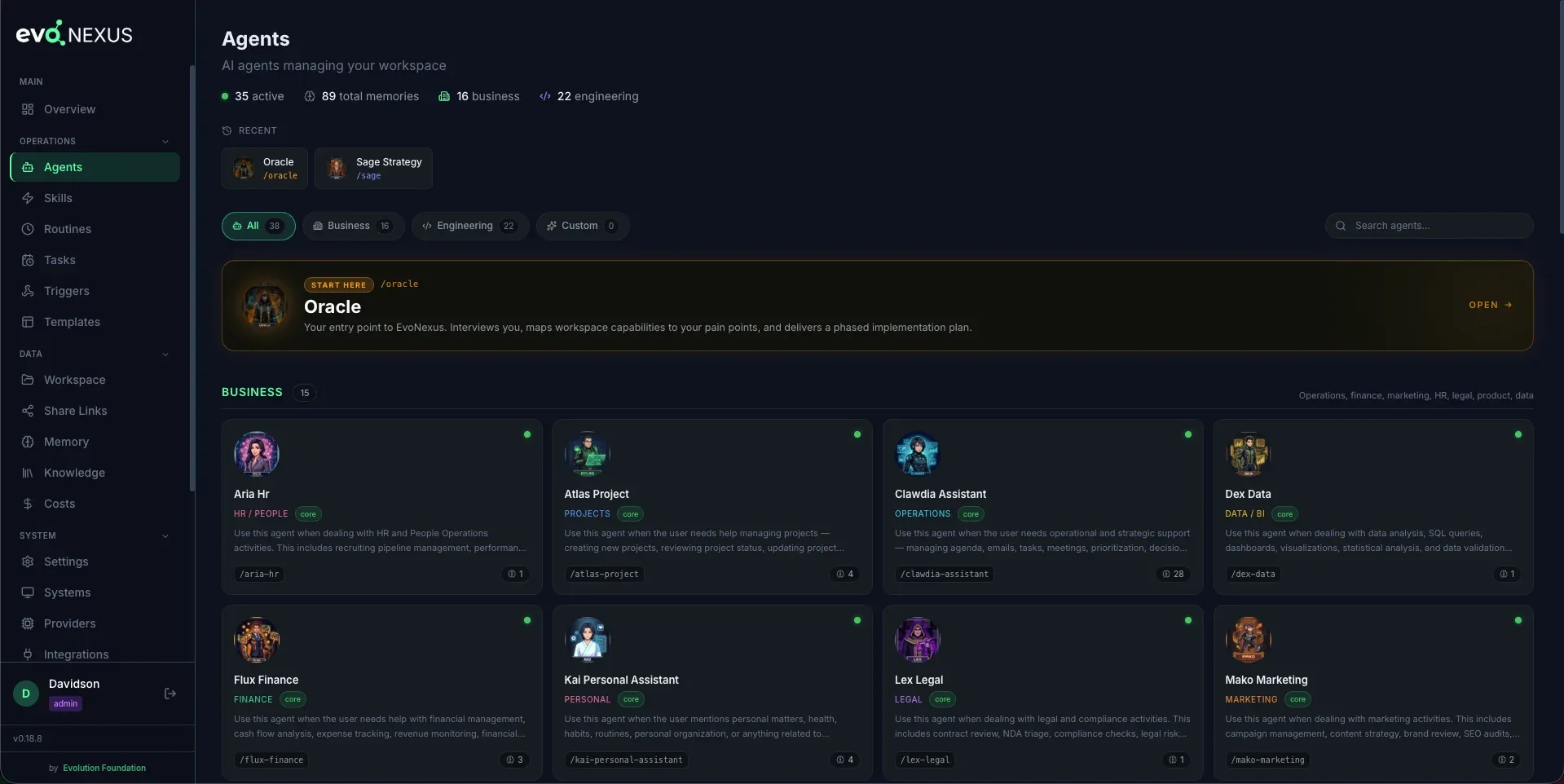
It turns a single CLI installation into a team of 38 specialized agents organized in two ortogonal layers — 17 business agents (operations, finance, community, marketing, HR, legal, product, data, learning retention) and 21 engineering agents (architecture, planning, code review, testing, debugging, security, design, cycle orchestration, retrospective — 19 derived from oh-my-claudecode, MIT, by Yeachan Heo + 2 native: Helm and Mirror). The engineering layer follows a canonical 6-phase workflow documented in .claude/rules/dev-phases.md.
This is not a chatbot. It is a real operating layer that runs routines, generates HTML reports, syncs meetings, triages emails, monitors community health, tracks financial metrics, and consolidates everything into a unified dashboard — all automated.
Part of the Evolution Foundation ecosystem
EvoNexus is one of the projects maintained by Evolution Foundation. It is the operating layer that orchestrates the Foundation's own work — including the development of Evo CRM Community, Evolution API and Evolution Go.
Why EvoNexus?
- Markdown-first agents — agents are
.mdfiles with system prompts, not code. No SDK, no compile step. Add an agent by dropping a file in.claude/agents/, or package reusable bundles via the plugin system (seedocs/introduction.md) - Skills as instructions — reusable capabilities are markdown too. 190+ skills covering finance, community, social, engineering, data, legal, HR, ops, product, CS
- Multi-provider by design — default runs on Anthropic's native
claudeCLI, but can switch to OpenRouter, OpenAI, Gemini, AWS Bedrock, Google Vertex, or Codex Auth via OpenClaude without touching a line of code. Your keys, your model choice, no vendor lock-in - MCP integrations — first-class support for Google Calendar, Gmail, GitHub, Linear, Telegram, Canva, Notion, and more via the Model Context Protocol
- Slash commands —
/clawdia,/flux,/pulse,/apexinvoke agents directly from the terminal - Persistent memory —
CLAUDE.md+ per-agent memory survives across sessions - CLI-first, local-only — runs anywhere the Claude CLI (or OpenClaude) runs. Your data never leaves your infrastructure
Key Features
- Multi-Provider — runs on Anthropic (native
claude) or any of 6 alternate backends via OpenClaude: OpenRouter (200+ models), OpenAI, Google Gemini, Codex Auth, AWS Bedrock, Google Vertex AI. Switch providers from the dashboard, no code changes - 17 Core Business Agents + Custom — Ops, Finance, Projects, Community, Social, Strategy, Sales, Courses, Learning Retention, Personal, Knowledge, Marketing, HR, Customer Success, Legal, Product, Data — plus user-created
custom-*agents (gitignored) - 21 Engineering Agents — architecture, planning, code review, testing, debugging, security, design, cycle orchestration, retrospective
- 190+ Skills + Custom — organized by domain prefix (
social-,fin-,int-,prod-,mkt-,gog-,obs-,discord-,pulse-,sage-,hr-,legal-,ops-,cs-,data-,pm-,dev-) - 7 Core + 20 Custom Routines — daily, weekly, and monthly ADWs managed by a scheduler
- Web Dashboard — React + Flask app with auth, roles, web terminal, service management
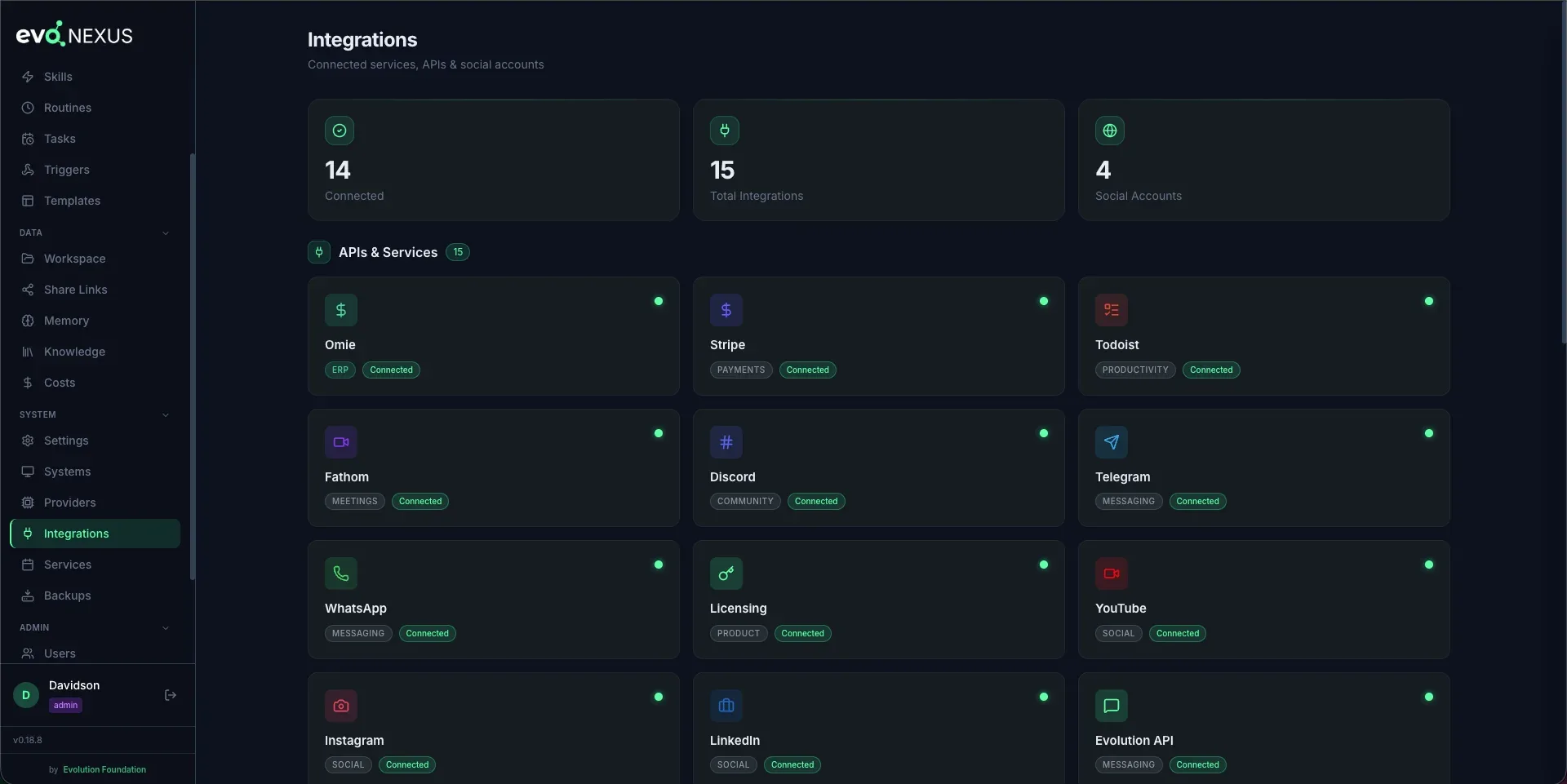
- 19+ Integrations — Google Calendar, Gmail, Linear, GitHub, Discord, Telegram, Stripe, Omie, Bling, Asaas, Fathom, Todoist, YouTube, Instagram, LinkedIn, Evolution API, Evolution Go, Evo CRM, and more
- Persistent Memory — two-tier system (CLAUDE.md + memory/) with LLM Wiki pattern
- Knowledge Base — optional semantic search via MemPalace (local ChromaDB vectors, one-click install)
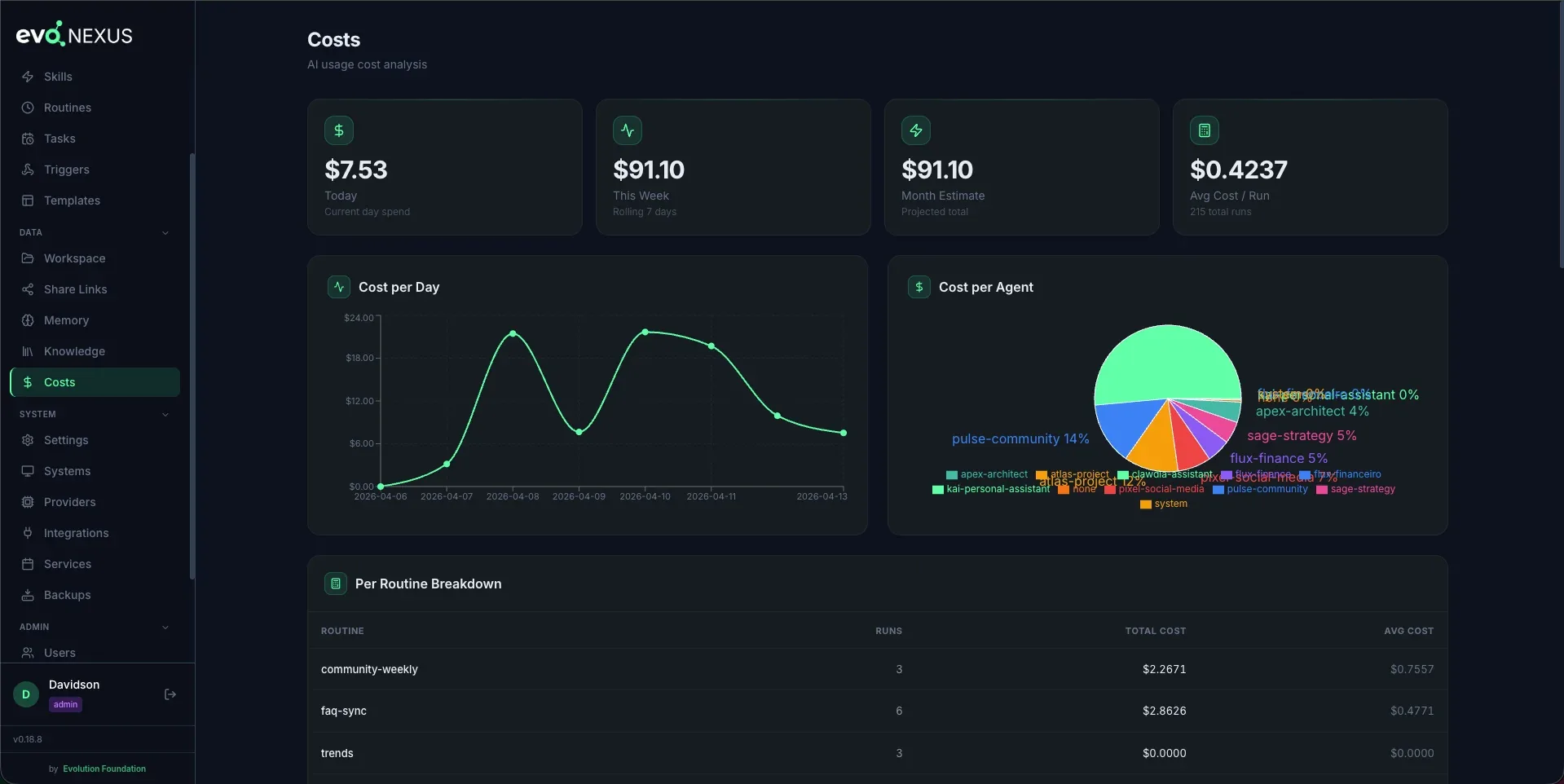
- Full Observability — JSONL logs, execution metrics, cost tracking per routine
- Heartbeats — proactive agents that wake on a schedule, run a 9-step protocol, and decide whether to act
- Goal Cascade — Mission → Project → Goal → Task hierarchy
- Tickets — persistent conversation/work threads with atomic checkout
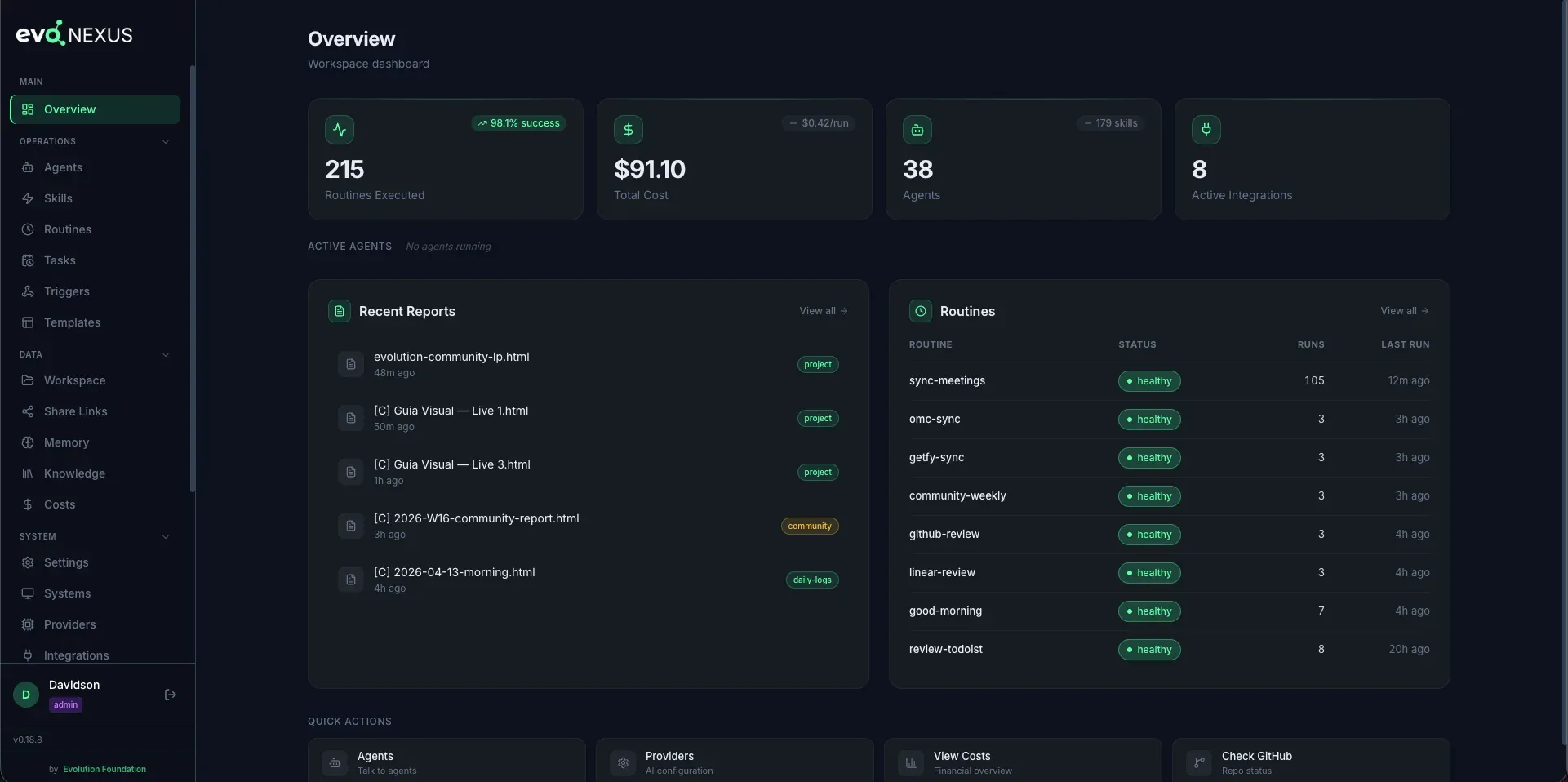
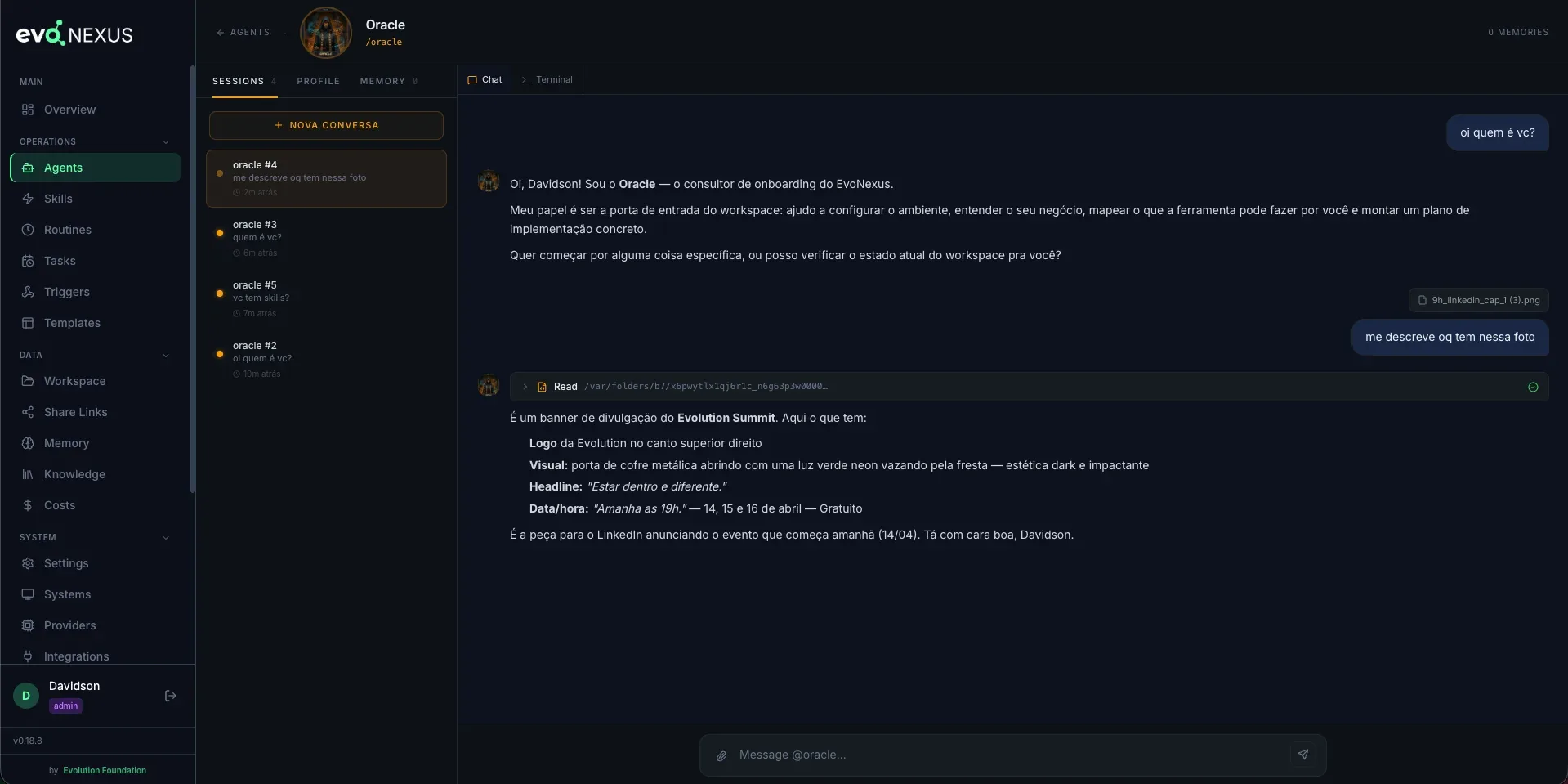
Screenshots
Quick Start
Starting out? After installing, open Claude Code and call
/oracle. It's the official entry point of EvoNexus: runs the initial setup, interviews you about your business, shows what the toolkit can automate for you, and delivers a phased activation plan.
Method 1 — Docker (no setup, runs anywhere)
curl -O https://raw.githubusercontent.com/evolution-foundation/evo-nexus/main/docker-compose.hub.yml
docker compose -f docker-compose.hub.yml up -d
open http://localhost:8080
The setup wizard loads on first boot. Paste your Anthropic / OpenAI / Codex key and you're done. Full guide: docs/guides/docker-install.md.
Method 2 — One command (CLI)
npx @evoapi/evo-nexus
Method 3 — Manual clone (developers / contributors)
git clone --depth 1 https://github.com/evolution-foundation/evo-nexus.git
cd evo-nexus

# Interactive setup wizard
make setup
Prerequisites
| Tool | Required | Install |
|---|---|---|
| Claude Code | Yes (CLI install) | npm install -g @anthropic-ai/claude-code |
| Python 3.11+ | Yes (CLI install) | via uv |
| Node.js 18+ | Yes (CLI install) | nodejs.org |
| uv | Yes (CLI install) | curl -LsSf https://astral.sh/uv/install.sh | sh |
| Docker Engine 24+ | Yes (Docker install) | docs.docker.com/engine/install |
AI Providers
EvoNexus runs on Anthropic's Claude by default. For OpenAI, Gemini, Bedrock, OpenRouter, Vertex AI, or Codex Auth, it switches to OpenClaude.
| Provider | Binary | Key env vars |
|---|---|---|
| Anthropic (default) | claude |
native auth |
| OpenRouter (200+ models) | openclaude |
CLAUDE_CODE_USE_OPENAI, OPENAI_BASE_URL, OPENAI_API_KEY, OPENAI_MODEL |
| OpenAI | openclaude |
CLAUDE_CODE_USE_OPENAI, OPENAI_API_KEY, OPENAI_MODEL |
| Google Gemini | openclaude |
CLAUDE_CODE_USE_GEMINI, GEMINI_API_KEY, GEMINI_MODEL |
| Codex Auth | openclaude |
CLAUDE_CODE_USE_OPENAI, OPENAI_MODEL=codexplan |
| AWS Bedrock | openclaude |
CLAUDE_CODE_USE_BEDROCK, AWS_REGION, AWS_BEARER_TOKEN_BEDROCK |
| Google Vertex AI | openclaude |
CLAUDE_CODE_USE_VERTEX, ANTHROPIC_VERTEX_PROJECT_ID, CLOUD_ML_REGION |
npm install -g @gitlawb/openclaude
The setup wizard asks which provider you want during make setup, and you can switch at any time from the Providers page in the dashboard.
Web Dashboard
A full web UI at http://localhost:8080:
| Page | What it does |
|---|---|
| Overview | Unified dashboard with metrics from all agents |
| Systems | Register and manage apps/services |
| Reports | Browse HTML reports generated by routines |
| Agents | View agent definitions and system prompts |
| Routines | Metrics per routine + manual run |
| Tasks | Schedule one-off actions at a specific date/time |
| Skills | Browse all 190+ skills by category |
| Templates | Preview HTML report templates |
| Services | Start/stop scheduler, channels with live logs |
| Memory | Browse agent and global memory files |
| Knowledge | Semantic search via MemPalace |
| Integrations | Status of all connected services + OAuth setup |
| Chat | Embedded Claude Code terminal (xterm.js + WebSocket) |
| Users | User management with roles |
| Audit Log | Full audit trail of all actions |
| Config | View CLAUDE.md, routines config, workspace settings |
make dashboard-app # Start Flask + React on :8080
Architecture
User (human)
    |
    v
Claude Code (orchestrator)
    |
    +-- Clawdia   — ops: agenda, emails, tasks, decisions, dashboard
    +-- Flux      — finance: Stripe, ERP, MRR, cash flow, monthly close
    +-- Atlas     — projects: Linear, GitHub, milestones, sprints
    +-- Pulse     — community: Discord, WhatsApp, sentiment, FAQ
    +-- Pixel     — social: content, calendar, cross-platform analytics
    +-- Sage      — strategy: OKRs, roadmap, prioritization, scenarios
    +-- Nex       — sales: pipeline, proposals, qualification
    +-- Mentor    — courses: learning paths, modules
    +-- Kai       — personal: health, habits, routine
    +-- Oracle    — entry point: onboarding, business discovery
    +-- Mako      — marketing: campaigns, content, SEO, brand
    +-- Aria      — HR: recruiting, onboarding, performance
    +-- Zara      — customer success: triage, escalation, health
    +-- Lex       — legal: contracts, compliance, NDA, risk
    +-- Nova      — product: specs, roadmaps, metrics, research
    +-- Dex       — data/BI: analysis, SQL, dashboards
Each agent has:
- System prompt in
.claude/agents/ - Slash command in
.claude/commands/ - Persistent memory in
.claude/agent-memory/ - Related skills in
.claude/skills/
Documentation
| Resource | Link |
|---|---|
| Website | evolutionfoundation.com.br |
| Documentation | docs.evolutionfoundation.com.br |
| Community | evolutionfoundation.com.br/community |
| Getting Started | docs/getting-started.md |
| Architecture | docs/architecture.md |
| Routines | ROUTINES.md |
| Roadmap | ROADMAP.md |
| Changelog | CHANGELOG.md |
| Contributing | CONTRIBUTING.md |
| Security | SECURITY.md |
Contributing
Contributions are welcome! Please read CONTRIBUTING.md for guidelines on how to submit issues, propose features, and open pull requests.
Join our community to discuss ideas and collaborate.
Security
For security issues, do not open a public issue. Email [email protected] or use GitHub's private vulnerability reporting. See SECURITY.md for details.
Credits & Acknowledgments
EvoNexus stands on the shoulders of great open source projects:
- oh-my-claudecode by Yeachan Heo (MIT) — 19 of the 21 engineering agents (including
apex-architect,bolt-executor,lens-reviewer) and alldev-*skills are derived from OMC v4.11.4. The 2 native agents (helm-conductor,mirror-retro) and the 6-phase workflow (.claude/rules/dev-phases.md) are EvoNexus-native additions. See NOTICE.md for the full list of derived components and modifications.
License
EvoNexus is licensed under the Apache License 2.0, with additional brand-protection conditions (LOGO/copyright preservation and Usage Notification requirement). See LICENSE for full details.
For licensing inquiries, contact [email protected].
Trademarks
"Evolution Foundation", "Evolution" and "EvoNexus" are trademarks of Evolution Foundation. See TRADEMARKS.md for the brand assets policy.
Third-party attributions are documented in NOTICE and NOTICE.md.
An unofficial community toolkit for Claude Code
Made by Evolution Foundation · © 2026
Not affiliated with Anthropic
Reviews (0)
Sign in to leave a review.
Leave a reviewNo results found