pookify
Health Gecti
- License — License: NOASSERTION
- Description — Repository has a description
- Active repo — Last push 0 days ago
- Community trust — 10 GitHub stars
Code Basarisiz
- rm -rf — Recursive force deletion command in scripts/build.sh
- rm -rf — Recursive force deletion command in scripts/demo.sh
- rm -rf — Recursive force deletion command in scripts/install.sh
- rm -rf — Recursive force deletion command in scripts/uninstall.sh
Permissions Gecti
- Permissions — No dangerous permissions requested
Bu listing icin henuz AI raporu yok.
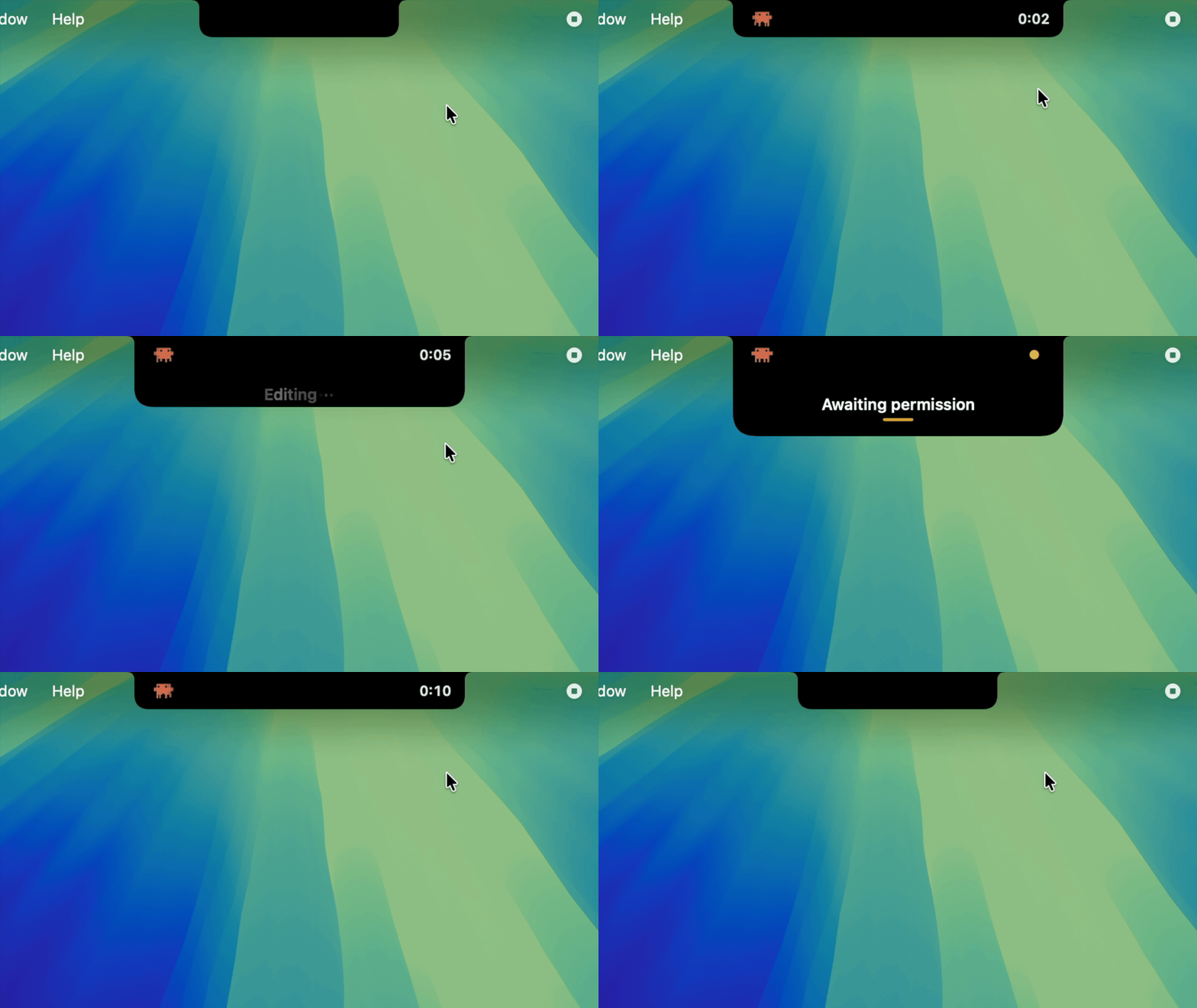
A Dynamic Island style notch status indicator for Claude Code on macOS.
Pookify 🐼
The Claude Code dynamic Island for your MacBook.
Install
1. Clone the repo
git clone https://github.com/eyadhammouda/pookify
cd pookify
2. Build and install
./scripts/install.sh
This adds Pookify to your Applications and sets up Claude Code. Start a session and the island shows up on your notch.
On MacBooks without a notch, Pookify draws its own. The island looks and works the same.
Build trouble? Make sure Xcode's Command Line Tools are installed first:
xcode-select --install
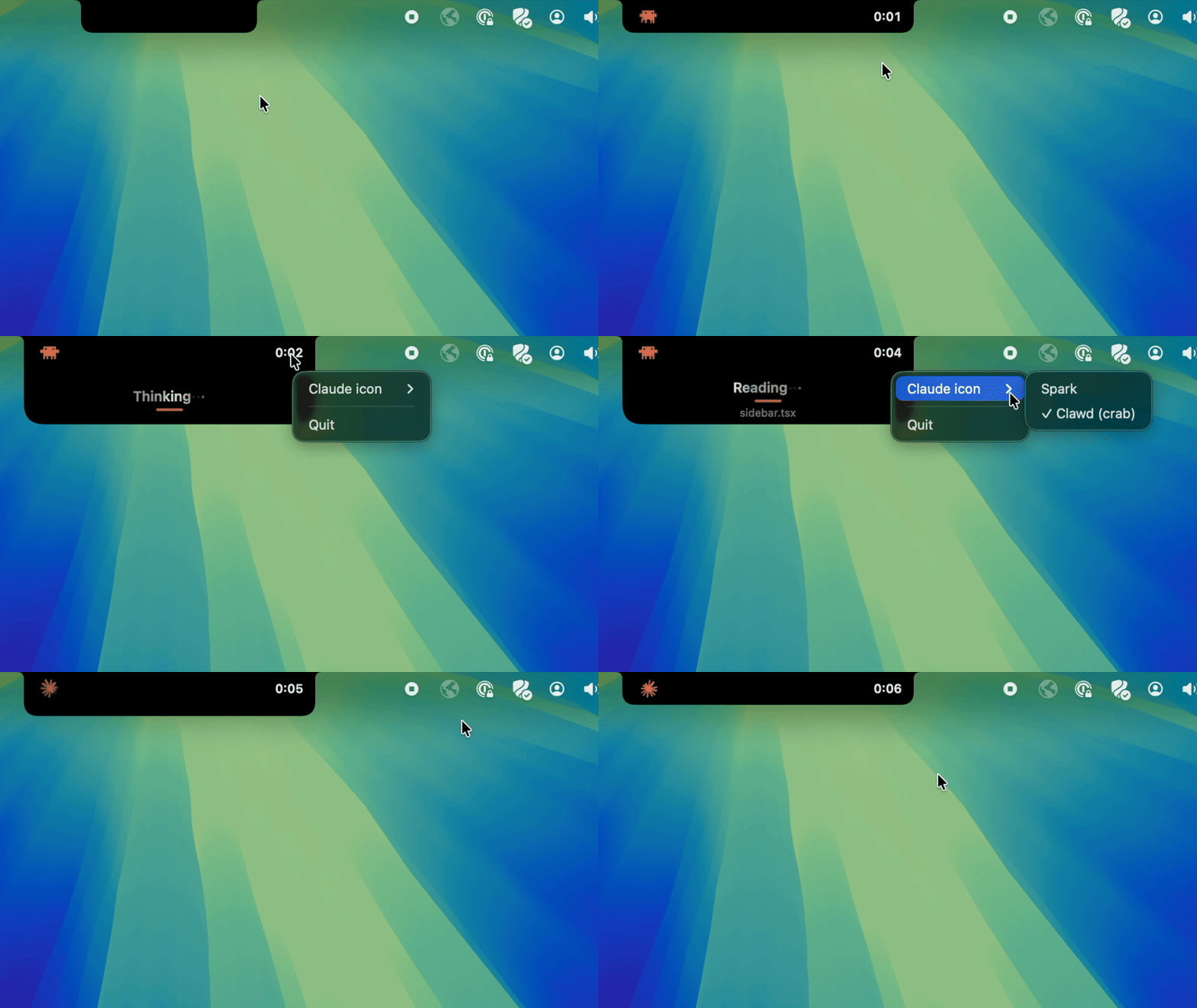
Claude icons
Right-click the island to switch between Clawd (the crab, default) and the Spark.
Where it works
- ✅ Claude Code in the terminal
- ✅ Claude Code in the VS Code extension
Update
cd pookify
git pull
./scripts/install.sh
Same command as installing — it rebuilds, replaces the app, and refreshes the hooks. If the island is on screen at that moment, right-click it → Quit once; the new version takes over from the next session.
Uninstall
./scripts/uninstall.sh
Removes the app and its hooks. Your config backup (settings.json.bak-pookify) stays in place.
How it works
Claude Code runs a hook each time something happens (a tool starts, a tool finishes, a turn ends, a prompt needs approval). A small compiled helper, island-hook, writes that session's status to a JSON file under ~/Library/Application Support/Pookify/state.d/. The app checks that folder a few times a second, folds every live session into one decision, and draws the notch.
The installer adds its hooks to ~/.claude/settings.json, backs the file up first, and leaves your other hooks and settings alone.
To preview every state without running an agent, see DEMO.md.
Limitations
- On a notched Mac (14-inch or 16-inch MacBook Pro, or a notched MacBook Air) the island fuses with the hardware notch. On Macs without one, Pookify draws a notch of the same proportions at the top of the screen, so the experience is the same.
- Building from source needs Xcode's Command Line Tools (
xcode-select --install).
Privacy
Pookify runs entirely on your Mac. It makes no network calls and collects no analytics. See PRIVACY.md.
Trademark and affiliation
Pookify is an independent, unofficial, open-source project. It is not affiliated with, endorsed by, or sponsored by Anthropic or Apple.
Product names and logos belong to their owners and are used here only to say what Pookify works with:
- "Claude", "Claude Code", and the Claude spark logo are trademarks of Anthropic, PBC.
- "Dynamic Island", "MacBook", and "macOS" are trademarks of Apple Inc. Pookify is a notch status display in the style of the Dynamic Island; it is not Apple's product.
The MIT license covers Pookify's source code only and grants no rights to any third-party trademark, logo, or brand. See TRADEMARKS.md. Bundled third-party material (the claude-status-bar artwork under MIT) is credited in THIRD_PARTY_NOTICES.md, which also ships inside the app. If you are a rights holder and want a mark removed, open an issue and it will be handled promptly. This is a free, non-commercial project.
License
MIT. See LICENSE.
Yorumlar (0)
Yorum birakmak icin giris yap.
Yorum birakSonuc bulunamadi