Hermes-CN-Desktop
Health Pass
- License — License: NOASSERTION
- Description — Repository has a description
- Active repo — Last push 0 days ago
- Community trust — 243 GitHub stars
Code Warn
- process.env — Environment variable access in .github/workflows/release-desktop.yml
- fs module — File system access in .github/workflows/release-desktop.yml
- network request — Outbound network request in .github/workflows/release-desktop.yml
Permissions Pass
- Permissions — No dangerous permissions requested
No AI report is available for this listing yet.
Hermes Agent CN desktop app, Windows-First, built with Tauri, Typescript and Rust. Isolated Hermes Agent core insides.
Hermes Agent CN Desktop
简体中文 · English



Hermes Agent CN Desktop 是 Hermes Agent 中文社区推出的桌面客户端,原生支持Windows与MacOS系统。项目基于 Tauri v2、Rust、React 和 TypeScript 构建,包含 hermes-agent-cn 中文社区修改版的 Hermes Agent 内核。
当前版本是
v0.2.1。项目仍处于 alpha 阶段,API、打包流程、运行时分发策略和界面细节都可能在稳定版发布前继续调整。
演示
原型图预览
可以在 hermes-cn-ui-prototypes-sans.vercel.app 浏览高保真 UI 原型图。
演示视频
点击下方预览图,或直接打开 MP4 演示视频。README 渲染器对本地视频内嵌播放支持不稳定,因此这里用可点击预览图链接到视频文件。
界面截图
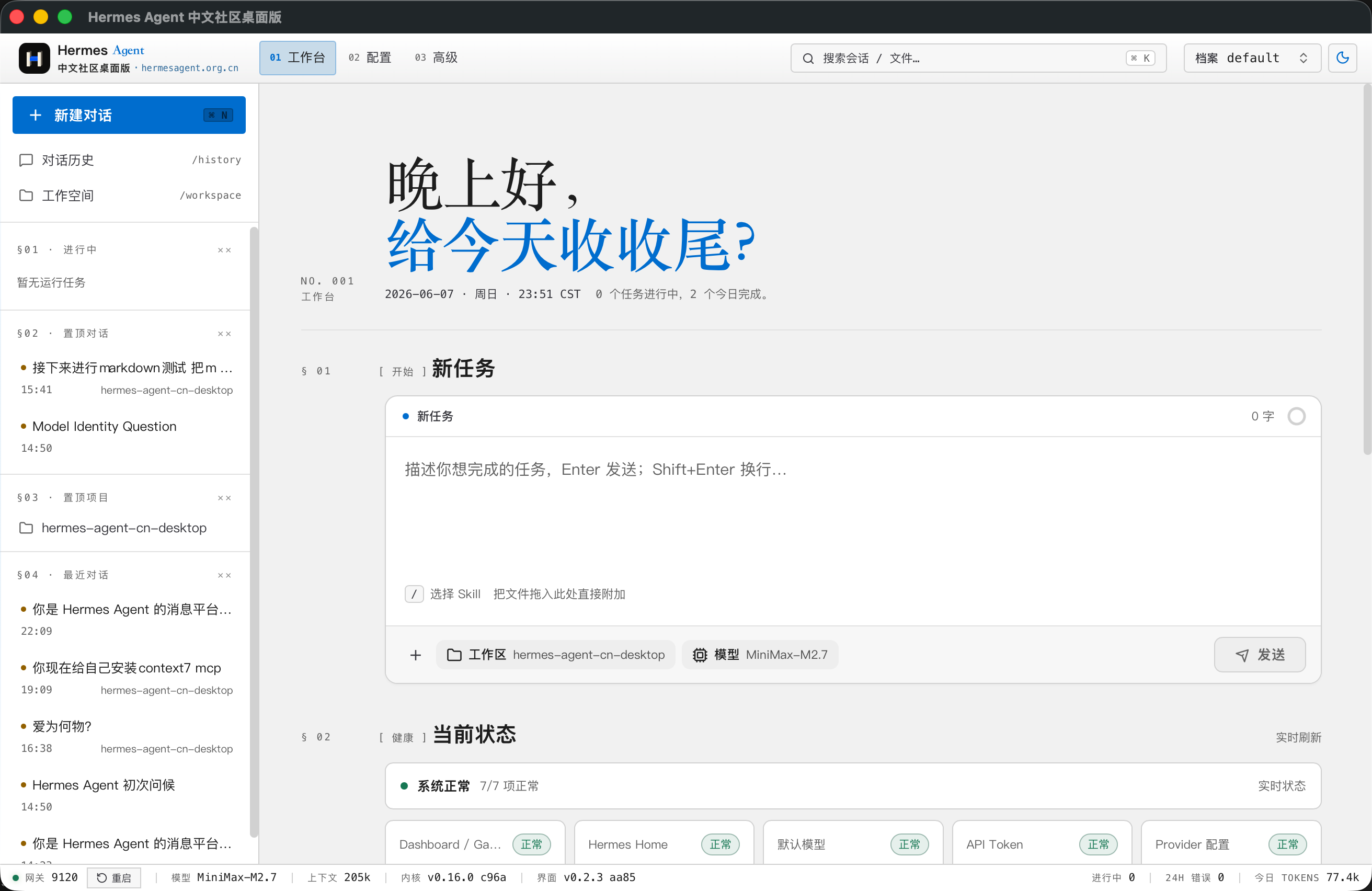
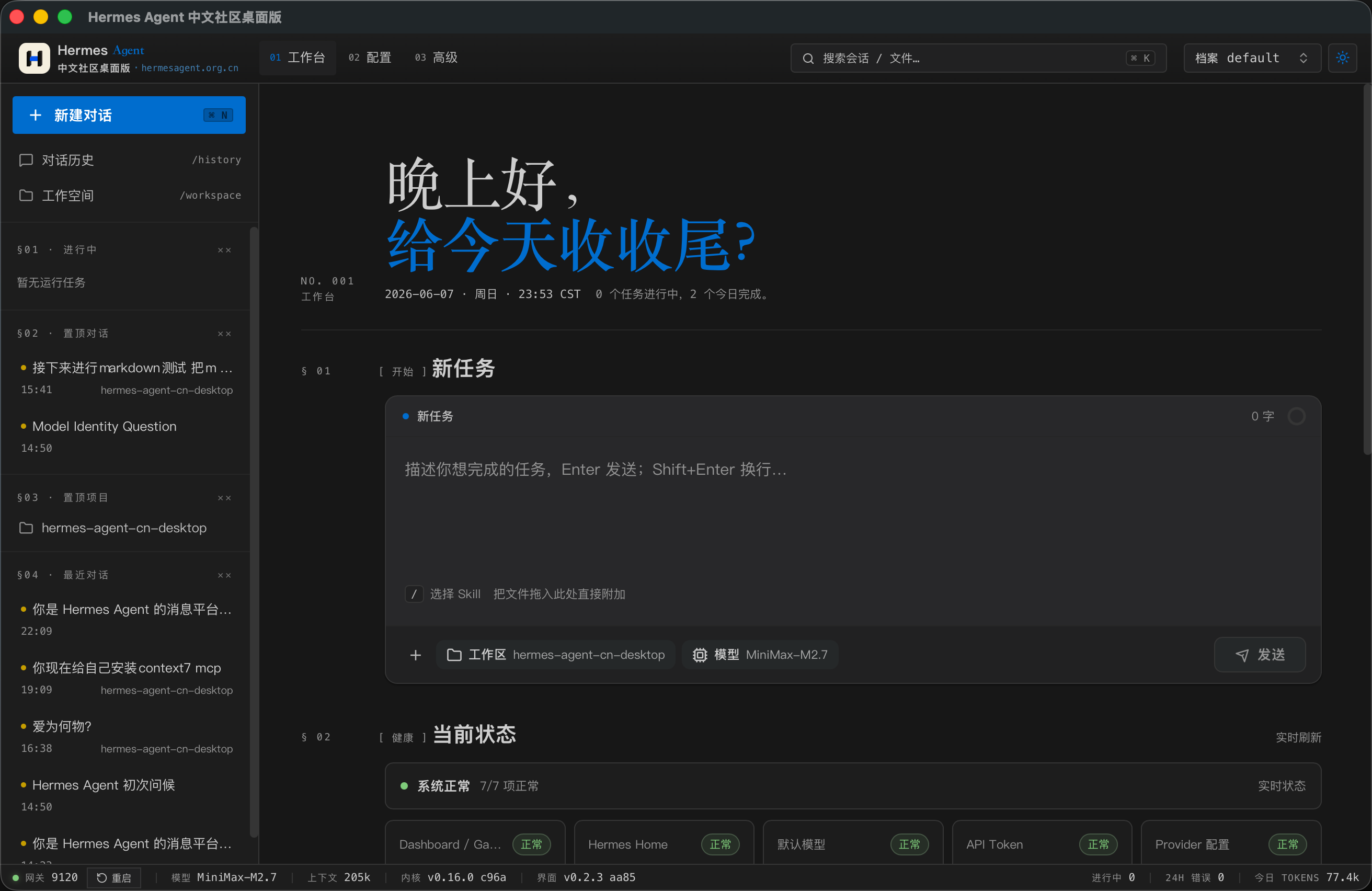
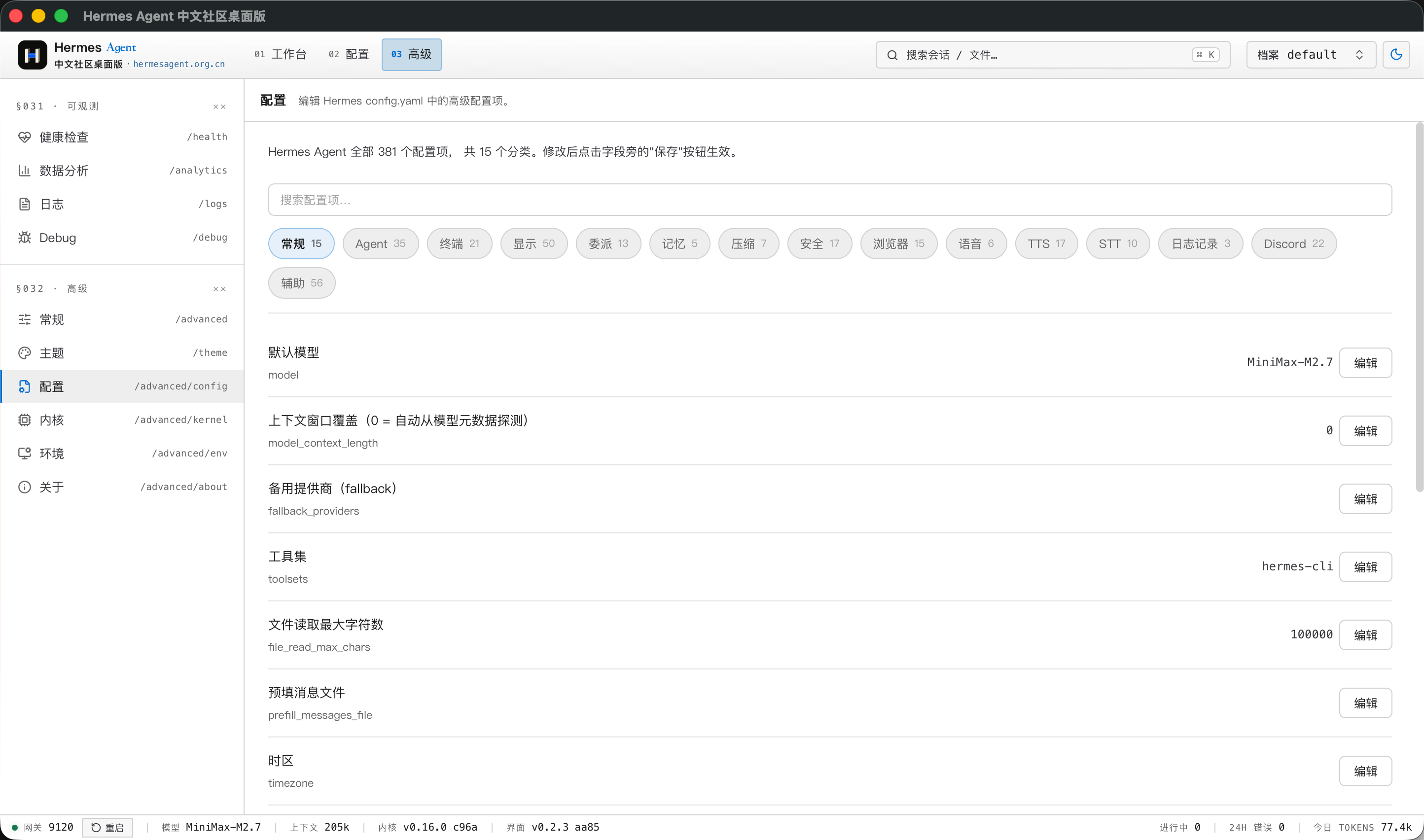
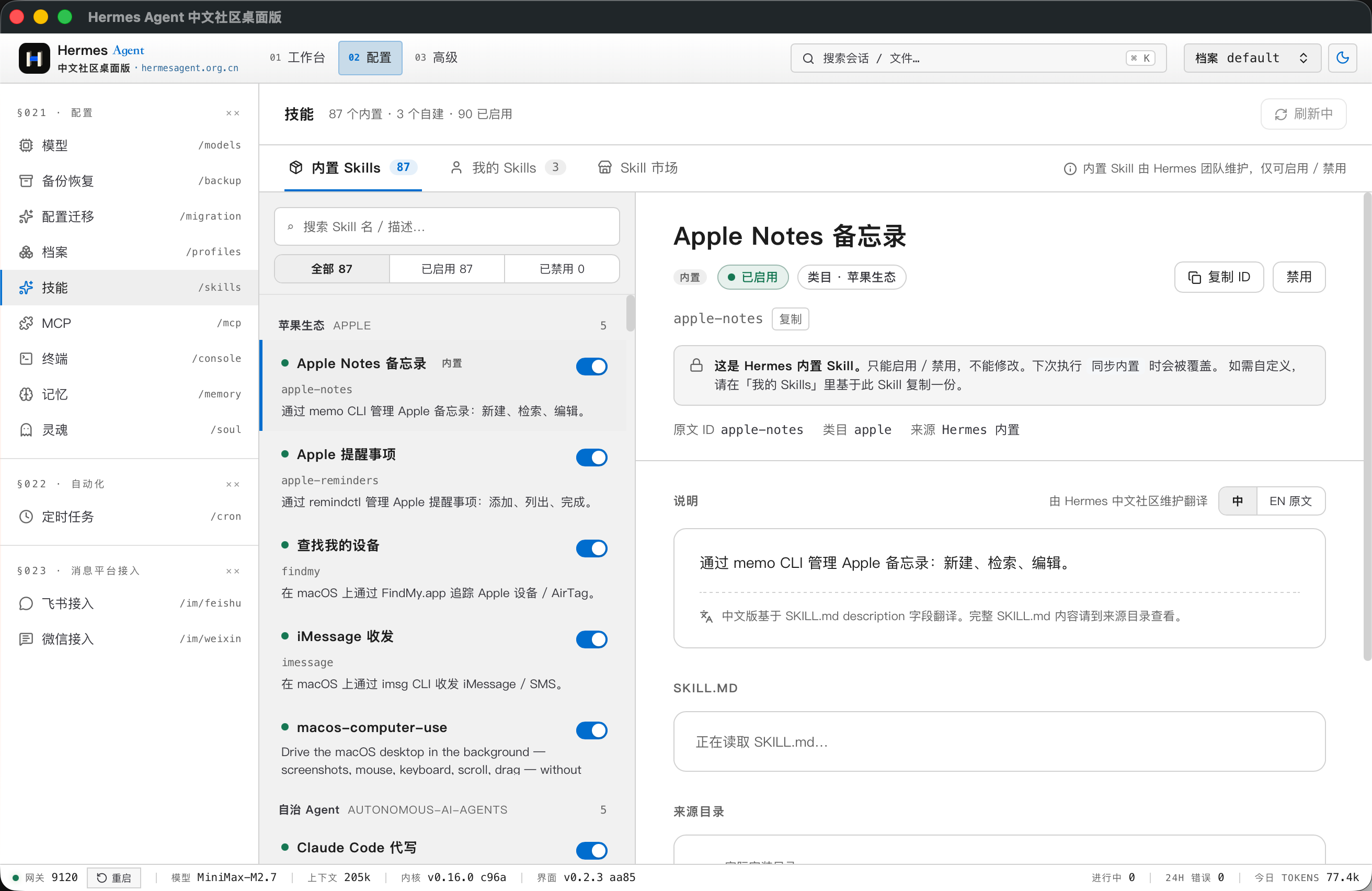
下面的截图展示了工作台、明暗主题、配置、内置 Skills、模型服务商配置、记忆管理、运行时诊断、日志、对话历史、聊天回复和项目 Review 工作流。
| 工作台(浅色主题) | 工作台(深色主题) |
|---|---|
|
 |
| 配置总览 | 内置 Skills |
|---|---|
 |
 |
| 模型服务商配置 | 记忆管理 |
|---|---|
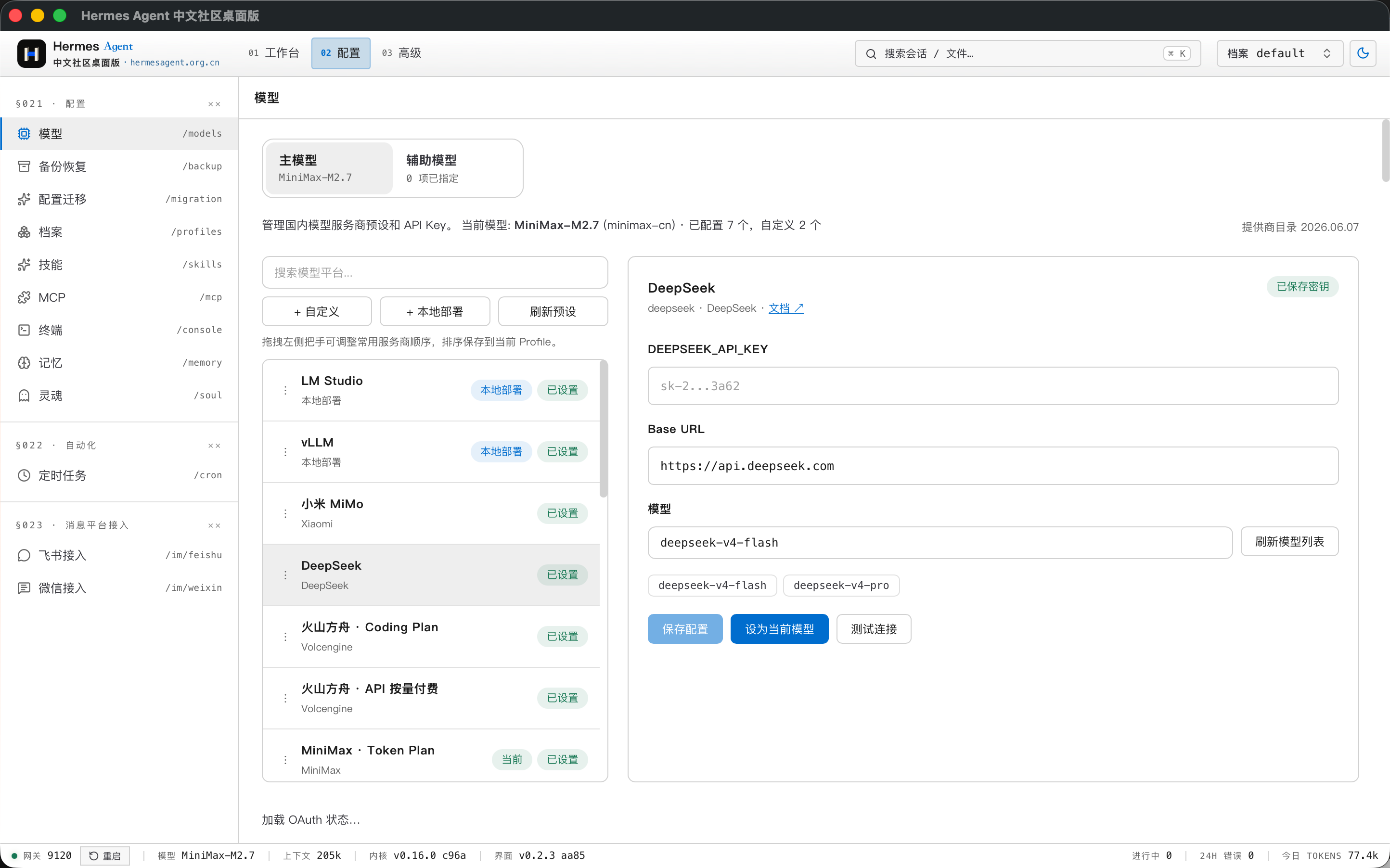 |
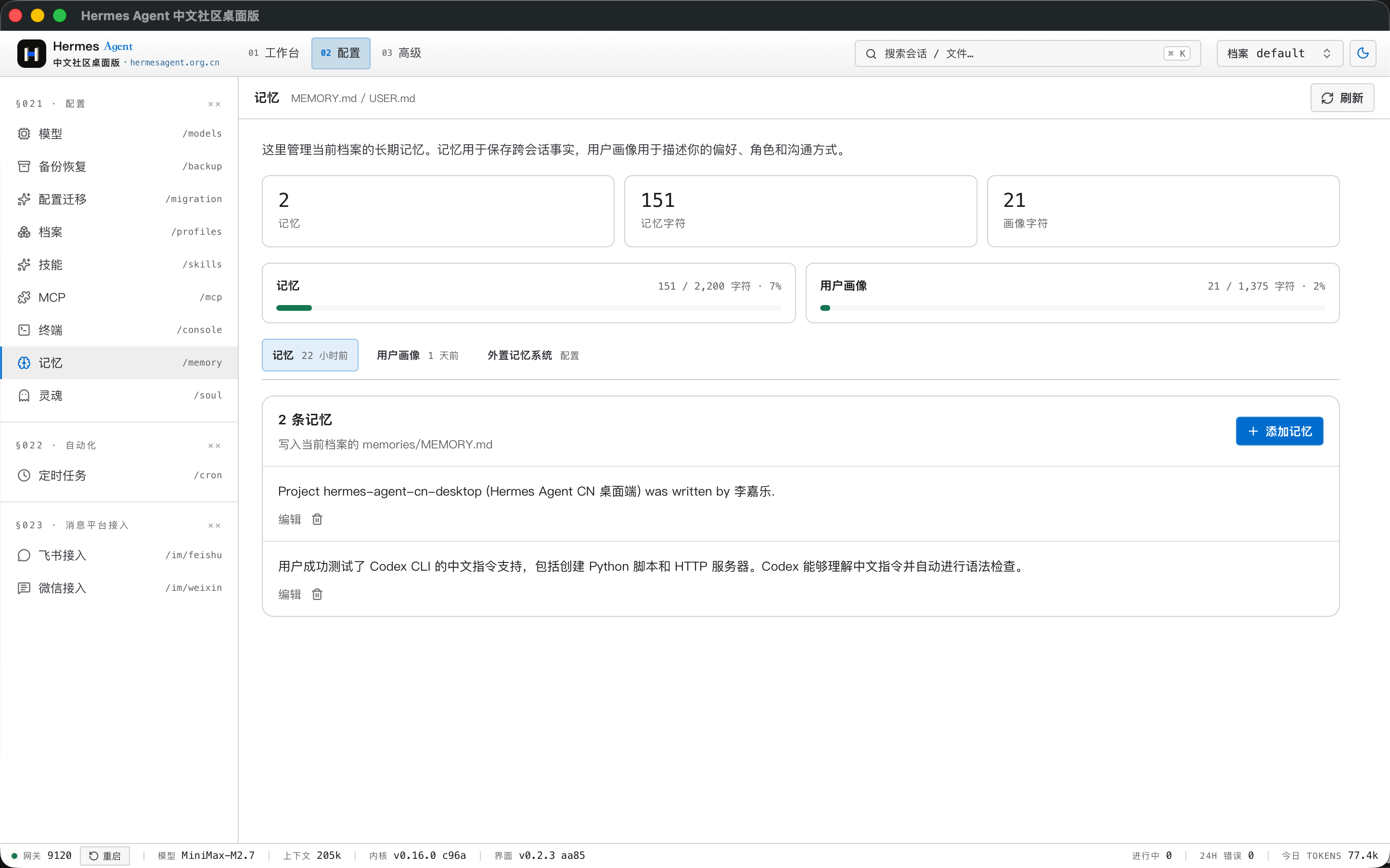 |
| 运行时诊断 | 日志查看 |
|---|---|
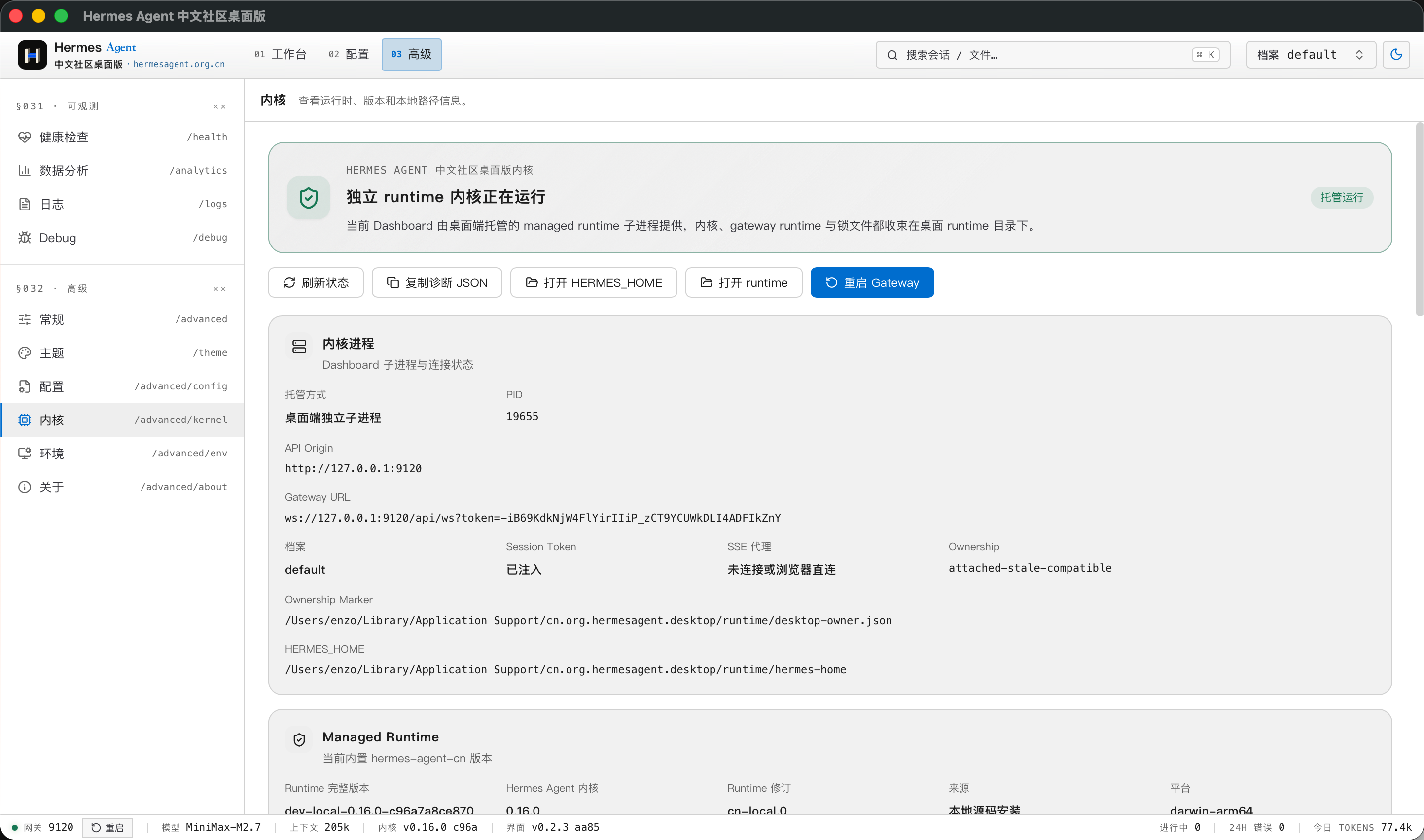 |
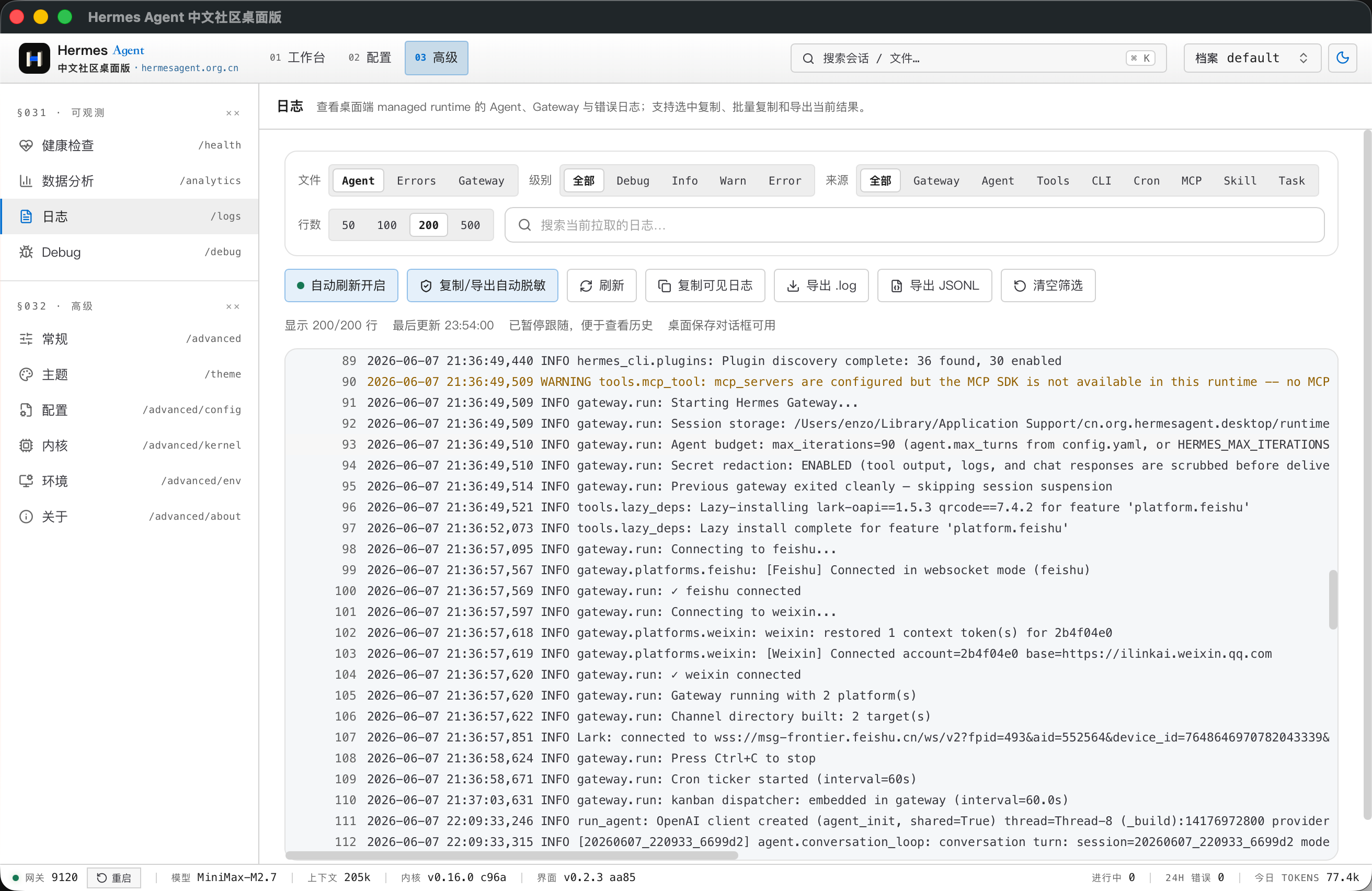 |
| 对话历史 | 聊天回复 |
|---|---|
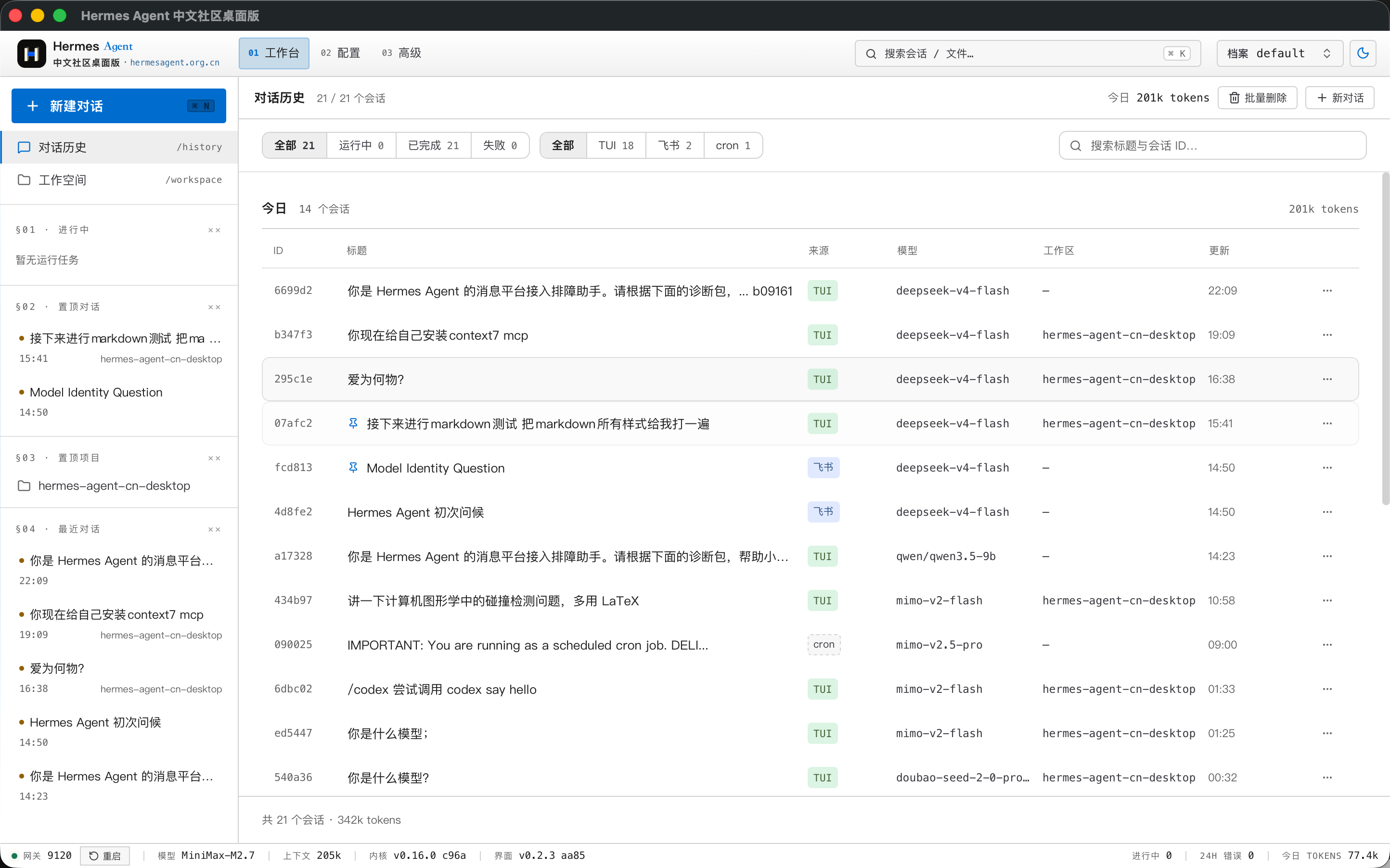 |
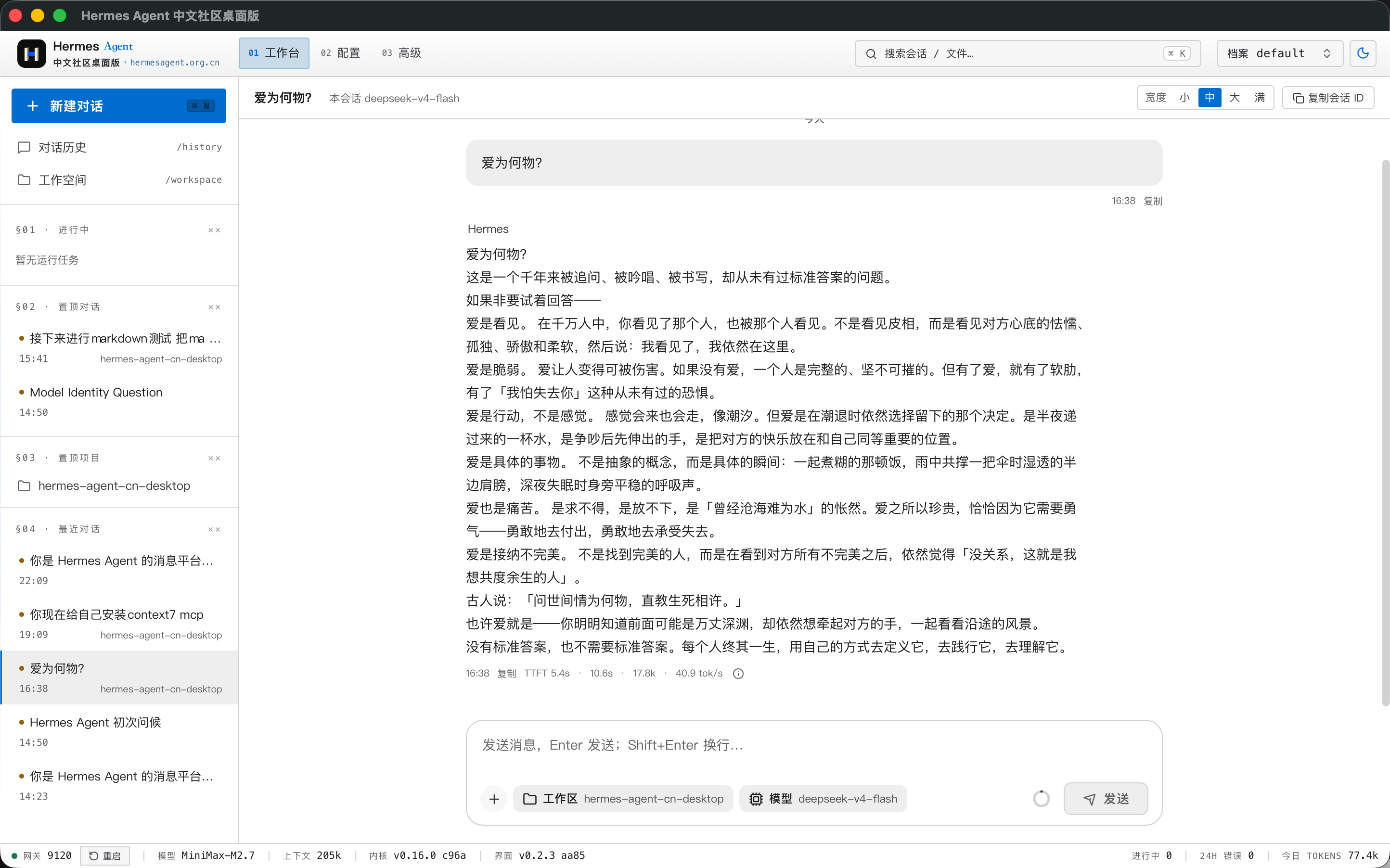 |
| 项目 Review 工作流 |
|---|
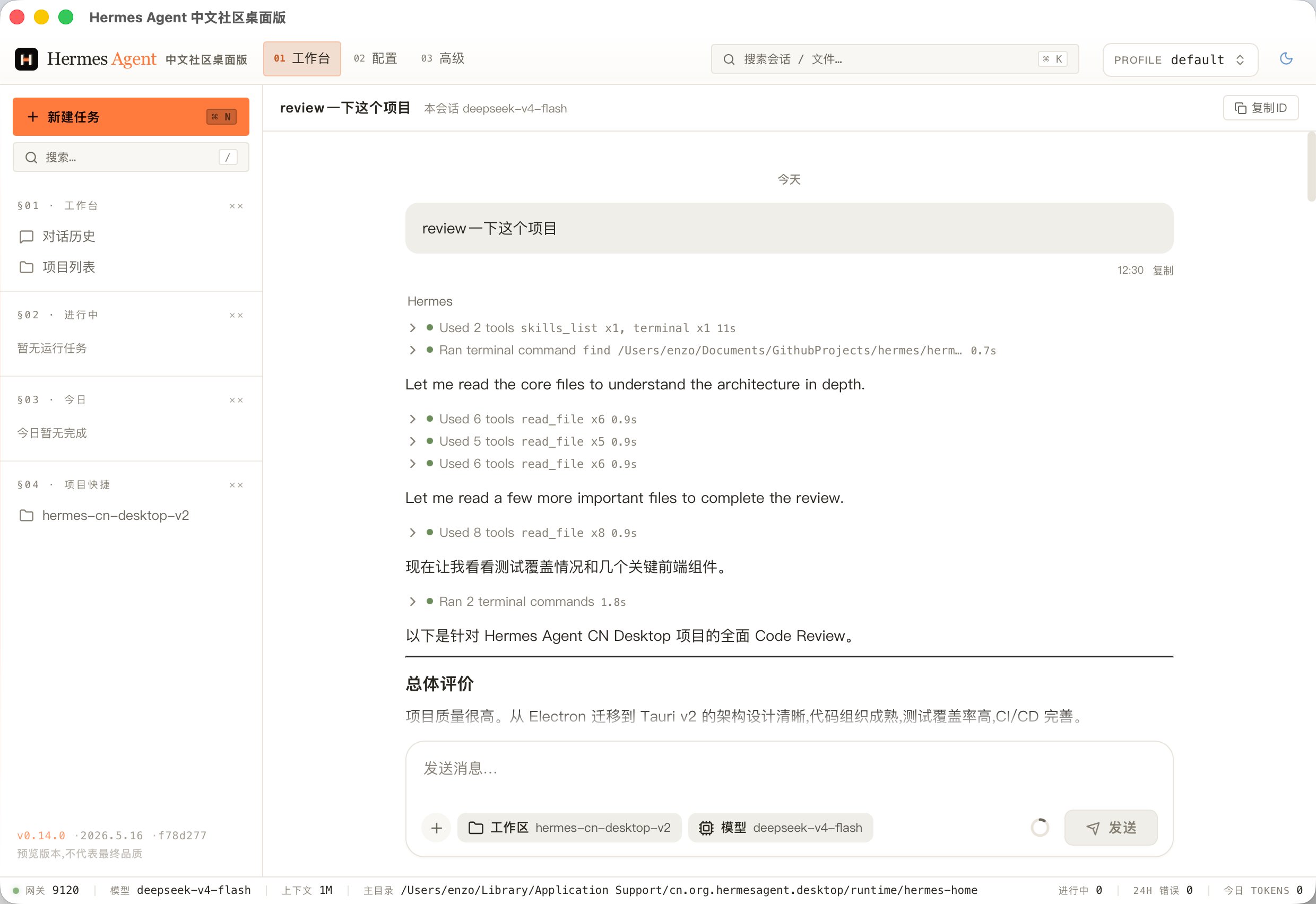 |
项目定位
Hermes Agent 已经提供本地 Dashboard。本仓库专注于 Dashboard 之外的桌面体验:原生窗口、本地进程管理、文件对话框、托管运行时安装、运行时诊断,以及生产模式下更安全的 REST 和 SSE 代理层。
本仓库是桌面端外壳。Agent runtime 和 Dashboard 源码位于 hermes-agent-cn。
亮点
- 一键安装,使用门槛极低:针对Windows系统用户适配,下载安装后配置API-KEY即可使用。
- 轻量,跨平台:Tauri 使用系统 WebView,不需要随应用打包 Chromium,安装包体积小,支持Windows及MacOS。
- 内置独立Hermes Agent内核:桌面端支持安装、更新、签名校验、健康检查和回滚本地 Hermes Agent内核。
- 面向 Agent 的完整 UI:支持聊天、流式输出、附件、MCP 工具、Skills、Memory、Profiles、定时任务和运行时健康面板。
- 生产级传输桥:生产模式下通过 Rust command 代理 REST、上传和 SSE,绕过 WebView CORS 限制,并集中处理鉴权。
- YOLO 模式开关:「设置 → 常规」底部独立的「高风险操作」区提供开关,开启需二次确认,自动批准危险命令(对应后端
HERMES_YOLO_MODE),切换后自动重启内核生效,详见 docs/yolo-mode.md。
下载
预发布安装包会发布在 GitHub Releases 页面。
当前 alpha 版本包含:
- macOS Apple Silicon DMG:
Hermes.Agent.CN.Desktop_0.2.1_aarch64.dmg - Windows x64 安装器:
Hermes.Agent.CN.Desktop_0.2.1_x64-setup.exe
当前 Windows 与 macOS 安装包都会预置 hermes-agent-cn runtime,安装后优先从包内 runtime 完成本地内核初始化;托管 runtime 下载与更新流程只作为升级或兜底路径使用。
开发环境要求
- Rust stable
- Node.js 20+
- pnpm 9+
- hermes-agent-cn 或本机已安装的 Hermes CLI,用于本地 Dashboard 开发
macOS 还需要安装 Xcode Command Line Tools:
xcode-select --install
快速开始
安装依赖:
pnpm install
另开一个终端启动 Hermes Dashboard:
hermes dashboard --host 127.0.0.1 --port 9120 --no-open
启动桌面端开发模式:
pnpm web:dev
cargo run
也可以让 Tauri dev 命令自动启动 Vite:
pnpm tauri:dev
构建
# 为当前平台构建生产包
pnpm tauri:build

# 构建带调试信息的 Debug 包
pnpm tauri:build:debug
构建产物位于 target/release/bundle/ 或 target/debug/bundle/。
仓库结构
├── src/                    Rust 后端:Tauri commands、进程管理、runtime 管理
├── web/                    React 前端:Vite、TanStack Query、Jotai
├── packages/
│   ├── protocol/           Zod schema、API 契约、IPC 类型
│   └── shared-ui/          设计 token 和共享 UI 组件
├── static/                 打包时注入的 Dashboard、runtime、内置 skills
├── scripts/                本地开发、runtime staging、release staging 脚本
├── .github/workflows/      CI 和桌面端发布流水线
├── Cargo.toml              Rust crate 配置
├── tauri.conf.json         Tauri 窗口、安全和打包配置
└── package.json            pnpm workspace root
常用命令
| 命令 | 说明 |
|---|---|
pnpm web:dev |
启动 Vite dev server,默认端口 9545 |
cargo run |
编译并启动 Tauri 桌面窗口 |
pnpm typecheck |
运行 TypeScript 类型检查 |
pnpm test:unit |
运行 Vitest 单元测试 |
cargo check |
运行 Rust 编译检查 |
cargo test --all-features |
运行 Rust 测试 |
pnpm tauri:build |
构建生产桌面包 |
质量门禁
提交 Pull Request 前,建议运行相关检查:
pnpm typecheck
pnpm test:unit
cargo fmt --all -- --check
cargo clippy --all-targets -- -D warnings
cargo test --all-features --no-fail-fast
CI 会在 main 和指向 main 的 Pull Request 上分别运行前端和 Rust 测试流水线。
发布流程
版本使用 SemVer tag:
v0.1.0-alpha.1
v0.1.0-beta.1
v0.1.0
v0.1.1
推送 v* tag 后会触发 .github/workflows/release-desktop.yml,自动构建并上传桌面端安装包到 GitHub Releases。Alpha、beta 和 release candidate tag 会被标记为 GitHub 预发布。
Roadmap
近期重点包括:
- 加固托管 runtime 的安装、更新和回滚链路;
- 改进首次启动引导和模型服务商配置体验;
- 扩展 Dashboard、gateway、MCP、skills 和模型配置诊断;
- 打磨 macOS 与 Windows 的打包和安装行为;
- 完善桌面端与 runtime 边界文档,降低贡献门槛。
Star Track
可以通过下面的趋势图查看本仓库 GitHub Star 的增长变化。
贡献
欢迎提交 Issue 和 Pull Request。参与贡献前请阅读 CONTRIBUTING.md。
如果要报告安全问题,请遵循 SECURITY.md,不要直接创建公开 Issue。
许可
本项目的非商业使用遵守 PolyForm Noncommercial License 1.0.0。商业使用、商业分发、商业集成、托管销售或作为商业产品组成部分使用,需提前获得青岛万德缦思网络科技有限公司的单独商业授权;授权联系邮箱:[email protected]。
Reviews (0)
Sign in to leave a review.
Leave a reviewNo results found