chatgpt2codex
Health Uyari
- No license — Repository has no license file
- Description — Repository has a description
- Active repo — Last push 0 days ago
- Low visibility — Only 8 GitHub stars
Code Basarisiz
- rm -rf — Recursive force deletion command in linux/install-linux.sh
- rm -rf — Recursive force deletion command in linux/start-chatgpt2codex.sh
- network request — Outbound network request in linux/start-chatgpt2codex.sh
- fs module — File system access in package.json
- rm -rf — Recursive force deletion command in scripts/build-macos-app.sh
- rm -rf — Recursive force deletion command in scripts/build-windows-package.sh
- network request — Outbound network request in scripts/e2e-linux-installer.sh
- process.env — Environment variable access in src/assets/chatgpt-images-app.ts
- os.homedir — User home directory access in src/assets/image-intake.ts
- process.env — Environment variable access in src/assets/image-intake.ts
Permissions Gecti
- Permissions — No dangerous permissions requested
Bu listing icin henuz AI raporu yok.
macOS-first local MCP and Actions runtime that gives ChatGPT real coding hands over trusted projects
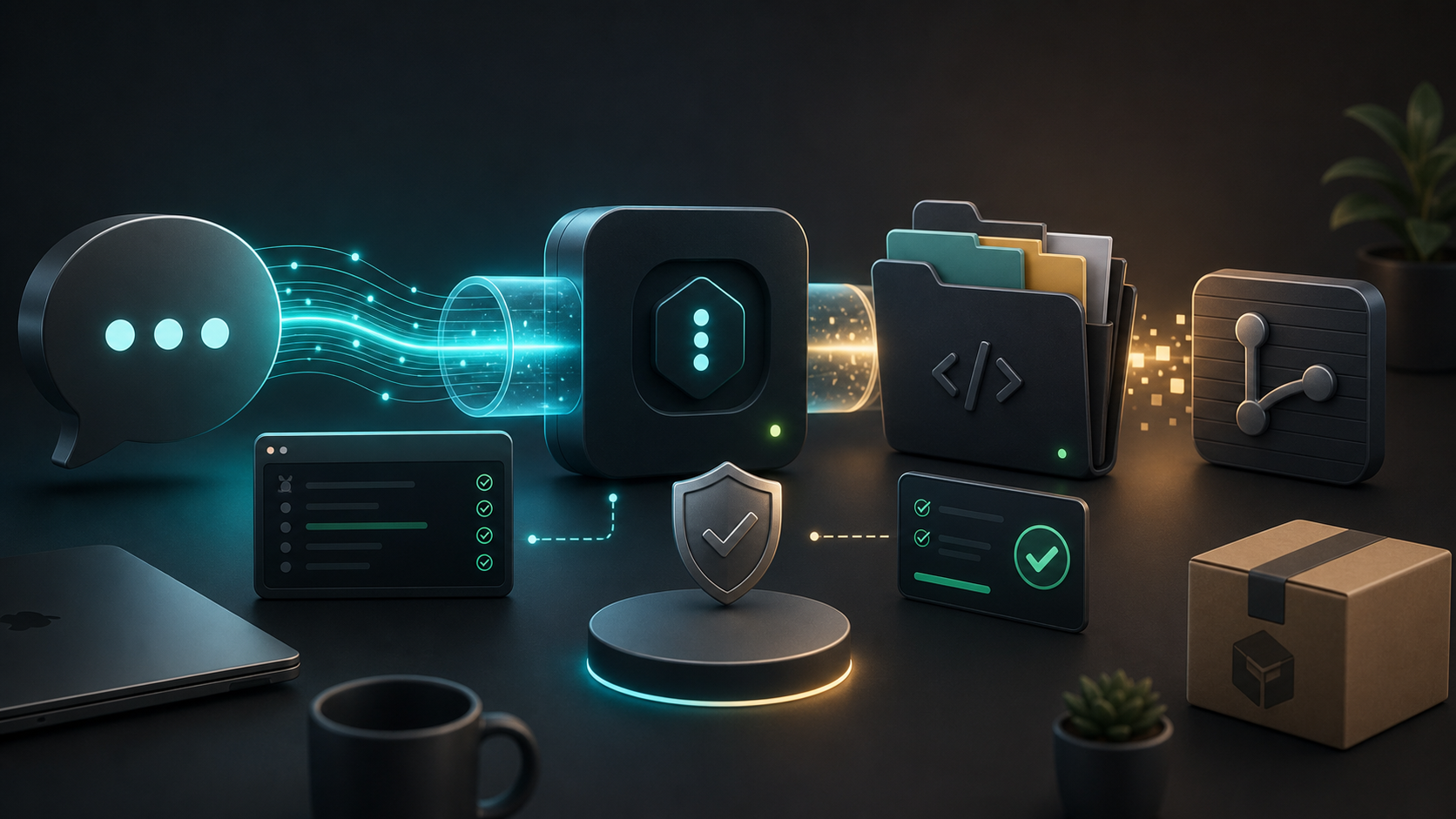
ChatGPT To Codex
Give ChatGPT real local coding hands.
ChatGPT To Codex is a local MCP and Actions runtime for macOS and Windows that lets ChatGPT
work inside the project folder you choose: read files, search code, apply
patches, run tests, launch E2E checks, and send back screenshot proof.
Your source stays on your machine. ChatGPT connects to the local app you run.
You choose the workspace, approve the token, and keep control of what gets
edited.
Download the macOS installer ·
Beginner installation guide
Help us get this in front of more builders: star the repo if you want
ChatGPT to stop talking about code and start safely doing the repo loop.
Why It Exists
ChatGPT is great at reasoning, but web chat alone cannot reliably inspect your
local repo, run your local tests, or prove what the UI actually looked like.
ChatGPT To Codex fills that gap:
- local project selection instead of uploading a source tree
- guarded file reads and hash-checked patching
- allowlisted local commands for tests and checks
- macOS/Windows app, window, and browser screenshot capture for visual E2E proof
- temporary or fixed HTTPS connector URL for ChatGPT web
- OAuth-style owner-token approval so random clients cannot just attach
- multilingual menu bar app for non-English users
The mental model is simple:
ChatGPT thinks. Your computer acts. You review the result.
Current Release
| Platform | Status | Package |
|---|---|---|
| macOS | Public test release | installers/macos/chatgpt2codex-0.1.1.pkg |
| Windows | Source/package build available, public installer not published yet | Build locally with npm run windows:package |
| Linux | Developer path only | Not published |
Why PKG Instead Of DMG?
For this release, PKG is the better fit. A DMG is nicer for drag-and-drop
apps, but this app needs to install a menu bar runtime under Applications,
bundle Node/cloudflared helpers, and run a non-blocking post-install Doctor.
PKG gives beginners a clearer "install and open" path. A signed/notarized DMG
can still be added later for a more consumer-style download.
Current macOS package SHA-256:
abfaea077fdc1f09b3130700a2e2072432ceb4ac240a2565b460c834740e5496 chatgpt2codex-0.1.1.pkg
What ChatGPT Can Do With It
Once connected, ChatGPT can operate like a practical coding agent over a trusted
project:
- list local projects and select the active one
- read repo rules before editing
- search code and read exact line slices
- create files and apply patches
- run project commands and tests
- start a dev server and wait for a URL
- open a browser URL or installed desktop app
- capture macOS/Windows E2E screenshots
- return inline screenshot previews through Actions
- save generated image assets into the repo
- summarize diffs, blockers, and verification evidence
The standout workflow is:
Run the E2E test, open the app, capture screenshots, and show me proof.
For web apps, ChatGPT To Codex can capture browser regions. For desktop apps
such as Tauri apps, it can open the built app window and capture top/middle/bottom
views. The one-shot e2e_test_and_show_screenshot action returns inlineimageMarkdown results so you can inspect the screen without digging through
local folders.
Install In 5 Minutes
Full beginner guide: docs/INSTALL.md
Short version:
- Download
installers/macos/chatgpt2codex-0.1.1.pkg. - Open the installer.
- If macOS blocks the unsigned package, Control-click it, choose Open, and
confirm in System Settings -> Privacy & Security if needed. - Open ChatGPT To Codex from Applications.
- Open Settings... from the menu bar icon.
- Choose a project folder.
- Enable ChatGPT web connector if you want ChatGPT in the browser to connect.
- Click Start MCP.
- Click Copy Connector URL.
- Register that
/mcpURL in ChatGPT Apps / Connectors and approve with the
Owner Token shown by the app.
Keep the Owner Token private. Treat it like a password.
First Prompt To Try
Use ChatGPT To Codex. Select my project, read the README and package scripts,
run the safest available check, then summarize the result with exact evidence.
Then try a visual proof flow:
Use ChatGPT To Codex to run the app E2E, capture screenshots, and show the
passing screenshot set inline before you say it is done.
Safety Model
ChatGPT To Codex is designed for trusted local development, not arbitrary public
automation.
- It runs locally on your computer.
- It defaults to loopback-only networking.
- ChatGPT web requires an explicit connector/tunnel mode.
- File operations are scoped to the selected project.
- Patch application uses line/hash context.
- Owner Token approval is required for remote Actions access.
- Secret-looking values are redacted from tool output.
- Destructive, network, and sensitive operations remain approval-gated.
Do not expose the connector URL publicly unless you understand the tunnel and
token model. Do not paste Owner Tokens into issues, screenshots, or shared logs.
Supported Languages
The desktop app can follow the system language and currently includes UI strings
for English, Korean, Japanese, Simplified Chinese, Traditional Chinese, Spanish,
French, German, Brazilian Portuguese, Italian, Dutch, Polish, Russian, Turkish,
Vietnamese, Indonesian, Thai, Arabic, Hindi, and Ukrainian.
The install guide currently includes Korean, English, Japanese, and Simplified
Chinese. More documentation languages are welcome.
Windows Status
Windows support now includes the tray launcher, local installer/package build,
owner-token setup flow, ChatGPT web connector settings, and Windows E2E
screenshot proof. A public beginner installer has not been published yet; build
it locally with npm run windows:package.
Repository Contents
This public repository is intended to contain only the product source, public
documentation, assets, scripts, and published installer artifacts. Local agent
state, personal automation rules, generated memory, hooks, private MCP config,
build output, and machine-local logs are ignored.
If you see local-only files in a clone, they came from your machine, not from
the public repo.
Build From Source
For developers:
npm ci
npm run typecheck
npm test
npm run build
Build the macOS package:
npm run macos:package
The packaging script creates a .pkg under build/macos/. Published packages
are copied to installers/macos/.
Star Pitch
If this saves you one "copy this patch, paste it in terminal, now run tests,
now send me a screenshot" loop, give it a star. The goal is simple: make
ChatGPT useful for real local development without turning your project into a
cloud upload.
Built by ezBuilder.
Yorumlar (0)
Yorum birakmak icin giris yap.
Yorum birakSonuc bulunamadi