Awesome AI Engineering 🤖⚙️
A curated collection of free & open-source resources for AI Agents, AI Automation, and AI Engineering — with practical "how to use" guidance for every resource, not just links.


What makes this list different? Every resource comes with a "How to use it" column — a concrete first step, command, or workflow so you can start in minutes instead of bookmarking and forgetting.
📚 Table of Contents
🚀 Quick Start
Completely new? Do these 4 things this week:
🤖 AI Agents
Agent Frameworks
| Resource |
What it is |
How to use it |
| LangChain |
The most widely-adopted framework for LLM apps — chains, tools, RAG, and agent primitives |
pip install langchain → follow the agents tutorial. Start with a single-tool ReAct agent before anything complex |
| LangGraph |
Graph-based framework for stateful, controllable agent workflows (used in production by LangChain team) |
pip install langgraph → build a 3-node graph: plan → act → reflect. The quickstart has copy-paste examples |
| CrewAI |
Role-based multi-agent framework — define agents with roles, goals, and backstories that collaborate on tasks |
pip install crewai → crewai create crew my_crew scaffolds a full project. Great first framework because the mental model (a "crew" of coworkers) is intuitive |
| Microsoft AutoGen / AG2 |
Conversation-driven multi-agent framework — agents talk to each other to solve tasks, with human-in-the-loop support |
pip install autogen-agentchat → run the two-agent coder + critic example from the docs. Best for research-style experimentation |
| OpenAI Agents SDK |
OpenAI's lightweight, production-minded agent framework — handoffs, guardrails, tracing built in |
pip install openai-agents → define an agent with tools as plain Python functions. Cleanest API if you're already on OpenAI models |
| Pydantic AI |
Type-safe agent framework from the Pydantic team — structured outputs validated at runtime |
pip install pydantic-ai → define your output as a Pydantic model and let the agent fill it. Best choice when you need reliable structured data |
| smolagents |
Hugging Face's minimal agent library — agents that write and execute Python code as their action mechanism |
pip install smolagents → CodeAgent(tools=[...], model=...). Read the source — it's small enough to fully understand in one sitting |
| Semantic Kernel |
Microsoft's enterprise SDK for integrating LLMs into .NET, Python, and Java apps |
Best for C#/.NET teams: dotnet add package Microsoft.SemanticKernel → build a "plugin" (tool) and let the planner call it |
| LlamaIndex |
Data-centric framework — connect LLMs to your documents, databases, and APIs; strong agentic RAG support |
pip install llama-index → 5 lines to index a folder of PDFs and query it. Add ReActAgent on top once retrieval works |
| Claude Agent SDK |
Anthropic's SDK for building agents with the same harness that powers Claude Code |
pip install claude-agent-sdk → give it a folder and tools, and it handles the agentic loop, permissions, and context management for you |
Multi-Agent Systems
| Resource |
What it is |
How to use it |
| MetaGPT |
Simulates a software company — PM, architect, engineer agents produce specs, designs, and code from one prompt |
pip install metagpt → metagpt "build a CLI todo app" and read the generated artifacts to learn how roles decompose work |
| CAMEL |
Research framework for studying agent societies and role-playing communication |
Run the role-playing example: two agents (user + assistant persona) solve a task via dialogue. Great for understanding emergent agent behavior |
| OpenHands |
Open-source autonomous software development agent (ex-OpenDevin) — codes, debugs, browses |
Run via Docker (one command in their README) → give it a GitHub issue and watch how a production-grade coding agent plans and executes |
| AutoGPT |
The classic autonomous agent — goal in, self-directed loop of plan/act/reflect out |
Study it more than use it: read the loop architecture to understand why unconstrained autonomy fails, then apply those lessons |
Memory & State
| Resource |
What it is |
How to use it |
| Letta (MemGPT) |
Agents with long-term memory — self-editing memory blocks that persist across sessions |
pip install letta → create an agent, chat, restart the process, chat again — memory survives. Study the memory-hierarchy paper alongside |
| Mem0 |
Memory layer you can add to any agent framework — extracts and retrieves user facts automatically |
pip install mem0ai → wrap your existing chat loop with memory.add() / memory.search(). Works with LangChain, CrewAI, etc. |
| Zep |
Temporal knowledge-graph memory for agents — tracks facts and how they change over time |
Self-host the community edition with Docker → point your agent's memory reads/writes at Zep's API |
Learning Resources (Agents)
| Resource |
What it is |
How to use it |
| Microsoft AI Agents for Beginners |
Free 12-lesson course — fundamentals, tool use, memory, planning, multi-agent, production |
Clone it, do 2 lessons per week, and actually run every code sample. Lessons 1–6 = fundamentals, 7–12 = production patterns |
| NirDiamant/GenAI_Agents |
45+ runnable Jupyter notebooks — every major agent pattern implemented across frameworks |
Don't read linearly — pick the pattern you need (e.g. "self-improving agent"), run that notebook, then port it to your own project |
| Anthropic: Building Effective Agents |
The most-cited practical guide on when to use workflows vs. agents, and the core composable patterns |
Read before choosing any framework. Implement the 5 workflow patterns (chaining, routing, parallelization, orchestrator, evaluator) in raw API calls first |
| OpenAI: A Practical Guide to Building Agents |
Free PDF covering agent foundations, guardrails, and orchestration design |
Read the guardrails chapter twice — it's the part most tutorials skip and the part production actually needs |
⚙️ AI Automation
Workflow Automation Platforms
| Resource |
What it is |
How to use it |
| n8n |
Open-source workflow automation with 400+ integrations and first-class AI/LLM nodes — the de-facto tool for AI automation |
npx n8n → open localhost:5678 → build: Webhook → AI Agent node → Gmail. Then explore the built-in agent templates |
| Activepieces |
Open-source Zapier alternative with AI pieces, MCP support, and a friendlier license for self-hosting |
One-command Docker deploy → recreate a Zapier workflow you'd otherwise pay for |
| Windmill |
Turn Python/TypeScript scripts into workflows, UIs, and scheduled jobs — developer-first automation |
Self-host with Docker → write a Python function → it becomes an app + API + cron job automatically |
| Huginn |
Self-hosted agents that monitor the web and act on your behalf (the original "automation agents" project) |
Deploy with Docker → create a "Website Agent" that watches a page for changes and emails you |
| Make (free tier) |
Visual automation platform — 1,000 free operations/month, strong AI app integrations |
Use the free tier to prototype visually, then rebuild high-volume workflows in n8n to avoid per-operation costs |
No-Code / Low-Code Agent Builders
| Resource |
What it is |
How to use it |
| Dify |
Open-source LLM app platform — visual builder for agents, RAG pipelines, and workflows with built-in observability |
Docker compose up → build a customer-support agent with a knowledge base in under 30 minutes, no code |
| Flowise |
Drag-and-drop LLM flow builder on LangChain — quickest way to prototype agent logic visually |
npx flowise start → drag Chat Model + Memory + Tool nodes together → export as API endpoint |
| Langflow |
Visual IDE for building and prototyping LangChain flows and agents |
pip install langflow → langflow run → use it to design agent architectures, then export to code |
Model Context Protocol (MCP)
| Resource |
What it is |
How to use it |
| MCP Specification & Docs |
The open standard for connecting AI models to tools and data sources — adopted by Anthropic, OpenAI, Google |
Read the concepts page, then connect one existing server (e.g. filesystem) to Claude Desktop or your IDE before building your own |
| MCP Servers (official repo) |
Reference MCP server implementations — filesystem, GitHub, Postgres, and more |
Pick the server closest to what you need, read its ~200 lines of source, then fork it for your own tool |
| FastMCP |
Pythonic framework for building MCP servers with decorators — the fastest way to expose your tools to any AI |
pip install fastmcp → decorate a function with @mcp.tool() → your Python function is now callable from Claude, Cursor, etc. |
Browser & Computer Use
| Resource |
What it is |
How to use it |
| Browser Use |
Let agents control a real browser — navigate, fill forms, extract data |
pip install browser-use → give it a task like "find the 3 cheapest flights BLR→DXB" and watch the browser run |
| Playwright |
The browser automation engine most AI browser-agents build on |
Learn it directly: pip install playwright → record a script with playwright codegen. Understanding it makes every browser-agent debuggable |
| Skyvern |
Automate browser workflows with LLMs + computer vision — resilient to UI changes |
Self-host via Docker → replace one brittle Selenium/XPath script with a natural-language task |
🛠️ AI Engineering
RAG & Retrieval
| Resource |
What it is |
How to use it |
| NirDiamant/RAG_Techniques |
30+ notebook implementations of RAG patterns — from naive RAG to GraphRAG, RAPTOR, and self-RAG |
Start with "simple RAG", then jump straight to "reranking" and "query transformation" — those two give the biggest quality wins |
| LlamaIndex |
The most complete toolkit for ingestion, chunking, indexing, and retrieval strategies |
Use VectorStoreIndex defaults first, measure quality, then tune chunking — never the other way around |
| Haystack |
Production-oriented framework for RAG pipelines with strong evaluation support |
pip install haystack-ai → build the indexing + query pipeline from the tutorial → swap components (retriever, ranker) without rewriting |
| GraphRAG |
Microsoft's knowledge-graph-based RAG — answers "global" questions plain vector RAG can't |
Run the CLI on a small document set first (it's token-hungry) → compare its answers vs. vector RAG on summary-style questions |
| docling |
IBM's document parser — converts PDF, DOCX, PPTX to clean structured Markdown for RAG ingestion |
pip install docling → run it on your ugliest PDF. If your RAG answers are bad, parsing is usually why |
Vector Databases
| Resource |
What it is |
How to use it |
| Chroma |
Embedded, zero-config vector DB — the SQLite of vector search |
pip install chromadb → 4 lines to store and query embeddings. Default choice for prototypes and small apps |
| Qdrant |
Rust-based vector DB with excellent filtering and hybrid search |
Run with Docker → use payload filtering (metadata + vector search together) — the feature that separates demos from products |
| pgvector |
Vector search inside PostgreSQL — no new infrastructure |
CREATE EXTENSION vector; → if you already run Postgres, start here before adding any dedicated vector DB |
| FAISS |
Meta's similarity-search library — the raw engine many vector DBs use internally |
Use when you need pure speed and control: pip install faiss-cpu → benchmark IndexFlatL2 vs. IndexHNSW on your data |
| Milvus |
Distributed vector DB built for billion-scale workloads |
Start with Milvus Lite (pip install pymilvus) locally; only move to the clustered deployment when you outgrow a single node |
Local Model Serving
| Resource |
What it is |
How to use it |
| Ollama |
Run open models locally with one command — the standard for local development |
ollama run llama3.2 → then point any OpenAI-compatible client at localhost:11434/v1. Free, private, offline agent development |
| vLLM |
High-throughput inference server for production GPU serving |
pip install vllm → vllm serve <model> gives you an OpenAI-compatible API with continuous batching. The production upgrade from Ollama |
| llama.cpp |
CPU/GPU inference in C++ — runs quantized models on almost any hardware |
Use via Ollama first; drop to llama.cpp directly when you need fine control over quantization and memory |
| FreeToken |
Edge-native MoE serving engine (UC Berkeley Sky Lab + MIT, paper) — runs frontier open-weight MoE models on consumer NVIDIA GPUs 2–4× faster than Ollama via bandwidth-adaptive CPU–GPU co-execution |
Install from the repo (NVIDIA RTX 30/40/50 only — no Apple Silicon/AMD yet) → serve an MoE model like Qwen3.6-35B-A3B (only ~3B params active per token — that's why it fits in 8GB VRAM; dense models see no such gains) → point Claude Code or any OpenAI/Anthropic-compatible client at it for fully local agentic coding |
| OpenRouter (free models) |
One API for hundreds of models, including genuinely free ones |
Create a key → filter models by price = $0 → prototype agents without spending anything |
Evaluation & Testing
| Resource |
What it is |
How to use it |
| promptfoo |
Test prompts and agents like code — YAML test cases, CI integration, side-by-side model comparison |
npx promptfoo init → write 10 test cases for your prompt → run on every change. The unit-test workflow for LLM work |
| Ragas |
Evaluation framework for RAG — faithfulness, answer relevancy, context precision metrics |
pip install ragas → score your RAG pipeline on 20 hand-written Q&A pairs before tuning anything, so you can prove improvements |
| DeepEval |
Pytest-style unit testing for LLM outputs — 14+ metrics including hallucination and bias |
pip install deepeval → write assert_test() cases that run in CI, failing the build when quality regresses |
| OpenAI Evals |
Registry and framework for benchmarking LLM tasks |
Browse the registry for an eval close to your task and adapt it, rather than inventing metrics from scratch |
Observability & Monitoring
| Resource |
What it is |
How to use it |
| Langfuse |
Open-source LLM observability — traces, costs, evals, prompt management. Self-hostable |
Docker compose up → add 3 lines of SDK to your agent → every LLM call, tool call, and cost appears in the UI. Do this before debugging anything |
| Arize Phoenix |
Open-source tracing and evaluation, strong OpenTelemetry support |
pip install arize-phoenix → phoenix serve → auto-instrument LangChain/LlamaIndex with one line to see full traces |
| OpenLLMetry |
OpenTelemetry-based instrumentation for LLM apps — vendor-neutral |
Add it when you want traces in your existing observability stack (Grafana, Datadog) instead of a new tool |
Prompt Engineering
| Resource |
What it is |
How to use it |
| Anthropic Prompt Engineering Docs |
The most systematic free guide — role prompting, XML structure, chain-of-thought, prefilling |
Work through it with the interactive tutorial notebooks. The "give Claude a role + XML tags" combo fixes most weak prompts |
| OpenAI Cookbook |
Hundreds of runnable examples — function calling, structured outputs, agent patterns |
Search the cookbook before writing any integration code — a working example probably exists |
| Prompt Engineering Guide |
Community-maintained guide covering techniques, papers, and model-specific tips |
Use as a reference, not a course — look up techniques (e.g. self-consistency) when a benchmark paper mentions them |
| DSPy |
Stanford's framework for programming (not hand-writing) prompts — optimizes them automatically |
Learn after manual prompting plateaus: define your task as a signature, give it 20 examples, let the optimizer beat your hand-tuned prompt |
AI Coding Agents & Workflows
| Resource |
What it is |
How to use it |
| Cindy |
Open-source (Apache-2.0) desktop and mobile agent app that runs Claude Code, Codex and Pi in one interface — switch harness or model mid-session, continue work across devices, extend with Skills, plugins and MCP |
Download from cindy.app/download (macOS, Windows, Linux, iOS, Android), choose Skip Sign-In to run local agents with your existing Claude Code / Codex plan or API key — no Cindy account needed. Official builds send usage analytics by default; turn it off in Settings → About → Usage statistics |
| Claude Code Harness |
A disciplined delivery loop for Claude Code — Spec → Plan → Work → Review → Ship, with evidence gates at every step so agent work doesn't drift (plans lost in chat, skipped tests, late review) |
Install it into your Claude Code setup per the README, then run one small feature through the full 5-verb loop. The Spec and Review gates alone will noticeably tighten your agent workflow |
| OmniRoute |
Workflow rules engine for AI agents — defines intelligent routing, branching, and orchestration logic for autonomous systems |
Clone the repo and review the workflow definition format, then integrate it into your agent pipeline to add declarative control flow and conditional routing |
| TokenEconomizer |
Microsoft Research plugin for Claude Code, Codex, Copilot CLI and Pi that learns from past sessions in a repo — remembers repo facts, drops unused tools, breaks failure loops — 18–31% lower cost on SWE-Bench |
git clone https://github.com/microsoft/TokenEconomizer.git → claude plugin marketplace add "$PWD/TokenEconomizer" → claude plugin install tokeneconomizer@tokeneconomizer → in claude run /tokeneconomizer:status and /tokeneconomizer:toolprune refresh-catalog. Savings build over ~5–6 sessions, so use it on repos you return to; micro-skills is off by default (/tokeneconomizer:config set microskills=on for your own repos) |
🎓 Courses & Structured Learning
| Course |
Provider |
What you'll learn |
How to approach it |
| AI Agents Course |
Hugging Face |
Agent fundamentals → smolagents, LlamaIndex, LangGraph → final certified project |
The certification deadline creates real accountability — enroll and finish within the cohort |
| AI Agents for Beginners |
Microsoft |
12 lessons: architecture, tool use, memory, planning, multi-agent, production |
Pair each lesson with the matching video playlist |
| Generative AI for Beginners |
Microsoft |
21 lessons on GenAI foundations — do this first if LLM basics are shaky |
Skim lessons you know; do the assignments for ones you don't |
| Kaggle 5-Day GenAI Intensive |
Google |
Prompting, embeddings, agents, domain models, MLOps — with Kaggle notebooks |
Do it with the live cohort when offered; the Discord discussion is half the value |
| DeepLearning.AI Short Courses |
DeepLearning.AI |
1–2 hour courses on LangGraph, CrewAI, AutoGen, evals, and more — free to audit |
Pick courses by the framework you've already chosen — don't collect them all |
| Full Stack LLM Bootcamp |
FSDL |
Production LLM engineering: UX, monitoring, test sets, deployment |
Watch the "LLMOps" and "UX for Language UIs" lectures even if you skip the rest |
📄 Must-Read Papers
| Paper |
Why it matters |
How to read it |
| ReAct: Synergizing Reasoning and Acting |
The pattern behind nearly every tool-using agent today |
Read §2, then implement the thought→action→observation loop yourself in ~50 lines |
| Reflexion |
Agents that learn from verbal self-feedback across attempts |
Implement it as a wrapper around any agent you already have: run → critique → retry |
| Toolformer |
How models learn when and how to call tools |
Skim for concepts — the self-supervised labeling idea explains modern function-calling training |
| Generative Agents (Smallville) |
25 agents with memory, reflection, and planning living in a simulated town |
Read §4 (architecture) — its memory-retrieval scoring (recency × importance × relevance) is directly reusable |
| From LLM Reasoning to Autonomous AI Agents |
Comprehensive 2025 survey connecting reasoning techniques to agent architectures |
Use as a map: read the taxonomy, then chase citations only for areas you're building in |
👥 Communities
🗺️ Learning Paths
Path 1 — Beginner → First Agent (2–4 weeks)
- Foundations: HF Agents Course Units 0–1
- Guided course: Microsoft AI Agents for Beginners lessons 1–6
- Read: Anthropic – Building Effective Agents
- Build: A single-tool agent (weather, calculator, or web search) in the framework of your choice
- Ship: Push it to GitHub with a README and a demo GIF
Path 2 — Automation Builder (3–6 weeks)
- Setup: Self-host n8n with Docker
- Build 3 workflows: inbox triage → LLM summary; RSS → AI digest; form → enrichment → CRM
- Add agents: Use n8n's AI Agent node with tools and memory
- Extend: Build one custom MCP server for a tool n8n doesn't have
- Ship: Document your workflows in a public repo (export JSON + screenshots)
Path 3 — AI Engineer (8–16 weeks)
- RAG deeply: Work through RAG_Techniques — naive → reranking → query transforms → GraphRAG
- Evaluate everything: Add Ragas + promptfoo to the pipeline; keep a scores spreadsheet
- Observability: Instrument with Langfuse from day one
- Agents in production: Build a multi-step agent with LangGraph, with retries, guardrails, and human-in-the-loop
- Serve locally: Benchmark your app on Ollama vs. vLLM
- Ship: An end-to-end project — ingestion → RAG → agent → evals → dashboard — as your portfolio piece
🤝 Contributing
Contributions are what make open source amazing! Found a great free resource? Know a better "how to use it" tip?
- Read the Contribution Guidelines
- Open an issue to suggest a resource, or
- Submit a PR directly — every accepted contribution gets you featured below ⬇️
Rules of thumb: free (or genuinely useful free tier) · actively maintained · you've personally used it · comes with a real "how to use it" tip.
✨ Contributors
Thanks to everyone who helps grow this collection — every contribution is shown here automatically:

Made with contrib.rocks.
⭐ Support
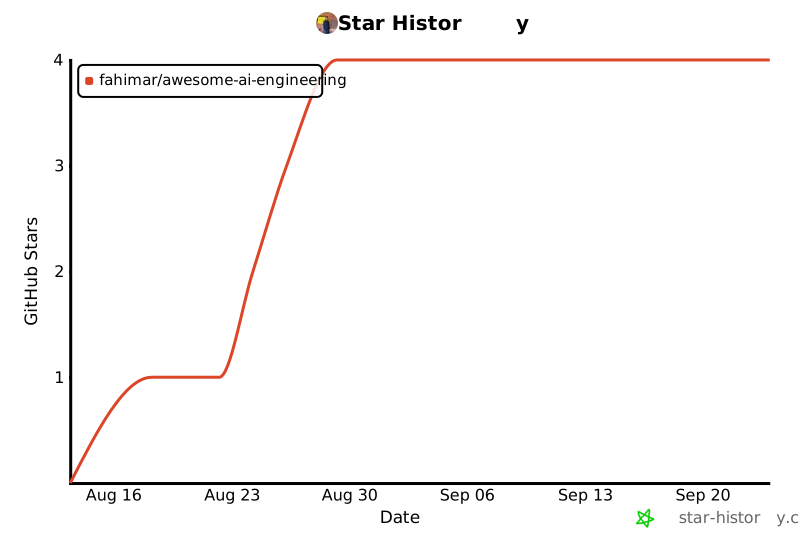
If this helped you, star the repo — it helps others find these free resources.
📜 License
MIT © Fahim A R Akil
Maintained by Fahim A R Akil · Resource descriptions and usage guidance are original work.