pi-desktop
Health Uyari
- License — License: Apache-2.0
- Description — Repository has a description
- Active repo — Last push 0 days ago
- Low visibility — Only 7 GitHub stars
Code Basarisiz
- child_process — Shell command execution capability in bin/pi-desktop.js
- execSync — Synchronous shell command execution in bin/pi-desktop.js
- process.env — Environment variable access in bin/pi-desktop.js
- fs module — File system access in bin/pi-desktop.js
Permissions Gecti
- Permissions — No dangerous permissions requested
Bu listing icin henuz AI raporu yok.
PI Desktop — a free, open-source Electron GUI for the PI coding agent. Chat, edit files, run a terminal, and review diffs in one window. Builds for Linux, macOS, and Windows.
PI Desktop
A desktop GUI for the PI coding agent. Chat, manage projects, browse files, run commands, install packages — all in one window.
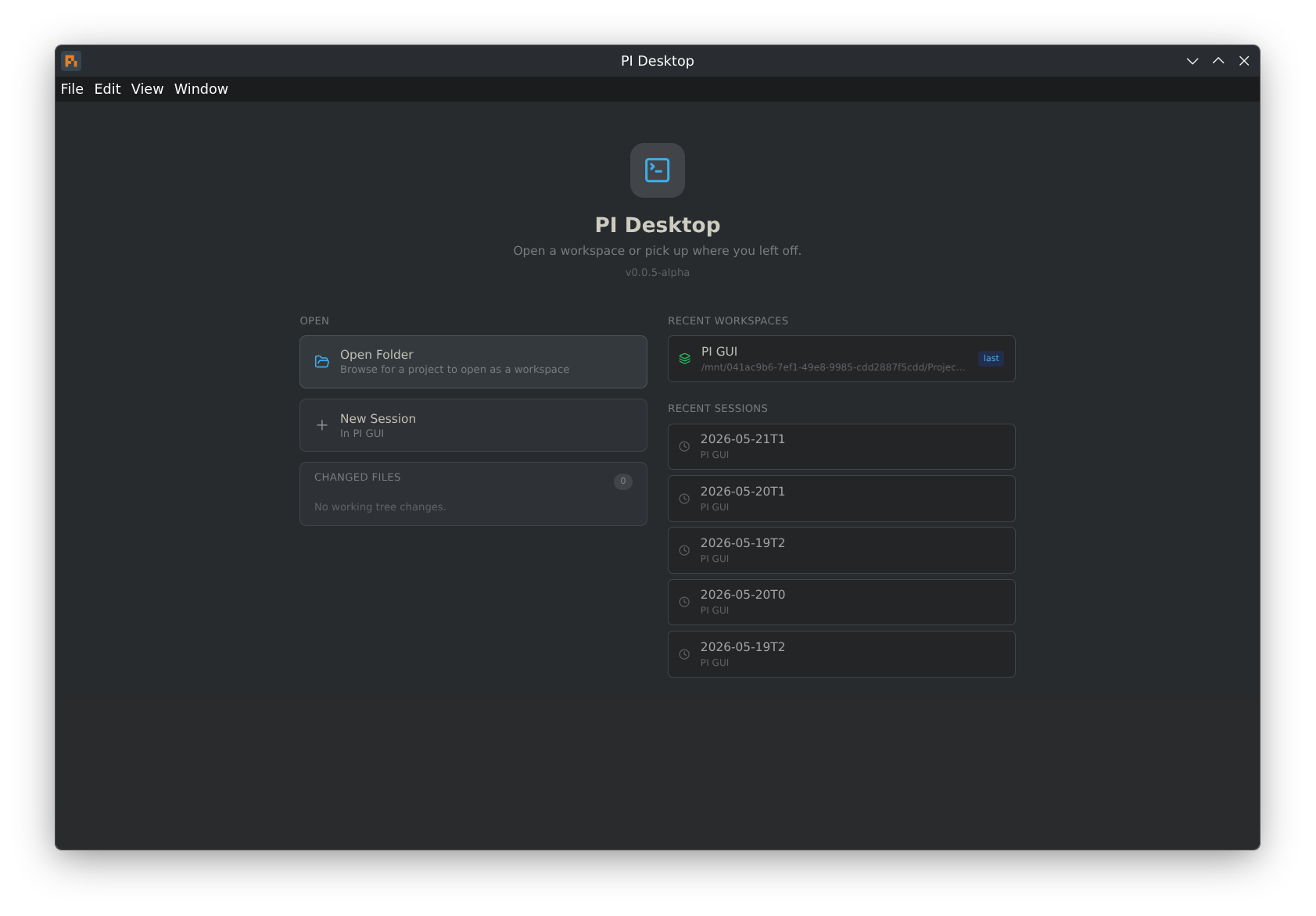
Still in alpha — expect rough edges.
What it does
- Streaming chat with thinking blocks and tool use
- Multiple workspaces, each with its own PI process and sessions
- Review rail with permissions, approvals, changed files, and session status
- File tree, code editor (CodeMirror 6 with syntax highlighting), diff viewer, file search
- Terminal with ANSI colors
- Package browser connected to pi.dev/packages
- Session tags, model switching, themes (Dark, Light, Nord, Gruvbox)
Review rail
The right-side Review rail keeps safety and working-tree state visible while you chat with PI.
Changed files use readable status badges:
| Badge | Meaning |
|---|---|
NEW |
Untracked new file |
MOD |
Existing tracked file was modified |
DEL |
Tracked file was deleted |
ADD |
New file staged in git |
STG |
Modified file staged in git |
REN |
File was renamed |
Getting started
You need PI installed first:
npm install -g @earendil-works/pi-coding-agent
On Linux, grab the AppImage from Releases:
chmod +x PI-Desktop-linux-x64.AppImage
./PI-Desktop-linux-x64.AppImage
macOS
Download the .dmg (Apple Silicon / arm64) from Releases, open it, and drag PI Desktop to Applications.
Builds are not yet signed or notarized, so on first launch macOS blocks the app ("Apple could not verify… is free of malware"). To allow it:
- Try to open PI Desktop once (double-click). macOS blocks it — click Done.
- Open System Settings → Privacy & Security.
- Scroll down to the Security section. You'll see "PI Desktop was blocked to protect your Mac." Click Open Anyway.
- Confirm with Touch ID / your password, then open the app again.
You only need to do this once. If a downloaded .zip instead reports the app is "damaged and can't be opened," that's the quarantine flag — clear it in Terminal:
xattr -dr com.apple.quarantine "/Applications/PI Desktop.app"
Prefer to skip the unsigned-app warnings entirely? Build from source. A build you compile yourself runs locally without Gatekeeper blocking it, so there's no signing/notarization prompt and no quarantine flag to clear. See Build it yourself → Linux / macOS below.
Windows
Download from Releases: the installer (…-win-x64-setup.exe, recommended) or the portable …-win-x64.exe. Builds are unsigned, so SmartScreen may warn — choose More info → Run anyway. If file edits or saves fail, see the Controlled Folder Access note below. Windows is community-tested; please open a bug report if you hit an issue.
Keyboard shortcuts
| Shortcut | What it does |
|---|---|
Enter |
Send message |
Shift+Enter |
New line |
Escape |
Stop streaming |
Ctrl+P |
Cycle model |
Ctrl+Shift+F |
File search |
Ctrl+Shift+P |
Insert saved note |
Ctrl+N |
New session |
Ctrl+Shift+N |
New workspace |
Ctrl+O |
Open project |
Build it yourself
Linux / macOS
git clone https://github.com/FaqFirebase/pi-desktop.git
cd pi-desktop
npm install
npm run dev
Windows
Windows requires extra steps because node-pty (the terminal backend) compiles a native module against Electron's ABI.
1. Install prerequisites
Install all of the following before cloning:
- Git for Windows
- Node.js LTS — use the official Windows installer (adds
nodeandnpmto PATH) - Visual Studio Build Tools 2022 — download from Visual Studio downloads
- Select the Desktop development with C++ workload
- Open Individual components, search
Spectre, and install Spectre-mitigated libs for v143 toolset
⚠️ Use VS Build Tools 2022, not 2026. node-pty requires Spectre-mitigated runtime libraries. VS 2022 stable (v143 toolset) ships them. VS 2026 preview (v180 toolset) does not —
npm installwill fail withMSB8040: Spectre-mitigated libraries are required for this project.
2. Add a Windows Defender exclusion (recommended)
Defender can block or slow npm install on projects with many small files. Before cloning, add an exclusion:
Settings → Privacy & Security → Windows Security → Virus & threat protection → Manage settings → Exclusions → Add a folder → (pick where you'll clone the repo)
3. Clone and install
git clone https://github.com/FaqFirebase/pi-desktop.git
cd pi-desktop
npm install
The postinstall script rebuilds node-pty against Electron's ABI and downloads the Electron binary. First install may take a few minutes.
If the Electron binary is missing after install, use the manual Electron binary download steps below. This is the confirmed fallback on Windows when Electron's postinstall extraction leaves a partial dist folder.
4. Install PI
powershell -c "irm https://pi.dev/install.ps1 | iex"
Open a new terminal after this so the updated PATH takes effect.
5. Run
npm run dev
Common Windows errors
| Error | Cause | Fix |
|---|---|---|
MSB8040 — Spectre libs missing |
VS Build Tools 2026 (v180 toolset) installed instead of 2022 (v143) | Uninstall 2026, install VS Build Tools 2022 with Spectre libs for v143 |
electron-vite is not recognized |
npm install didn't complete |
Run npm install again |
| Electron binary missing after install | Electron's postinstall extraction left a partial or missing dist folder |
Add the repo folder to Defender exclusions, then npm install again. If it still fails, use the manual download steps below |
EPERM / EACCES writing a project file |
Controlled Folder Access (Ransomware protection) is blocking writes under Documents/Desktop | Keep the repo and your projects out of protected folders, or allow PI Desktop through Controlled folder access — see below |
| PI shows "error" in status popover | PI not installed or PATH not updated | Run the install script above in a new terminal window |
Controlled Folder Access (Ransomware protection)
Windows Controlled Folder Access protects Documents, Desktop, Pictures, and similar folders, silently blocking apps it doesn't trust from writing to them. Because PI Desktop is a coding agent that edits files, this shows up as intermittent EPERM/EACCES failures — during npm install, when the agent edits code, or when you save a file — if your repo or projects live inside a protected folder.
The reliable fix is to keep code out of protected folders. Clone the repo and put your projects somewhere unprotected, for example:
# Not C:\Users\<you>\Documents\... — use an unprotected path:
git clone https://github.com/FaqFirebase/pi-desktop.git C:\dev\pi-desktop
If you must keep code under Documents/Desktop, allow the app instead:
Windows Security → Virus & threat protection → Ransomware protection → Manage ransomware protection → Allow an app through Controlled folder access → Add an allowed app — add the installed PI Desktop.exe (and, for development, node.exe, git.exe, and electron.exe).
The portable
.exere-extracts to a temporary folder on each launch, so allow-listing it doesn't stick. Prefer the installer (PI-Desktop-<version>-win-x64-setup.exe) if you rely on the allow-list approach.
Manual Electron binary download
If npm install completes but the app won't launch because Electron is missing or corrupted, download it directly from GitHub and unpack it into place. This is the known-good fallback when node_modules\electron\dist contains only partial contents, such as locales, and no electron.exe.
Replace 39.8.10 with the version in node_modules/electron/package.json if it differs.
$ver = "39.8.10"
$url = "https://github.com/electron/electron/releases/download/v$ver/electron-v$ver-win32-x64.zip"
$zip = "$env:TEMP\electron-v$ver-win32-x64.zip"
Invoke-WebRequest -Uri $url -OutFile $zip
if (Test-Path node_modules\electron\dist) { Remove-Item -Recurse -Force node_modules\electron\dist }
Expand-Archive -Path $zip -DestinationPath node_modules\electron\dist -Force
"electron.exe" | Out-File -Encoding ASCII -NoNewline node_modules\electron\path.txt
"v$ver" | Out-File -Encoding ASCII -NoNewline node_modules\electron\dist\version
After this, npm run dev should work normally.
Note: Windows builds are community-tested. If you hit an issue not listed above, please open a bug report.
License
Apache 2.0
Links
Yorumlar (0)
Yorum birakmak icin giris yap.
Yorum birakSonuc bulunamadi