whatsapp-mcp-extended
Health Gecti
- License — License: MIT
- Description — Repository has a description
- Active repo — Last push 0 days ago
- Community trust — 15 GitHub stars
Code Gecti
- Code scan — Scanned 12 files during light audit, no dangerous patterns found
Permissions Gecti
- Permissions — No dangerous permissions requested
This MCP server connects AI assistants like Claude to your WhatsApp account, enabling them to read messages, send texts and media, manage groups, create polls, and handle webhooks directly from your chat interface.
Security Assessment
Overall Risk: Medium. The automated code scan passed with no dangerous patterns, hardcoded secrets, or overly broad filesystem permissions. However, the inherent functionality of this tool requires high caution. It connects directly to your WhatsApp account via a QR code and bridges local SQLite databases with external AI models. This architecture means any AI using this server can read your private conversations and send messages on your behalf. Additionally, the architecture relies on making local network requests across multiple ports (8080, 8081, 8082, 8089) to function.
Quality Assessment
The project appears healthy and actively maintained, with repository updates pushed as recently as today. It uses the permissive MIT license and has earned 15 GitHub stars, indicating a small but growing community trust. The documentation is thorough, providing clear Docker-based quickstart instructions and comprehensive details for the 41 available tools.
Verdict
Use with caution—while the code itself is clean, granting an AI unrestricted read and write access to your private WhatsApp account carries significant operational risks.
Extended WhatsApp MCP server with 41 tools - reactions, group management, polls, presence, newsletters & more. Fork of lharries/whatsapp-mcp
WhatsApp MCP Extended
An extended Model Context Protocol (MCP) server for WhatsApp with 41 tools - advanced messaging, group management, webhooks, presence, and more.
Built on AdamRussak/whatsapp-mcp (webhooks, containers) which forked lharries/whatsapp-mcp (original). Extended with reactions, message editing, polls, group management, presence, newsletters, and more.
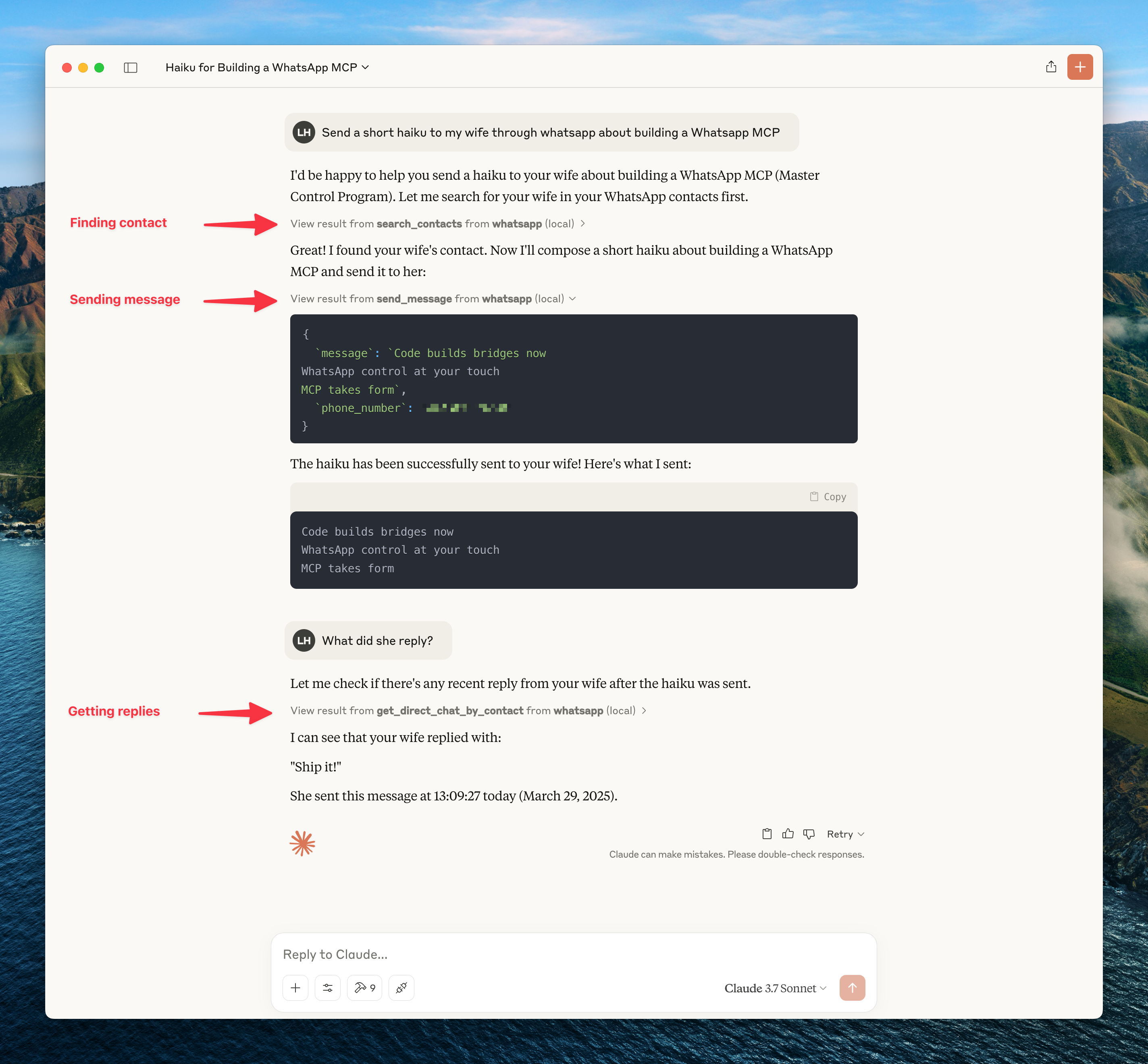
What's New (vs Original)
| Feature | Original | Extended |
|---|---|---|
| MCP Tools | 12 | 41 |
| Reactions | - | ✅ |
| Edit/Delete Messages | - | ✅ |
| Group Management | - | ✅ |
| Polls | - | ✅ |
| History Sync | - | ✅ |
| Presence/Online Status | - | ✅ |
| Newsletters | - | ✅ |
| Webhooks | - | ✅ |
| Custom Nicknames | - | ✅ |
Architecture
┌─────────────────────┐     ┌─────────────────────┐     ┌─────────────────────┐
│   whatsapp-bridge   │     │   whatsapp-mcp      │     │    webhook-ui       │
│   (Go + whatsmeow)  │◄────│   (Python + MCP)    │     │   (HTML/JS SPA)     │
│   Port: 8080        │     │   Ports: 8081,8082  │     │   Port: 8089        │
└─────────────────────┘     └─────────────────────┘     └─────────────────────┘
         │                           │
         ▼                           ▼
    ┌─────────────────────────────────────┐
    │           SQLite (store/)           │
    │  messages.db │ whatsapp.db          │
    └─────────────────────────────────────┘
Quick Start
Docker (Recommended)
git clone https://github.com/felixisaac/whatsapp-mcp-extended
cd whatsapp-mcp-extended

docker network create n8n_n8n_traefik_network
docker-compose up -d

# Scan QR code to authenticate
docker-compose logs -f whatsapp-bridge
Claude Desktop / Cursor Integration
Add to your MCP config (claude_desktop_config.json or Cursor settings):
{
  "mcpServers": {
    "whatsapp": {
      "command": "uv",
      "args": ["run", "--directory", "/path/to/whatsapp-mcp-extended/whatsapp-mcp-server", "python", "main.py"]
    }
  }
}
MCP Tools (41 Total)
Messaging
| Tool | Description |
|---|---|
send_message |
Send text message |
send_file |
Send image/video/document |
send_audio_message |
Send voice message |
download_media |
Download received media |
send_reaction |
React to message with emoji |
edit_message |
Edit sent message |
delete_message |
Delete/revoke message |
mark_read |
Mark messages as read (blue ticks) |
Chats & Messages
| Tool | Description |
|---|---|
list_chats |
List all chats |
get_chat |
Get chat by JID |
list_messages |
Search messages with filters |
get_message_context |
Get messages around a specific message |
get_direct_chat_by_contact |
Find DM with contact |
get_contact_chats |
All chats involving contact |
get_last_interaction |
Most recent message with contact |
request_history |
Request older message history |
Contacts
| Tool | Description |
|---|---|
search_contacts |
Search by name/phone |
list_all_contacts |
List all contacts |
get_contact_details |
Full contact info |
set_nickname |
Set custom nickname |
get_nickname |
Get custom nickname |
remove_nickname |
Remove nickname |
list_nicknames |
List all nicknames |
Groups
| Tool | Description |
|---|---|
get_group_info |
Group metadata & participants |
create_group |
Create new group |
add_group_members |
Add members |
remove_group_members |
Remove members |
promote_to_admin |
Promote to admin |
demote_admin |
Demote admin |
leave_group |
Leave group |
update_group |
Update name/topic |
create_poll |
Create poll in chat |
Presence & Profile
| Tool | Description |
|---|---|
set_presence |
Set online/offline status |
subscribe_presence |
Subscribe to contact's presence |
get_profile_picture |
Get profile picture URL |
get_blocklist |
List blocked users |
block_user |
Block user |
unblock_user |
Unblock user |
Newsletters (Channels)
| Tool | Description |
|---|---|
follow_newsletter |
Follow channel |
unfollow_newsletter |
Unfollow channel |
create_newsletter |
Create new channel |
Webhook System
Real-time HTTP webhooks for incoming messages with:
- Triggers: all, chat_jid, sender, keyword, media_type
- Matching: exact, contains, regex
- Security: HMAC-SHA256 signatures
- Retry: Exponential backoff
Access webhook UI at http://localhost:8089
Development
Manual Setup
# Bridge (Go 1.24+)
cd whatsapp-bridge && go run main.go

# MCP Server (Python 3.11+)
cd whatsapp-mcp-server && uv sync && uv run python main.py

# Webhook UI
cd whatsapp-webhook-ui && python3 -m http.server 8089
Pre-build Checks
cd whatsapp-mcp-server
uv run python check.py  # Catches errors before docker build
Updating whatsmeow
When you see Client outdated (405) errors:
cd whatsapp-bridge
go get -u go.mau.fi/whatsmeow@latest
go mod tidy
docker-compose build whatsapp-bridge
docker-compose up -d whatsapp-bridge
Ports
| Service | Port | Description |
|---|---|---|
| Bridge API | 8080 (→8180) | REST API |
| MCP Server | 8081 | SSE transport |
| Gradio UI | 8082 | Web testing UI |
| Webhook UI | 8089 | Webhook management |
Troubleshooting
Messages Not Delivering
If API returns success but messages show single checkmark:
docker-compose restart whatsapp-bridge
docker-compose logs --tail=10 whatsapp-bridge
# Should see: "✓ Connected to WhatsApp!"
QR Code Issues
docker-compose logs -f whatsapp-bridge
# Scan QR with WhatsApp mobile app
Credits
Fork chain:
- lharries/whatsapp-mcp - Original MCP server (12 tools)
- AdamRussak/whatsapp-mcp - Added webhooks, container split, webhook UI
- This repo - Added reactions, edit/delete, groups, polls, presence, newsletters (41 tools)
Libraries:
License
MIT License - see LICENSE file.
Yorumlar (0)
Yorum birakmak icin giris yap.
Yorum birakSonuc bulunamadi