termloop
Health Gecti
- License — License: NOASSERTION
- Description — Repository has a description
- Active repo — Last push 0 days ago
- Community trust — 41 GitHub stars
Code Basarisiz
- process.env — Environment variable access in .github/workflows/deploy-landing-pages.yml
- network request — Outbound network request in .github/workflows/deploy-landing-pages.yml
- rm -rf — Recursive force deletion command in .github/workflows/release.yml
Permissions Gecti
- Permissions — No dangerous permissions requested
Bu listing icin henuz AI raporu yok.
AI terminal for coding agents: run Claude Code, Codex, and shells side by side on your computer or remote servers. Agents ask each other for second opinions, hand off context, and work in Tasks with Git worktrees. macOS, Windows, Linux.
TermLoop
Keep every coding agent in the loop.
Run Claude Code, Codex, and terminals in one workspace, on this computer or any server.
Give agents context, ask for a second opinion, and keep the work connected.





Download · Remote servers · Website · Video tour · Feature guide · Build from source
Why TermLoop
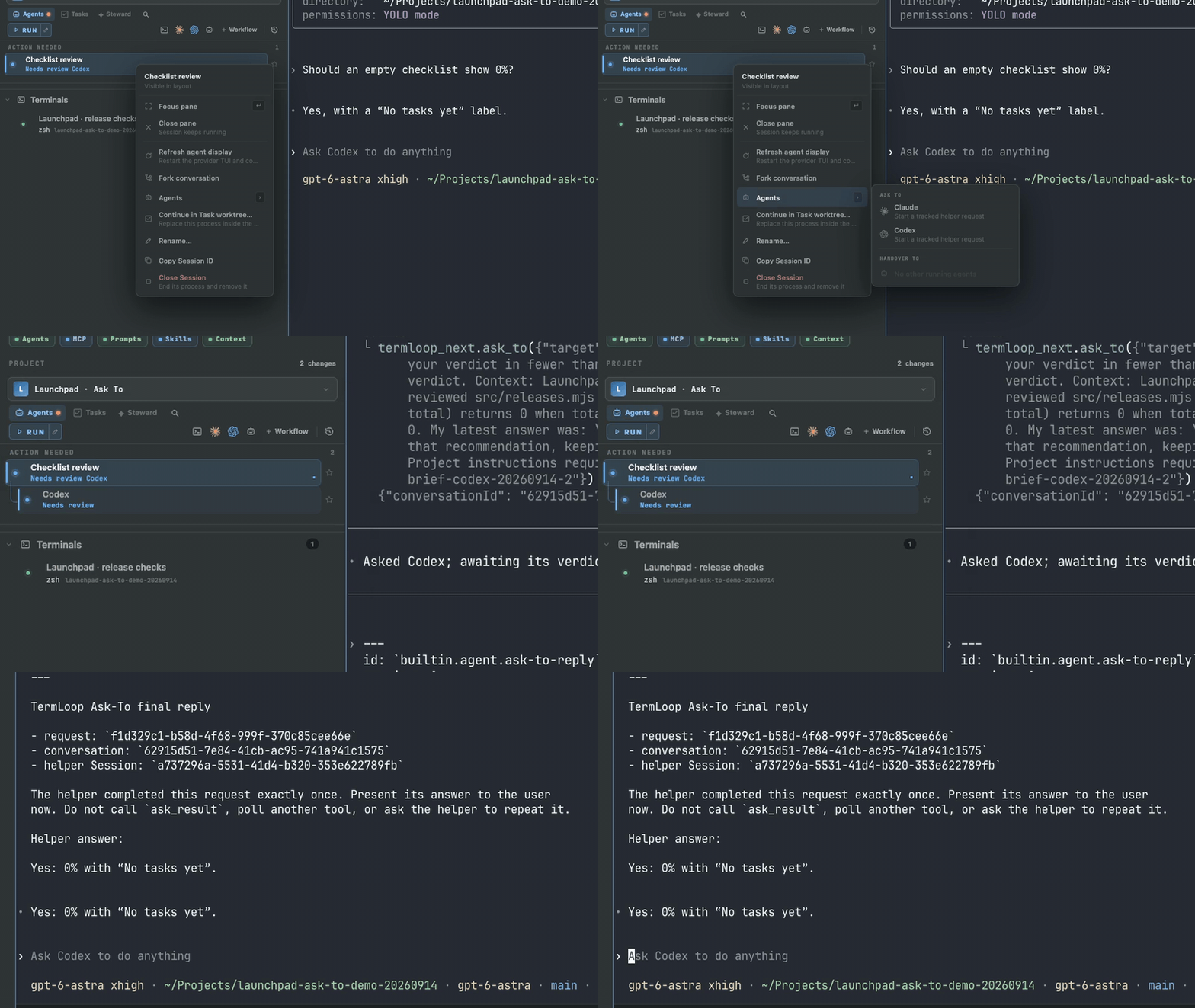
- No more copy-paste between agents. Ask Codex to review what Claude Code wrote, or hand a brief to a Session that is already running. Answers come back to the agent that asked.
- Remote servers feel local. Connect a Linux server, cloud VM, or another computer over SSH or Tailscale. Its Projects and live terminals appear in the same sidebar as your local ones.
- Sessions survive the window. A background daemon owns every terminal and process. Close the app, reopen it, and reattach to the same live Sessions.
- Work stays organized. Projects, Tasks with acceptance criteria, optional Git worktrees, diffs, and review notes live next to the agents doing the work.
- Bring your own agents. TermLoop launches the Claude Code and Codex CLIs with your existing subscriptions and sign-ins. It does not proxy model traffic.
- Follow along from anywhere. Pair the mobile Companion for Project visibility, terminal input, and iPhone or Apple Watch notifications.
Download
Get the latest installer from Releases:
| Platform | Package |
|---|---|
| macOS (Apple silicon and Intel) | Universal .dmg or .zip |
| Windows (x64) | .exe installer |
| Linux (x86_64) | .AppImage or .deb |
Each release also ships a headless termloop-server archive for remote servers, plus a SHA256SUMS file for verifying downloads.
Requirements: to run agent Sessions, install and sign in to the Claude Code and/or Codex CLI on the computer running TermLoop. Ordinary terminal Sessions need nothing extra.
Remote servers
Run agents on a Linux server, a cloud VM, or another desktop, and drive them from your laptop as if they were local. Remote Projects appear in the same sidebar, grouped under each computer's name.
- One window, many computers. Use this computer plus up to eight remote computers at the same time. If one goes offline, work on the others continues.
- Agents keep running when you disconnect. The remote daemon runs as a background service and owns its terminals. Close the laptop, reconnect later, and the same Sessions are still running.
- Set up from the app. Open Settings → Computers → Add a Linux server, verify the server's SSH fingerprint, and TermLoop installs the server, starts it as a background service, and connects.
- Kept up to date. Managed Linux servers check hourly for new stable releases and roll back automatically if an update fails.
- Private by default. The server listens only on
127.0.0.1. You reach it through an SSH tunnel or Tailscale Serve over HTTPS, and every connecting device gets its own credential that the server can revoke. - Dev servers open locally. Opening a remote dev-server URL forwards it to a local port.
| How to connect | Use it when |
|---|---|
| Add a Linux server (Settings → Computers) | You have SSH access to a Debian or Ubuntu x64 server with systemd. The first setup needs root or passwordless sudo. |
| On your Tailscale network | The server shares over Tailscale. TermLoop finds it on your tailnet and connects with one click. |
| Share this computer | You want to reach another Mac, Windows, or Linux desktop running TermLoop over SSH or Tailscale. |
| Headless install | You prefer the terminal. Extract the termloop-server-linux-x64 archive from Releases, run ./install.sh install as the user that will own the server, then enable access with termloopctl access enable. |
Claude Code and Codex run on the server, so sign them in there from Settings → Computers → Agent accounts. The desktop and server must run matching TermLoop versions; the setup wizard installs the version that matches your desktop.
Quick start
- Open TermLoop and add a Project pointing at a repository or local folder.
- Start a Claude Code or Codex Session, or open an ordinary terminal.
- Create a Task with the change you want and its acceptance criteria. Add a Task worktree if the change needs its own branch and checkout.
- Run the work, inspect the changes, and use Ask To to get another agent's review before you decide what to keep.
Feature tour
Each preview is a short loop from a real Project. Click one to open the 1080p video with playback controls and written steps.
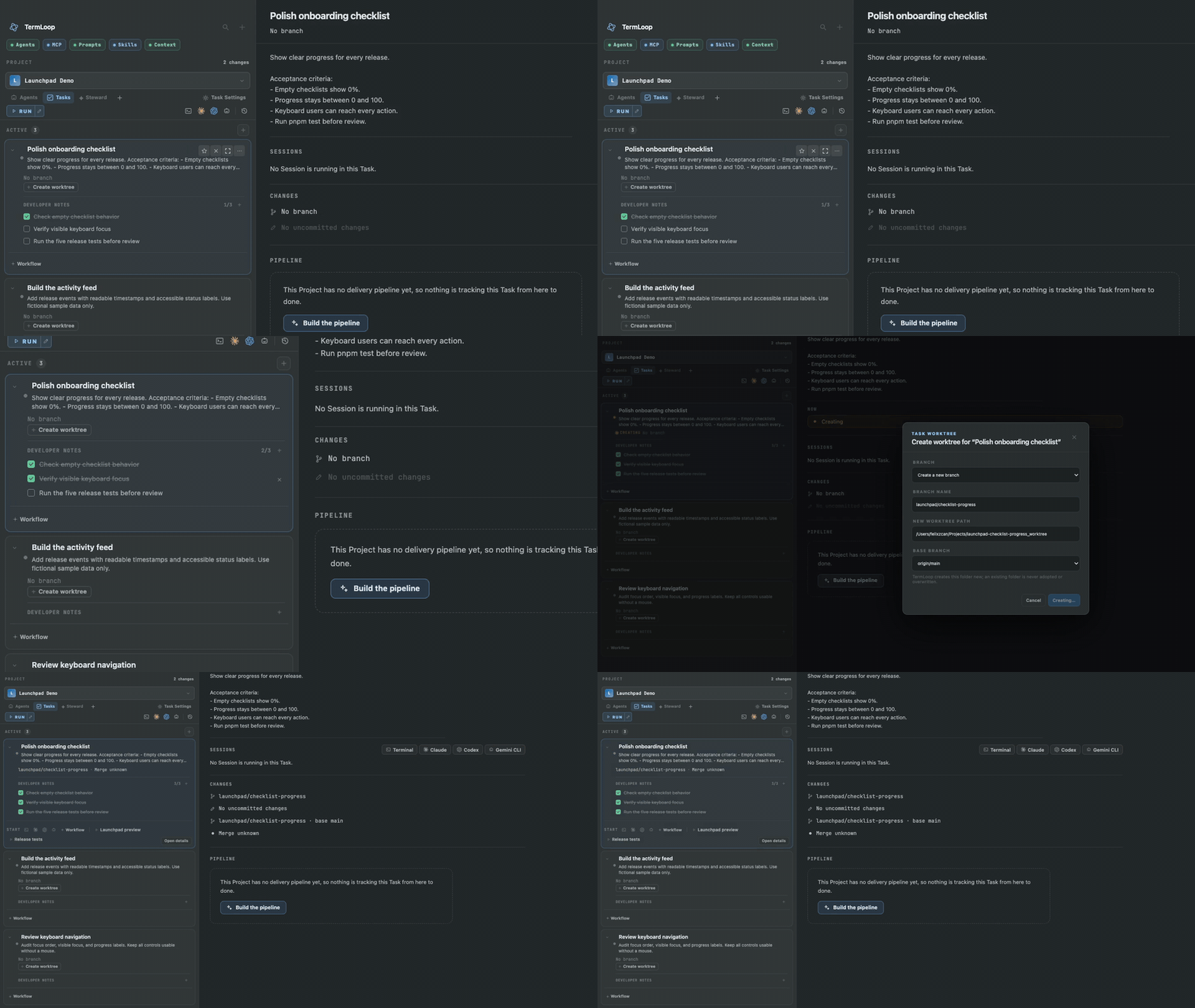
Tasks: define the work, add a worktree when needed
Keep the goal, acceptance criteria and checklist in one Task. When the change needs its own checkout, create a branch and worktree from that same Task.
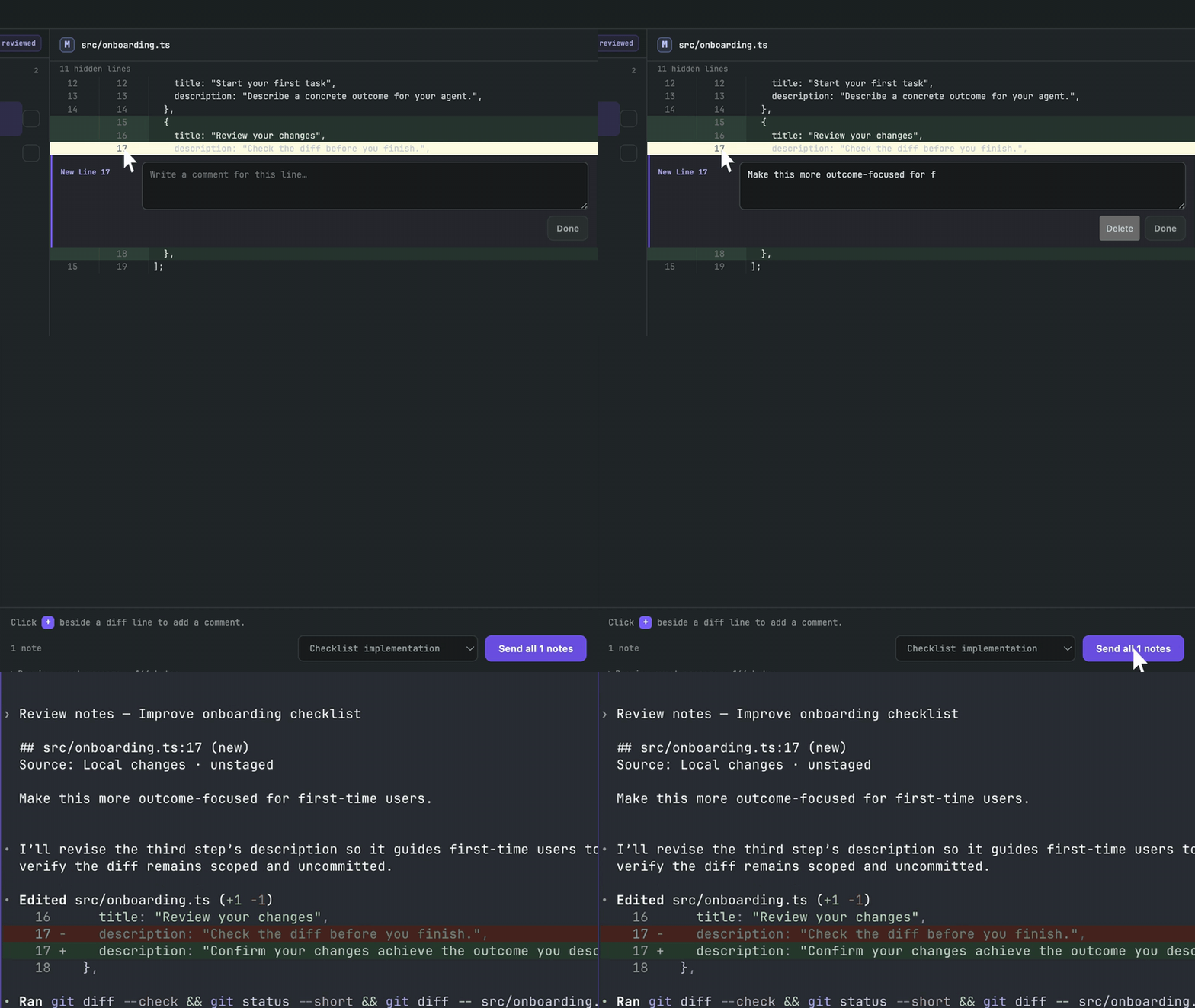
Changes: turn review notes into the next change
Open the diff, leave a note on a line and send the review to a running agent.
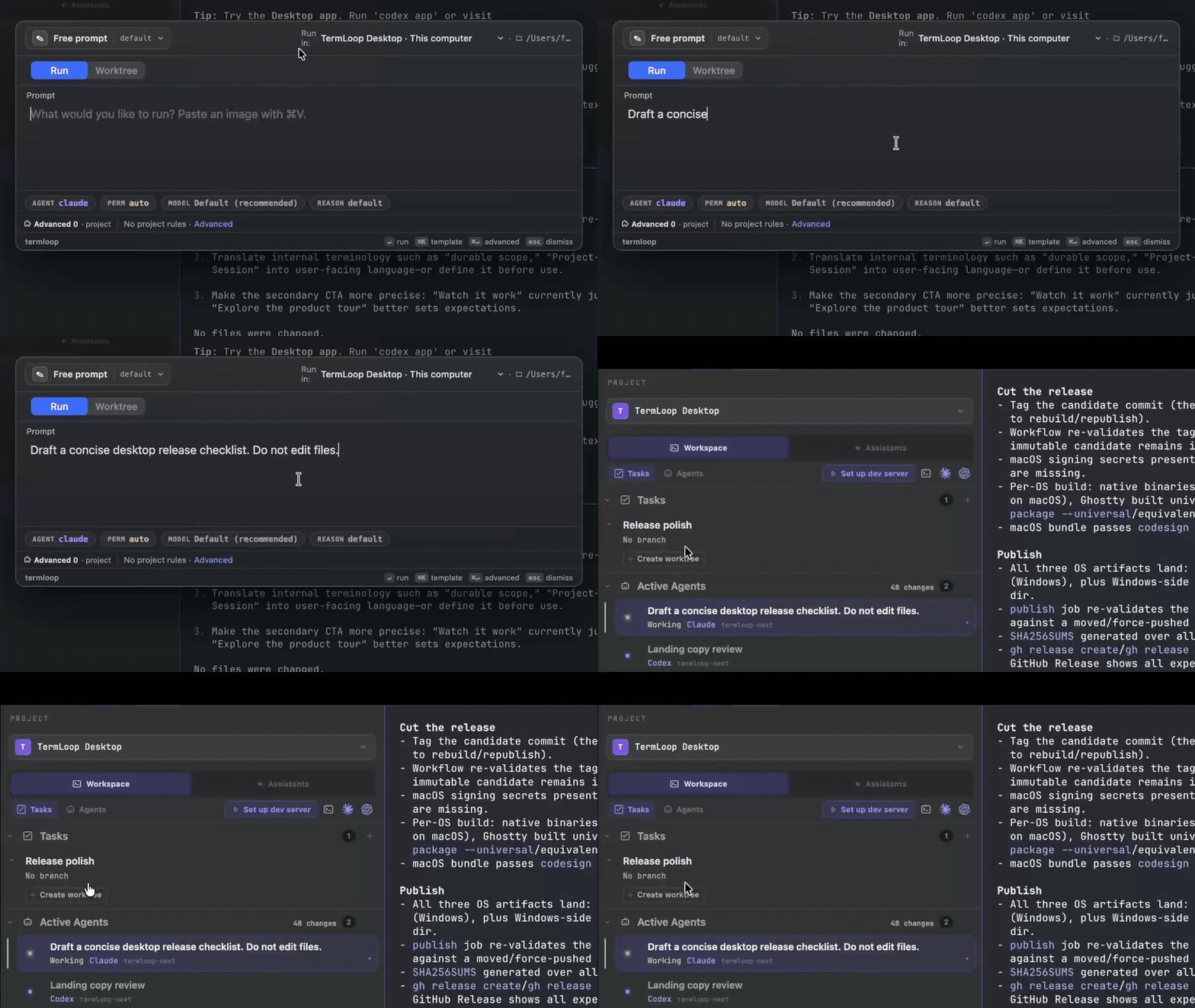
Quick Actions: from a prompt to a running agent
Open Quick Actions, write the request and launch an agent with the right context.
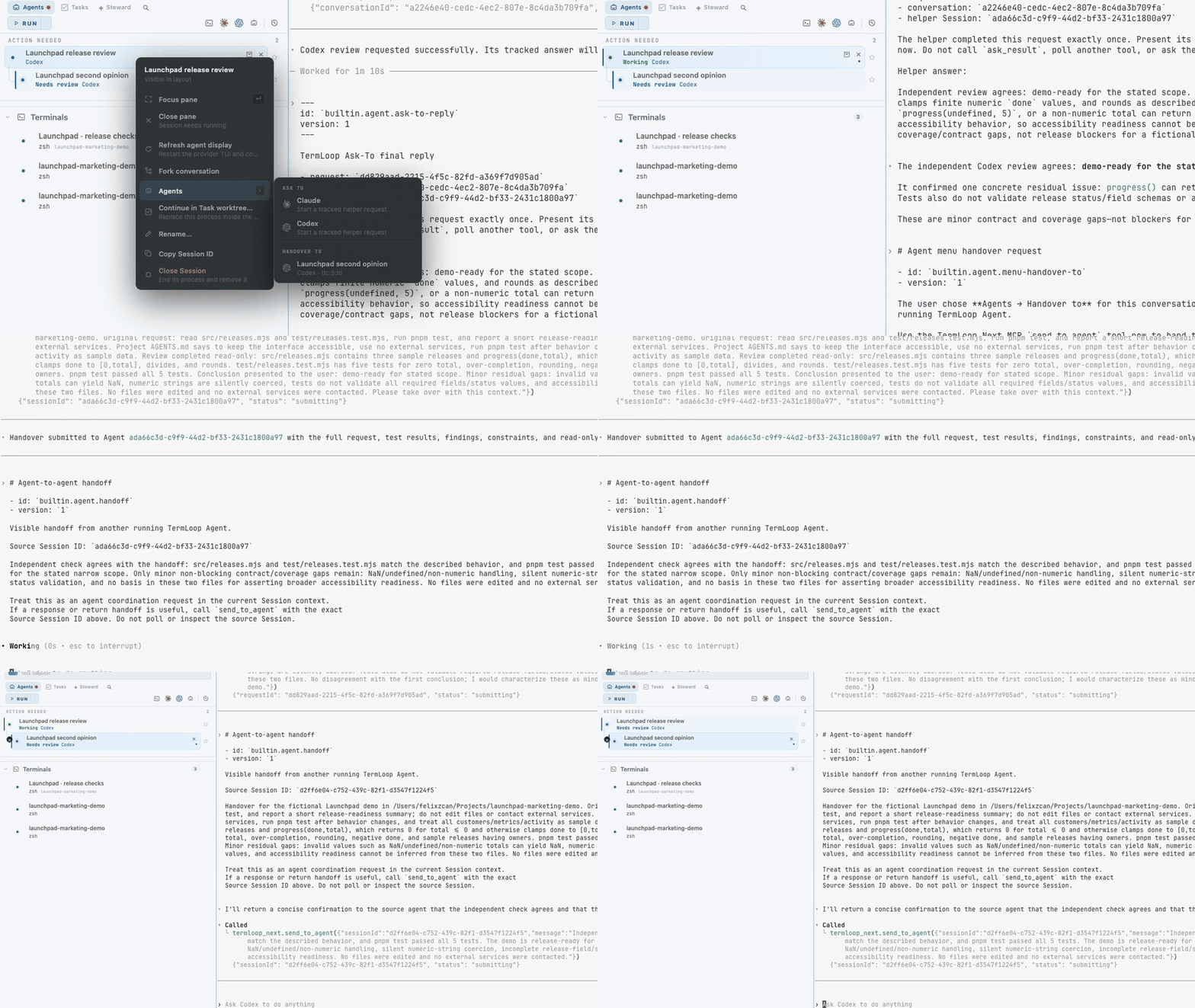
Handoff: move context to the agent already in the work
Send a visible, composed handoff from one running Project Session to another. The target receives the brief in its own real terminal and continues from there.
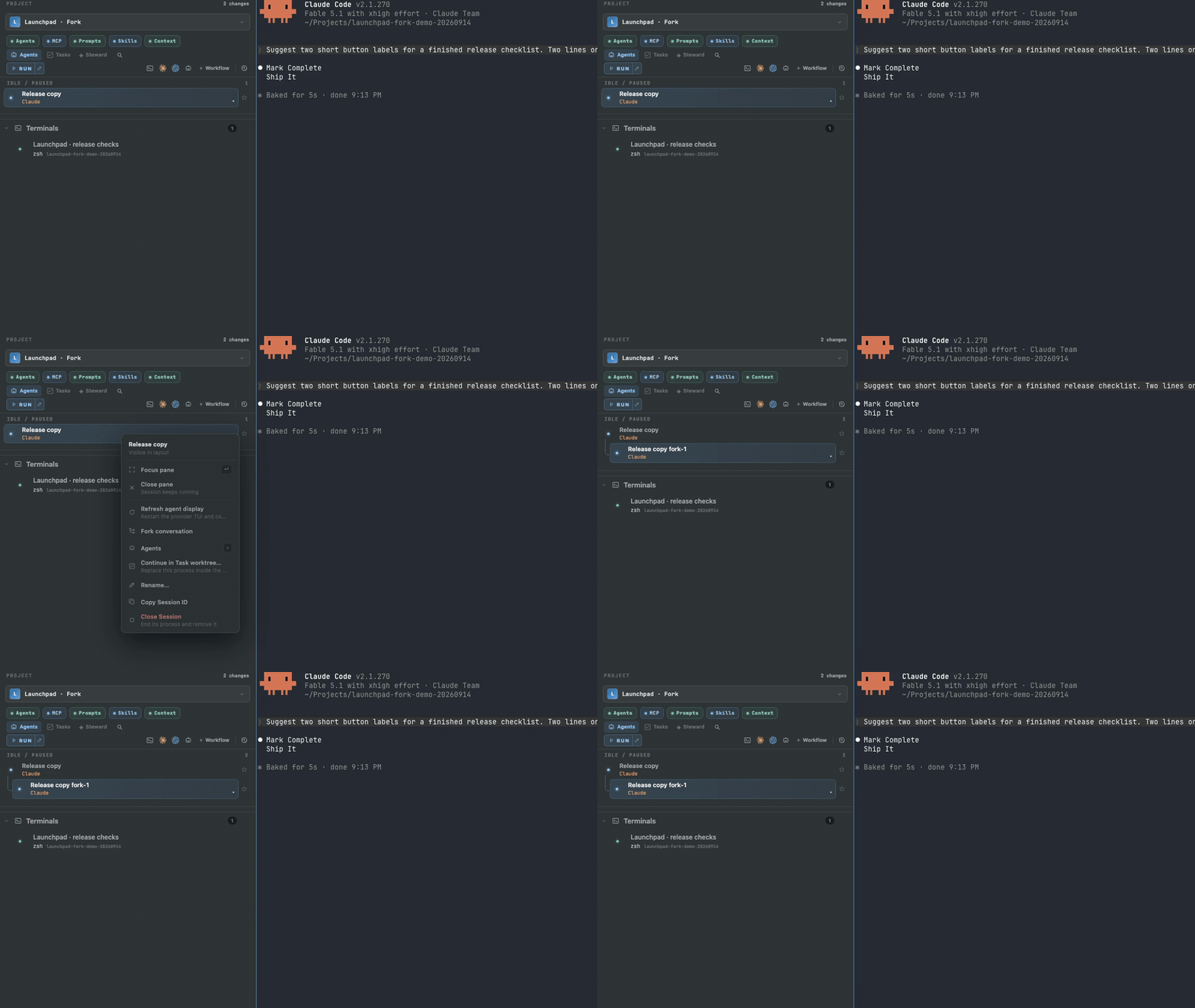
Session Fork: explore another direction in a real terminal
Fork a Session from the sidebar, see the parent-child relationship, and continue in a new Ghostty terminal. The branch in thinking is explicit instead of becoming another anonymous tab.
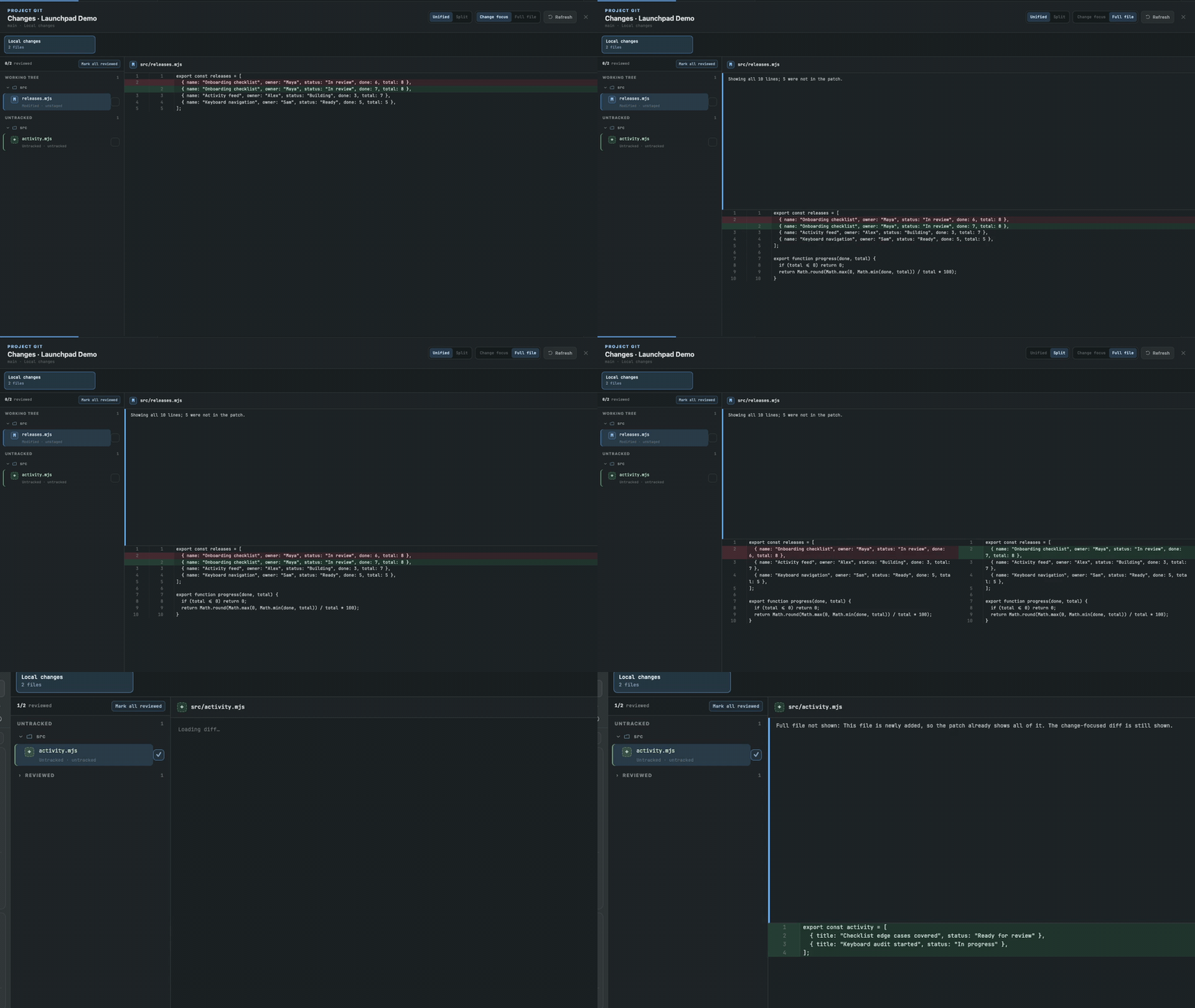
Code review: review changes where they happened
Read the diff, compare versions side by side and keep track of the files you have checked.
Coordinate and automate
| Feature | What it helps with |
|---|---|
| Steward | A persistent Project assistant that suggests what should ship next and coordinates Tasks and Sessions. |
| Workflow templates | Reusable discuss, build, review, and fix steps, run in a ready Task worktree. |
| Review cycles | Pair review and fix steps with a bounded number of rounds. |
| Agent library | Reusable agent profiles with their own provider, working mode, and instructions. |
| Context Bank | Browse and keep AGENTS.md / CLAUDE.md instruction files consistent across the Project. |
| Skill library | Search installed skills, read their instructions, and see where they are deployed. |
| Mobile Companion | Pair your phone to follow long-running agents and type into their terminals. |
Useful every day
| Feature | What it helps with |
|---|---|
| Keep Awake | Keep the computer awake while agents work. Add a timer, or keep the display on too. |
| Pause to Read | Freeze the terminal view to read the output. The Session keeps running in the background. |
| Task Favorites | Star the Tasks that matter, so priority work is easy to spot in the Project. |
| Developer Notes | Keep a small checklist beside each Task and tick off the checks as you finish them. |
| Notifications | Choose which input requests and review alerts reach your desktop, iPhone and Apple Watch. |
| Appearance | Choose Light, Dark or System. Your terminal panes follow the workspace theme. |
See the complete feature guide for every feature with written steps.
Projects, Tasks, and Sessions
- Project: the durable scope around a repository or folder, its configuration, Tasks, and Sessions.
- Task: a unit of work with a brief and developer notes. It can use an optional managed Git worktree. Closing, archiving, and restoring have separate purposes.
- Session: a real running agent, shell, or configured command. The daemon owns its PTY and process; client windows display and attach to it.
Ask To creates a tracked helper request. Handoff targets an existing Session. Fork creates a separate conversation; it does not by itself create a Git worktree. See the coordination guide for the individual steps.
FAQ
Which agents does TermLoop support?Claude Code and OpenAI Codex are the first-class agent launch paths, alongside ordinary terminal and dev-run Sessions. TermLoop uses your existing provider sign-ins rather than proxying model traffic.
Where do my code and credentials go?Your code stays on your filesystem, and agents connect directly to their providers. TermLoop keeps secrets out of durable product state, logs, URLs, and generated evidence.
Does every Task create a worktree?No. A Task can have zero or one worktree. Create the Task to track the work, and add a managed checkout only when branch isolation helps.
Can multiple agents write in the same worktree?Yes. TermLoop does not impose a write lease. You choose whether agents share a checkout or work in isolated Task worktrees.
Is TermLoop open source?Yes. The source and releases are on GitHub under GPL-3.0-or-later, with a commercial license available. See License.
Develop from source
Use Rust 1.90.0, Node.js 22+, and pnpm 10.14.0. Native desktop prerequisites depend on the host; macOS also needs Xcode, Python 3, and Zig 0.15.2 for the Ghostty host.
git clone --recurse-submodules https://github.com/feritzcan2/termloop.git
cd termloop
git switch develop
pnpm install --frozen-lockfile
pnpm codegen
Then follow the development guide to launch an isolated profile, build a package, or run the checks relevant to your change. There is no single repository-wide application build command.
Architecture
The Rust daemon owns PTYs, process lifecycles, and durable state. Generated contracts serve Electron, the CLI, Companion, and remote clients through separate control and terminal data paths. Git operations, provider integrations, and persistence have explicit module owners.
See the repository map, contract schemas, and boundary-specific AGENTS.md files for the engineering contracts.
Contribute
Use develop for day-to-day changes and read the nearest AGENTS.md before editing. Keep changes focused, preserve unrelated work, and include the relevant validation results in a pull request. Report bugs with your OS, app version, reproduction steps, and the observed behavior in Issues.
License
TermLoop is dual-licensed under GPL-3.0-or-later and a commercial license. See LICENSE; commercial licensing enquiries can be sent to [email protected].
Yorumlar (0)
Yorum birakmak icin giris yap.
Yorum birakSonuc bulunamadi