CPA-X
Health Gecti
- License — License: MIT
- Description — Repository has a description
- Active repo — Last push 0 days ago
- Community trust — 62 GitHub stars
Code Gecti
- Code scan — Scanned 12 files during light audit, no dangerous patterns found
Permissions Gecti
- Permissions — No dangerous permissions requested
Bu listing icin henuz AI raporu yok.
CLIProxyAPI 监控与管理面板:用量、费用、日志与安全更新 / Monitoring, cost insights, logs and safe updates for CLIProxyAPI.
CPA-X Admin Panel (v2.2.1)
English | 中文


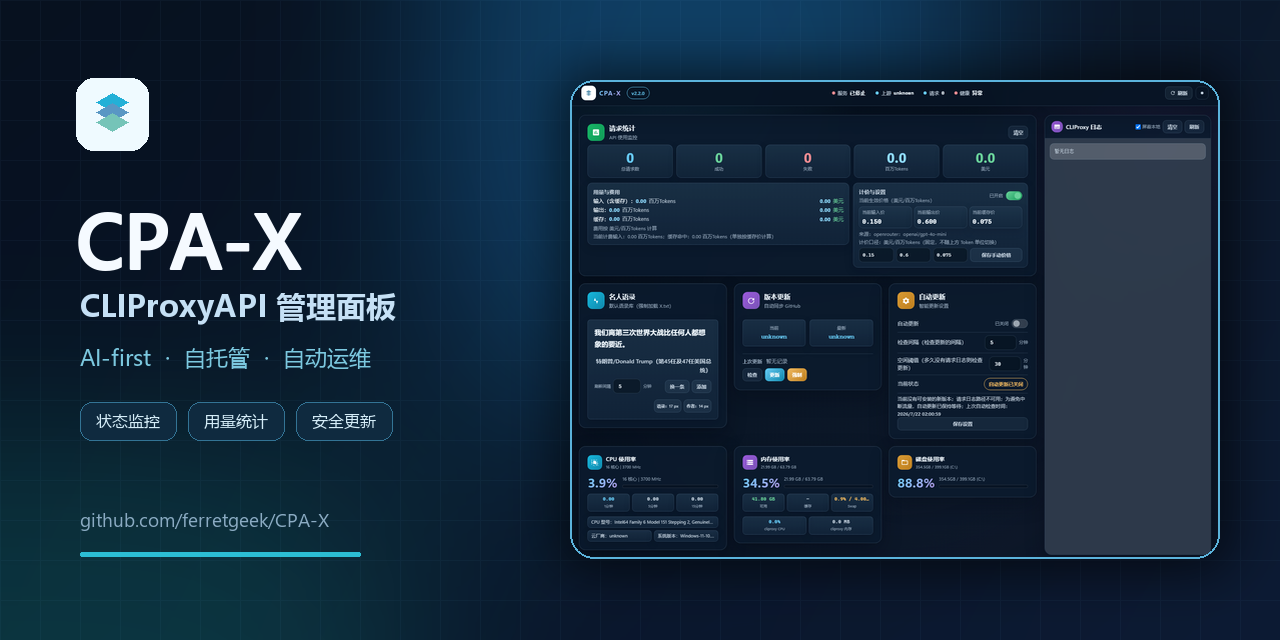
AI-first repo: this project is primarily designed to be deployed and operated by AI agents (not humans).
- AI deployment guide:
AI_DEPLOY_CN.md - Agent instructions:
AGENTS.md - Release notes:
RELEASE_NOTES_v2.2.1.md - Version history:
CHANGELOG.md - Ready-to-download packages: Latest GitHub Release
A monitoring and management panel for CLIProxyAPI, featuring health checks, resource monitoring, logs, update management, request statistics, and pricing display.
v2.2.1 hardens production updates after an intermittent 502 incident: deployment success now requires the authenticated management endpoint to return HTTP 200, failed releases use durable exponential backoff, anonymous GitHub checks prefer stable release redirects, and deprecated usage polling is no longer started.
Current security posture: all frontend export entries are removed, and main-config writeback is disabled by default. The config area is read-only / validate-only unless you explicitly set
CLIPROXY_PANEL_CONFIG_WRITE_ENABLED=truein.env.
Highlights
| Capability | What it provides |
|---|---|
| Cross-time-zone reliability | Infers offset-less log time, emits UTC/RFC 3339 APIs, and supports split host/container zones. |
| Safe auto-update | Online preparation, SHA-256 verification, atomic replacement, real management-endpoint health checks, rollback, and failed-version backoff. |
| Usage and cost insights | Uses incremental logs for live request totals and preserves historical token/cost data from existing local compatibility snapshots. |
| Long-running stability | Incremental log parsing, atomic persistence, outage backoff, and count/age/size backup caps. |
| Readable interface | Self-contained responsive dark/light UI for desktop, tablet, mobile, and keyboard users. |
| Flexible deployment | Linux/systemd, Windows, and Docker monitoring modes with auto-detection installers. |
Preview
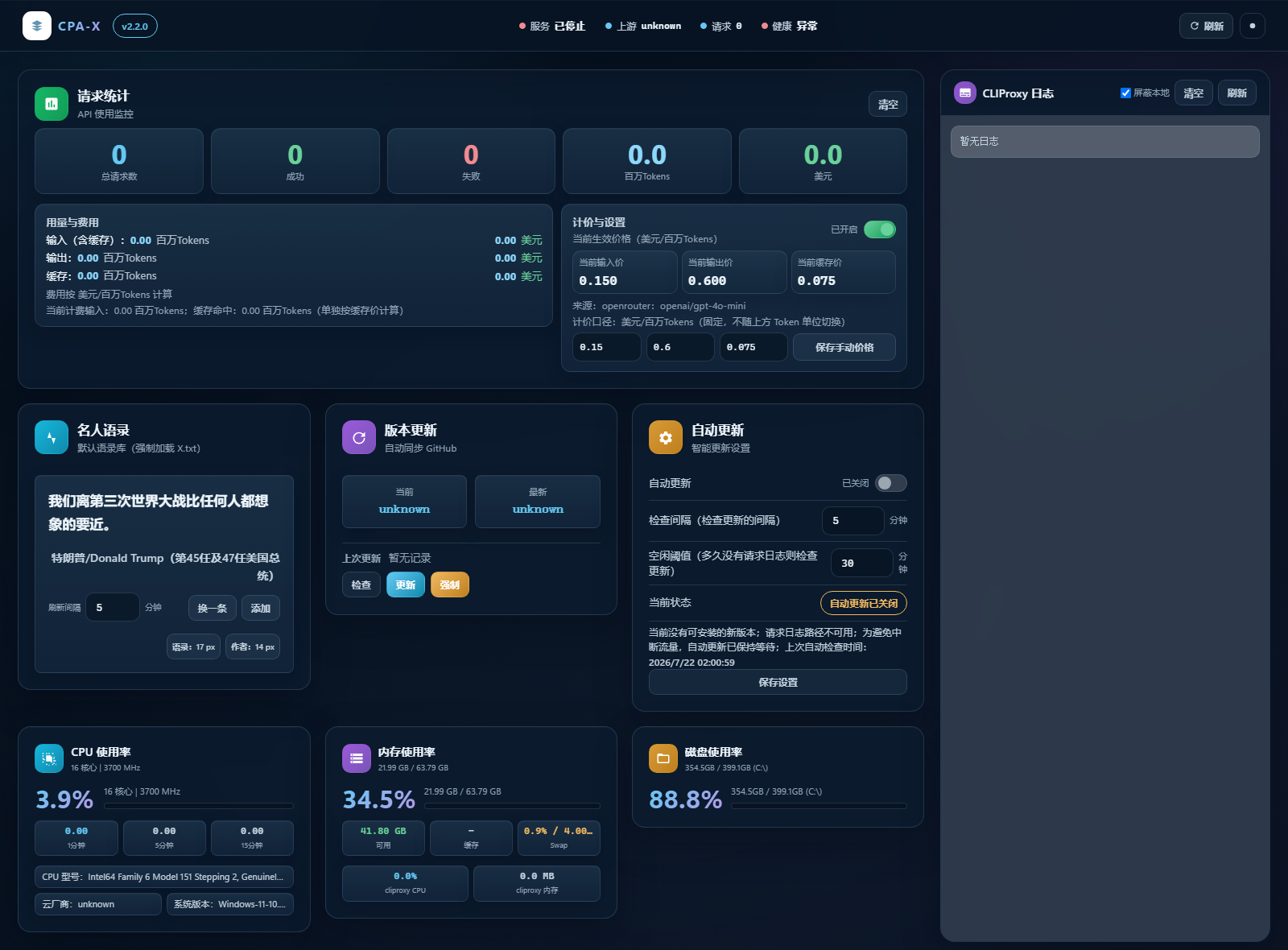
Dark Theme
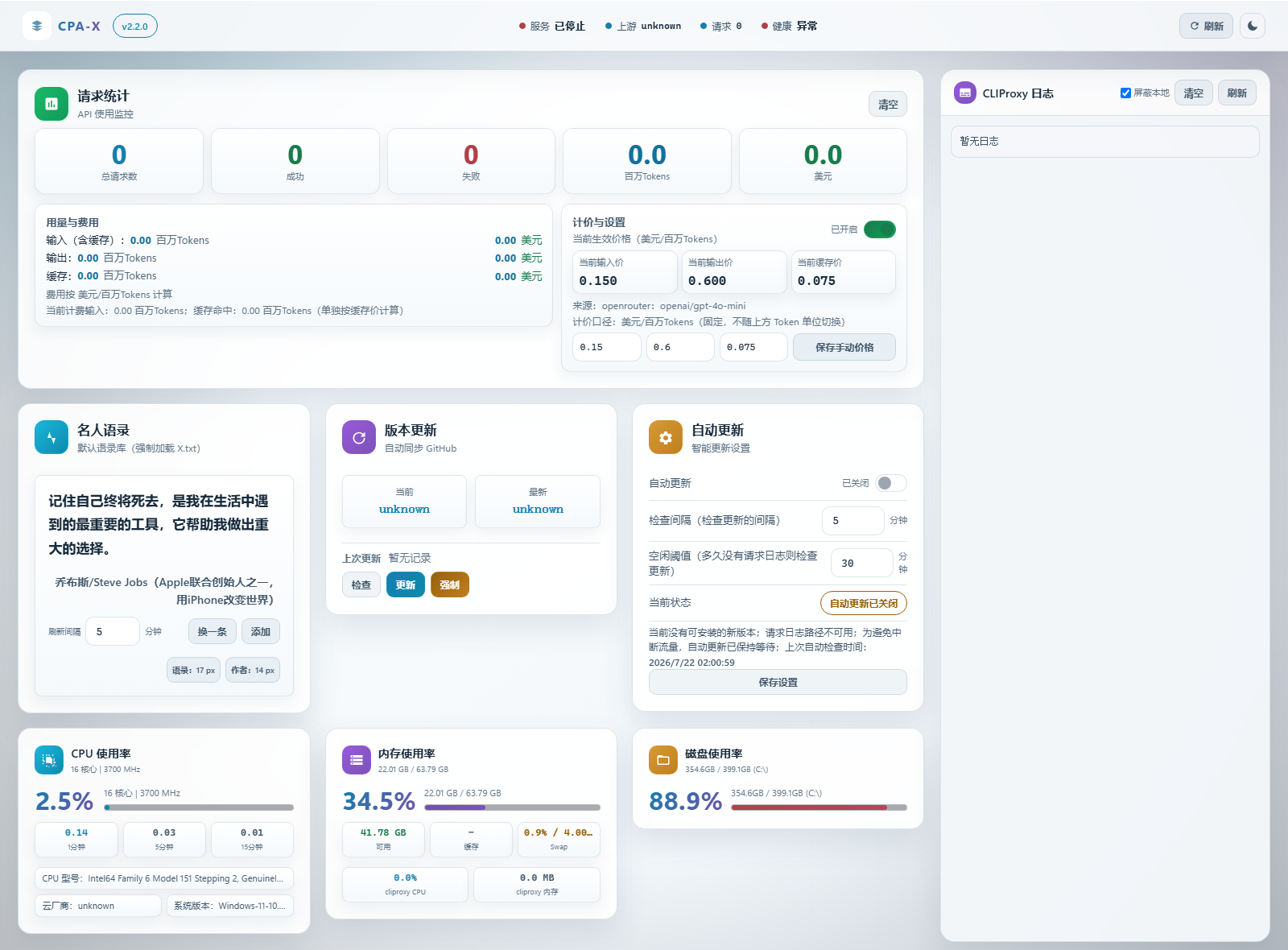
Light Theme
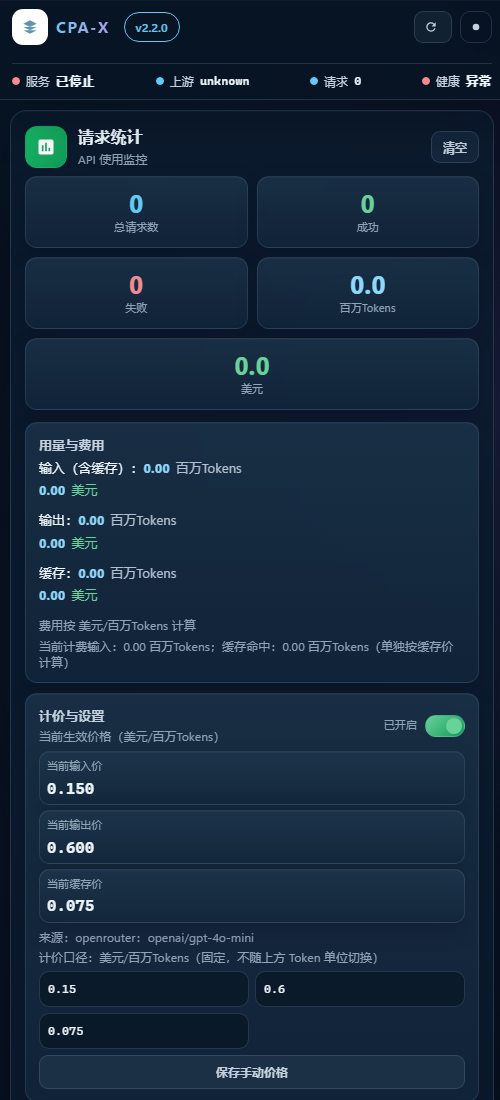
Mobile Layout
Requirements
- Recommended: Linux (panel includes
systemctlfunctionality) - Python 3.11+
- Access to CLIProxyAPI management interface (default
http://127.0.0.1:8317)
Windows is also supported, but service control and auto-update features (systemd-related) are unavailable.
Quick Installation
Option 1: One-Click Install (Recommended)
# Linux (auto-registers systemd service; installer best-effort auto-detects and fills `.env`)
bash scripts/install.sh

# Optional: run auto-detect again (recommended)
python3 scripts/doctor.py --write-env
# Windows (background start)
powershell -ExecutionPolicy Bypass -File scripts/install.ps1
Option 2: Manual Installation
1) Clone the repository
git clone https://github.com/ferretgeek/CPA-X.git
cd CPA-X
2) Create virtual environment and install dependencies
python -m venv .venv
# Windows
.venv\Scripts\activate
# Linux / macOS
source .venv/bin/activate

pip install -r requirements.txt
3) Configure environment variables
Copy the example file and modify as needed:
# Windows
copy .env.example .env
# Linux / macOS
cp .env.example .env
Key configurations:
CLIPROXY_PANEL_CLIPROXY_DIR/CLIPROXY_PANEL_CLIPROXY_CONFIGCLIPROXY_PANEL_CLIPROXY_LOGCLIPROXY_PANEL_CLIPROXY_API_BASE/CLIPROXY_PANEL_CLIPROXY_API_PORTCLIPROXY_PANEL_MANAGEMENT_KEY/CLIPROXY_PANEL_MODELS_API_KEY(if upstream keys are enabled)CLIPROXY_PANEL_CLIPROXY_SERVICE/CLIPROXY_PANEL_CLIPROXY_BINARY(required for auto-update)CLIPROXY_PANEL_LOG_TIMEZONE(defaults toauto; also acceptsUTC,+08:00, or IANA zones such asAsia/Shanghai)CLIPROXY_PANEL_BACKUP_*/CLIPROXY_PANEL_UPDATE_REQUIRE_CHECKSUM(backup caps and update verification)CLIPROXY_PANEL_AUTO_UPDATE_FAILURE_BACKOFF_*/CLIPROXY_PANEL_SERVICE_HEALTH_TIMEOUT_SECONDS(failed-version backoff and real management-endpoint health checks)CLIPROXY_PANEL_CONFIG_WRITE_ENABLED(defaults tofalse; only enable main-config writeback if you explicitly accept that risk)CLIPROXY_PANEL_GITHUB_TOKEN(optional: higher GitHub rate limit, fewerlatest=unknown)CLIPROXY_PANEL_PRICING_*(optional: cost estimation; defaults can be auto-synced from OpenRouter, disable viaCLIPROXY_PANEL_PRICING_AUTO_ENABLED=false)CLIPROXY_PANEL_QUOTES_PATH(optional supplemental library; repository-rootX.txtis always loaded and currently contains 181 entries)
4) Start the panel
python app.py
Open your browser and visit:
http://127.0.0.1:8080
Docker / Container Deployment (Optional)
Good for: monitoring & read-only operations (status/stats/models/logs/config reads).
Not good for: auto-update / service control (containers typically don't have systemd or host privileges).
This repo includes:
Dockerfiledocker-compose.yml.env.docker.example
Shortest path (compose):
docker compose up -d --build
If you need logs/config/auth file features, follow the comments in docker-compose.yml to mount host files/directories and point CLIPROXY_PANEL_* paths to container paths. Note that config access is read-only by default and does not write back to the host config.
FAQ
1) Page loads but data is empty
Check if CLIProxy is running and verify that CLIPROXY_PANEL_CLIPROXY_API_BASE/PORT in .env points to the correct address.
Current CLIProxyAPI releases no longer expose the legacy usage management endpoints. CPA-X no longer polls them in the background: live request totals come from incremental log parsing, while token/cost history already stored before the upgrade remains available from local compatibility snapshots without repeated upstream 404 requests.
2) Health check timeout
Use the unauthenticated minimal /api/healthz endpoint for container/load-balancer liveness checks. Use /api/health for full diagnostics.
3) systemd features not working
This is a Linux-only feature. On Windows, it will fail gracefully without affecting panel startup.
Security Notes
- Do not commit
.envto the repository (already in.gitignore) - Keep management keys and model keys only in
.env - Default bind host is
0.0.0.0for LAN-friendly deployment. If you only use the panel locally, setCLIPROXY_PANEL_BIND_HOST=127.0.0.1 - For an extra protection layer, set
CLIPROXY_PANEL_PANEL_ACCESS_KEY(/api/*accepts only theX-Panel-Keyheader; the browser URL parameter is consumed only for one-time local setup and immediately removed) - Cross-origin API access is disabled by default; only set the comma-separated
CLIPROXY_PANEL_CORS_ORIGINSwhen needed - All frontend export entries are removed to avoid exposing sensitive data through browser download links
- Main-config writeback is disabled by default; only set
CLIPROXY_PANEL_CONFIG_WRITE_ENABLED=trueif you explicitly accept that risk
Development checks
pip install -r requirements-dev.txt
python -m pytest
ruff check app.py scripts tests
Community
License
MIT License (see LICENSE)
Yorumlar (0)
Yorum birakmak icin giris yap.
Yorum birakSonuc bulunamadi