claude-code-android
Health Gecti
- License — License: MIT
- Description — Repository has a description
- Active repo — Last push 0 days ago
- Community trust — 14 GitHub stars
Code Gecti
- Code scan — Scanned 3 files during light audit, no dangerous patterns found
Permissions Gecti
- Permissions — No dangerous permissions requested
This tool provides a setup guide and shell scripts to run Anthropic's Claude Code AI assistant natively on Android devices using the Termux terminal emulator, eliminating the need for root access, cloud VMs, or a desktop computer.
Security Assessment
The automated scan found no dangerous code patterns, hardcoded secrets, or requests for risky permissions across its 3 files. However, because this is a shell-based tool designed to bootstrap a development environment via Termux, it inherently executes local shell commands to install dependencies. Additionally, the setup instructions advise the user to enable Android's "install unknown apps" feature to side-load the F-Droid store. While the repository itself is clean and makes no outbound network requests beyond standard package downloads, you are still granting a third-party AI tool (Claude Code) the ability to read and write local files and execute commands once installed. Overall risk is rated as Low for the repository itself, though standard caution applies to the underlying AI agent's system access.
Quality Assessment
The project is in very good standing. It is actively maintained, with the most recent push occurring today. The repository is properly licensed under the permissive MIT license, includes a thorough README with extensive documentation and troubleshooting guides, and shows a decent baseline of community trust with 14 GitHub stars.
Verdict
Safe to use, provided you download Termux from the official F-Droid source and maintain standard caution regarding the file and command access you grant to the underlying AI assistant.
Run Claude Code natively on Android via Termux -- no desktop, no SSH, no root required.
Claude Code on Android
Run Claude Code natively on Android — no root, no emulator, no cloud VM.
Claude Code is Anthropic's AI coding assistant that runs in your terminal. It reads files, writes code, runs commands, and manages projects — all through conversation. This repo gets it running on an Android phone.
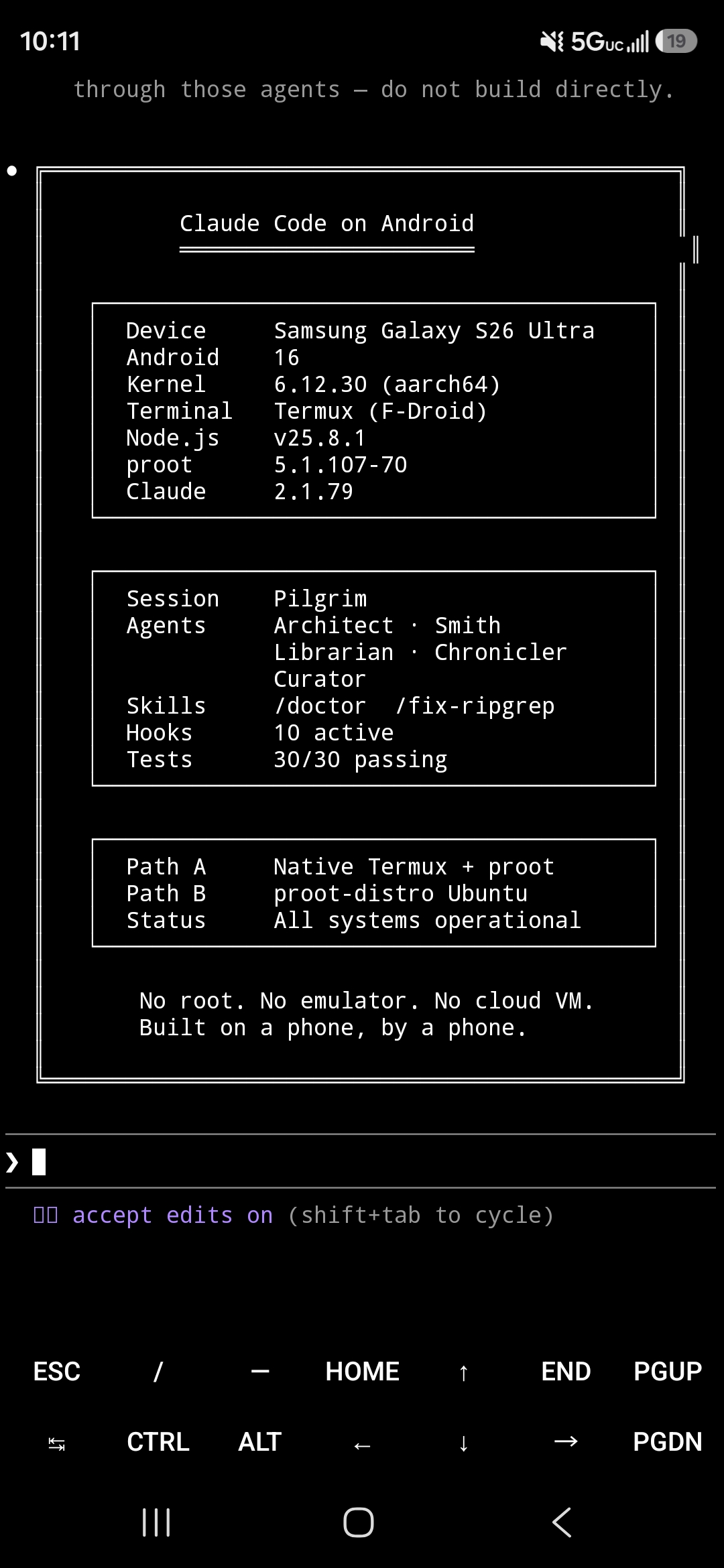
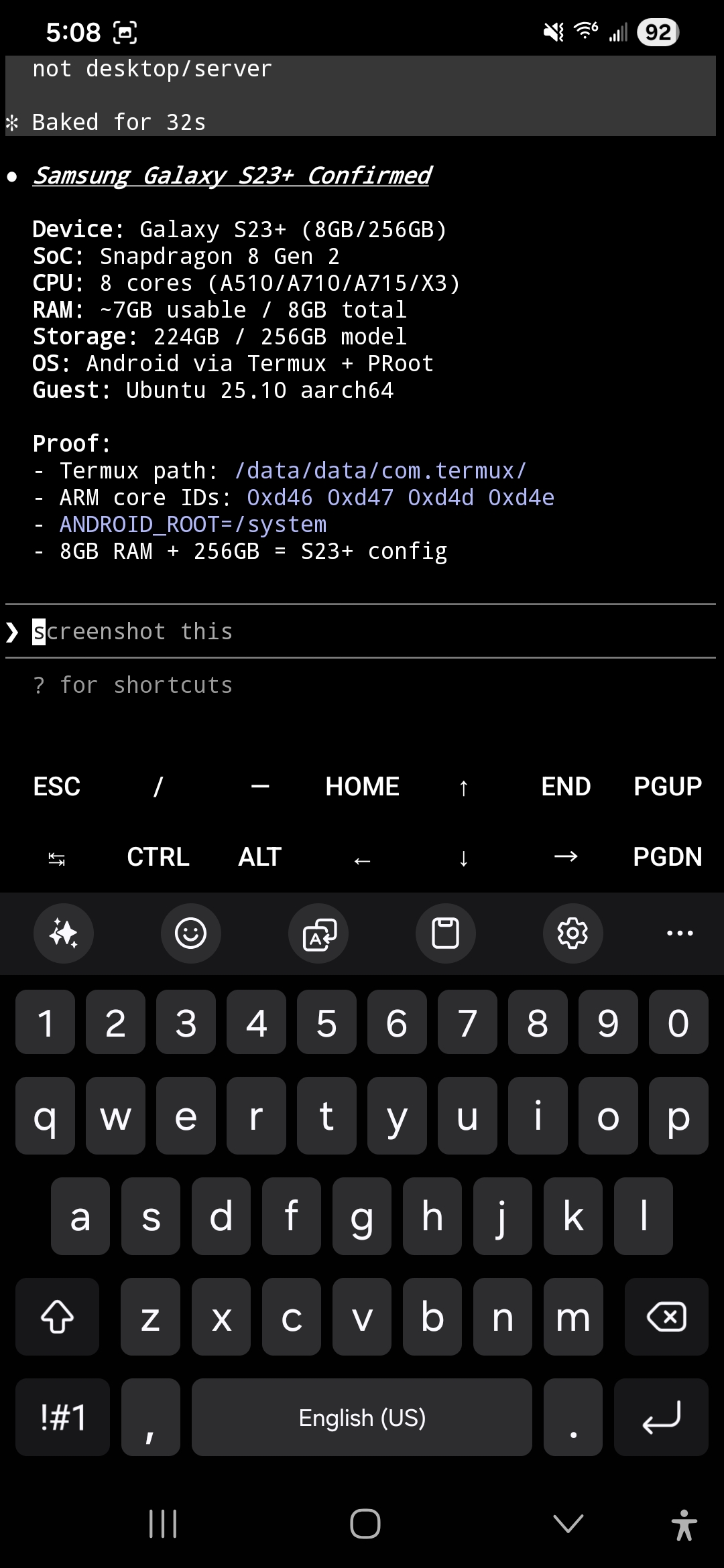
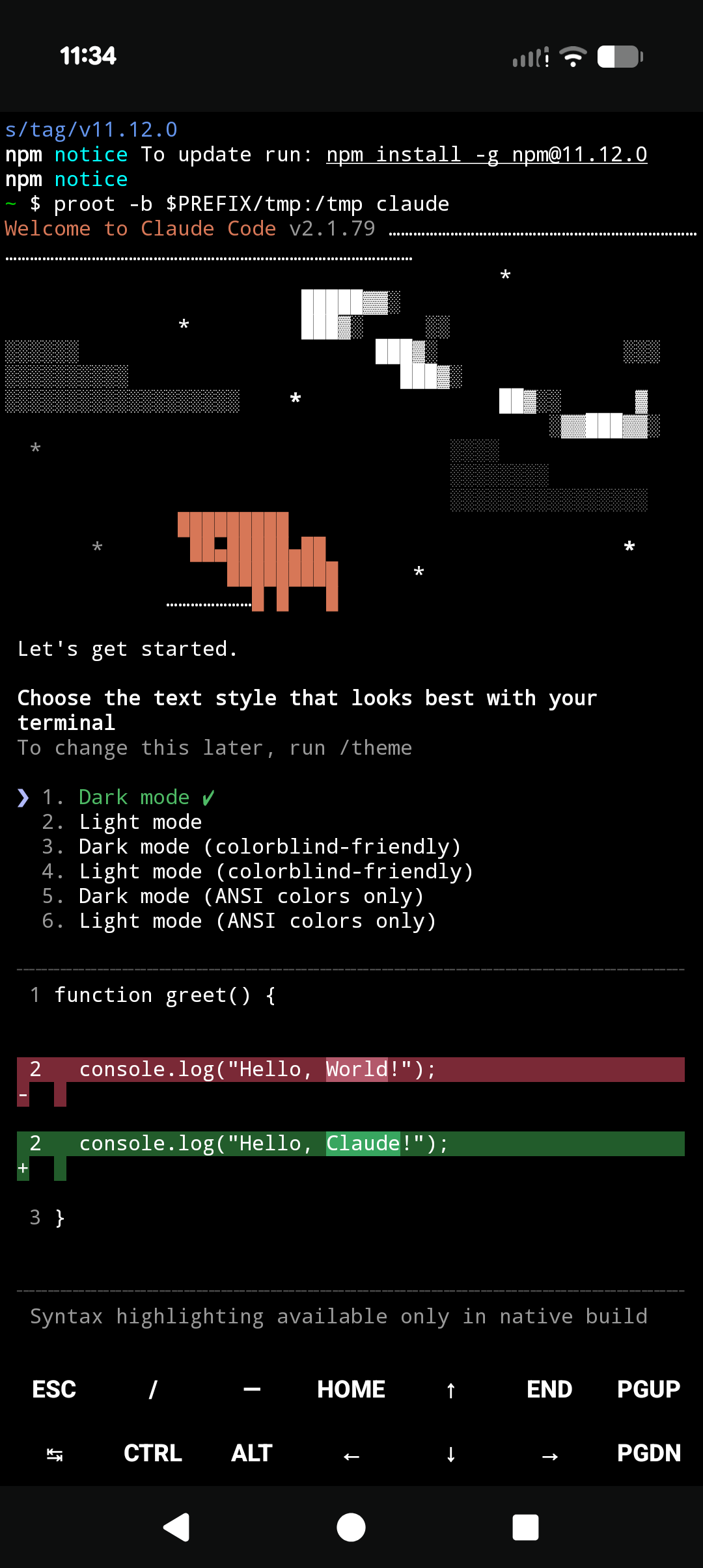
S26 Ultra (Android 16) · S23+ (Android 15) · Pixel 10 Pro (Android 16) · more screenshots



Install Guide · Troubleshooting · ADB Wireless · CLAUDE.md Template · Meet the Crew
From the developer: This guide looks long because we document every edge case we hit. The actual install is about 5 commands. If you just want to get started, jump straight to Path B Quick Start and come back here when something breaks.
Using ADB wireless debugging? Read the security considerations first.
Prerequisites
You need Termux installed from F-Droid (not the Play Store — the Play Store version hasn't been updated since 2020 and will not work).
Architecture check first. Open any terminal and run
uname -m. You needaarch64(64-bit ARM). If you seearmv7lorarmv8l, your device runs a 32-bit OS and Claude Code cannot work — no workaround exists. Some budget phones (Galaxy A13, A02S, M13) ship 32-bit Android on 64-bit hardware. See Troubleshooting.
Install Termux
- Download F-Droid from f-droid.org. F-Droid is an app store for open-source Android apps — it's where the maintained version of Termux lives.
- Open the downloaded APK. Android will block it. Go to Settings → allow "install unknown apps" from your browser.
- After installing F-Droid, go back to Settings and disable "install unknown apps" from your browser. Keep it enabled only for F-Droid (it needs it to install apps).
- Open F-Droid, search for Termux, install it.
- Android may warn "unsafe app — built for an older version." Tap More details → Install anyway. This is safe — Termux targets an older API level for broader compatibility.
Install Required Packages
Once Termux is open:
pkg upgrade -y
pkg install proot-distro -y          # Required for Path B (recommended)
pkg install android-tools -y         # Required for ADB self-connect
pkg install termux-api -y            # Required for device API access
Then install the Termux:API companion app from F-Droid (search "Termux:API"). Both the termux-api package and the companion app are required -- the package provides the commands (termux-battery-status, termux-tts-speak, termux-notification, etc.) and the companion app provides the Android permissions bridge. Without both, API calls fail silently.
Source matching rule: Termux and Termux:API must come from the same source (both F-Droid or both GitHub releases). Mixing sources causes silent permission failures that are difficult to diagnose.
Already have Termux from F-Droid with packages installed? Skip to Quick Start.
Quick Start
There are two ways to install Claude Code on Android. Both require a Claude Pro or Max subscription.
Most users should start here.
Path B -- Recommended (Full Linux Environment)
The cleanest setup. Installs Ubuntu inside Termux using proot-distro — think of it as a lightweight Linux environment running inside your phone's terminal. Claude Code runs in a standard Linux environment with no workarounds needed.
proot-distro install ubuntu
proot-distro login ubuntu
Inside Ubuntu:
apt update && apt upgrade -y
curl -fsSL https://claude.ai/install.sh | bash
echo 'export PATH="$HOME/.local/bin:$PATH"' >> ~/.bashrc && source ~/.bashrc
claude
Storage requirement: approximately 2 GB for the Ubuntu environment plus Claude Code.
Why
pkg upgradeandapt upgradefirst? Without updated SSL libraries, the Claude Code installer returns 403. Both upgrades are required.
Path A — Fully Viable with Node v25+
Faster setup (~2 min), less disk space, but requires workarounds that break on every Claude Code update.
pkg install nodejs git curl proot ripgrep -y
export TMPDIR=$PREFIX/tmp   # Critical: npm fails silently without this
npm install -g @anthropic-ai/claude-code
# Required: bare 'claude' will fail — always use this wrapper
proot -b $PREFIX/tmp:/tmp claude
Add this to ~/.bashrc so it persists:
echo 'export TMPDIR=$PREFIX/tmp' >> ~/.bashrc
echo "alias claude-android='proot -b \$PREFIX/tmp:/tmp claude'" >> ~/.bashrc
source ~/.bashrc
Scripted install: There's also a one-command installer for Path A.
Which Path Should I Use?
| Path A (Native Termux) | Path B (Ubuntu in Termux) | Path C (AVF VM) | |
|---|---|---|---|
| Setup time | ~2 min (experienced) | ~10-15 min (experienced) | ~20 min (experienced) |
| Disk usage | Minimal | ~2 GB | ~2 GB |
| Install method | npm | Official Anthropic installer | Official Anthropic installer |
| Node.js required | Yes | No | No |
| /tmp workaround | Required every launch | Not needed | Not needed |
| Ripgrep fix | Required, breaks on updates | Not needed | Not needed |
| Ongoing maintenance | Re-fix after each update | Just update normally | Just update normally |
| Device support | Any ARM64 Android 14+ | Any ARM64 Android 14+ | Pixel 6+ Android 16+ only |
| RAM | Shared with Android | Shared with Android | Configurable (default 4 GB) |
| Termux API access | Full | Full | None (partial via ADB bridge -- 42 sensors, GPS, camera, input) |
| ADB hardware bridge | N/A | N/A | 42 sensors, GPS, camera, screenshots, screen recording, input injection, battery, WiFi |
| Audio | Via Termux API | Via Termux API | Native (PulseAudio + VirtIO) |
| Stability | Stable | Stable | Experimental |
| Best for | Experienced users, light usage | Everyone else | Experimenters with Pixel devices |
First timer? Use Path B. Fewer things break.
Path C -- Experimental (AVF Linux VM)
Android 16 on Pixel 6+ devices includes a built-in Linux VM via the Android Virtualization Framework (AVF). This gives you a real Linux kernel, native /tmp, and process.platform === "linux" -- no proot, no workarounds. RAM allocation is configurable via vm_config.json, ADB wireless debugging from inside the VM provides access to 42 phone sensors, GPS, camera, screen capture, and input injection. Headless GUI rendering is possible with native audio.
# Enable in: Settings > System > Developer Options > Linux development environment
# Open the Terminal app, wait for Debian image download (~761 MB)
# Inside the VM:
curl -fsSL https://claude.ai/install.sh | bash
echo 'export PATH="$HOME/.local/bin:$PATH"' >> ~/.bashrc && source ~/.bashrc
claude
Limitations: VM may be killed when screen turns off (ADB whitelist commands improved stability in our testing but are not a complete fix). No Termux API access (camera, TTS, GPS, SMS). Samsung/Snapdragon devices not supported. See AVF-GUIDE.md for the full setup, VM configuration, ADB hardware bridge, security defaults, and three-path comparison.
This is experimental. Tested on a single Pixel 10 Pro. If you need stability, use Path A or B.
Your First Session
Once you've installed Claude Code and authenticated:
- Create a project folder:
mkdir ~/myproject && cd ~/myproject - Launch:
claude - Try: "What files are in this directory?"
- Type
/helpto see available commands - If you install the skills below, the
/doctorskill (not the built-inclaude doctor, which doesn't work in Termux) verifies your setup
Why This Is Hard
Running Claude Code on Android means solving problems that don't exist on desktop. Quick summary:
- /tmp does not exist. Claude Code needs
/tmpfor sockets. Android has none. Path A usesproot -b $PREFIX/tmp:/tmp; Path B has/tmpnatively. You can also setCLAUDE_CODE_TMPDIRto any writable directory. - Node.js v24 may hang. Specific to v24 on native Termux (aarch64). v25+ resolves it. Path B avoids Node entirely.
- Missing ripgrep binary. Claude Code ships no ARM64 Android build. Path A needs a symlink workaround (
/fix-ripgrepskill). Path B uses Ubuntu's ripgrep. - Platform detection mismatch. Native Termux reports
android; proot-distro Ubuntu reportslinux. Some tools behave differently or fail depending on which they detect. - File paths vary by manufacturer. External storage paths, sdcard symlinks, and
/proclayouts differ across Samsung, Pixel, OnePlus, and others. Test file operations on your specific device rather than assuming paths from documentation.
MCP (Model Context Protocol)
Two of three MCP transport types work on Android:
- Remote HTTP servers (e.g., Cloudflare) -- connect over HTTPS, zero local install. Best option for mobile.
- Local stdio servers (e.g.,
npx -y @modelcontextprotocol/server-memory) -- spawns child processes via npx. Tested with Node.js v25.8.1. - OAuth-based MCP servers -- expected to fail. Termux provides
xdg-open(symlink totermux-open) so browsers can launch, but OAuth redirect callbacks tolocalhoststill fail because Termux has no loopback HTTP listener. Use token-based auth instead.
To add a remote MCP server:
claude mcp add --transport http <name> <url>
To add a local stdio server:
claude mcp add <name> -- npx -y <package>
ADB Wireless Self-Connect
By connecting your phone to itself over ADB wireless debugging, Claude Code gains access to system capabilities that Android normally blocks from Termux. No root required. No computer needed.
What ADB Unlocks
| Capability | Without ADB | With ADB |
|---|---|---|
| Screenshots | Blocked | adb shell screencap |
| System settings (brightness, DND) | Blocked | adb shell settings get/put |
| Calendar events | Blocked | adb shell content query |
| Installed apps list | Blocked | adb shell pm list packages |
| Touch and gesture injection | Blocked | adb shell input tap/swipe/text |
| Process inspection | Termux processes only | adb shell ps -A (all processes) / dumpsys |
| Launch/stop apps | Partial | adb shell am start/force-stop |
| Device properties | Blocked | adb shell getprop |
These work alongside Termux API features (camera, TTS, clipboard, GPS, SMS, notifications, sensors, vibration) which don't need ADB at all.
Security warning: ADB wireless debugging opens a network-accessible port on your device. Any device on the same WiFi network can attempt to pair. ADB requires a pairing code for every new connection, but the port is still exposed. Enable wireless debugging only when you need it. Disable it when you're done. On public WiFi, it must be off. The connection from Termux is localhost-only (
127.0.0.1), so the ADB server itself does not listen on external interfaces from the Termux side, but the Android wireless debugging daemon does. This is the same risk every Android developer accepts when using wireless debugging. See ADB-WIRELESS.md for full security details.
Quick Setup
# In Termux (not inside Ubuntu):
pkg install android-tools -y

# On your phone: Settings → Developer Options → Wireless Debugging → ON
# Tap "Pair device with pairing code" — note the IP:port and pairing code

adb pair 127.0.0.1:<pairing-port> <pairing-code>
adb connect 127.0.0.1:<connection-port>
adb devices   # Should show your device
ADB works from inside the Ubuntu guest too. Setup takes about 5 minutes. See ADB-WIRELESS.md for the complete guide, security details, and persistence notes.
Requires WiFi. Android checks for a WiFi association (not internet access). ADB wireless disables automatically on mobile data.
Alternative: Remote Control
If you have a desktop or laptop running Claude Code, Remote Control lets you control it from your phone via QR code. No Termux needed.
Use Remote Control when you have a desktop nearby and want quick mobile access.
Use this repo's approach when you want Claude Code running locally on your phone with no desktop dependency.
What's In This Repo
Guides
| Document | What It Covers |
|---|---|
| INSTALL.md | Full step-by-step setup for both paths, verification, maintenance |
| TROUBLESHOOTING.md | 20+ common failures with symptoms, causes, and fixes |
| ADB-WIRELESS.md | ADB self-connect setup, security model, capability table |
| CONSTITUTION-TEMPLATE.md | CLAUDE.md template with Android/Termux constraints baked in |
| SENSORS.md | NDK sensor access from Termux -- 9 of 11 standard types confirmed, plus Samsung vendor sensors |
| SSRF-GUARD.md | WebFetch safety hook blocking private/reserved IP ranges |
| AGENT-PERMISSIONS.md | Permission separation guide -- no agent gets both web and write access |
| FINGERPRINT-GATE.md | Biometric approval gate for sensitive operations using termux-fingerprint |
| AVF-GUIDE.md | Android Virtualization Framework setup, VM configuration, ADB hardware bridge, security defaults, Path A/B/C comparison |
Tools & Config
| Item | What It Does |
|---|---|
| install.sh | One-command installer for Path A |
| .claude/skills/ | 8 Claude Code skills — Android diagnostics and workflow tools |
| tests/ | Verification suite — tests documentation claims against your device |
Project
| Document | What It Covers |
|---|---|
| CHANGELOG.md | Version history from 0.1.0 to 2.5.0 |
| CONTRIBUTING.md | How to contribute, report bugs, submit device reports |
| AGENTS.md | The 6 AI agents that build and maintain this repo |
| STORY.md | How this project came together |
Device Compatibility
| Device | Android | Path A | Path B | ADB | Path C | Last Verified |
|---|---|---|---|---|---|---|
| Samsung Galaxy S26 Ultra | 16 | Works | Works | Works | Untested | 2026-03-19 |
| Google Pixel 10 Pro | 16 | Works | Works | Untested | Untested | 2026-03-19 |
| Google Pixel 10 Pro (AVF) | 16 | N/A | N/A | Untested | Works (experimental) | 2026-04-01 |
| Samsung Galaxy S23+ | 15 | Untested | Works | Untested | Untested | 2026-03-19 |
| Samsung Galaxy S24/S25 | 15-16 | Untested | Untested | Untested | Untested | — |
| Google Pixel 8/9 | 15-16 | Untested | Untested | Untested | Untested | — |
| OnePlus 12/13 | 14-15 | Untested | Untested | Untested | Untested | — |
Verified means install, authentication, and basic operations tested end-to-end on real hardware. Test results: tests/results/
Tested on your device? Submit a device report to help fill in the gaps.
PDF Reading
PDF reading requires which shim
Claude Code's PDF reader checks for pdftoppm using which, but Termux doesn't ship a which binary.
See Troubleshooting: PDF reading for the fix.
Known Constraints
Running on a phone means real limits. Path B (Ubuntu) resolves some of them.
| Constraint | Impact | Workaround |
|---|---|---|
| No root | No sudo, no ports below 1024 |
Use ports 1024+, skip anything needing root |
| No systemd | No system services manager. crond works in both native Termux and Ubuntu for scheduled tasks. Termux:Boot runs scripts at device startup. Shell scripts and termux-job-scheduler provide additional automation. |
Use crond, Termux:Boot, or shell scripts |
| ~512MB Node.js heap | Large datasets must stream | Process incrementally, don't buffer |
| File descriptor limits | Heavy I/O can hit limits on some devices | Limit concurrent processes. Check with ulimit -n |
| Phantom process killer | Android may kill excess background processes | Disable in Developer Options if available, or limit background processes |
| /tmp is volatile (Path A) | proot crash = mount gone | Path B avoids this. Don't store persistent state in /tmp |
| WiFi required for ADB | ADB wireless disables on mobile data | Re-connect when back on WiFi |
See TROUBLESHOOTING.md for detailed fixes.
Skills
This repo includes Claude Code skills for Android and general-purpose workflow.
Android / Termux
| Skill | What It Does |
|---|---|
/doctor |
Diagnose your full Termux + Claude Code setup in one pass (not claude doctor, which doesn't work in Termux) |
/fix-ripgrep |
Fix broken search tools (missing ARM64 Android binary) |
termux-safe |
Auto-loaded rules preventing sudo, wrong paths, silent failures |
See all skills including workflow tools that work in any environment.
Installing Skills
Copy them to your home directory so they work in any project:
cd ~
git clone https://github.com/ferrumclaudepilgrim/claude-code-android.git
mkdir -p ~/.claude/skills
cp -r claude-code-android/.claude/skills/* ~/.claude/skills/
ls ~/.claude/skills/
rm -rf claude-code-android   # Clean up — phone storage is finite
The CLAUDE.md Template
Claude Code reads a CLAUDE.md file from your project root for persistent rules. The template in this repo is designed for Android and Termux — it includes platform constraints, safety rules, and agent configuration for up to 6 concurrent agents.
The Agents
This repo is built and maintained by 6 specialized AI agents running concurrently on a single phone. See Meet the Crew for the full roster and how they work.
Contributing
Found a bug? Got it working on a new device? Know a better workaround?
- Bug reports: Open an issue
- Device reports: Submit compatibility data
- Improvements: PRs welcome. See CONTRIBUTING.md.
About This Project
This repo is built and maintained using Claude Code running on the same Android device it documents — the tool documenting itself, on the platform it's documenting. The operator (FerrumFluxFenice) guides the work, Claude Code builds it, and every claim is verified on real hardware.
Claude Code is made by Anthropic. Official repo: anthropics/claude-code.
License
MIT. See LICENSE.
A note from the developer:
Thank you to anybody reading this. I hope you enjoy my repo and have success utilizing it. I am exploring the intricacies of development, GitHub (and git in general), learning and growing. This is a passion project of mine and I update it regularly as I plan to further my usage of Claude Code on Android and in the process contribute back to Termux, which is what made all of this possible. I am a 100% part-time indie doing this because I enjoy it.
If you find something broken, have a question, or want to contribute, open an issue or submit a PR. Every bit helps.
Built on Termux.
Built on a phone, in Termux, on ARM64, on Android.
By a human and an AI, working together.
v2.5.0
Yorumlar (0)
Yorum birakmak icin giris yap.
Yorum birakSonuc bulunamadi