coppice
Health Warn
- License — License: Apache-2.0
- Description — Repository has a description
- Active repo — Last push 0 days ago
- Low visibility — Only 5 GitHub stars
Code Fail
- process.env — Environment variable access in .github/workflows/apt-repo.yml
- Hardcoded secret — Potential hardcoded credential in config.example.toml
Permissions Pass
- Permissions — No dangerous permissions requested
No AI report is available for this listing yet.
Hire specialists. Keep the final say.
English · Tiếng Việt · 简体中文 · 繁體中文(台灣) · 繁體中文(香港) · 日本語 · Français

Coppice
Hire specialists. Keep the final say.
Coding agents with their own roles plan, build and review on one board, and nothing is done until you accept the diff.
Local, open source, with the agent CLIs you already pay for.
Download for macOS (Apple Silicon) · Download for Linux (.deb) · Other downloads · Docs


-lightgrey)
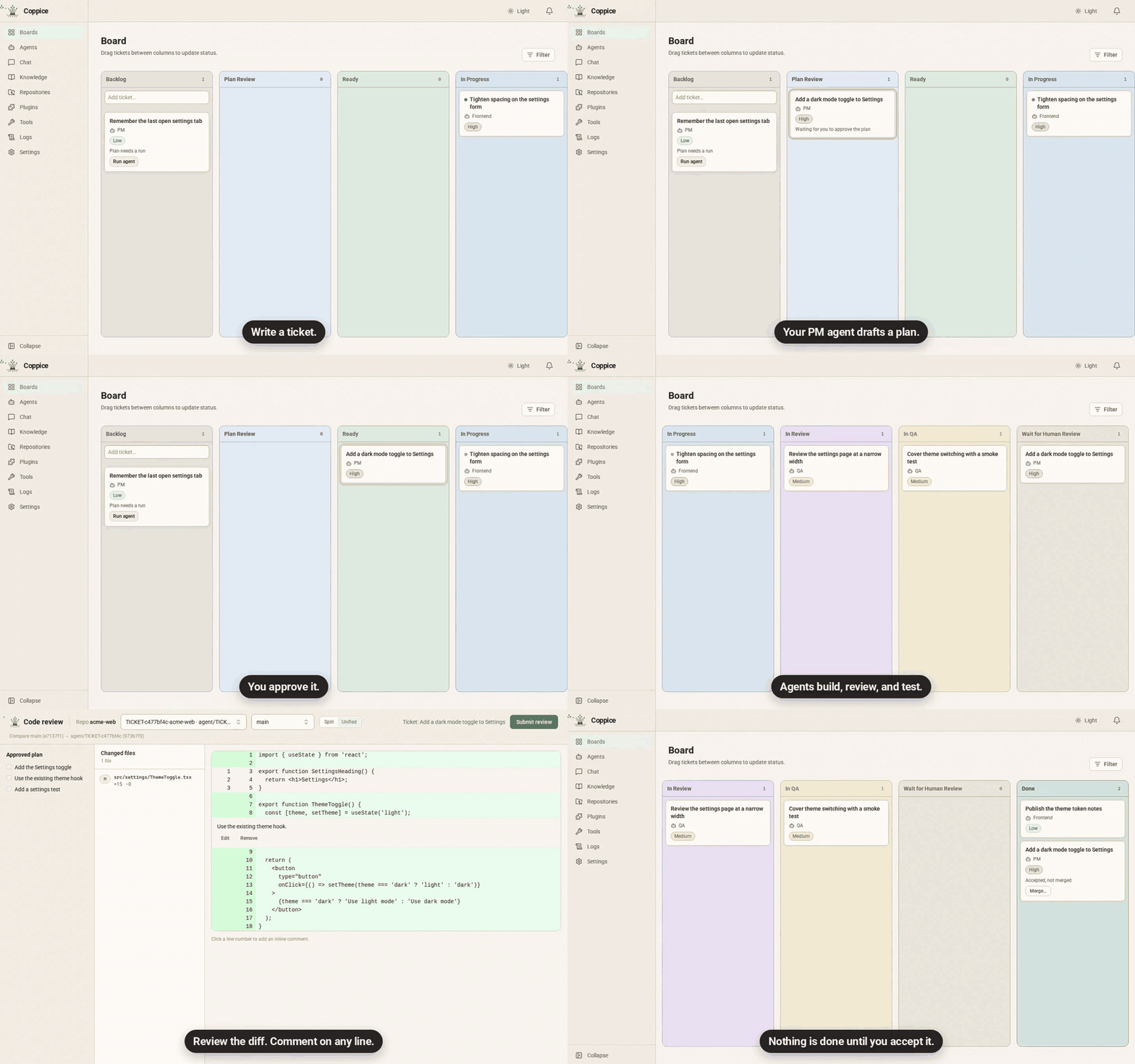
Your PM agent drafts the plan, and you approve it. Specialist agents build in parallel, each on its own branch. The board shows what's moving, what's stuck and what's waiting on you. Nothing is done until you accept the diff.
Download, open, work. There's nothing to set up: no Docker and no Coppice account.
Why Coppice
- The right model for each role. Every agent picks its own CLI and model. Plan and review with your strongest model, and code with a faster one, all on one board.
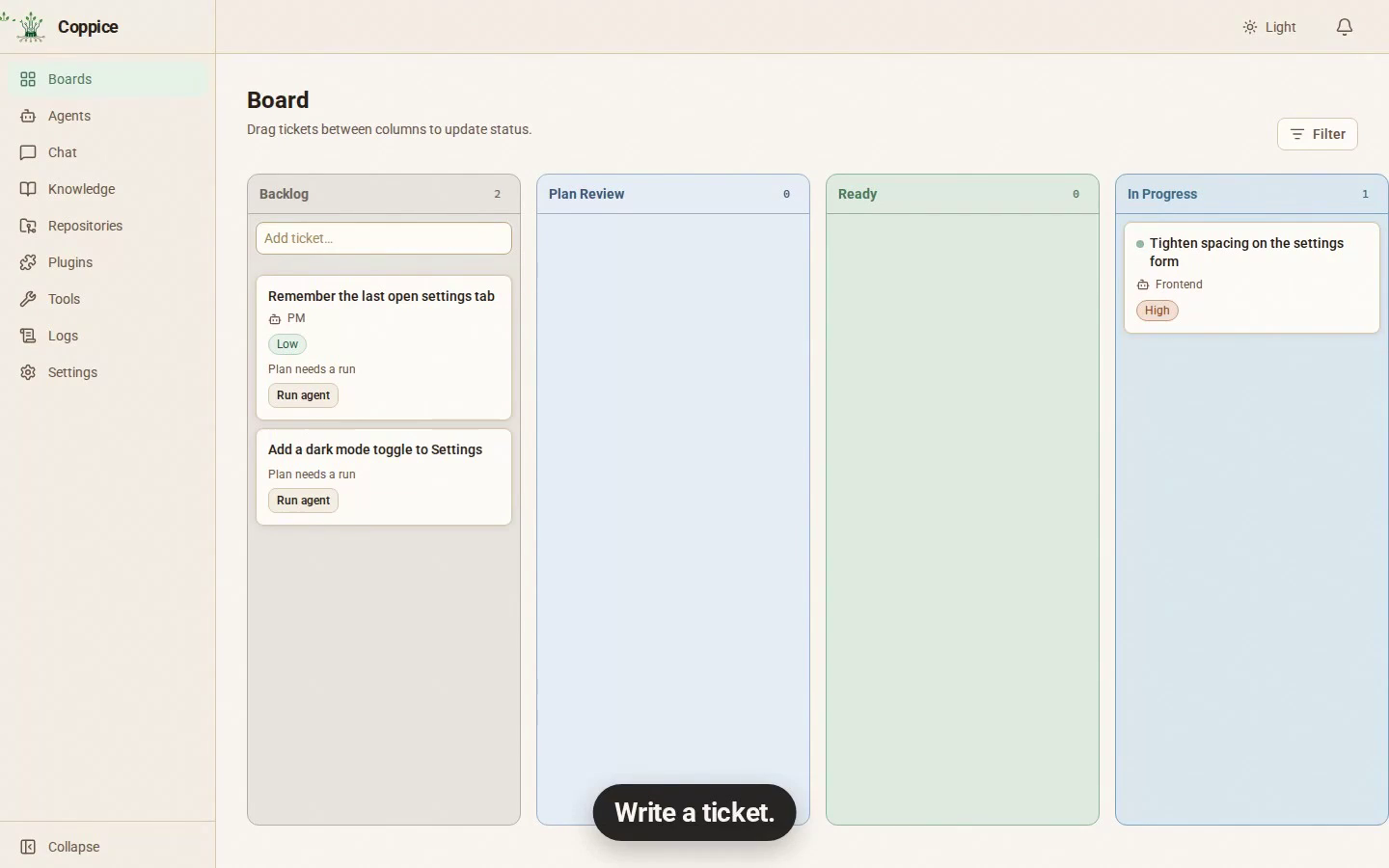
- Stop tab-hopping between terminals. Every agent's work is a card on one board. Blocked tickets and work waiting for your review stand out, so you know where you're needed.
- Catch mistakes before they land. Every change waits for you as a diff in the app. Nothing counts as done until you accept it, and what you accept is exactly what merges.
- No second subscription. Coppice drives the CLIs you already pay for, signed in the way you already use them.
How it works
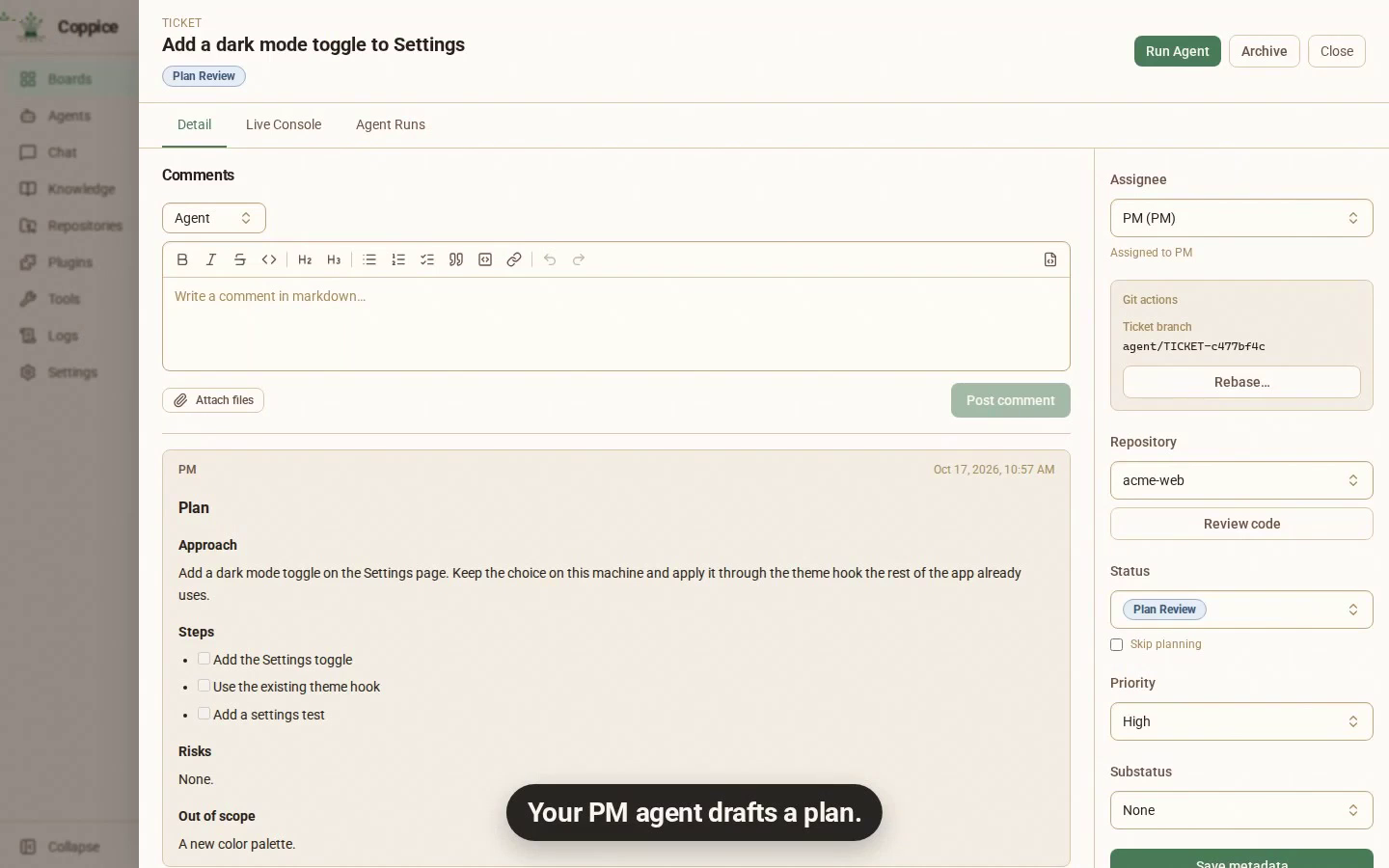
- Hand off the work. Write a ticket, or approve one an agent suggests. Assign it to your PM agent, which drafts a plan you approve before anyone writes code. Turn on Skip planning to send a ticket straight to Ready.
- Let agents build. Each ticket gets its own git worktree, so parallel agents never touch your main checkout. Follow any run live.
- Human Review. Read the diff in the app and comment on any line. Nothing counts as done until you accept it.
 |
 |
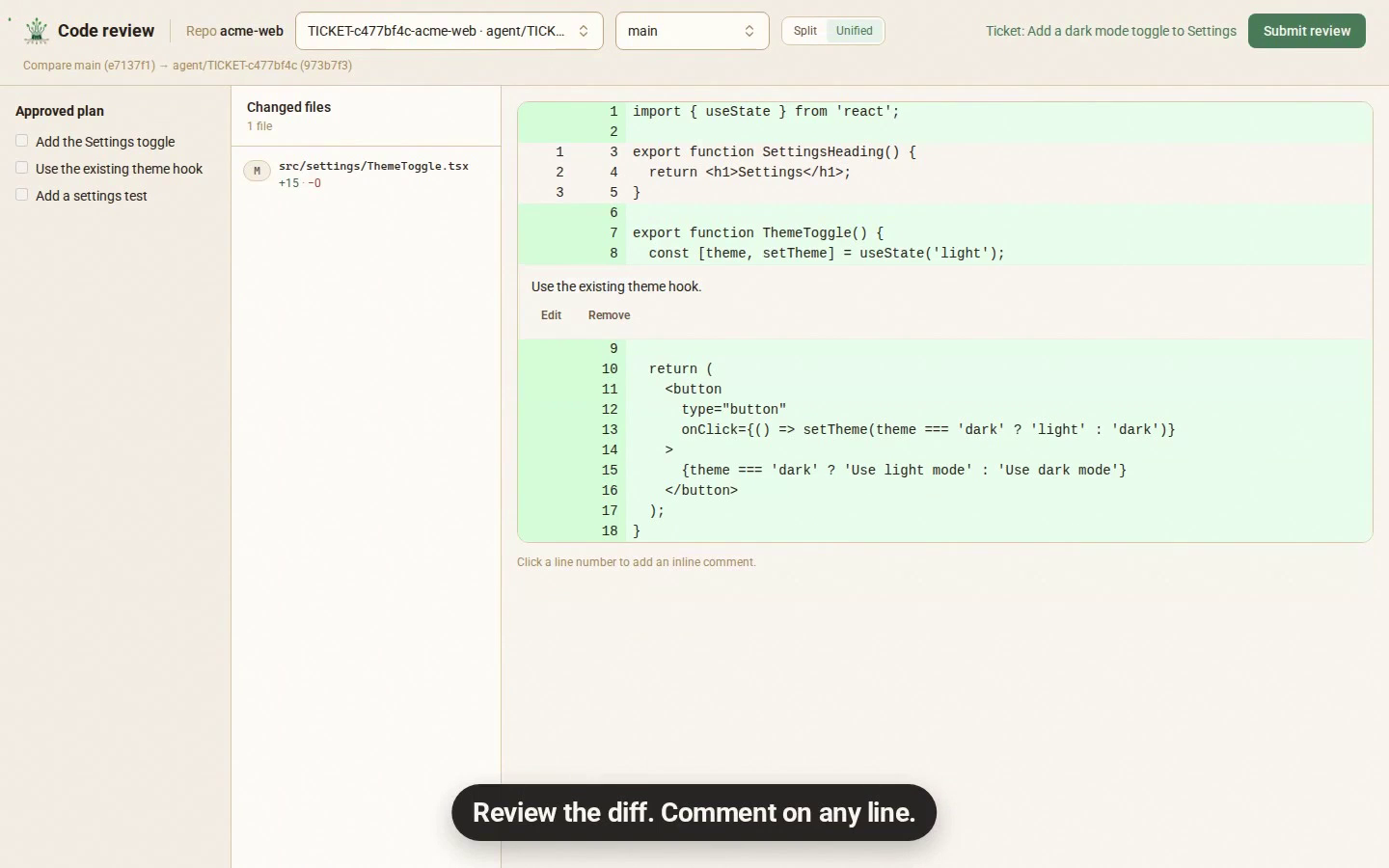 |
| One board for every agent | Approve the plan first | Review the diff, line by line |
Works with the CLIs you already use
Install and sign in to them the usual way. Coppice finds them on your login shell PATH.
| CLI | Command | Tested versions |
|---|---|---|
| Claude Code | claude |
2.1.309 |
| Codex | codex |
0.163.0 |
| Cursor | cursor-agent |
2026.10.01 |
| OpenCode | opencode |
1.x, 2.x |
| Kilo Code | kilo |
7.8.3 |
| GitHub Copilot | copilot |
1.0.98 |
| Qwen Code | qwen |
0.25.2 |
| Kimi Code | kimi |
2.2.0 |
| Grok | grok |
1.0.62 |
Compatibility info will be updated over time as we test more CLI versions.
See Providers for install links and what each one supports.
What else is inside
- Chat with your agents. Talk about your code, an idea or a ticket. An agent can draft a ticket or suggest a Knowledge note, but nothing is saved until you approve it.
- Everything is on the card. Comments, plans and agent runs live on the ticket. Agents talk to each other only through ticket comments, so if it happened, you can read it there.
- Knowledge. Agents save notes about your project for later tickets. By default, you approve what they keep.
- Plugins. Give agents skills and MCP tools. Install a plugin from git or a folder, then choose which agents can use it.
- Automatic updates. The Linux app updates through apt and the macOS app updates itself.
What it is not
- Not a cloud coding service
- Not a Jira replacement
- Not "tell the agent and get the finished product"
Get started
- Download Coppice: a
.dmgfor macOS (Apple Silicon or Intel), a.debfor Linux (amd64orarm64), or Windows 11 through WSL. - Follow the install steps.
- Read Getting started to set up your first agent and ticket.
Beta. Coppice is in beta. Please open an issue when something breaks or feels wrong.
Contributors
Docker Compose is how contributors and CI run the stack. Start with AGENTS.md and docs/development.md. The roadmap is docs/milestones/README.md. The product docs are the site in website/.
License
Coppice is open source under the Apache 2.0 license.
Reviews (0)
Sign in to leave a review.
Leave a reviewNo results found