firenook
Health Pass
- License — License: Apache-2.0
- Description — Repository has a description
- Active repo — Last push 0 days ago
- Community trust — 92 GitHub stars
Code Warn
- process.env — Environment variable access in .github/workflows/packages.yml
- fs module — File system access in .github/workflows/packages.yml
- process.env — Environment variable access in .github/workflows/release-npm.yml
- fs module — File system access in .github/workflows/release-npm.yml
Permissions Pass
- Permissions — No dangerous permissions requested
No AI report is available for this listing yet.
A faster drop-in replacement for the Firebase Local Emulator Suite: keep your firebase.json, SDKs and ports, and get 40× faster writes, 10× less memory, no Java, and data that survives restarts.
A faster drop-in replacement for the Firebase Local Emulator Suite
Keep your firebase.json, SDKs and ports. Get 40× faster writes,
10× less memory, no Java, and data that survives restarts.



Getting started · Docs · Benchmarks · Compatibility · Releases
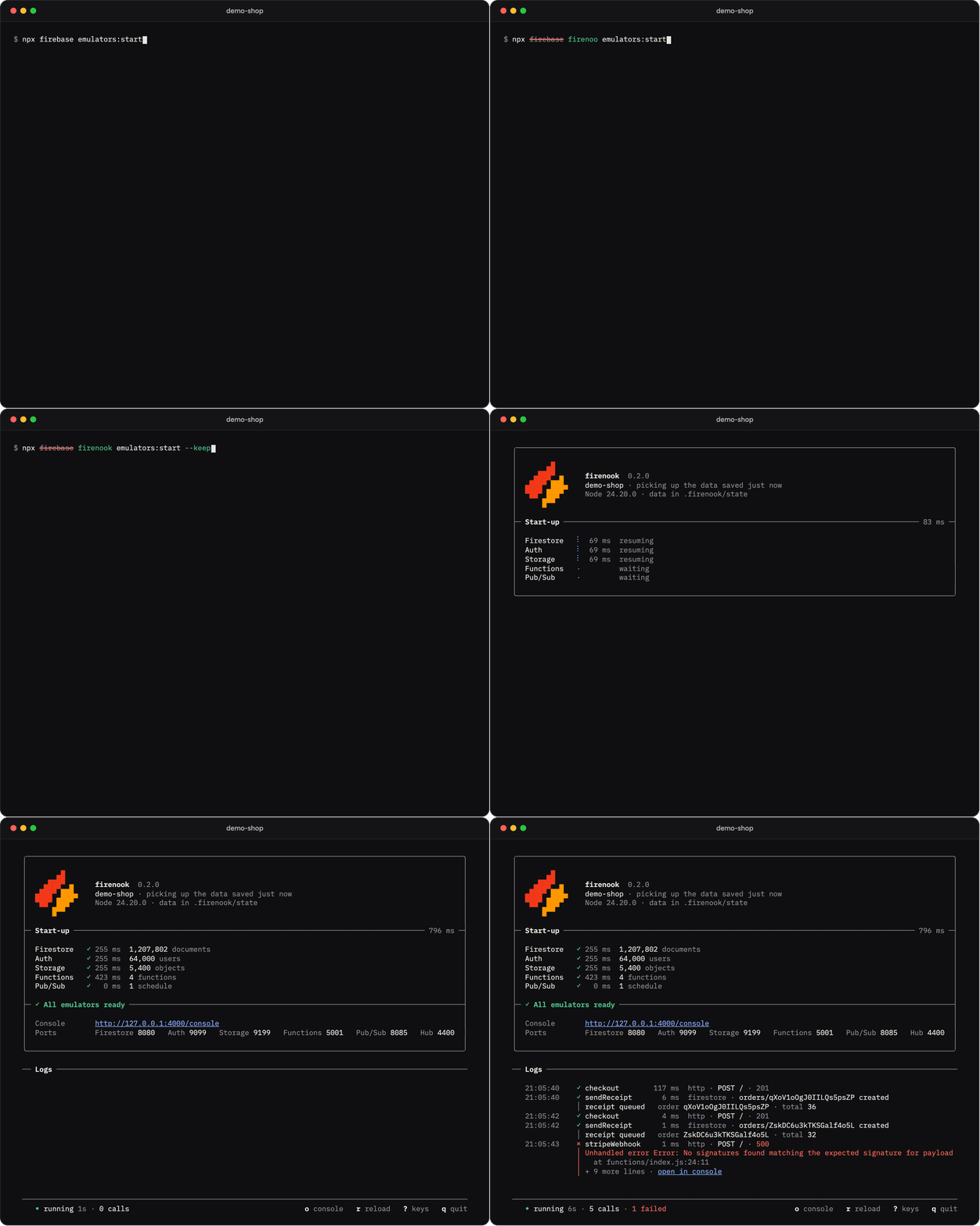
Already using the Firebase emulators? Install Firenook and change one word:
npm install --save-dev firenook
- firebase emulators:start --import ./data
+ firenook emulators:start --import ./data
Same flags, same ports, and your firebase.json, rules, Functions code and app
stay as they are. In a terminal, run it as npx firenook emulators:start. To
keep your data between runs, with no export at every stop, add --keep-data.
Firenook needs Node 22, 24 or 26, on macOS, Linux or Windows. Starting a new project?npx firenook init sets one up. Get started covers both.
Why Firenook
A drop-in for the official emulator. Firenook reads firebase.json,.firebaserc, rules and indexes the way the Firebase CLI does, serves
Firestore, Auth, Storage, Functions, Pub/Sub, Cloud Tasks and Eventarc on the
same ports, and your client and Admin SDKs connect unchanged. It imports and
exports the official format, so your data moves both ways. Every change is
checked against recorded behaviour of the official emulator.
Fast and light. The services are native Rust and the data lives on disk,
not in a Java heap. On a real application's two-hour workload, Firenook
peaked at 2.11 GiB of memory where the official emulator reached 22.57 GiB,
answered writes in 5.1 ms against 208 ms at the median, and used 61% less CPU.
Your data stays. Add --keep-data and Firestore, Auth and Storage come
back with all your data in about half a second, even with millions of
documents: no export at every stop, no import at every start. A
crash loses at most the last second of writes, where the official emulator
loses everything since its last export, and a stop always closes the data
cleanly.
One package, nothing else to install. No Java, no firebase-tools, nothing
else downloaded at install or start: one npm package with a native engine for
macOS, Linux and Windows. Node runs your Functions, as in production. (An
Extension from the registry is fetched once, on first use;firenook ext:vendor makes even that offline.)
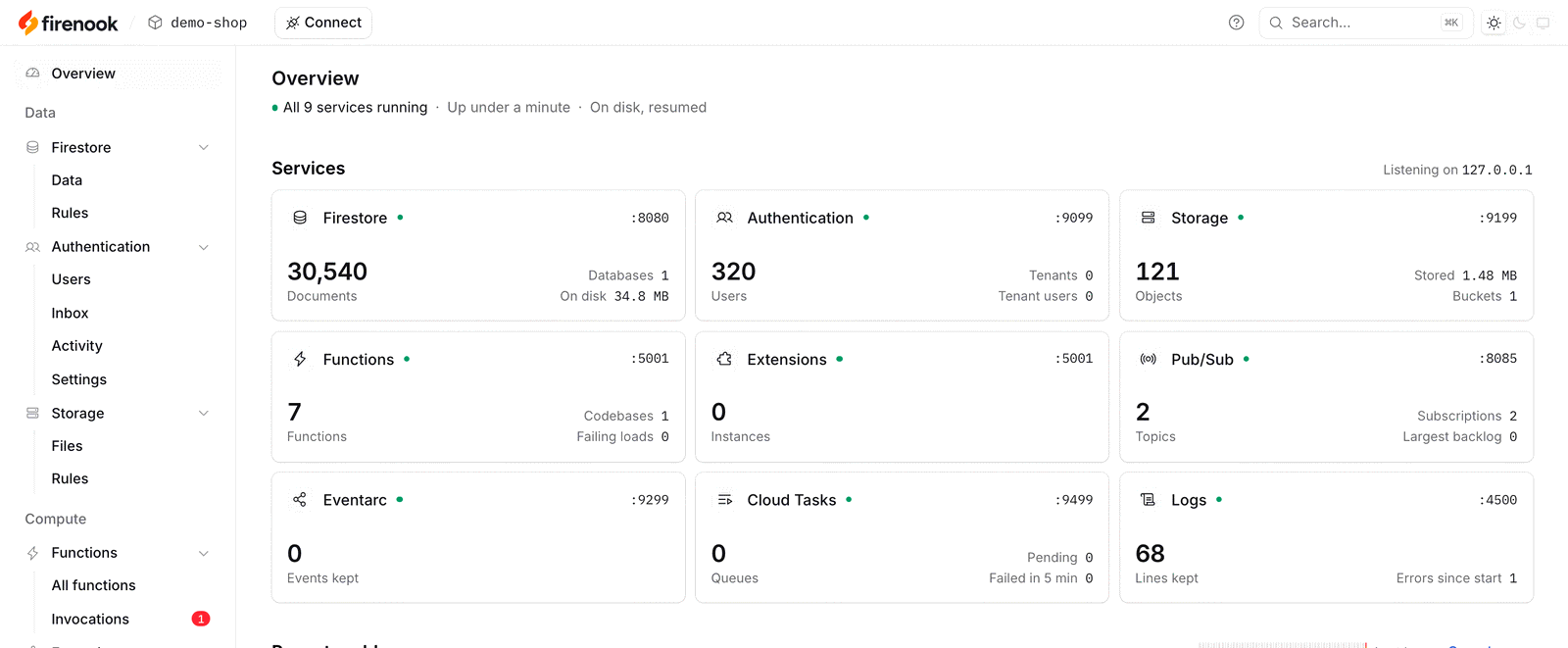
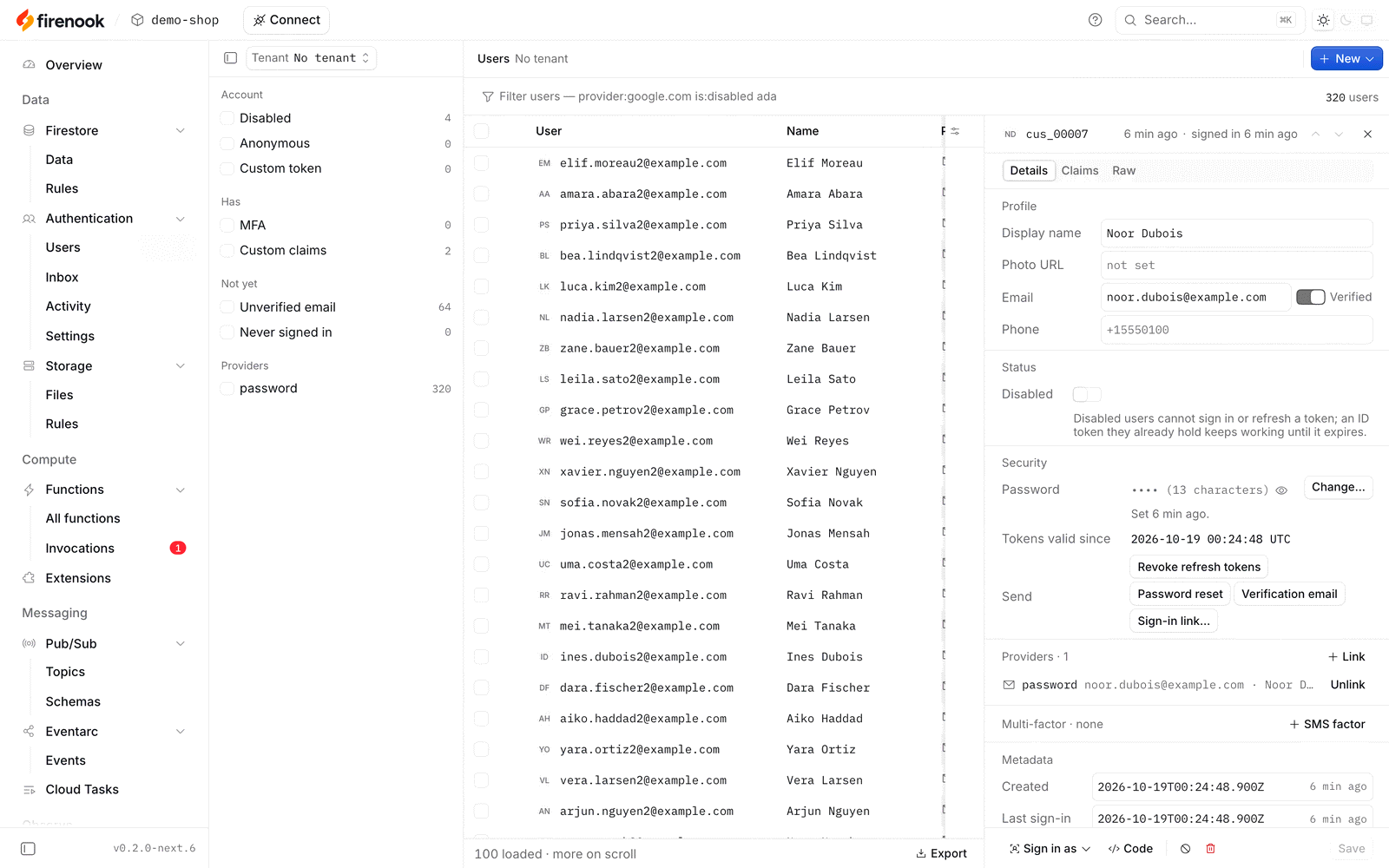
A console and a terminal made for it. A web console for every service,
live as your app runs, and a terminal screen that shows each function call,
what triggered it, how long it took, and the stack trace when it fails.
Ready for your agent. firenook mcp gives a coding agent the running
suite: read and write Firestore, manage users and sign in as them, read the
logs and each function call with its error, ask the Security Rules why a
request is denied, and work with Storage files, Pub/Sub, Cloud Tasks and
Eventarc. npx firenook mcp add sets it up for Claude Code, Cursor and VS Code
in the project's own files; other agents run
the same npx firenook mcp. Nothing leaves your machine.
What it emulates
| Service | Port | Highlights |
|---|---|---|
| Firestore | 8080 | Native and web SDKs, realtime listeners, Security Rules, named databases, official import and export |
| Authentication | 9099 | Every operation of the official Auth emulator: password, email link, phone, anonymous, custom tokens, test sign-in with Google, Apple and other providers, MFA, passkeys, tenants, blocking functions |
| Cloud Storage | 9199 | Firebase and Cloud Storage APIs, Security Rules evaluated natively, including firestore.get() and exists() |
| Cloud Functions | 5001 | HTTP, callable and streaming functions; Firestore, Storage, Auth, Pub/Sub, Eventarc, schedule and task-queue triggers; reload on save; --inspect-functions; functions:invoke for any trigger |
| Extensions | 5001 | Local, vendored or registry sources, offline once vendored |
| Pub/Sub | 8085 | Every RPC over gRPC and HTTP/JSON: push, ordering, filters, dead-letter topics, seek, snapshots, Avro schemas |
| Cloud Tasks | 9499 | Queues for onTaskDispatched with the official retry and rate-limit behaviour |
| Eventarc | 9299 | Custom events delivered to onCustomEventPublished |
The console is on 4000, the hub on 4400 and logging on 4500. These are the
official suite's ports, and firebase.json changes them the same way.
Realtime Database, Hosting, App Hosting and Data Connect are not emulated; afirebase.json that configures them still starts, with a warning.
COMPATIBILITY.md records what each service covers and what
it does not.
The console
The console the Firebase emulators should have had. Google's Emulator UI
has no page for your Functions, Pub/Sub, Cloud Tasks or Eventarc, only a log.
Firenook's console covers every service it runs, live, on the Emulator UI's
port, at http://127.0.0.1:4000/console:
- Functions: every call with what triggered it, its outcome, its duration
and its logs, and every schedule. The official UI has only the log. - Authentication: users, their activity, and an inbox of the sign-in codes
and email links Auth would have sent, so you never dig through the terminal
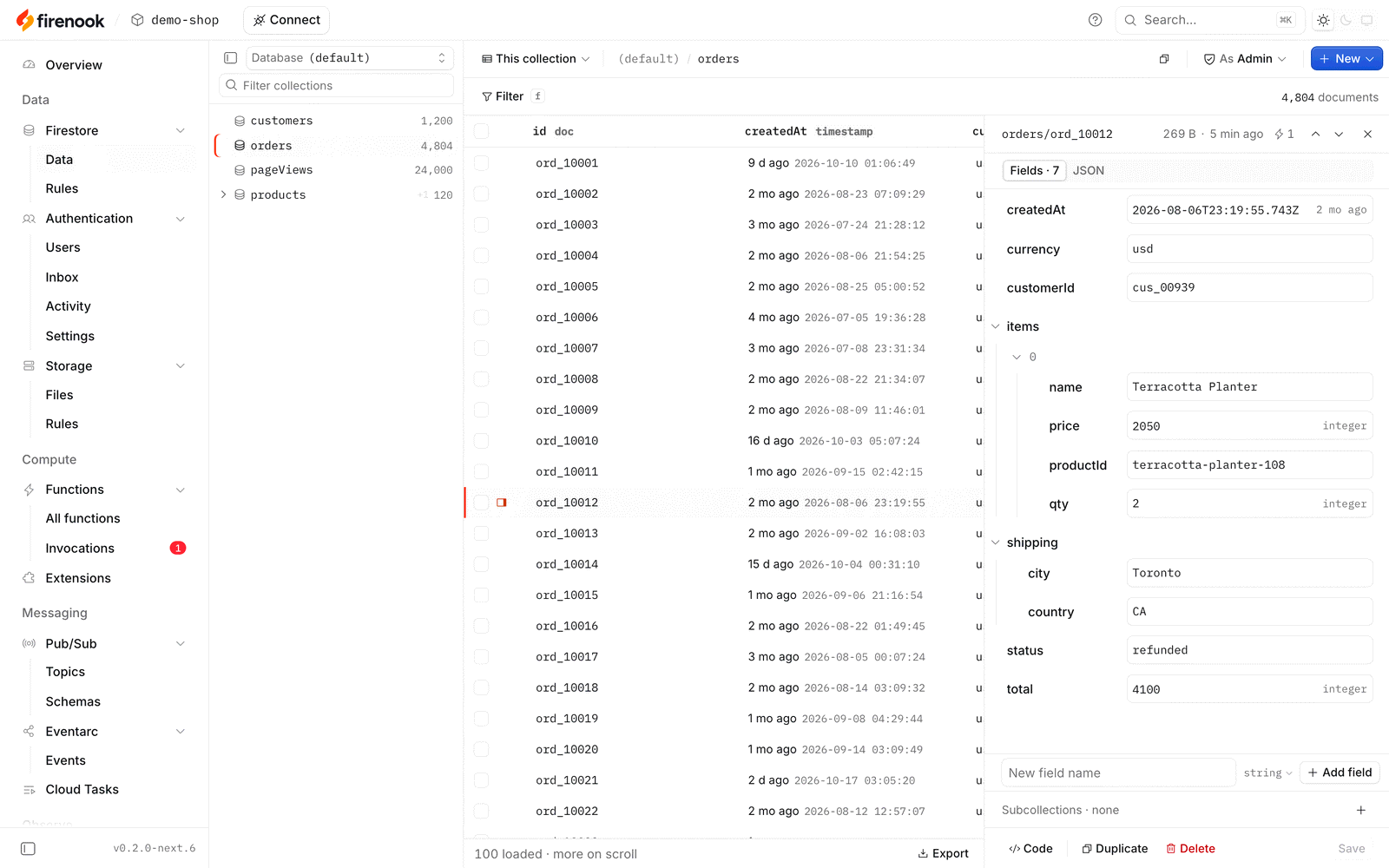
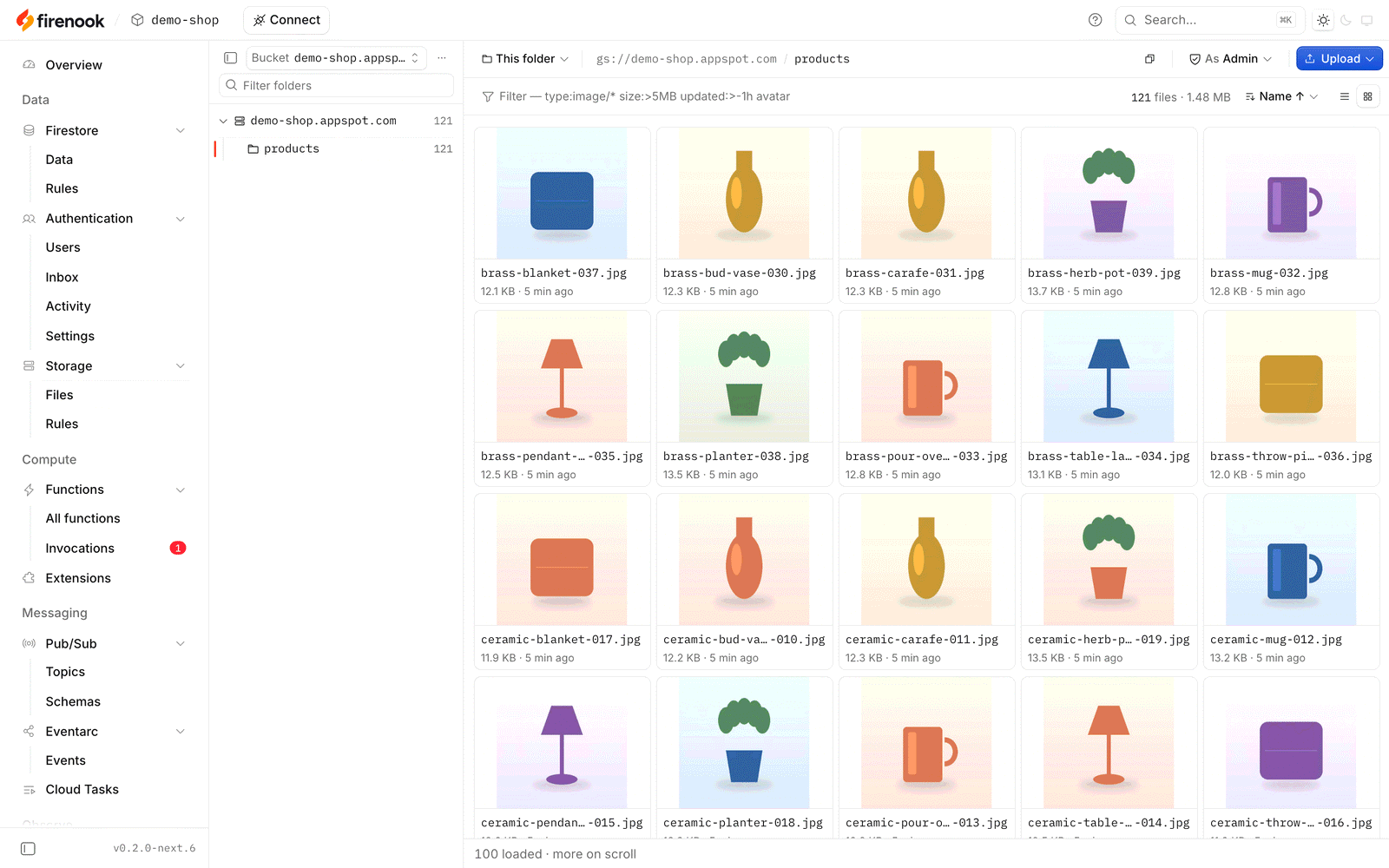
for them. - Firestore and Storage: browse, edit and upload, and read their
security rules. - Pub/Sub, Cloud Tasks and Eventarc, which the official UI has no pages
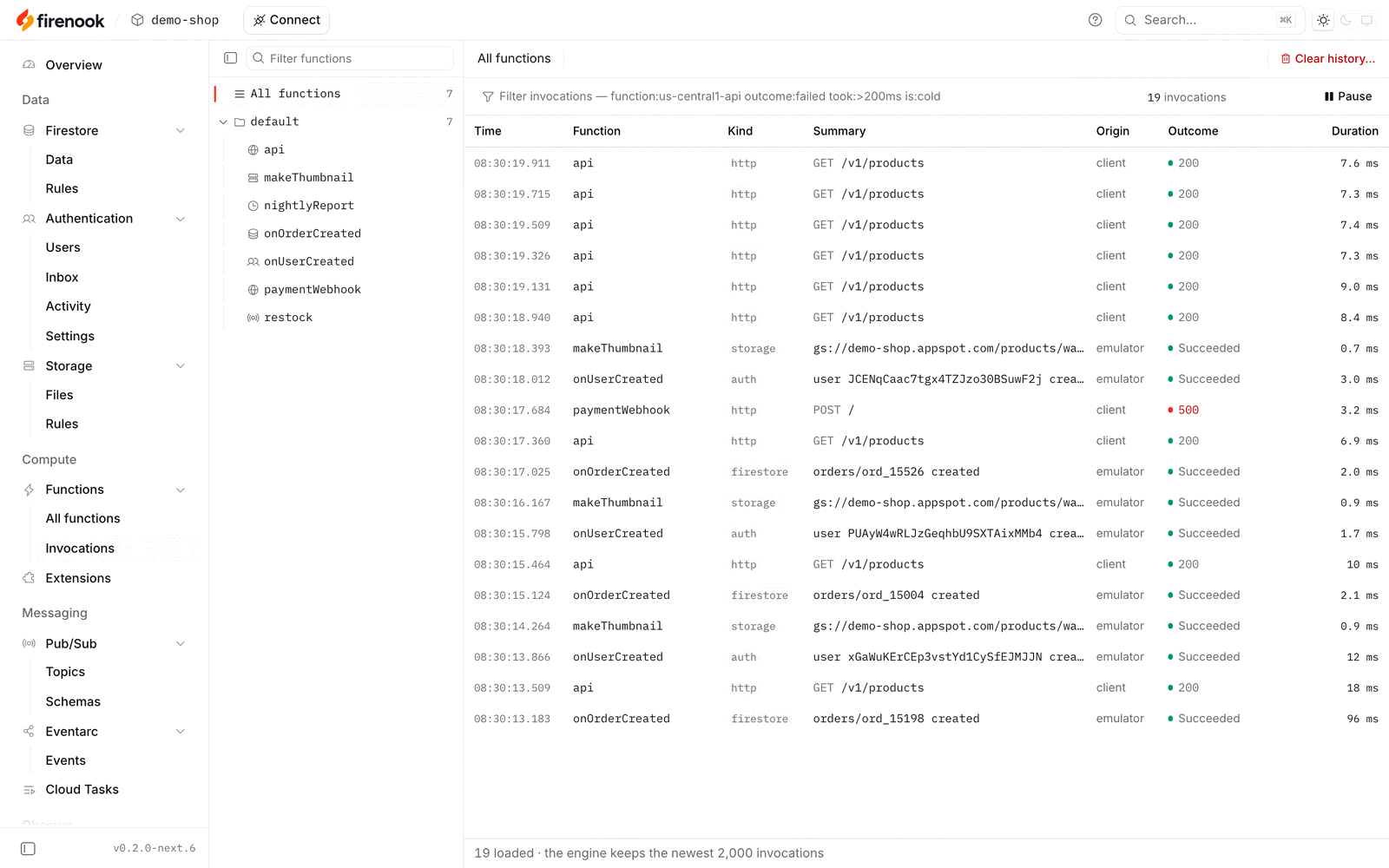
for. - An Overview of every service's health and recent problems, with
snapshots and resets a click away.
Light and dark, works offline, sends nothing anywhere. Bookmarks to the
official UI's pages open the matching console page.
| Function invocations | Authentication |
|---|---|
 |
 |
| Firestore | Storage |
 |
 |
More in the console guide.
Benchmarks
One server (a Ryzen 5 3600 with 64 GiB), one real application with 211,205
Firestore documents and 6.7 GB in Storage, and two hours of its traffic against
each emulator in turn. Then each emulator alone on the same data: starts,
stops, 26 query shapes and a store grown to 2.5 million documents.
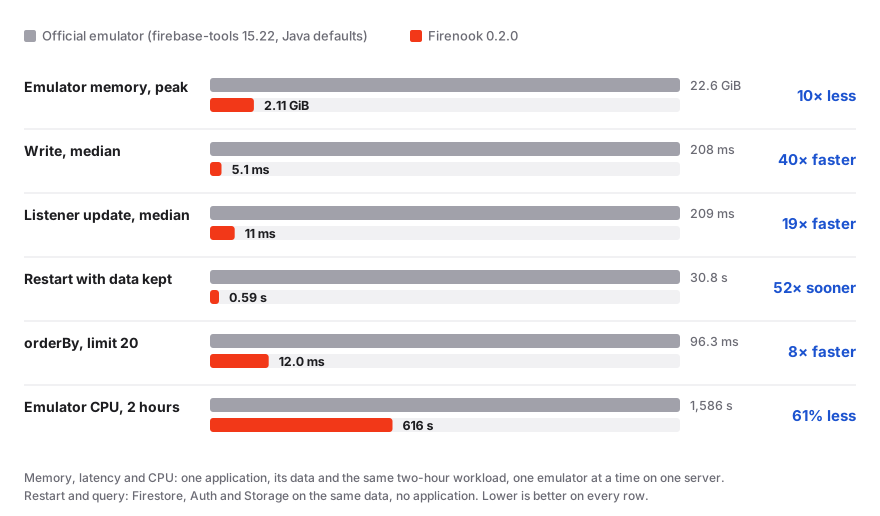
Firenook answered 25 of the 26 query shapes faster and tied on the last, and
both gave the same answers. The method, every figure and the limits are in
the benchmarks.
Get started
Already using the Firebase emulator
1. Install it in the project, next to firebase-tools (keep that for
deploying):
npm install --save-dev firenook # or: bun add --dev firenook
Commit the lockfile: it keeps every machine and CI run on the release you
installed, and the same engine, until you upgrade.
Every run keeps its working data under .firenook/, so add that folder to
your .gitignore.
2. Check your project. This reads firebase.json the way the Firebase CLI
does and changes nothing:
$ npx firenook init --adopt --dry-run
  skip    Firenook: firebase.json configures the hosting emulator, which Firenook does not implement; skipping it.
  ok      nothing to change; services: firestore, auth, storage, functions
It names any service Firenook skips (Realtime Database, Hosting, App Hosting,
Data Connect) and any addition it would make, such as a missing emulators
entry; npx firenook init --adopt applies those additions.
3. Swap the command. Same flags, same ports, and the same export format, so
your existing data imports as it is:
 "scripts": {
-  "emulators": "firebase emulators:start --import ./data --export-on-exit",
-  "test:integration": "firebase emulators:exec \"npm test\""
+  "emulators": "firenook emulators:start --import ./data --export-on-exit",
+  "test:integration": "firenook emulators:exec \"npm test\""
 }
Your app connects to the same ports as before, so no code changes:connectFirestoreEmulator(db, '127.0.0.1', 8080), FIRESTORE_EMULATOR_HOST
and the rest work unchanged.
4. Optionally, stop exporting at every stop. In place of--export-on-exit, add --keep-data and Firenook keeps your data between runs
in .firenook/state. Every start after the first picks the data up where you
left it, and ./data itself stays untouched:
npx firenook emulators:start --import ./data --keep-data
Going back is just as short: stop Firenook (it saves first), export withnpx firenook emulators:export ./export, and start the official CLI on that
export.
Starting a new project
npx firenook init
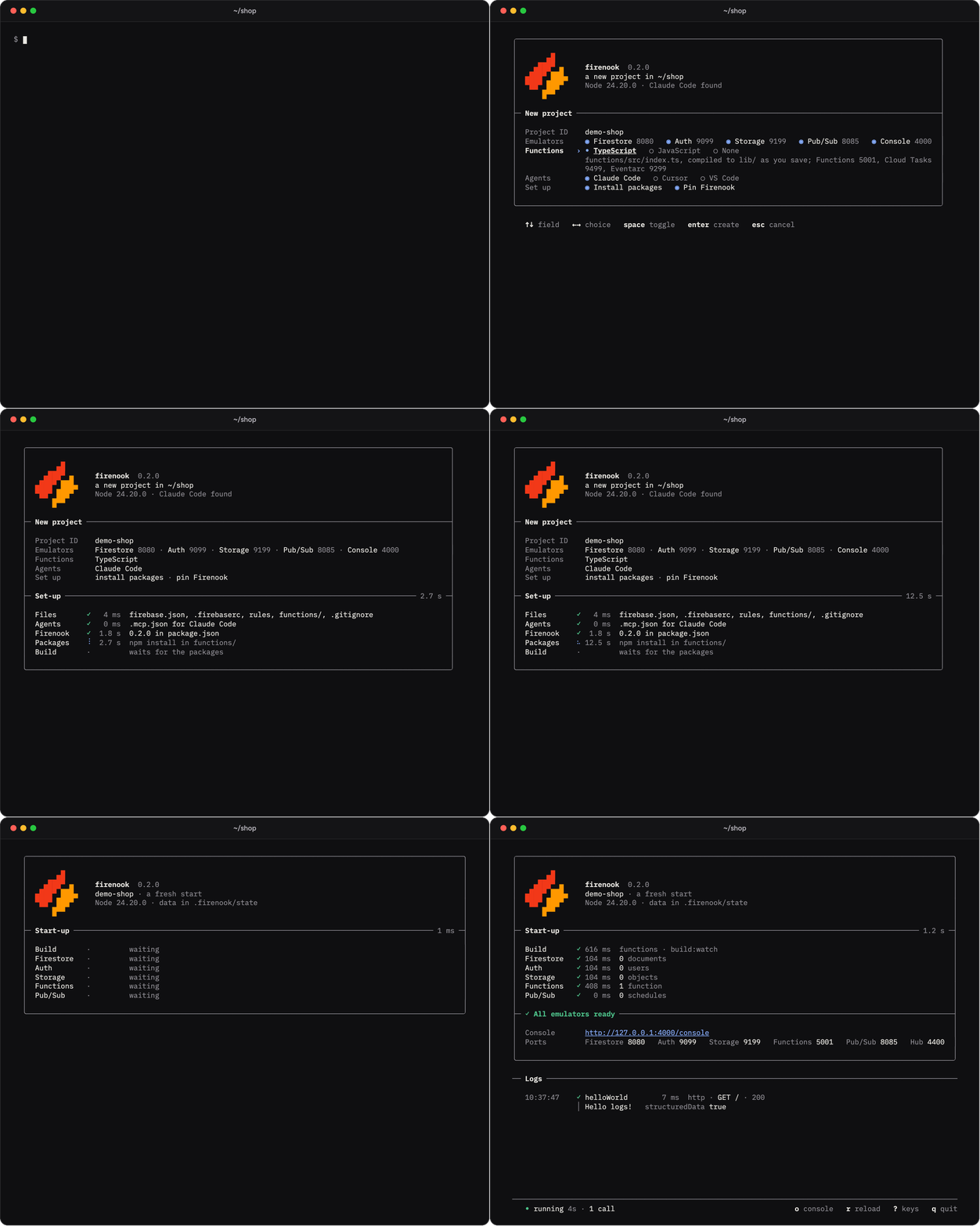
In a terminal, init opens on one screen with every choice already made:
a demo-<folder> project, so nothing can reach a real Firebase project,
every emulator on its usual port (one already in use is named, with what
holds it), Functions in TypeScript, JavaScript or none, and the coding agents
it finds. Enter takes them all. It then writes the official templates,
installs the packages, pins Firenook in package.json, builds the
TypeScript once, and starts the emulators in the same terminal. From then on:
npm run emulators # firenook emulators:start --keep-data --build
A new project keeps its data between runs from the first start, and--build compiles your TypeScript as you save, with the errors in the log.
In a script or CI, npx firenook init --yes does the same with no questions.
Point your app at it:
connectFirestoreEmulator(db, '127.0.0.1', 8080);
connectAuthEmulator(auth, 'http://127.0.0.1:9099');
connectStorageEmulator(storage, '127.0.0.1', 9199);
connectFunctionsEmulator(functions, '127.0.0.1', 5001);
Firenook needs Node 22, 24 or 26 on macOS, Linux (glibc 2.28 or newer, so
RHEL 8, Debian 10, Ubuntu 20.04, node:24-slim and later; not Alpine) or
Windows x64. The getting started guide covers each
step in more
depth, including tests and keeping data.
Documentation
- Getting started · The terminal
· The console · Configuration - Functions and Extensions ·
Data, state and tests ·
Model Context Protocol · CLI reference - Benchmarks · Compatibility ·
Versions and verification ·
Roadmap · Design
Status
Firenook 0.2.0 is the first stable release. Every release passes conformance
replays against the official emulator and packed installs on all five
platforms, and releases are measured against the official emulator with a
real application (most recently 0.2.0, in the
benchmarks). Commit your lockfile and upgrade on
purpose; the releases list
what each one carries.
Contributing
Firenook is built in the open under the Apache License 2.0.
CONTRIBUTING.md explains how a change moves, from a
recorded fixture of the official emulator to a release, and how to build and
test from source. Report a bug or ask for a feature in the
issues.
License and trademarks
Firenook is licensed under the Apache License 2.0; see
NOTICE for the reference-only sources studied and
TRADEMARKS.md for the use of the Firenook name and mark.
Firebase, Cloud Firestore, Cloud Functions, Cloud Storage, Cloud Pub/Sub and
Cloud Tasks are trademarks of Google LLC. Firenook is not affiliated with or
endorsed by Google.
Reviews (0)
Sign in to leave a review.
Leave a reviewNo results found