schreibzeug
Health Uyari
- License — License: AGPL-3.0
- Description — Repository has a description
- Active repo — Last push 0 days ago
- Low visibility — Only 5 GitHub stars
Code Gecti
- Code scan — Scanned 12 files during light audit, no dangerous patterns found
Permissions Gecti
- Permissions — No dangerous permissions requested
Bu listing icin henuz AI raporu yok.
Self-hosted office suite: edit Word, Excel, PowerPoint and PDF files together in real time, in the browser or as a desktop app for Windows, macOS and Linux. No document server, files stay .docx, .xlsx and .pptx. Google Docs & Microsoft 365 alternative, GDPR-friendly, open source (AGPL).
Schreibzeug – like Google Docs, but on your own server
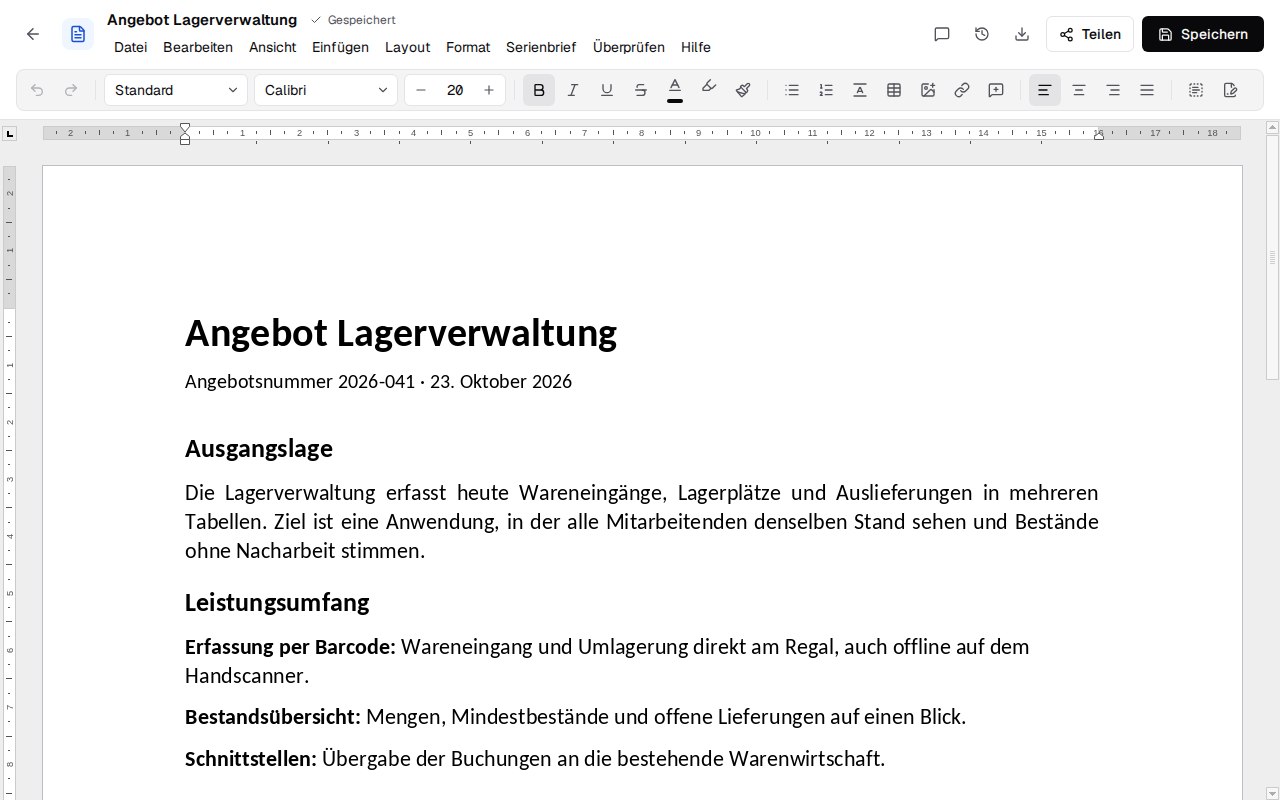
Edit Word, Excel and PowerPoint files – .docx, .xlsx, .pptx and PDF, open source
Editing together in real time, in the browser or as a desktop app. No document server, no tracking. Made in Europe.















Why •
Install •
Features •
Screenshots •
Alternatives •
FAQ •
Documentation •
Deutsch
🖱️ Try the demo – the editors with sample files, in your browser, nothing to install
💡 Why Schreibzeug?
Cloud office suites keep your documents on someone else's servers and charge per user.
Self-hosted office suites usually need a separate document server next to Nextcloud and look like
the office programs of 2010. Schreibzeug is one small server with a modern interface.
- Made in Europe, for Europe: developed in Europe, open source, on Euro-Office's European
engine and your server. No US provider in between, so no access to your files under the US
CLOUD Act. - Your files stay with you (GDPR): documents live on your server, or with the desktop app on
your own computer. No US cloud, no third-party document server, no telemetry. - Real Office files: a .docx stays a .docx, an .xlsx an .xlsx, an .odt an .odt – Word, Excel
and LibreOffice open them as before. - Mature compatibility: the editing engine is Euro-Office, the European open-source fork of
ONLYOFFICE, so tables, tracked changes, comments, charts and pivot tables come through intact. - Editing together in real time: several people in the same file with live cursors and
comments, without a document server. - E-invoices: ZUGFeRD invoices straight from an invoice document, and e-invoices in PDFs read
and shown. - Accessible by keyboard: menus and toolbars work without a mouse –
more on accessibility. - AI if you want it: Claude Code and other assistants find, read and write your files with your
rights; changes to a document you have open need your consent and can be undone. - Simple to run: one container with a SQLite database and a data folder; backing up the folder
backs up everything.
Runs on any Linux server or VPS with Docker or Podman (amd64), on a home server, or without any
server as the desktop app for Windows, macOS and Linux.
🚀 Install
1. Let an agent set it up
Give Claude Code or another coding agent this repository and SSH access to your server and say:
"Set up Schreibzeug on my server following the installation guide."
2. Manually
On a server with Docker (or Podman), a domain pointing to it and open ports 80 and 443:
# The configuration (compose.yaml, .env.example, Caddyfile); the programs come from Docker Hub
git clone https://github.com/firsttris/schreibzeug /opt/schreibzeug && cd /opt/schreibzeug
cp deploy/.env.example deploy/.env
nano deploy/.env                                          # domain, mail for Let's Encrypt, version
docker compose -f deploy/compose.yaml up -d schreibzeug   # pulls Schreibzeug and starts it, for now only on the server itself
Then:
- Create the first account through an SSH tunnel (
ssh -L 3000:127.0.0.1:3000 <server>, then
http://localhost:3000), before anyone else can reach the server. - Start Caddy as well, which gets the HTTPS certificate:
docker compose -f deploy/compose.yaml up -d. - Open
https://<your domain>. More accounts come through sharing links, or by anyone withSCHREIBZEUG_OPEN_SIGNUP=trueindeploy/.env.
With Kontext Schreibzeug needs no install of its own: it
comes with Kontext as its documents. Only trying it on your own computer:docker run -d -p 127.0.0.1:3000:3000 -v schreibzeug-data:/data tristanteu/schreibzeug, then
http://localhost:3000. Settings, your own reverse proxy, backups and updates are in the
installation guide.
The desktop app is described under Desktop app; its installers for Windows, macOS and Linux are attached to every release.
✨ Features
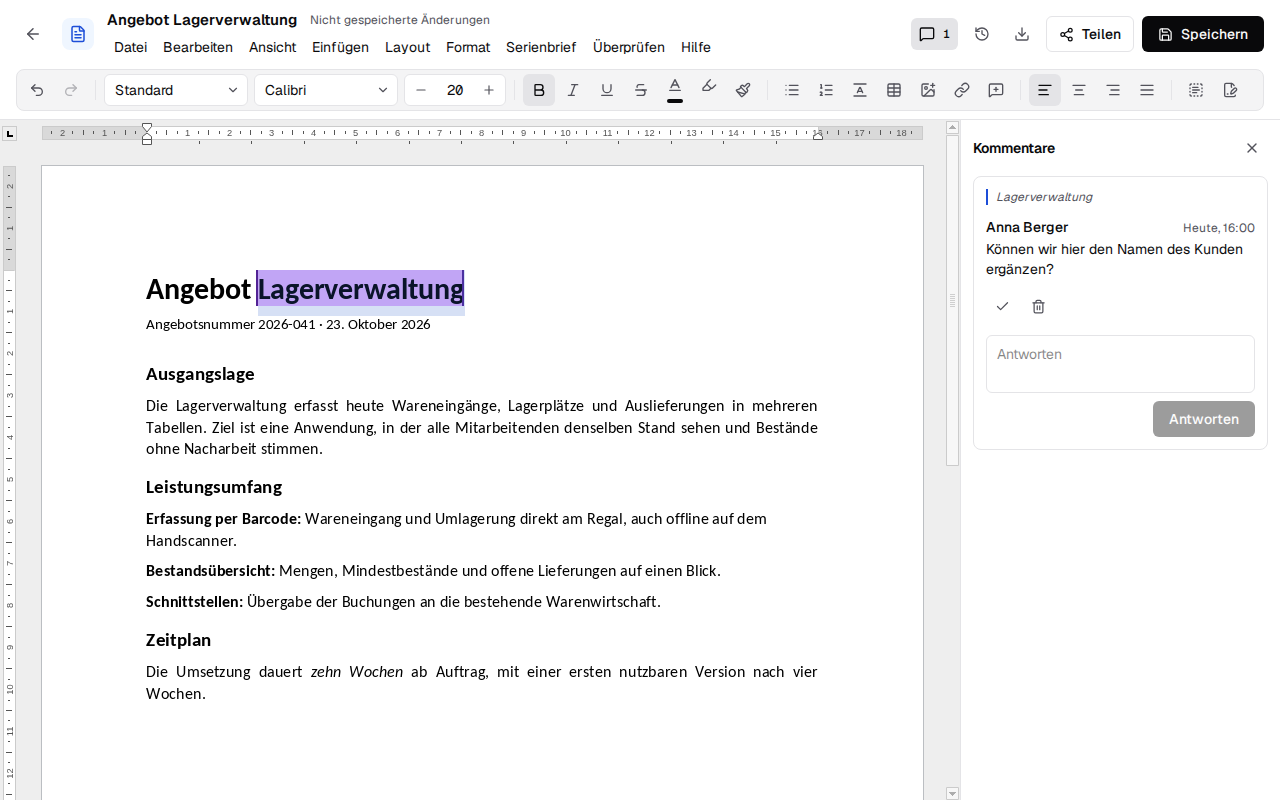
| 📝 Documents (.docx) | Comments and tracked changes, headers, footers and table of contents, spell checking in German and English, templates, mail merge, e-invoices (ZUGFeRD), PDF and PDF/A · more → |
| 📊 Spreadsheets (.xlsx) | Formulas, number formats, sorting and filters, frozen rows, charts, pivot tables, dropdown lists, conditional formats, CSV · more → |
| 📽️ Presentations (.pptx) | Slide layouts, shapes, designs, transitions, speaker notes and a full-screen slide show · more → |
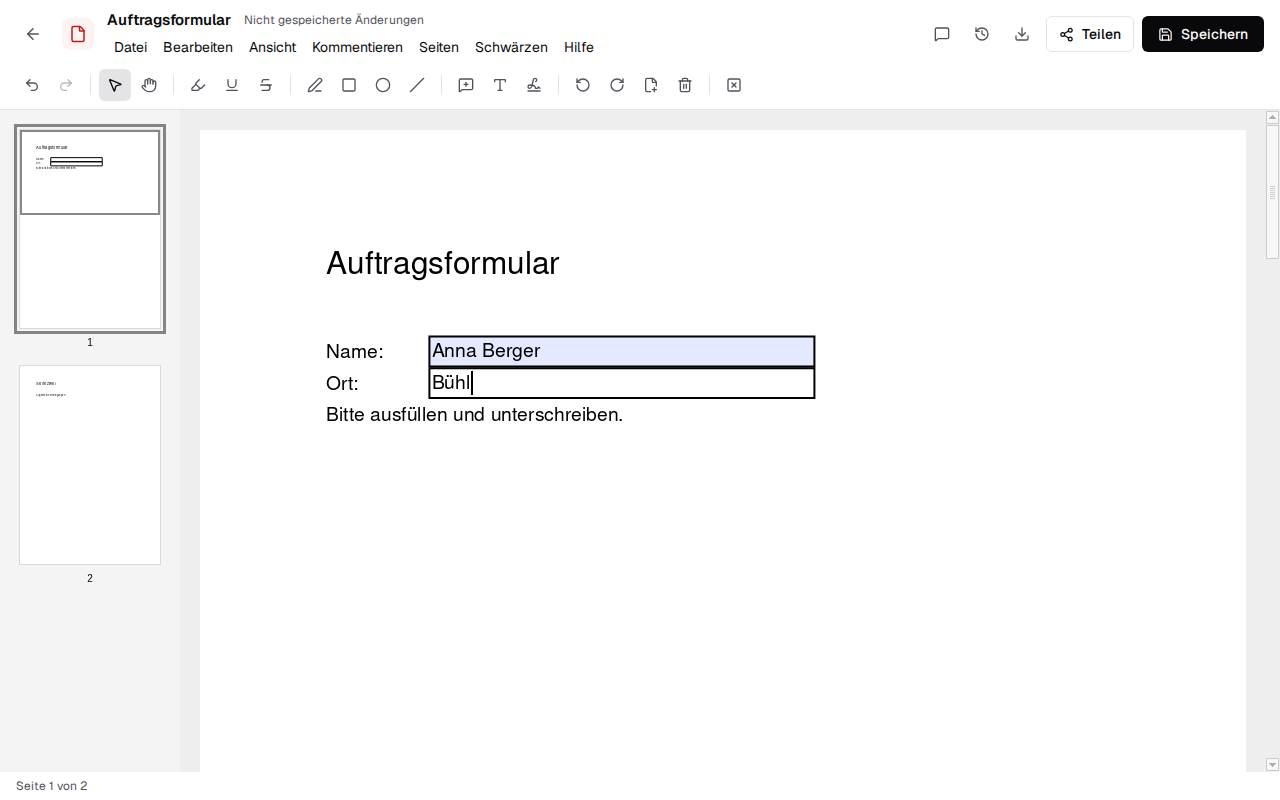
| 📄 PDFs | Fill in forms and sign, by hand or digitally with your certificate (not qualified), notes and highlighting, black out, add and remove pages, OCR for scans · more → |
| 🗒️ Markdown & text (.md, .txt) | A live view that keeps the text Markdown, or source and preview side by side; encoding and line endings kept byte for byte · more → |
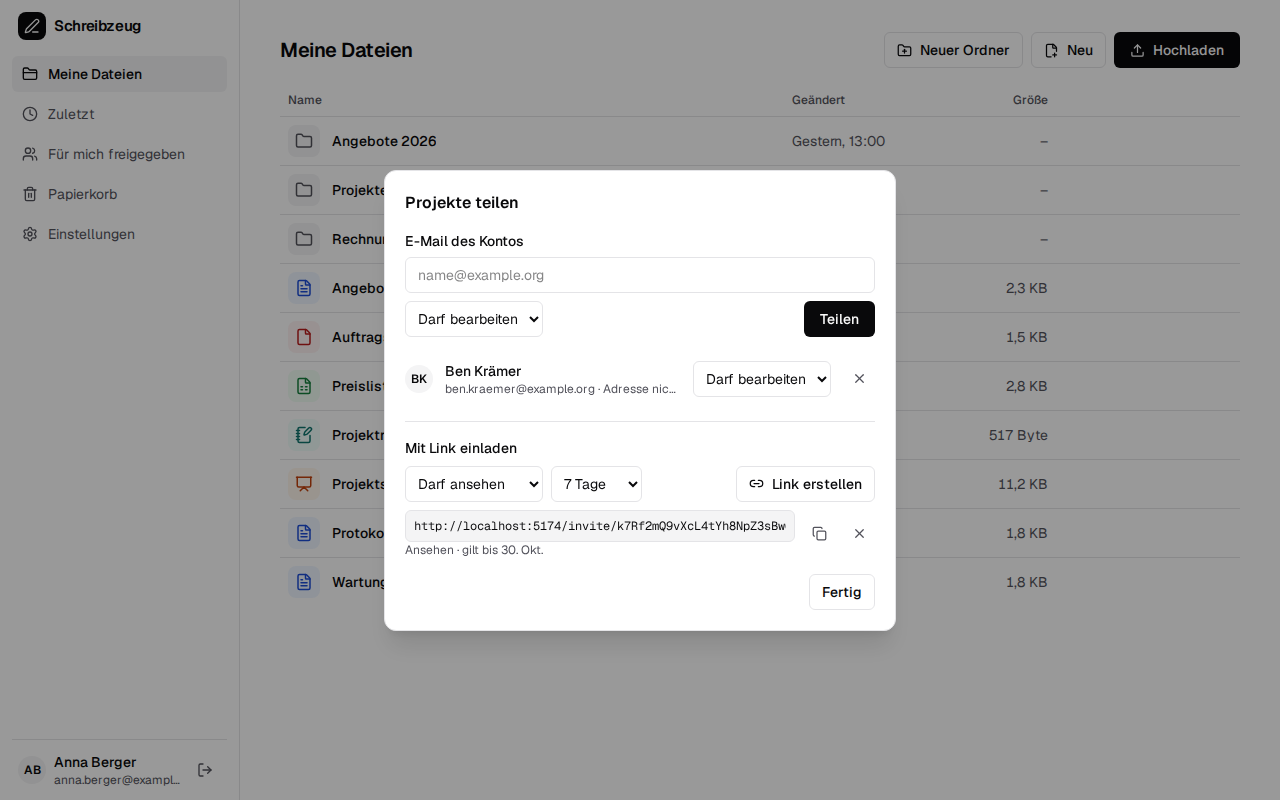
| 📁 Files & teamwork | Folders, upload, recent files and trash, versions to go back to, sharing with accounts or by link, real-time co-editing with live cursors · more → |
| 🤖 AI & Kontext | MCP server for Claude Code and other MCP clients, with your rights, asking before it edits a document you have open; sign in with Kontext and use Schreibzeug as its documents module · more → |
| 🖥️ Desktop app | Windows, macOS and Linux (Tauri): the files in your documents folder without any server, or a window onto a Schreibzeug server (builds not signed yet) · more → |
| 🌐 German and English | The interface in German or English, as the browser asks for it or as chosen in the settings · more → |
| ♿ Accessibility | Menus and toolbars by keyboard, screen reader support in documents, spreadsheets and presentations (off unless switched on, Strg+Alt+Z), checked automatically against WCAG 2.2 AA · more → |
📸 Screenshots
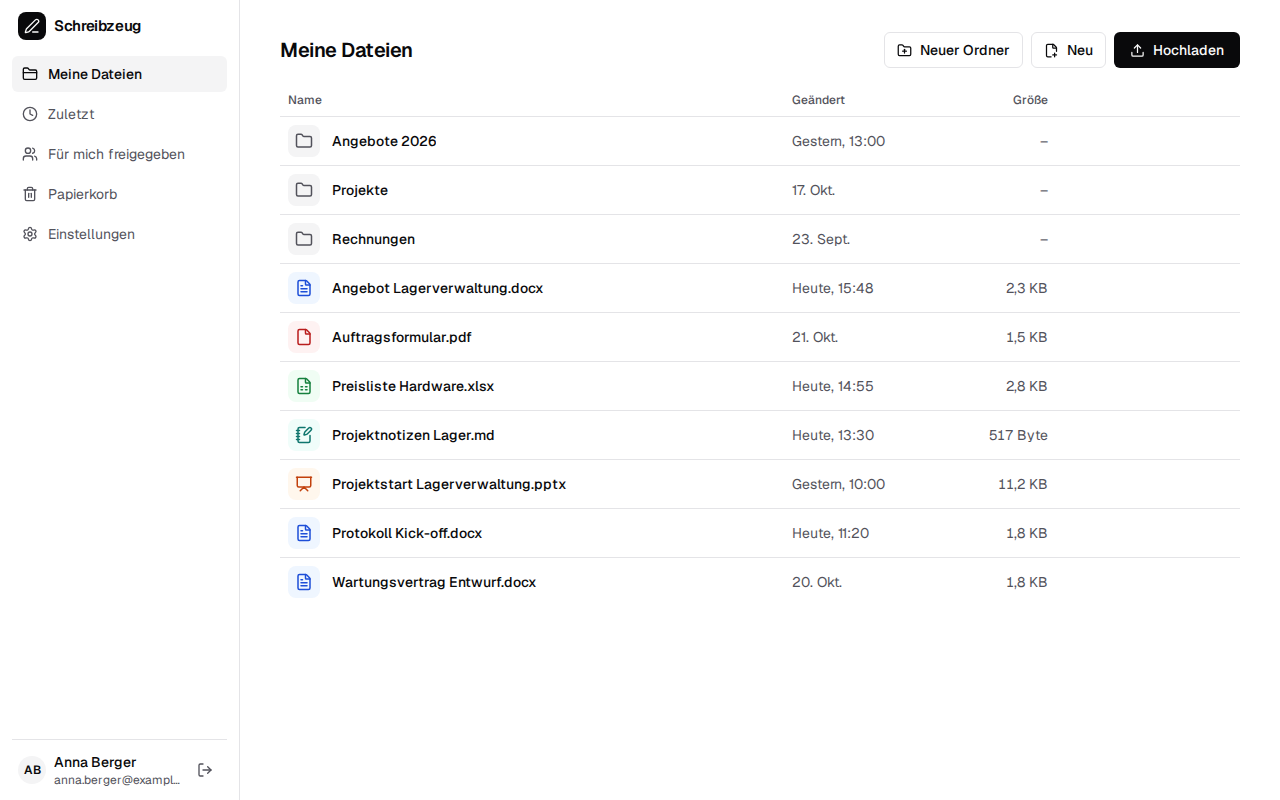 |
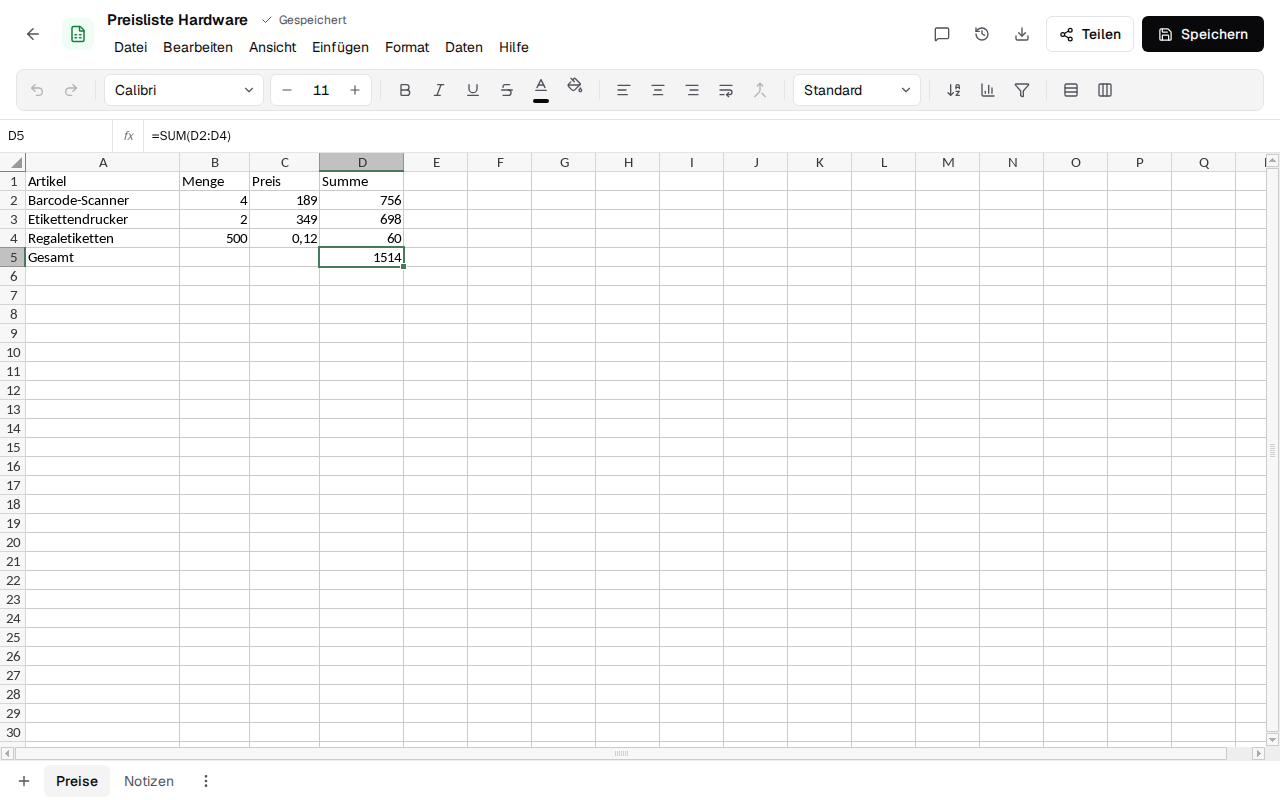 |
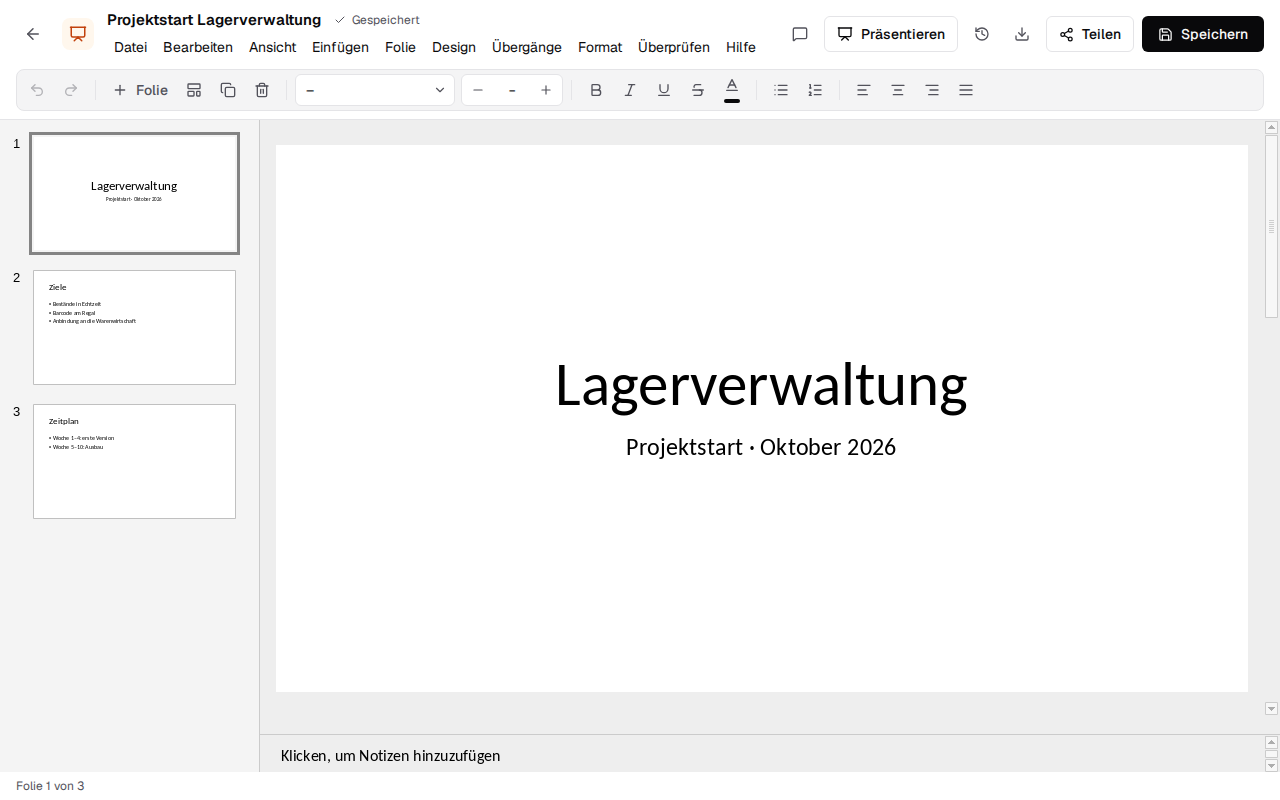 |
 |
 |
 |
🔀 Schreibzeug and the alternatives
Schreibzeug is made for people who want the compatibility of a mature office engine with an
interface that feels like today's web apps, on their own server.
| What it is | Where Schreibzeug differs | |
|---|---|---|
| ONLYOFFICE Docs / Euro-Office | Collaborative office engine with a Microsoft-Office-like interface, usually embedded in Nextcloud | Same engine, a new interface, its own file management, no document server |
| Collabora Online | LibreOffice in the browser, strongest with OpenDocument | Focus on Microsoft formats and a modern interface |
| CryptPad | End-to-end encrypted collaboration suite | Files stay plain .docx, .xlsx and .pptx on your storage |
| Microsoft 365 and others | Cloud office suites | Self-hosted, open source, no per-user price, your files unconverted |
❓ FAQ
Is there a self-hosted alternative to Microsoft 365?Yes. Schreibzeug runs on your own server with Docker and edits Word, Excel, PowerPoint and PDF
files in the browser, several people at once. See the installation guide.
No. The Euro-Office engine runs in the browser and the Schreibzeug server stores the files and
relays the changes; there is nothing else to install. How that works is in the engine.
No. A .docx stays a .docx, an .xlsx stays an .xlsx, an .odt stays an .odt; every save is a new
version of the same file.
Yes, with the desktop app for Windows, macOS and Linux: it opens the files in your documents folder
directly. See Desktop app.
Yes, through the built-in MCP server and a personal access token you create in the settings. A token
can be limited to "Nur lesen" (read only); edits to an open document need your consent and can be
undone. See MCP server.
ZUGFeRD yes: an invoice written in the text editor becomes a ZUGFeRD PDF/A-3 with Factur-X XML
(EN 16931). XRechnung is read and shown, but not created yet. See E-invoices.
Check it yourself, the code is open: let your agent run Cloudflare's Security Audit Skill or
Claude Code's /security-review on this repository.
Report vulnerabilities privately as described in SECURITY.md.
📚 Documentation
The documentation opens with a tour in pictures, made to send to customers: in English and in German.
The full documentation, with search, is at firsttris.github.io/schreibzeug: every feature
in detail, installation, accounts and sharing,
collaboration, the engine and
development. What changed in each release, with the steps an
update needs: the changelog.
🛠️ Development
Requires Bun 1.4 or newer, on Linux x86_64 for preparing the engine; the database is a SQLite file.
git clone https://github.com/firsttris/schreibzeug && cd schreibzeug
bun install
bun run dev              # http://localhost:5173, with the API on http://localhost:3000
A React SPA with TanStack Router and Query, Tailwind and shadcn-style components; Euro-Officesdkjs as the editing engine; a Bun server with Hono, Drizzle and SQLite; Tauri 3 (alpha) for the desktop
app. Checks, tests and architecture: Development.
🧩 More from us
- Looking for a replacement for Gmail or Google Workspace? Kontext: mail, calendar, contacts, chat and calls for your team, on your own server.
- Doing your own books in Germany? Haben: invoices with e-invoicing, receipts, bank reconciliation and VAT returns via ELSTER.
🤝 Contributing
Issues and pull requests are welcome. For a rendering or compatibility bug, please attach a file
that shows it (or a small one that reproduces it) and say which program made it. Please runbun run lint && bun run typecheck && bun run test before opening a pull request; the checks,
conventions and how contributions are licensed are in CONTRIBUTING.md.
Security problems please report privately (SECURITY.md).
⭐ Like Schreibzeug? A star on GitHub helps others find it.
🐛 Report a bug · 💡 Request a feature
License: AGPL-3.0 · © Tristan Teufel and contributors · Deutsche Version
Changed versions you pass on or run for others must offer their source code under the AGPL; a commercial license without these obligations is available via teufel-it.de.
Schreibzeug builds on the open-source Euro-Office engine and is not affiliated with Euro-Office, ONLYOFFICE, Microsoft or Google.
Yorumlar (0)
Yorum birakmak icin giris yap.
Yorum birakSonuc bulunamadi