fleetify
Health Warn
- License — License: Apache-2.0
- Description — Repository has a description
- Active repo — Last push 0 days ago
- Low visibility — Only 6 GitHub stars
Code Fail
- rm -rf — Recursive force deletion command in .github/workflows/build.yml
Permissions Pass
- Permissions — No dangerous permissions requested
No AI report is available for this listing yet.
A command center for AI agents.

Fleetify
A command center for AI agents.
Run Claude Code, Codex, OpenCode and more side by side, from one desktop app.




Download · Website · Build from source · Discussions · Contributing
English · Türkçe
What Fleetify does
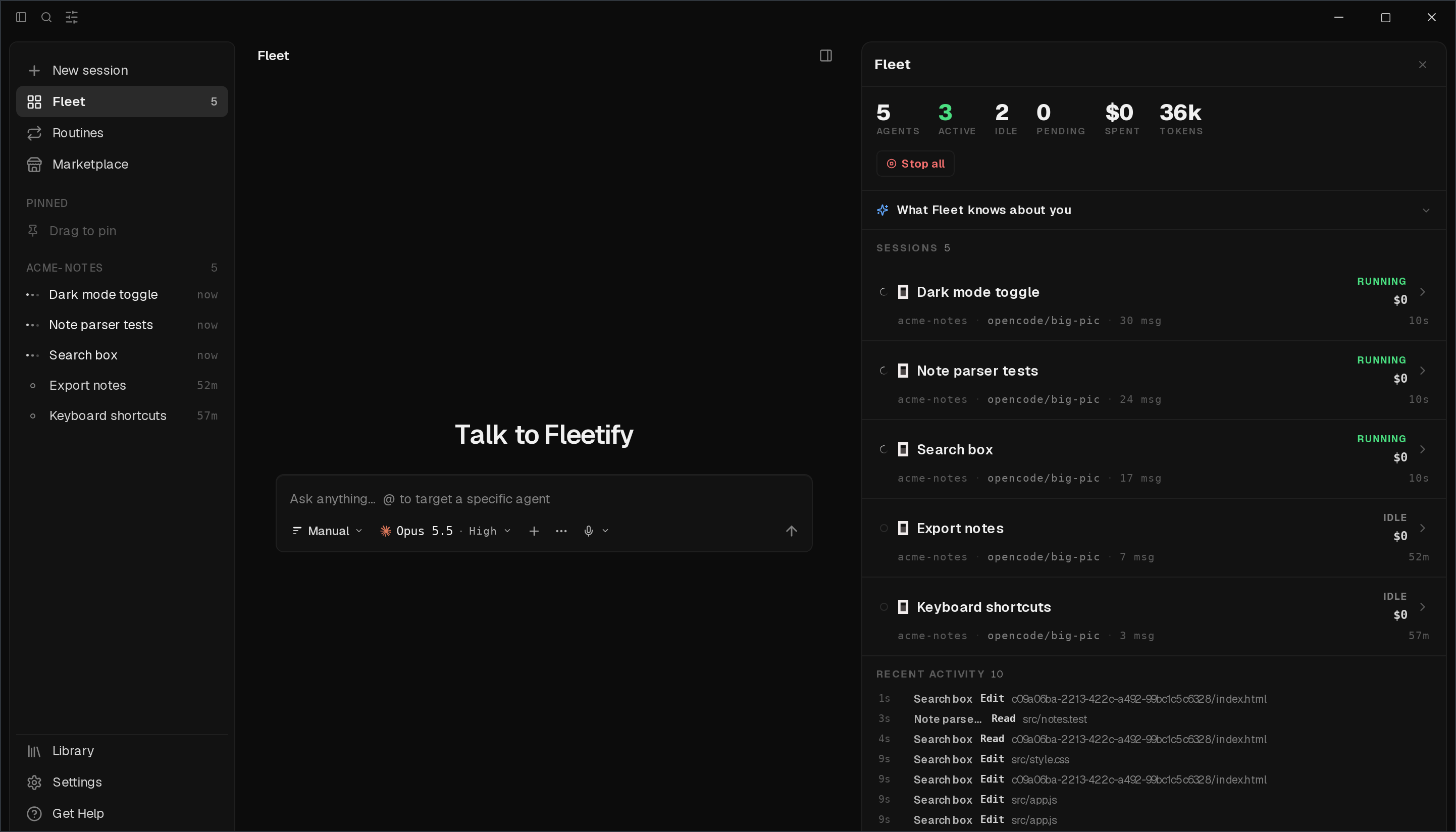
Running several coding agents means juggling terminals, branches and dashboards. Fleetify puts them in one window: start sessions with CLI agents or API models, follow them all from the Fleet hub, and keep parallel work apart with git worktrees.
| Feature | What it does |
|---|---|
| Fleet hub | Every session's status and spend, total tokens, recent activity, and a one-click Stop all. |
| Agents and models | Claude Code, Codex, OpenCode and other CLI agents, plus OpenAI, Anthropic, Gemini and Ollama models. |
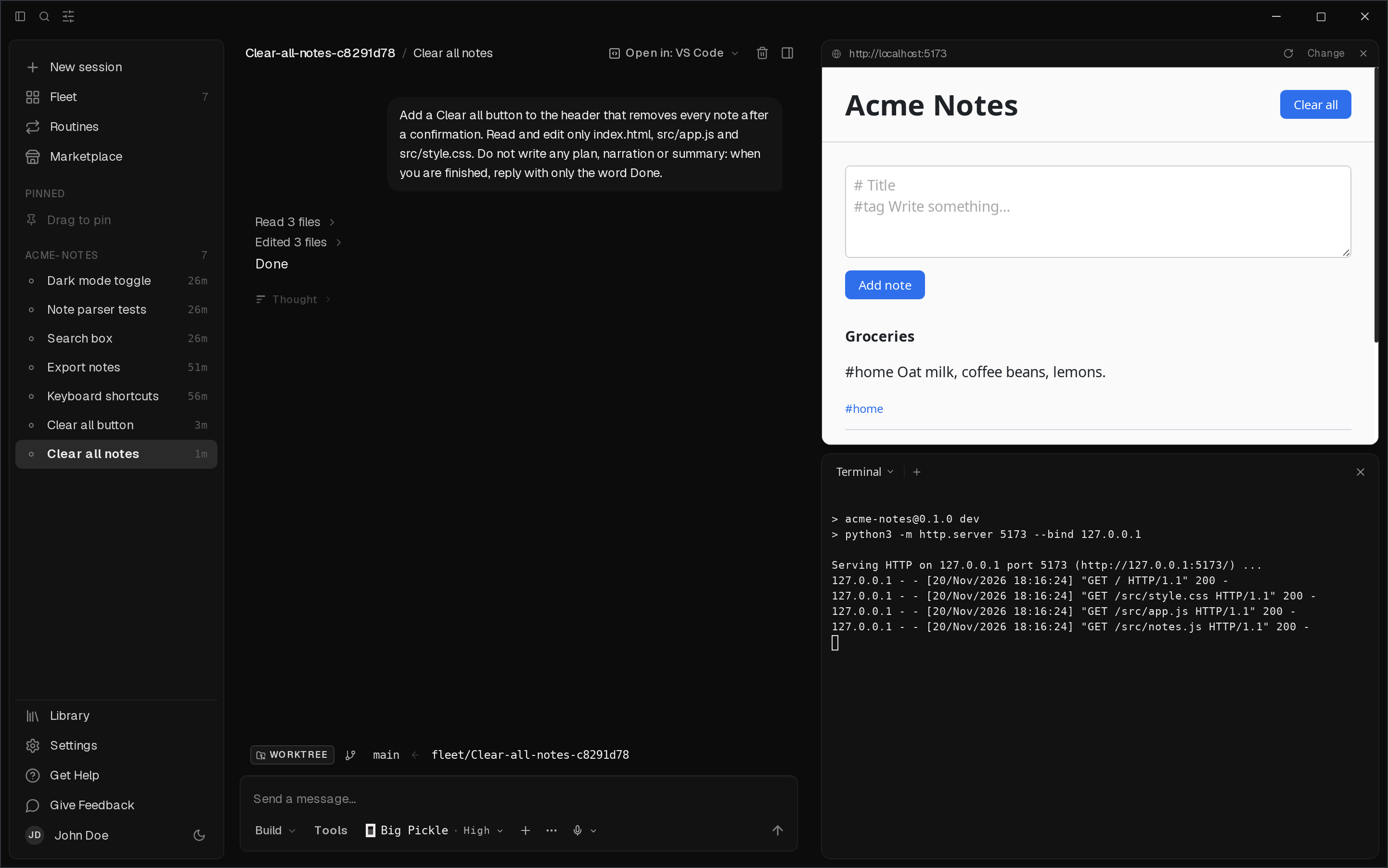
| Git worktrees | Give a session its own worktree and branch, and open pull requests from the app. |
| Browser and Preview | A built-in browser beside the chat, and a live preview of your running dev server. |
| Library | Write prompts, skills, subagents, hooks and rules once, for every agent you choose. |
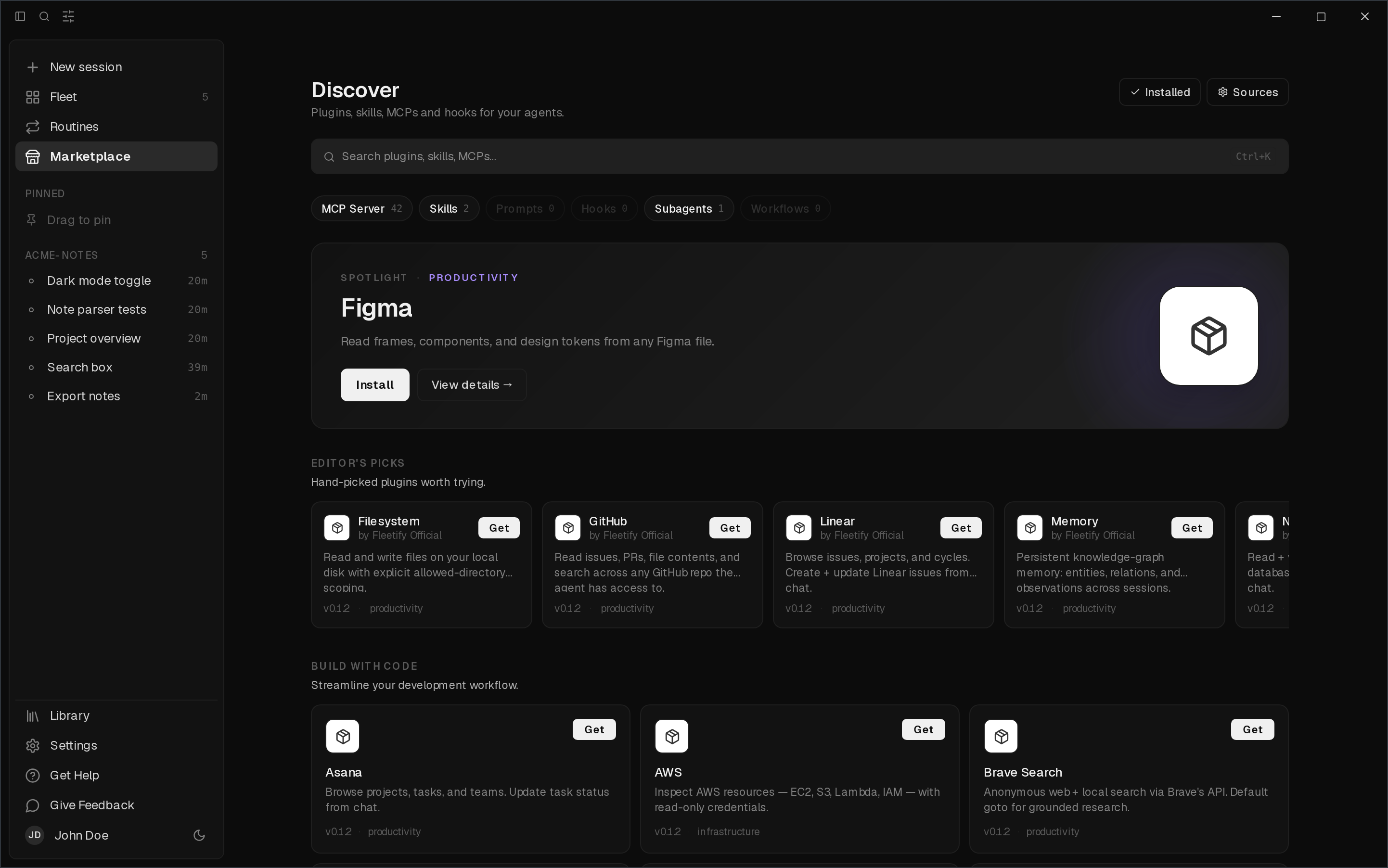
| Marketplace | Install a plugin once, and every CLI agent it supports gets it. |
| Routines | Agent tasks on a schedule or on demand; scheduled ones run while Fleetify is open. |
| MCP sidecars | Bundled MCP servers let agents hand tasks to each other and drive a headless browser. |
Agents and providers
Fleetify runs the agent CLIs you already use, such as Claude Code, Codex, OpenCode, Cursor CLI and GitHub Copilot CLI, and calls model APIs such as OpenAI, Anthropic, Gemini and OpenRouter, or a local Ollama. docs/AGENTS.md and docs/PROVIDERS.md list them, with how to set each one up.
Fleetify writes your Library items and installed plugins into each agent's own config. It also credits itself in the commits it makes and the pull requests it opens, with a Co-Authored-By: Fleetify line and a short footer; Settings → General → Attribution turns that off.
Requirements
- A free Fleetify account. Release builds, including ones you build yourself, need one, since your sessions, saved API keys and fleetify.dev dashboard are tied to it. A development build started with
npm run dev:tauri:wtskips sign-in. - macOS 11 or later, Windows 10 or 11, or Linux with WebKitGTK 4.1 (Ubuntu 22.04, Debian 12 and newer).
- An agent or a model: an agent CLI such as Claude Code, Codex or OpenCode, an API key for a provider such as OpenAI or Anthropic, or Ollama running locally.
Install
Install the latest release with one line. On macOS or Linux:
curl -fsSL https://fleetify.dev/install.sh | sh
On Windows, in PowerShell:
irm https://fleetify.dev/install.ps1 | iex
The script downloads the release's file for your machine from GitHub and uses it only once it matches the release's SHA256SUMS: on macOS it installs Fleetify.app, on Linux the AppImage with a menu entry, and on Windows it runs the installer, which installs Fleetify for your user account. docs/INSTALL.md lists its options, such as the .deb or the .rpm instead of the AppImage.
Or download the package for your system from the release:
| Platform | Package | First launch |
|---|---|---|
| macOS | .dmg |
Self-signed: macOS asks you to allow it once in Privacy & Security |
| Windows | .exe installer, per user |
Unsigned: SmartScreen shows a warning |
| Linux | AppImage, .deb, .rpm |
Unsigned: make the AppImage executable first; zypper asks before it installs the .rpm |
docs/INSTALL.md walks through each warning and shows how to verify a download.
Build from source
You need Git, Node 22, Rust (stable, through rustup) and the system packages for your OS, CMake and libclang included. CONTRIBUTING.md has the full list.
git clone https://github.com/fleetifydev/fleetify.git
cd fleetify
npm ci
npm run dev:tauri:wt   # debug build: own data folder, skips sign-in
The first run compiles the whole Rust workspace, so it takes a while. A release build you compile yourself still asks for a Fleetify account.
Privacy and telemetry
Dashboard sync is on by default and shows your sessions on your fleetify.dev dashboard. It sends session metadata, such as the agent, model, status, token counts, cost, title and project folder name, and never your code, prompts, commands, full paths or API keys. Product analytics (PostHog, EU) stays off until you turn it on. Onboarding asks about both, and Settings → General → Privacy switches either one at any time; docs/ANALYTICS.md lists every field.
The agents and model providers you use receive your prompts and code directly, under their own terms. Voice dictation goes through Fleetify cloud by default; Settings → Voice switches it to your own key or On-device.
The Terms of Service govern your Fleetify account and the cloud service the app uses, and the Privacy Policy explains what the app and fleetify.dev collect.
How it works
Fleetify is a single Tauri v2 process. Its Rust shell embeds an axum backend on 127.0.0.1 that serves the UI, a REST API and a WebSocket. CLI agents run as local subprocesses, driven over stdio protocols such as ACP or through a terminal; API providers are called over HTTPS, and Ollama over HTTP on your machine or network. MCP sidecars, small servers that ship with the app, give the agents extra tools. docs/ARCHITECTURE.md maps the code.
Community and contributing
| You want to… | Go to |
|---|---|
| Ask a question | Discussions → Q&A |
| Suggest a feature | Discussions → Ideas |
| Report a bug | Open an issue |
| Report a vulnerability | SECURITY.md: privately, never in a public issue |
| Talk business | [email protected] |
Pull requests are welcome. Read CONTRIBUTING.md first and sign off every commit (git commit -s). Everyone in the project follows the Code of Conduct, and SUPPORT.md lists where to get help.
Licence
Fleetify is licensed under the Apache License 2.0; see NOTICE. The Fleetify name and logo are not licensed under it: see TRADEMARKS.md. Claude Code, Codex and the other agents and services named here are trademarks of their owners, and Fleetify is not affiliated with them.
Reviews (0)
Sign in to leave a review.
Leave a reviewNo results found