obsidian-hybrid-search-plugin
Health Warn
- License — License: MIT
- Description — Repository has a description
- Active repo — Last push 0 days ago
- Low visibility — Only 5 GitHub stars
Code Pass
- Code scan — Scanned 12 files during light audit, no dangerous patterns found
Permissions Pass
- Permissions — No dangerous permissions requested
No AI report is available for this listing yet.
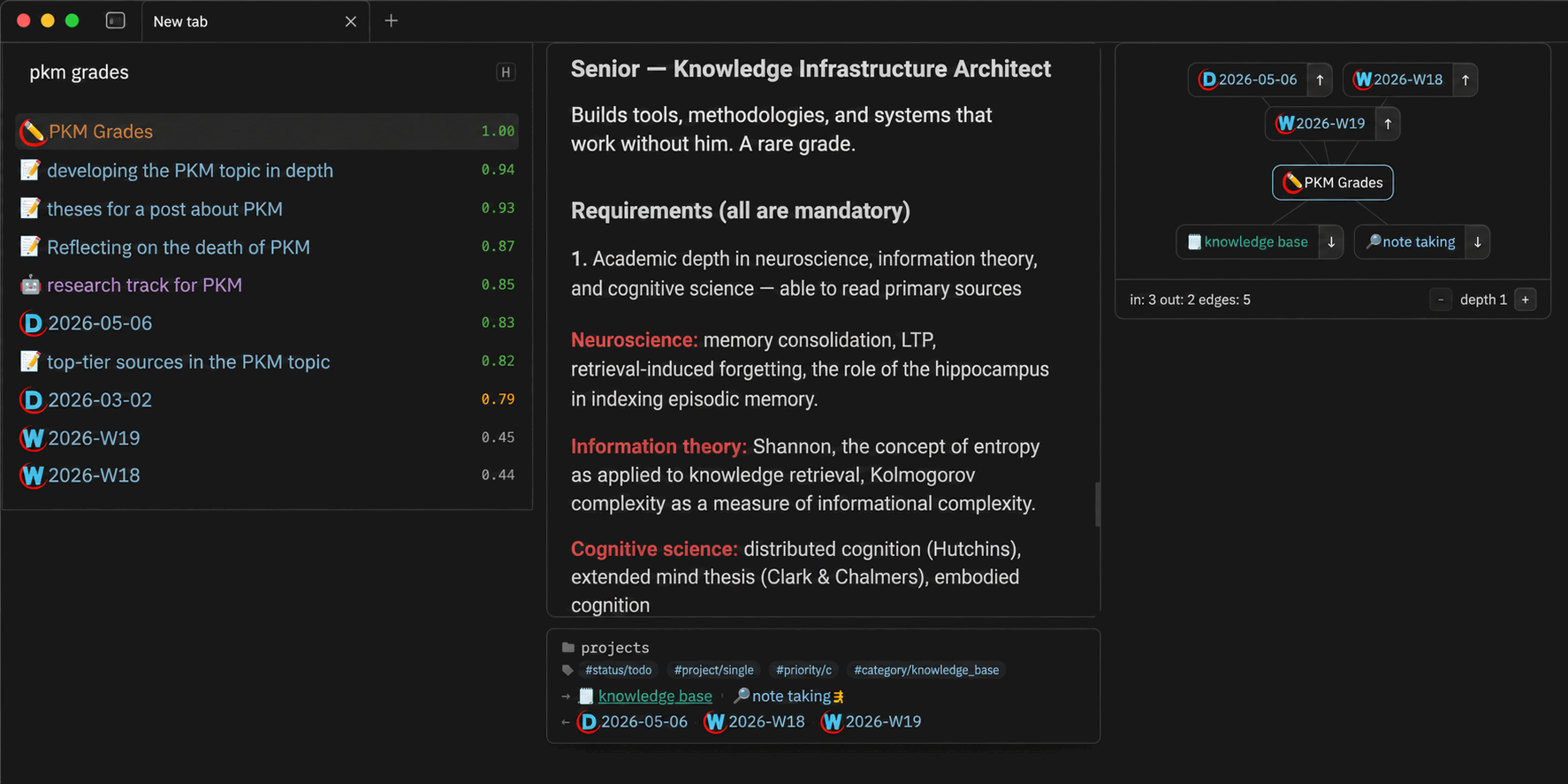
Obsidian plugin with live preview and local graph in hybrid search modal
Hybrid Search



Fast hybrid search for Obsidian — combines BM25 full-text and semantic (vector) search over your vault.
The plugin is a thin UI layer that communicates with the obsidian-hybrid-search CLI, which runs as a background process and handles indexing and search.
Desktop only.
Requirements
Install the CLI globally via npm:
npm install -g obsidian-hybrid-search
The CLI must be available in your PATH (or you can set a custom path in plugin settings).
Installation
Via Obsidian Community Plugins
Open the Hybrid Search page and click Add to Obsidian.
Via BRAT
- Install the BRAT plugin.
- In BRAT settings, click Add Beta Plugin and enter this repository's URL.
https://github.com/flowing-abyss/obsidian-hybrid-search-plugin
- Enable Hybrid Search in Obsidian's plugin list.
Usage
Open the search modal with:
- Ribbon icon — click the search icon in the left sidebar.
- Command palette — run
Hybrid search: Open search.
Type to search. Results appear as you type with a relevance score:
📷 Hybrid search results with relevance scores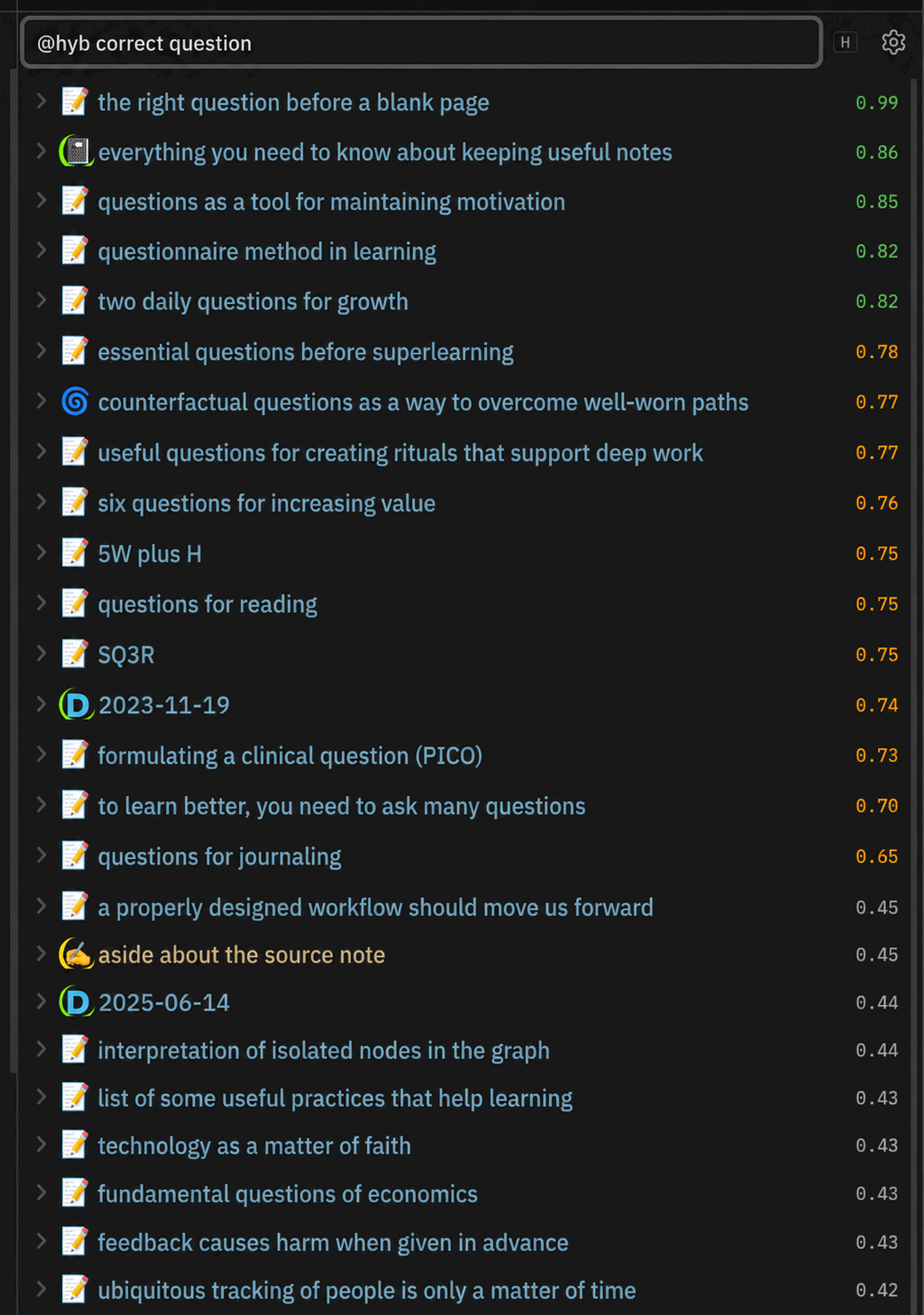
| Score | Color | Meaning |
|---|---|---|
| >0.8 | Green | High relevance |
| 0.5–0.8 | Orange | Medium relevance |
| <0.5 | Gray | Low relevance |
Empty query & similar notes
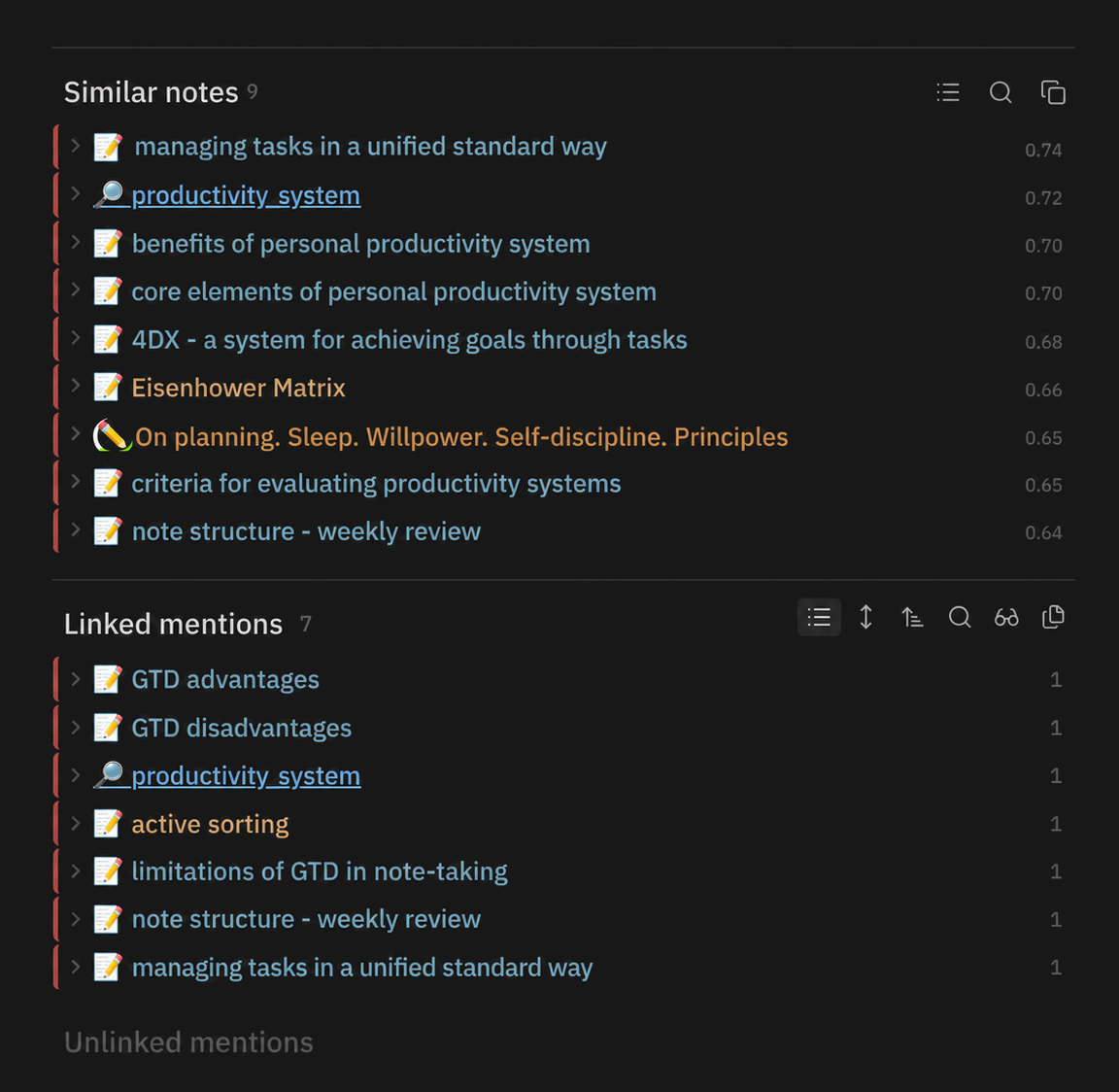
Leave the query empty and the plugin shows contextually relevant results:
- If a note is open, it surfaces semantically similar notes.
- If no note is open, it shows recently opened files.
Workbench
The plugin includes a link-discovery workbench that analyzes your vault's knowledge graph to surface the most actionable connections for the current note. It runs several graph algorithms side by side:
- Best — top candidates ranked by a composite of structural and semantic signals.
- Missing Links — notes that are strongly related but not yet linked.
- Bridges — notes that connect otherwise distant parts of your graph.
- Similar — semantically close notes.
- Links — existing outgoing and incoming links.
- Diagnostics — structural insights about the note's position in the graph.
Each candidate exposes interpretable scores — cosine, Adamic-Adar, common neighbors, co-citation count, semantic distance, and more — so you can decide whether a suggested link makes sense. You can add links, inspect backlinks, or compare notes directly from the list, while a live local graph visualizes the neighborhood around the current file.
📷 Link-discovery workbench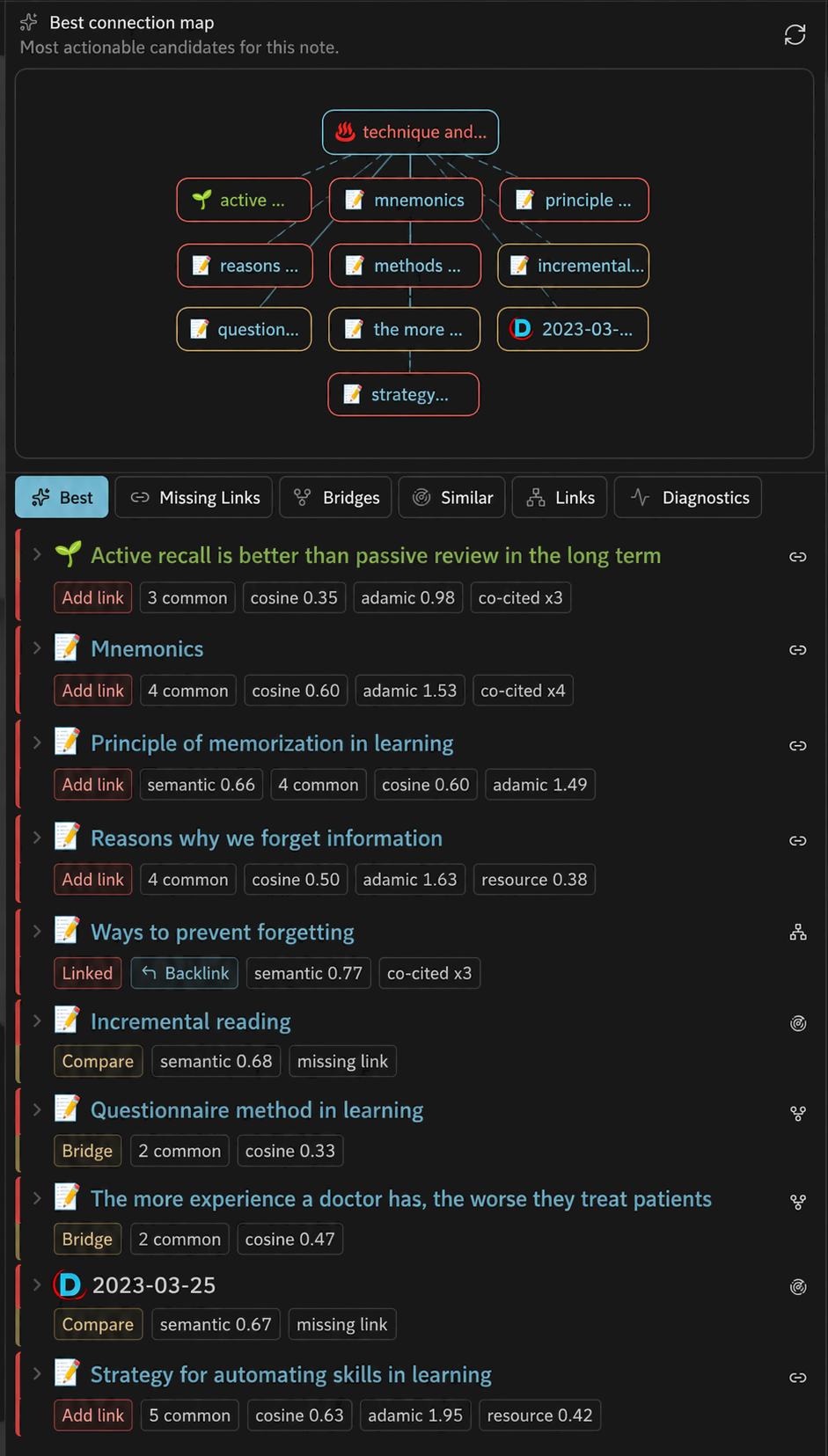
Query Syntax
These two queries are equivalent:
hybrid: zettelkasten tag:project limit:20 @rerank
zettelkasten #project @limit:20 @rerank @hybrid
| Inline | Postfix | Description |
|---|---|---|
| (plain text) | — | Hybrid search (default) |
hybrid: |
@hybrid / @hyb |
Hybrid mode (BM25 + semantic) |
semantic: / sem: |
@semantic / @sem |
Semantic (vector) only |
fulltext: / full: |
@full |
Full-text (BM25) only |
title: |
@title |
Fuzzy title match |
tag: |
#tag |
Filter by tag (include) |
tag:- |
-#tag |
Filter by tag (exclude) |
folder: |
— | Limit to a folder |
limit:N |
@limit:N / @lim:N |
Override result count |
threshold:N |
@threshold:N / @th:N |
Minimum score threshold |
| — | @rerank |
Re-rank with cross-encoder |
key:value |
— | Filter by frontmatter field |
Filters can be combined freely.
Hotkeys
| Hotkey | Action |
|---|---|
Mod+J / Mod+K |
Next / previous result |
Mod+P |
Toggle preview panel |
Mod+G |
Toggle local graph panel |
Mod+O |
Open selected in new tab |
Mod+Shift+O |
Open all results in new tabs |
Alt+Enter |
Insert wiki link to selected note |
Alt+Shift+Enter |
Insert wiki links to all results |
Mod = Ctrl (Windows/Linux) or Cmd (macOS). Alt = Option on macOS.
License
MIT
Reviews (0)
Sign in to leave a review.
Leave a reviewNo results found