anki-card-forge
Health Uyari
- License — License: MIT
- Description — Repository has a description
- Active repo — Last push 0 days ago
- Low visibility — Only 8 GitHub stars
Code Gecti
- Code scan — Scanned 12 files during light audit, no dangerous patterns found
Permissions Gecti
- Permissions — No dangerous permissions requested
Bu listing icin henuz AI raporu yok.
Turn PDFs and lecture notes into high-quality Anki flashcards with Claude Code — evidence-based card rules, grounding checks against the source, visual self-review, real Anki-engine validation. Any topic, any language. Optional AnkiConnect integration to push decks straight into Anki.
anki-card-forge

Turn lecture scripts, books, slides and notes into high-quality Anki
flashcards — together with an AI assistant of your choice.
The workflow is AI-provider independent, works for any subject, and
produces cards in any language you ask for.
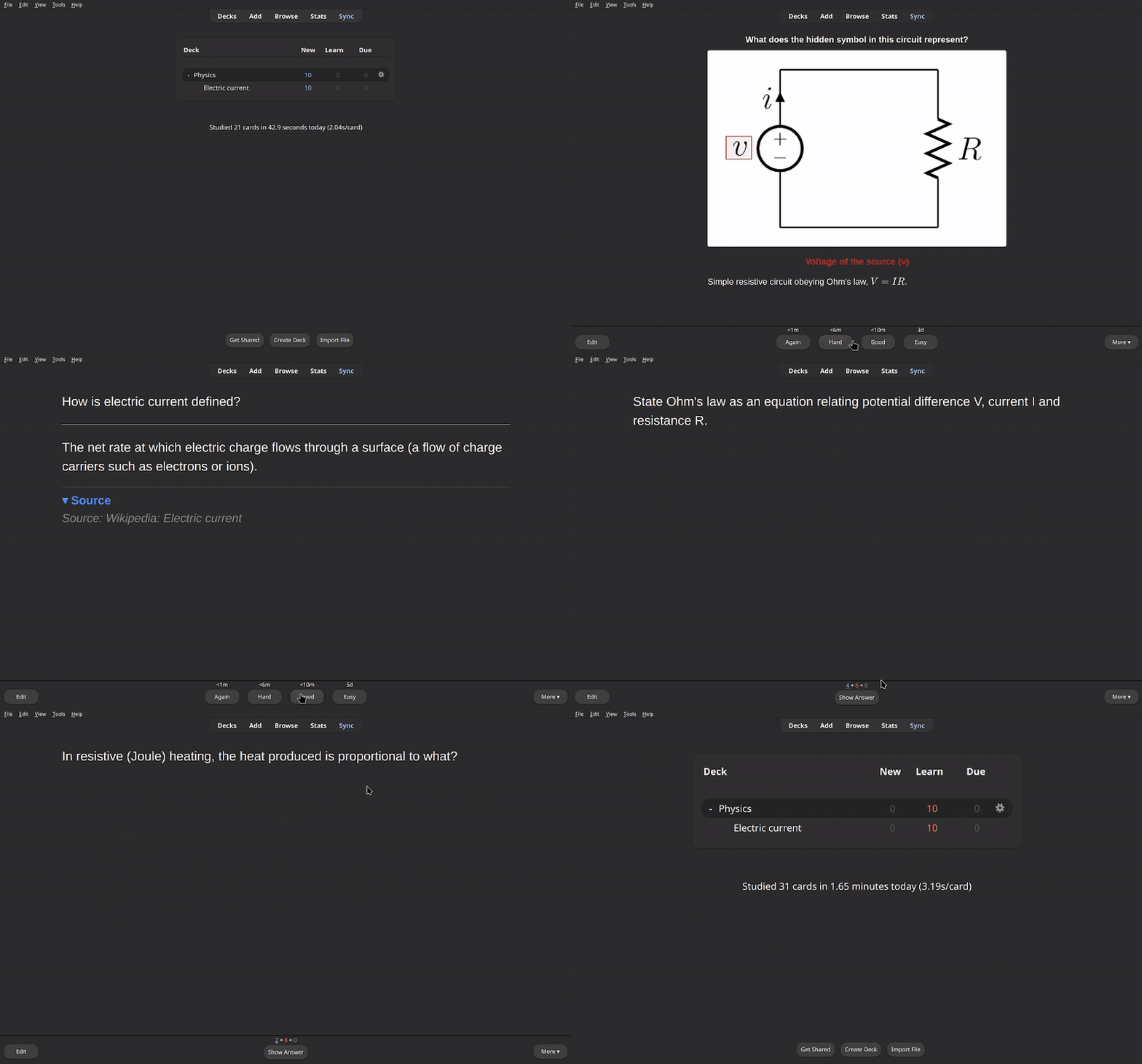
A deck forged from the Wikipedia article on electric current, in review — including image-occlusion cards on the article's circuit diagram. This example was recorded with Claude Code. Made with one prompt ↓
The idea
You drop a file into sources/<topic>/ and ask your AI assistant to make cards
from it. The assistant reads the source, writes card JSON following the sharedcard-authoring methodology, and checks its work. The local tools extract
sources, render previews, and pack the JSON into a ready-to-import .apkg
using genanki.
The repository makes no LLM API calls and requires no provider API key.
Choose the assistant, model, and any credentials or subscription in your own
AI tool. The interface between the assistant and the build pipeline is ordinary
files and shell commands; switching providers does not change the card format
or Python/Docker tools.
sources/<topic>/script.pdf → (your assistant authors card JSON) → decks/<topic>/script.apkg → import into Anki
What makes the cards good rather than just numerous:
- Evidence-based card rules — atomicity, active retrieval, no hint leaks,
format by knowledge type (see the methodology, with sources). - Grounding check — a heuristic flags answers that may lack support in the
source text; the assistant reviews those flags against the source. - Visual self-review — cards are rendered as PNGs (light and Anki night
mode) and inspected before delivery; image-occlusion masks are checked visually. - Real-engine validation — every
.apkgis imported and rendered with Anki's
actual backend before it is handed to you.
Example: one prompt, start to finish
The deck in the GIF above was made like this — a real, unedited session
recorded with Claude Code. The screenshots document that example; the shared
workflow below can be used with other assistants.
1. Get a source. Anything that fits in a PDF or text file. Here: the
Wikipedia article Electric current
as PDF, plus the article's circuit diagram in high resolution (a CC0 file from
Wikimedia Commons) for the image-occlusion cards.
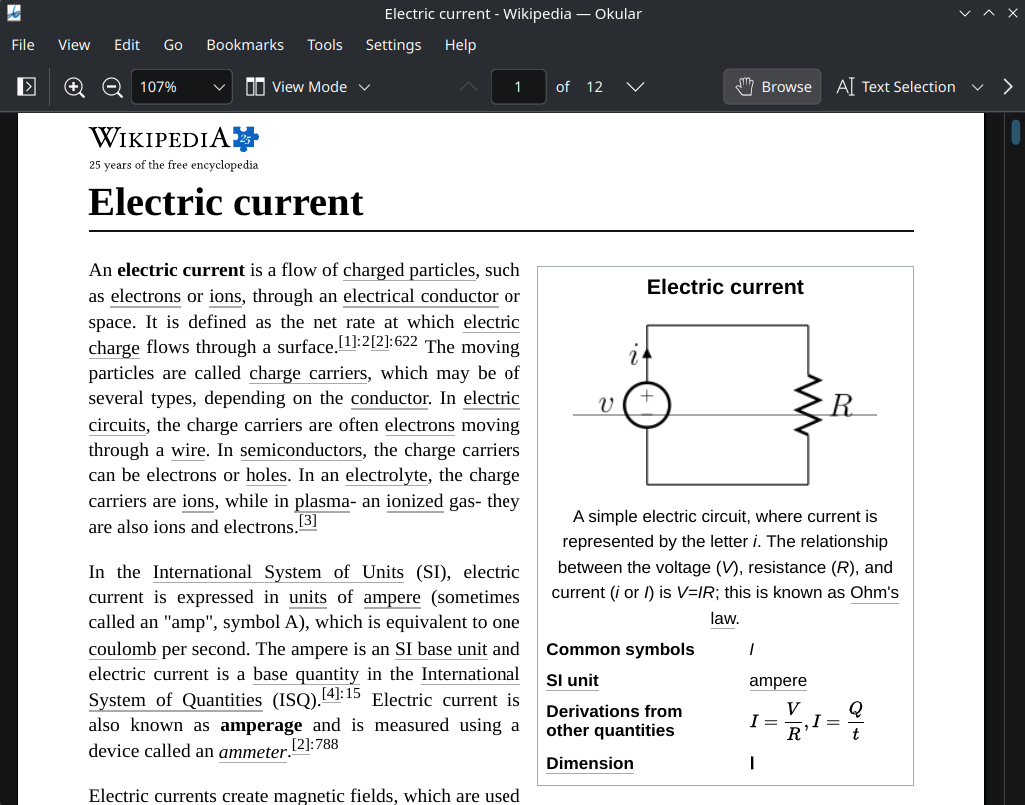
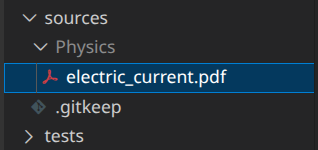
2. Drop it into sources/<topic>/:
3. Ask. In this recording, one sentence in the Claude Code chat:

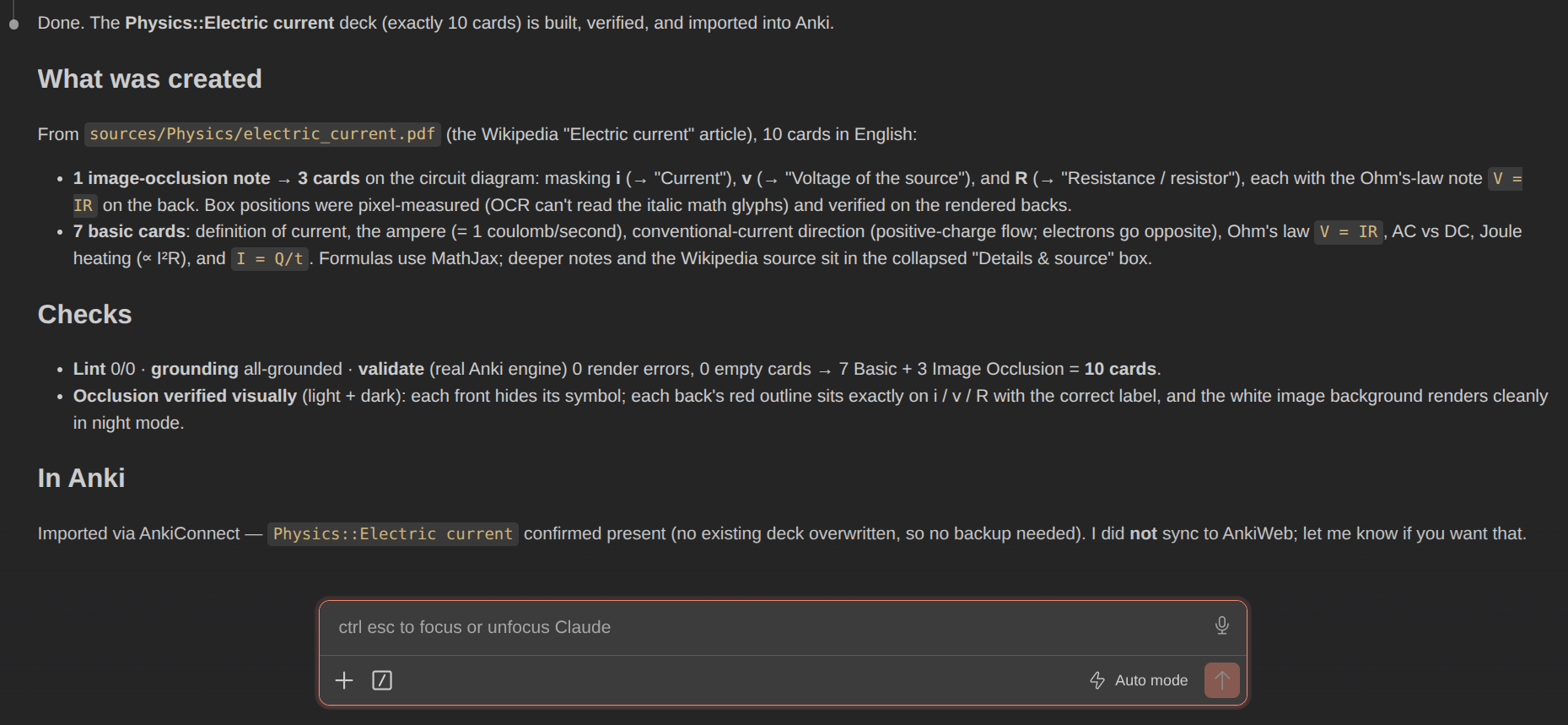
4. Claude does the rest — extracts the PDF, authors the cards following the
methodology, places the occlusion masks on the circuit diagram, runs the whole
quality pipeline on its own work, and (since AnkiConnect was installed) imports
the finished deck straight into Anki. Expect this to take a while — several
minutes even for a small deck; the time goes into the self-checks, not just
the writing:
5. Study. That is the GIF at the top: 7 basic cards plus 3 image-occlusion
cards masking v, i and R on the circuit — fresh out of the forge.
Requirements
- Anki (the flashcard app you study in — desktop,
or AnkiMobile/AnkiDroid) to import and review the generated decks - An AI assistant that can read and write project files and run shell
commands. Image viewing is needed for visual source material, image-occlusion
cards, and visual preview checks; if unavailable, inspect those images
yourself and do not treat the visual review as complete. - Git, Bash, and Python 3.10+ on the host (on Windows, use a Bash
environment such as WSL). - Docker with a running daemon (packs cards into
.apkg, renders previews,
runs OCR). - Optional: the AnkiConnect add-on (code
2055492159) to push decks into
Anki without the manual import dance — see ANKICONNECT.md.
Everything works without it; it just saves clicks.
The main build, extraction, and rendering dependencies live inside Docker.
Host-side lint, grounding, and coverage checks use Python's standard library.
Reading modern Anki exports/backups additionally needs Python zstandard or
the zstd CLI; see AnkiConnect setup.
A chat assistant without file/shell access can still help author JSON, but you
must save the files and run the tools yourself.
Docker on Linux and WSL2
You can install Docker Engine directly in Linux, including Ubuntu inside
WSL2; Docker Desktop is optional. Follow the official
Docker Engine installation for Ubuntu
and Linux post-installation steps
so your normal user can run Docker. Run this project's Bash, Python, and Docker
build commands inside that Linux environment, from the project directory.
Before running setup.sh, this must succeed without sudo:
docker info
With systemd enabled in WSL2
and the Docker service enabled, Docker starts when the Ubuntu distribution
starts. This does not launch Ubuntu at Windows startup or keep WSL running
indefinitely. If Anki runs on Windows while the project runs in WSL, use the
Windows Anki connection instructions.
Quick start
git clone https://github.com/FrostySL/anki-card-forge
cd anki-card-forge
./tools/setup.sh          # checks Docker/Python, enables the commit guard,
                          # builds the image, proves it on the example deck
setup.sh is the one-command health check ("doctor"): it does the two
easy-to-forget one-offs (commit guard, builder image) and builds the bundled
example deck end-to-end, so the first five minutes finish with a visible
success. Prefer to do it by hand? docker build -t anki-cards . andgit config core.hooksPath .githooks are the only required steps.
- Put a source into
sources/<topic>/(PDF, text, Markdown …) — one subfolder
per topic, e.g.sources/Biology/. - Open the project in your AI assistant and give it the portable start prompt
below. This explicitly loads the guide even if the assistant does not
automatically readAGENTS.md. - The assistant produces
decks/Biology/respiration.apkgafter running the
quality checks. - Import into Anki: double-click the
.apkg, or in Anki open File → Import
and pick it. The cards land in a deck named after the topic (e.g.Biology),
ready to study — scheduling, subdecks and styling are already baked in. On phones,
sync the desktop collection to AnkiWeb and the deck appears in AnkiMobile/AnkiDroid.
(Tired of the import dialog? The optional AnkiConnect route
imports and syncs for you.)
What to tell your AI assistant
Copy this prompt into a new conversation with your assistant. Replace the
example source path with your own file and add any wishes about language,
scope, or card count. This explicitly tells the assistant which instructions
to read, so the workflow does not depend on automatic instruction discovery:
Read AGENTS.md, skills/card-authoring/SKILL.md, and workflows/forge.md first.
Follow those instructions to create Anki cards from
sources/Biology/respiration.pdf, run the quality checks, and produce the
finished .apkg.
The larger images (preview/OCR, source extraction) are built automatically the
first time the corresponding tools/*.sh runs.
Shared guide, skill, and workflows
AGENTS.md is the provider-neutral project guide and card JSON
reference. skills/card-authoring/SKILL.md
contains the authoring rules, with their evidence in
research.md. These are ordinary Markdown
files: an assistant can read and follow them without a skill registry or
provider-specific installation.
Use workflows/forge.md for new cards and
workflows/rework.md for existing decks. For example:
Read
AGENTS.md,skills/card-authoring/SKILL.md, andworkflows/rework.md. Rework my exported decksources/Biology/export.apkg
while preserving its note GUIDs and learning progress.
Optional Claude Code integration: The adapters in .claude/ point to
the shared instructions. Claude Code users can keep using/forge sources/<topic>/<file> and /rework; the optional.claude/settings.json hook adds automatic lint feedback after card edits.
Other assistants run the same checks through the documented shell commands.
Re-importing a newer version of a deck? If you have already studied it, keep
your progress by giving cards stable GUIDs — see
Updating an already-learned deck.
A plain rebuild otherwise creates fresh cards and resets scheduling.
Any topic, any language
The project is deliberately generic — biology, law, math, software engineering,
history: if it fits in a PDF or text file, it can become cards. Cards default to
the language of your source material. Want something else? Just tell your assistant:
"Make the cards from sources/Histoire/revolution.pdf — cards in French, please."
For scanned PDFs in other languages, add the Tesseract language pack toDockerfile.extract and pass --lang (e.g. ./tools/extract.sh … --lang eng+fra).
Optionally place a context.md next to your sources (what the material is for,
where the focus lies, what the exam covers) — the assistant reads it first and weights
the cards accordingly.
Saving tokens: run the extraction toolchain yourself
Your assistant normally runs the whole pipeline for you. The source
preparation step (PDF → Markdown + figure crops) is pure tooling — no AI
involved — and you can run it yourself before starting the chat to avoid
spending tokens on tool orchestration:
./tools/prep.sh sources/<topic>/ # whole folder, or a single PDF
This produces, per source file:
extracted/<topic>/<name>.md— machine-readable Markdown with page markers
(<!-- p. 12 -->), scanned pages OCR'd and marked(OCR),extracted/<topic>/<name>.figures.md— an index of the figures per page,extracted/<topic>/figures/<name>_p<page>_<i>.png— cropped figures (for
image-occlusion cards and cheap visual checks).
Then tell your assistant "the sources are already prepared — make cards from
extracted//…" and it skips straight to reading and authoring. Everything
else (lint, grounding, preview, build, validate) is also runnable by hand — see
the tools table below.
Card types
- basic — question/answer (with
reverse: truealso both directions). - cloze — fill-in-the-blank
{{c1::…}}. - typein — type the answer, Anki compares (for exact spellings).
- occlusion — image with hidden regions (anatomy, diagrams …), self-rendered
HTML/CSS overlay that works in every Anki version.
On every card, optionally a collapsed "Details & source" box
(explanation + source) — elaborative feedback after the retrieval, without
making the question easier. Full card JSON format: AGENTS.md.
{
  "deck": "Biology::Cellular respiration",
  "cards": [
    { "type": "basic",
      "front": "Where in the cell does cellular respiration take place?",
      "back": "In the mitochondria.",
      "source": "script p. 12", "tags": ["bio"] }
  ]
}
The quality pipeline
Every deck runs through this loop before it is called done:
| Step | Tool | What it catches |
|---|---|---|
| Lint | tools/lint_cards.py |
empty fields, missing deletions, bad occlusion coordinates, duplicate questions, typo'd field names |
| Grounding | tools/grounding_check.py |
answers not backed by the source text (hallucinations), wrong page citations |
| Coverage | tools/coverage.py |
near-duplicate cards across files, source pages without any card |
| Preview | tools/preview.sh |
layout problems, misplaced occlusion masks, night-mode readability |
| Validate | tools/validate.sh |
import errors, render errors, empty cards — in the real Anki engine |
Shortcut: ./tools/finish.sh decks/<topic>/<name>.cards.json runs
lint + grounding + build + validate in one go; give it several cards.json
plus a target .apkg and it bundles a whole topic (and adds the coverage check).
Optional: drive Anki directly (AnkiConnect)
Entirely optional — without it you import the .apkg by double-click /
File → Import, and nothing else in this repo changes. With the
AnkiConnect add-on installed
(code 2055492159, then restart Anki), finished decks go straight into your
collection over local HTTP by default, without passing AnkiWeb
credentials to the tool. Explicit AnkiWeb sync sends collection data to
AnkiWeb:
python3 tools/anki_connect.py ping                    # is Anki + add-on reachable?
python3 tools/anki_connect.py decks                   # list all deck names
python3 tools/anki_connect.py push decks/<topic>/<name>.apkg   # import a built deck
python3 tools/anki_connect.py push <name>.apkg --dry-run       # what WOULD change?
python3 tools/anki_connect.py export "<Deck>" out.apkg # export WITH scheduling
python3 tools/anki_connect.py sync                    # trigger AnkiWeb sync
python3 tools/anki_connect.py mirror                  # local backup of all decks
python3 tools/anki_connect.py update-note <nid> --field "Back=..."   # edit one note in place
python3 tools/anki_connect.py restore [--list]        # push a backup snapshot back
./tools/finish.sh … --push [--prune] [--sync] chains it into the build:
validate, import, optionally remove cards you cut from the deck, optionally
sync to AnkiWeb/phone.
Safety comes built in: destructive API actions are locked out entirely, every
push backs up the affected decks first (decks/_anki-backups/, restore =
push the backup), removing cards only happens via the explicit --prune with
several guards, and sync never runs implicitly.
Full documentation — setup, all commands, backups & restore, safeguards,
workflows, troubleshooting: ANKICONNECT.md.
Updating an already-learned deck (without losing progress)
Learning progress hangs off the Anki note GUID. To restructure cards you have
already been studying:
# 1. In Anki: File → Export → .apkg (with scheduling) — or, with AnkiConnect:
python3 tools/anki_connect.py export "<Deck>" export.apkg
# 2. Back to editable JSON, GUIDs preserved (modern exports need zstd):
python3 tools/apkg_to_cards.py export.apkg -o decks/<topic>/<name>_rebuild
# 3. Edit the cards.json, then rebuild — re-import UPDATES instead of duplicating:
./tools/build.sh decks/<topic>/<name>_rebuild/*.cards.json "restructured.apkg"
# 4. Verify before importing: exactly the intended changes, no cloze breakage?
python3 tools/deck_diff.py export.apkg restructured.apkg --strict
Details (cloze pitfalls, CSS updates): AGENTS.md.
Tools
| Tool | Purpose |
|---|---|
tools/prep.sh |
prepare a source in one step: extract + figure index + figextract |
tools/extract.sh |
PDF → Markdown (parallel OCR for scans; incl. figure index via figindex.py) |
tools/figextract.sh |
crop figures out of the PDF → PNG crops + manifest |
tools/detect.sh |
OCR (Tesseract): detect label boxes for image occlusion |
tools/lint_cards.py |
fast content/structure check (pure Python, no Docker) |
tools/grounding_check.py |
anti-hallucination: are the answers really in the source text? |
tools/coverage.py |
near-duplicates + source-page coverage across a whole topic |
tools/build.sh |
card JSON → .apkg (genanki); also bundles several JSONs into one file |
tools/preview.sh |
cards → PNG previews, light + night mode (headless Chromium) |
tools/validate.sh |
check the .apkg in the real Anki engine (import + render) |
tools/finish.sh |
shortcut: lint + grounding (+ coverage) + build + validate in one; --push [--sync] sends the result into Anki |
tools/apkg_to_cards.py |
.apkg → cards.json back, GUIDs and media preserved (edit learned decks without losing progress) |
tools/deck_diff.py |
diff two deck versions by note GUID: added/removed/changed notes, cloze-safety warnings — verify a rework before pushing it |
tools/anki_connect.py |
optional: drive a running Anki via the AnkiConnect add-on — push (--dry-run)/export/sync/mirror/decks/restore, local HTTP, no credentials (docs) |
tools/setup.sh |
one-command setup + health check for a fresh clone (Docker/Python, commit guard, builder image, example-deck smoke test) |
tools/test.sh |
test suite of the logic tools (stdlib unittest, no Docker/pip) |
Folder structure
sources/<topic>/           your source files (local, not versioned)
extracted/<topic>/         Markdown extracts + figure crops (local, via prep.sh)
decks/<topic>/             generated .cards.json + .apkg (local; only the example in the repo)
tools/                     preparation, build, checks — see the tools table
tests/                     stdlib test suite of the logic tools
skills/card-authoring/     shared card methodology + research (ordinary Markdown)
workflows/                 provider-neutral forge + rework instructions
.claude/                   optional Claude Code adapters: skill, slash commands,
                           cards.json lint hook (settings.json — delete to opt out)
.githooks/                 pre-commit guard for the public repo
docs/img/                  images/GIF for this README (recordings stay local)
reference/                 local Anki reference clones (not in the repo, see reference/README.md)
AGENTS.md                  shared project guide (workflow + card format)
ANKICONNECT.md             optional AnkiConnect integration (push/export/sync/mirror)
Privacy: local files and your AI service
Sources, extracts, and generated decks are stored locally and excluded from
Git via .gitignore. The commit guard (.githooks/pre-commit, enabled
with git config core.hooksPath .githooks) additionally blocks commits that
would add personal material (PDFs, .apkg, files under sources/,extracted/, decks/) — even with git add -f. Its shared path allowlist lives
in tools/check_repo_files.py; CI checks the same policy against all tracked
files. The repository contains the tools, methodology, and one example deck.
These Git protections prevent accidental commits; they do not control what
your AI assistant sends to its model provider. Source text, images, and cards
that a cloud assistant reads may be sent to that service, depending on its
settings and data policy. Choose an appropriate service for your material.
A local model is also an option when your agent tooling supports it and the
required file, shell, and image capabilities.
AnkiConnect talks to the local Anki app by default. An explicitly requested
AnkiWeb sync transfers collection data to AnkiWeb.
Contributing
For changes to the tools or documentation, see CONTRIBUTING.md
for the branch → pull request → checked squash merge workflow and relevant tests.
License
MIT. This project contains no Anki source code; it produces.apkg files via genanki (MIT).
Anki itself is AGPL-3.0 licensed and not included here.
Yorumlar (0)
Yorum birakmak icin giris yap.
Yorum birakSonuc bulunamadi