netscli
Health Gecti
- License — License: MIT
- Description — Repository has a description
- Active repo — Last push 0 days ago
- Community trust — 15 GitHub stars
Code Gecti
- Code scan — Scanned 12 files during light audit, no dangerous patterns found
Permissions Gecti
- Permissions — No dangerous permissions requested
Bu listing icin henuz AI raporu yok.
A modern network scanner written in Rust. CLI, TUI, desktop app, and MCP server.
A network scanner written in Rust. CLI, terminal UI, desktop app, and MCP server. One library behind all four.





Why this exists
The terminal UI came first. I wanted to understand how the newer TUIs work,
the ones coding agents like Claude Code have put real effort into.
Autocomplete, command history, in-place progress, and a UI that does not take
over the terminal, so scrollback and copying text keep working. Building one
seemed like the way to learn it, and a network scanner gave it something to
do.
The MCP server came next. I thought it would be interesting to let an agent
work with a network that way. Ask which device just joined, or whether port 22
is open on some host, instead of shelling out to another tool and parsing
output that was written for a person to read.
Then the CLI, for programmatic use. A script or a cron job wants one command
and JSON back, not an interactive session.
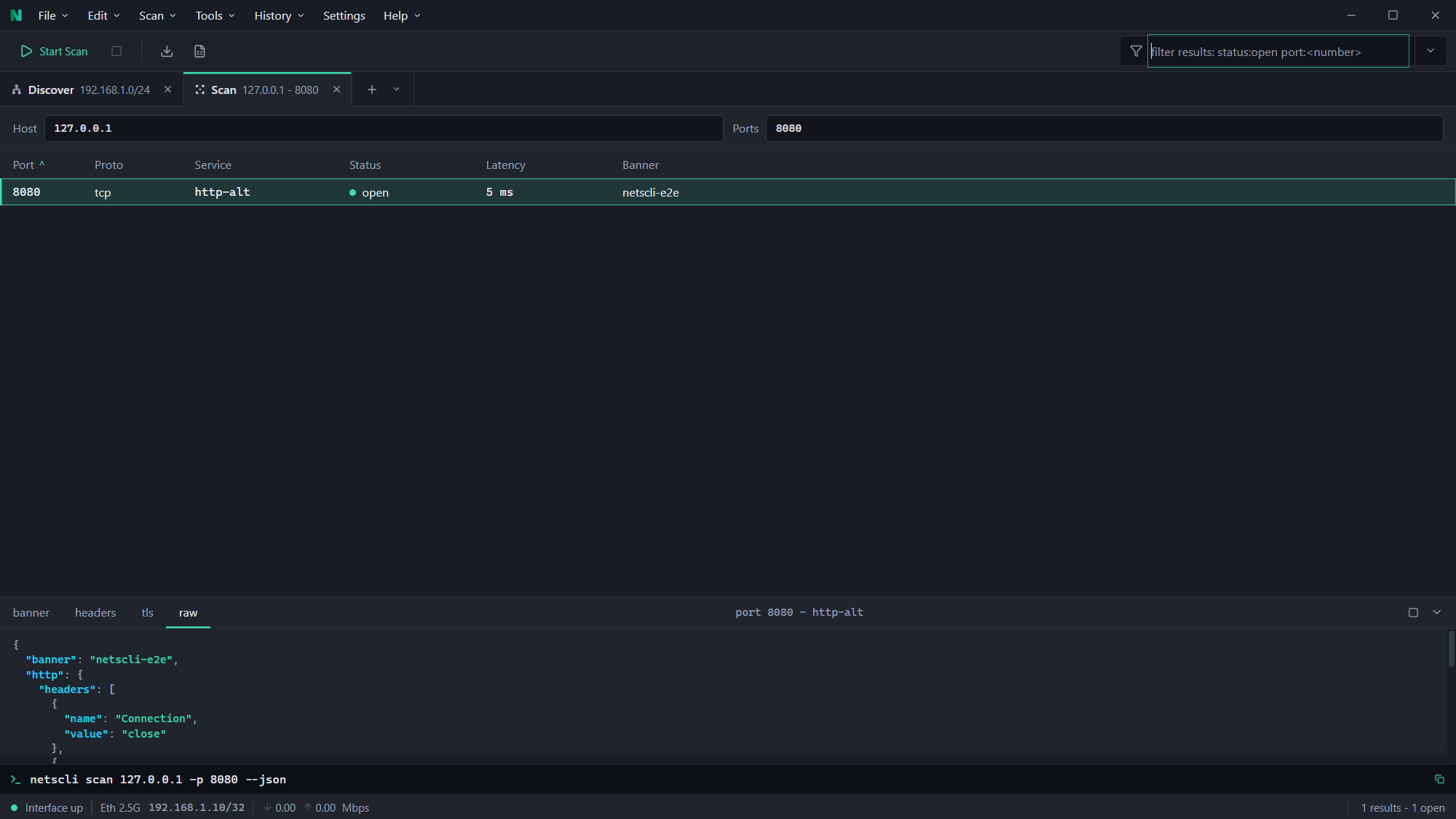
The desktop app came last. Some people would rather have a GUI than a
terminal, and honestly I sometimes prefer it myself over running the commands
locally.
Three of them are the same binary. netscli <command> is the CLI, netscli
on its own opens the terminal UI, and netscli serve starts the MCP server.
The desktop app is a separate download over the same core.
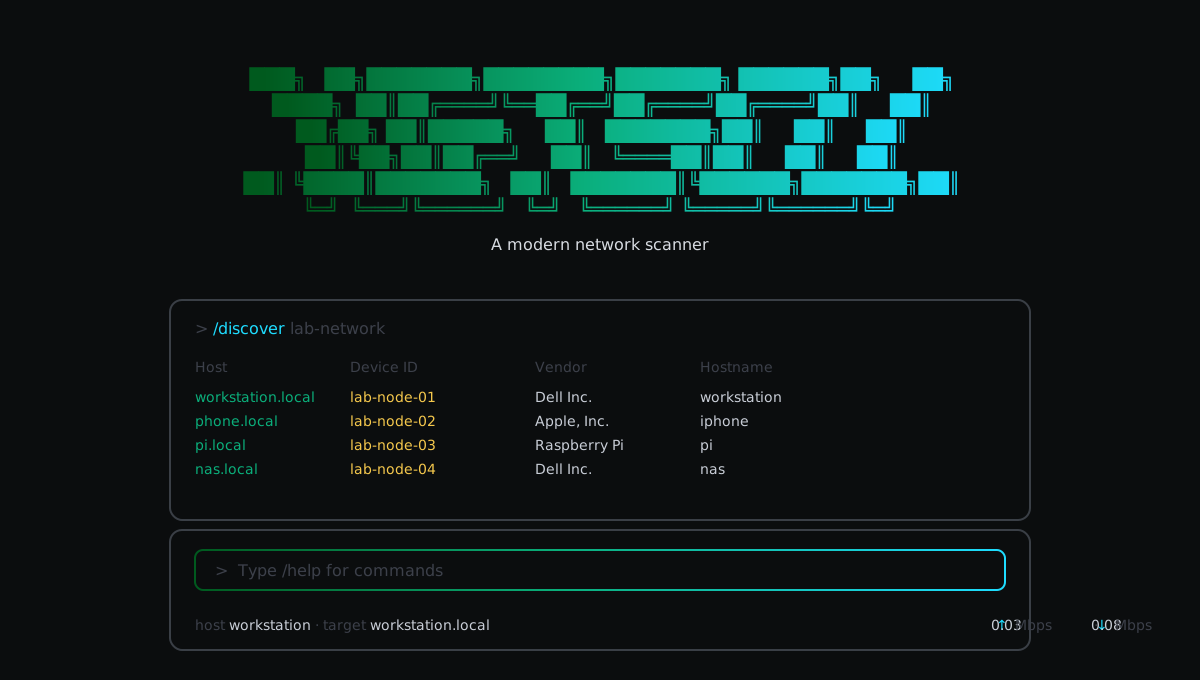
Screenshots
Install
# macOS / Linux
brew tap fstubner/tap && brew install netscli

# Windows
winget install netscli        # CLI, TUI and MCP server
winget install netscli-gui    # desktop app

# Any platform, via cargo
cargo install netscli
Desktop installers for Windows, macOS and Linux are attached to every
release.
Scoop, the AUR, the one-line install scripts, packet-capture builds and
signature verification are all covered in the
install guide.
Usage
netscli discover                     # find hosts on the local subnet
netscli scan 192.168.1.10 -p 22,80,443
netscli inspect example.com          # ping + scan + resolve
netscli dns example.com              # all record types
netscli arp                          # ARP table with vendor lookup
netscli interfaces
Every non-interactive command takes --json or --yaml, so results pipe
straight into jq, and the ones that return a list also take --csv and--md.
Run netscli with no arguments for the terminal UI: slash commands with
autocomplete, command history, scrollback and /export.
Full command reference: CLI ·
TUI ·
desktop app
MCP server
{
  "mcpServers": {
    "netscli": {
      "command": "netscli",
      "args": ["serve"]
    }
  }
}
Nine tools by default: discover, scan, ping, DNS, ARP, inspect, sweep,
interfaces and mDNS. Packet-capture builds add four more. Details and the
full schemas are in the MCP guide.
Documentation
| Page | Covers |
|---|---|
| Overview | What it does, the interface model, safety limits |
| Installation | Every install route, per platform |
| CLI | Commands, flags, structured output |
| Terminal UI | Slash commands and session behaviour |
| Desktop app | Tabs, filters, exports |
| MCP server | Tools, schemas, agent setup |
| Operations | What each scan actually does |
| Result model | Shape of the JSON and YAML output |
| Packet capture | Requirements and the pcap builds |
| Core library | Using netscli-core directly |
Contributing
Issues and pull requests are welcome. Building from source, the desktop app
dev loop, packet-capture builds and the repository layout are all in
CONTRIBUTING.md.
License
MIT
Yorumlar (0)
Yorum birakmak icin giris yap.
Yorum birakSonuc bulunamadi