FSB
Health Pass
- License — License: NOASSERTION
- Description — Repository has a description
- Active repo — Last push 0 days ago
- Community trust — 182 GitHub stars
Code Pass
- Code scan — Scanned 12 files during light audit, no dangerous patterns found
Permissions Pass
- Permissions — No dangerous permissions requested
No AI report is available for this listing yet.
DOM-first AI browser automation for Chrome and MCP clients.
FSB v0.9.90 Full Self Browsing









AI-powered browser automation through natural language. Tell it what to do, and watch it browse for you.
Pure structural intelligence. Zero vision. Zero guessing.
What's New · Quick Start · MCP Server · Architecture · Providers · Development
Overview
FSB (Full Self Browsing) is an open source Chrome extension for AI powered browser automation. Describe a task in plain English; FSB reads the live DOM, builds a plan, executes browser actions, verifies results, and reports progress through the popup, side panel, or MCP.
FSB v0.9.90 is functional and production ready for supervised automation. Browser automation can still behave unpredictably on complex or sensitive sites, so monitor actions and test on non critical pages first.
Why DOM First
Project Mariner, Claude Computer Use, and OpenAI Operator rely heavily on visual page understanding. FSB uses page structure directly.
| Metric | Vision based agents | FSB |
|---|---|---|
| Page understanding | Screenshots | DOM, selectors, ARIA, forms |
| Hidden elements | Often invisible | Available in structure |
| Typical per step latency | 1 to 3 seconds | 50 to 200 ms |
| Token/cost profile | Image heavy | Text/structure heavy |
Quick Start TL;DR
FSB shines when your AI client drives it directly. Install the MCP server for your client of choice — one command, no manual config edits, and no FSB API key needed (your MCP client's model handles the reasoning):
| Client | One-command install |
|---|---|
| Claude Code | npx -y fsb-mcp-server install --claude-code |
| Claude Desktop | npx -y fsb-mcp-server install --claude-desktop |
| Cursor | npx -y fsb-mcp-server install --cursor |
| VS Code | npx -y fsb-mcp-server install --vscode |
| Windsurf | npx -y fsb-mcp-server install --windsurf |
| Codex | npx -y fsb-mcp-server install --codex |
| All at once | npx -y fsb-mcp-server install --all |
Preview before writing: append --dry-run. Sanity check with npx -y fsb-mcp-server doctor. Restart the client so the new MCP server appears.
Then install the browser side (the MCP bridge talks to the extension):
- Get FSB from the Chrome Web Store.
- From your MCP client, try:
Search for cats on GoogleorRead this page and summarize it.
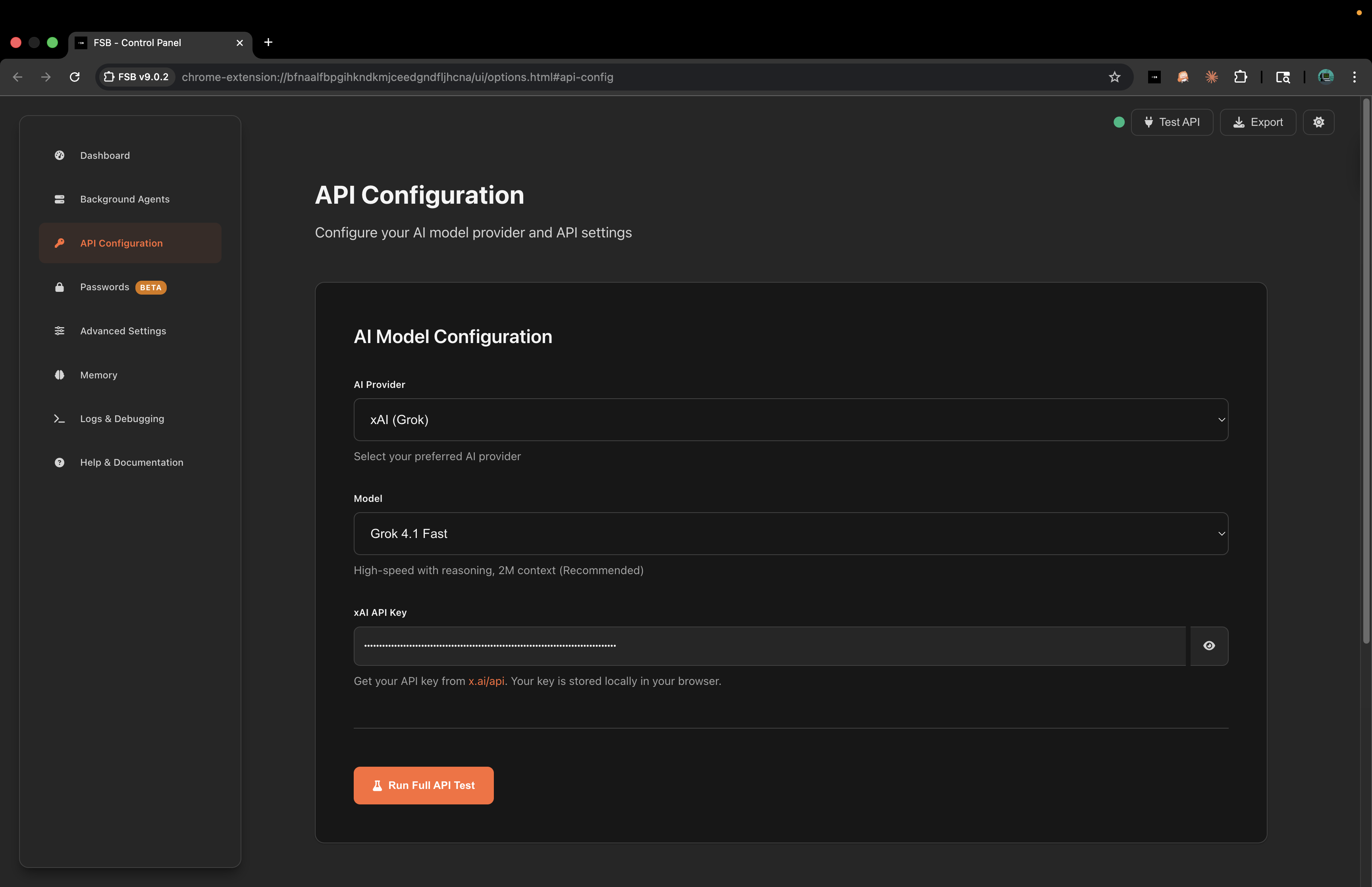
Want to run FSB standalone from the extension popup/side panel? Open settings, paste an API key (xAI, Gemini, OpenAI, Anthropic, OpenRouter, LM Studio, or custom), and start there — no MCP needed.
On OpenClaw? Install FSB directly from ClawHub. That is the fastest onboarding route. If you need the manual fallback, the FSB skill in skills/fsb/ still prints the canonical OpenClaw stdio config block and runs the doctor flow. The bare --openclaw install flag stays manual because OpenClaw's MCP config schema is unstable across builds.
On Hermes? Use the same skill at skills/fsb/. Run node skills/fsb/scripts/print-hermes-yaml.mjs to print the canonical ~/.hermes/config.yaml mcp_servers.fsb block, or run node skills/fsb/scripts/install-host.mjs to detect a local Hermes config and gate the install on consent.
What It Does
- Runs natural language browser tasks from the popup or side panel.
- Supports xAI, Gemini, OpenAI, Anthropic, OpenRouter, LM Studio, and custom OpenAI-compatible endpoints.
- Discovers live provider model lists and falls back to bundled defaults.
- Uses 56 canonical extension tool definitions and 66 registered MCP tools for external clients.
- Provides DOM snapshots, action verification, smart waiting, stuck detection, visual feedback, and session logs.
- Searches a 128-app capability catalog and invokes verified signed, audited, denylist-gated first-party API capabilities through the MCP capability surface.
- Uploads real local files to file inputs through the supervised
upload_filetool with sensitive-path safeguards. - Maintains long term memory for past sites, workflows, selectors, and task outcomes.
- Includes secure credential and payment vault flows for supervised autofill.
- Exposes a local MCP server so Claude Code, Codex, Cursor, VS Code, Windsurf, and other MCP clients can drive the browser.
Background agents are retired. Existing chrome.storage.local['bgAgents'] data is preserved for users who had old agents, but scheduled or recurring automation is no longer an active FSB feature.
Common Use Cases
- QA and regression checks: repeat page flows, click through states, fill forms, and collect action logs.
- Research: navigate pages, extract visible information, and summarize results without relying on screenshots.
- Data entry: move through structured forms with validation, dropdowns, custom controls, and table inputs.
- Ecommerce: compare product pages, inspect prices, monitor availability manually, and prepare carts under supervision.
- Finance and dashboards: read charts, tables, and current page state when a human remains in control.
- Trigger watchers: watch one page element for changes, threshold crossings, or availability while Chrome and the extension stay open.
- Developer workflows: drive GitHub, issue trackers, documentation sites, coding platforms, and browser-based tools.
- Accessibility and DOM inspection: expose structure, labels, selectors, forms, and hidden controls for debugging.
FSB is most reliable when the task can be expressed as page structure and user actions. It is intentionally not a stealth browser, scraper farm, or unsupervised account operator.
Feature Detail
| Area | Current behavior |
|---|---|
| DOM analysis | Captures visible and structural page data, element refs, selectors, forms, ARIA labels, and DOM deltas. |
| Action execution | Supports clicks, typing, keys, scrolling, navigation, tabs, spreadsheet ranges, coordinate tools, direct JavaScript, and real file uploads. |
| Capability catalog | Searches the 128-app catalog and invokes verified signed, audited, denylist-gated T1/T1b first-party API capabilities through search_capabilities and invoke_capability. Catalog-tail hits remain learn-pending, discovery-pending, or guarded fail-closed until proven. Sensitive origins are flagged, while denylisted origins remain blocked. |
| Verification | Checks post-action state, loading behavior, DOM stability, and stuck-action repetition. |
| UI surfaces | Popup chat, persistent side panel, options/control panel, logs, analytics, memory, vault, and sync controls. |
| Model support | Hosted providers, OpenRouter routing, LM Studio local models, custom endpoints, and live model discovery. |
| Output rendering | Markdown, sanitized HTML, Mermaid diagrams, Chart.js charts, and task progress messages. |
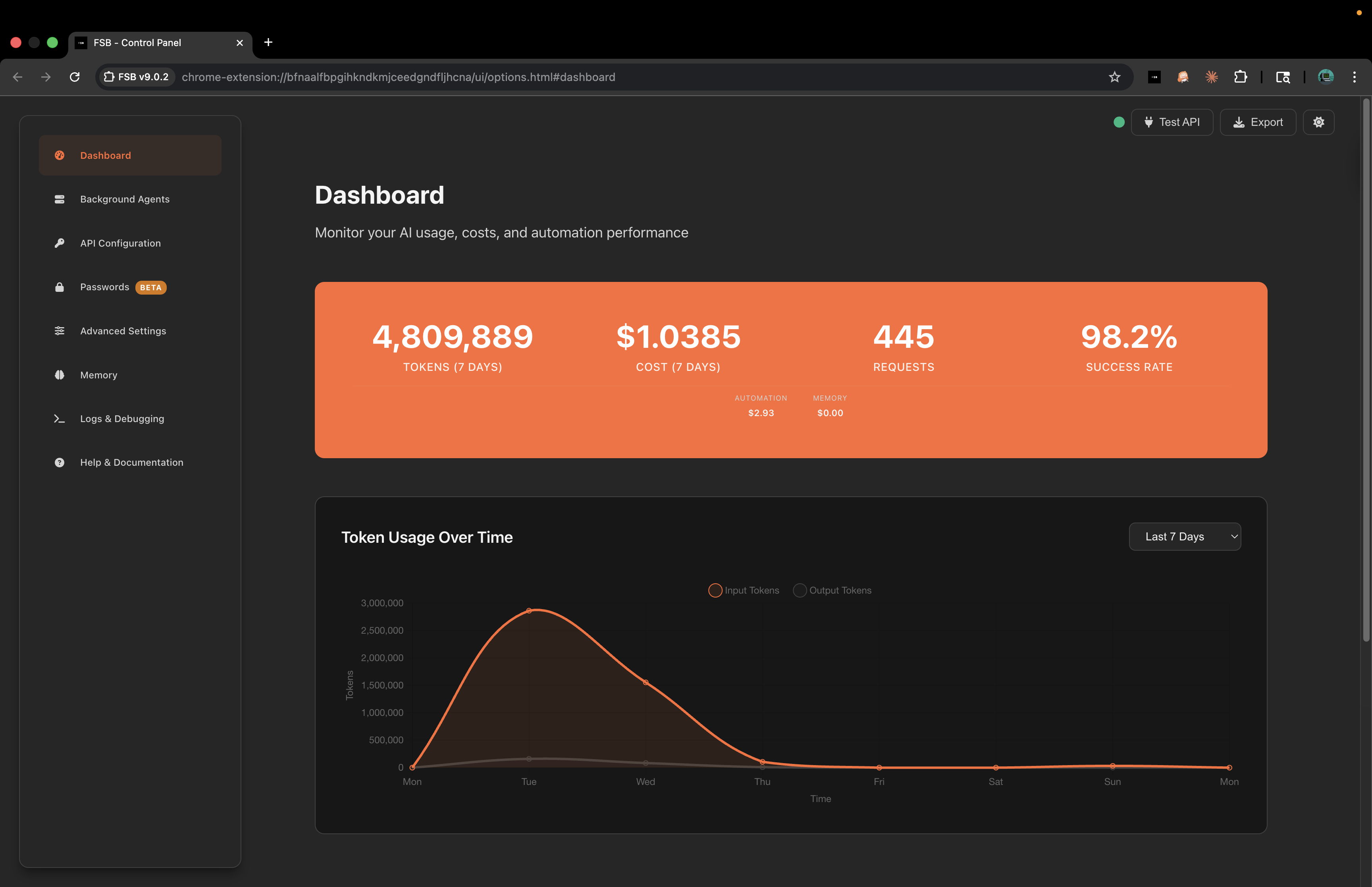
| Observability | Session history, action logs, token/cost accounting, diagnostics ring buffer, and MCP status probes. |
| Security | Encrypted keys, vault unlock flows, redaction helpers, DOMPurify, capability signature/audit gates, origin denylisting, upload-path denylisting, and restricted-tab recovery messaging. |
| Trigger watchers | MCP callers can arm one-element watches with blocking or detached reporting, plus status/list/stop companions. |
| DOM live preview | PhantomStream-backed capture, renderer, protocol, media mirroring, and relay compatibility with FSB-owned pairing, task status, overlays, and remote-control ownership. |
The core design goal is to keep the browser as the source of truth. The model receives structured page context, makes a tool decision, and the extension verifies what changed before moving to the next step.
What's New
Native Capability Catalog: first-party API execution. Beyond DOM automation, FSB can search a capability catalog covering 128 apps and invoke verified API capabilities with search_capabilities and invoke_capability. Verified capabilities run through a router that checks the origin, verifies the recipe signature, checks the denylist, serializes the action, and logs an audit record that never includes secrets. Capabilities that are not yet verified are clearly labeled instead of being presented as ready to use. Every origin is allowed by default unless it is on the denylist, and denylisted origins stay blocked. Sensitive origins are flagged in the interface and the audit trail, and reading data through network capture on a sensitive origin still asks for extra confirmation. The API integration model is inspired by OpenTabs (see Acknowledgements). Capability execution is fully supported and has been tested, including live browser testing. The automated test suite is green.
upload_file: real file input uploads. MCP clients and FSB autopilot can now call upload_file(selector, file_path, tab_id?) to set an absolute local disk path on a real <input type="file"> through CDP DOM.setFileInputFiles, including inputs hidden behind styled dropzones. Uploads pass through one shared background chokepoint with a sensitive-path denylist and audit logging that does not persist disk paths. drop_file remains for synthetic drag/drop cases and pure drag-only zones.
PhantomStream 0.2.1 media mirroring. Dashboard DOM live preview now consumes the published PhantomStream media side channel in reference mode, so progressive <video> and <audio> nodes can mirror alongside DOM snapshots. Adaptive HLS/DASH discovery remains deferred because it would require a new webRequest permission; MCP tool schemas, pairing, auth, and dashboard ownership behavior are unchanged.
v0.11.0 — Trigger Tool (reactive DOM monitoring). MCP callers can arm a watch on one page element with trigger and manage it with stop_trigger, get_trigger_status, and list_triggers. Watches support live-observe and refresh-poll modes, threshold/delta/regex/compound conditions, blocking or detached reporting, and a configurable concurrency cap. See Trigger Watchers for the full contract.
Showcase and ecosystem pages. full-selfbrowsing.com added pages for Lattice (capability runtime SDK), PhantomStream (DOM-native browser mirroring), Prometheus (the autonomous browser build behind FSB), and a community Site Maps hub, plus a live stats page with an anonymized active-regions globe, a legal posture page, and an interactive knowledge-graph viewer on About.
Full history is in CHANGELOG.md; the MCP package keeps its own log in mcp/CHANGELOG.md.
Repository Layout
| Path | Purpose |
|---|---|
extension/ |
Chrome extension package. Load this directory as an unpacked MV3 extension. |
mcp/ |
npm package fsb-mcp-server, the local MCP bridge for external AI clients. |
skills/fsb/ |
OpenClaw + Hermes skill: doctor + stdio/YAML printers + consent gated install for multiple hosts. |
showcase/ |
Marketing and dashboard site for full-selfbrowsing.com. Angular 20 static prerender + Express relay. |
showcase/server/ |
Node/Express deploy backend for pairing, PhantomStream-compatible relay, auth, and dashboard data. |
server-py/ |
Legacy Python/FastAPI-style backend prototype retained for reference. |
tests/ |
Node tests for extension modules, MCP contracts, bridge behavior, and regression coverage. |
scripts/ |
Repo maintenance and validation scripts. |
Top level deploy and validation files:
package.json- root commands for validation, tests, packaging, and showcase helpers.Dockerfile,fly.toml- production deploy for the showcase server on fly.io..github/workflows/ci.yml- validates extension, MCP smoke tests, and showcase build..github/workflows/deploy.yml- deploys the production site onmainpushes.
Screenshots
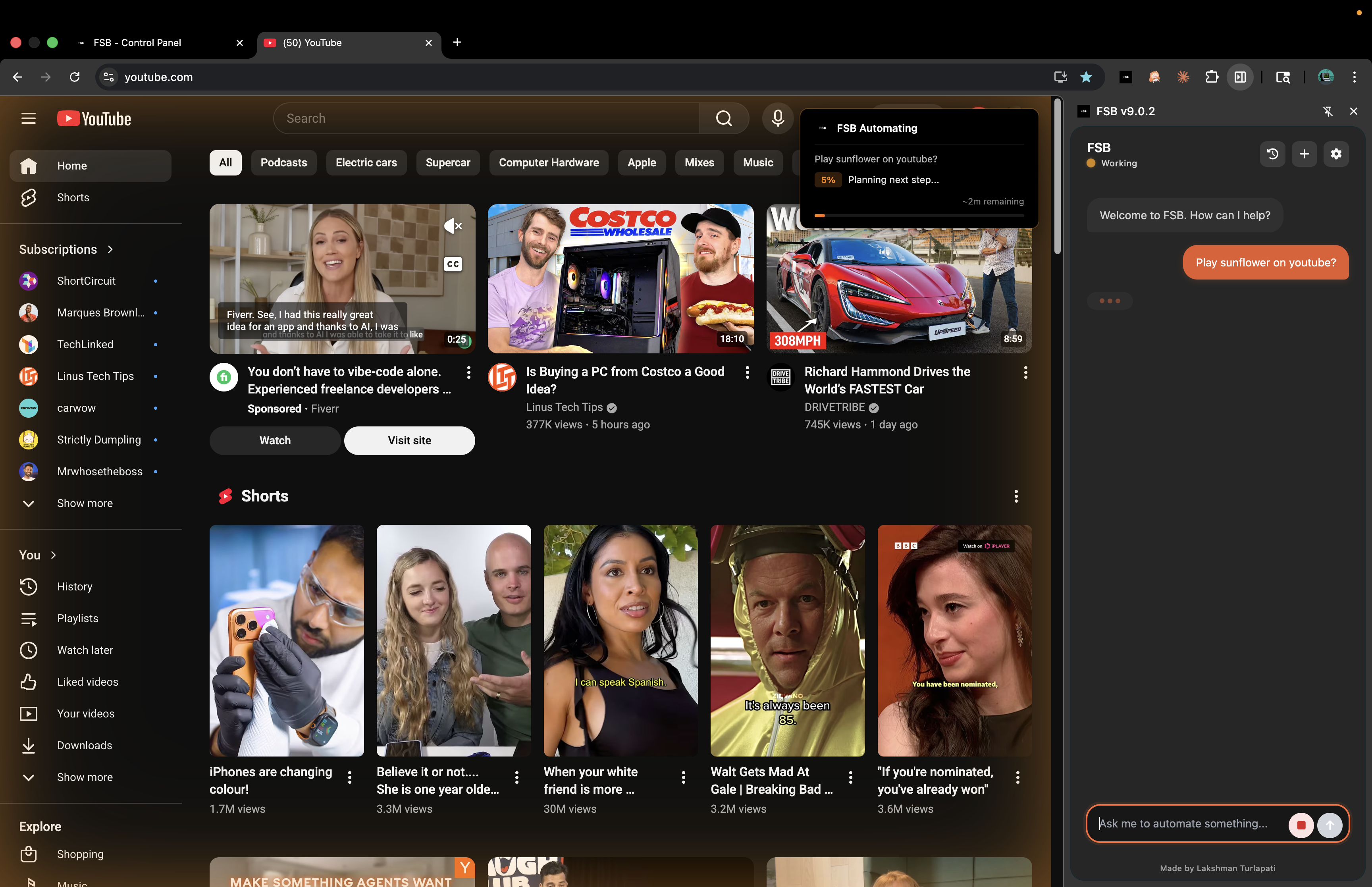
Task Input |
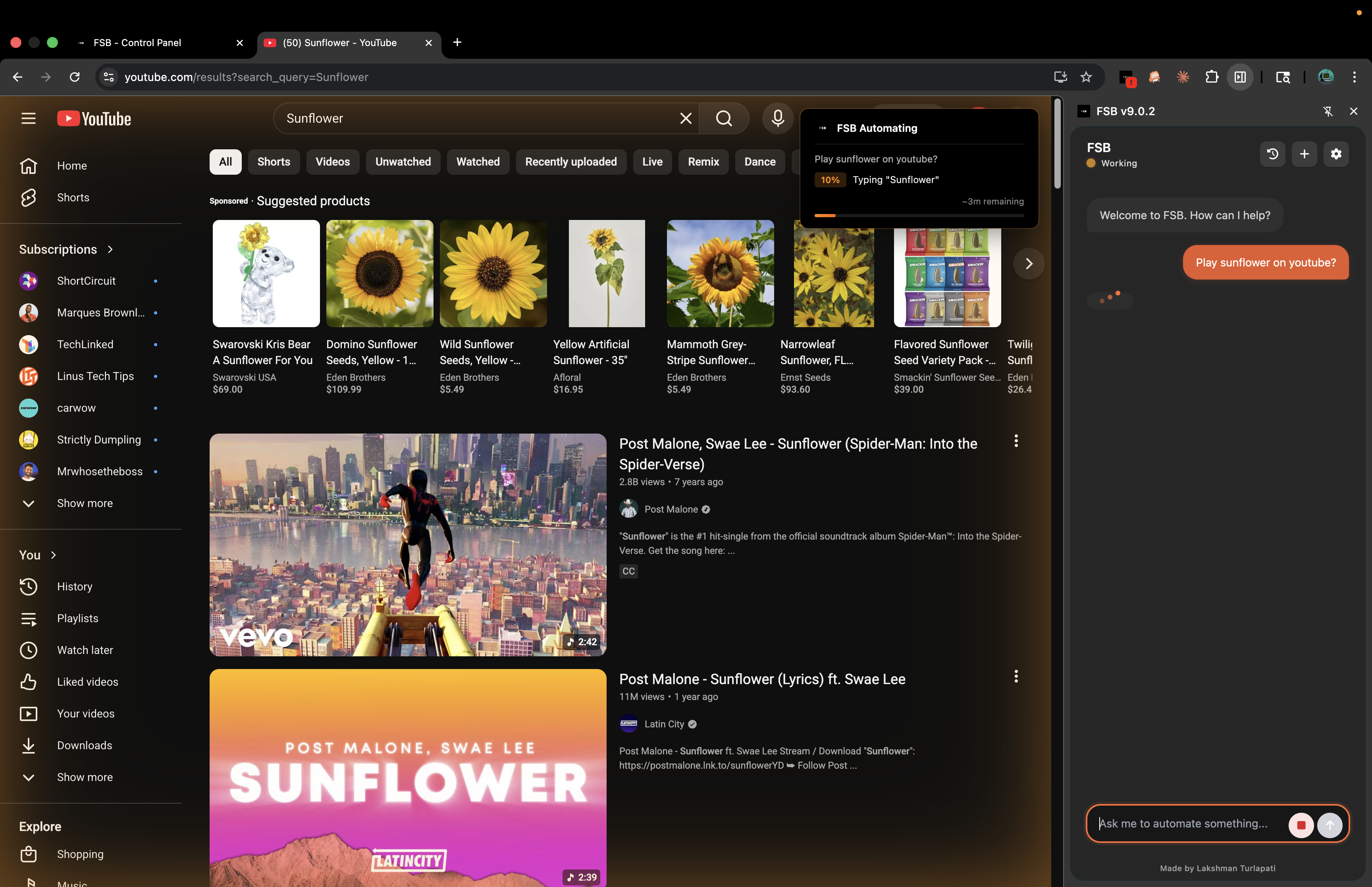
Task Execution |
Dashboard and Analytics
API Configuration
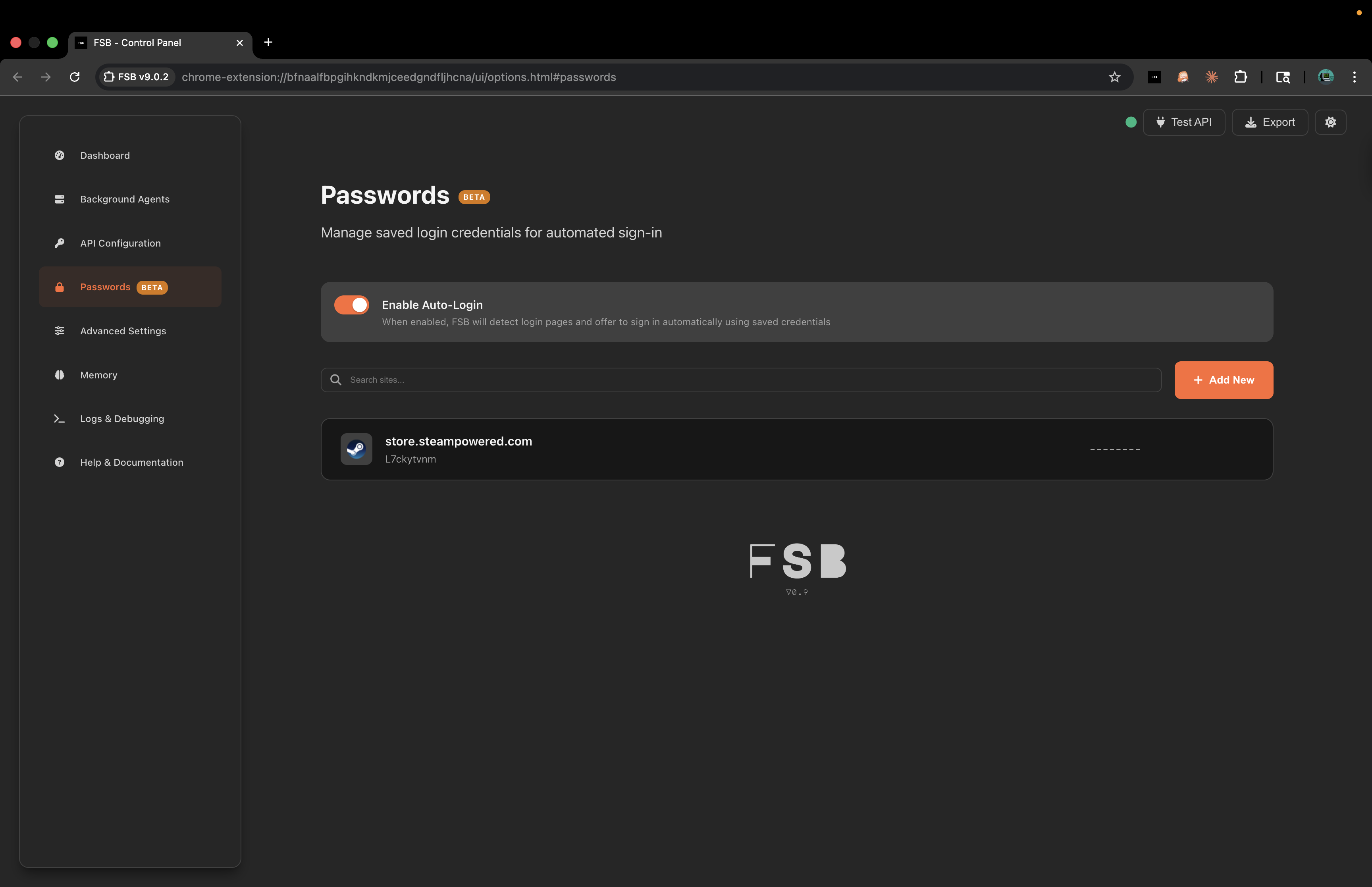
Passwords Manager
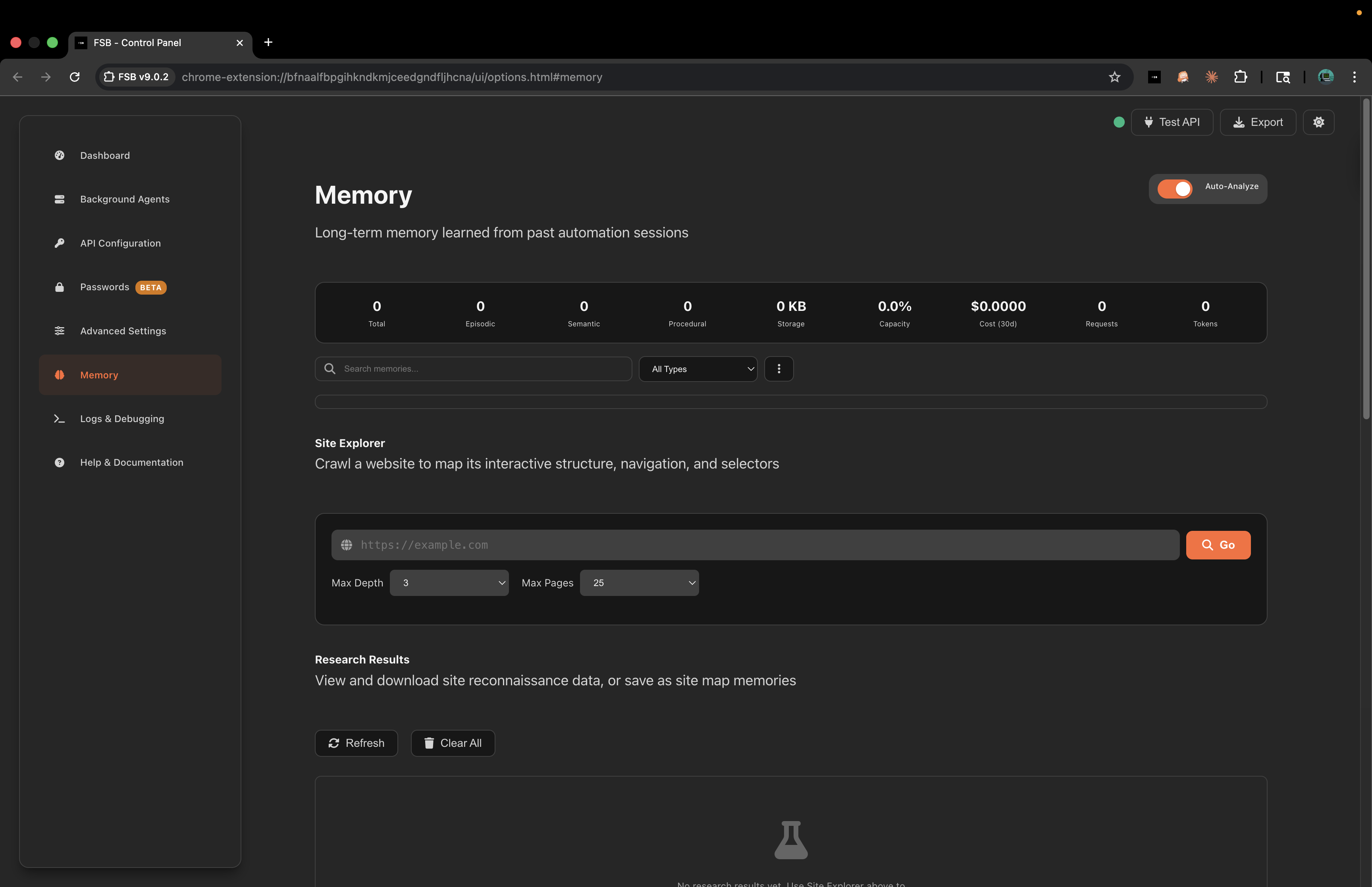
Memory and Site Explorer
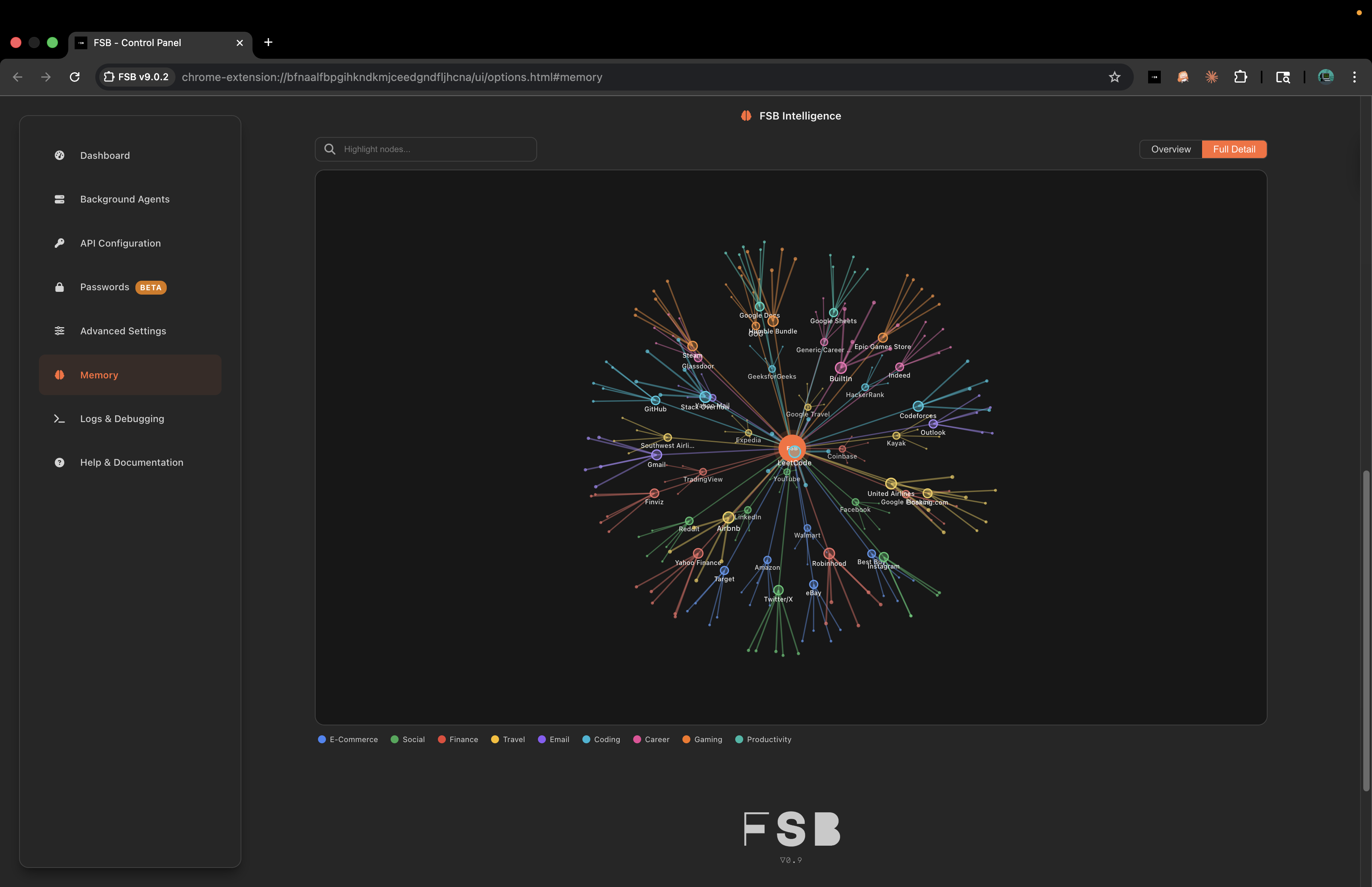
Intelligence Knowledge Graph
Quick Start
Prerequisites
- Chrome 88+ or another Chromium based browser such as Edge or Brave.
- One AI provider setup:
- xAI API key: https://x.ai/api
- Gemini API key: https://aistudio.google.com/app/apikey
- OpenAI API key: https://platform.openai.com/api-keys
- Anthropic API key: https://console.anthropic.com/account/keys
- OpenRouter API key: https://openrouter.ai/keys
- LM Studio local server running at
http://localhost:1234 - A custom OpenAI-compatible chat completions endpoint
Install The Extension
git clone https://github.com/fullselfbrowsing/FSB.git
cd FSB
- Open
chrome://extensions/. - Enable Developer mode.
- Click Load unpacked.
- Select the
extension/directory. - Click the FSB toolbar icon, open settings, configure a provider, and test the API connection.
Start with simple tasks such as:
Scroll downSearch for cats on GoogleClick the first search resultRead this page and summarize it
Reload the extension from chrome://extensions/ after local code changes. Reload open tabs after the extension reloads so content scripts re-inject.
First Run Checklist
- Open the FSB control panel from the extension.
- Select a provider and model.
- Enter the matching API key or local endpoint.
- Use Test API to confirm the model can answer.
- Open a normal webpage, not a browser-internal page.
- Try a read-only task first, then a simple click or type task.
- Keep the visual overlay enabled while evaluating behavior.
If a site uses heavy client rendering, custom canvas controls, or unusual shadow DOM, start by asking FSB to read the page and identify available controls. That gives the model a better first snapshot and makes failures easier to debug.
Quick Troubleshooting
| Problem | Check |
|---|---|
| Extension does not appear | Confirm Chrome loaded extension/, not the repo root. |
| API test fails | Confirm the selected provider, key, endpoint, and model belong together. |
| Page reads fail | Move away from browser-internal pages such as chrome:// or extension pages. |
| Clicks miss targets | Refresh the DOM snapshot, scroll the target into view, or use coordinate tools. |
| Typed text does not stick | Prefer type_text over JavaScript value assignment on controlled inputs. |
| MCP tools are missing | Restart the host client and run fsb-mcp-server doctor. |
| MCP tools time out | Check status --watch, active tab readiness, and whether another task is queued. |
Most failures are recoverable by inspecting the current page, refreshing selectors, or restarting the local MCP bridge. Reinstalling the MCP config should be the last step, not the first.
Local Development Setup
You do not need a build step to load the extension in Chrome. You only need npm dependencies when running tests, building MCP, or building the showcase site.
npm install
npm --prefix mcp install
npm --prefix showcase/angular install
The extension reads bundled scripts directly from extension/. The MCP package is TypeScript and must be built before smoke tests or npm publishing. The showcase is a normal Angular app with static prerender output served by the production Express backend.
MCP Server
FSB ships fsb-mcp-server, a local MCP server that lets external AI clients control the same browser extension. It exposes 66 registered tools across visual sessions, trigger watchers, manual browser control, capability search/invoke, read-only page inspection, autopilot, vault, and observability.
The extension connects to the MCP bridge on:
ws://localhost:7225
Optional Streamable HTTP mode exposes:
http://127.0.0.1:7226/mcp
One Command Install
npx -y fsb-mcp-server install --claude-desktop
npx -y fsb-mcp-server install --claude-code
npx -y fsb-mcp-server install --cursor
npx -y fsb-mcp-server install --vscode
npx -y fsb-mcp-server install --windsurf
npx -y fsb-mcp-server install --codex
npx -y fsb-mcp-server install --all
Preview without writing:
npx -y fsb-mcp-server install --all --dry-run
npx -y fsb-mcp-server install --list
Manual Examples
Claude Code:
claude mcp add --scope user fsb -- npx -y fsb-mcp-server
Codex (~/.codex/config.toml):
[mcp_servers.fsb]
command = "npx"
args = ["-y", "fsb-mcp-server"]
VS Code (mcp.json):
{
  "servers": {
    "fsb": {
      "type": "stdio",
      "command": "npx",
      "args": ["-y", "fsb-mcp-server"]
    }
  }
}
Diagnostics:
npx -y fsb-mcp-server doctor
npx -y fsb-mcp-server status --watch
npx -y fsb-mcp-server wait-for-extension
See mcp/README.md for the full tool reference and client-specific setup notes.
OpenCode and OpenClaw are supported through manual or unsupported fallback setup paths; after editing host configuration, refresh or reload the client if FSB tools do not appear.
MCP Usage Guidance
Manual tools are the default path for most external clients. They let the caller inspect the page, pick a selector, act, and verify. run_task is useful when the user explicitly wants FSB to run its own automation loop, but manual control is easier to audit and recover.
Use Trigger Watchers when a caller wants to watch one selector for a future value change instead of polling manually. They are local to the open browser session: Chrome and the FSB extension must remain running, results are reported back to the MCP caller, and FSB does not provide server-side monitoring or push delivery.
Recommended manual pattern:
- Add
visual_reasonandclienton action calls when you want the trusted overlay. read_pageorget_dom_snapshotto understand the current page.- Use
execute_jsfor safe DOM reads and simple DOM-triggered clicks. - Use native tools such as
click,type_text,press_key, anddragwhen real browser events matter. - Verify with
read_page,get_page_snapshot, orget_dom_snapshot. - Set
is_final:trueon the last action to clear the overlay immediately.
Use doctor and status --watch before changing client configs. Most MCP failures are connection, extension wake, active-tab, or content-script readiness issues, not install problems.
Architecture
graph TB
    UI["Popup / Side Panel / Options"] --> BG["MV3 Background Worker"]
    BG --> AI["Universal Provider"]
    BG --> CS["Content Scripts"]
    BG --> MEM["Memory + Analytics"]
    BG --> MCP["MCP Bridge"]
    AI --> APIs["xAI / Gemini / OpenAI / Anthropic / OpenRouter / Local"]
    CS --> PAGE["Web Page DOM"]
    MCP --> CLIENTS["Claude Code / Codex / Cursor / VS Code / Others"]
Main Runtime Pieces
- Background worker (
extension/background.js): owns sessions, model calls, tool execution, MCP routing, and storage orchestration. - Content scripts (
extension/content/): analyze the DOM, create element references, execute actions, stream DOM state through the PhantomStream capture adapter, wait for stable state, and render visual feedback. - AI layer (
extension/ai/): universal OpenAI-compatible request engine, provider settings, model discovery, tool definitions, transcripts, and action history. - Memory (
extension/lib/memory/): stores episodic, semantic, and procedural records, then retrieves relevant prior context for later tasks. - Visualization (
extension/lib/visualization/): D3/site graph views for guide and memory exploration. - Vault (
extension/config/secure-config.jsplus UI flows): encrypts API keys and saved user data in Chrome storage. - MCP package (
mcp/): TypeScript server that translates MCP calls into extension bridge messages.
Automation Flow
- User or MCP client submits a task.
- FSB captures the active page structure.
- Relevant site guides and memory are retrieved.
- The selected model plans the next tool call.
- Content scripts execute browser actions and wait for visible change.
- FSB verifies the result, records analytics, and either continues or finishes.
State And Data Flow
FSB stores configuration and runtime data in Chrome storage. API keys and saved sensitive values go through the secure configuration layer. Session logs, analytics, and memory records are kept locally unless a user explicitly enables server sync or uses the showcase dashboard pairing flow.
During a task, the background worker owns the session state and talks to three main collaborators:
- content scripts for page reads and browser actions
- the selected provider for planning and response generation
- local storage for config, analytics, memory, and logs
The MCP server does not replace the extension runtime. It is a local bridge that translates MCP requests into the same background-worker routes used by FSB's own UI.
Browser Action Surface
The extension's canonical tool registry covers navigation, search, clicking, typing, keyboard events, scrolling, waiting, tabs, spreadsheets, coordinate interactions, real file uploads, DOM mutation helpers, read-only inspection, site guide lookup, memory search, and task finalization signals.
The MCP server exposes a curated public surface around that registry plus direct server-registered companion tools:
| Surface | Count | Examples |
|---|---|---|
| Visual sessions | 2 | start_visual_session, end_visual_session |
| Autopilot and agent navigation | 4 | run_task, stop_task, get_task_status, back |
| Trigger watchers | 4 | trigger, stop_trigger, get_trigger_status, list_triggers |
| Manual control | 37 | execute_js, navigate, click, type_text, drag, upload_file |
| Read-only inspection | 8 | read_page, get_dom_snapshot, get_site_guide, read_sheet |
| Capabilities | 2 | search_capabilities, invoke_capability |
| Observability | 5 | list_sessions, get_logs, search_memory |
| Vault | 4 | list_credentials, fill_credential, use_payment_method |
Read-only tools bypass the mutation queue where safe. Mutation tools are serialized so two clients do not click, type, upload, invoke, or navigate at the same time. Capability tools remain outside the canonical extension registry by design; search_capabilities bypasses the queue, while invoke_capability serializes like other side-effecting tools. Search results include readiness labels so callers can distinguish t1-ready direct execution from t1-guarded-fail-closed, learn-pending, and discovery-pending catalog-tail hits.
AI Providers
FSB uses one universal provider path for hosted, routed, local, and custom OpenAI-compatible models.
| Provider | Default or fallback model | Notes |
|---|---|---|
| xAI | grok-4-1-fast |
Default provider, fast automation profile. |
| Google Gemini | gemini-2.5-flash |
Includes free/low cost model options depending on Google availability. |
| OpenAI | gpt-4o |
Strong general automation and structured output. |
| Anthropic | claude-sonnet-4-6 |
Strong reasoning and form-heavy workflows. |
| OpenRouter | openai/gpt-4o |
Single key for routed models; live discovery supported. |
| LM Studio | Live local model list | No API key; reads /v1/models from a local LM Studio server. |
| Custom | User supplied model | Any compatible chat completions endpoint. |
The extension includes 30 fallback model entries and live model discovery for supported hosted providers. Pricing and model availability change frequently, so use the provider dashboard as the source of truth for billing.
Provider Configuration Notes
- xAI, Gemini, OpenAI, Anthropic, and OpenRouter use API keys saved in Chrome storage.
- LM Studio requires the local server to be enabled and reachable from Chrome.
- Custom endpoints should point to a chat completions-compatible URL.
- The saved model is preserved even when it is not in the bundled fallback list, so newly discovered models are not silently overwritten after a service worker restart.
- If discovery fails, the options page falls back to bundled models and shows the discovery status inline.
Provider-specific prompt formatting lives in the AI layer, but the execution loop is intentionally shared. That keeps action planning, tool validation, transcript storage, cost tracking, and error handling consistent across models.
Model Discovery And Fallbacks
Model discovery queries provider model endpoints where available, filters non-text models, normalizes the list, and caches successful results. If a provider is offline, the key is missing, or discovery fails, FSB keeps the UI usable with bundled fallback models.
The fallback table currently includes:
- 6 xAI models
- 5 Gemini models
- 4 OpenAI models
- 9 Anthropic models
- 6 OpenRouter presets
- live-only LM Studio models
Custom providers are intentionally open-ended. The model name and endpoint come from user settings, and the universal provider handles OpenAI-compatible request/response behavior.
Site Intelligence And Memory
FSB ships site guides for 17 categories, including ecommerce, finance, social, travel, coding, email, career, gaming, productivity, media, design, news, utilities, sports, reference, music, and games. Guides provide selectors, navigation patterns, workflow hints, and known site quirks.
Long term memory records:
- Episodic: what happened in a specific session.
- Semantic: facts learned about a domain or UI.
- Procedural: repeatable workflows and selectors that worked.
Memory operations are tracked separately from normal automation costs. The options dashboard exposes usage charts, memory detail panels, logs, and export controls.
Guide Categories
| Category | Examples |
|---|---|
| Ecommerce | Amazon, eBay, Walmart, Best Buy, Target |
| Finance | Yahoo Finance, TradingView, Google Finance, Coinbase |
| Social | YouTube, Reddit, LinkedIn, Instagram, TikTok |
| Travel | Booking, Kayak, Google Travel, Airbnb, airlines |
| Coding | GitHub, Stack Overflow, LeetCode, Codeforces |
| Email and productivity | Gmail, Outlook, Google Workspace, Notion, Jira, Trello |
| Career | Workday, Greenhouse, Lever, major employer job portals |
| Media and design | Video players, voice recorders, Photopea, Miro, Excalidraw |
| Edge cases | CAPTCHA-like sliders, file upload, cookie opt-out, buried login links |
Site guides are helpers, not hard-coded scripts. FSB still reads the current DOM each turn and uses guides as context for better selectors and fewer repeated mistakes.
Memory Lifecycle
After a task, FSB can extract memories from the session transcript and action history. Memories are scored, tagged, consolidated, and later retrieved by domain, task type, recency, and keyword relevance. This lets FSB reuse what it learned without stuffing every previous session into every prompt.
Memory and site maps are especially useful for:
- repeated workflows on the same domain
- pages with custom controls or unstable selectors
- identifying successful login, search, checkout, or form-fill patterns
- avoiding known bad selectors or repeated failed actions
- visualizing learned site structure from the options dashboard
Security And Safety
- API keys are encrypted with AES-GCM and stored in Chrome storage.
- Credential and payment vault flows avoid sending raw secrets over the MCP bridge.
- Rendered chat output is sanitized with DOMPurify.
- Automation is scoped to the active session tab where possible.
- Logs can be reviewed or disabled for sensitive use cases.
Use separate API keys for development and production, rotate keys regularly, respect website terms of service, and supervise automation on anything account, finance, shopping, or data-entry related.
Current Boundaries
- FSB does not bypass browser restrictions on internal pages.
- CAPTCHA solving support is a framework and optional service integration, not a guarantee.
- The extension can interact with the active page, tabs, and debugger-backed coordinate tools because those permissions are declared in the MV3 manifest.
upload_filerequires an absolute local path, blocks known sensitive path patterns, and records audit metadata without persisting the disk path.- Capability invokes allow every non-denied origin under Auto and run through denylist, mutation, signature, and audit gates. Only verified T1/T1b capabilities execute directly; guarded or catalog-tail capabilities return typed pending/fallback responses. Sensitive origins are flagged for review; network-capture discovery on sensitive origins still requires extra confirmation.
- Saved credentials and payment methods require explicit user configuration and unlock flows.
- Automation should be treated like a fast assistant operating your browser, not like an unattended production worker.
Data Handling
Provider calls receive the page/task context needed to complete the requested automation. That can include visible page text, form labels, selectors, and user-supplied task instructions. Avoid running automation on sensitive pages unless you are comfortable sending that task context to the selected model provider.
FSB does not require a hosted FSB account for local extension use. The showcase backend and dashboard pairing server are separate from normal local extension operation.
Development
Install root dependencies when running validation or tests:
npm install
npm --prefix mcp install
npm --prefix showcase/angular install
Common checks:
npm run validate:extension
npm test
npm run test:mcp-smoke
npm --prefix showcase/angular run build
The CI workflow runs these checks in separate jobs:
- extension validation and Node tests
- MCP TypeScript build and smoke tests
- Angular showcase build
Other useful commands:
npm run showcase:serve
npm run showcase:smoke
npm --prefix mcp run build
npm --prefix mcp run dev
Debugging:
- Inspect the service worker from
chrome://extensions/. - Check the browser console on the active tab for content script logs.
- Use the options page log viewer for session and action history.
- For MCP issues, run
npm run test:mcp-smoke, thenfsb-mcp-server doctor, thenfsb-mcp-server status --watch.
Change Guidelines
- Keep behavior-specific docs close to the package that owns the behavior.
- Update the root README only for public setup, architecture, or feature changes.
- Update
mcp/README.mdwhen tool names, counts, transports, diagnostics, or installer platforms change. - Update
extension/README.mdwhen manifest entry points, extension loading, packaging, or validation changes. - Update
showcase/README.mdwhen Angular, deploy, crawler, or site build behavior changes. - Prefer tests for any shared contract between the extension and MCP server; stale docs are usually symptoms of missing contract checks.
Release Sanity Checks
Before cutting a release, verify:
- root
package.jsonversion matchesextension/manifest.json mcp/package.jsonmatchesmcp/src/version.ts- README version badges and "what's new" sections match package metadata
- screenshots and logos resolve from tracked paths
- MCP README tool counts match the registered runtime surface
- showcase README matches Angular major version and build output path
- no retired background-agent behavior is advertised as active functionality
Documentation Ownership
The root README should describe what a new user needs to understand before installing, testing, or choosing an integration path. Detailed package behavior belongs in the package README that owns it. This split keeps the public overview useful while still giving maintainers a clear place to update tool surfaces, extension entry points, or showcase deploy instructions.
Acknowledgements
- OpenTabs inspired FSB's Native Capability Catalog (first-party API execution: turning authenticated browser sessions into reusable, signed, audited API capabilities). Thanks for the direction on this approach.
License
This project is licensed under the Business Source License 1.1. See LICENSE.
Support And Contributing
- Report bugs and feature requests in GitHub Issues.
- Include the task prompt, target site, provider/model, logs, and reproduction steps where possible.
- Pull requests should update tests and docs when behavior, setup, or public interfaces change.
Made by Lakshman Turlapati
FSB Full Self Browsing: AI powered automation, accessible to everyone.
Reviews (0)
Sign in to leave a review.
Leave a reviewNo results found