kide
Health Warn
- License — License: Apache-2.0
- Description — Repository has a description
- Active repo — Last push 0 days ago
- Low visibility — Only 5 GitHub stars
Code Pass
- Code scan — Scanned 6 files during light audit, no dangerous patterns found
Permissions Pass
- Permissions — No dangerous permissions requested
No AI report is available for this listing yet.
Kide is a Kotlin Multiplatform (KMP) library for building applications with a strict MVI (Model–View–Intent) presentation layer and (optional) Clean Architecture layering. It targets Android, iOS. and JVM (desktop), and integrates with Compose Multiplatform, Navigation 3, Koin, Decompose, and Voyager through small optional modules.
Kide



The First AI-Agent Native MVI Architecture for Kotlin Multiplatform (KMP).
Kide is a modern, strict MVI (Model–View–Intent) and Clean Architecture library built specifically for the era of AI-assisted development.
Targeting Android, iOS, and JVM (desktop), it integrates seamlessly with Compose Multiplatform, Navigation 3, Koin, Decompose, and Voyager.
The library takes its name and logo from the Finnish word for "crystal": kide, reflecting its transparent, predictable, and indestructible architecture.
Documentation
For a comprehensive overview of core concepts, architecture diagrams, and practical instructions for development, debugging, and testing, check out the Kide Developer Guide.
Why Kide?
- Built for AI Agents: Kide is the first architecture that ships with an embedded Model Context Protocol (MCP) server and a causal
FlightRecorder. Your AI agent can connect directly to your running app, dispatch intents, read state traces, find bugs, and instantly generate regression tests. - Bulletproof Execution: Say goodbye to dropped UI events. Kide guarantees lossless intent queues, deterministic synchronous reductions, and exactly-once side-effect delivery. The core processor is guarded; errors won't crash your intent loop.
- Pure Kotlin Multiplatform: Written entirely in Kotlin without Android-specific UI dependencies in its core, ensuring 100% logic sharing across iOS, Android, and Desktop.
- (Optional) Clean Architecture Included: Comes with out-of-the-box scaffolding for domain-driven design, bridging your UI cleanly to asynchronous use cases.
- (Optional) Modern Compose Navigation: Ships optional Compose Multiplatform integration built on the modern Navigation 3 API. Its modular,
ScreenNavKey-based design keeps each destination self-contained — a type-safe key ties a screen to its processor, so features register their own destinations independently, arguments and back stack survive process death, and navigation stays decoupled and testable without a central navigation graph.
Kide's AI-first debugging approach (FlightRecorder, interceptors, and MCP agent ports) is something none of the other current MVI libraries offer. As AI coding assistants become mandatory tools for development teams, an architecture built specifically to be understood and debugged by AI is a massive strategic advantage.
Agent-Native Debugging
Classic MVI debug tooling renders a GUI for human eyes. Kide goes further by targeting the entity that increasingly does your debugging: your AI coding agent.
Using the kide-devtools module, Kide keeps a queryable, causally ordered trace of a processor's life. An embedded MCP server exposes your running app as agent tools:
// In your debug builds:
val recorder = FlightRecorder<SearchIntent, SearchViewState, SearchSideEffect>()
val processor = SearchProcessor(useCase, interceptors = listOf(recorder))
KideDebug.attach("search", processor, recorder)
KideMcpServer.start(context)
What can your agent do?
Connect your agent (like Claude or Antigravity) to http://localhost:8765/mcp.
You can now simply ask: "Why is isLoading stuck on the search screen?"
Your agent will read the trace, correlate it with your source code, reproduce the bug by dispatching live intents into your emulator, and generate a Kotest replay scaffold for you automatically.
Modules
Kide is highly decoupled. Use only what you need:
| Module | Contents | Depends on |
|---|---|---|
kide |
Core MVI engine: PresentationProcessor, actions, interceptors, KideLog |
kotlinx-coroutines |
kide-navigation |
Navigation 3 based navigation: ScreenNavKey, AppNavigation, back-stack persistence |
kide, Compose, Navigation 3 |
kide-clean-architecture |
Clean Architecture building blocks: use cases, repositories, services, features | kotlinx-coroutines |
kide-koin |
Koin dependency-injection helpers | Koin |
kide-test |
Fluent testing DSL for PresentationProcessor |
kide, Turbine, kotlinx-coroutines-test |
kide-clean-architecture-test |
Testing DSL for UseCaseProcessor |
kide-clean-architecture, Turbine, kotlinx-coroutines-test |
kide-devtools |
Debug tooling: FlightRecorder, MCP agent port, console event streaming |
kide, kotlinx-serialization |
kide-decompose |
InstanceKeeperHost for hosting processors in Decompose |
kide, Essenty |
kide-voyager |
ScreenModelHost for hosting processors in Voyager |
kide, Voyager |
app |
Sample Android application exercising the full stack | all of the above |
Installation
Kide is published to Maven Central under the group org.fuusio.kide. The latest
release is 1.1.0.

1. Add Maven Central
Make sure mavenCentral() is in your repositories (in settings.gradle.kts):
dependencyResolutionManagement {
    repositories {
        google()
        mavenCentral()
    }
}
2. Declare the dependencies
Add only the modules you need. In a Kotlin Multiplatform project, put the shared modules
in commonMain:
kotlin {
    sourceSets {
        commonMain.dependencies {
            implementation("org.fuusio.kide:kide:1.1.0")                     // Core MVI engine
            implementation("org.fuusio.kide:kide-navigation:1.1.0")          // Navigation 3
            implementation("org.fuusio.kide:kide-clean-architecture:1.1.0")  // Clean Architecture
            implementation("org.fuusio.kide:kide-koin:1.1.0")                // Koin DI helpers
            implementation("org.fuusio.kide:kide-decompose:1.1.0")           // Decompose host
            implementation("org.fuusio.kide:kide-voyager:1.1.0")             // Voyager host
        }
        commonTest.dependencies {
            implementation("org.fuusio.kide:kide-test:1.1.0")                     // Presentation testing DSL
            implementation("org.fuusio.kide:kide-clean-architecture-test:1.1.0")  // Use-case testing DSL
        }
    }
}
For debug builds only, add the agent-native debug tooling:
// e.g. an androidMain / debug source set
implementation("org.fuusio.kide:kide-devtools:1.1.0")
For a single-platform (e.g. Android-only) project, declare them in the regulardependencies { } block instead:
dependencies {
    implementation("org.fuusio.kide:kide:1.1.0")
    testImplementation("org.fuusio.kide:kide-test:1.1.0")
}
Using the Gradle version catalog
If you use a libs.versions.toml catalog, declare a shared version and the artifacts:
[versions]
kide = "1.1.0"

[libraries]
kide = { module = "org.fuusio.kide:kide", version.ref = "kide" }
kide-navigation = { module = "org.fuusio.kide:kide-navigation", version.ref = "kide" }
kide-clean-architecture = { module = "org.fuusio.kide:kide-clean-architecture", version.ref = "kide" }
kide-koin = { module = "org.fuusio.kide:kide-koin", version.ref = "kide" }
kide-decompose = { module = "org.fuusio.kide:kide-decompose", version.ref = "kide" }
kide-voyager = { module = "org.fuusio.kide:kide-voyager", version.ref = "kide" }
kide-test = { module = "org.fuusio.kide:kide-test", version.ref = "kide" }
kide-clean-architecture-test = { module = "org.fuusio.kide:kide-clean-architecture-test", version.ref = "kide" }
kide-devtools = { module = "org.fuusio.kide:kide-devtools", version.ref = "kide" }
Then reference them from your build script:
commonMain.dependencies {
    implementation(libs.kide)
    implementation(libs.kide.navigation)
}
commonTest.dependencies {
    implementation(libs.kide.test)
}
Core concepts
Kide's presentation layer is a unidirectional data flow built around one class,PresentationProcessor<I, S, E>:
flowchart TD
    UI[Compose UI] -- dispatch(ViewIntent) --> PP[PresentationProcessor]
    PP -- map() --> Action[Action]

    Action -- reduce --> VS[ViewState]
    Action -- async work --> VS
    Action -- sideEffect --> SE[SideEffect]

    VS -- collectAsState --> UI
    SE -- collect --> UI
- A
ViewIntentdescribes a user interaction or UI event. - The processor maps each intent to an
Action(ornullfor a no-op). - Actions either reduce the
ViewState(the single source of truth the UI renders),
or emit one-timeSideEffects (navigation, toasts, …), or run asynchronous work.
Execution guarantees
- No intent is dropped. Intents are queued and processed sequentially in dispatch order.
- Deterministic reduction order. Synchronous actions execute inline on the intent loop.
- Non-blocking use cases. An
AsyncActionruns in its own coroutine; long-running work
never stalls the intent loop. Executions can be coalesced with a cancellation key:
dispatching an action with the same key cancels the previous, still-running one. - No side effect is lost. Side effects are buffered until a collector attaches and are
delivered exactly once — including effects emitted during configuration changes. - Errors do not kill the processor. An exception thrown while mapping or executing is
caught, logged, reported to interceptors (KideInterceptor.onError) and to the
processor's overridableonError, and the loop continues with the next intent.
Advanced Capabilities
- ViewState Persistence: Opt-in, schema-safe state restoration across process death using
kotlinx.serialization. No custom saver abstractions required! - Interceptors: Hook into the MVI lifecycle for analytics, logging (
KideLog), or custom monitoring. - Clean Architecture: Scale massive apps with structured
UseCaseProcessors that can emit domain-state changes directly to your processors.
Quick start
1. Define the contract
data class SearchViewState(
    val query: String = "",
    val results: List<Project> = emptyList(),
    val isLoading: Boolean = false,
) : ViewState

sealed interface SearchIntent : ViewIntent {
    data class UpdateQuery(val query: String) : SearchIntent
    data object TriggerSearch : SearchIntent
}

sealed interface SearchSideEffect : SideEffect {
    data class ShowToast(val message: String) : SearchSideEffect
}
2. Implement the processor
class SearchProcessor(
    private val searchUseCase: SearchGitHubProjectsUseCase,
) : PresentationProcessor<SearchIntent, SearchViewState, SearchSideEffect>(SearchViewState()) {

    override suspend fun map(intent: SearchIntent): Action<SearchViewState, SearchSideEffect>? =
        when (intent) {
            is SearchIntent.UpdateQuery -> reduce { copy(query = intent.query) }

            SearchIntent.TriggerSearch ->
                if (state.query.isBlank()) {
                    sideEffect { SearchSideEffect.ShowToast("Query cannot be empty") }
                } else {
                    composite(
                        reduce { copy(isLoading = true) },
                        async(cancellationKey = "search") {
                            val result = searchUseCase.execute(state.query)
                            reduce { copy(results = result.getOrDefault(emptyList()), isLoading = false) }
                        },
                    )
                }
        }
}
Action builders available in map():
| Builder | Action | Runs |
|---|---|---|
reduce { … } |
ReducerAction |
Inline, synchronous state reduction |
sideEffect { … } |
SideEffectAction |
Inline, constructs a side effect from state |
async { … } / useCase { … } |
AsyncAction |
Own coroutine; reduce { … } from AsyncScope |
composite(a, b, …) |
CompositeAction |
Contained actions sequentially, in order |
3. Render the state in Compose
@Composable
fun SearchScreen(ctx: ScreenContext<SearchProcessor>) {
    val state by ctx.processor.states.collectAsStateWithLifecycle()

    LaunchedEffect(Unit) {
        ctx.processor.sideEffects.collect { effect ->
            when (effect) {
                is SearchSideEffect.ShowToast -> /* show it */ Unit
            }
        }
    }

    SearchContent(
        state = state,
        onQueryChange = { ctx.processor.dispatch(SearchIntent.UpdateQuery(it)) },
        onSearch = { ctx.processor.dispatch(SearchIntent.TriggerSearch) },
    )
}
4. Wire up navigation
Each destination is described by a ScreenNavKey that links a processor to its screen:
object SearchNavKey : ScreenNavKey<SearchProcessor> {
    override val serialKey = "search"          // stable across releases and R8
    override fun createProcessor(): SearchProcessor = get()  // e.g. from Koin
    override val screen: @Composable (ScreenContext<SearchProcessor>) -> Unit
        get() = { ctx -> SearchScreen(ctx) }
}
Register keys at startup (before first composition) and render the nav display:
// Application startup, e.g. from a Feature.initialize():
ScreenNavKeyRegistry.register(SearchNavKey)

// Activity / root composable:
val backStack = rememberAppNavBackStack(HomeNavKey)
AppNavigation(backStack)
Navigate with ctx.navigateTo(DetailsNavKey), or backStack.navigateTo(...) /backStack.pushTo(...) from outside a screen. Destinations that carry arguments
implement saveArgs()/restoreArgs(); the back stack — including arguments — survives
process death.
Hosting and lifecycle
PresentationProcessor is a plain AutoCloseable class, independent of any UI framework.
A host owns its lifetime and calls close() exactly once:
- AndroidX / JetBrains ViewModel —
ViewModelHost(kide-navigation); used automatically
byAppNavigation, which retains one processor per destination across configuration changes. - Decompose —
InstanceKeeperHost(kide-decompose). - Voyager —
ScreenModelHost(kide-voyager).
ViewState persistence across process death
Persistence is opt-in per destination and uses plain kotlinx-serialization — no custom
saver abstraction. Mark the state class @Serializable, flag ephemera @Transient,
and expose the serializer on the nav key:
@Serializable
data class SearchViewState(
    val query: String = "",
    @Transient val results: List<Project> = emptyList(),
    @Transient val isLoading: Boolean = false,
) : ViewState

object SearchNavKey : ScreenNavKey<SearchProcessor> {
    // ...
    override val stateSerializer get() = SearchViewState.serializer()
}
The host snapshots state lazily — only when the platform saves state, never per emission —
and restores it before first composition after process death (restored state wins;setup() is skipped). Override PresentationProcessor.onSaveState to prune snapshots, or
return null to skip one. A failed decode (schema change) logs a warning and starts fresh.
Decompose apps get the same behavior viaretainedProcessor(key, stateKeeper, stateSerializer) { ... }.
Persist inputs and identity (query text, selected id), not derived data — keep result
lists @Transient and re-fetch on restore.
Interceptors
KideInterceptor hooks into the MVI lifecycle for logging, analytics, or debugging:
class LoggingInterceptor : KideInterceptor<SearchIntent, SearchViewState, SearchSideEffect> {
    override fun onIntent(intent: SearchIntent) { /* … */ }
    override fun onStateChanged(oldState: SearchViewState, newState: SearchViewState) { /* … */ }
    override fun onSideEffect(sideEffect: SearchSideEffect) { /* … */ }
    override fun onError(throwable: Throwable, intent: SearchIntent) { /* … */ }
}
Pass interceptors to the processor constructor.
Logging
KideLog is a zero-dependency logging facade with severity levels and automatic
class-based tagging. Plug in any backend by assigning a KideLogger:
// Android app with Timber:
KideLog.minLevel = if (BuildConfig.DEBUG) LogLevel.Debug else LogLevel.None
KideLog.logger = KideLogger { level, tag, message, throwable ->
    val tree = Timber.tag(tag)
    when (level) {
        LogLevel.Verbose -> tree.v(throwable, message)
        LogLevel.Debug -> tree.d(throwable, message)
        LogLevel.Info -> tree.i(throwable, message)
        LogLevel.Warning -> tree.w(throwable, message)
        LogLevel.Error -> tree.e(throwable, message)
        LogLevel.None -> Unit
    }
}
Inside any class, use the lazy, class-tagged extensions — the tag is derived from the
receiver's class name and the message lambda is only evaluated if the entry is logged:
class SearchProcessor : PresentationProcessor<…> {
    fun foo() {
        logD { "Processing…" }              // tag: "SearchProcessor"
        logE(exception) { "Search failed" }
    }
}
Agent-native debugging (kide-devtools)
📺 Watch the demo video: See how an AI agent uses the embedded Kide MCP server
Classic MVI debug tooling renders a GUI for human eyes. Kide's kide-devtools module
additionally targets the entity that increasingly does the debugging: your AI coding
agent. A FlightRecorder interceptor keeps a queryable, causally ordered trace of a
processor's life (intent → mapped action → state diff → side effect → error), and an
embedded MCP server exposes the running app as agent tools:
flowchart TD
    Agent[AI Agent\nClaude / Antigravity] <-->|MCP Protocol\nHTTP| MCP[KideMcpServer]

    subgraph Running Application
        MCP <-->|Tools:\nget_trace, get_state,\ndispatch_intent| FR[FlightRecorder]
        FR -.->|Intercepts Intent, Action,\nState, SideEffect, Error| PP[PresentationProcessor]
        UI[App UI] -->|dispatch| PP
        PP -->|stateFlow| UI
    end
// Wiring (debug builds):
val recorder = FlightRecorder<SearchIntent, SearchViewState, SearchSideEffect>()
val processor = SearchProcessor(useCase, interceptors = listOf(recorder))
KideDebug.attach("search", processor, recorder)
KideMcpServer.start(context) // Android: guarded — refuses to start unless debuggable
adb forward tcp:8765 tcp:8765
claude mcp add --transport http kide http://localhost:8765/mcp
The agent can now call kide_list_processors, kide_get_state, kide_get_trace
(the causal history with previous-state diffs), kide_dispatch_intent (inject any@Serializable intent into the live app), and kide_export_regression_test — which
turns a recorded bug session into a kotest replay scaffold. Ask "why is isLoading stuck
on the search screen?" and the agent reads the trace, correlates it with source, and
reproduces the bug by dispatching the same intents. Replay is sound because Kide's
intent loop is lossless and reduces in dispatch order.
KideDevToolsInterceptor complements this with live event streaming to a console
server (KideDevToolsServer) for watching the app as you use it. The server binds to
loopback only; never start it in release builds.
Clean Architecture module
kide-clean-architecture provides the scaffolding for the domain and adapter layers:
marker interfaces for Repository, Service, DataSource, and Manager; base classes
(AbstractRepository, AbstractService, AbstractManager) with a coroutine-dispatcherdispatch { } helper; a Feature abstraction for modular app assembly; and an
intent-driven use-case pattern:
data class SavedProjectsState(val projects: List<Project> = emptyList()) : State

sealed interface SavedProjectsIntent : UseCaseIntent<SavedProjectsState>
data class SaveProject(val project: Project) : SavedProjectsIntent

class SavedProjectsProcessor(
    private val repository: ProjectRepository,
) : AbstractUseCaseProcessor<SavedProjectsState, SavedProjectsIntent>(SavedProjectsState()) {

    override suspend fun map(intent: SavedProjectsIntent) {
        when (intent) {
            is SaveProject -> {
                repository.save(intent.project)
                reduce { it.copy(projects = it.projects + intent.project) }
            }
            // Mappings of other intents ...
        }
    }
}
The presentation layer talks to UseCaseProcessor from AsyncActions and can collect itsstateFlow to react to domain-state changes.
Testing
Kide is built for testing. Processors are plain classes, and the kide-test module provides a powerful DSL (powered by Turbine) to succinctly test state and side-effect emissions.
Dispatchers.setMain(UnconfinedTestDispatcher())

val processor = SearchProcessor(FakeSearchUseCase())

processor.test {
    dispatch(SearchIntent.UpdateQuery("kotlin"))

    expectState { it.query == "kotlin" }
    expectSideEffect { it is SearchSideEffect.ShowToast }
}
Domain use cases get the same treatment. The kide-clean-architecture-test module ships a
matching UseCaseProcessor.test { } DSL for asserting on domain-state emissions:
runTest {
    SavedProjectsProcessor(FakeProjectRepository()).test {
        skipInitialState()
        dispatch(SaveProject(project))
        expectState { state -> assertTrue(project in state.projects) }
    }
}
Building
./gradlew build              # compile and test all modules
./gradlew :app:installDebug  # install the sample app
Library modules use Kotlin explicit API mode (warning level) and the Kotlin Gradle
plugin's ABI validation: ./gradlew checkKotlinAbi verifies the public ABI against
the committed reference dumps and runs as part of check; after an intentional API
change, regenerate the dumps with ./gradlew updateKotlinAbi.
Publishing is configured via the vanniktech maven-publish plugin
with coordinates org.fuusio.kide:<module> (see gradle.properties).
For AI agents
Kide ships first-class instructions for AI coding agents.
Working on this repo:
AGENTS.md.Building an app with Kide: install the agent skill from
skills/kide/(SKILL.md + reference.md — Claude Code:/pluginor copy the directory into.claude/skills/).Debugging support: Debug builds can additionally
expose the running app to agents via the MCP agent port (see Agent-native debugging).
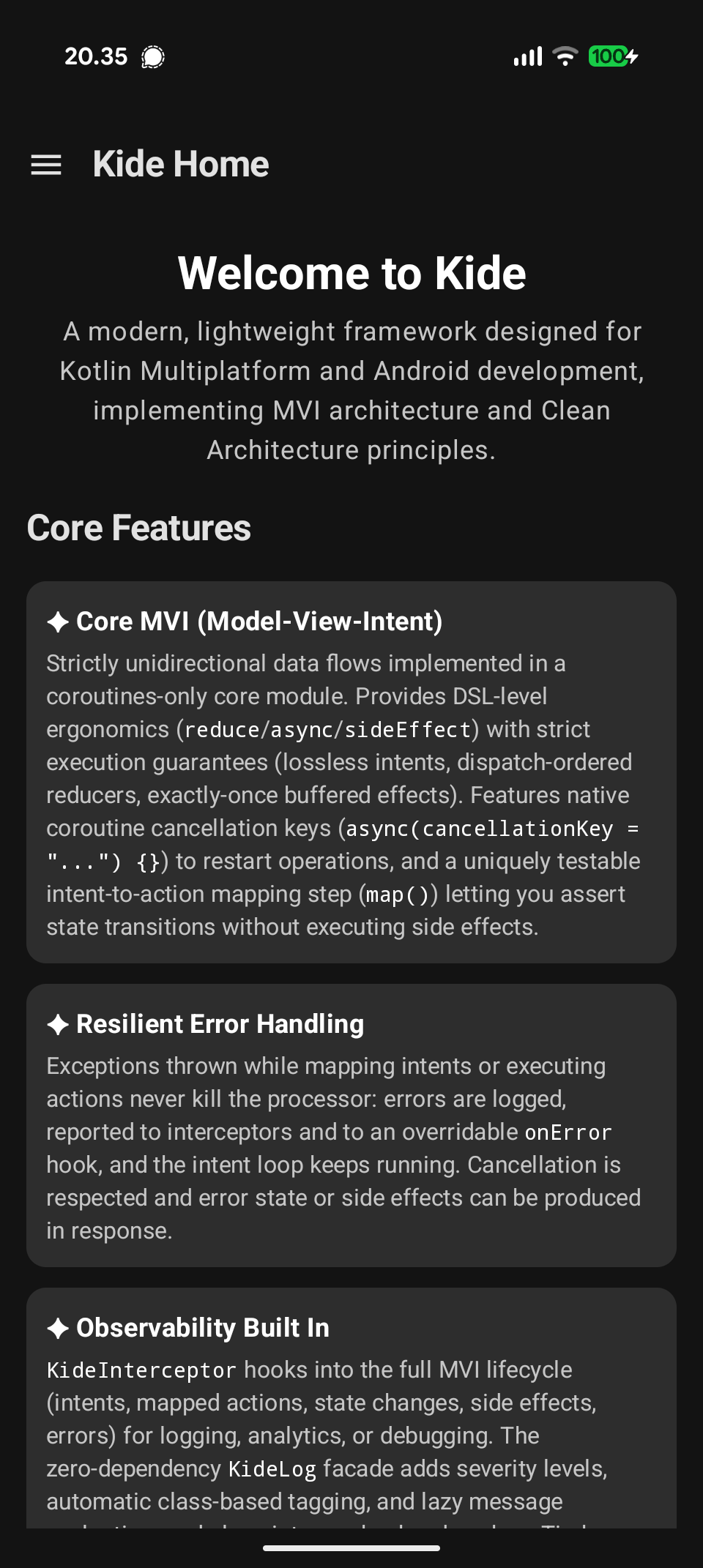
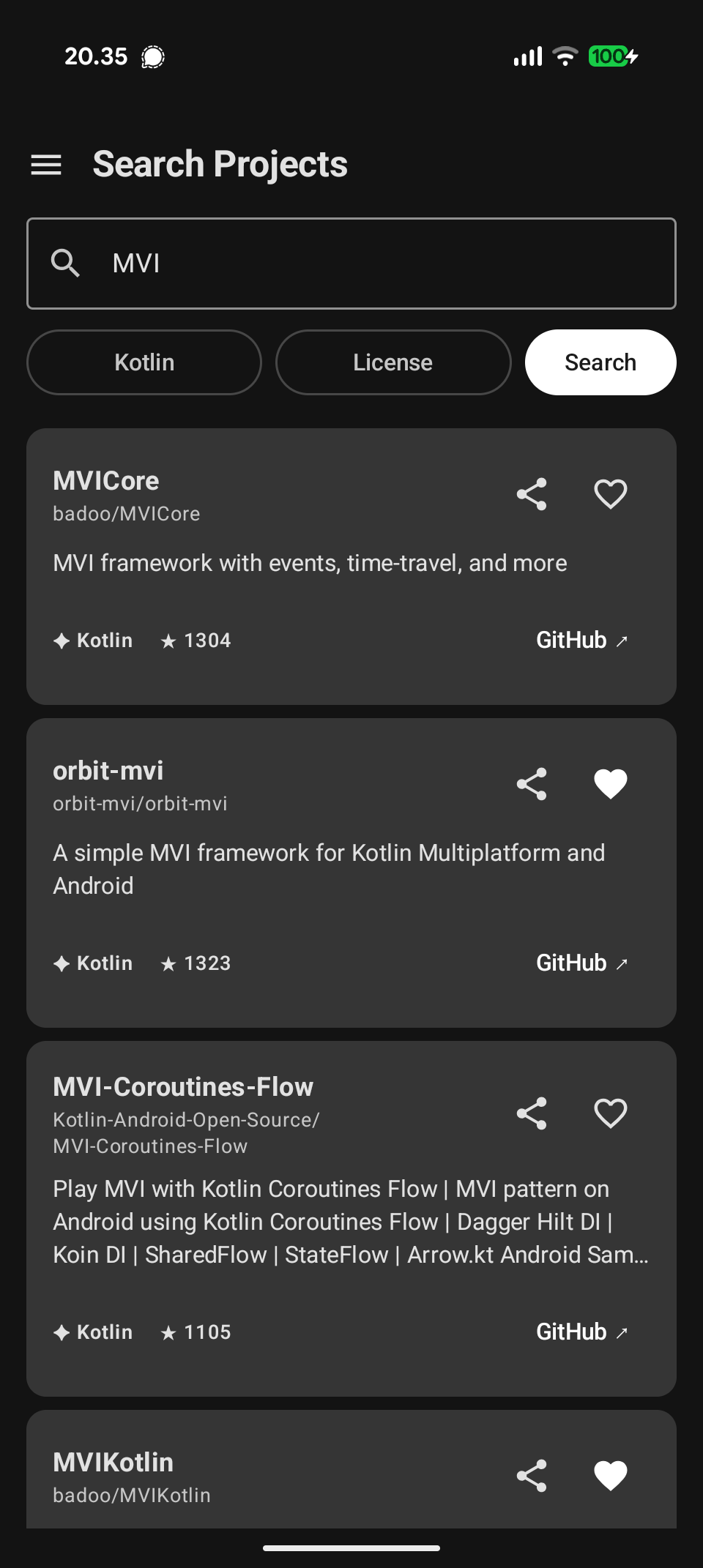
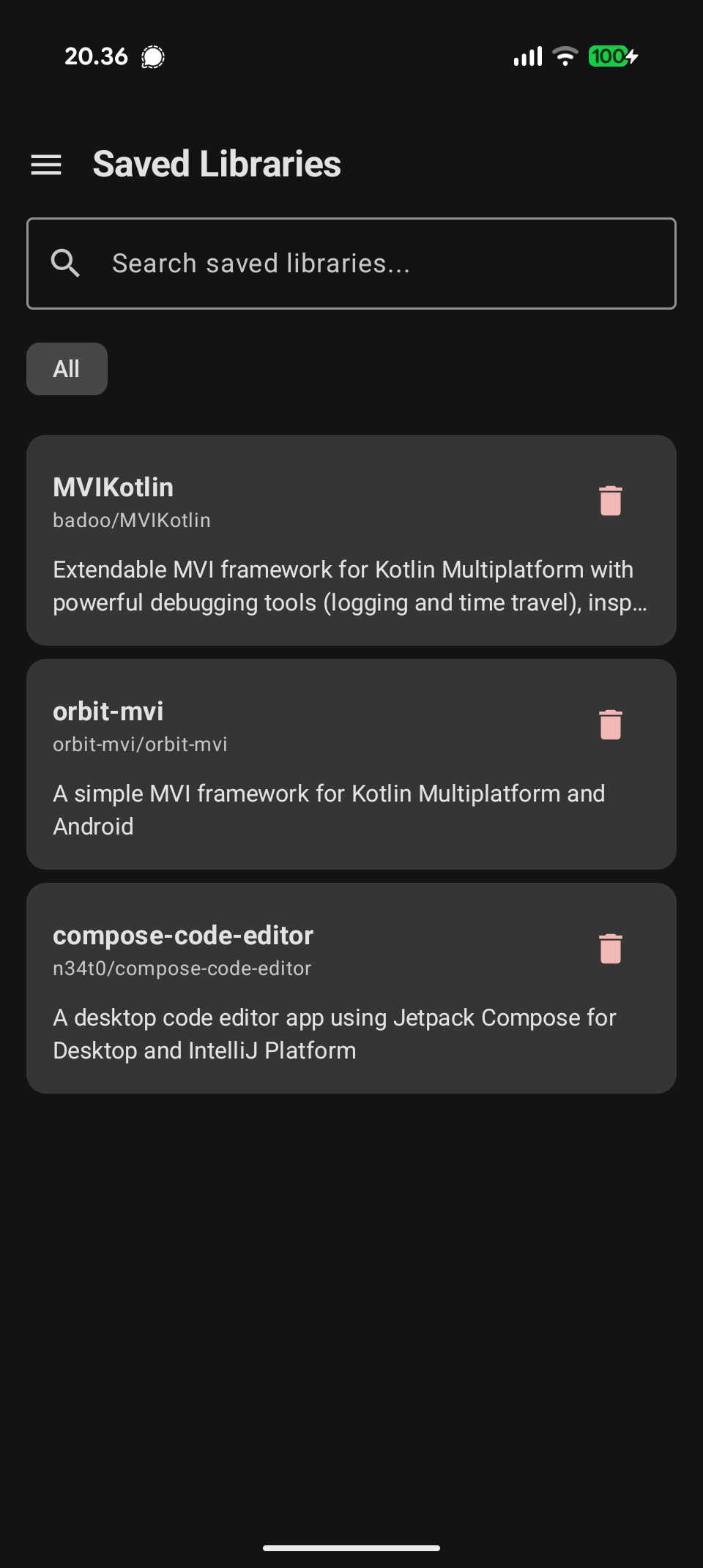
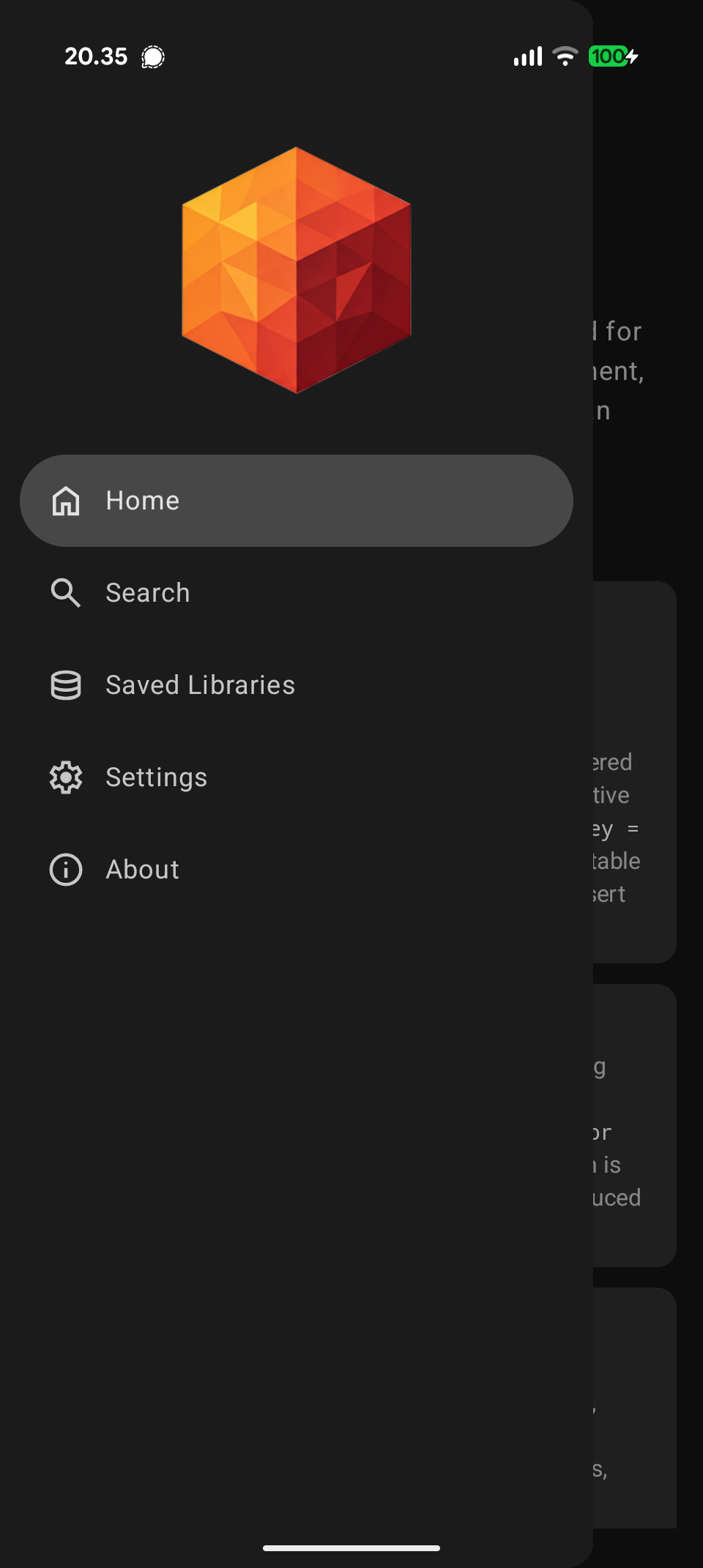
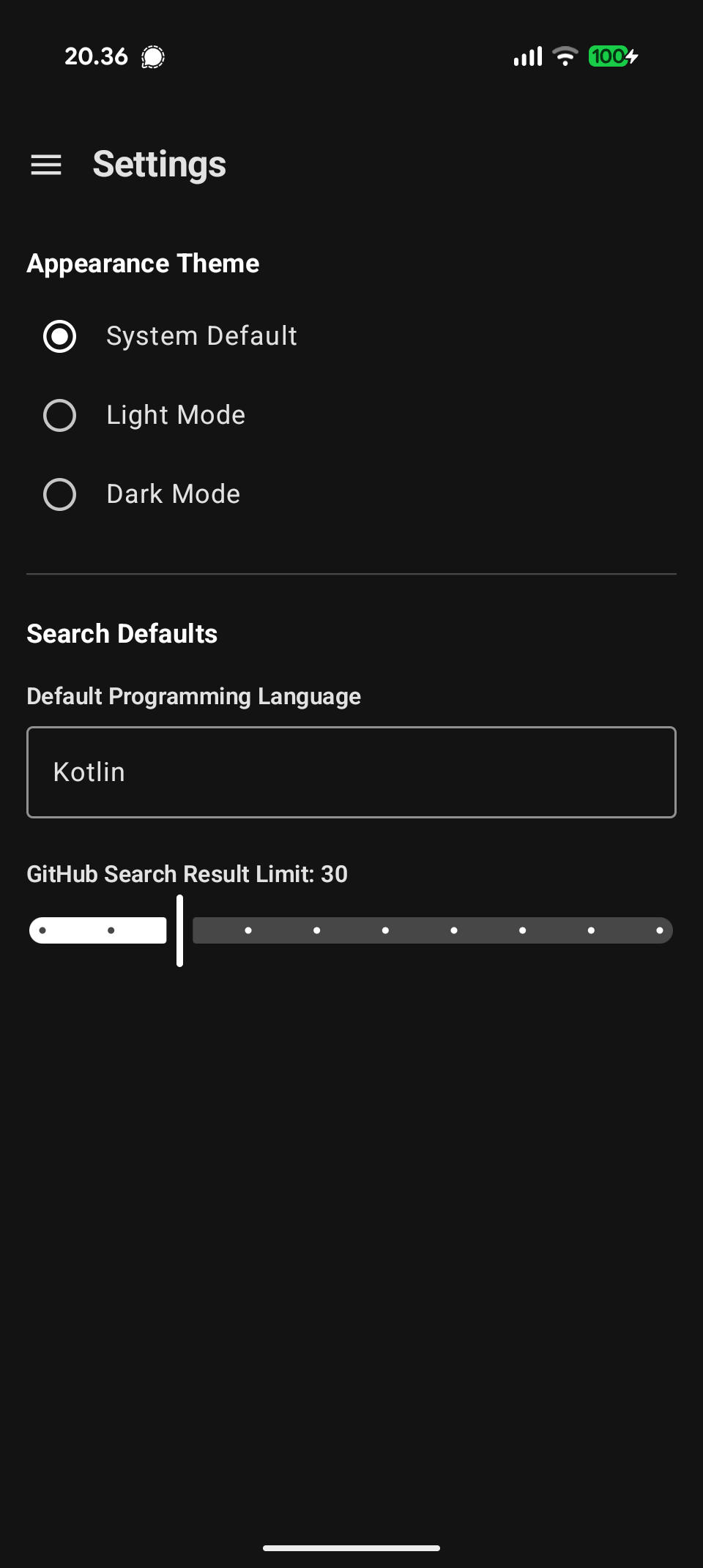
Sample application
The app module is a complete Android application built with Kide: feature modules with
their own Koin modules and nav keys, Room and DataStore data sources, a GitHub project
search, and MVI processors for every screen. It is the best reference for how the
pieces fit together.
Screenshots
License
The Kide library is licensed under the Apache License, Version 2.0.
See the LICENSE file for details.
Reviews (0)
Sign in to leave a review.
Leave a reviewNo results found